⚠ 這是歷史版本頁面 — 查看 MuMu 最新版本 →

MuMu 1.2.0.9
v 1.2.0.9
Windows
免費軟體
8.1/10 (144)
- 目前版本1.2.0.9
- 更新日期2021-10-25
- 檔案大小612 MB
- 檔案名稱MuMuInstaller_1.2.0.9_gw-offline-x86_all_1629963725.exe
- 作業系統Windows 7 / Windows 8 / Windows 10 / Windows 11
- 支援語系English
- 授權型式免費軟體
- 開發商 NetEase, Inc.
- 軟體分類Windows 軟體 / 遊戲
##
編輯短評
MuMu 是網易推出的 Android 模擬器,讓 Windows 使用者直接在桌面上以視窗或全螢幕方式執行 Android 系統與應用程式,尤其鎖定手機遊戲玩家。它主打高幀率流暢體驗,即使電腦規格不高也能順跑,並提供精準的按鍵操控,對需要複雜操作的 3D 遊戲或線上多人對戰特別友善。這套軟體自收錄以來持續維護,更新頻率穩定,在同類工具中屬於評價普遍不錯、人氣中等偏上的選擇。
如果你是想在電腦上玩手機遊戲、又不想花大錢升級硬體的人,MuMu 是值得一試的免費方案。與 BlueStacks 等替代軟體相比,它在低配備環境下的表現更輕量,但功能豐富度與客製化選項可能相對精簡。需要注意的是,目前僅提供英文介面,且僅支援 Windows 11/10 平台,使用前請確認系統相容性。授權為免費軟體,下載後即可直接使用,無需額外付費。
##
翻譯排程處理中,以下暫以英文原文呈現
軟體介紹
MuMu Player is a fully-featured emulator of the Android operating system that allows PC users of all knowledge levels to get the Android OS up and running as a windowed or full-screen app straight on the desktop of their Windows 11/10.
Overview
Optimized for accuracy, speed, and stability, the Mumu android emulator allows anyone to experience Android OS applications of all types, including fully 3D rendered video games with complex control schemes and online multiplayer.
In fact, this emulator prides itself on being one of the most optimized gaming emulators on the market, and a perfect companion to all PC gamers who want to experience Android games on their desktop or laptop PC configurations.
Mumu Player comes in a lightweight installer that will prepare everything needed for getting Android OS ready for emulation. Users only need to follow few simple on-screen instructions before they are allowed to jump into the Android OS experience which is optimized for Win use.
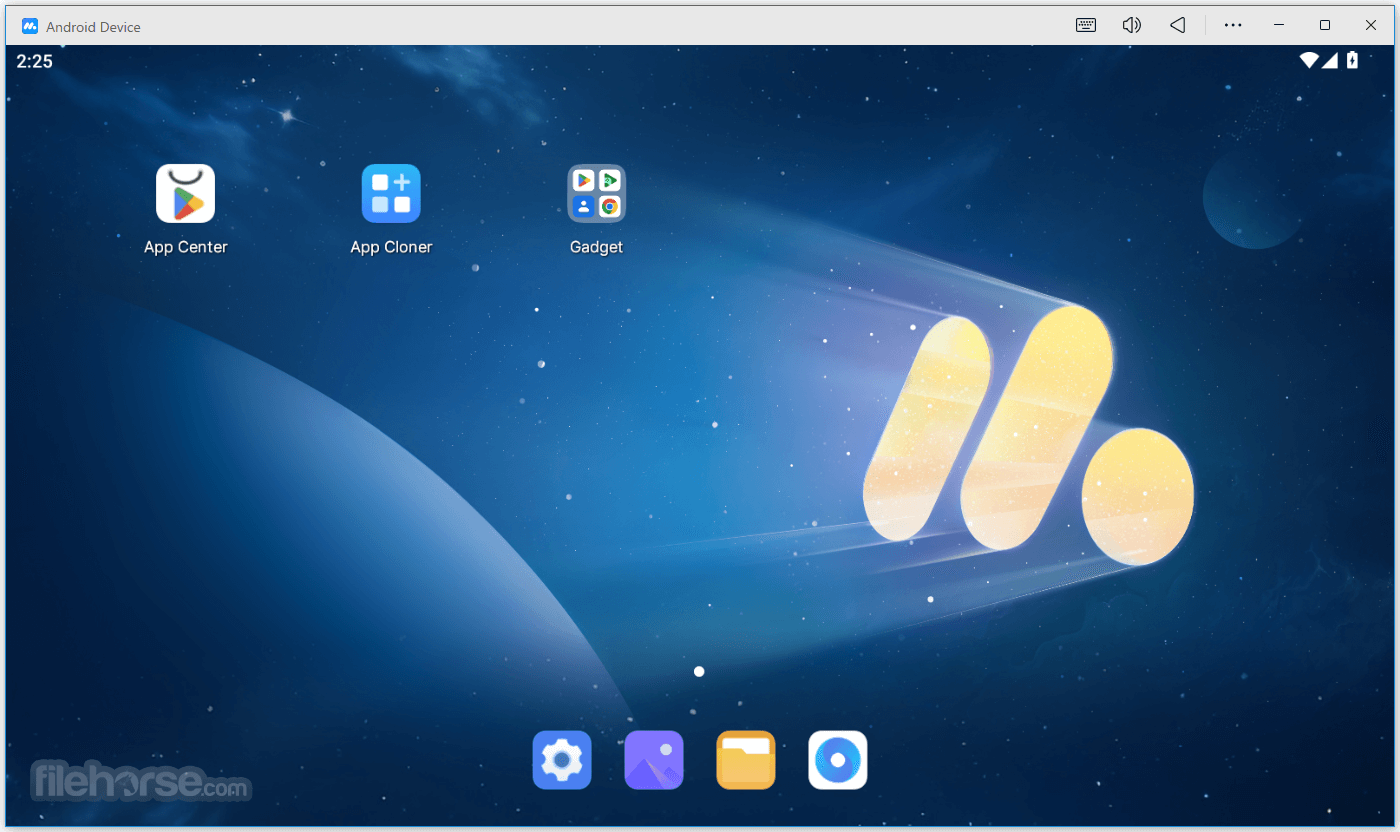
The emulation is by default running in tablet mode (although vertical mode is recommended for some titles), with a built-in Android mod that promotes easier use of keyboard and mouse accessories (such as an active taskbar with many useful shortcuts, large desktop icons, and more).
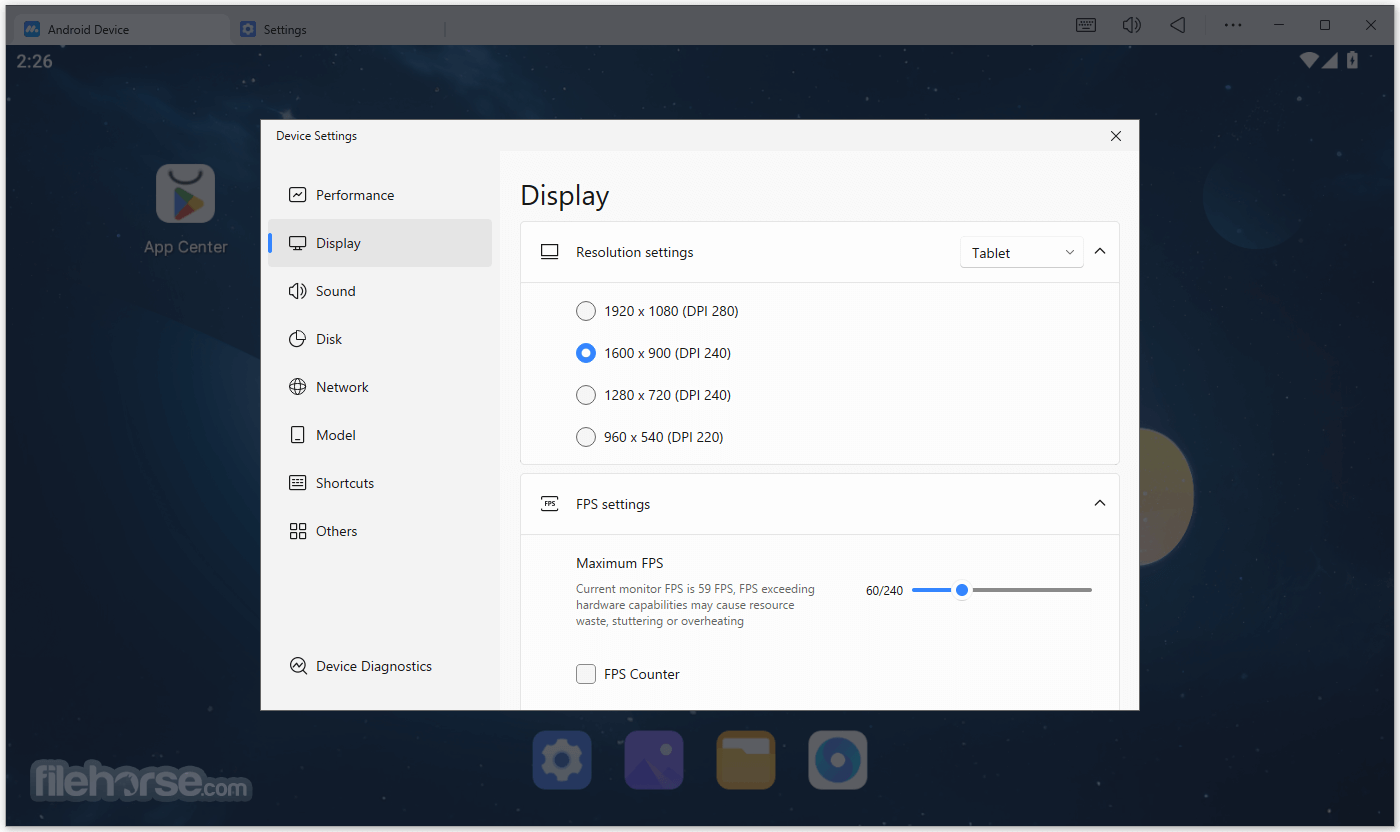
APK execution is of course fully present, games can be switched from windowed to full-screen mode, advanced features such as GPS function, screenshot capture tool, and user-selectable resolution are also present.
Gaming support in the MuMu app includes automatic detection of gamepads, fully customizable bindings for keyboard and mouse, ability to set the active resolution and allocated RAM size, and more.
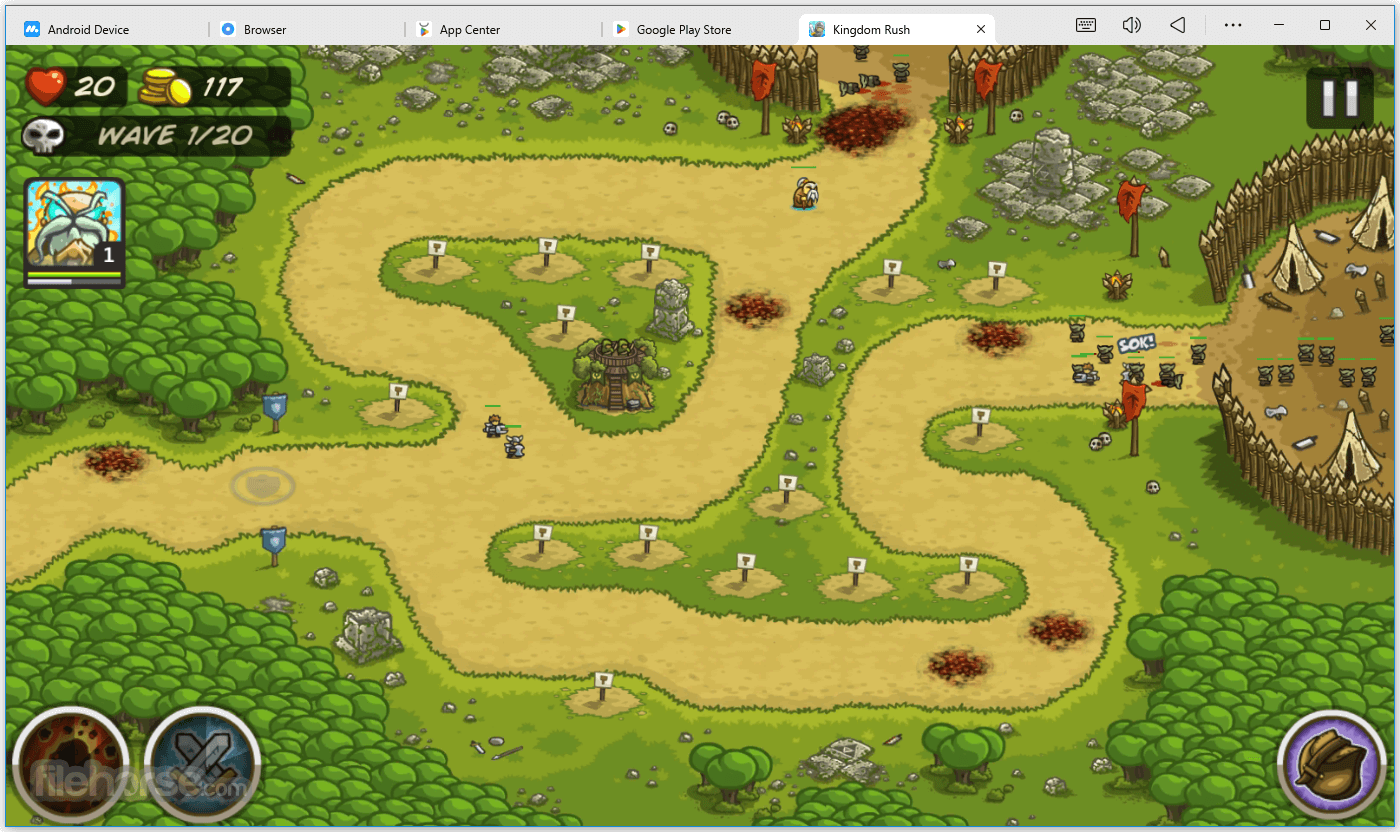
Even fully 3D games and fast-paced online action titles run great in this Android emulator, giving users a chance to enjoy some of the largest Android titles that range from FPS shooters, large RPG games, all the way to fun puzzles and simulations games.
How to Use
After launching the software, you will be greeted with the Android home screen. The interface resembles a typical Android device, complete with app icons, widgets, and a navigation bar.
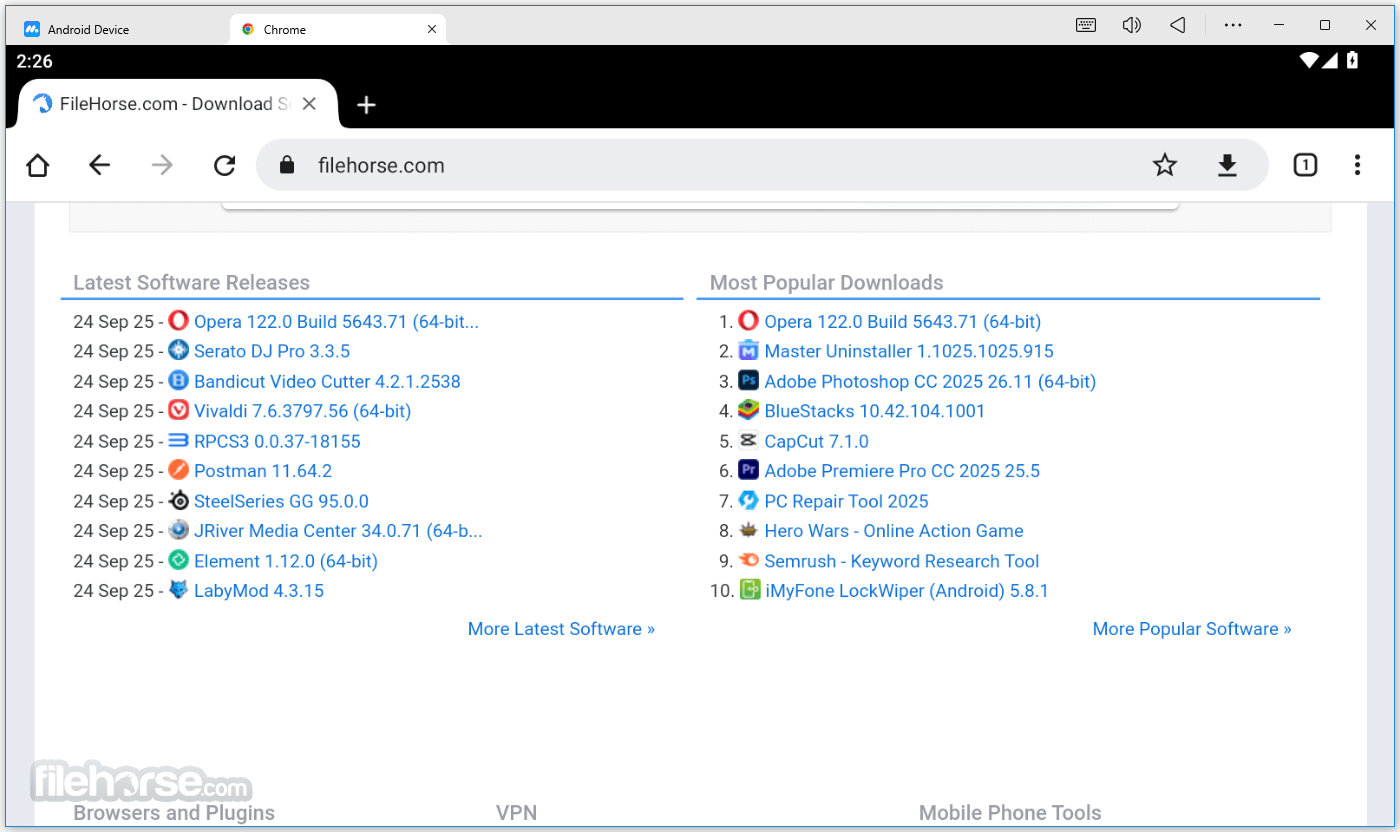
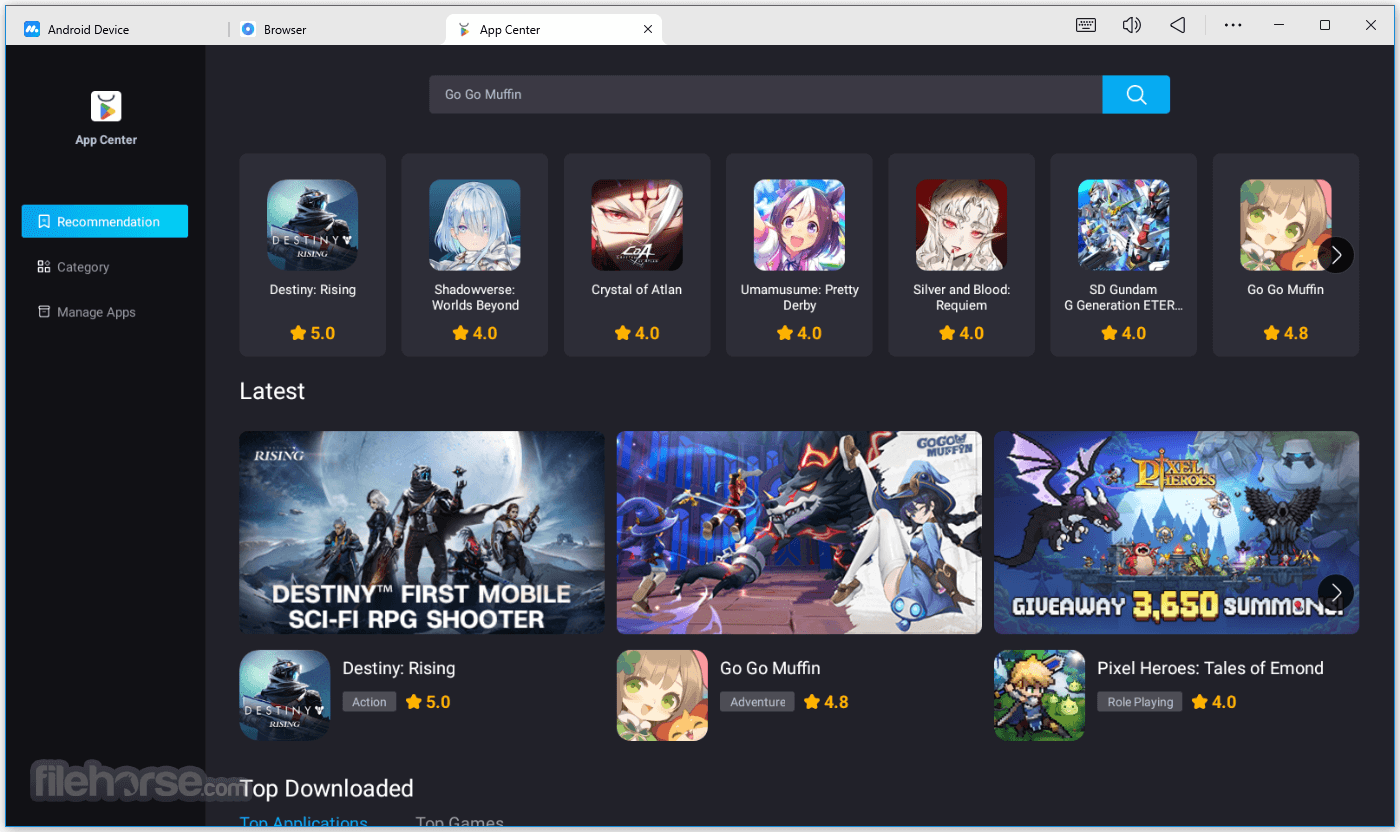
To install apps, you can either access the Google Play Store within the emulator or manually install APK files downloaded from external sources.
It supports a range of keyboard shortcuts and gamepad configurations, allowing you to customize controls to your liking. The key mapping feature is accessible through the settings menu.
Multi-Instance Manager lets you create new Android instances by cloning existing ones or starting fresh. This feature is useful for running multiple apps simultaneously or for separating different app environments.
Screen recording and screenshot capture can be accessed through the control panel or by using the designated keyboard shortcuts. These features provide convenience when documenting app usage or capturing moments during gameplay.
FAQ
What is MuMu Player for PC?
This program is an Android emulator client that allows you to run Android apps and games on your Windows 11/10/8/7.
Is MuMu for PC safe to use?
Yes, the program is safe to use. It is a legitimate software that is regularly updated to ensure the security and stability of the emulator.
How do I download MuMu for PC?
You can download MuMu for PC from the official website or from trusted third-party websites like FileHorse.com.
Can I use MuMu Android Player on my Mac?
No, the app is currently only available for Windows computers.
Can I customize the settings of MuMu for PC?
Yes, you can customize the settings of this app to optimize the performance of the emulator for your computer.
How much RAM do I need to run MuMu Player for PC?
To run the app smoothly, your computer should have at least 4GB of RAM.
Can I use MuMu Player to play mobile games on my PC?
Yes, the deskto app is specifically designed for playing Android games on your PC.
Is MuMu free to use?
Yes, MuMuPlayer for PC is FREE to download and use. Enjoy!
How do I install apps and games on MuMu for PC?
You can install apps and games on MuMu for PC by downloading them from the Google Play Store or by installing the APK file directly.
Can I use a game controller with MuMu for PC?
Yes, you can use a game controller with this program to play Android games on your PC.
Recommended System Requirements
BlueStacks - A popular Android emulator that offers similar features and performance, with a user-friendly interface.
LDPlayer - Lightweight emulator optimized for gaming with advanced features like multi-instance and macros.
NoxPlayer - Android emulator with a simple interface and excellent performance.
Gameloop - Emulator specifically designed for gaming, offering smooth gameplay and easy control customization.
System Requirements
OS: Windows 7/8/10 (64-bit), Intel or AMD processor (x86 or x86_64) with Virtualization Technology (VT-x/AMD-V) support, 4GB RAM or more, DirectX 11 or above.
PROS
All in all, MuMu Player is a reliable and efficient Android emulator that allows users to enjoy Android games and apps on their PC. It is safe to use, customizable, and free to download and use.
MuMu for Windows is specifically designed for gaming, and users can optimize the emulator settings to improve performance on their computer. With this program, users can enjoy their favorite Android games and apps on a larger screen with keyboard and mouse controls.
Download MuMu Player Latest Version Why is this app published on FileHorse? (More info)
- Play mobile games on PC in 120 FPS!
- Smooth and precise control
- Runs smoothly even on low spec PCs
Overview
Optimized for accuracy, speed, and stability, the Mumu android emulator allows anyone to experience Android OS applications of all types, including fully 3D rendered video games with complex control schemes and online multiplayer.
In fact, this emulator prides itself on being one of the most optimized gaming emulators on the market, and a perfect companion to all PC gamers who want to experience Android games on their desktop or laptop PC configurations.
Mumu Player comes in a lightweight installer that will prepare everything needed for getting Android OS ready for emulation. Users only need to follow few simple on-screen instructions before they are allowed to jump into the Android OS experience which is optimized for Win use.
The emulation is by default running in tablet mode (although vertical mode is recommended for some titles), with a built-in Android mod that promotes easier use of keyboard and mouse accessories (such as an active taskbar with many useful shortcuts, large desktop icons, and more).
- Keyboard and mouse settings
- Run apps on fullscreen
- Gamepad detection and setting
APK execution is of course fully present, games can be switched from windowed to full-screen mode, advanced features such as GPS function, screenshot capture tool, and user-selectable resolution are also present.
Gaming support in the MuMu app includes automatic detection of gamepads, fully customizable bindings for keyboard and mouse, ability to set the active resolution and allocated RAM size, and more.
Even fully 3D games and fast-paced online action titles run great in this Android emulator, giving users a chance to enjoy some of the largest Android titles that range from FPS shooters, large RPG games, all the way to fun puzzles and simulations games.
How to Use
After launching the software, you will be greeted with the Android home screen. The interface resembles a typical Android device, complete with app icons, widgets, and a navigation bar.
To install apps, you can either access the Google Play Store within the emulator or manually install APK files downloaded from external sources.
It supports a range of keyboard shortcuts and gamepad configurations, allowing you to customize controls to your liking. The key mapping feature is accessible through the settings menu.
Multi-Instance Manager lets you create new Android instances by cloning existing ones or starting fresh. This feature is useful for running multiple apps simultaneously or for separating different app environments.
Screen recording and screenshot capture can be accessed through the control panel or by using the designated keyboard shortcuts. These features provide convenience when documenting app usage or capturing moments during gameplay.
FAQ
What is MuMu Player for PC?
This program is an Android emulator client that allows you to run Android apps and games on your Windows 11/10/8/7.
Is MuMu for PC safe to use?
Yes, the program is safe to use. It is a legitimate software that is regularly updated to ensure the security and stability of the emulator.
How do I download MuMu for PC?
You can download MuMu for PC from the official website or from trusted third-party websites like FileHorse.com.
Can I use MuMu Android Player on my Mac?
No, the app is currently only available for Windows computers.
Can I customize the settings of MuMu for PC?
Yes, you can customize the settings of this app to optimize the performance of the emulator for your computer.
How much RAM do I need to run MuMu Player for PC?
To run the app smoothly, your computer should have at least 4GB of RAM.
Can I use MuMu Player to play mobile games on my PC?
Yes, the deskto app is specifically designed for playing Android games on your PC.
Is MuMu free to use?
Yes, MuMuPlayer for PC is FREE to download and use. Enjoy!
How do I install apps and games on MuMu for PC?
You can install apps and games on MuMu for PC by downloading them from the Google Play Store or by installing the APK file directly.
Can I use a game controller with MuMu for PC?
Yes, you can use a game controller with this program to play Android games on your PC.
Recommended System Requirements
- OS: Windows 11, 10, 8 or 7
- Processor: Intel(R) Core(TM) i3-2100 or better, a minimum of quad-core processor configuration, supports VT
- Graphics Card: GTX 280 or HD 6790
- RAM: 4 GB or higher
- Storage: 4 GB Free Disk Space
BlueStacks - A popular Android emulator that offers similar features and performance, with a user-friendly interface.
LDPlayer - Lightweight emulator optimized for gaming with advanced features like multi-instance and macros.
NoxPlayer - Android emulator with a simple interface and excellent performance.
Gameloop - Emulator specifically designed for gaming, offering smooth gameplay and easy control customization.
System Requirements
OS: Windows 7/8/10 (64-bit), Intel or AMD processor (x86 or x86_64) with Virtualization Technology (VT-x/AMD-V) support, 4GB RAM or more, DirectX 11 or above.
PROS
- Wide app compatibility and access to Google Play Store.
- Smooth and high-performance emulation.
- Multi-Instance Manager for running multiple apps simultaneously.
- Customizable key mapping for better gaming experience.
- Screen recording and screenshot capture for content creators.
- Some apps may not function perfectly due to emulator limitations.
- Limited support for ARM-based apps.
- Occasional performance issues on lower-end hardware.
- In-app purchases and advertisements within certain apps.
All in all, MuMu Player is a reliable and efficient Android emulator that allows users to enjoy Android games and apps on their PC. It is safe to use, customizable, and free to download and use.
MuMu for Windows is specifically designed for gaming, and users can optimize the emulator settings to improve performance on their computer. With this program, users can enjoy their favorite Android games and apps on a larger screen with keyboard and mouse controls.
Download MuMu Player Latest Version Why is this app published on FileHorse? (More info)
##
畫面截圖
- 2025-12-02 MuMu 5.11.0 794 MB
- 2025-09-22 MuMu 5.6.1 762 MB
- 2024-04-18 MuMu 3.8.18 614 MB
- 2024-02-23 MuMu 3.8.3 600 MB
- 2021-10-26 MuMu 2.7.23 385 MB
- 2021-10-25 MuMu 1.2.0.9 612 MB