⚠ 這是歷史版本頁面 — 查看 NetLimiter 最新版本 →

NetLimiter 5.3.18.0
v 5.3.18.0
Windows
商業試用
7.6/10 (67)
- 目前版本5.3.18.0
- 更新日期2024-10-19
- 檔案大小10.28 MB
- 檔案名稱netlimiter-5.3.18.0.exe
- 作業系統Windows 7 / Windows 8 / Windows 10 / Windows 11
- 支援語系English
- 授權型式商業試用
- 開發商 Locktime Software
- 軟體分類Windows 軟體 / 檔案傳輸與網路
##
編輯短評
NetLimiter 是專為 Windows 設計的網路流量控管與監控工具,能針對個別應用程式甚至單一連線設定上傳、下載的速率限制,並提供即時流量測量與長期的每應用程式統計數據。它最特別的地方在於細緻的頻寬分配能力,讓使用者能精準掌握每個程式佔用的網路資源。這套軟體在流量控管領域屬於特定用途的選擇,使用者評價普遍不錯,但開發商的更新步調已明顯放緩,近期未見新版本釋出。
如果你常遇到某個程式(例如雲端同步或背景更新)吃光頻寬,導致其他工作卡頓,NetLimiter 就能派上用場,適合需要精確控制頻寬的進階使用者。與同類的 Internet Download Manager、uTorrent 等下載工具相比,NetLimiter 專注於流量限制與監控,而非下載加速或種子管理,取捨在於功能更單一但控制更深入。需留意的是,它僅提供試用版,且介面只有英文,對不熟悉英文操作的人稍有門檻,但 Windows 平台下免安裝即可試用。
##
翻譯排程處理中,以下暫以英文原文呈現
軟體介紹
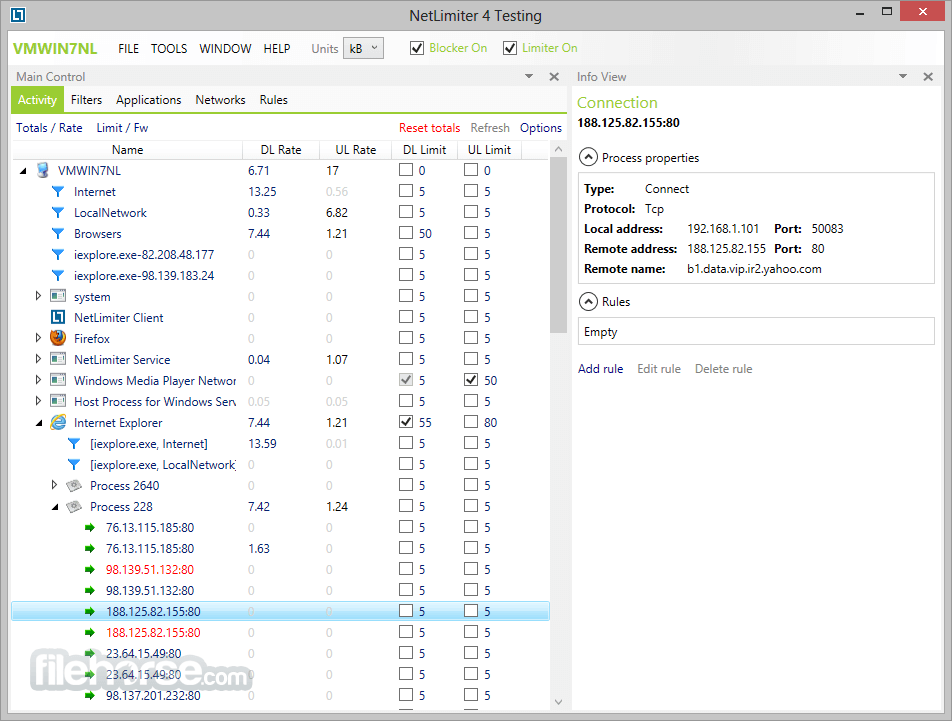
NetLimiter is an ultimate internet traffic control and monitoring tool designed for Windows. You can use NetLimiter for Windows to set download/upload transfer rate limits for applications or even single connection and monitor their internet traffic.
Along with this unique feature, the app offers a comprehensive set of internet statistical tools. It includes real-time traffic measurement and long-term per-application internet traffic statistics.
If you are looking for great alternatives, we recommend you to download GlassWire, DU Meter, or NetOptimizer.
Features and Highlights
Network Monitor
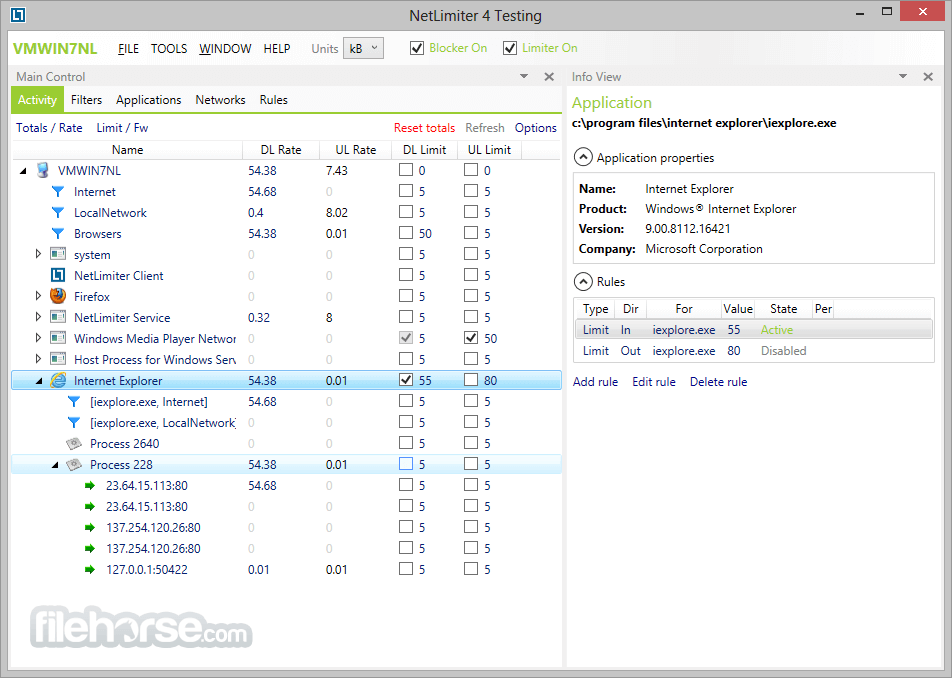
The Network Monitor tool shows a list of all applications communicating over a network it's connections, transfer rates, and more.
Bandwidth Limiter (or shaper)
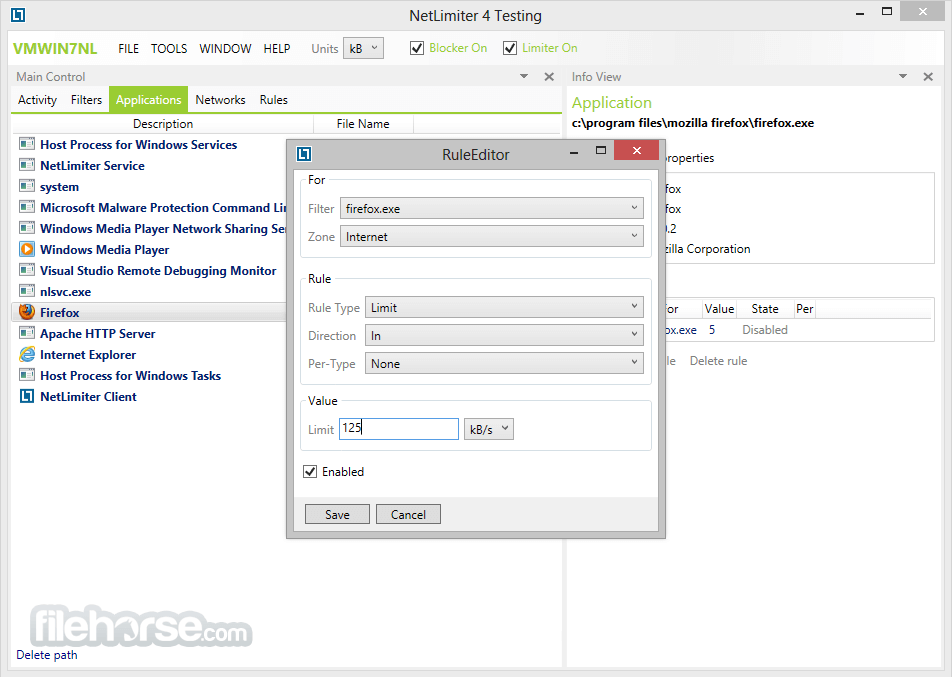
You can use NetLimiter to set download or upload transfer rate limits for applications, connections, or groups of them. With limits, you can easily manage your internet connection's bandwidth (bandwidth shaper or bandwidth controller)
Statistical tool
This feature lets you track your internet traffic history since you've installed the app.
Additional network information
Net Limiter provides you with and additional information like WHOIS, traceroute, etc.
And more...
Rule scheduler, Remote administration, Connection blocker, Running as WinNT service, User rights, Chart, Advanced Rule editor and scheduler, Zone based traffic management.
How to Use
Download NetLimiter Latest Version Why is this app published on FileHorse? (More info)
Along with this unique feature, the app offers a comprehensive set of internet statistical tools. It includes real-time traffic measurement and long-term per-application internet traffic statistics.
If you are looking for great alternatives, we recommend you to download GlassWire, DU Meter, or NetOptimizer.
Features and Highlights
Network Monitor
The Network Monitor tool shows a list of all applications communicating over a network it's connections, transfer rates, and more.
Bandwidth Limiter (or shaper)
You can use NetLimiter to set download or upload transfer rate limits for applications, connections, or groups of them. With limits, you can easily manage your internet connection's bandwidth (bandwidth shaper or bandwidth controller)
Statistical tool
This feature lets you track your internet traffic history since you've installed the app.
Additional network information
Net Limiter provides you with and additional information like WHOIS, traceroute, etc.
And more...
Rule scheduler, Remote administration, Connection blocker, Running as WinNT service, User rights, Chart, Advanced Rule editor and scheduler, Zone based traffic management.
How to Use
- Launch the application and grant necessary permissions
- View all network-connected applications in the main window
- Set download and upload limits for specific applications
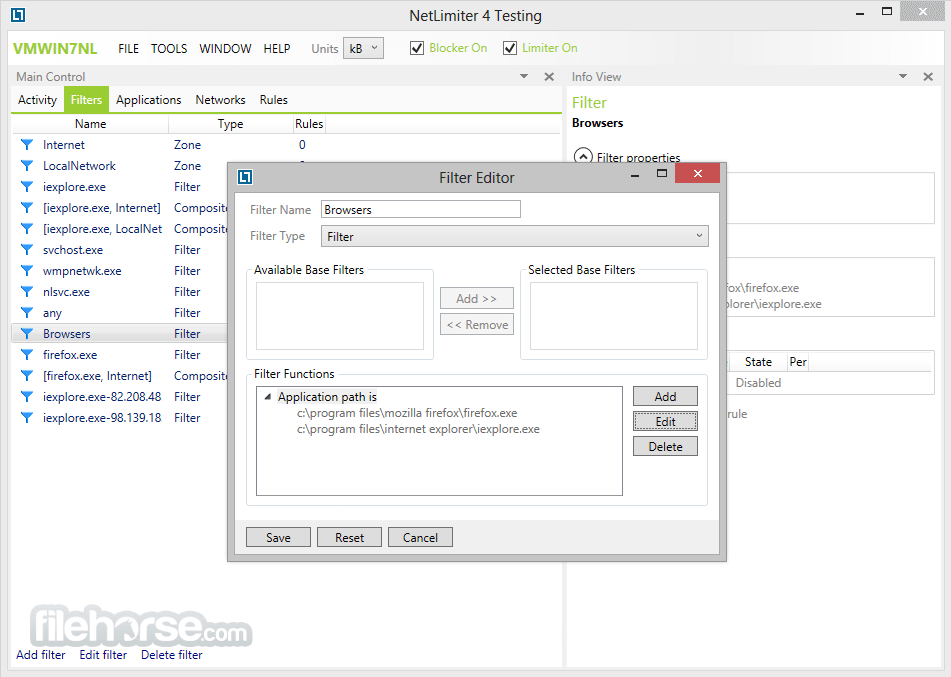
- Create custom rules to block or prioritize connections
- Monitor real-time and historical internet usage
- Use the scheduler to set limits at specific times
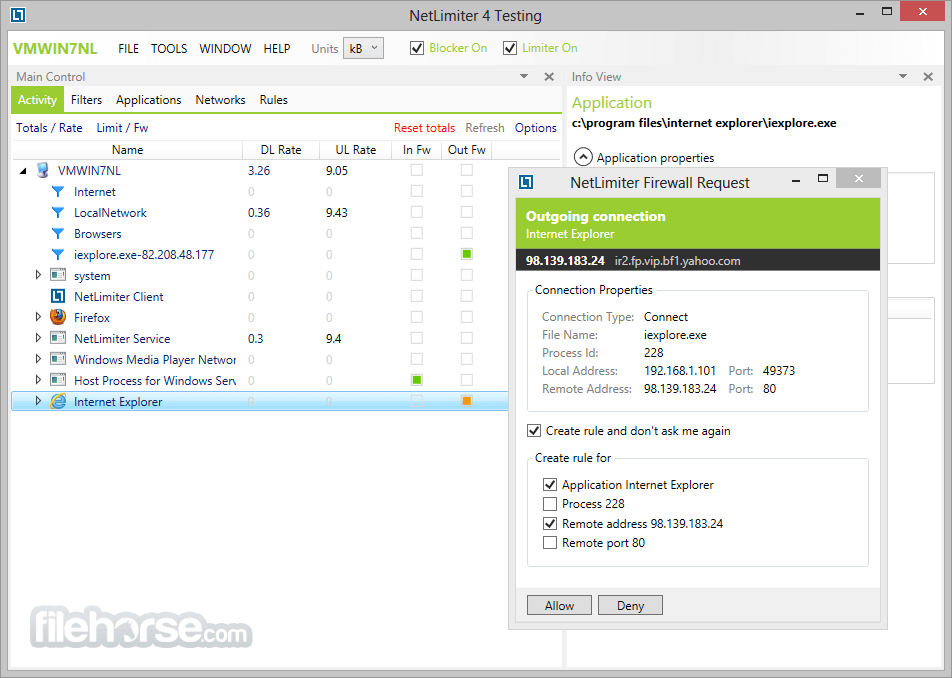
- Manage firewall rules to allow or block connections
- Analyze bandwidth usage with detailed statistics
- Save and export reports for network analysis
- Operating System: Windows 7, 8, 10, 11 (32/64-bit)
- Processor: 1 GHz or faster
- RAM: Minimum 2 GB recommended
- Storage: 100 MB of free disk space
- Internet: Required for activation and updates
- Easy to set bandwidth limits
- Real-time network monitoring
- Detailed traffic statistics
- Custom rules for connections
- User-friendly interface
- Limited free version features
- Can impact system performance
- Requires manual rule setup
- No mobile app version
- Some features need learning
Download NetLimiter Latest Version Why is this app published on FileHorse? (More info)
##
畫面截圖
- 2025-06-27 NetLimiter 5.3.25.0 10.51 MB
- 2025-05-18 NetLimiter 5.3.23.0 10.27 MB
- 2025-02-13 NetLimiter 5.3.20.0 10.3 MB
- 2025-01-10 NetLimiter 5.3.19.0 10.28 MB
- 2024-10-19 NetLimiter 5.3.18.0 10.28 MB
- 2024-08-25 NetLimiter 5.3.17.0 10.28 MB
- 2024-06-28 NetLimiter 5.3.16.0 10.28 MB
- 2024-06-27 NetLimiter 5.3.15.0 10.28 MB