⚠ 這是歷史版本頁面 — 查看 NVDA 最新版本 →

- 目前版本2025.3.2
- 更新日期2025-11-24
- 檔案大小48.72 MB
- 檔案名稱nvda_2025.3.2.exe
- 作業系統Windows 8 / Windows 10 / Windows 11
- 支援語系English
- 授權型式開源軟體
- 開發商 NV Access
- 軟體分類Windows 軟體 / 桌面強化
##
編輯短評
NVDA 是一套專為視障與盲人設計的免費開源螢幕閱讀器,由 NV Access 開發,讓使用者能透過合成語音與點字顯示器操作 Windows 系統及各種應用程式。它最大的辨識度在於輕量、可攜且完全免費,相較於動輒高價的商業螢幕閱讀器,大幅降低了輔助科技的取得門檻。此軟體長期維護、更新活躍,在同類工具中屬於主流首選,使用者評價普遍不錯。
這套軟體適合需要低成本取得螢幕閱讀功能的視障朋友,無論是日常文書處理、瀏覽網頁或操作應用程式,都能派上用場。與商業替代軟體相比,NVDA 的優勢是免費開源且免安裝即可使用,但功能深度與技術支援可能不如付費方案完整。需要注意的是,它僅支援 Windows 平台,目前介面語系為英文,中文使用者可能需要額外熟悉英文操作環境,或搭配其他語言包使用。
##
翻譯排程處理中,以下暫以英文原文呈現
軟體介紹
NVDA (NonVisual Desktop Access) is a free, open-source screen reader designed for visually impaired and blind users.
Developed by NV Access, NVDA software for Windows enables users to interact with the Windows operating system and various applications through synthesized speech and Braille displays.
Unlike commercial screen readers, this program is lightweight, portable, and accessible to anyone without a high cost, making it a preferred choice for users who need an affordable assistive technology solution.
Key Features
Text-to-Speech Support: Reads aloud text from applications, websites, and documents.
Braille Display Compatibility: Works with various refreshable Braille displays via USB or Bluetooth.
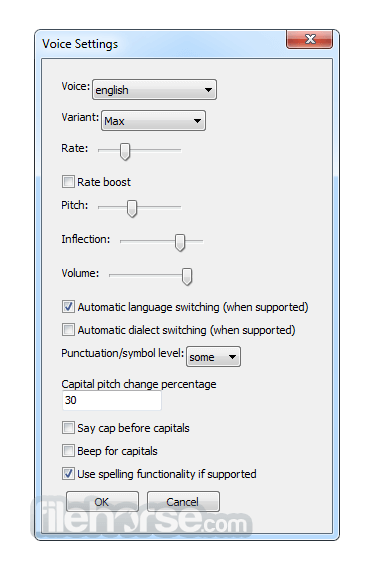
Customizable Speech Settings: Adjust voice speed, pitch, and verbosity to enhance user experience.
Keyboard Navigation: Allows users to navigate Windows and applications using only the keyboard.
Screen Magnification Integration: Works alongside magnification tools for those with partial vision.
Support for Popular Applications: Compatible with web browsers (Chrome, Firefox, Edge), Microsoft Office, Notepad, and email clients like Outlook and Thunderbird.
Portable Mode: Can be used directly from a USB drive without installation.
Automatic Updates: Ensures users have the latest improvements and security fixes.
Multilingual Support: Available in multiple languages for a global audience.
User Interface
The app primarily operates through speech feedback, meaning it does not have a traditional graphical user interface (GUI).
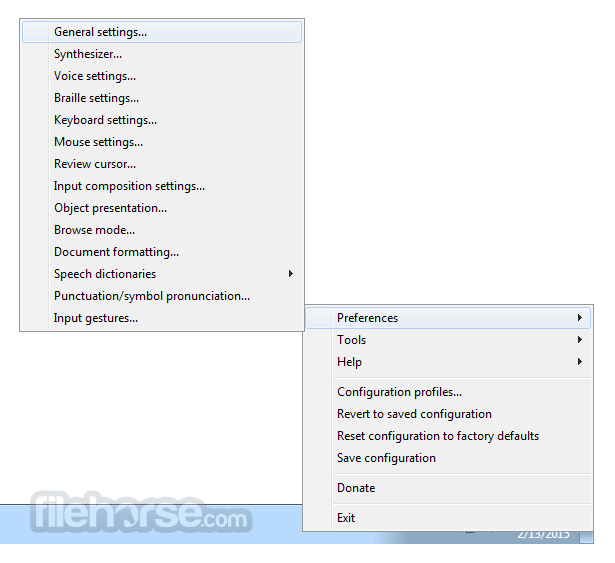
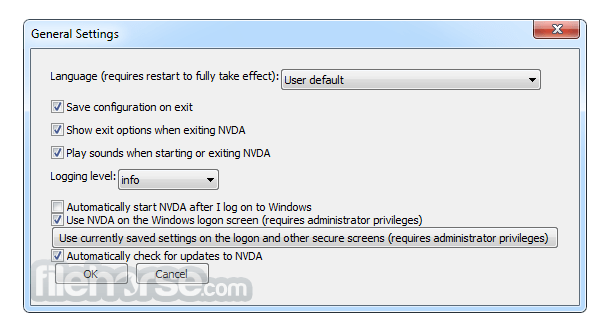
Instead, users interact with it through a settings menu that allows them to configure speech, keyboard shortcuts, and Braille display options.
The interface is minimalistic and designed to be highly accessible, ensuring that users with different levels of technical expertise can configure it easily.
Installation and Setup
Launching this App: Press Ctrl + Alt + N to start NVDA.
Navigating Windows: Use Tab to move through options and Enter to select.
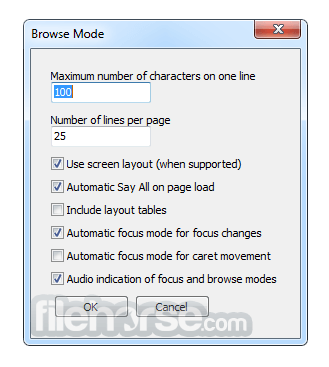
Reading Webpages: Use Arrow keys to read text, H for headings, and K for links.
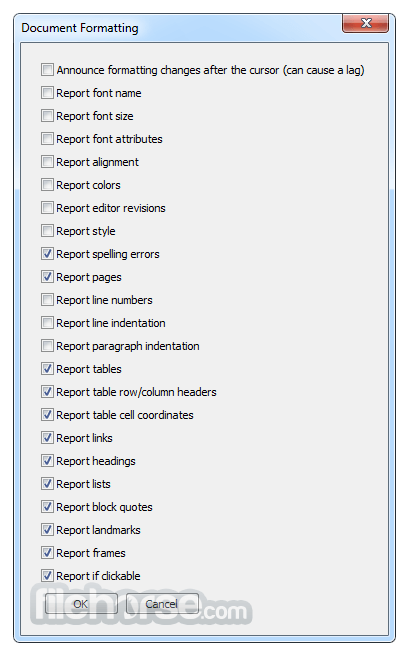
Text Input Feedback: The app announces typed characters, words, and formatting changes.
Customizing Preferences: Press NVDA + N to access settings and configure speech, Braille, and keyboard shortcuts.
FAQ
Is NVDA completely free?
Yes, this program is open-source and completely FREE, though donations to NV Access are encouraged to support development.
Does NVDA work with all Windows applications?
It supports most standard applications, including web browsers, Microsoft Office, and Windows desktop utilities, but some proprietary or custom applications may have limited functionality.
Can NVDA be used with a Braille display?
Yes, it supports many refreshable Braille displays via USB or Bluetooth. Users can configure settings in the Braille menu.
How do I stop NVDA from speaking?
Press Ctrl to silence speech temporarily or NVDA + Q to exit the program.
Does NVDA work offline?
Yes, this software does not require an internet connection to function, making it ideal for use in any environment.
Pricing
The tool is completely FREE to download and use. However, donations to NV Access help maintain and improve the software.
System Requirements
NVDA is one of the best free screen readers available for Windows, offering an impressive set of features for users with visual impairments. While it may not have the advanced capabilities of commercial alternatives like JAWS, it is an excellent choice for those seeking an accessible, reliable, and cost-effective solution. With continuous improvements from NV Access and an active user community,
Download NVDA Latest Version Why is this app published on FileHorse? (More info)
Developed by NV Access, NVDA software for Windows enables users to interact with the Windows operating system and various applications through synthesized speech and Braille displays.
Unlike commercial screen readers, this program is lightweight, portable, and accessible to anyone without a high cost, making it a preferred choice for users who need an affordable assistive technology solution.
Key Features
Text-to-Speech Support: Reads aloud text from applications, websites, and documents.
Braille Display Compatibility: Works with various refreshable Braille displays via USB or Bluetooth.
Customizable Speech Settings: Adjust voice speed, pitch, and verbosity to enhance user experience.
Keyboard Navigation: Allows users to navigate Windows and applications using only the keyboard.
Screen Magnification Integration: Works alongside magnification tools for those with partial vision.
Support for Popular Applications: Compatible with web browsers (Chrome, Firefox, Edge), Microsoft Office, Notepad, and email clients like Outlook and Thunderbird.
Portable Mode: Can be used directly from a USB drive without installation.
Automatic Updates: Ensures users have the latest improvements and security fixes.
Multilingual Support: Available in multiple languages for a global audience.
User Interface
The app primarily operates through speech feedback, meaning it does not have a traditional graphical user interface (GUI).
Instead, users interact with it through a settings menu that allows them to configure speech, keyboard shortcuts, and Braille display options.
The interface is minimalistic and designed to be highly accessible, ensuring that users with different levels of technical expertise can configure it easily.
Installation and Setup
- Download the Installer: Visit official website or FileHorse.com to download the latest version.
- Run the Installer: Follow the on-screen prompts to complete installation.
- Initial Configuration: Choose speech settings, keyboard shortcuts, and whether to install additional voices.
- Start Using NVDA: Launch the software via the desktop shortcut or system tray icon.
- For users who prefer a portable version, it allows installation on a USB drive, enabling access on multiple computers without requiring reinstallation.
Launching this App: Press Ctrl + Alt + N to start NVDA.
Navigating Windows: Use Tab to move through options and Enter to select.
Reading Webpages: Use Arrow keys to read text, H for headings, and K for links.
Text Input Feedback: The app announces typed characters, words, and formatting changes.
Customizing Preferences: Press NVDA + N to access settings and configure speech, Braille, and keyboard shortcuts.
FAQ
Is NVDA completely free?
Yes, this program is open-source and completely FREE, though donations to NV Access are encouraged to support development.
Does NVDA work with all Windows applications?
It supports most standard applications, including web browsers, Microsoft Office, and Windows desktop utilities, but some proprietary or custom applications may have limited functionality.
Can NVDA be used with a Braille display?
Yes, it supports many refreshable Braille displays via USB or Bluetooth. Users can configure settings in the Braille menu.
How do I stop NVDA from speaking?
Press Ctrl to silence speech temporarily or NVDA + Q to exit the program.
Does NVDA work offline?
Yes, this software does not require an internet connection to function, making it ideal for use in any environment.
Pricing
The tool is completely FREE to download and use. However, donations to NV Access help maintain and improve the software.
System Requirements
- Operating System: Windows 7, 8, 10, 11 (32-bit and 64-bit)
- Processor: 1 GHz or higher
- RAM: 2 GB or more recommended
- Storage: 100 MB free disk space
- Audio Output: Required for speech feedback
- Braille Display: Optional but supported
- Completely free and open-source
- Portable version available for USB use
- Supports various languages and Braille displays
- Frequent updates and active community support
- Works with major applications and web browsers
- Lacks advanced features found in paid screen readers
- Limited support for some proprietary applications
- Speech synthesis can be robotic compared to premium alternatives
NVDA is one of the best free screen readers available for Windows, offering an impressive set of features for users with visual impairments. While it may not have the advanced capabilities of commercial alternatives like JAWS, it is an excellent choice for those seeking an accessible, reliable, and cost-effective solution. With continuous improvements from NV Access and an active user community,
Download NVDA Latest Version Why is this app published on FileHorse? (More info)
##
影片介紹
##
畫面截圖
- 2026-05-06 NVDA 2026.1 59.96 MB
- 2026-02-16 NVDA 2025.3.3 48.7 MB
- 2025-11-24 NVDA 2025.3.1 48.72 MB
- 2025-11-24 NVDA 2025.3.2 48.72 MB
- 2025-09-15 NVDA 2025.3 48.73 MB
- 2025-08-13 NVDA 2025.2 44.03 MB
- 2025-06-23 NVDA 2025.1.2 42.34 MB
- 2025-06-17 NVDA 2025.1.1 42.33 MB