⚠ 這是歷史版本頁面 — 查看 OBS Studio Portable 最新版本 →

OBS Studio Portable 31.1.1
v 31.1.1
Windows
開源軟體
7.82/10 (41)
- 目前版本31.1.1
- 更新日期2025-07-11
- 檔案大小121.54 MB
- 檔案名稱OBSPortable_31.1.1.paf.exe
- 作業系統Windows 7 / Windows 8 / Windows 10 / Windows 11
- 支援語系English
- 授權型式開源軟體
- 開發商 John T. Haller
- 軟體分類Windows 軟體 / 影片軟體
##
編輯短評
OBS Studio Portable 是知名開源直播與錄影軟體 OBS Studio 的免安裝版本,由 John T. Haller 封裝,讓使用者不需安裝就能直接執行完整功能。它的核心價值在於可攜性:把程式放在 USB 隨身碟或外接硬碟,就能在不同電腦上使用同一套設定,特別適合需要在多台機器間切換的內容創作者、實況主或數位教學者。這款軟體長期持續更新,近一年內仍維持穩定釋出,在同類工具中屬於口碑不錯的熱門選擇,雖然評分人數不多,但評價普遍正面。
如果你經常在不同電腦上進行螢幕錄製或直播,又不想在每台機器上都重新安裝設定,這套免安裝版本會比傳統安裝版更靈活。與 KMPlayer 或 K-Lite Codec Pack 這類播放輔助工具不同,OBS Studio Portable 的定位是完整的廣播與錄製解決方案,功能取向差異明顯。需要注意的是,目前僅提供英文介面,對中文使用者來說稍有門檻;但作為開源軟體,它免費且無授權限制,適合學生、講師或需要在公用電腦上臨時錄製內容的使用者。
##
翻譯排程處理中,以下暫以英文原文呈現
軟體介紹
OBS Studio Portable is a lightweight, portable version of the popular open-source software OBS Studio (Open Broadcaster Software).
Designed specifically for content creators, streamers, and digital educators, this version allows users to run the full-featured OBS Studio without installing it directly onto the system.
It's ideal for those who work across multiple machines or prefer not to modify system files.
OBS Studio Portable is particularly useful on USB drives or external storage, making it a flexible broadcasting and screen recording tool on the go.
Features
Portable Setup: Run OBS Studio directly from a USB stick or external drive without installation.
High-Performance Video/Audio Capture: Capture real-time video and audio in high definition from multiple sources.
Scene Composition: Combine webcam feeds, screen captures, images, text, and media into scenes.
Streaming Integration: Built-in support for platforms like Twitch, YouTube, and Facebook Live.
Advanced Configuration: Full access to hotkeys, filters, transitions, audio mixer, and Studio Mode.
Plugin Support: Full compatibility with OBS plugins for extending features and functionality.
Cross-Platform Project Portability: Carry your settings and scenes across devices seamlessly.
User Interface
The program maintains the same clean and modular UI as the full version.
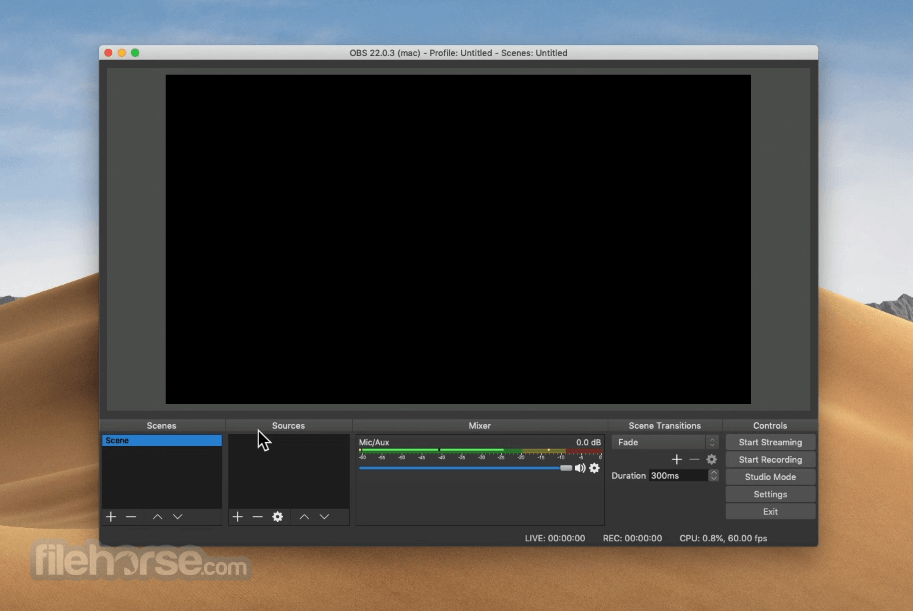
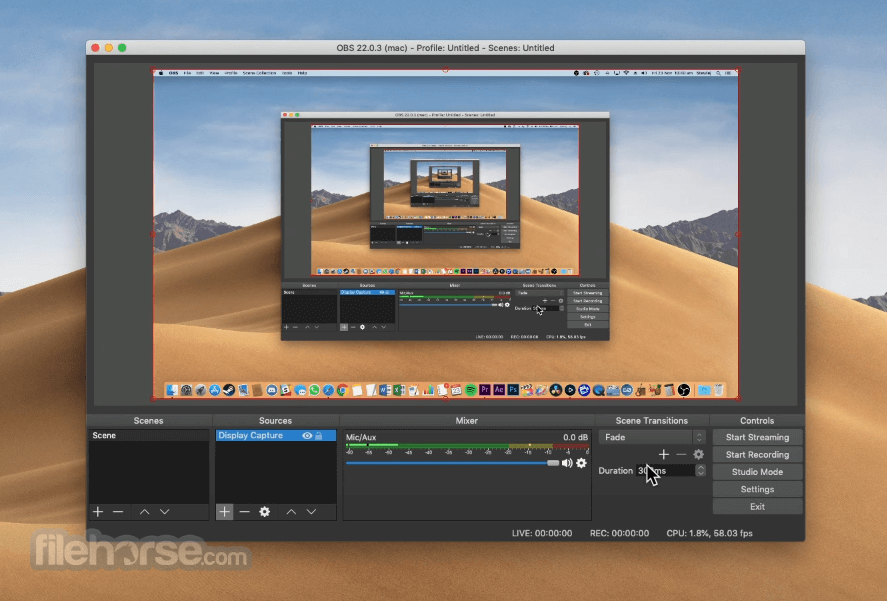
The interface is divided into docks—Scenes, Sources, Audio Mixer, Scene Transitions, and Controls—each of which can be rearranged or undocked.
The dark theme and layout provide an intuitive and distraction-free environment for both beginners and advanced users.
Installation and Setup
Installing OBS Studio Portable is as simple as downloading the zipped version of the application and extracting it to a preferred location such as a USB drive.
No system registry changes or administrator privileges are required. Simply launch the executable file to start using OBS.
How to Use
Does OBS Studio Portable require installation?
No, it runs directly from the folder you extract it to.
Are all features available in the portable version?
Yes, the portable version includes all core features of the installed OBS Studio.
Can I use custom plugins with the portable version?
Yes, plugins can be added by placing them in the appropriate plugin folders within the portable directory.
Does OBS Studio Portable save my settings?
Yes, settings are saved locally within the portable folder structure, not the system registry.
Is OBS Studio Portable slower than the installed version?
Performance is generally comparable, though USB drive speed can influence startup and loading times.
Alternatives
Streamlabs Desktop – Heavier, more beginner-friendly with built-in overlays and widgets.
XSplit Broadcaster – Commercial alternative with advanced broadcast tools.
Bandicam – Primarily a screen recorder, not ideal for live streaming.
Camtasia – Great for post-production editing but limited live-stream features.
System Requirements
OBS Studio Portable is an exceptional tool for creators who need flexibility without compromising on features. Whether you're a seasoned streamer or a newcomer wanting to experiment with screen recording, this portable version delivers the full OBS experience in a take-anywhere package.
Also Available: Download OBS Studio for Mac
Download OBS Studio Portable Latest Version Why is this app published on FileHorse? (More info)
Designed specifically for content creators, streamers, and digital educators, this version allows users to run the full-featured OBS Studio without installing it directly onto the system.
It's ideal for those who work across multiple machines or prefer not to modify system files.
OBS Studio Portable is particularly useful on USB drives or external storage, making it a flexible broadcasting and screen recording tool on the go.
Features
Portable Setup: Run OBS Studio directly from a USB stick or external drive without installation.
High-Performance Video/Audio Capture: Capture real-time video and audio in high definition from multiple sources.
Scene Composition: Combine webcam feeds, screen captures, images, text, and media into scenes.
Streaming Integration: Built-in support for platforms like Twitch, YouTube, and Facebook Live.
Advanced Configuration: Full access to hotkeys, filters, transitions, audio mixer, and Studio Mode.
Plugin Support: Full compatibility with OBS plugins for extending features and functionality.
Cross-Platform Project Portability: Carry your settings and scenes across devices seamlessly.
User Interface
The program maintains the same clean and modular UI as the full version.
The interface is divided into docks—Scenes, Sources, Audio Mixer, Scene Transitions, and Controls—each of which can be rearranged or undocked.
The dark theme and layout provide an intuitive and distraction-free environment for both beginners and advanced users.
Installation and Setup
Installing OBS Studio Portable is as simple as downloading the zipped version of the application and extracting it to a preferred location such as a USB drive.
No system registry changes or administrator privileges are required. Simply launch the executable file to start using OBS.
How to Use
- Launch the executable from the portable folder.
- Set up scenes by adding sources like screen capture, window capture, webcams, or media files.
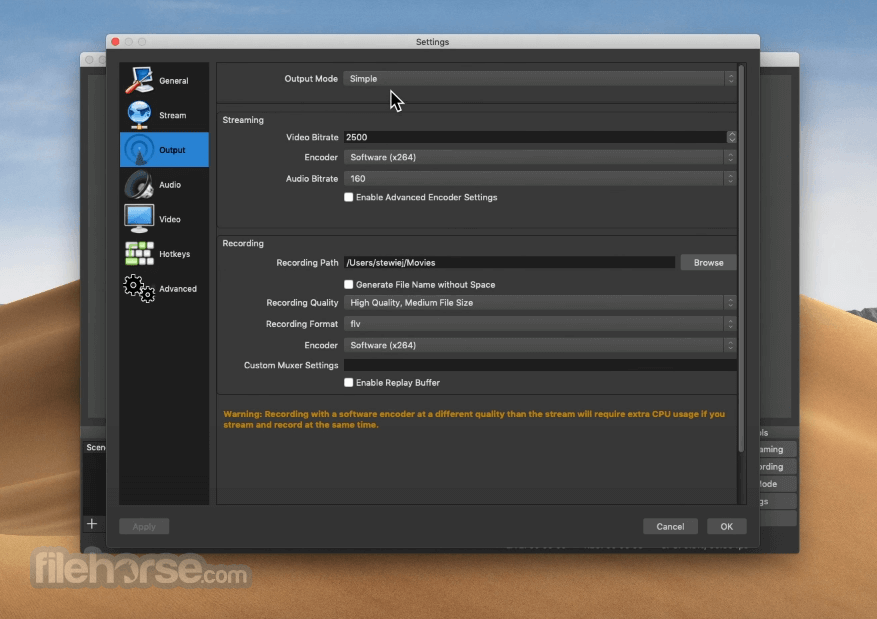
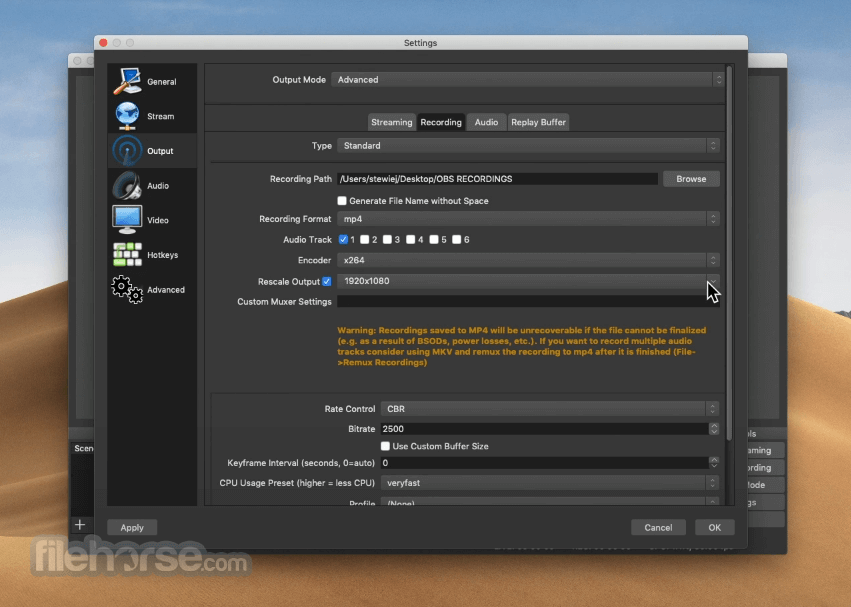
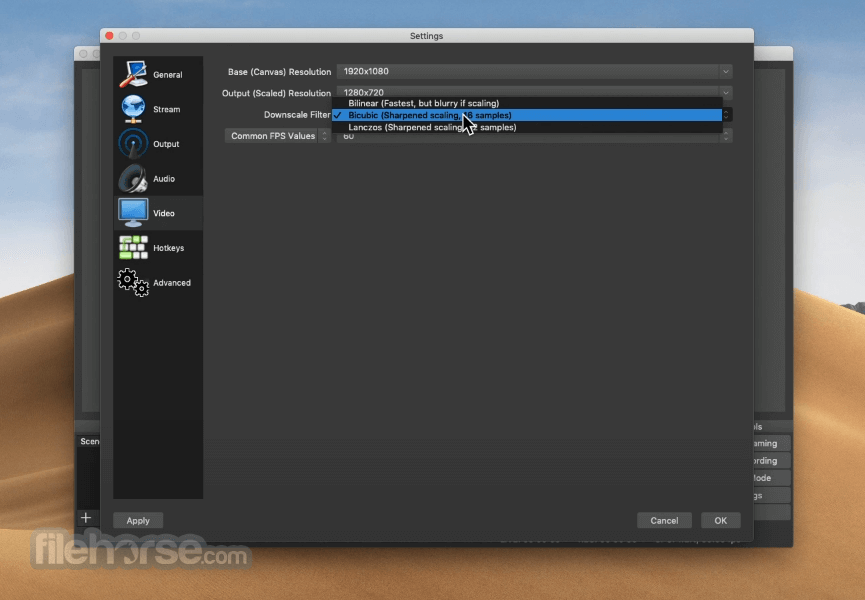
- Configure settings such as output resolution, bitrate, and streaming keys.
- Preview your setup using the Studio Mode for real-time adjustments.
- Start recording or streaming with the buttons in the Controls dock.
Does OBS Studio Portable require installation?
No, it runs directly from the folder you extract it to.
Are all features available in the portable version?
Yes, the portable version includes all core features of the installed OBS Studio.
Can I use custom plugins with the portable version?
Yes, plugins can be added by placing them in the appropriate plugin folders within the portable directory.
Does OBS Studio Portable save my settings?
Yes, settings are saved locally within the portable folder structure, not the system registry.
Is OBS Studio Portable slower than the installed version?
Performance is generally comparable, though USB drive speed can influence startup and loading times.
Alternatives
Streamlabs Desktop – Heavier, more beginner-friendly with built-in overlays and widgets.
XSplit Broadcaster – Commercial alternative with advanced broadcast tools.
Bandicam – Primarily a screen recorder, not ideal for live streaming.
Camtasia – Great for post-production editing but limited live-stream features.
System Requirements
- OS: Windows 10/11 (64-bit)
- CPU: Intel i5 4th Gen or AMD FX series
- GPU: DirectX 10.1 compatible
- RAM: 4 GB minimum (8 GB recommended)
- Storage: At least 300 MB free space
- Fully portable and install-free
- All OBS Studio features included
- Great for use across multiple systems
- Plugin and customization support
- Free and open-source
- No automatic updates
- Slightly longer load times from USB drives
- Manual setup required for plugins and configurations
OBS Studio Portable is an exceptional tool for creators who need flexibility without compromising on features. Whether you're a seasoned streamer or a newcomer wanting to experiment with screen recording, this portable version delivers the full OBS experience in a take-anywhere package.
Also Available: Download OBS Studio for Mac
Download OBS Studio Portable Latest Version Why is this app published on FileHorse? (More info)
##
畫面截圖
- 2026-04-22 OBS Studio Portable 32.1.2 121.59 MB
- 2026-04-03 OBS Studio Portable 32.1.1 121.61 MB
- 2026-03-12 OBS Studio Portable 32.1.0 121.55 MB
- 2025-12-04 OBS Studio Portable 32.0.4 121.49 MB
- 2025-07-11 OBS Studio Portable 31.1.1 121.54 MB
- 2025-03-29 OBS Studio Portable 31.0.3 120.77 MB
- 2025-03-08 OBS Studio Portable 31.0.2 120.77 MB
- 2024-04-06 OBS Studio Portable 30.1.2 104.61 MB