⚠ 這是歷史版本頁面 — 查看 Open-Shell 最新版本 →

Open-Shell 4.4.160
v 4.4.160
Windows
開源軟體
9.6/10 (22)
- 目前版本4.4.160
- 更新日期2020-10-18
- 檔案大小7.2 MB
- 檔案名稱OpenShellSetup_4_4_160.exe
- 作業系統Windows 7 / Windows 7 64 / Windows 8 / Windows 8 64 / Windows 10 / Windows 10 64
- 支援語系English
- 授權型式開源軟體
- 開發商 Open-Shell Team
- 軟體分類Windows 軟體 / 桌面強化
##
編輯短評
Open-Shell 是一款開源的 Windows 桌面強化工具,主要提供可高度自訂的開始選單與開始按鈕,適用於 Windows 11、10、8 與 7,能讓使用者找回傳統操作介面或依個人習慣調整。它還附帶檔案總管工具列、IE 標題列等小功能,整體以提升生產力為目標。此軟體長期由社群維護,更新頻率不算密集,但仍有持續釋出;在同類工具中屬於有一定知名度的選擇,評價普遍不錯,不過評分人數不多,參考價值有限。
適合想擺脫 Windows 預設開始畫面、偏好傳統選單或需要快速存取常用程式的使用者。與其他替代軟體相比,Open-Shell 完全免費且開源,但僅提供英文介面,對中文使用者稍不友善。安裝時需留意系統相容性,且因更新步調較慢,新系統支援可能需等待社群釋出更新。整體而言,它是一個穩定且可自訂性高的選擇,但若需要頻繁更新或中文介面,可能要考慮其他方案。
##
翻譯排程處理中,以下暫以英文原文呈現
軟體介紹
Open-Shell is free software that improves productivity, enhances the usability of Windows, and empowers you to use the computer the way you like it.
It has a customizable Start menu and Start button for Windows 11, 10, 8 and 7, it adds a toolbar for Windows Explorer and supports a variety of smaller features.
Highlights
Key Features
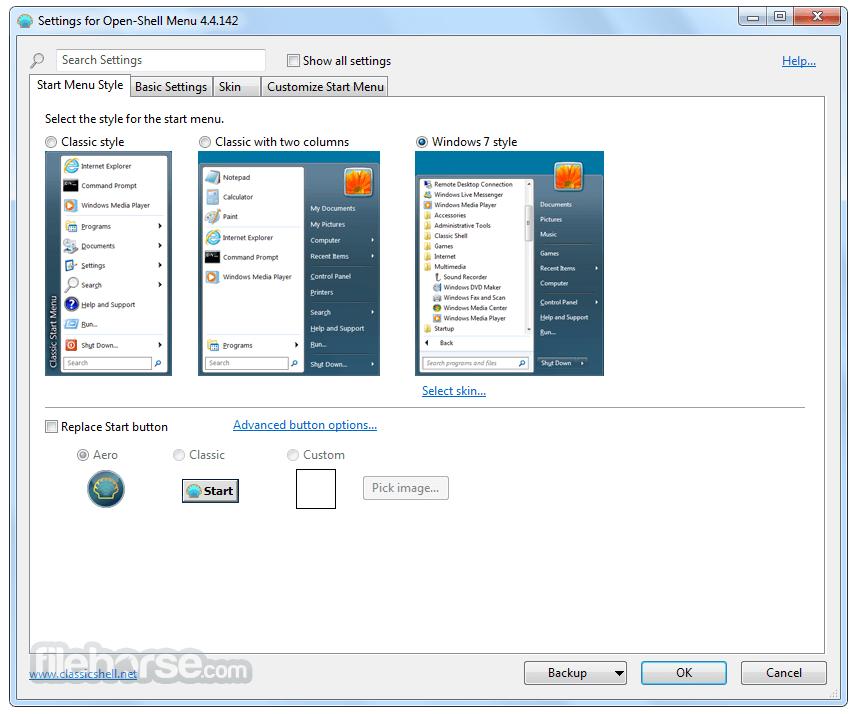
Classic Start Menu: It revives the classic Windows Start Menu, making it resemble the one found in Windows 7 and earlier.
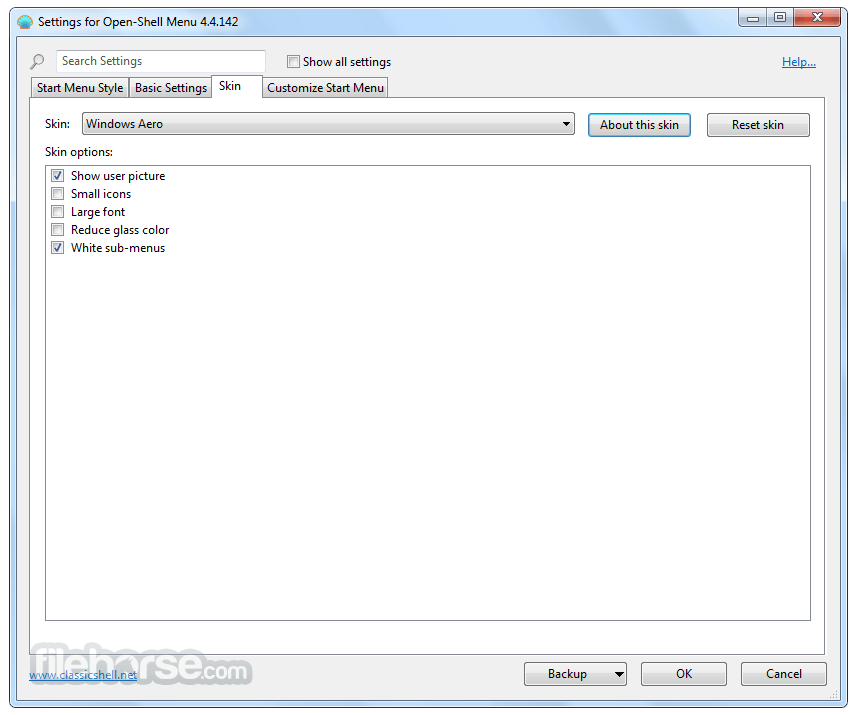
Customization: Users can extensively customize the appearance and behavior of the Start Menu, including choosing different styles, skins, and colors.
Enhanced Search: It improves Windows search functionality, allowing for faster and more accurate file and program searches.
Jump Lists: It supports jump lists, which are handy for quickly accessing recently used files and tasks.
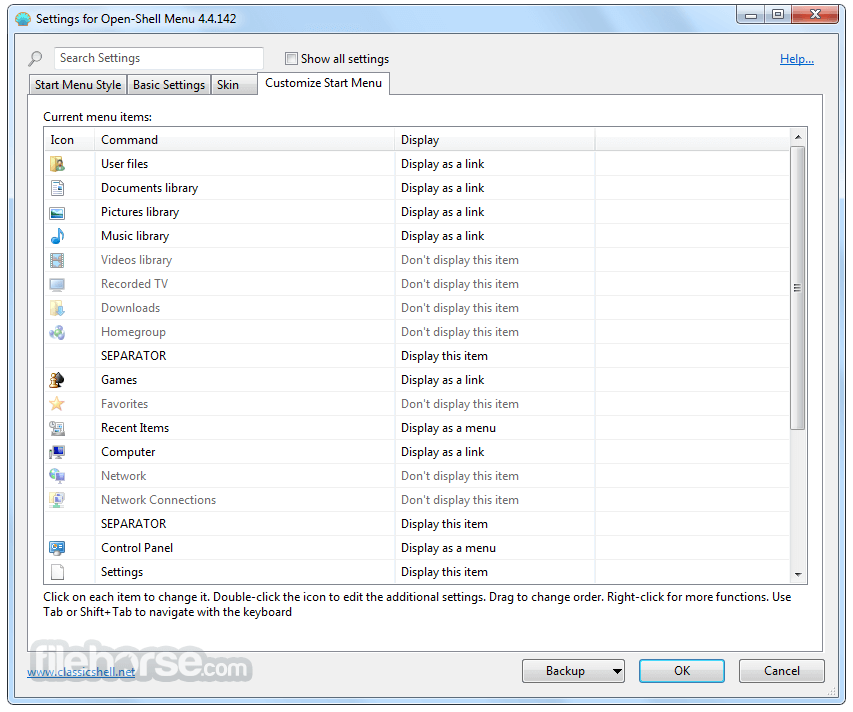
Quick Access: Users can pin their favorite applications and files to the Start Menu for easy access.
Start Button Replacement: It lets you change the Start button icon and even use custom images.
Accessibility: It offers features for visually impaired users, such as larger fonts and customizable contrast.
User Interface
The user interface of Open-Shell is intuitive and reminiscent of the classic Windows Start Menu.
It seamlessly integrates with the Windows desktop environment, ensuring a familiar experience for users.
Additionally, the interface is highly customizable, allowing users to tailor it to their preferences.
Installation and Setup
Is Open-Shell compatible with Windows 10 and Windows 11?
Yes, Open-Shell is compatible with both Windows 10 and Windows 11.
Can I revert to the default Windows Start Menu if I don't like Open-Shell?
Yes, you can uninstall Open-Shell at any time to return to the default Windows Start Menu.
Are there any security concerns with using Open-Shell?
Open-Shell is an open-source project, which means its code is publicly accessible and can be audited for security. It is generally considered safe to use.
Can I customize the appearance of the Start Menu?
Absolutely, it offers extensive customization options for the Start Menu's appearance.
Is Open-Shell free to use?
Yes, Open-Shell is open-source freeware, and you can use it without any cost.
Alternatives
StartIsBack: This paid software offers a similar experience and integrates seamlessly with Windows 10 and Windows 11.
Classic Shell: Although no longer actively developed, it's still a popular choice for those seeking a classic Start Menu experience.
Start11: This application provides a customizable Start Menu for latest Windows OS.
Pricing
The tool is completely FREE to use, making it an attractive option for users who want to enhance their Windows experience without spending money.
PROS
Open-Shell is a valuable piece of software for users who miss the classic Windows Start Menu. It offers extensive customization options, enhanced search functionality, and the ability to bring back the familiar look and feel of older Windows versions. It's a FREE and open-source tool that is well-maintained by the community, making it a reliable choice for those seeking to enhance their Windows experience.
Whether you're using Windows 10 or Windows 11, it provides a seamless way to personalize your desktop environment and improve your overall user experience.
Download Open-Shell Latest Version Why is this app published on FileHorse? (More info)
It has a customizable Start menu and Start button for Windows 11, 10, 8 and 7, it adds a toolbar for Windows Explorer and supports a variety of smaller features.
Highlights
- Highly customizable start menu with multiple styles and skins.
- Quick access to recent, frequently-used, or pinned programs.
- Find programs, settings, files, and documents.
- Start button for Windows 11, Windows 10, Windows 8, Windows 7.
- Caption and status bar for Internet Explorer.
- Toolbar and status bar for Windows Explorer.
Key Features
Classic Start Menu: It revives the classic Windows Start Menu, making it resemble the one found in Windows 7 and earlier.
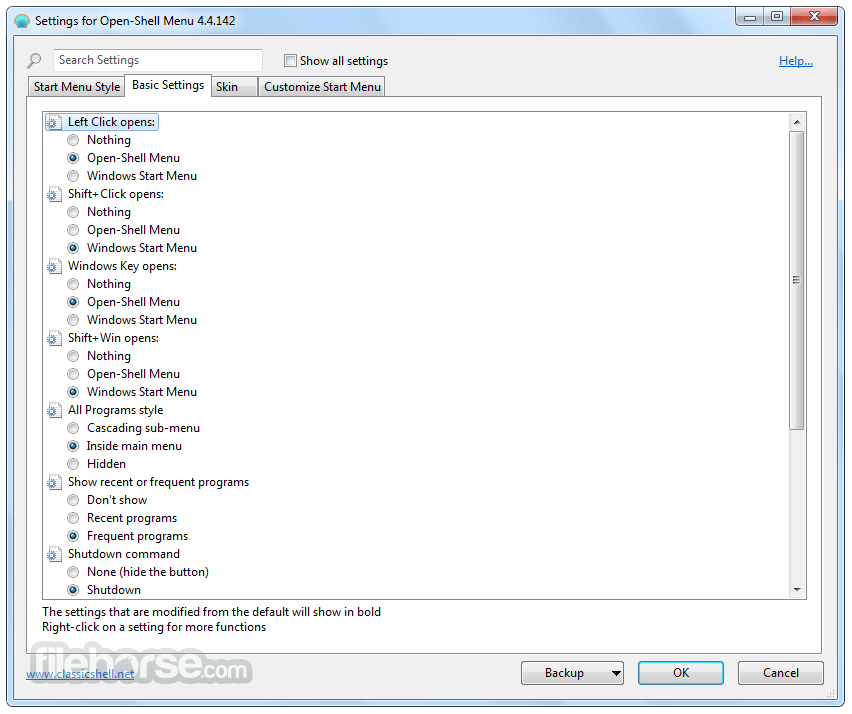
Customization: Users can extensively customize the appearance and behavior of the Start Menu, including choosing different styles, skins, and colors.
Enhanced Search: It improves Windows search functionality, allowing for faster and more accurate file and program searches.
Jump Lists: It supports jump lists, which are handy for quickly accessing recently used files and tasks.
Quick Access: Users can pin their favorite applications and files to the Start Menu for easy access.
Start Button Replacement: It lets you change the Start button icon and even use custom images.
Accessibility: It offers features for visually impaired users, such as larger fonts and customizable contrast.
User Interface
The user interface of Open-Shell is intuitive and reminiscent of the classic Windows Start Menu.
It seamlessly integrates with the Windows desktop environment, ensuring a familiar experience for users.
Additionally, the interface is highly customizable, allowing users to tailor it to their preferences.
Installation and Setup
- Download the installer from the official website or FileHorse.
- Run the installer and follow the on-screen instructions.
- Once installed, it will prompt you to configure your Start Menu settings.
- The setup process is user-friendly and doesn't require advanced technical knowledge.
- Click the Start button to open the Start Menu.
- Customize the Start Menu by right-clicking on it and selecting "Settings."
- Adjust the appearance, behavior, and functionality according to your preferences.
Is Open-Shell compatible with Windows 10 and Windows 11?
Yes, Open-Shell is compatible with both Windows 10 and Windows 11.
Can I revert to the default Windows Start Menu if I don't like Open-Shell?
Yes, you can uninstall Open-Shell at any time to return to the default Windows Start Menu.
Are there any security concerns with using Open-Shell?
Open-Shell is an open-source project, which means its code is publicly accessible and can be audited for security. It is generally considered safe to use.
Can I customize the appearance of the Start Menu?
Absolutely, it offers extensive customization options for the Start Menu's appearance.
Is Open-Shell free to use?
Yes, Open-Shell is open-source freeware, and you can use it without any cost.
Alternatives
StartIsBack: This paid software offers a similar experience and integrates seamlessly with Windows 10 and Windows 11.
Classic Shell: Although no longer actively developed, it's still a popular choice for those seeking a classic Start Menu experience.
Start11: This application provides a customizable Start Menu for latest Windows OS.
Pricing
The tool is completely FREE to use, making it an attractive option for users who want to enhance their Windows experience without spending money.
PROS
- Free and open-source.
- Highly customizable Start Menu.
- Revives the classic Windows Start Menu.
- Improved search functionality.
- Access to frequently used files via jump lists.
- May not be necessary for users who are already comfortable with the default Windows Start Menu.
- Limited official support due to its open-source nature (community-driven support).
Open-Shell is a valuable piece of software for users who miss the classic Windows Start Menu. It offers extensive customization options, enhanced search functionality, and the ability to bring back the familiar look and feel of older Windows versions. It's a FREE and open-source tool that is well-maintained by the community, making it a reliable choice for those seeking to enhance their Windows experience.
Whether you're using Windows 10 or Windows 11, it provides a seamless way to personalize your desktop environment and improve your overall user experience.
Download Open-Shell Latest Version Why is this app published on FileHorse? (More info)
##
畫面截圖
- 2026-05-12 Open-Shell 4.4.198 9.5 MB
- 2025-05-24 Open-Shell 4.4.196 9.4 MB
- 2025-01-11 Open-Shell 4.4.195 7.3 MB
- 2024-12-16 Open-Shell 4.4.194 7.3 MB
- 2023-08-24 Open-Shell 4.4.191 7.9 MB
- 2023-07-26 Open-Shell 4.4.190 7.9 MB
- 2022-05-28 Open-Shell 4.4.170 7 MB
- 2020-10-18 Open-Shell 4.4.160 7.2 MB