- 目前版本2021.01 (64-bit)
- 更新日期2026-02-17
- 檔案大小20.9 MB
- 檔案名稱OpenSCAD-2021.01-x86-64-Installer.exe
- 作業系統Windows XP64 / Vista64 / Windows 7 64 / Windows 8 64 / Windows 10 64
- 支援語系English
- 授權型式開源軟體
- 開發商 Marius Kintel
- 軟體分類Windows 軟體 / 影像設計
##
翻譯排程處理中,以下暫以英文原文呈現
軟體介紹
OpenSCAD is an open-source parametric 3D CAD modeling software designed for creating solid 3D models. Launched in 2009, it has gained a loyal following among engineers, architects, and hobbyists due to its unique concept-driven modeling approach.
Instead of using a graphical user interface (GUI) for designing models, users define models using a scripting language.
OpenSCAD for Windows PC is a versatile program tailored for crafting robust 3D CAD models. It's freely available for Linux/UNIX, Windows, and macOS platforms. Unlike many other free 3D modeling tools like Blender, the program diverges its focus from artistic expression to concentrate solely on CAD functionality.
This makes it an ideal choice for engineering-oriented projects such as designing machine components, but less suitable for those inclined towards creating animated films.
Functioning more like a 3D compiler than an interactive modeling tool, it interprets script files to generate 3D models. This approach grants designers complete authority over the modeling process, facilitating easy modifications and the creation of parameter-driven designs.
It primarily employs two modeling techniques: Constructive Solid Geometry (CSG) and extrusion from 2D outlines. It supports Autocad DXF files for importing 2D outlines, and these files can also convey design parameters. Additionally, OpenSCAD is compatible with STL and OFF file formats for both reading and creating 3D models.
Key Features
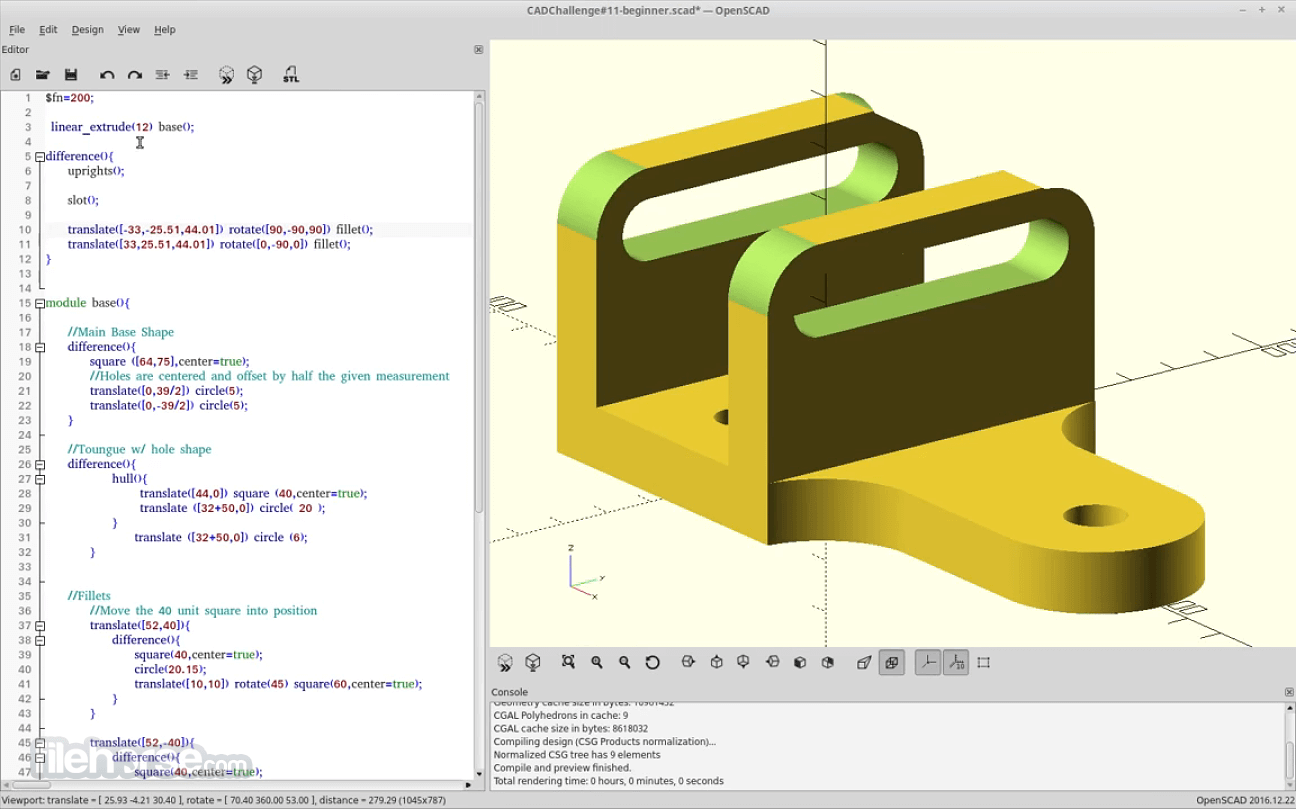
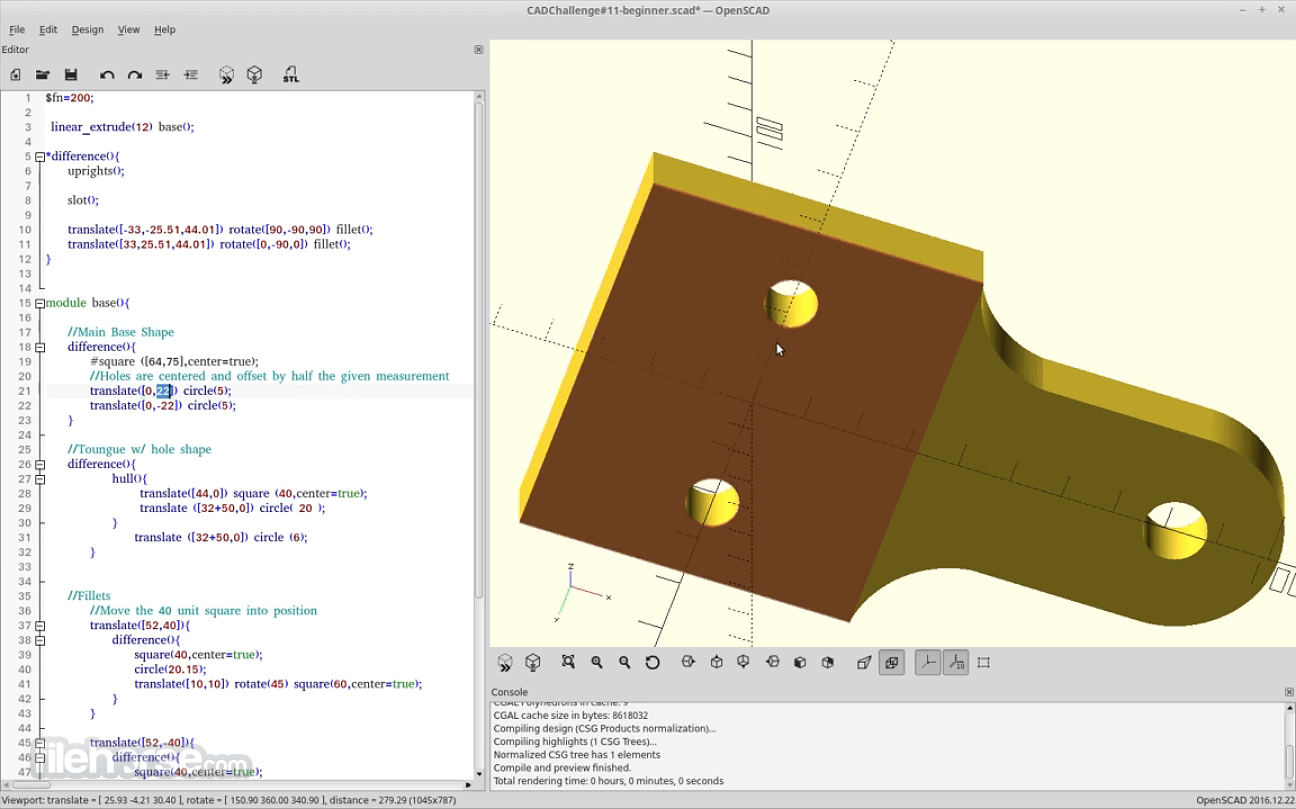
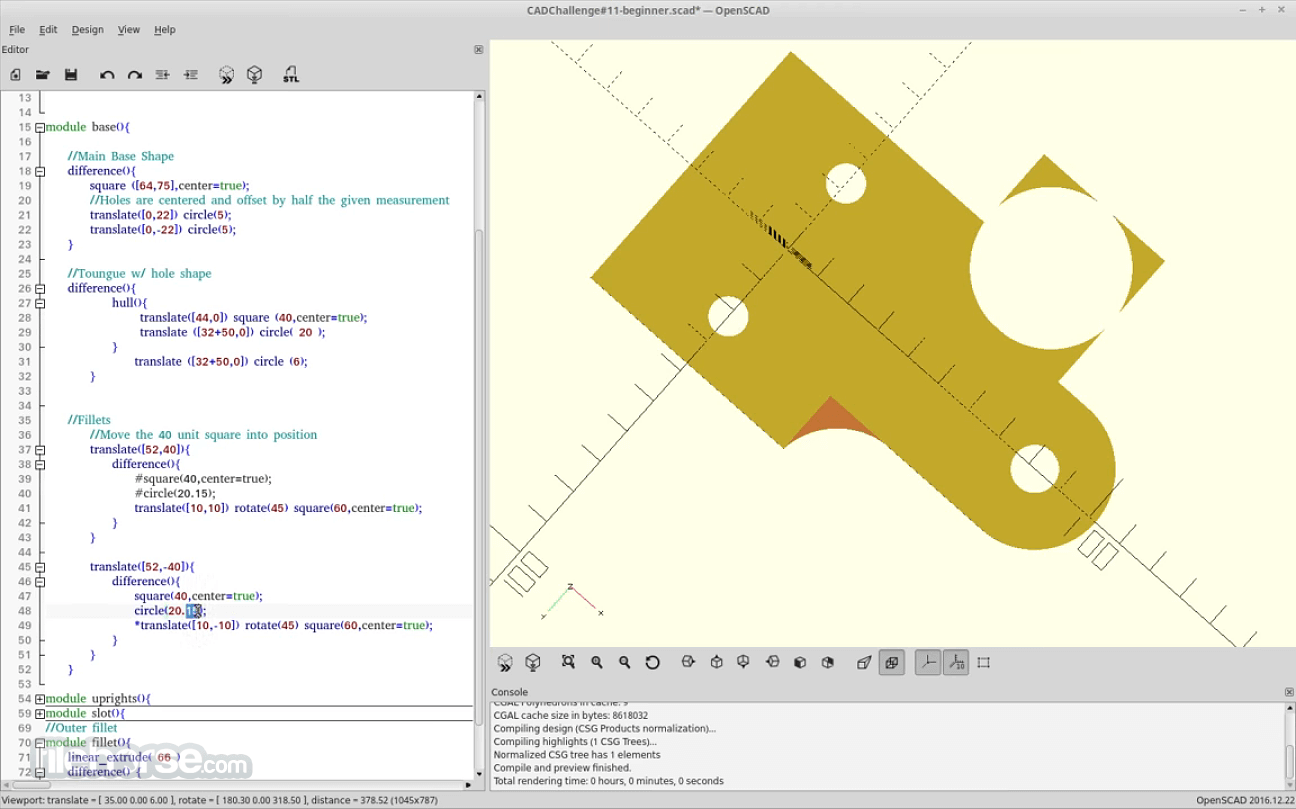
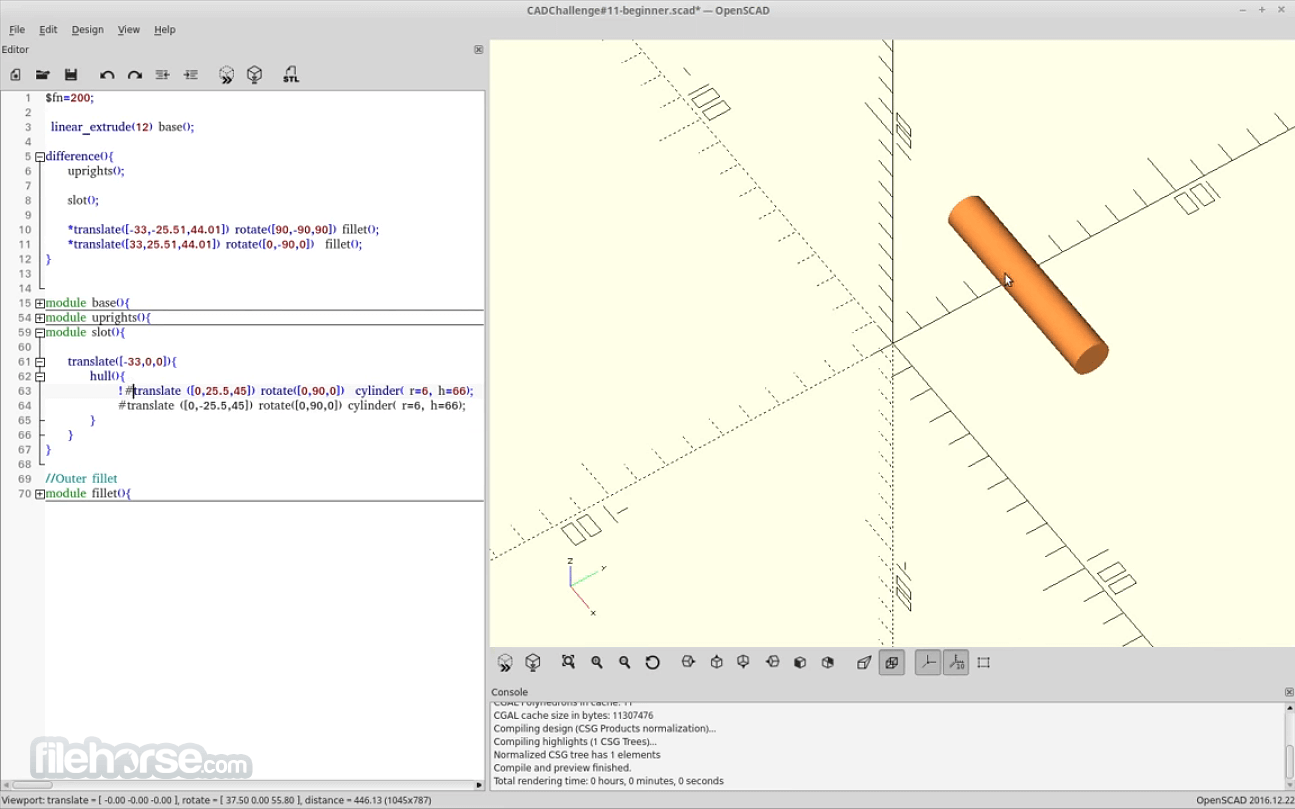
It features a minimalist user interface centered around a text editor and a 3D preview window.
The text editor is where users write code to define their models, while the preview window displays a real-time rendering of the model as it is being designed.
Despite its simplicity, the interface can be intimidating for users accustomed to traditional CAD software with graphical interfaces.
Installation and Setup
The software is available for multiple platforms, including Windows, macOS, and Linux. Installation is straightforward, with downloadable installers or package managers provided for each supported platform.
Once installed, users can launch the app and start creating 3D models immediately.
How to Use
FAQs
Is OpenSCAD suitable for beginners?
OpenSCAD's code-centric approach can be challenging for beginners unfamiliar with programming concepts. However, with patience and practice, beginners can quickly grasp the basics and create impressive 3D models.
Can OpenSCAD be used for organic modeling?
While the app excels at creating geometric models, it is less suitable for organic shapes like characters or creatures. Other software with sculpting capabilities may be more appropriate for organic modeling.
Is OpenSCAD suitable for professional use?
The program is widely used in professional settings for prototyping, architectural design, and mechanical engineering. Its parametric modeling capabilities make it well-suited for iterative design processes and rapid prototyping.
Are there resources available for learning OpenSCAD?
Yes, there are numerous tutorials, documentation, and community forums dedicated to this program. These resources guide getting started, mastering advanced techniques, and troubleshooting common issues.
Alternatives
Blender - A powerful and feature-rich 3D modeling software with a graphical interface, suitable for a wide range of modeling tasks, including organic modeling and animation.
FreeCAD - An open-source parametric 3D CAD modeler with a graphical interface, offering similar parametric modeling capabilities to OpenSCAD but with a more traditional CAD workflow.
Fusion 360 - A professional-grade CAD/CAM software with parametric modeling, direct modeling, and freeform modeling capabilities, suitable for both mechanical and industrial design.
SolidWorks - A widely-used CAD software known for its robust parametric modeling tools and extensive features, particularly popular in mechanical engineering and product design.
Pricing
This program is FREE and open-source software, available for download and use at no cost.
System Requirements
The system requirements for running the app are modest, with support for Windows, macOS, and Linux operating systems.
Generally, a modern computer with adequate processing power and graphics capabilities should suffice for running this software smoothly.
On the official website, both 32-bit and 64-bit versions are available, along with an exe installer and a zip package.
PROS
It offers a unique and powerful approach to 3D modeling, leveraging a code-centric workflow that prioritizes precision and parametric flexibility. While its learning curve may be daunting for newcomers, those willing to invest time and effort will find a versatile tool capable of fulfilling a wide range of design needs.
With its open-source nature, active community, and robust feature set, it stands as a compelling choice for engineers, designers, and makers seeking a CAD solution that empowers creativity and innovation.
Also Available: OpenSCAD for Mac
Download OpenSCAD Latest Version Why is this app published on FileHorse? (More info)
Instead of using a graphical user interface (GUI) for designing models, users define models using a scripting language.
OpenSCAD for Windows PC is a versatile program tailored for crafting robust 3D CAD models. It's freely available for Linux/UNIX, Windows, and macOS platforms. Unlike many other free 3D modeling tools like Blender, the program diverges its focus from artistic expression to concentrate solely on CAD functionality.
This makes it an ideal choice for engineering-oriented projects such as designing machine components, but less suitable for those inclined towards creating animated films.
Functioning more like a 3D compiler than an interactive modeling tool, it interprets script files to generate 3D models. This approach grants designers complete authority over the modeling process, facilitating easy modifications and the creation of parameter-driven designs.
It primarily employs two modeling techniques: Constructive Solid Geometry (CSG) and extrusion from 2D outlines. It supports Autocad DXF files for importing 2D outlines, and these files can also convey design parameters. Additionally, OpenSCAD is compatible with STL and OFF file formats for both reading and creating 3D models.
Key Features
- Scripting Interface: It utilizes a scripting language reminiscent of programming languages like C++ for creating 3D models. Users define shapes, transformations, and operations through code.
- Parametric Modeling: Models in the program can be easily modified by adjusting parameters, allowing for quick iterations and design changes.
- Boolean Operations: The software supports Boolean operations such as union, difference, and intersection, enabling users to create complex shapes by combining simpler ones.
- Customizable Designs: Users can create reusable modules and functions, facilitating the creation of complex designs with minimal redundancy.
- Export Options: It supports exporting models in various formats, including STL, DXF, and OFF for compatibility with other CAD software and 3D printers.
It features a minimalist user interface centered around a text editor and a 3D preview window.
The text editor is where users write code to define their models, while the preview window displays a real-time rendering of the model as it is being designed.
Despite its simplicity, the interface can be intimidating for users accustomed to traditional CAD software with graphical interfaces.
Installation and Setup
The software is available for multiple platforms, including Windows, macOS, and Linux. Installation is straightforward, with downloadable installers or package managers provided for each supported platform.
Once installed, users can launch the app and start creating 3D models immediately.
How to Use
- Writing Code: Begin by opening the software and creating a new file. Use the text editor to write code defining your 3D model. Start with basic shapes like cubes, spheres, and cylinders, and then apply transformations and Boolean operations to manipulate them.
- Previewing Models: As you write code, the 3D preview window updates in real-time to show how your model is taking shape. Use this preview to visualize your design and make adjustments as needed.
- Iterative Design: Take advantage of OpenSCAD's parametric modeling capabilities by defining variables for dimensions and parameters. This allows for easy experimentation and iteration, as changes to parameters automatically update the model.
- Exporting Models: Once satisfied with your design, export it to a suitable file format for further use. Common formats include STL for 3D printing and DXF for use in other CAD software.
FAQs
Is OpenSCAD suitable for beginners?
OpenSCAD's code-centric approach can be challenging for beginners unfamiliar with programming concepts. However, with patience and practice, beginners can quickly grasp the basics and create impressive 3D models.
Can OpenSCAD be used for organic modeling?
While the app excels at creating geometric models, it is less suitable for organic shapes like characters or creatures. Other software with sculpting capabilities may be more appropriate for organic modeling.
Is OpenSCAD suitable for professional use?
The program is widely used in professional settings for prototyping, architectural design, and mechanical engineering. Its parametric modeling capabilities make it well-suited for iterative design processes and rapid prototyping.
Are there resources available for learning OpenSCAD?
Yes, there are numerous tutorials, documentation, and community forums dedicated to this program. These resources guide getting started, mastering advanced techniques, and troubleshooting common issues.
Alternatives
Blender - A powerful and feature-rich 3D modeling software with a graphical interface, suitable for a wide range of modeling tasks, including organic modeling and animation.
FreeCAD - An open-source parametric 3D CAD modeler with a graphical interface, offering similar parametric modeling capabilities to OpenSCAD but with a more traditional CAD workflow.
Fusion 360 - A professional-grade CAD/CAM software with parametric modeling, direct modeling, and freeform modeling capabilities, suitable for both mechanical and industrial design.
SolidWorks - A widely-used CAD software known for its robust parametric modeling tools and extensive features, particularly popular in mechanical engineering and product design.
Pricing
This program is FREE and open-source software, available for download and use at no cost.
System Requirements
The system requirements for running the app are modest, with support for Windows, macOS, and Linux operating systems.
Generally, a modern computer with adequate processing power and graphics capabilities should suffice for running this software smoothly.
On the official website, both 32-bit and 64-bit versions are available, along with an exe installer and a zip package.
PROS
- Free and open-source.
- Parametric modeling allows for easy design iteration.
- Lightweight and efficient, suitable for low-spec hardware.
- Extensive documentation and community support.
- Cross-platform compatibility.
- Lack of official support and updates.
- Steep learning curve for beginners.
- A lack of a graphical interface may deter some users.
- Limited support for organic modeling.
- Not suitable for real-time rendering or animation.
- Reliance on scripting may be intimidating for non-programmers.
It offers a unique and powerful approach to 3D modeling, leveraging a code-centric workflow that prioritizes precision and parametric flexibility. While its learning curve may be daunting for newcomers, those willing to invest time and effort will find a versatile tool capable of fulfilling a wide range of design needs.
With its open-source nature, active community, and robust feature set, it stands as a compelling choice for engineers, designers, and makers seeking a CAD solution that empowers creativity and innovation.
Also Available: OpenSCAD for Mac
Download OpenSCAD Latest Version Why is this app published on FileHorse? (More info)
##
畫面截圖