Passper for Excel 4.0.0
v 4.0.0
Windows
試用版
7.16/10 (12)
- 目前版本4.0.0
- 更新日期2026-02-18
- 檔案大小96.42 MB
- 檔案名稱passper-for-excel_setup.exe
- 作業系統Windows Vista / Windows 7 / Windows 8 / Windows 10 / Windows 11
- 支援語系English
- 授權型式試用版
- 開發商 iMyfone Technology
- 軟體分類Windows 軟體 / 系統優化
##
翻譯排程處理中,以下暫以英文原文呈現
軟體介紹
With Passper for Excel (Excel Password Unlocker) app, you can easily recover Excel opening passwords with the highest recovery rate.
Remove any restrictions on Excel worksheets/workbooks with a 100% success rate. Download Excel Password Recovery Tool for PC now!
Unlock Excel Files From Various Scenarios
Can your MS Excel file only be opened in Read-only mode? Is your Excel worksheet/workbook protected with VBA code? Want to unlock and edit password-protected Excel cells/worksheet/workbook?
Passper for Excel (Excel Password Unlocker) can instantly remove all editing and formatting restrictions on worksheets or workbooks for you.
Passper for Excel tool adopts high-tech technology to break Excel passwords at full speed. Based on that, although no program can guarantee a 100% recovery rate, Passper ensures you the highest recovery rate for opening passwords on the market.
Regarding the removal of the editing and formatting restrictions, Passper guarantees a 100% success rate.
3 Simple Steps to Unlock Excel Password
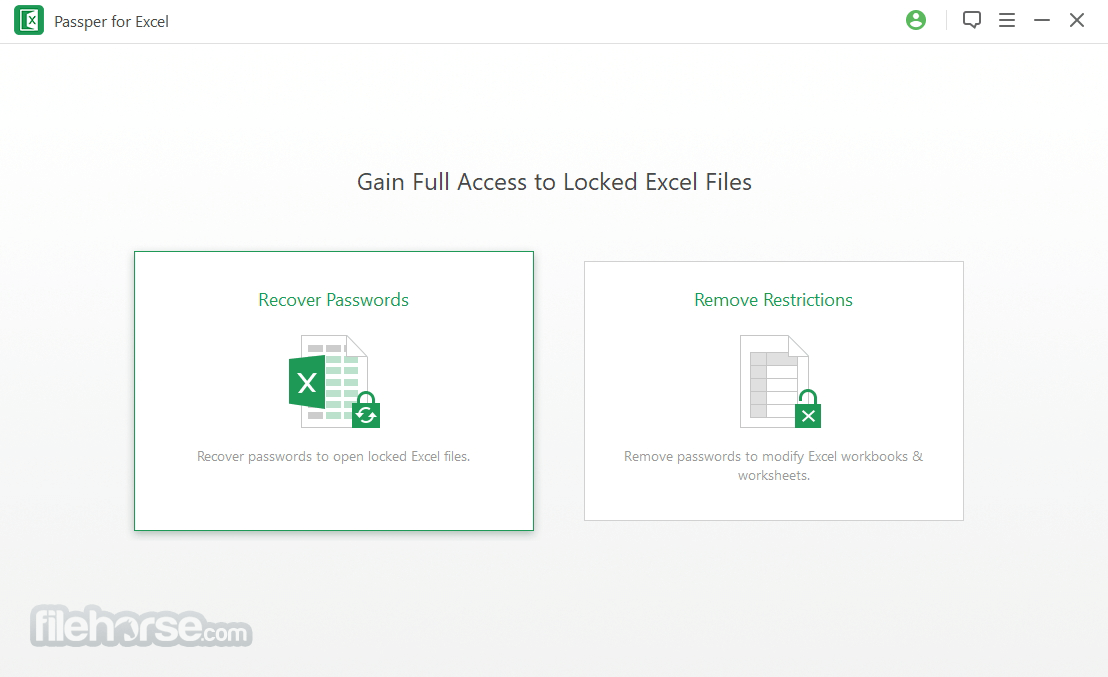
Step 1. Choose a Mode
Choose 'Recover Passwords' on the homepage.
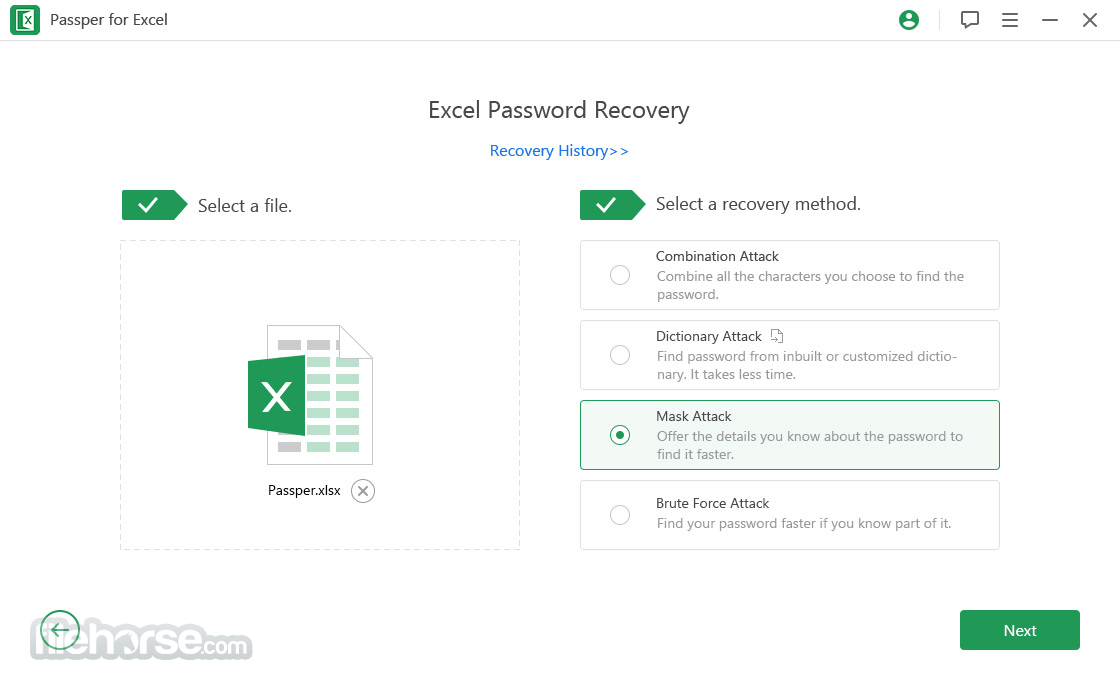
Step 2. Add a File & Select A Recovery Method
Import your encrypted Excel file and choose one recovery method according to your situation.
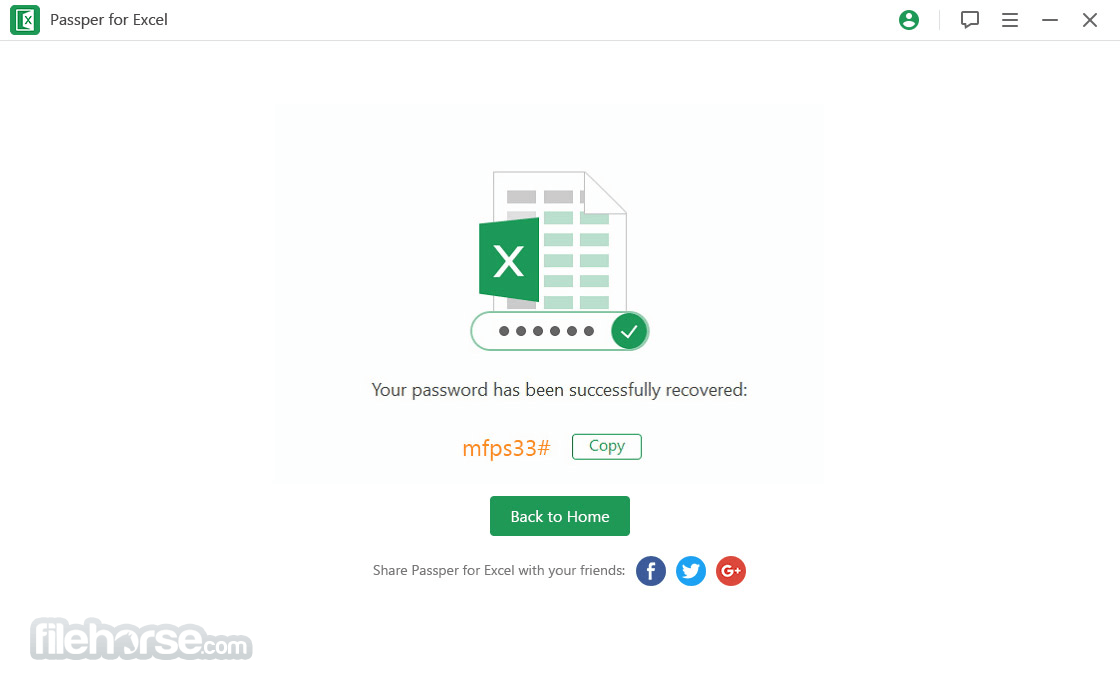
Step 3. Recover Excel Password
Start the recovery process. The password will be recovered soon.
FAQ
Can the program help me recover the opening password for sure?
While it strives for high success rates, no program can guarantee 100% recovery. Various factors, such as different computer environments, Microsoft Office versions, and file formats, affect the results. However, Passper for Excel boasts approximately a 95% success rate based on user feedback and refund requests.
I can't edit my Excel spreadsheet. How does it unlock it for editing?
To unlock your Excel spreadsheet for editing, select the "Remove Restrictions" option. This feature will remove any restrictions from Excel versions 2019, 2017, 2016, 2013, 2010, 2007, and 2003 in seconds.
Does Passper for Excel collect my password or document information?
Absolutely not. Passper is committed to protecting your privacy and data security. As a desktop application, all processes occur on your computer. Your password and Excel document remain in your local file system and are never sent to any server or anywhere else. Your privacy is fully guaranteed.
Pricing
Download Passper for Excel Latest Version Why is this app published on FileHorse? (More info)
Remove any restrictions on Excel worksheets/workbooks with a 100% success rate. Download Excel Password Recovery Tool for PC now!
Unlock Excel Files From Various Scenarios
- Cannot copy the spreadsheet
- Can't copy the worksheet or workbook
- Can't edit the content in password-protected Excel files
- Can't print the worksheet or workbook
- Excel worksheet or workbook is protected with VBA code
Can your MS Excel file only be opened in Read-only mode? Is your Excel worksheet/workbook protected with VBA code? Want to unlock and edit password-protected Excel cells/worksheet/workbook?
Passper for Excel (Excel Password Unlocker) can instantly remove all editing and formatting restrictions on worksheets or workbooks for you.
Passper for Excel tool adopts high-tech technology to break Excel passwords at full speed. Based on that, although no program can guarantee a 100% recovery rate, Passper ensures you the highest recovery rate for opening passwords on the market.
Regarding the removal of the editing and formatting restrictions, Passper guarantees a 100% success rate.
3 Simple Steps to Unlock Excel Password
Step 1. Choose a Mode
Choose 'Recover Passwords' on the homepage.
Step 2. Add a File & Select A Recovery Method
Import your encrypted Excel file and choose one recovery method according to your situation.
Step 3. Recover Excel Password
Start the recovery process. The password will be recovered soon.
FAQ
Can the program help me recover the opening password for sure?
While it strives for high success rates, no program can guarantee 100% recovery. Various factors, such as different computer environments, Microsoft Office versions, and file formats, affect the results. However, Passper for Excel boasts approximately a 95% success rate based on user feedback and refund requests.
I can't edit my Excel spreadsheet. How does it unlock it for editing?
To unlock your Excel spreadsheet for editing, select the "Remove Restrictions" option. This feature will remove any restrictions from Excel versions 2019, 2017, 2016, 2013, 2010, 2007, and 2003 in seconds.
Does Passper for Excel collect my password or document information?
Absolutely not. Passper is committed to protecting your privacy and data security. As a desktop application, all processes occur on your computer. Your password and Excel document remain in your local file system and are never sent to any server or anywhere else. Your privacy is fully guaranteed.
Pricing
- 1-Month Plan - $19.99
- 1-Year Plan - $29.99
- Lifetime Plan - $49.99
- Supports 99% of files
- No usage limit
- GPU acceleration unlocking
- Win and Mac support
- 24-hour customer service support
- High Success Rate
- Quick Restriction Removal
- Supports Multiple Excel Versions
- User-Friendly Interface
- Ensures Data Privacy
- Not a 100% Guarantee for Password Recovery
- Desktop Application Only
- Limited to Excel Files
- Requires System Resources
Download Passper for Excel Latest Version Why is this app published on FileHorse? (More info)
##
影片介紹
##
畫面截圖