Passper for PowerPoint 4.0.0
v 4.0.0
Windows
試用版
8.4/10 (5)
- 目前版本4.0.0
- 更新日期2026-02-18
- 檔案大小103.4 MB
- 檔案名稱passper-for-powerpoint_setup.exe
- 作業系統Windows XP / Vista / Windows 7 / Windows 8 / Windows 10 / Windows 11
- 支援語系English
- 授權型式試用版
- 開發商 iMyfone Technology
- 軟體分類Windows 軟體 / 系統優化
##
翻譯排程處理中,以下暫以英文原文呈現
軟體介紹
Passper for PowerPoint (PC version) is always the top PowerPoint password recovery choice for opening or modifying encrypted PowerPoint files.
Recover lost or forgotten PowerPoint passwords without affecting the PowerPoint data.
Remove restrictions from read-only PowerPoint files so that you can edit, copy, and print these files.
Work with PowerPoint: 2019, 2016, 2013, 2010, 2007, 2003, 2000 and 97. Enjoy! 1-Click to access password-protected PowerPoint files.
It supports all types of PowerPoint files including *.ppt and *.pptx.
4 Methods to Recover PowerPoint Passwords – More Flexible
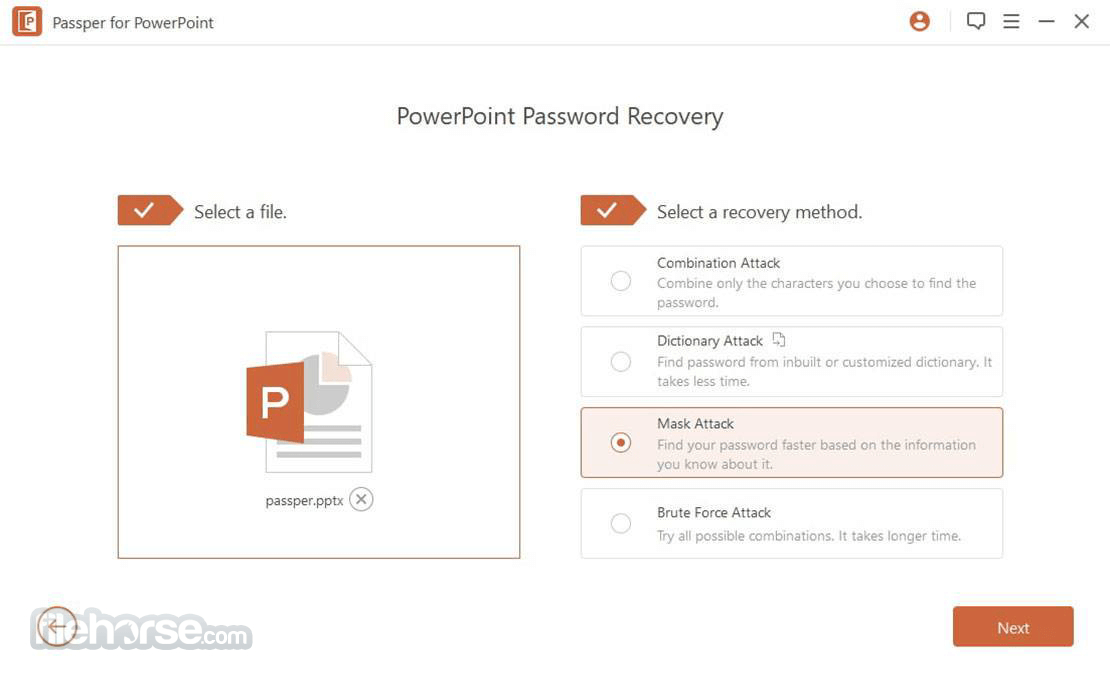
Dictionary Attack
Find the password based on the built-in dictionary or the dictionary you imported.
Combination Attack
Using this attack mode, you can choose the characters you want the program to combine to recover the password.
Mask Attack
You can set the password length, characters, or other settings you remember so that the recovery rate can be greatly increased.
Brute - Force Attack
Try all the password combinations if you don't know any password information.
Features of Passper for PowerPoint tool
Faster Recovery Speed
Advanced Algorithms and highly optimized codes are used to largely accelerate the recovery speed.
Recovery Process Saved
The recovery state will be saved so that you can initiate the recovery process for the next time.
Higher Recovery Rate
Multiple recovery solutions are supplied to highly increase the success rate of recovery.
Remove in One Click
Remove the restriction in one click for copying, printing, and editing.
Unlock PowerPoint Passwords
Step 1. Select Recovery Mode
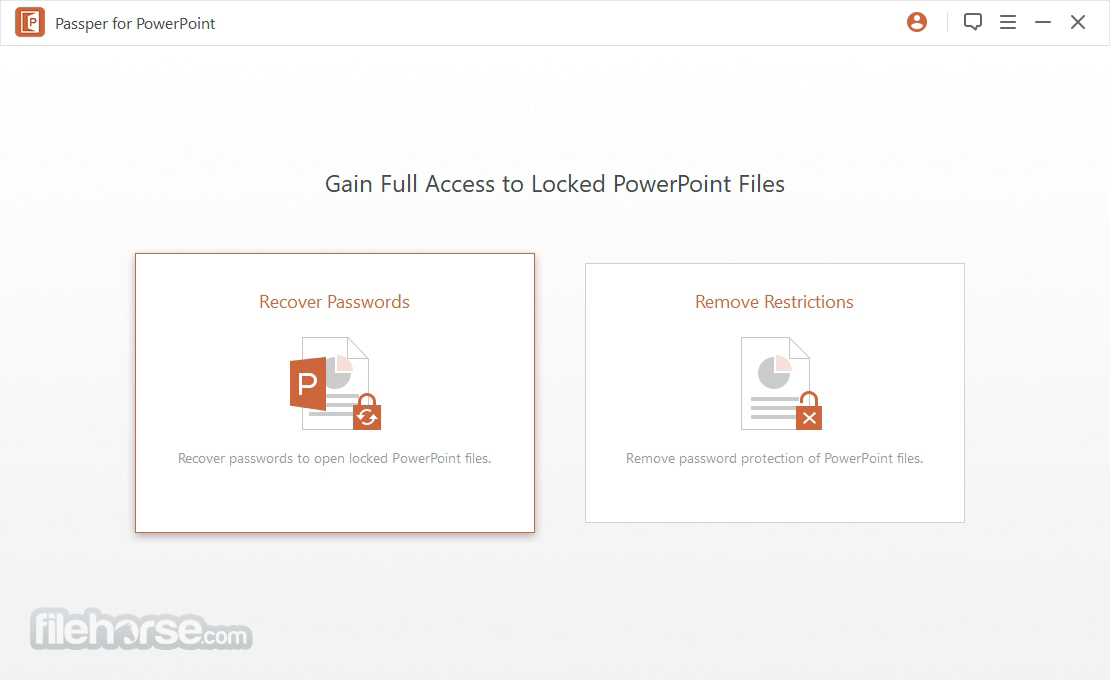
After running this program, choose the option of 'Recover Passwords'.
Step 2. Select a Recovery Type
Add the file and choose the most appropriate type of password attack according to the password information you have.
Step 3. Start to Recover
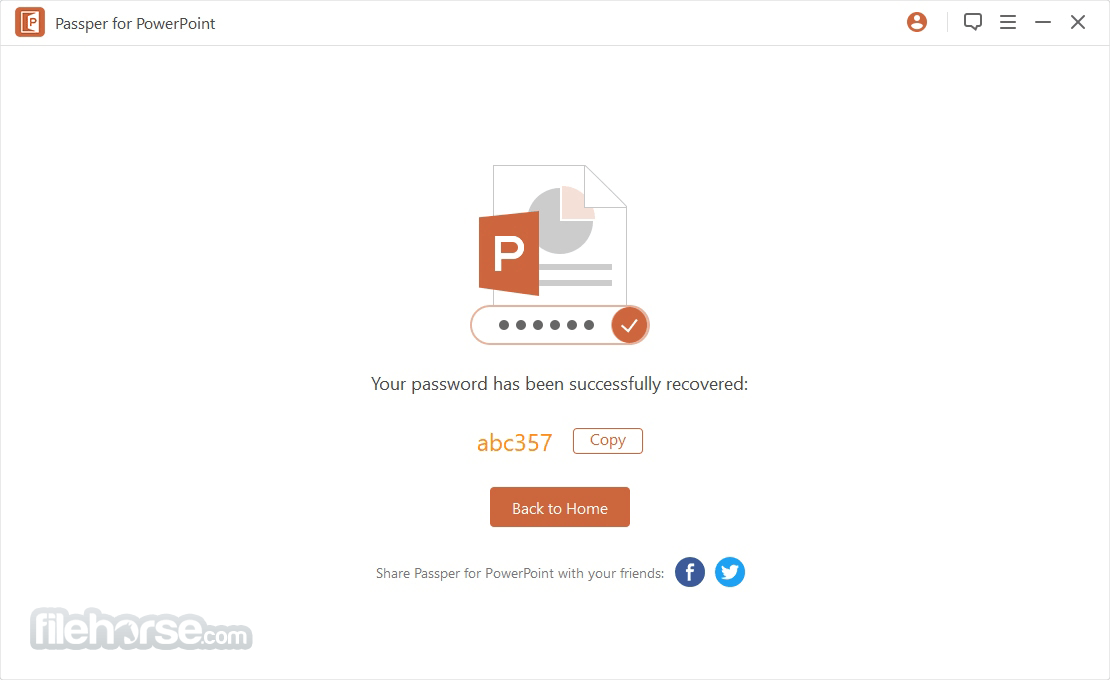
Click 'Recover' to start the recovery process. The password will be displayed.
The recovery rate of Passper for PowerPoint is up to 95%. That is to say, almost all passwords can be recovered with the help of this tool.
PROS
Download Passper for PowerPoint Latest Version Why is this app published on FileHorse? (More info)
Recover lost or forgotten PowerPoint passwords without affecting the PowerPoint data.
Remove restrictions from read-only PowerPoint files so that you can edit, copy, and print these files.
Work with PowerPoint: 2019, 2016, 2013, 2010, 2007, 2003, 2000 and 97. Enjoy! 1-Click to access password-protected PowerPoint files.
It supports all types of PowerPoint files including *.ppt and *.pptx.
4 Methods to Recover PowerPoint Passwords – More Flexible
Dictionary Attack
Find the password based on the built-in dictionary or the dictionary you imported.
Combination Attack
Using this attack mode, you can choose the characters you want the program to combine to recover the password.
Mask Attack
You can set the password length, characters, or other settings you remember so that the recovery rate can be greatly increased.
Brute - Force Attack
Try all the password combinations if you don't know any password information.
Features of Passper for PowerPoint tool
Faster Recovery Speed
Advanced Algorithms and highly optimized codes are used to largely accelerate the recovery speed.
Recovery Process Saved
The recovery state will be saved so that you can initiate the recovery process for the next time.
Higher Recovery Rate
Multiple recovery solutions are supplied to highly increase the success rate of recovery.
Remove in One Click
Remove the restriction in one click for copying, printing, and editing.
Unlock PowerPoint Passwords
Step 1. Select Recovery Mode
After running this program, choose the option of 'Recover Passwords'.
Step 2. Select a Recovery Type
Add the file and choose the most appropriate type of password attack according to the password information you have.
Step 3. Start to Recover
Click 'Recover' to start the recovery process. The password will be displayed.
The recovery rate of Passper for PowerPoint is up to 95%. That is to say, almost all passwords can be recovered with the help of this tool.
PROS
- User-Friendly Interface: Simple and intuitive, making it easy for users of all levels.
- High Success Rate: Effectively recovers and removes passwords for PowerPoint files.
- Fast Recovery: Quick password recovery process, saving time for users.
- Compatibility: Supports all versions of Microsoft PowerPoint.
- Safety: Ensures the integrity of the original file during the recovery process.
- Limited Free Version: The free version has restricted functionality.
- System Requirements: May require a higher-end system for optimal performance.
- No Batch Processing: Lacks the ability to handle multiple files simultaneously.
Download Passper for PowerPoint Latest Version Why is this app published on FileHorse? (More info)
##
畫面截圖