- 目前版本230.56393
- 更新日期2026-06-07
- 檔案大小310 MB
- 檔案名稱PolarisOfficeSetup.exe
- 作業系統Windows 7 / Windows 8 / Windows 10 / Windows 11
- 支援語系English
- 授權型式商業試用
- 開發商 Polaris Office Corp
- 軟體分類Windows 軟體 / 辦公商務
##
編輯短評
Polaris Office 是一套標榜「單一工具搞定所有文件」的辦公軟體,主打免安裝其他應用程式,就能直接開啟與編輯 Microsoft Office、PDF、TXT 等常見格式。它最特別的地方在於跨裝置整合,只要登入同一帳號,就能在 PC、手機、平板上接續未完成的工作,搭配內建的雲端空間,讓文件在不同裝置間無縫流轉。目前官方仍持續維護,更新步調不算頻繁,在同類辦公軟體中屬於有固定使用者、評價中規中矩的選擇。
這套軟體適合經常需要在不同裝置間切換、又不想被單一檔案格式綁住的使用者,尤其是商務人士或學生族群。與 Microsoft Office 相比,它的優勢在於跨平台整合與免安裝其他閱讀器,但功能深度與進階排版能力可能不及傳統 Office 套件。需要注意的是,目前提供的是試用版,且僅支援英文介面,Windows 與 macOS 用戶皆可使用,但中文使用者可能需要花點時間適應英文操作環境。
##
翻譯排程處理中,以下暫以英文原文呈現
軟體介紹
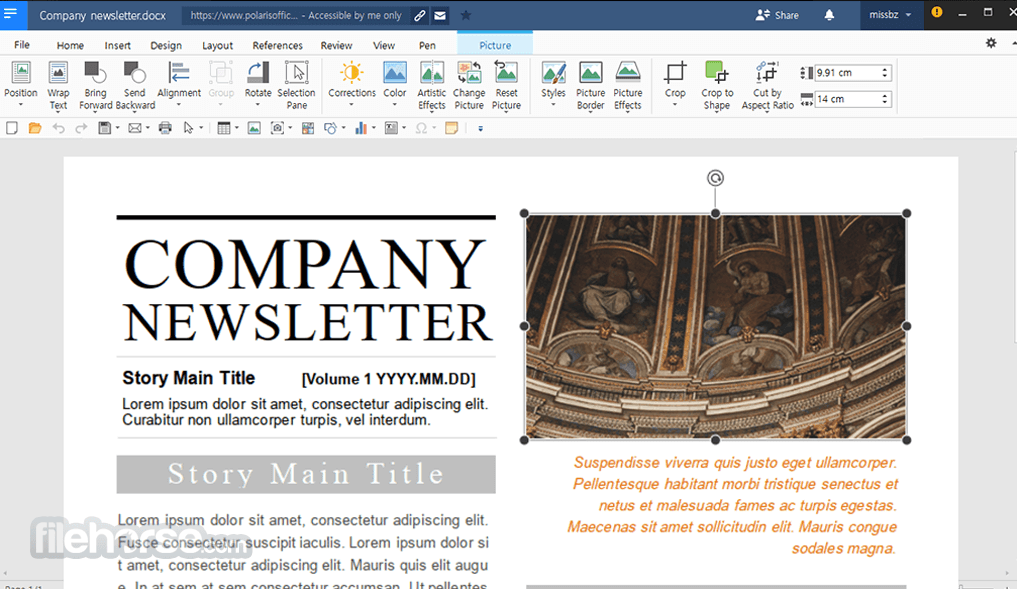
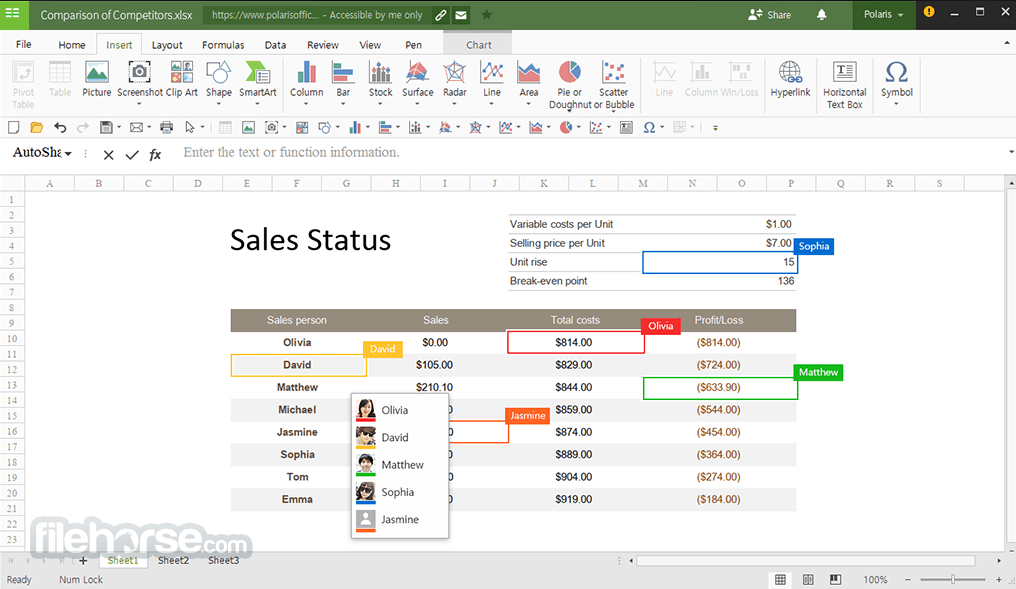
Polaris Office is the only solution for opening and editing all kinds of documents. Edit any Microsoft Office, PDF, TXT, or other document formats with Polaris Office without having to install any other applications.
Polaris Office is a free office software with an all-in-one feature to view, edit, share, memo, and archive all types of documents anytime and anywhere. The software can be used on different devices such as PCs, smartphones, and tablets with a single account.
No matter which device you choose to start a document, My Polaris Drives allows you to continue the work on any device regardless of the location.
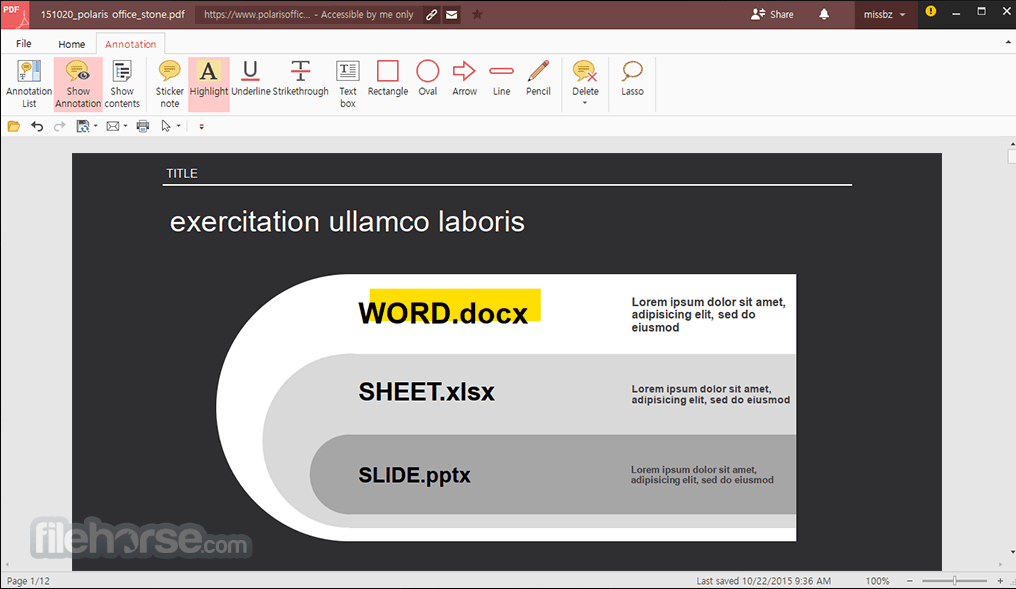
Editing capabilities for all document formats in a single program: Edit Microsoft Office Word, Powerpoint, Excel, Google Docs, Spreadsheet, Slide, TXT, ODF, and Adobe PDF. Powerful PDF reader, editor, and converter: View PDF on your desktop and mobile anytime and annotate important notes on PDF. Document collaboration and co-authoring: Easily share files with a link and real-time Co-authoring to work simultaneously with colleagues.
A seamless experience on all devices: Collaborate anytime, anywhere on all devices--starting free of charge. Auto-sync through all devices: Automatically synchronize documents throughout devices on all platforms including iOS, Android, Amazon Fire, Windows, and macOS through Polaris Drive.
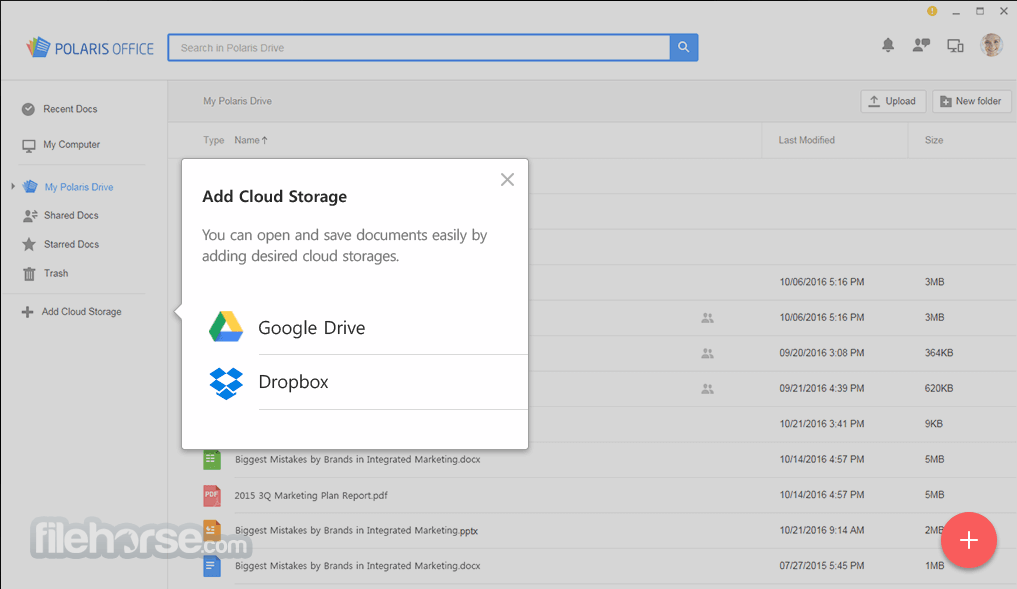
Easy cloud connectivity: Access documents in multiple cloud storages, including Google Drive, Dropbox, and Box, among others. Search for all your documents: Search for all your documents with filename, and text within a document and provide a variety of sorting options to find a document easily. Smallest in size, yet powerful features: Enjoy powerful editing features including PDF annotation, memo, note-taking, and cloud-based file management with the smallest app.
Share your document: Share your document via a link, email, instant messaging, Facebook, or Twitter, view the up-to-date documents with shared links, leave comments within the document and discuss ideas with others.
Features and Highlights
Perfect compatibility with all document formats
With the Office, you can open and edit files in all commercial formats such as Microsoft Office, PDF, ODF, and TXT.
Convert and edit PDF documents
Non-editable PDF documents can be converted to Microsoft Office documents and edited conveniently.
Unlimited document work on diverse devices
Your work can be synchronized on Windows desktop PCs, Macs, Android devices, and iOS devices to ensure business continuity regardless of location.
Differentiated collaboration tool
Documents can be easily shared via email or a link. Multiple users can access the same document and edit it simultaneously to maximize the productivity of the team.
Safe data protection
PolarisOffice values customer information not only by protecting important data from leakage but also by blocking access to customers’ documents. Your data is secured with AWS, the most secure and reliable web service platform.
Convert image and voice files to documents
Images or photographs can be converted into editable office file formats. Also, voice can be converted into text easily to boost convenience and reduce unnecessary documentation work.
Pricing
Smart Plan ($3.99/month or $39.99/year): 100 AI credits, use on 3 PCs & 6 mobiles, 2GB monthly edits, 10GB cloud, 15-day restore, basic PDF & editing, ad-free.
Pro Plan ($5.99/month or $59.99/year): 100 AI credits, use on 5 PCs & 10 mobiles, unlimited edits, 100GB cloud, 3-month restore, full PDF & editing, ad-free.
AI Plan (New) ($3.89/month or $38.99/year): 3,000 AI credits monthly, use on 5 PCs & 10 mobiles, unlimited edits, 100GB cloud, 3-month restore, full PDF & editing, ad-free.
Alternatives
Microsoft Office: For users who require industry-standard office software with advanced collaboration features, Microsoft Office is a top choice.
LibreOffice: If you prefer an open-source and free alternative with a wide range of features, LibreOffice is a solid option.
Apache OpenOffice: It has alternatives to Word, PowerPoint, Excel, Access, and more!
WPS Office: WPS Office is another comprehensive office suite known for its compatibility with Microsoft Office files and a free version for personal use.
How to Use
Also Available: Download Polaris Office for Mac
Download Polaris Office Latest Version Why is this app published on FileHorse? (More info)
Polaris Office is a free office software with an all-in-one feature to view, edit, share, memo, and archive all types of documents anytime and anywhere. The software can be used on different devices such as PCs, smartphones, and tablets with a single account.
No matter which device you choose to start a document, My Polaris Drives allows you to continue the work on any device regardless of the location.
Editing capabilities for all document formats in a single program: Edit Microsoft Office Word, Powerpoint, Excel, Google Docs, Spreadsheet, Slide, TXT, ODF, and Adobe PDF. Powerful PDF reader, editor, and converter: View PDF on your desktop and mobile anytime and annotate important notes on PDF. Document collaboration and co-authoring: Easily share files with a link and real-time Co-authoring to work simultaneously with colleagues.
A seamless experience on all devices: Collaborate anytime, anywhere on all devices--starting free of charge. Auto-sync through all devices: Automatically synchronize documents throughout devices on all platforms including iOS, Android, Amazon Fire, Windows, and macOS through Polaris Drive.
Easy cloud connectivity: Access documents in multiple cloud storages, including Google Drive, Dropbox, and Box, among others. Search for all your documents: Search for all your documents with filename, and text within a document and provide a variety of sorting options to find a document easily. Smallest in size, yet powerful features: Enjoy powerful editing features including PDF annotation, memo, note-taking, and cloud-based file management with the smallest app.
Share your document: Share your document via a link, email, instant messaging, Facebook, or Twitter, view the up-to-date documents with shared links, leave comments within the document and discuss ideas with others.
Features and Highlights
Perfect compatibility with all document formats
With the Office, you can open and edit files in all commercial formats such as Microsoft Office, PDF, ODF, and TXT.
Convert and edit PDF documents
Non-editable PDF documents can be converted to Microsoft Office documents and edited conveniently.
Unlimited document work on diverse devices
Your work can be synchronized on Windows desktop PCs, Macs, Android devices, and iOS devices to ensure business continuity regardless of location.
Differentiated collaboration tool
Documents can be easily shared via email or a link. Multiple users can access the same document and edit it simultaneously to maximize the productivity of the team.
Safe data protection
PolarisOffice values customer information not only by protecting important data from leakage but also by blocking access to customers’ documents. Your data is secured with AWS, the most secure and reliable web service platform.
Convert image and voice files to documents
Images or photographs can be converted into editable office file formats. Also, voice can be converted into text easily to boost convenience and reduce unnecessary documentation work.
Pricing
Smart Plan ($3.99/month or $39.99/year): 100 AI credits, use on 3 PCs & 6 mobiles, 2GB monthly edits, 10GB cloud, 15-day restore, basic PDF & editing, ad-free.
Pro Plan ($5.99/month or $59.99/year): 100 AI credits, use on 5 PCs & 10 mobiles, unlimited edits, 100GB cloud, 3-month restore, full PDF & editing, ad-free.
AI Plan (New) ($3.89/month or $38.99/year): 3,000 AI credits monthly, use on 5 PCs & 10 mobiles, unlimited edits, 100GB cloud, 3-month restore, full PDF & editing, ad-free.
Alternatives
Microsoft Office: For users who require industry-standard office software with advanced collaboration features, Microsoft Office is a top choice.
LibreOffice: If you prefer an open-source and free alternative with a wide range of features, LibreOffice is a solid option.
Apache OpenOffice: It has alternatives to Word, PowerPoint, Excel, Access, and more!
WPS Office: WPS Office is another comprehensive office suite known for its compatibility with Microsoft Office files and a free version for personal use.
How to Use
- Install the software using the setup wizard
- Launch the application after installation
- Sign in or create a Polaris account
- Open or create documents using the main menu
- Use the toolbar to edit and format documents
- Save files locally or to cloud storage
- Share documents directly via email or link
- Access recent files from the home screen
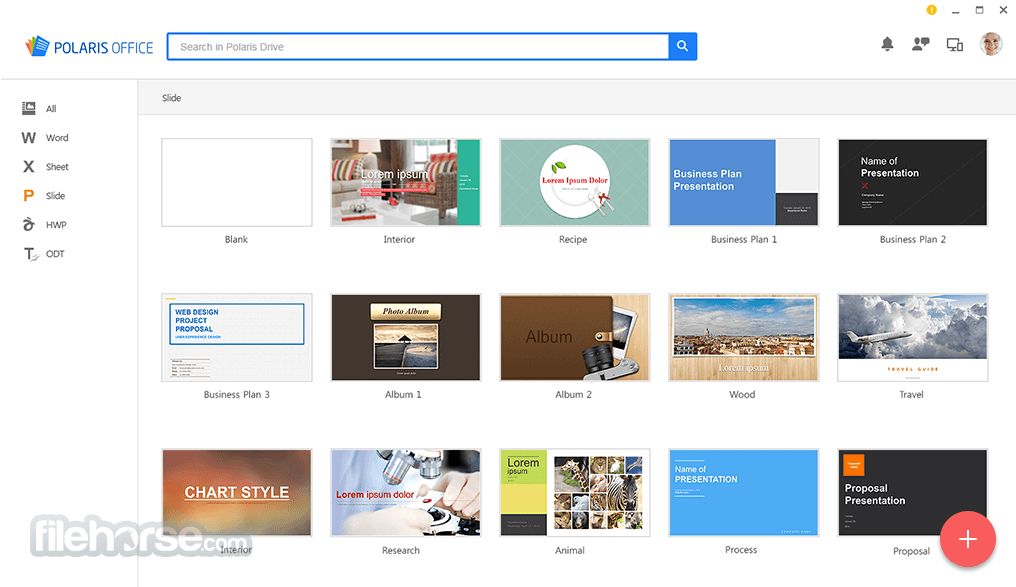
- Use templates for quick document creation
- OS: Windows 7, 8, 10, or 11 (32-bit or 64-bit)
- CPU: Intel Pentium 4 or higher
- RAM: 2 GB or more
- Disk Space: 1 GB of available space
- Display: 1024x768 resolution or higher
- Internet: Required for cloud and updates
- Supports all major office file formats
- Lightweight and fast performance
- Integrated cloud storage options
- Cross-platform document syncing
- User-friendly and clean interface
- Free version includes ads
- Limited advanced features
- Occasional sync issues
- Some formats may lose layout
- Internet required for full features
Also Available: Download Polaris Office for Mac
Download Polaris Office Latest Version Why is this app published on FileHorse? (More info)
##
影片介紹
##
畫面截圖