
- 目前版本8.0.18
- 更新日期2025-12-01
- 檔案大小568 MB
- 檔案名稱PVsyst-8.0.18.47080-setup.exe
- 作業系統Windows 7 / Windows 8 / Windows 10 / Windows 11
- 支援語系English
- 授權型式商業試用
- 開發商 PVSyst Team
- 軟體分類Windows 軟體 / 辦公商務
##
編輯短評
PVsyst 是一套專為光伏系統設計評估打造的專業工具,主要用來模擬太陽能轉換為可用電力的效能與佈建可行性。它最大的辨識度在於能快速建立多種系統配置模型,並產出完整的報告、視覺化圖表與詳細數據表,方便匯出到其他軟體進一步分析。這套軟體自推出以來長期持續維護,雖然更新頻率不算密集,但在光伏工程與學術研究領域中,是相當具有代表性的主流選擇,評價普遍不錯。
這套工具特別適合從事太陽能電站規劃的工程師、研究人員、建築師,以及需要評估發電效益的教育工作者。與一般辦公軟體不同,它專注於光伏系統的深度模擬,因此功能取向較為專業,學習門檻也相對較高。需要注意的是,目前僅提供英文介面,且為試用版授權,僅支援 Windows 平台。若你只需要簡單的發電量估算,市面上有更輕量的替代方案;但若要進行嚴謹的系統設計與數據分析,PVsyst 的完整功能仍是難以取代的選擇。
##
軟體介紹
PVsyst 是一個初步的設計工具,用於評估光伏系統將陽光轉換為可用電力的效能與部署可能性。
從零開始設計,成為工程師、研究人員、教育者和建築師的寶貴工具,它能快速且可靠地模擬光伏系統的各種部署形式,建立完整的報告、視覺圖表和詳細的數據表格,並可直接匯出供其他軟體使用。
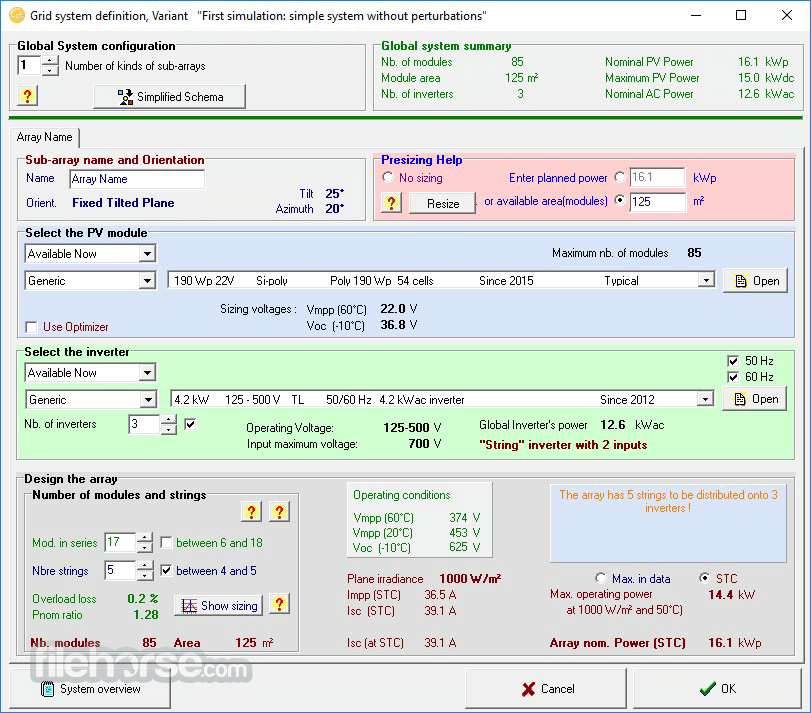
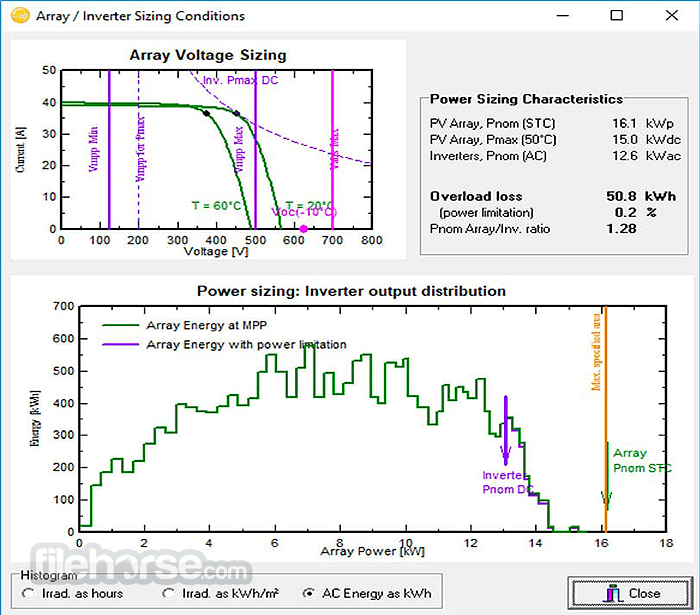
PVsyst 是一套全方位的光伏系統評估軟體。它提供內建工具來評估初始系統設計(內含大量預建元件資料庫,方便設定起始參數,並有完整編輯器可調整每個元件以符合您的需求)、系統規模工具來探索最佳逆變器尺寸,以及其他光伏設置的參數。
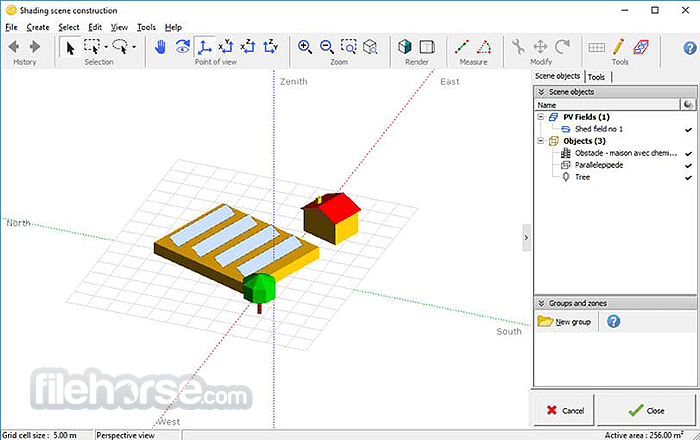
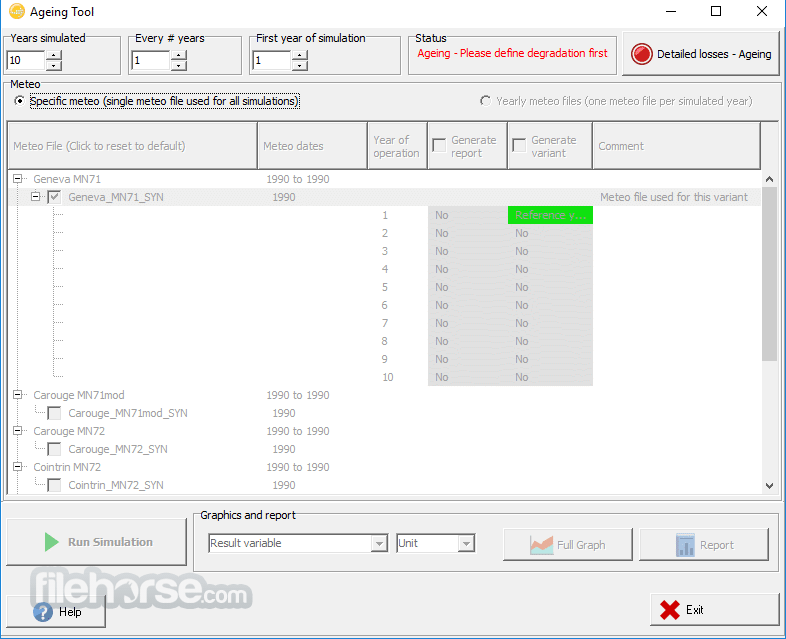
互動且高度可自訂的3D陰影場景工具,可模擬您的設置效果;全面的模擬與報告服務;支援電網儲存計算;直接整合metronome服務,可在地球上任何模擬位置放置和測試您的PC設置;氣象數據資料庫、其他光伏模組和元件;多年批次模擬老化效應,以及更多工具和服務。
定義
透過定義各種參數來執行快速模擬。
設計
精確定義您系統的損耗與陰影。
模擬
使用所有輸入數據進行每小時模擬。
分析
生成包含可自訂圖表和交付物的全面最終報告。
這款高度客製化的模擬工具非常適合各種規模的光伏系統模擬,從小型個人專案到旨在為大量客戶提供可靠電力的大型光伏平台。
它甚至配備3D CAO工具,用於繪製整個光伏系統的幾何形狀,自動計算光束元件的太陽位置和陰影,以及更多功能。
PVsyst 提供多種授權類型供購買(Pro30 和 Premium,均含一年官方支援,並可選擇延長)。整個應用程式也可免費試用30天。
功能與亮點
從零開始設計,成為工程師、研究人員、教育者和建築師的寶貴工具,它能快速且可靠地模擬光伏系統的各種部署形式,建立完整的報告、視覺圖表和詳細的數據表格,並可直接匯出供其他軟體使用。
PVsyst 是一套全方位的光伏系統評估軟體。它提供內建工具來評估初始系統設計(內含大量預建元件資料庫,方便設定起始參數,並有完整編輯器可調整每個元件以符合您的需求)、系統規模工具來探索最佳逆變器尺寸,以及其他光伏設置的參數。
互動且高度可自訂的3D陰影場景工具,可模擬您的設置效果;全面的模擬與報告服務;支援電網儲存計算;直接整合metronome服務,可在地球上任何模擬位置放置和測試您的PC設置;氣象數據資料庫、其他光伏模組和元件;多年批次模擬老化效應,以及更多工具和服務。
定義
透過定義各種參數來執行快速模擬。
設計
精確定義您系統的損耗與陰影。
模擬
使用所有輸入數據進行每小時模擬。
分析
生成包含可自訂圖表和交付物的全面最終報告。
這款高度客製化的模擬工具非常適合各種規模的光伏系統模擬,從小型個人專案到旨在為大量客戶提供可靠電力的大型光伏平台。
它甚至配備3D CAO工具,用於繪製整個光伏系統的幾何形狀,自動計算光束元件的太陽位置和陰影,以及更多功能。
PVsyst 提供多種授權類型供購買(Pro30 和 Premium,均含一年官方支援,並可選擇延長)。整個應用程式也可免費試用30天。
功能與亮點
- 全面的設計工具,用於評估各種規模的光伏系統。
- 編製您光伏平台效能的詳細評估。詳細計算光伏轉換效能。
- 模擬您光伏系統的太陽/陰影,包括結構放置和精確位置/方向。
- 內建支援透過Google Maps和Meteonorm插值進行位置搜尋。
- 直接陰影模擬計算,考慮附近大型電廠的影響。
- 參數最佳化工具。
- 針對Windows 11/10最佳化。可透過虛擬機器在Windows 8/8.1上使用。
- 可透過30天試用版免費使用。
##
影片介紹
##
畫面截圖
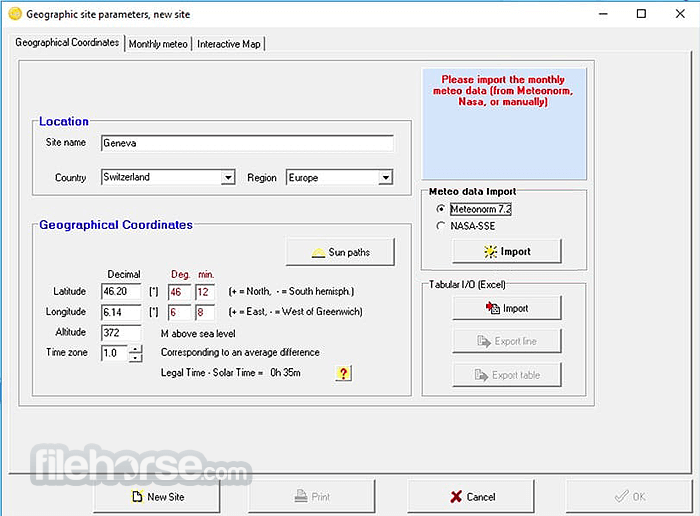
##
更新日誌
8.0.18
New Grid Storage Power-Shifting Strategy
The installation package of PVsyst weighs in at just under 200 MB, enabling any user to quickly download it and deploy it on their home, work PC, workstation, or virtual machine.
The app officially doesn’t support access via Remote Desktop Client or running on Windows and Application servers. Instead, it is intended to be run natively on Windows 11/10 or under virtual machines on Windows 8/8.1. Mac and Linux users can run this app using virtual machines.
Minimal system requirements are set at any PC that can run Windows 8 or 11, with at least 1 GB of system RAM memory, 1GB of free storage space, a graphics card that supports OpenGL 2.0 or higher, and a minimum screen resolution of 800 x 600 pixels (SVGA).
Pricing
30 days FREE trial version for the Professional version.
Professional Plan - $878 USD.
Compatible Operating Systems
Servers and application servers (Citrix, ZenDesktop, ZenApp,…), Remote Desktop, Azure Virtual Desktop machine, Windows Enterprise editions.
Minimum required configuration:
English, French, Italian, Spanish, German, Portuguese, Turkish, Chinese, Korean, Japanese, and Polish.
PROS
Download PVsyst Latest Version Why is this app published on FileHorse? (More info)
- A new tariff-based power-shifting mode lets users store daytime PV production and discharge it during periods with better electricity prices.
- SolarEdge systems now support heterogeneous string configurations in subarrays.
- Updated optimizer efficiency modeling and improved power clipping handling for more accurate simulation results.
- New AndSolar optimizers added to the component database.
- Corrected grid injection behavior during battery charging/discharging.
- Revised battery operation calculations for more reliable grid-storage simulations.
- Updated NSRDB Physical Solar Model to v4, improving North American weather imports.
- Better validation and handling of Solargis CSV imports.
- API weather import issues resolved for more consistent data acquisition.
- Faster and more stable large-scene shading table calculations.
- Improved accuracy for thin-object shading and bifacial diffuse rear-side modeling.
- More consistent GCR/backtracking computations and better orientation handling.
- Mixed orientation subarrays are now properly constrained to avoid invalid setups.
- Overload losses and inverter sizing warnings now behave more consistently and realistically.
- Clearer and more reliable PV table and layout handling in imported DAE/H2P files.
- Cleaner diagrams: corrected legends, proper unit displays, and stable shading/SLD outputs.
- Power Factor explanations updated with clearer graphical guidance.
- Carbon balance printing and module PAN file display issues have been resolved.
- “Module degradation” terminology clarified and restricted to valid inputs.
- Installation costs now correctly include optimizer pricing.
- Frequent updates across the module, inverter, optimizer, and weather databases for more accurate system modeling.
- Better error handling, fewer crashes in key dialogs (3D scene, layout, batch mode, reporting), and more reliable preference/licensing management.
The installation package of PVsyst weighs in at just under 200 MB, enabling any user to quickly download it and deploy it on their home, work PC, workstation, or virtual machine.
The app officially doesn’t support access via Remote Desktop Client or running on Windows and Application servers. Instead, it is intended to be run natively on Windows 11/10 or under virtual machines on Windows 8/8.1. Mac and Linux users can run this app using virtual machines.
Minimal system requirements are set at any PC that can run Windows 8 or 11, with at least 1 GB of system RAM memory, 1GB of free storage space, a graphics card that supports OpenGL 2.0 or higher, and a minimum screen resolution of 800 x 600 pixels (SVGA).
Pricing
30 days FREE trial version for the Professional version.
Professional Plan - $878 USD.
- Unlimited features
- Unrestricted access to the components database
- Updates included
- Also grants access to PVsyst 7
- 2-4 licences: -5%
- 5-9 licences: -15%
- 10+ licences: -20%
- Full features with an "Education" watermark on reports
- Access granted upon proof of an educational program
- For teacher devices only
- Price: $470 USD/year
- Full features with a "Classroom" watermark on reports
- Access granted upon proof of an educational program
- Manufacturers are listed generically in reports
- Price: $28 USD /year
- Full features with a "Student" watermark on reports
- Access granted upon proof of a valid student card
- Manufacturers are listed generically in reports
- Price: $28 USD /year
- Full features with "Training" or "Research" watermark on reports
- Access granted upon proof of participation in a training or research program
- Price: $626 USD /year
Compatible Operating Systems
- All Windows client versions currently supported by Microsoft: Windows 8, Windows 10, Windows 11 (32-bit or 64-bit)
- Other operating systems may support PVsyst installation and execution, but no guarantee can be provided
Servers and application servers (Citrix, ZenDesktop, ZenApp,…), Remote Desktop, Azure Virtual Desktop machine, Windows Enterprise editions.
Minimum required configuration:
- At least 2 GB of RAM
- At least 2 GB of free space on the hard drive
- Minimum screen resolution of 1280 x 720 pixels
- Graphics card supporting OpenGL 2.0 or higher
- .NET 4.8 framework (for Meteonorm)
- PVsyst workspace does not support shared or remotely synced drives/folders (including OneDrive, Google Drive, Dropbox, etc). Files and workspaces can be synced as a separate task, once PVsyst has been closed
English, French, Italian, Spanish, German, Portuguese, Turkish, Chinese, Korean, Japanese, and Polish.
PROS
- Comprehensive Analysis: Offers detailed simulation and analysis for PV systems, including shading analysis, system loss calculations, and performance ratio.
- User-Friendly Interface: Intuitive interface that simplifies complex simulations.
- Wide Database: Extensive database of PV modules, inverters, and meteorological data.
- Financial Analysis: Provides economic evaluation tools, helping in assessing project feasibility.
- Versatile Applications: Suitable for different types of PV systems, including grid-connected, stand-alone, and hybrid systems.
- Detailed Reporting: Generates comprehensive reports and visualizations, aiding in documentation and presentation.
- Resource-Intensive: Demands significant computational resources, which might slow down older systems.
- Limited Customization: Some users may find the customization options limited for specific needs.
Download PVsyst Latest Version Why is this app published on FileHorse? (More info)
- 2025-12-01 PVsyst 8.0.18 568 MB
- 2024-11-21 PVsyst 8.0.2 552 MB
- 2024-11-15 PVsyst 8.0.1 578 MB
- 2024-11-07 PVsyst 8.0.0 577 MB
- 2024-07-18 PVsyst 7.4.8 263 MB
- 2024-05-23 PVsyst 7.4.7 262 MB
- 2021-04-22 PVsyst 7.2.8 225 MB
- 2020-10-08 PVsyst 6.8.8 184 MB