⚠ 這是歷史版本頁面 — 查看 RapidTyping 5.5 (64-bit) 最新版本 →

RapidTyping 5.2 (64-bit)
v 5.2 (64-bit)
Windows
免費軟體
7.54/10 (93)
- 目前版本5.2 (64-bit)
- 更新日期2016-08-24
- 檔案大小15.6 MB
- 檔案名稱RapidTyping_Setup_5.2.exe
- 作業系統Windows 7 64 / Windows 8 64 / Windows 10 64 / Windows 11
- 支援語系English
- 授權型式免費軟體
- 開發商 Typing Tutor Labs
- 軟體分類Windows 軟體 / 桌面強化
##
編輯短評
RapidTyping 是一套歷史悠久的免費盲打教學軟體,主要透過漸進式課程與即時回饋,協助使用者熟悉鍵盤指法、提升打字速度與準確度。它最特別的地方在於支援幾乎所有已知語言與鍵盤配置,包括 Dvorak、Colemak 等特殊排列,甚至連左手或右手專用的 Dvorak 變體也涵蓋在內,搭配彩色虛擬鍵盤與虛擬手部動畫,讓學習過程更直覺。這套軟體長期以來持續維護,在同類工具中屬於穩定的小眾選擇,評價普遍不錯,但討論熱度不算高。
RapidTyping 適合想從零開始練盲打、或需要切換多種鍵盤配置的進階使用者,例如學習歐洲語言、阿拉伯文或印度語系的人。與其他免費打字軟體相比,它的優勢在於語言與配置的廣度,但介面僅提供英文,且僅支援 Windows 平台,對非英文使用者來說稍有門檻。軟體本身為免費授權,免安裝即可執行,若你只需要標準英文鍵盤練習,市面上有更輕量的替代方案;但若有多語言或多鍵盤配置需求,這套工具幾乎是少數能一次滿足的選擇。
##
翻譯排程處理中,以下暫以英文原文呈現
軟體介紹
RapidTyping 64bit is an innovative, feature-packed, and free touch typing tutor. Rapid Typing Tutor supports nearly all known languages, including all European languages, Urdu, Thai, Sanskrit, Hindi, and Arabic.
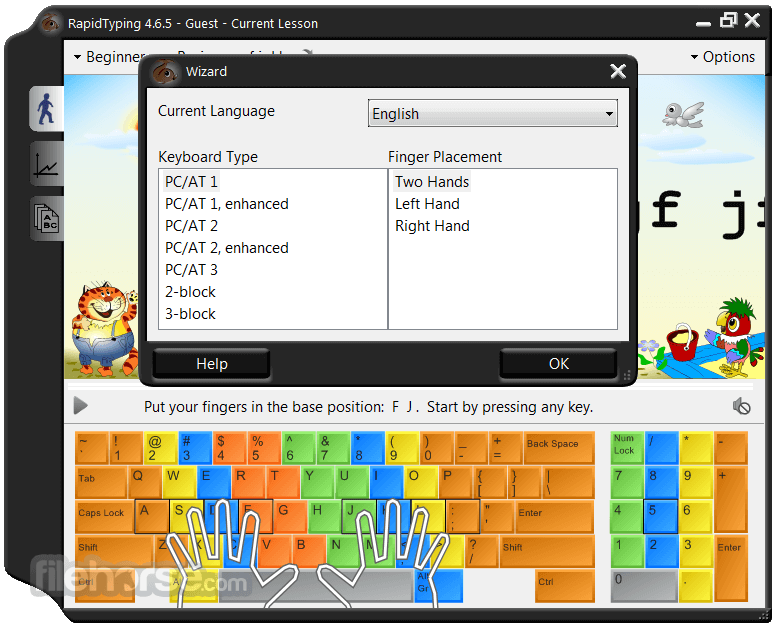
It also supports all existing keyboard layouts, including Dvorak, Dvorak for the left or right hand, Colemak, BEPO, ABNT, and several others, so users are not limited to learning to type in a single language using a single standard layout.
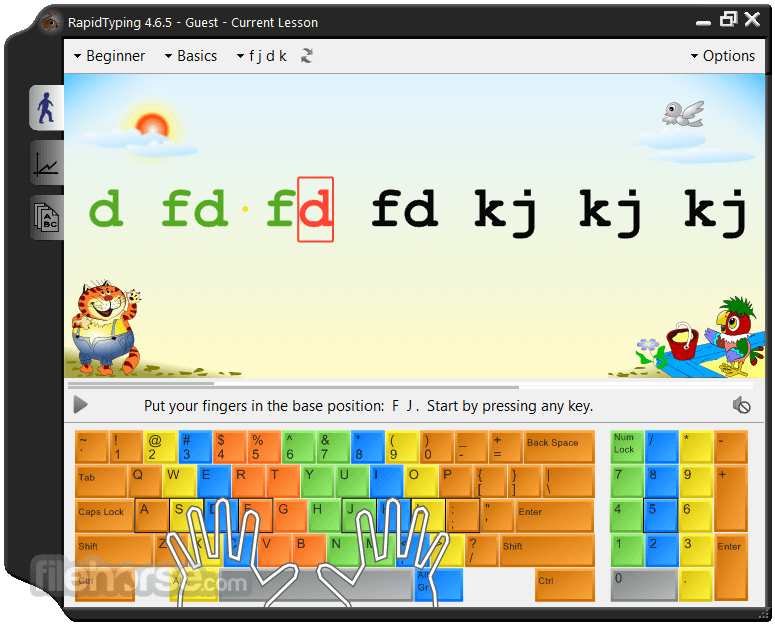
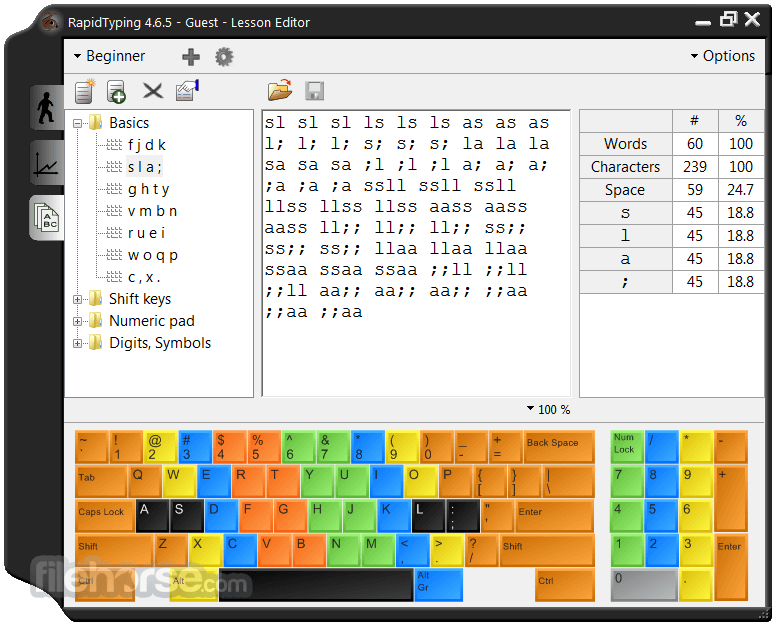
The virtual keyboard of RapidTyping is color-coded for better navigation and has virtual hands for extra realism. The program offers lessons for novices, advanced users, and experts, so everyone will find a way to test their skills and improve them.
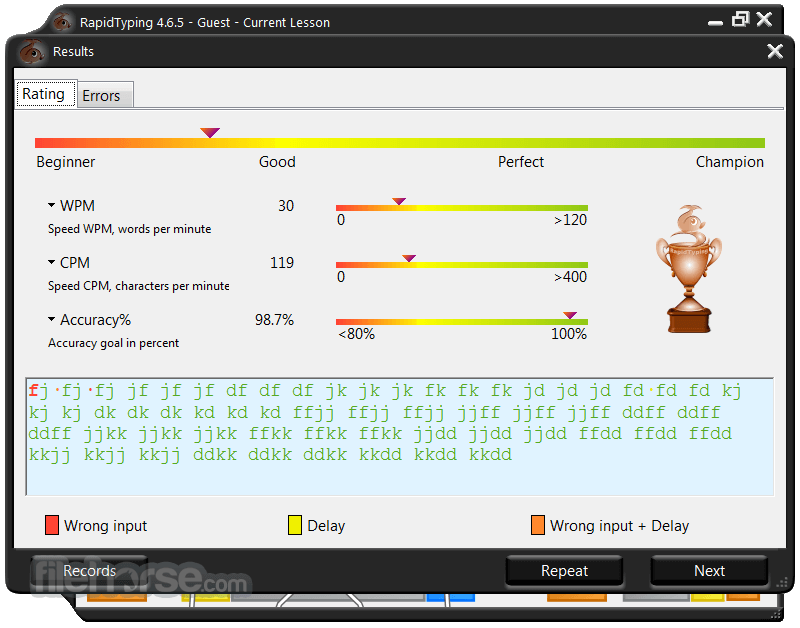
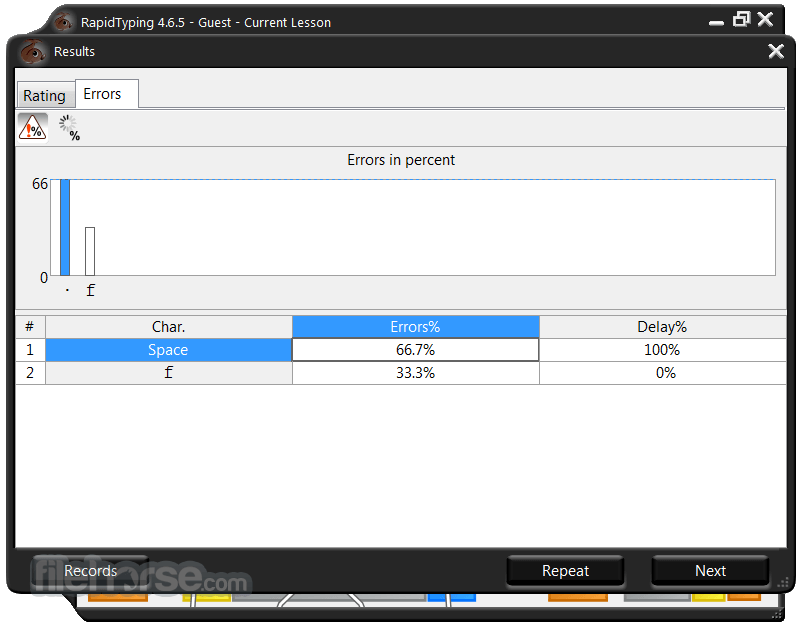
Other notable features of the program include special lessons for the numeric keypad and special marks, saving of learning statistics and users' progress, a possibility to create custom lessons and modify standard ones, support for multiple users, and import of touch typing lessons from plain text and RTF files.
Full courses for Beginner, Advanced, and Expert typists
Introduction course
First time using a keyboard. The course covers all the characters typed on your keyboard.
Beginner course
This course helps to learn the position of keys on the keyboard. After completing this course, you will know which finger to use to hit each key without looking at the keyboard. The course also covers upper-case letters, special symbols, and the numeric pad.
Advanced course
It helps to improve your typing speed by memorizing frequently used syllables and words.
Expert course
It helps you to perfect the skills acquired by typing an actual text.
Learn how to use your keyboard in a fun way for absolutely free. Rapid Typing Tutor is designed to teach adults and kids to use their computer keyboard more efficiently than ever.
Learning to type can be easy and fun! The Lesson Editor makes all the lessons fully customizable. You can add, insert, change, and delete lessons, group them in courses, and review the corresponding metrics.
You can also install this tool on a local server in a classroom so that it can be easily run on each workstation via the network.
Highlights
It features an intuitive and visually appealing user interface.
The main dashboard provides easy access to lessons, games, and progress tracking features, making it simple for users to navigate and customize their learning experience.
Installation and Setup
Installing this app is a straightforward process. Users can download the software from the official website or trusted software repositories (like FileHorse) and follow the on-screen instructions to complete the installation.
The software is compatible with Windows operating systems and requires minimal system resources.
How to Use
Is RapidTyping for PC suitable for beginners?
Yes, it offers lessons tailored to beginners, with step-by-step instructions and interactive exercises to help users learn typing fundamentals.
Can I create custom lessons?
Absolutely! It allows users to create custom lessons by selecting specific typing exercises or importing text from external sources.
Are there any age restrictions for using RapidTyping?
No, the software is suitable for users of all ages, from children to adults, who want to improve their typing skills.
Does RapidTyping support multiple keyboards/layouts?
Yes, it supports various keyboard layouts and languages, ensuring compatibility with different users' preferences and requirements.
Can I track my progress over time?
Definitely! It provides detailed statistics and progress tracking features to help users monitor their typing speed, accuracy, and improvement over time.
Alternatives
While the program offers a robust set of features for improving typing skills, users may also consider alternatives such as TypingMaster, Mavis Beacon Teaches Typing, KeyBlaze, or TypingClub.
Pricing
The app is available for FREE, making it accessible to users without any financial barrier.
There are no hidden fees or subscription requirements, allowing users to enjoy the full range of features without any additional cost.
System Requirements
RapidTyping is a standout typing tutor software combining user-friendly design and effective learning tools. With customizable lessons, progress tracking, and interactive games, it caters to users of all levels and provides an enjoyable way to improve typing skills. Despite its Windows-only availability, it remains a top choice for anyone looking to enhance their typing speed and accuracy.
Also Available: RapidTyping (32-bit)
Download RapidTyping (64-bit) Latest Version Why is this app published on FileHorse? (More info)
It also supports all existing keyboard layouts, including Dvorak, Dvorak for the left or right hand, Colemak, BEPO, ABNT, and several others, so users are not limited to learning to type in a single language using a single standard layout.
The virtual keyboard of RapidTyping is color-coded for better navigation and has virtual hands for extra realism. The program offers lessons for novices, advanced users, and experts, so everyone will find a way to test their skills and improve them.
Other notable features of the program include special lessons for the numeric keypad and special marks, saving of learning statistics and users' progress, a possibility to create custom lessons and modify standard ones, support for multiple users, and import of touch typing lessons from plain text and RTF files.
Full courses for Beginner, Advanced, and Expert typists
Introduction course
First time using a keyboard. The course covers all the characters typed on your keyboard.
Beginner course
This course helps to learn the position of keys on the keyboard. After completing this course, you will know which finger to use to hit each key without looking at the keyboard. The course also covers upper-case letters, special symbols, and the numeric pad.
Advanced course
It helps to improve your typing speed by memorizing frequently used syllables and words.
Expert course
It helps you to perfect the skills acquired by typing an actual text.
Learn how to use your keyboard in a fun way for absolutely free. Rapid Typing Tutor is designed to teach adults and kids to use their computer keyboard more efficiently than ever.
Learning to type can be easy and fun! The Lesson Editor makes all the lessons fully customizable. You can add, insert, change, and delete lessons, group them in courses, and review the corresponding metrics.
You can also install this tool on a local server in a classroom so that it can be easily run on each workstation via the network.
Highlights
- Full courses for Beginner, Advanced, and Expert typists
- Virtual Keyboard: QWERTY, Dvorak, ABNT, Bepo, Colemak...
- Moving Hands
- Progress Tracking: WPM, CPM, Accuracy, Delay...
- Lesson editor
- Numeric pad lessons
- Uses a simple and colorful interface
- Classroom use
- There is a Portable version
- Total free typing software
- Customizable Lessons: It provides a variety of lessons tailored to different skill levels and typing goals. Users can customize their learning experience by selecting specific exercises or creating their lessons.
- Progress Tracking: The software tracks users' progress over time, providing detailed statistics and feedback on typing speed, accuracy, and areas for improvement.
- Interactive Games: To keep users motivated and engaged, it offers a range of interactive games that reinforce typing skills in a fun and challenging way.
- Virtual Keyboard: A virtual keyboard display helps users visualize proper finger placement and typing technique, enhancing the learning process.
- Multi-Language Support: It supports multiple languages, allowing users from diverse backgrounds to learn typing skills in their native language.
It features an intuitive and visually appealing user interface.
The main dashboard provides easy access to lessons, games, and progress tracking features, making it simple for users to navigate and customize their learning experience.
Installation and Setup
Installing this app is a straightforward process. Users can download the software from the official website or trusted software repositories (like FileHorse) and follow the on-screen instructions to complete the installation.
The software is compatible with Windows operating systems and requires minimal system resources.
How to Use
- Choose a Lesson: Select a lesson from the available options based on your skill level and typing goals.
- Start Typing: Follow the on-screen instructions to begin typing exercises or playing interactive games.
- Track Progress: Monitor your typing speed, accuracy, and improvement over time using the progress tracking feature.
- Practice Regularly: Consistent practice is key to improving typing skills. Incorporate the app into your daily routine to see tangible results.
Is RapidTyping for PC suitable for beginners?
Yes, it offers lessons tailored to beginners, with step-by-step instructions and interactive exercises to help users learn typing fundamentals.
Can I create custom lessons?
Absolutely! It allows users to create custom lessons by selecting specific typing exercises or importing text from external sources.
Are there any age restrictions for using RapidTyping?
No, the software is suitable for users of all ages, from children to adults, who want to improve their typing skills.
Does RapidTyping support multiple keyboards/layouts?
Yes, it supports various keyboard layouts and languages, ensuring compatibility with different users' preferences and requirements.
Can I track my progress over time?
Definitely! It provides detailed statistics and progress tracking features to help users monitor their typing speed, accuracy, and improvement over time.
Alternatives
While the program offers a robust set of features for improving typing skills, users may also consider alternatives such as TypingMaster, Mavis Beacon Teaches Typing, KeyBlaze, or TypingClub.
Pricing
The app is available for FREE, making it accessible to users without any financial barrier.
There are no hidden fees or subscription requirements, allowing users to enjoy the full range of features without any additional cost.
System Requirements
- Operating System: Windows 7/8/10/11
- Processor: 1 GHz or higher
- RAM: 512 MB or more
- Hard Disk Space: 50 MB of free space
- Intuitive user interface
- Customizable lessons and exercises
- Progress tracking and feedback
- Interactive games for added engagement
- Multi-language support
- Limited platform availability (currently only supports Windows 32-bit or 64-bit)
- Lack of official support and updates
RapidTyping is a standout typing tutor software combining user-friendly design and effective learning tools. With customizable lessons, progress tracking, and interactive games, it caters to users of all levels and provides an enjoyable way to improve typing skills. Despite its Windows-only availability, it remains a top choice for anyone looking to enhance their typing speed and accuracy.
Also Available: RapidTyping (32-bit)
Download RapidTyping (64-bit) Latest Version Why is this app published on FileHorse? (More info)
##
畫面截圖
- 2025-06-27 RapidTyping 5.5 (64-bit) 15.7 MB
- 2021-01-27 RapidTyping 5.4 (64-bit) 15.03 MB
- 2018-10-19 RapidTyping 5.3 (64-bit) 15.05 MB
- 2016-08-24 RapidTyping 5.2 (64-bit) 15.6 MB