- 目前版本7.7.14
- 更新日期2026-08-07
- 檔案大小64.4 MB
- 檔案名稱RemotePC.exe
- 作業系統Windows 7 / Windows 8 / Windows 10 / Windows 11
- 支援語系English
- 授權型式試用版
- 開發商 IDrive Inc.
- 軟體分類Windows 軟體 / 檔案傳輸與網路
##
翻譯排程處理中,以下暫以英文原文呈現
軟體介紹
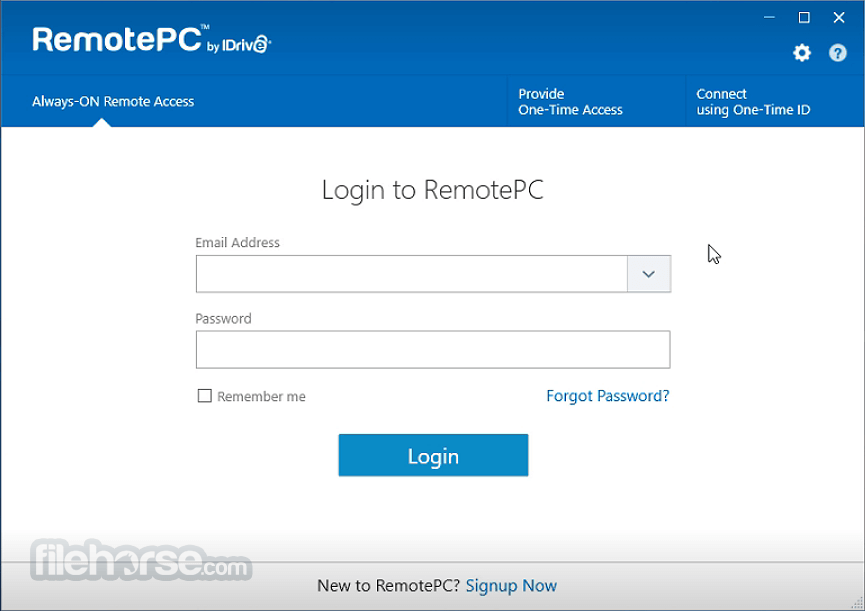
RemotePC is a high-performing remote access software for your Windows PC! Support multiple remote computers in real-time from anywhere, even from iPhones or iPads.
RemotePC allows you to access and manage your distant computers anytime, from any device - given that the computer has an active Internet connection and the RemotePC application installed on it.
You can log in to your office or home computer from anywhere, manage your files, and work on your computer - as though you were sitting right in front of it. You can also invite an associate to access your computer to work on a presentation or help troubleshoot.
Stay connected with your home or office computer, without actually commuting. Access your PC or Mac, from any device – anytime, anywhere!
Effortlessly manage your files, transfer data, and print documents remotely – even from mapped drives. Invite an associate to temporarily access your computer to work on presentations, documents in real-time.
Download RemotePC™ (Remote Desktop) apps from official website.
Consumer/SOHO/Team plans
Full-Suite
Remote to and remote from a computer with this set up.
RemotePC Host
A host only set up to install on computers you want to remotely access.
RemotePC Viewer
A viewer only set up to access remote computers.
RemotePC Viewer available in Microsoft Store
Download the viewer only app for remote access from the Microsoft Store.
Enterprise Plan
MSI Host
Download the MSI host package from the 'Deploy Package' section.
MSI Viewer
Run the viewer package with the MSI command for mass deployment.
Features and Highlights
Always-ON Remote Access
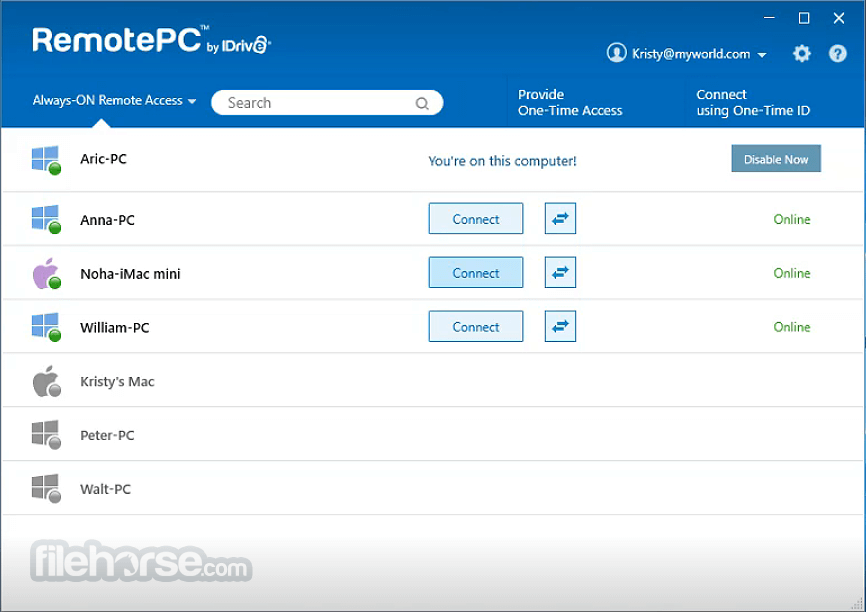
Configure your computer for remote access so that you can take complete control of your computer over the Internet anytime.
One-Time Instant Access
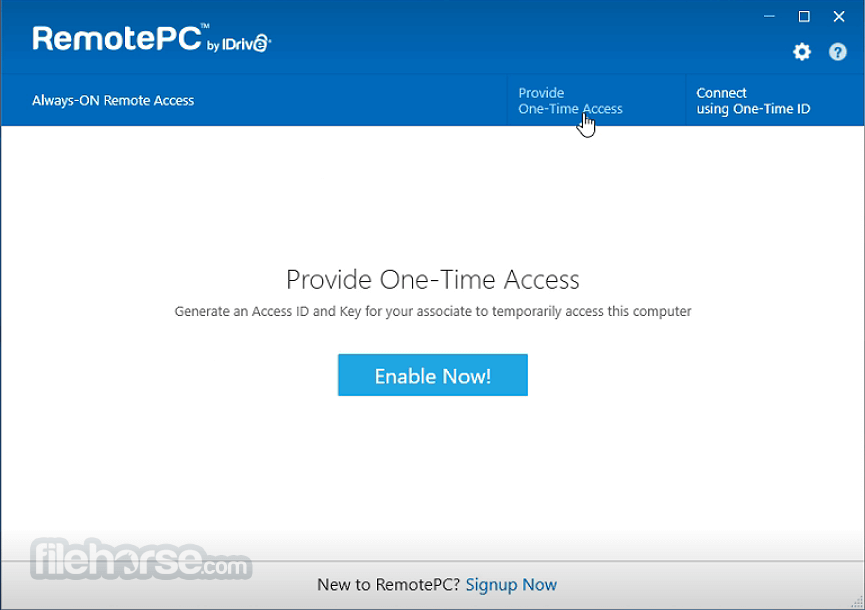
Enable your associates to access your computer one-time by sharing a unique Access ID and Key.
Access via Web
Connect to your remote computers from right within your web browser, without any software installation!
Platform Independent
Access your remote computer from a PC/Mac. Even from iPhone/iPad or Android devices.
Secure
Remote Access is secure with TLS v 1.2 / AES-256 encryption; Personal Key acts as a secondary password to access each machine.
Scalable
Add remote computers to your plan, based on your needs; no additional hardware or software required.
File Transfer
Effortlessly transfer files and folders, even from mapped drives, between your computers.
Chat
Send and receive chat messages between your computers.
Remote Printing
Print documents and images that are on your remote computers from wherever you are.
Whiteboard
Collaborate effectively by drawing on the remote screen during a session.
Play Sound Remotely
Listen to audio files from the remote computer on your local computer.
Invite To Collaborate
Your associate can connect to your computer, to work on a presentation or help you troubleshoot.
Record Remote Sessions
Record and save remote sessions easily at your desired location on the local computer.
Drag and Drop
Conveniently drag and drop files from a remote computer to your computer or vice versa.
Multi-To-Multi Monitor
View multiple monitors of a remote computer on a single screen at the same time, or view each monitor on different screens.
Logs and Reports
Track your activities with remote access logs and web activity logs.
Alternatives
TeamViewer - The All-In-One Software for Remote and Online Meetings
VNC Server - Control of another PC across a local network or the Internet
Splashtop - The solutions for remote work, remote support, remote learning, and more!
System Requirements
Windows 11, Windows 10, Windows 8.1, Windows 8, Windows 2016 Server, Windows 2012 Server, Windows Server 2008 R2
For Remote Desktop Viewer
Windows 11, Windows 10, Windows 8.1, Windows 8, Windows 2019 Server, Windows 2016 Server, Windows 2012 Server, Windows Server 2008 R2
MacOS 10.4.11 or later
PROS
Download RemotePC Latest Version Why is this app published on FileHorse? (More info)
RemotePC allows you to access and manage your distant computers anytime, from any device - given that the computer has an active Internet connection and the RemotePC application installed on it.
You can log in to your office or home computer from anywhere, manage your files, and work on your computer - as though you were sitting right in front of it. You can also invite an associate to access your computer to work on a presentation or help troubleshoot.
Stay connected with your home or office computer, without actually commuting. Access your PC or Mac, from any device – anytime, anywhere!
Effortlessly manage your files, transfer data, and print documents remotely – even from mapped drives. Invite an associate to temporarily access your computer to work on presentations, documents in real-time.
Download RemotePC™ (Remote Desktop) apps from official website.
Consumer/SOHO/Team plans
Full-Suite
Remote to and remote from a computer with this set up.
RemotePC Host
A host only set up to install on computers you want to remotely access.
RemotePC Viewer
A viewer only set up to access remote computers.
RemotePC Viewer available in Microsoft Store
Download the viewer only app for remote access from the Microsoft Store.
Enterprise Plan
MSI Host
Download the MSI host package from the 'Deploy Package' section.
MSI Viewer
Run the viewer package with the MSI command for mass deployment.
Features and Highlights
Always-ON Remote Access
Configure your computer for remote access so that you can take complete control of your computer over the Internet anytime.
One-Time Instant Access
Enable your associates to access your computer one-time by sharing a unique Access ID and Key.
Access via Web
Connect to your remote computers from right within your web browser, without any software installation!
Platform Independent
Access your remote computer from a PC/Mac. Even from iPhone/iPad or Android devices.
Secure
Remote Access is secure with TLS v 1.2 / AES-256 encryption; Personal Key acts as a secondary password to access each machine.
Scalable
Add remote computers to your plan, based on your needs; no additional hardware or software required.
File Transfer
Effortlessly transfer files and folders, even from mapped drives, between your computers.
Chat
Send and receive chat messages between your computers.
Remote Printing
Print documents and images that are on your remote computers from wherever you are.
Whiteboard
Collaborate effectively by drawing on the remote screen during a session.
Play Sound Remotely
Listen to audio files from the remote computer on your local computer.
Invite To Collaborate
Your associate can connect to your computer, to work on a presentation or help you troubleshoot.
Record Remote Sessions
Record and save remote sessions easily at your desired location on the local computer.
Drag and Drop
Conveniently drag and drop files from a remote computer to your computer or vice versa.
Multi-To-Multi Monitor
View multiple monitors of a remote computer on a single screen at the same time, or view each monitor on different screens.
Logs and Reports
Track your activities with remote access logs and web activity logs.
Alternatives
TeamViewer - The All-In-One Software for Remote and Online Meetings
VNC Server - Control of another PC across a local network or the Internet
Splashtop - The solutions for remote work, remote support, remote learning, and more!
System Requirements
Windows 11, Windows 10, Windows 8.1, Windows 8, Windows 2016 Server, Windows 2012 Server, Windows Server 2008 R2
For Remote Desktop Viewer
Windows 11, Windows 10, Windows 8.1, Windows 8, Windows 2019 Server, Windows 2016 Server, Windows 2012 Server, Windows Server 2008 R2
MacOS 10.4.11 or later
PROS
- Affordable Pricing Plans
- Cross-Platform Compatibility
- Easy Setup and User-Friendly Interface
- Robust Security Features
- Scalable for Personal and Business Use
- Limited Free Trial Features
- Occasional Connection Latency
- No Live Customer Support
- Basic File Transfer Options
- Mobile App Could Be Improved
Download RemotePC Latest Version Why is this app published on FileHorse? (More info)
##
畫面截圖