⚠ 這是歷史版本頁面 — 查看 Rufus Portable 最新版本 →

- 目前版本4.5
- 更新日期2024-05-23
- 檔案大小3.28 MB
- 檔案名稱RufusPortable_4.5.paf.exe
- 作業系統Windows 8 (64-bit) / Windows 10 (64-bit) / Windows 11
- 支援語系English
- 授權型式開源軟體
- 開發商 Pete Batard
- 軟體分類Windows 軟體 / 系統優化
##
編輯短評
Rufus Portable 是 Rufus 的免安裝版本,主打輕量與快速,直接從隨身碟或外接裝置執行,不需安裝程序。它的核心用途是將 ISO 映像檔製作成可開機 USB,涵蓋 Windows、Linux 等常見系統,對系統管理員與進階使用者來說是相當順手的工具。開發者長期維護,更新頻率穩定,在同類工具中屬於熱門選擇,使用者評價普遍不錯。
這套工具特別適合需要頻繁製作開機碟的系統管理員,或是不想在電腦上安裝額外軟體的使用者。與原版 Rufus 相比,Portable 版本省去安裝步驟,直接從隨身碟執行,方便攜帶;但功能上仍以開機碟製作為核心,沒有多餘的系統優化功能。授權為開源軟體,僅提供英文介面,中文使用者需留意操作介面語言。
##
翻譯排程處理中,以下暫以英文原文呈現
軟體介紹
Rufus Portable is a lightweight, standalone utility designed for creating bootable USB drives on Windows. It is the portable version of the original Rufus software, which means it doesn't require installation and can be run directly from a USB stick or any removable drive.
Rufus Portable is widely appreciated by system administrators, tech professionals, and advanced users for its speed, simplicity, and powerful capabilities.
Its primary use is to create bootable USB installation media from ISO files, including Windows, Linux, and other OS distributions.
Features
Bootable USB creation: Quickly creates bootable USB drives from ISO images.
Support for various boot formats: Supports BIOS and UEFI boot modes.
Multiple file system formats: Choose from FAT, FAT32, NTFS, exFAT, UDF, and ReFS.
Portable and lightweight: No installation required; extremely small file size.
Advanced options: Options for partition scheme, cluster size, bad block checks, and more.
Free and open-source: 100% free with source code available to the public.
User Interface
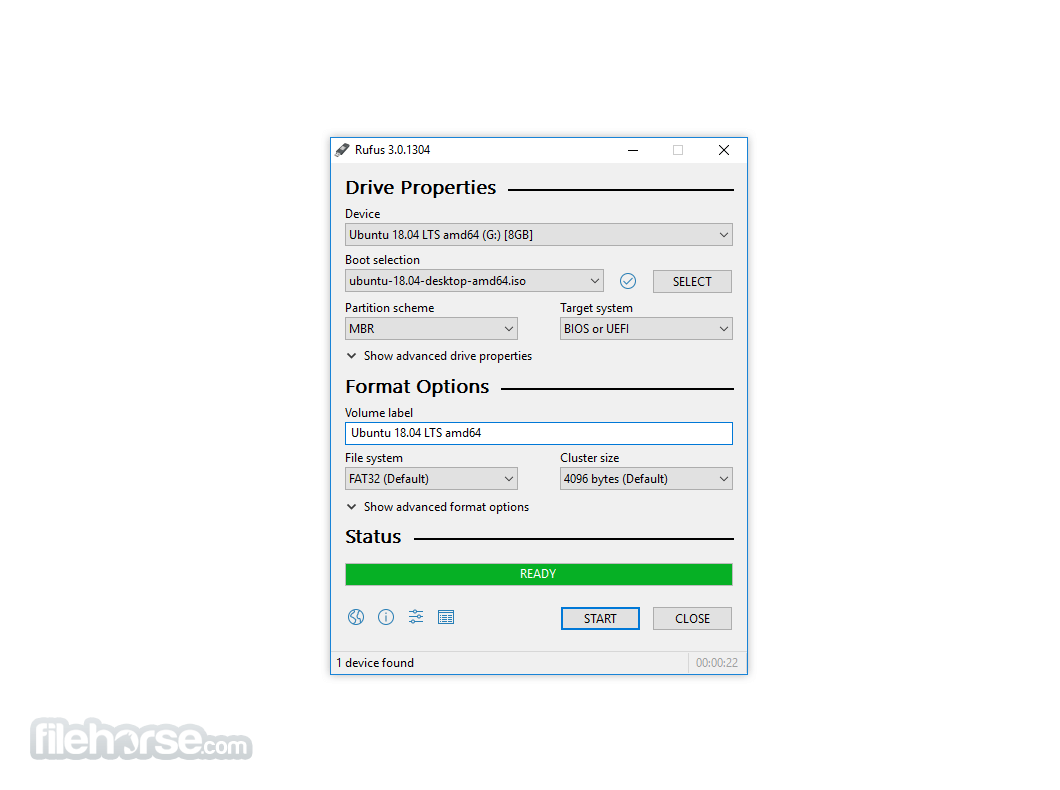
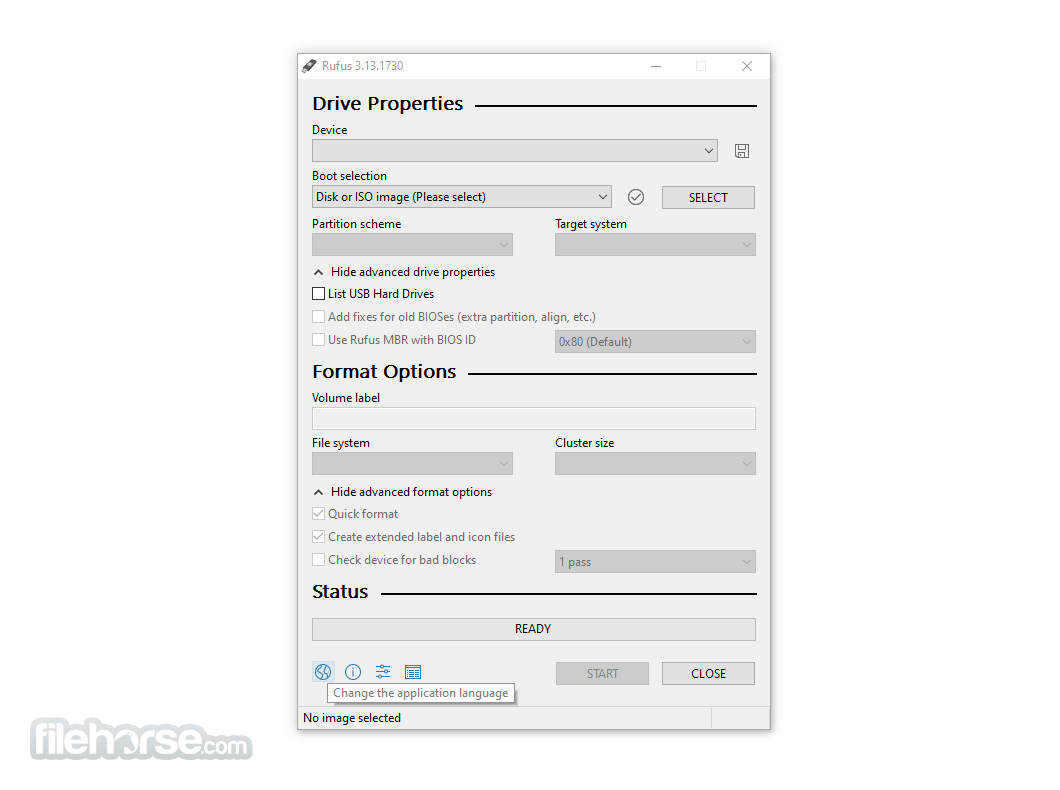
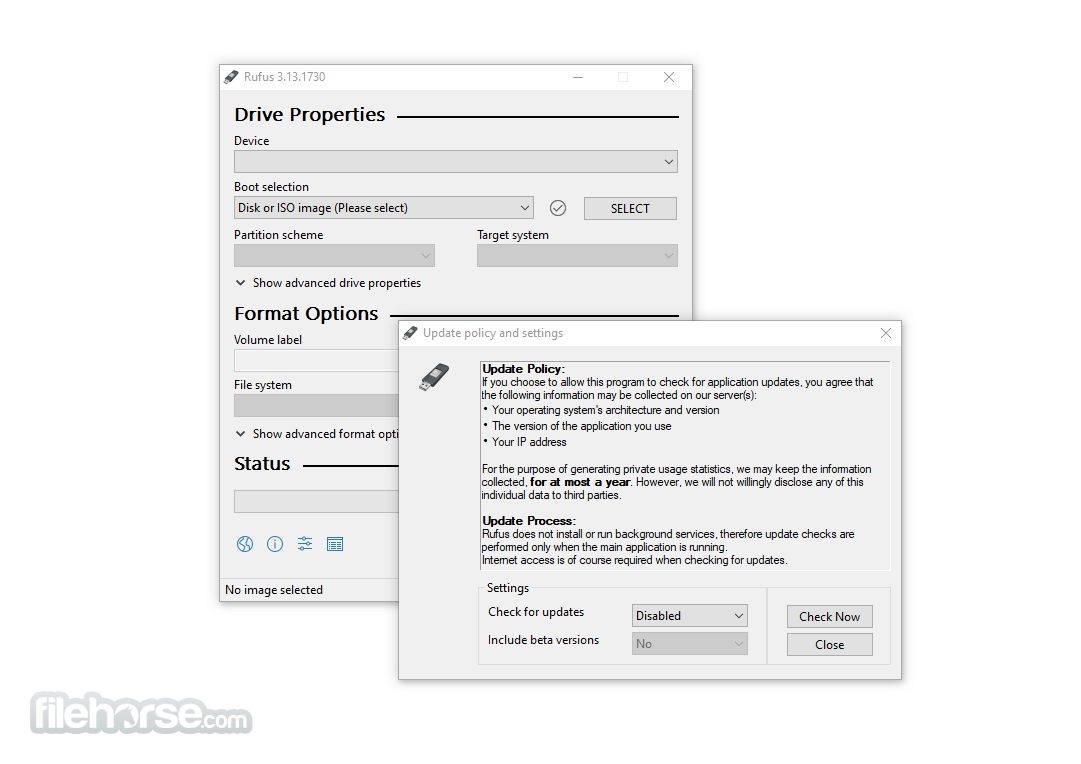
Rufus Portable has a minimalistic and straightforward interface. All available options are displayed on a single screen, which makes it easy to configure a bootable USB without navigating through complex menus.
While it doesn’t offer a modern or flashy design, its UI is highly functional, focused on performance and usability.
Installation and Setup
Being a portable app, Rufus requires no installation. Simply download the executable file from the official website, place it on any USB or local storage, and double-click to run it.
It launches instantly and is ready to use right away.
How to Use
Can I use Rufus Portable without admin rights?
No, Rufus still requires administrator privileges to access hardware-level formatting tools.
Is Rufus Portable safe to use?
Yes, it’s a safe, open-source utility widely trusted in the tech community.
What is the difference between Rufus and Rufus Portable?
The portable version doesn’t install to your system and can be used on-the-go via a USB drive.
Does Rufus support creating bootable drives for macOS?
Rufus is designed for Windows and does not support creating macOS bootable drives.
Can I use Rufus to clone an entire drive?
No, Rufus is not designed for disk cloning; it's only for bootable drive creation.
Alternatives
balenaEtcher: A user-friendly cross-platform tool for creating bootable USB drives from ISO and IMG files.
Ventoy: An open-source Windows PC tool to create a bootable USB drive for ISO files.
UNetbootin: Another popular open-source software capable of creating bootable USB drives on Windows, macOS, and Linux.
WinToUSB: A Windows-specific utility that enables the creation of bootable USB drives with Windows installations.
YUMI: A versatile multiboot USB creator that allows users to add multiple ISO files and create a single USB drive with multiple bootable systems.
Pricing
Rufus Portable is completely free and open-source. There are no paid versions or hidden fees.
System Requirements
Rufus Portable remains one of the most reliable and efficient tools for creating bootable USB drives on Windows. With its speed, flexibility, and minimal system requirements, it's a must-have utility for IT professionals and power users.
Although it might not cater to complete beginners with its no-frills interface, its performance and feature set more than make up for it. Whether you're installing a new OS or creating rescue media, Rufus Portable is a trusted companion.
Download Rufus Portable Latest Version Why is this app published on FileHorse? (More info)
Rufus Portable is widely appreciated by system administrators, tech professionals, and advanced users for its speed, simplicity, and powerful capabilities.
Its primary use is to create bootable USB installation media from ISO files, including Windows, Linux, and other OS distributions.
Features
Bootable USB creation: Quickly creates bootable USB drives from ISO images.
Support for various boot formats: Supports BIOS and UEFI boot modes.
Multiple file system formats: Choose from FAT, FAT32, NTFS, exFAT, UDF, and ReFS.
Portable and lightweight: No installation required; extremely small file size.
Advanced options: Options for partition scheme, cluster size, bad block checks, and more.
Free and open-source: 100% free with source code available to the public.
User Interface
Rufus Portable has a minimalistic and straightforward interface. All available options are displayed on a single screen, which makes it easy to configure a bootable USB without navigating through complex menus.
While it doesn’t offer a modern or flashy design, its UI is highly functional, focused on performance and usability.
Installation and Setup
Being a portable app, Rufus requires no installation. Simply download the executable file from the official website, place it on any USB or local storage, and double-click to run it.
It launches instantly and is ready to use right away.
How to Use
- Insert a USB drive into your Windows PC.
- Launch Rufus Portable.
- Under "Device", select your USB drive.
- Click "Select" and choose your ISO file.
- Choose your partition scheme (MBR or GPT) and target system (BIOS or UEFI).
- Select the file system (usually FAT32 for UEFI).
- Click “Start” and confirm to write the image.
- Wait for the process to complete and safely eject the USB drive.
Can I use Rufus Portable without admin rights?
No, Rufus still requires administrator privileges to access hardware-level formatting tools.
Is Rufus Portable safe to use?
Yes, it’s a safe, open-source utility widely trusted in the tech community.
What is the difference between Rufus and Rufus Portable?
The portable version doesn’t install to your system and can be used on-the-go via a USB drive.
Does Rufus support creating bootable drives for macOS?
Rufus is designed for Windows and does not support creating macOS bootable drives.
Can I use Rufus to clone an entire drive?
No, Rufus is not designed for disk cloning; it's only for bootable drive creation.
Alternatives
balenaEtcher: A user-friendly cross-platform tool for creating bootable USB drives from ISO and IMG files.
Ventoy: An open-source Windows PC tool to create a bootable USB drive for ISO files.
UNetbootin: Another popular open-source software capable of creating bootable USB drives on Windows, macOS, and Linux.
WinToUSB: A Windows-specific utility that enables the creation of bootable USB drives with Windows installations.
YUMI: A versatile multiboot USB creator that allows users to add multiple ISO files and create a single USB drive with multiple bootable systems.
Pricing
Rufus Portable is completely free and open-source. There are no paid versions or hidden fees.
System Requirements
- OS: Windows 11, 10, 8 or 7 (32-bit or 64-bit)
- RAM: Minimum 512MB
- Disk Space: Under 10MB for the app; additional space depending on ISO file
- Administrator rights: Required
- Lightweight and portable
- Fast and reliable USB bootable creation
- Supports various file systems and formats
- Advanced customization options
- No installation required
- Interface may seem technical to beginners
- Windows-only support
- Requires admin rights
Rufus Portable remains one of the most reliable and efficient tools for creating bootable USB drives on Windows. With its speed, flexibility, and minimal system requirements, it's a must-have utility for IT professionals and power users.
Although it might not cater to complete beginners with its no-frills interface, its performance and feature set more than make up for it. Whether you're installing a new OS or creating rescue media, Rufus Portable is a trusted companion.
Download Rufus Portable Latest Version Why is this app published on FileHorse? (More info)
##
畫面截圖
- 2026-05-01 Rufus Portable 4.14 2.33 MB
- 2026-02-18 Rufus Portable 4.13 2.27 MB
- 2026-01-31 Rufus Portable 4.12 2.27 MB
- 2025-11-11 Rufus Portable 3.22 1.76 MB
- 2025-10-03 Rufus Portable 4.11 4.03 MB
- 2025-06-15 Rufus Portable 4.9 4.3 MB
- 2025-06-12 Rufus Portable 4.8 4.3 MB
- 2025-04-10 Rufus Portable 4.7 3.61 MB