⚠ 這是歷史版本頁面 — 查看 ShareX 最新版本 →

- 目前版本15.0.0
- 更新日期2023-01-24
- 檔案大小3.41 MB
- 檔案名稱ShareX-15.0.0-setup.exe
- 作業系統Windows 8 / Windows 10 / Windows 11
- 支援語系English
- 授權型式開源軟體
- 開發商 ShareX Team
- 軟體分類Windows 軟體 / 影像設計
##
編輯短評
ShareX 是一套免費開源的 Windows 螢幕截圖與錄影工具,主打快速擷取、編輯與分享。它的辨識度在於功能遠超一般截圖軟體,內建 OCR 文字辨識、捲動長截圖、自動化工作流程與自訂快捷鍵,能應付進階使用者的多數需求。自 2007 年推出以來持續演進,近一年更新仍算活躍,在同類工具中屬於功能完整且口碑穩定的熱門選擇。
這套軟體適合需要頻繁截圖、錄製操作流程的專業工作者或重度使用者,尤其常用自動化流程與快速分享的人會覺得順手。與 Photoshop 等影像編輯軟體相比,ShareX 定位在輕量擷取與即時處理,而非細部修圖,取捨上較為明確。它僅提供英文介面,沒有官方中文版,但操作邏輯直覺;採開源授權,可免費使用,平台限定 Windows,安裝或免安裝版本皆有提供。
##
翻譯排程處理中,以下暫以英文原文呈現
軟體介紹
ShareX is a free and open-source screenshot and screen recording tool for Windows 11/10. Designed for power users and professionals, ShareX enables fast and efficient screen capture, editing, and sharing.
It offers a robust set of utilities that go far beyond basic screen grabbing, with features like OCR, scrolling capture, automatic workflows, and customizable hotkeys.
First released in 2007, ShareX has evolved into one of the most comprehensive capture tools available.
Main Features
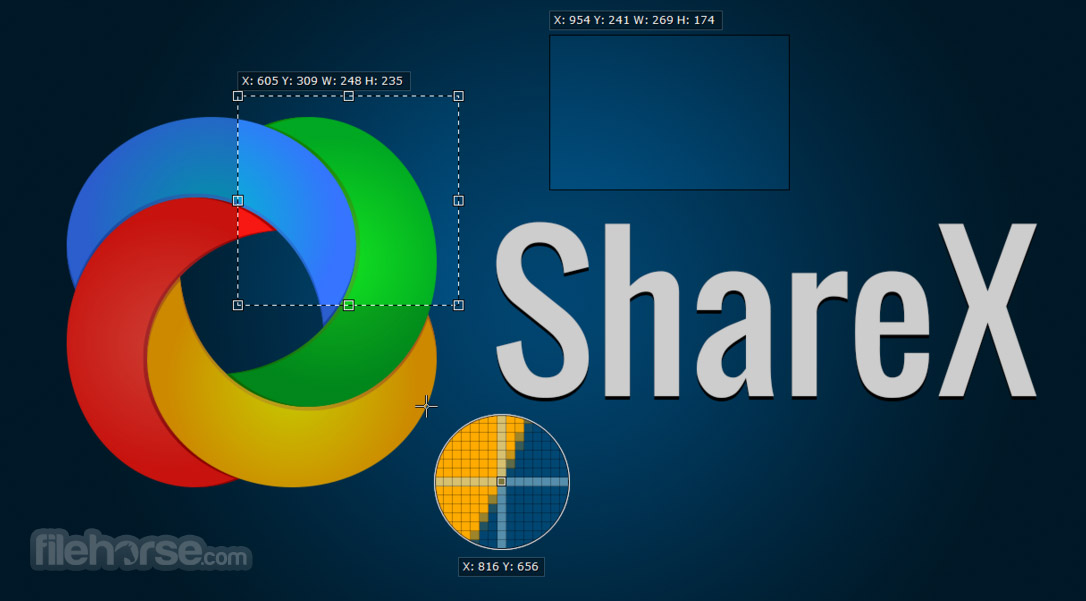
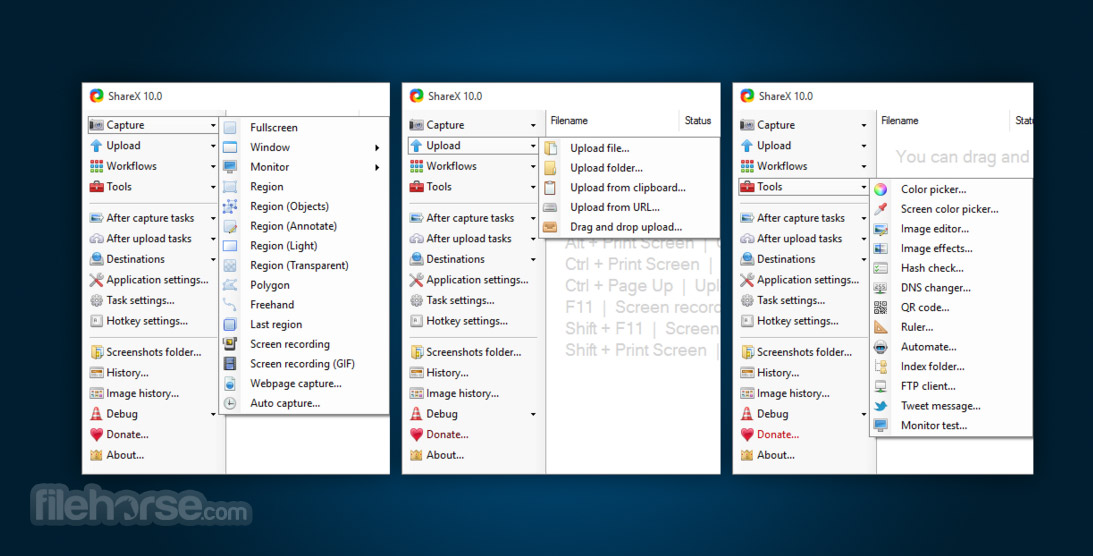
Screen Capture: Fullscreen, active window, region, scrolling capture, and custom shapes.
Screen Recording: Record video or GIFs with or without audio.
Annotation Tools: Built-in image editor with markup, shapes, blur, and text.
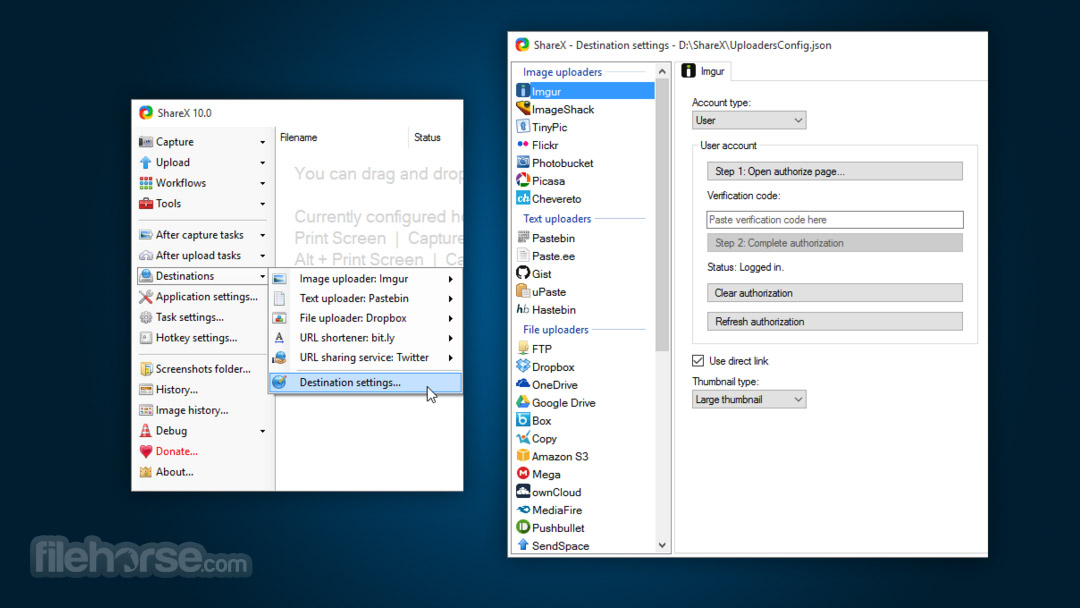
Upload Support: Automatically upload captures to over 80 services including Imgur, Dropbox, Google Drive, and custom FTP.
Workflows and Automation: Customize capture workflows, set triggers, use hotkeys, and apply image effects.
OCR Tool: Extract text from images using Optical Character Recognition.
Scrolling Capture: Capture entire webpages or chat windows beyond the screen view.
Color Picker and Ruler: Developer-friendly tools like color grabber, ruler, and image combiner.
User Interface
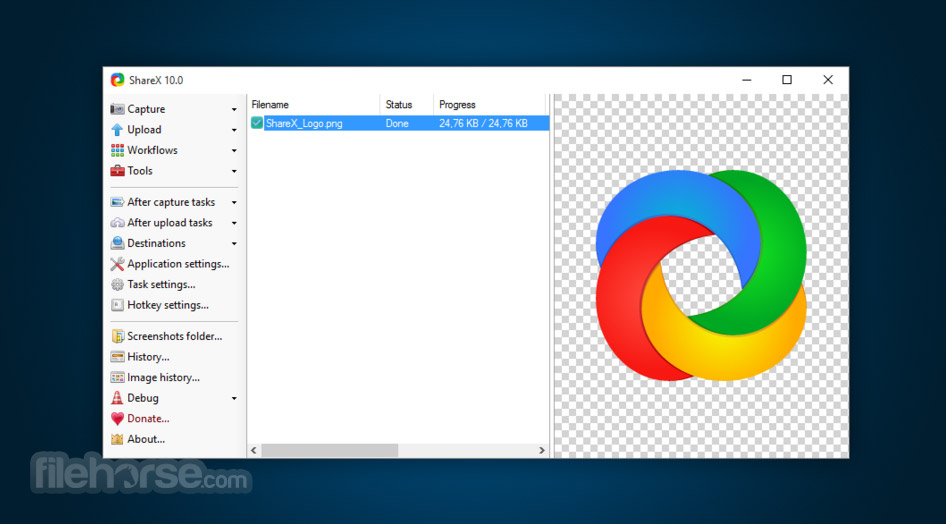
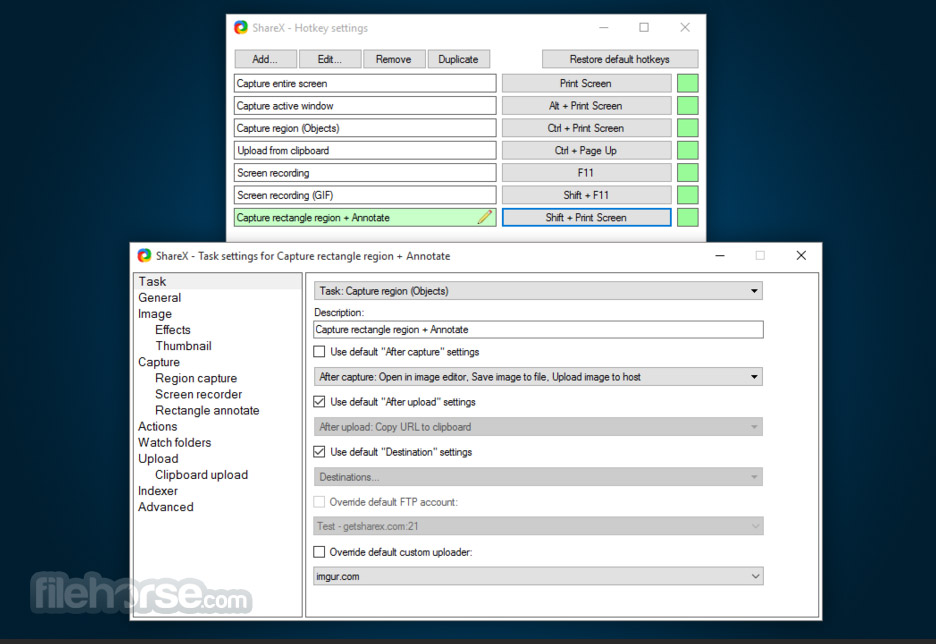
It features a utilitarian and functional interface. The main window is divided into a left-hand navigation pane and a detail pane on the right.
While it may appear overwhelming to casual users at first, the layout is logical and highly customizable.
The menus are deep, but once you learn where things are, it's efficient and fast to navigate.
Installation and Setup
ShareX is lightweight and installs quickly. You can download it from the official website, FileHorse.com or via platforms like Microsoft Store.
The setup process is straightforward, and it requires minimal system resources.
After installation, you can configure hotkeys, destinations, and capture preferences easily.
How to Use
FAQs
Can ShareX record audio with video?
Yes, it supports microphone and system audio recording using FFmpeg.
Is ShareX really free?
Yes, it’s completely free and open-source with no ads or paid upgrades.
Can ShareX upload files automatically?
Yes, it can upload files, images, and text to over 80 destinations automatically.
Does ShareX for PC support hotkeys?
Yes, you can set global hotkeys for nearly every function including capture and upload.
Can I edit screenshots before uploading?
Yes, it has a built-in editor for annotations, effects, and watermarks.
Alternatives
Greenshot: Simpler UI with strong capture and annotation tools.
Snagit: Paid software with polished UI and advanced video capture.
Lightshot: Lightweight and beginner-friendly screenshot tool.
OBS Studio: More advanced for full video recording and live streaming.
PicPick: Combines screenshot tool with image editing and color tools.
System Requirements
ShareX stands out as one of the most powerful free screen capture tools available for Windows. While its interface may take time to master, the feature set is unparalleled—especially for those who need automation, quick editing, and cloud integration.
For professionals, developers, and content creators who value efficiency and flexibility, this tool is an essential addition to the productivity toolkit.
Download ShareX Latest Version Why is this app published on FileHorse? (More info)
It offers a robust set of utilities that go far beyond basic screen grabbing, with features like OCR, scrolling capture, automatic workflows, and customizable hotkeys.
First released in 2007, ShareX has evolved into one of the most comprehensive capture tools available.
Main Features
Screen Capture: Fullscreen, active window, region, scrolling capture, and custom shapes.
Screen Recording: Record video or GIFs with or without audio.
Annotation Tools: Built-in image editor with markup, shapes, blur, and text.
Upload Support: Automatically upload captures to over 80 services including Imgur, Dropbox, Google Drive, and custom FTP.
Workflows and Automation: Customize capture workflows, set triggers, use hotkeys, and apply image effects.
OCR Tool: Extract text from images using Optical Character Recognition.
Scrolling Capture: Capture entire webpages or chat windows beyond the screen view.
Color Picker and Ruler: Developer-friendly tools like color grabber, ruler, and image combiner.
User Interface
It features a utilitarian and functional interface. The main window is divided into a left-hand navigation pane and a detail pane on the right.
While it may appear overwhelming to casual users at first, the layout is logical and highly customizable.
The menus are deep, but once you learn where things are, it's efficient and fast to navigate.
Installation and Setup
ShareX is lightweight and installs quickly. You can download it from the official website, FileHorse.com or via platforms like Microsoft Store.
The setup process is straightforward, and it requires minimal system resources.
After installation, you can configure hotkeys, destinations, and capture preferences easily.
How to Use
- Choose a capture method (region, fullscreen, active window, etc.).
- Press a hotkey or use the menu to take the screenshot.
- The captured image can automatically open in the image editor.
- After editing, it can automatically upload the image or save it locally.
- For video capture, use the screen recording feature and select whether to save as video or GIF.
FAQs
Can ShareX record audio with video?
Yes, it supports microphone and system audio recording using FFmpeg.
Is ShareX really free?
Yes, it’s completely free and open-source with no ads or paid upgrades.
Can ShareX upload files automatically?
Yes, it can upload files, images, and text to over 80 destinations automatically.
Does ShareX for PC support hotkeys?
Yes, you can set global hotkeys for nearly every function including capture and upload.
Can I edit screenshots before uploading?
Yes, it has a built-in editor for annotations, effects, and watermarks.
Alternatives
Greenshot: Simpler UI with strong capture and annotation tools.
Snagit: Paid software with polished UI and advanced video capture.
Lightshot: Lightweight and beginner-friendly screenshot tool.
OBS Studio: More advanced for full video recording and live streaming.
PicPick: Combines screenshot tool with image editing and color tools.
System Requirements
- OS: Windows 7, 8, 10, 11
- RAM: 1 GB minimum
- Disk Space: Around 100 MB
- Processor: Any modern dual-core processor
- Feature-rich and highly customizable
- Completely free and open-source
- Fast capture and upload workflows
- Powerful annotation tools
- Frequent updates and community support
- UI can feel cluttered or complex
- Limited support for macOS/Linux
ShareX stands out as one of the most powerful free screen capture tools available for Windows. While its interface may take time to master, the feature set is unparalleled—especially for those who need automation, quick editing, and cloud integration.
For professionals, developers, and content creators who value efficiency and flexibility, this tool is an essential addition to the productivity toolkit.
Download ShareX Latest Version Why is this app published on FileHorse? (More info)
##
畫面截圖
- 2026-07-04 ShareX 21.0.0 133 MB
- 2026-05-24 ShareX 20.2.0 120 MB
- 2026-05-06 ShareX 20.1.0 116 MB
- 2026-05-01 ShareX 20.0.4 116 MB
- 2026-01-28 ShareX 19.0.2 108 MB
- 2026-01-20 ShareX 19.0.1 108 MB
- 2025-08-24 ShareX 18.0.1 102 MB
- 2025-08-12 ShareX 18.0.0 102 MB