⚠ 這是歷史版本頁面 — 查看 System Information Viewer (SIV) 最新版本 →

System Information Viewer (SIV) 5.76
v 5.76
Windows
免費軟體
8.62/10 (36)
- 目前版本5.76
- 更新日期2024-03-13
- 檔案大小21.18 MB
- 檔案名稱siv_v5.76.zip
- 作業系統Windows 7 / Windows 8 / Windows 10 / Windows 11
- 支援語系English
- 授權型式免費軟體
- 開發商 Ray Hinchliffe
- 軟體分類Windows 軟體 / 系統優化
##
編輯短評
System Information Viewer (SIV) 是一款免費的系統資訊與診斷工具,由單一軟體工程師長期開發維護,以免安裝的攜帶形式散佈,不需安裝程序或修改登錄檔即可直接執行。它的介面以資訊密集著稱,能深入檢視桌上型或筆電內部硬體的細部狀態,對想徹底掌握自己機器狀況的使用者來說,辨識度很高。這套工具在同類中屬於小眾但持續更新的選擇,評價普遍不錯,近一年來仍維持穩定的更新節奏。
SIV 適合對硬體規格有基礎認識、需要查閱詳細感測器數據或裝置資訊的進階使用者,例如組裝新電腦後驗證零件、交叉比對硬體狀態,或排除驅動與裝置衝突時派得上用場。與 FileHippo App Manager、Rufus 或 Glary Utilities 等偏重系統清理或工具整合的軟體相比,SIV 更專注於資訊揭露而非優化,取捨上少了圖形化引導,但換來更深入的硬體細節。軟體本身免費,僅提供英文介面,Windows 平台適用,使用前需留意其介面較為擁擠,初次上手需要一些耐心摸索。
##
翻譯排程處理中,以下暫以英文原文呈現
軟體介紹
System Information Viewer (SIV) is a free lightweight system information and diagnostic utility that provides users of all knowledge levels with incredible insight about the state of the hardware present in their desktop or laptop PC.
Developed by a single software engineer, this comprehensive app is distributed online in a portable form that allows users to take advantage of this app without an official installer, registry changes, or need for the app to always be run from local storage.
The user interface of the System Information Viewer can be described as crowded and densely packed with the information, but to the trained eye, this app only maximizes the display area of its window by presenting the incredible amount of valuable information.
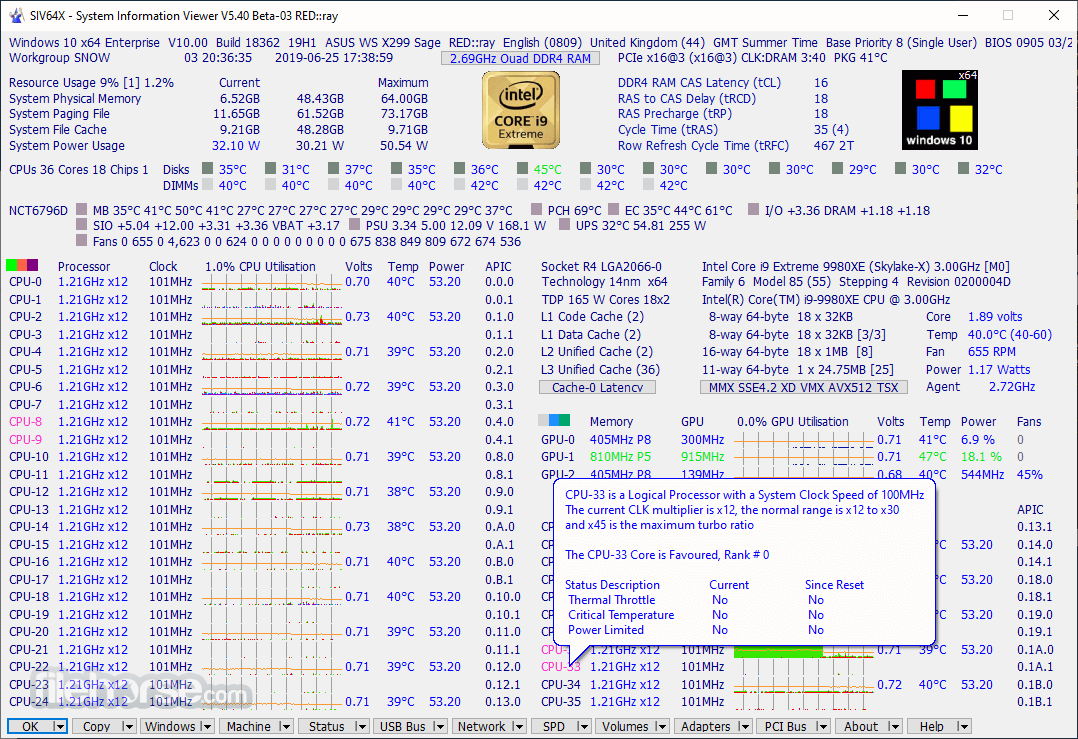
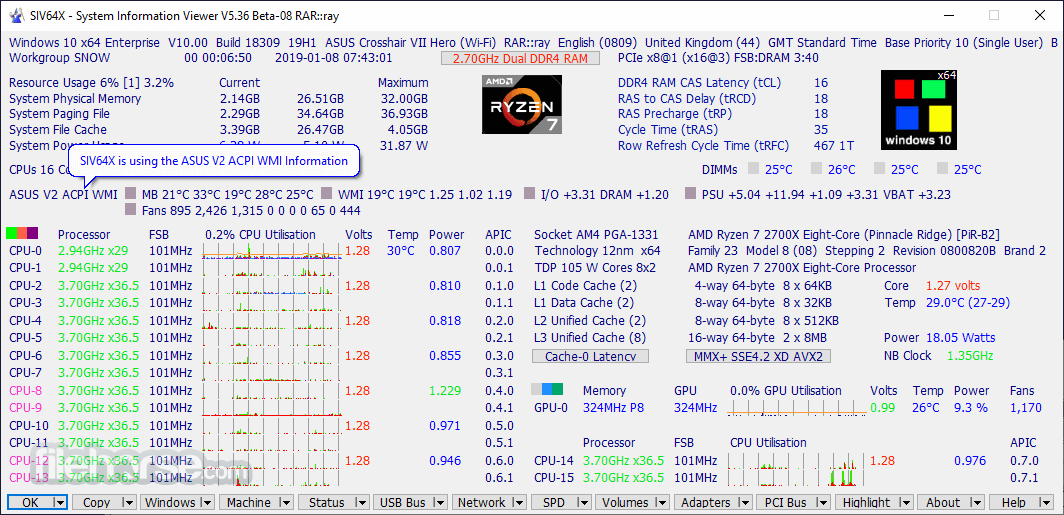
The app featured a tabbed interface (with each tab being called a module), with the primary tab showcasing the in-depth information about the CPU, RAM, and motherboard. This includes current work frequencies, cache sizes, hardware utilization, power usages, temperature, memory timings, and much more.
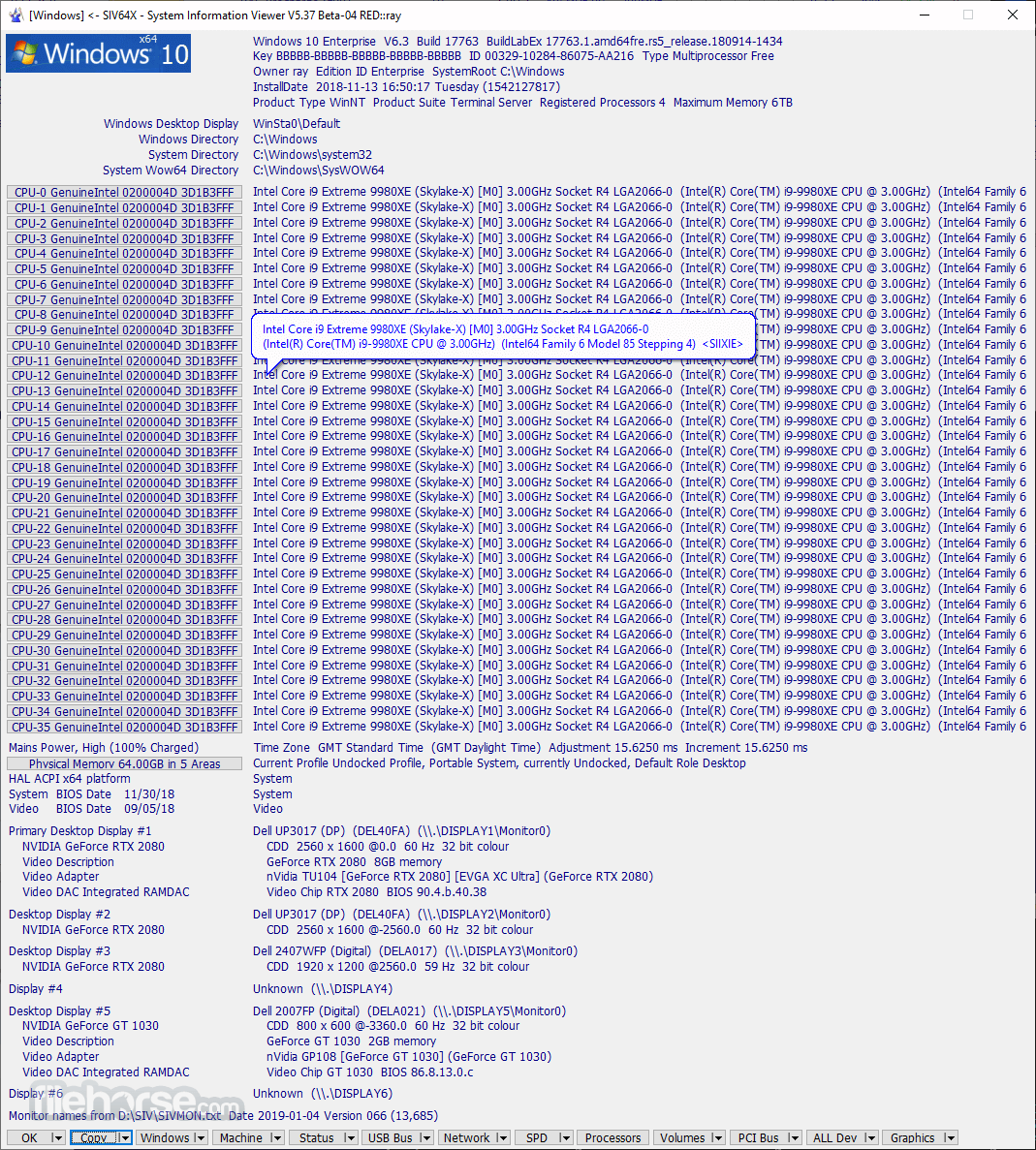
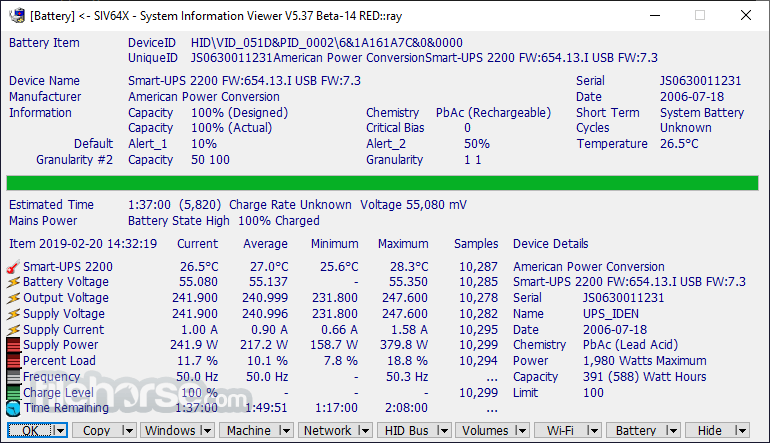
Other tabs that feature a similar amount of in-depth information are accessible on the bottom edge of the app are Machine, Windows, Hardware, System, Devices, Network, and TCP/IP. It is important to note that default information data can be exchanged with a wide array of additional diagnostic tools with the simple use of the right-click menu.
The app can even be used for browsing of currently installed fonts, drivers and DLLs, stability or networking troubleshooting, or even as a monitoring tool that can help you detect hardware instabilities of or onset of hardware faults.
Data collected by this app can be exported via a built-in clipboard tool, or even saved as a bitmap image of the entire app UI.
Built from the ground to be a comprehensive solution that can serve both novices who just want to easily monitor the state of their hardware and seasoned PC technicians who demand a wide array of information needed for troubleshooting hardware and software faults, this single application can become one of the most valuable system information utilities on your PC.
System Information Viewer (SIV) is 100% FREE and is optimized for all modern versions of Windows OS.
How to Use
Download System Information Viewer (SIV) Latest Version Why is this app published on FileHorse? (More info)
Developed by a single software engineer, this comprehensive app is distributed online in a portable form that allows users to take advantage of this app without an official installer, registry changes, or need for the app to always be run from local storage.
The user interface of the System Information Viewer can be described as crowded and densely packed with the information, but to the trained eye, this app only maximizes the display area of its window by presenting the incredible amount of valuable information.
The app featured a tabbed interface (with each tab being called a module), with the primary tab showcasing the in-depth information about the CPU, RAM, and motherboard. This includes current work frequencies, cache sizes, hardware utilization, power usages, temperature, memory timings, and much more.
Other tabs that feature a similar amount of in-depth information are accessible on the bottom edge of the app are Machine, Windows, Hardware, System, Devices, Network, and TCP/IP. It is important to note that default information data can be exchanged with a wide array of additional diagnostic tools with the simple use of the right-click menu.
The app can even be used for browsing of currently installed fonts, drivers and DLLs, stability or networking troubleshooting, or even as a monitoring tool that can help you detect hardware instabilities of or onset of hardware faults.
Data collected by this app can be exported via a built-in clipboard tool, or even saved as a bitmap image of the entire app UI.
Built from the ground to be a comprehensive solution that can serve both novices who just want to easily monitor the state of their hardware and seasoned PC technicians who demand a wide array of information needed for troubleshooting hardware and software faults, this single application can become one of the most valuable system information utilities on your PC.
System Information Viewer (SIV) is 100% FREE and is optimized for all modern versions of Windows OS.
How to Use
- Extract the ZIP file to a folder of your choice
- Run the SIV executable (no installation needed)
- Accept the user account control (UAC) prompt if shown
- Navigate through tabs to view system information
- Use the "Machine" tab for an overview of hardware
- Access "Sensors" for temperature and voltage readings
- Use the "PCI Bus" tab to inspect connected devices
- Click "Save" to export reports as text files
- Close SIV when done to exit the tool
- Operating System: Windows 7 to Windows 11
- CPU: Intel or AMD processor
- RAM: Minimum 512 MB
- Disk Space: Less than 10 MB
- Administrator privileges recommended
- Detailed hardware diagnostics
- Portable with no installation
- Fast and lightweight performance
- Real-time sensor monitoring
- Compatible with all Windows versions
- No modern UI design
- Limited documentation
- Lacks export to common formats
- Not open-source software
Download System Information Viewer (SIV) Latest Version Why is this app published on FileHorse? (More info)
##
畫面截圖
- 2026-05-14 System Information Viewer (SIV) 5.87 34.32 MB
- 2026-03-14 System Information Viewer (SIV) 5.86 34.3 MB
- 2026-01-14 System Information Viewer (SIV) 5.85 34.02 MB
- 2025-11-15 System Information Viewer (SIV) 5.84 33.72 MB
- 2025-09-14 System Information Viewer (SIV) 5.83 33.52 MB
- 2025-07-14 System Information Viewer (SIV) 5.82 28.45 MB
- 2025-05-14 System Information Viewer (SIV) 5.81 28.18 MB
- 2025-03-14 System Information Viewer (SIV) 5.80 22.59 MB