
Sketchable 5.6.2
v 5.6.2
Windows
試用版
8.34/10 (6)
- 目前版本5.6.2
- 更新日期2025-09-09
- 檔案大小141.69 MB
- 檔案名稱Sketchable_5.6.2.Msixbundle
- 作業系統Windows 10 / Windows 11
- 支援語系English
- 授權型式試用版
- 開發商 Silicon Benders LLC
- 軟體分類Windows 軟體 / 影像設計
##
編輯短評
Sketchable 是一款專為 Windows 裝置設計的繪圖應用程式,能將一般 PC 變成數位素描本,用來創作精細插畫、風格化圖像或白板繪圖。它內建圖層、遮罩、變形工具與筆觸預覽等進階功能,讓不同熟練度的使用者都能快速上手。開發商 Silicon Benders LLC 提供官方影片介紹,目前軟體仍持續維護,但更新步調較慢;雖然評價人數不多,但多數使用者給予正面回饋。
這套工具適合需要隨手塗鴉、繪製概念草圖或進行白板討論的 Windows 用戶,尤其偏好輕量繪圖介面的人。相較於 Adobe Photoshop 這類功能龐大的影像軟體,Sketchable 更聚焦於繪圖流程,操作直覺但進階編輯能力較有限。授權為試用版,使用上可能有些限制;目前僅提供英文介面,對中文使用者來說需要稍作適應。
##
軟體介紹
Sketchable 是一款繪圖應用程式,能將任何 Windows PC 裝置轉化為素描板,無論複雜程度如何,都能創作出令人驚嘆且細膩的藝術作品、風格化的創作、吸睛的視覺圖形以及各種尺寸的白板繪圖。
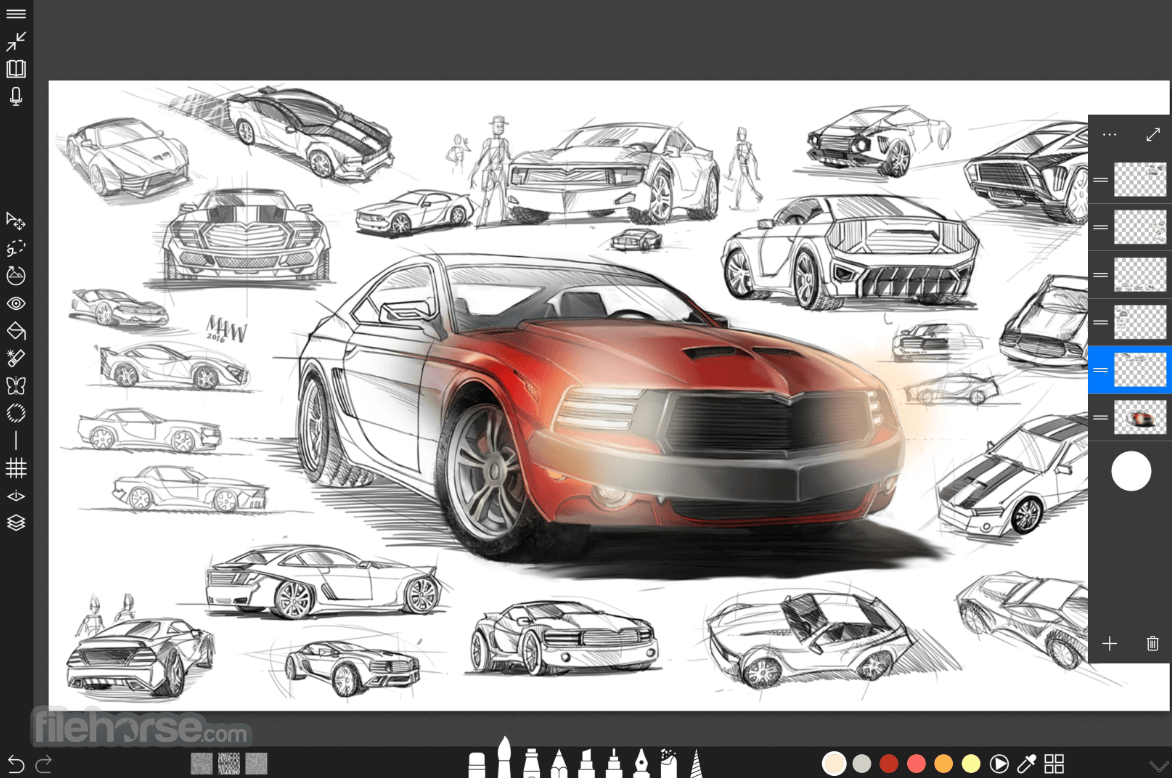
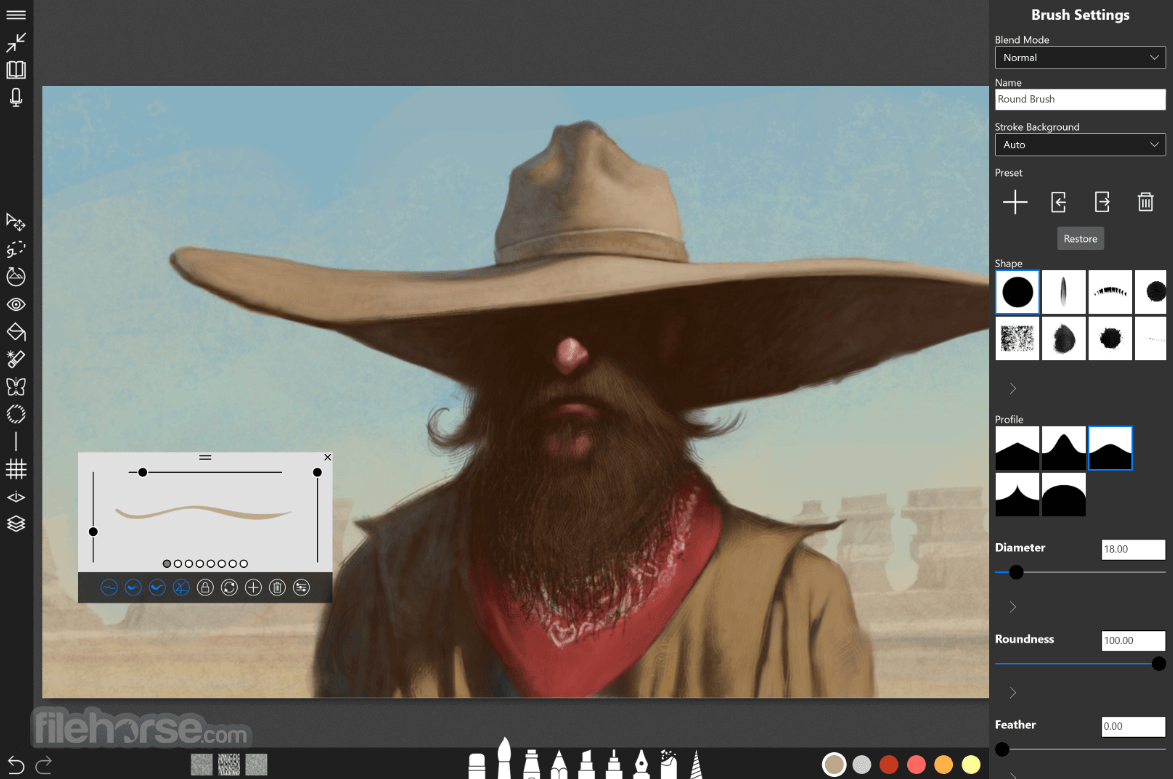
透過完整支援如 layers、masks、transform tools 以及 stroke preview 等進階付費功能,無論熟練程度如何,使用者都能在一個能適應其需求並提供多樣化繪圖工具的照片編輯平台協助下,開始嘗試更多創作並成為更出色的藝術家。
Sketchable 從底層設計之初,就是為了給所有 Windows 11 或 10 使用者提供毫不妥協的繪圖體驗,無論是使用桌上型電腦、筆記型電腦還是平板裝置。
其易於使用的介面設計與許多熱門的繪圖與構圖 App(例如 Photoshop)相似,讓使用者能快速上手並發現所有可用工具。
更棒的是,其 UI 元素採模組化且可自定義,允許使用者透過自訂模組尺寸與顏色來設定自己的 UI 配置。所有在畫布上或使用工具的操作均由 GPU 加速驅動,即使是最複雜的繪圖也能流暢渲染而不會有任何卡頓。
然而,值得注意的是本 App 分為兩種版本:免費版 (version) 與 進階付費包 (premium package),後者可解鎖許多免費使用者無法使用的工具。免費版提供基礎繪圖工具集、功能強大的顏色選擇器、可自定義的 UI、GPU 加速以及 Photoshop PSD 匯出工具。
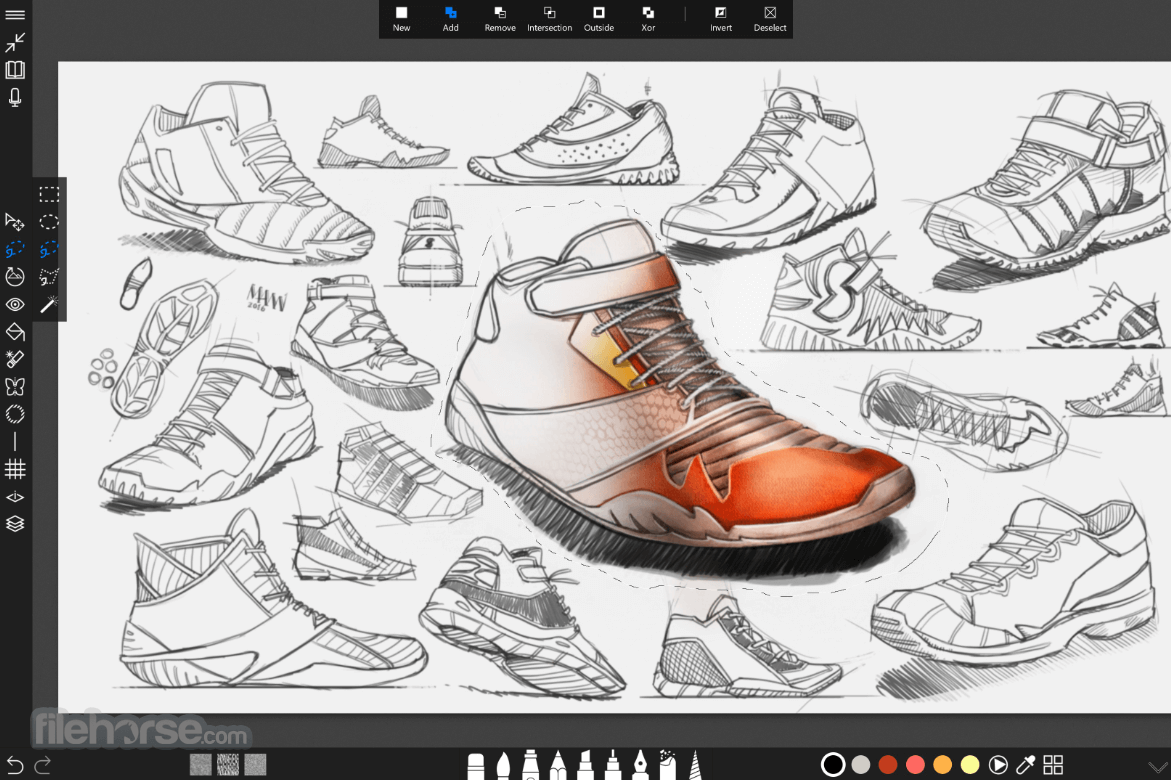
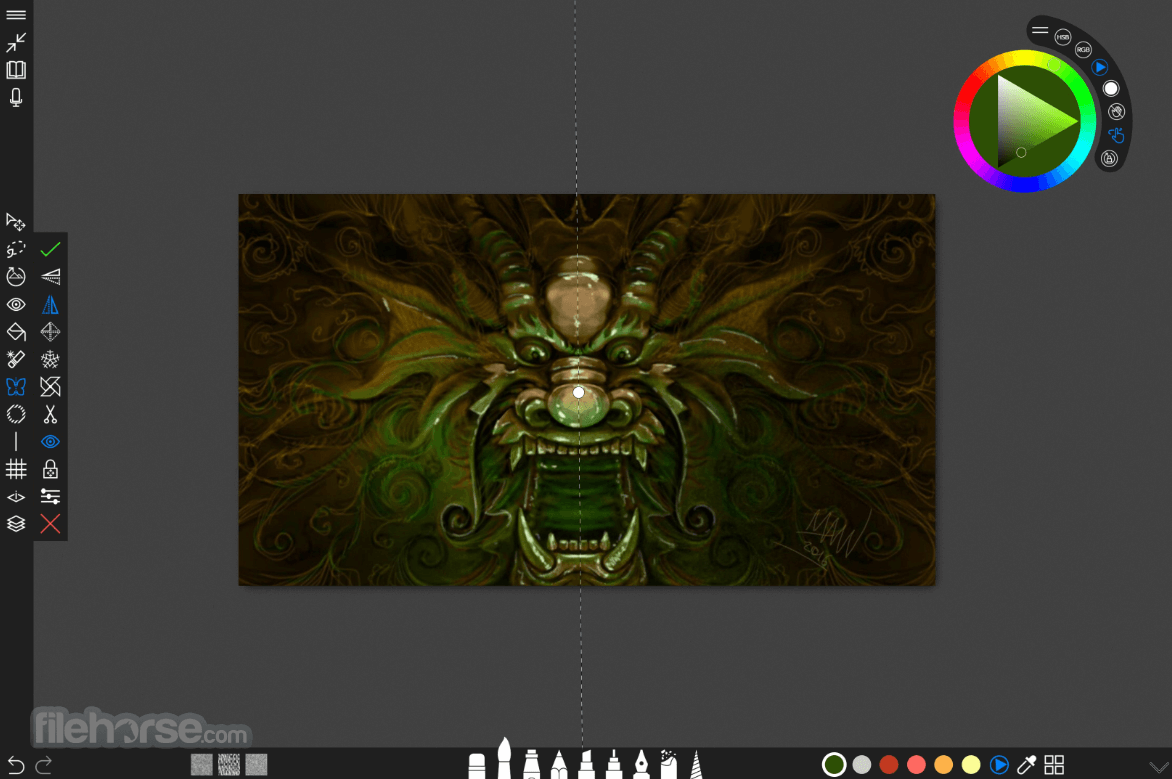
而 Premium 版本則解鎖了讓本 App 真正具備專業繪圖能力的工具與服務——包括筆觸預覽、遮罩、模板 (stencils)、變形與對稱工具,甚至還包含一些基礎功能,如用於填充大面積色彩的油漆桶工具以及圖層操作服務。
由於將 Layers 模組限制在 Premium 版本中,導致基礎版本的功能受到嚴重限制,僅適用於較簡單的繪圖與素描。
Sketchable Plus
專為現代數位藝術家設計,Sketchable Plus 提供市面上最佳的創意體驗。其全面且簡潔的介面經過精心打造,旨在充分發揮您與裝置的潛能,確保您的想像力不會受到任何阻礙。
Sketchable Plus 讓您可以隨意塗鴉筆記、匯入並增強圖像,或繪製傑作,並輕鬆與親友分享。只需開啟 App,選擇工具與顏色,即可潛入無限的創意世界。
Features and Highlights
透過完整支援如 layers、masks、transform tools 以及 stroke preview 等進階付費功能,無論熟練程度如何,使用者都能在一個能適應其需求並提供多樣化繪圖工具的照片編輯平台協助下,開始嘗試更多創作並成為更出色的藝術家。
Sketchable 從底層設計之初,就是為了給所有 Windows 11 或 10 使用者提供毫不妥協的繪圖體驗,無論是使用桌上型電腦、筆記型電腦還是平板裝置。
其易於使用的介面設計與許多熱門的繪圖與構圖 App(例如 Photoshop)相似,讓使用者能快速上手並發現所有可用工具。
更棒的是,其 UI 元素採模組化且可自定義,允許使用者透過自訂模組尺寸與顏色來設定自己的 UI 配置。所有在畫布上或使用工具的操作均由 GPU 加速驅動,即使是最複雜的繪圖也能流暢渲染而不會有任何卡頓。
然而,值得注意的是本 App 分為兩種版本:免費版 (version) 與 進階付費包 (premium package),後者可解鎖許多免費使用者無法使用的工具。免費版提供基礎繪圖工具集、功能強大的顏色選擇器、可自定義的 UI、GPU 加速以及 Photoshop PSD 匯出工具。
而 Premium 版本則解鎖了讓本 App 真正具備專業繪圖能力的工具與服務——包括筆觸預覽、遮罩、模板 (stencils)、變形與對稱工具,甚至還包含一些基礎功能,如用於填充大面積色彩的油漆桶工具以及圖層操作服務。
由於將 Layers 模組限制在 Premium 版本中,導致基礎版本的功能受到嚴重限制,僅適用於較簡單的繪圖與素描。
Sketchable Plus
專為現代數位藝術家設計,Sketchable Plus 提供市面上最佳的創意體驗。其全面且簡潔的介面經過精心打造,旨在充分發揮您與裝置的潛能,確保您的想像力不會受到任何阻礙。
Sketchable Plus 讓您可以隨意塗鴉筆記、匯入並增強圖像,或繪製傑作,並輕鬆與親友分享。只需開啟 App,選擇工具與顏色,即可潛入無限的創意世界。
Features and Highlights
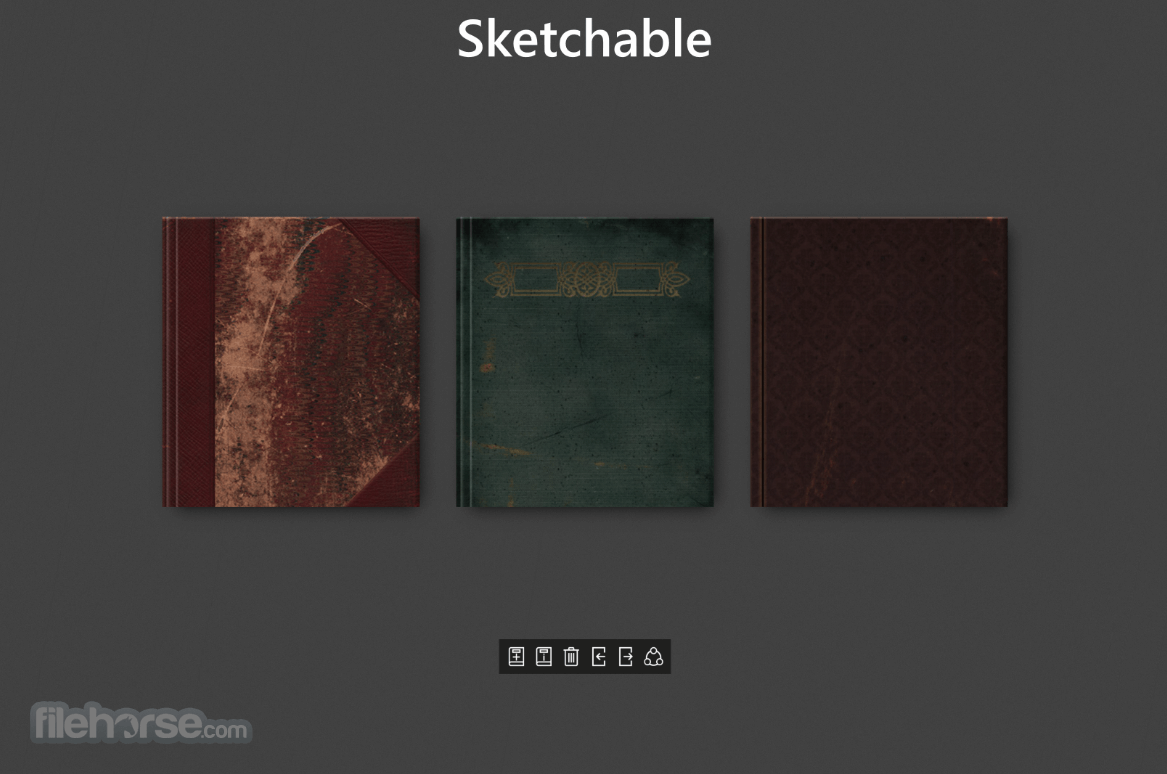
- Journals - 在您的裝置上創建最高解析度的日誌,可自定義名稱、封面及尺寸,範圍涵蓋常見螢幕尺寸、實體紙張尺寸,在 x64 系統上最高可達 4K。
- Color Picker - 在尋找理想顏色時調整色相、明度與飽和度,或直接使用吸管工具選擇顏色。
- Customize UI - 設定控制項允許使用者調整 UI 的尺寸與顏色。
- GPU-accelerated 工具與畫布確保互動流暢。
- Photoshop PSD Export - 將您的行動端作品移至業界標準的桌上型應用程式中。
- Layers (Premium Feature) - 新增、放置、貼上、重新排列、變形及合併圖層。現在最高支援 32 層(需要 2 GB VRAM)!
- Stroke Preview (Premium Feature) - 快速調整或深入設定每項工具的眾多控制選項。
- Masks (Premium Feature) - 選擇形狀並標記畫布中不可編輯的區域。
- Stencils (Premium Feature) - 對齊至選定的形狀,以獲得俐落的線條與曲線。
- Masks (Premium Feature) - 選擇形狀並標記畫布中不可編輯的區域。
- Transform (Premium Feature) - 透過縮放、位置與旋轉來調整圖層位置。
- Symmetry (Premium Feature) - 在一條或兩條軸線之間選擇,並將其放置在畫布上的任何位置。
- Canvas Rotation - 調整畫布方向以適應您手腕移動的角度。
##
影片介紹
##
畫面截圖
##
更新日誌
5.6.2- Fixed the Issue where users running the Anniversary Update could not create new journals.
- Fixed the issue with sharing
- General maintenance and minor bug fixes
- Added a new journal size (1998 by 1080px)
- Added storage warnings when low system storage is detected.
- Fixed bug with brush files not remembering associated textures
To use Sketchable on a PC, you will first need to download the app from the Microsoft Store or FileHorse. Once it is installed, you can open it and begin creating drawings or sketches.
The desktop app has a variety of tools and features that you can use to customize your drawings, such as different brush types, colors, and layers. You can also import images and use them as a background for your drawings. Additionally, you can export your creations as image files for sharing or further editing.
Alternatives
Adobe Illustrator - Create logos, icons, sketches, typography, and other vector art!
CorelDRAW - A popular vector graphics editor with a user-friendly interface and robust feature set, suitable for both beginners and professionals.
Affinity Designer - A powerful vector design software with a sleek interface and comprehensive feature set, including precise controls, non-destructive editing, and excellent compatibility with Adobe file formats.
Gravit Designer - A web-based vector design tool that provides a lightweight and intuitive interface, making it accessible for beginners while still offering advanced features for professionals.
Inkscape - A free and open-source vector graphics editor that offers a wide range of tools and supports various file formats, making it a viable alternative to Illustrator.
PROS
- Affordable Compared to Other Digital Art Programs
- User-Friendly Interface
- Wide Range of Drawing and Painting Tools
- Multiple Canvas Sizes and Formats
- Good Performance and Stability
- Limited Export Options
- Limited Customization Options
- May Have Limited Compatibility with Some Drawing Tablets
Sketchable is optimized for all types of panels (traditional and touchscreen) and can be used both with a keyboard and mouse and touch-friendly pens. In its current state on Microsoft Store, the basic free version of the app is only suited for novices are users who want to sketch something quickly.
The Premium version is much more capable and best suited for enthusiasts and professionals who want to boost their productivity with a powerful set of drawing tools.
Download Sketchable Latest Version Why is this app published on FileHorse? (More info)