⚠ 這是歷史版本頁面 — 查看 Snappy Driver Installer Lite 最新版本 →

Snappy Driver Installer Lite 1.23.5
v 1.23.5
Windows
開源軟體
8.06/10 (46)
- 目前版本1.23.5
- 更新日期2023-05-19
- 檔案大小5.15 MB
- 檔案名稱SDI_R2305.zip
- 作業系統Windows 7 / Windows 8 / Windows 10 / Windows 11
- 支援語系English
- 授權型式開源軟體
- 開發商 SDI Team
- 軟體分類Windows 軟體 / 驅動程式
##
編輯短評
Snappy Driver Installer Lite 是一款免費且開源的 Windows 驅動程式管理工具,主要協助使用者偵測、下載並更新電腦上各類硬體驅動,例如顯示卡、音效卡、網路卡等。它把過去繁瑣的驅動搜尋與安裝流程簡化,讓系統能維持在較穩定的運作狀態。這款軟體最大的辨識度在於其「Lite」版本主打輕量與免安裝,且由 SDI Team 持續維護,更新頻率雖不算密集,但在同類工具中仍屬具一定知名度的選擇,使用者評價普遍不錯。
它適合不想手動逐一比對硬體型號、或經常需要幫多台電腦整理驅動的使用者,尤其是系統重灌後快速補齊驅動的場景。與 Intel、Realtek 等原廠驅動或 DirectX 等單一元件工具相比,Snappy Driver Installer Lite 提供的是更全面的驅動資料庫整合,但取捨在於其介面僅有英文,且開源版本可能不包含所有最新驅動,需留意下載來源與相容性。授權為開源軟體,僅支援 Windows 平台,使用前建議先建立系統還原點,以備驅動更新後出現問題時能回復。
##
翻譯排程處理中,以下暫以英文原文呈現
軟體介紹
Snappy Driver Installer Lite is a free and open-source utility software designed to help users maintain and update device drivers on their Windows-based computers.
Keeping drivers up-to-date is crucial for ensuring the proper functioning and performance of your hardware components, including graphics cards, sound cards, network adapters, and more.
It aims to simplify this often cumbersome and time-consuming task.
Now there is a simpler method for finding and downloading the drivers that your computer system needs. Just download a third-party application called the Snappy Driver Installer Lite onto your computer. You don’t need to install this application, so your Windows registries won’t be modified, and extra folders won’t be created.
This version is ideal if your Internet is slow or you don't plan on using the tool to install/update drivers very often. You need to download indexes via the app in order to scan your hardware.
User Interface is Easy to Use
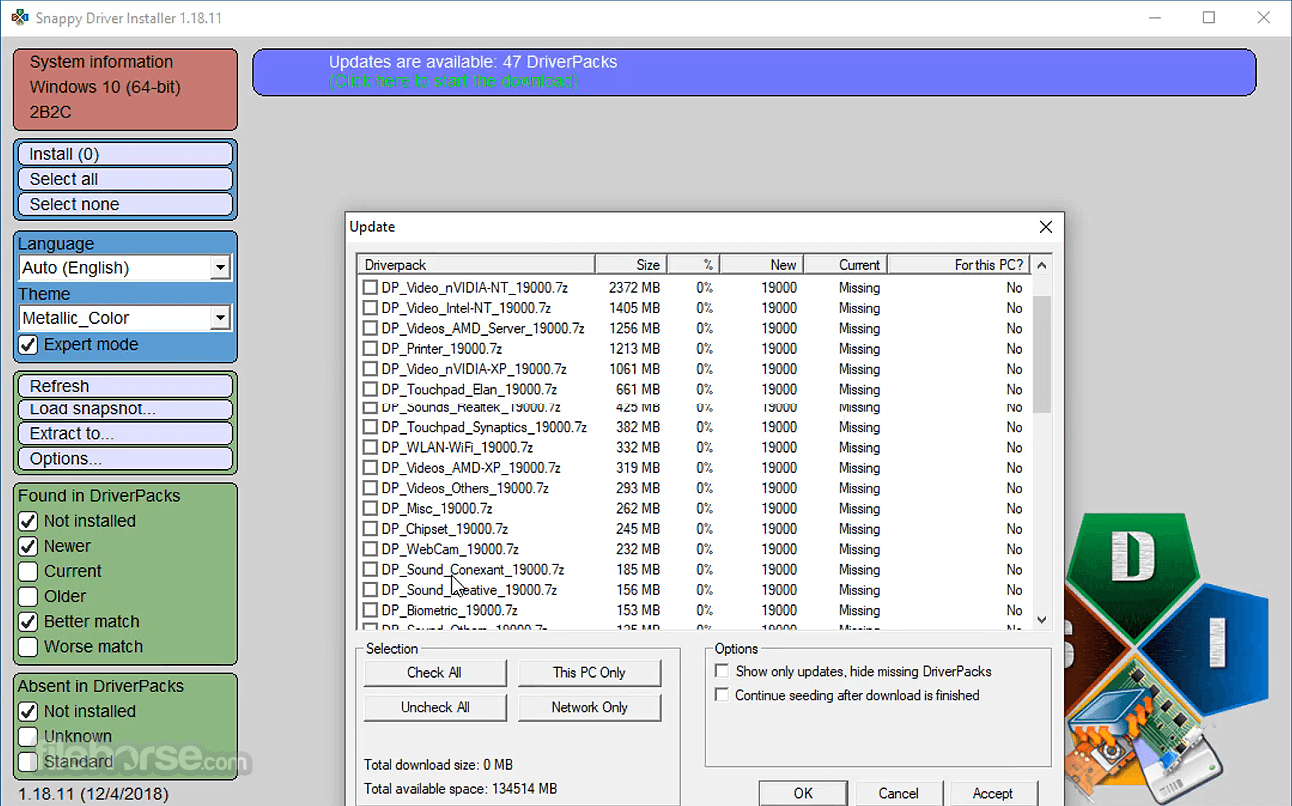
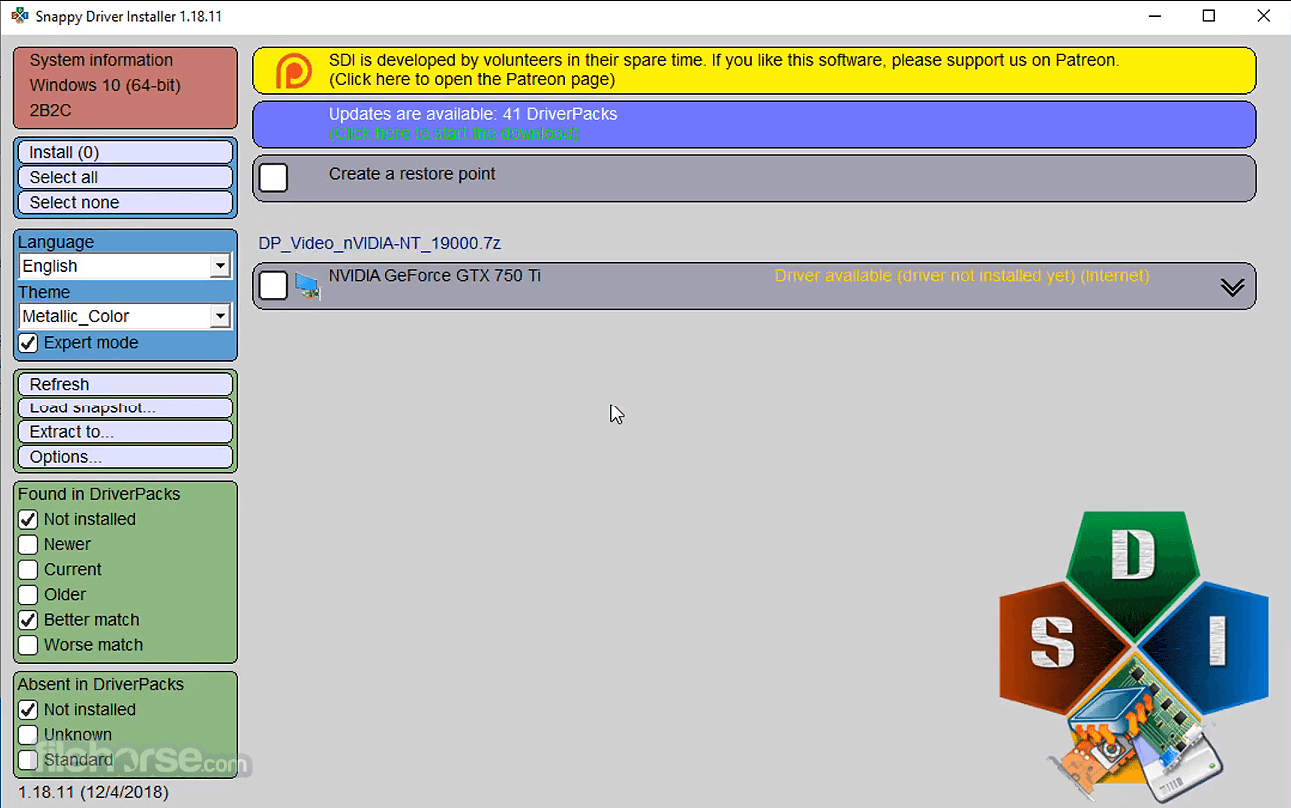
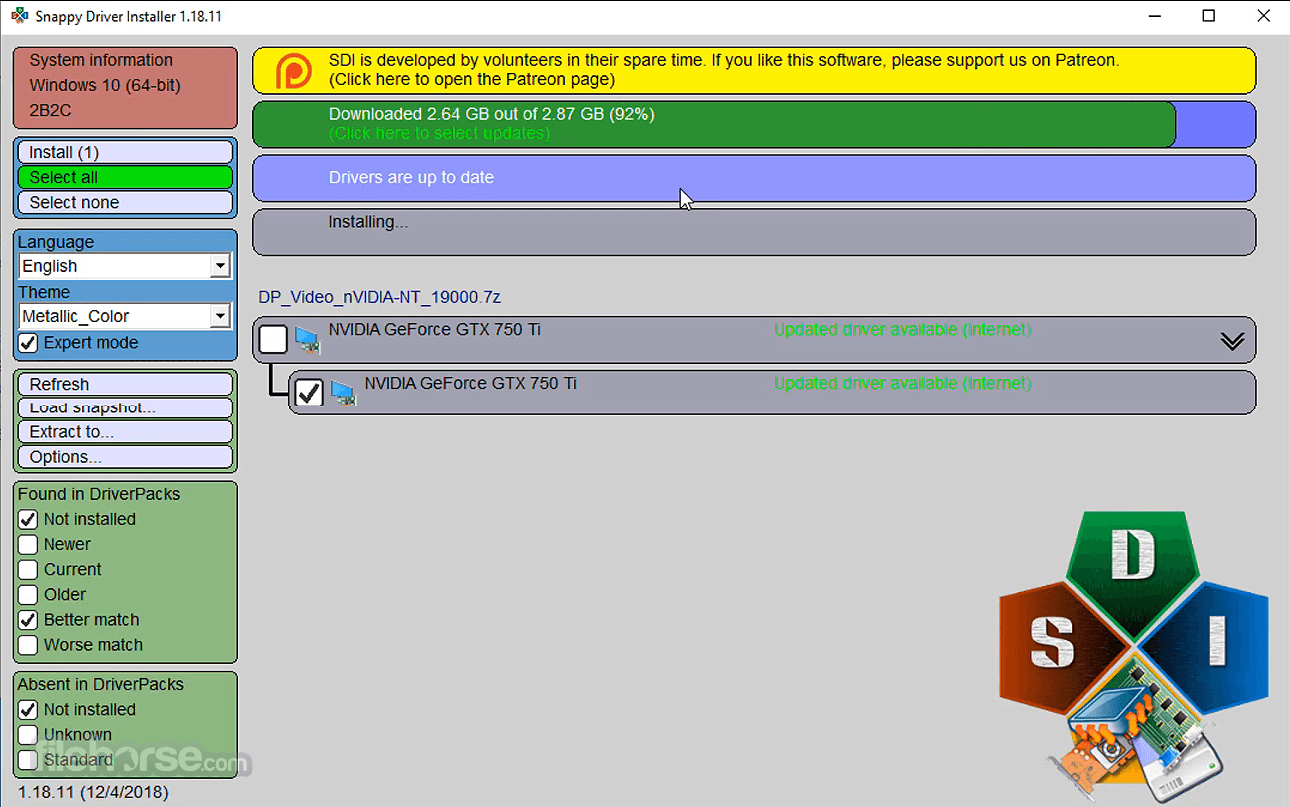
The interface design is simple and minimalistic. Once the tool detects which driver packs are not found on your computer system, it’ll give you a list of these packs right on the window.
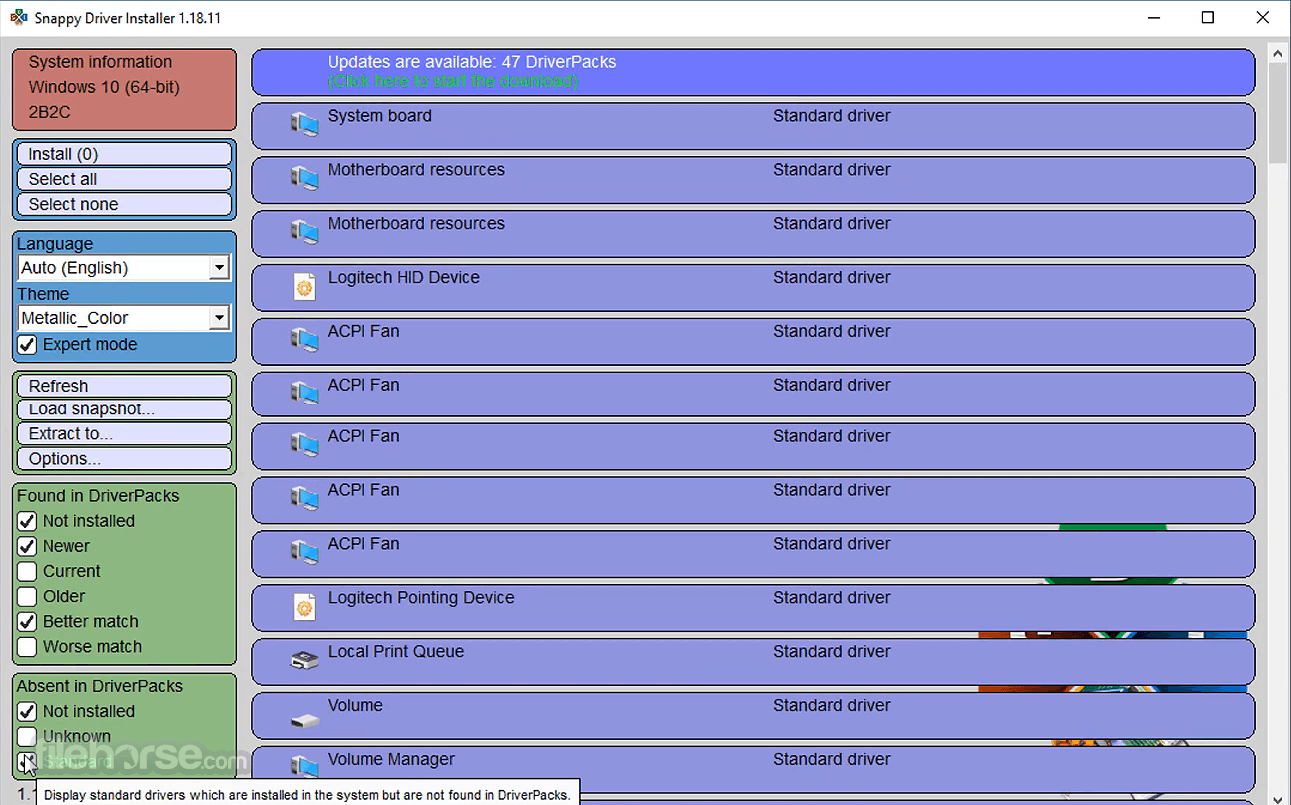
There is no configuration window to deal with, but there is an Expert Mode that you can activate. This causes visibility settings to turn on.
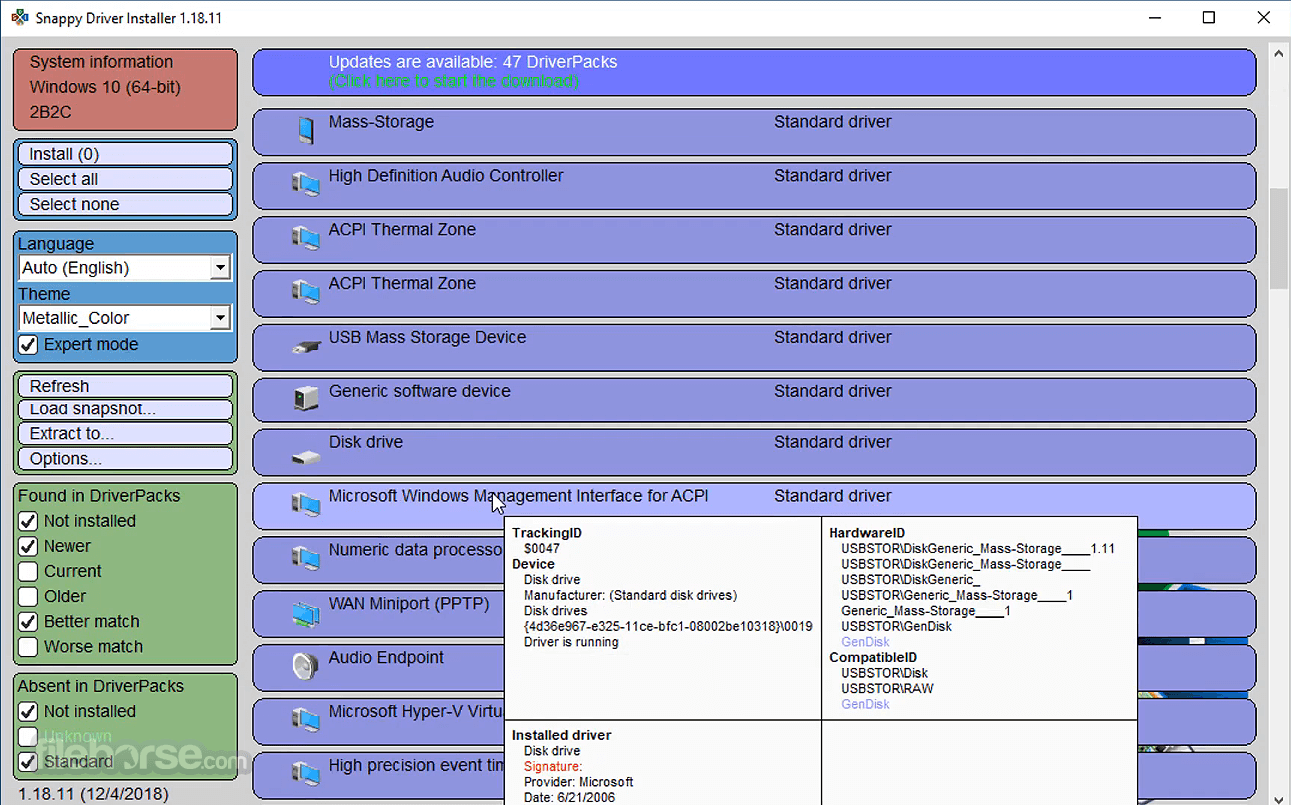
For example, the application can be modified to show old, new, not installed, or current drivers. You can also have it display invalid entries, duplicate entries, or drivers which are the best for resolving an issue.
Features
Comprehensive Driver Database
It boasts an extensive driver database, which includes drivers for a wide range of hardware components from various manufacturers. This comprehensive database ensures that you can find the right drivers for your specific devices.
Offline Installation
One of the standout features of the app is its ability to perform driver installations entirely offline. This can be particularly useful when you need to update drivers on a computer with no internet access. The software includes all the necessary driver files within its package.
Driver Backup and Restore
It allows you to create backups of your existing drivers before updating them. This feature provides a safety net in case an updated driver causes issues, enabling you to easily revert to the previous version.
Driver Search and Selection
The software provides a user-friendly interface for searching and selecting drivers. You can filter drivers by category, manufacturer, or specific hardware model, making it easier to find and install the correct drivers for your system.
Driver Update Recommendations
It can also recommend driver updates based on the hardware detected on your system. This helps ensure that you're always using the latest and most compatible drivers for your computer.
Lightweight and Portable
Being a "lite" version of the Snappy Driver Installer, this software is lightweight and portable. You can run it from a USB drive, which is convenient for tech professionals and enthusiasts who often work with multiple computers.
How to Use
Is Snappy Driver Installer Lite safe to use?
Yes, this program is a reputable and safe tool for updating drivers. It doesn't contain any malware or unwanted software.
Does it support all Windows versions?
Yes, Snappy Driver Installer Lite is compatible with all modern Windows versions, including Windows 11, 10, 8.1, and version 7.
Can I use it without an internet connection?
Yes, you can create an offline driver database, allowing you to use Snappy Driver Installer Lite without an internet connection.
Is driver backup and restore feature reliable?
Yes, the driver backup and restore feature is reliable and can be a lifesaver if a driver update causes problems.
Are there any limitations to the "lite" version?
The "lite" version of Snappy Driver Installer is fully functional but lacks some advanced features found in the full version, such as automatic driver installation.
Alternatives
Driver Easy: This software offers a user-friendly interface and an extensive driver database. It allows users to download and install drivers with ease.
Driver Booster: Quickly and Safely Keep Over 9,500,000 Drivers for Windows PC!
Driver Updater: Make sure the drivers on your Windows PC are up-to-date!
DriverMax: DriverMax provides a comprehensive driver update solution, including driver backups and restoration.
Ashampoo Driver Updater: Supports more than 150.000 devices with 400.000 drivers!
Driver Genius: Backup, restore and update all your drivers easily for your Windows.
Driver Fusion: How to Backup and Restore Device Drivers in your Windows 11/10?
Pricing
The program is entirely FREE and open-source. There are no hidden fees or premium versions, making it an attractive choice for budget-conscious users.
System Requirements
In conclusion, Snappy Driver Installer Lite is a powerful and reliable tool for keeping your Windows drivers up to date. Its extensive driver database, offline installation capability, and driver backup feature make it an excellent choice for both novice and experienced users.
While its text-based interface may lack the visual polish of some competitors, it excels in functionality and ease of use. Best of all, it's completely free and open-source, making it a valuable addition to any Windows user's toolkit.
Whether you're a tech enthusiast or simply want to ensure your computer's hardware runs smoothly, Snappy Driver Installer Lite is a must-have utility.
Download Snappy Driver Installer Lite Latest Version Why is this app published on FileHorse? (More info)
Keeping drivers up-to-date is crucial for ensuring the proper functioning and performance of your hardware components, including graphics cards, sound cards, network adapters, and more.
It aims to simplify this often cumbersome and time-consuming task.
Now there is a simpler method for finding and downloading the drivers that your computer system needs. Just download a third-party application called the Snappy Driver Installer Lite onto your computer. You don’t need to install this application, so your Windows registries won’t be modified, and extra folders won’t be created.
This version is ideal if your Internet is slow or you don't plan on using the tool to install/update drivers very often. You need to download indexes via the app in order to scan your hardware.
User Interface is Easy to Use
The interface design is simple and minimalistic. Once the tool detects which driver packs are not found on your computer system, it’ll give you a list of these packs right on the window.
There is no configuration window to deal with, but there is an Expert Mode that you can activate. This causes visibility settings to turn on.
For example, the application can be modified to show old, new, not installed, or current drivers. You can also have it display invalid entries, duplicate entries, or drivers which are the best for resolving an issue.
Features
Comprehensive Driver Database
It boasts an extensive driver database, which includes drivers for a wide range of hardware components from various manufacturers. This comprehensive database ensures that you can find the right drivers for your specific devices.
Offline Installation
One of the standout features of the app is its ability to perform driver installations entirely offline. This can be particularly useful when you need to update drivers on a computer with no internet access. The software includes all the necessary driver files within its package.
Driver Backup and Restore
It allows you to create backups of your existing drivers before updating them. This feature provides a safety net in case an updated driver causes issues, enabling you to easily revert to the previous version.
Driver Search and Selection
The software provides a user-friendly interface for searching and selecting drivers. You can filter drivers by category, manufacturer, or specific hardware model, making it easier to find and install the correct drivers for your system.
Driver Update Recommendations
It can also recommend driver updates based on the hardware detected on your system. This helps ensure that you're always using the latest and most compatible drivers for your computer.
Lightweight and Portable
Being a "lite" version of the Snappy Driver Installer, this software is lightweight and portable. You can run it from a USB drive, which is convenient for tech professionals and enthusiasts who often work with multiple computers.
How to Use
- Launch the application.
- Choose whether to use an online or offline database.
- Scan your system for missing or outdated drivers.
- Browse the list of available drivers or let the software recommend updates.
- Select the drivers you want to install.
- Click the "Install" button to update your drivers.
- The software will then download and install the selected drivers, keeping you informed about the progress along the way.
Is Snappy Driver Installer Lite safe to use?
Yes, this program is a reputable and safe tool for updating drivers. It doesn't contain any malware or unwanted software.
Does it support all Windows versions?
Yes, Snappy Driver Installer Lite is compatible with all modern Windows versions, including Windows 11, 10, 8.1, and version 7.
Can I use it without an internet connection?
Yes, you can create an offline driver database, allowing you to use Snappy Driver Installer Lite without an internet connection.
Is driver backup and restore feature reliable?
Yes, the driver backup and restore feature is reliable and can be a lifesaver if a driver update causes problems.
Are there any limitations to the "lite" version?
The "lite" version of Snappy Driver Installer is fully functional but lacks some advanced features found in the full version, such as automatic driver installation.
Alternatives
Driver Easy: This software offers a user-friendly interface and an extensive driver database. It allows users to download and install drivers with ease.
Driver Booster: Quickly and Safely Keep Over 9,500,000 Drivers for Windows PC!
Driver Updater: Make sure the drivers on your Windows PC are up-to-date!
DriverMax: DriverMax provides a comprehensive driver update solution, including driver backups and restoration.
Ashampoo Driver Updater: Supports more than 150.000 devices with 400.000 drivers!
Driver Genius: Backup, restore and update all your drivers easily for your Windows.
Driver Fusion: How to Backup and Restore Device Drivers in your Windows 11/10?
Pricing
The program is entirely FREE and open-source. There are no hidden fees or premium versions, making it an attractive choice for budget-conscious users.
System Requirements
- Operating System: Windows 11/10/8.1/8/7 (32-bit or 64-bit)
- Processor: 2 GHz or faster
- RAM: 1 GB or more
- Hard Disk Space: 100 MB of free space
- Free and open-source.
- Extensive driver database.
- Offline installation support.
- Driver backup and restore feature.
- Lightweight and portable.
- Text-based interface may not be as visually appealing.
- Lacks some advanced features found in premium alternatives.
In conclusion, Snappy Driver Installer Lite is a powerful and reliable tool for keeping your Windows drivers up to date. Its extensive driver database, offline installation capability, and driver backup feature make it an excellent choice for both novice and experienced users.
While its text-based interface may lack the visual polish of some competitors, it excels in functionality and ease of use. Best of all, it's completely free and open-source, making it a valuable addition to any Windows user's toolkit.
Whether you're a tech enthusiast or simply want to ensure your computer's hardware runs smoothly, Snappy Driver Installer Lite is a must-have utility.
Download Snappy Driver Installer Lite Latest Version Why is this app published on FileHorse? (More info)
##
影片介紹
##
畫面截圖
- 2026-02-16 Snappy Driver Installer Lite 1.26.1 6 MB
- 2024-08-15 Snappy Driver Installer Lite 1.24.8 5.12 MB
- 2023-05-19 Snappy Driver Installer Lite 1.23.5 5.15 MB
- 2022-03-16 Snappy Driver Installer Lite 1.22.1 5.13 MB
- 2021-11-01 Snappy Driver Installer Lite 1.21.11 5.13 MB
- 2021-02-11 Snappy Driver Installer Lite 1.21.2 5.13 MB
- 2020-02-28 Snappy Driver Installer Lite 1.20.0 5.14 MB
- 2019-04-08 Snappy Driver Installer Lite 1.19.4 5.13 MB