- 目前版本12.6.5.0
- 更新日期2026-08-09
- 檔案大小49.8 MB
- 檔案名稱SoftrosLANMessengerSetup.msi
- 作業系統Windows 7 / Windows 8 / Windows 10 / Windows 11
- 支援語系English
- 授權型式商業試用
- 開發商 Softros Systems, Inc.
- 軟體分類Windows 軟體 / 社群通訊
##
翻譯排程處理中,以下暫以英文原文呈現
軟體介紹
Softros LAN Messenger is a streamlined chat utility that does not rely on communicating with cloud-based servers but is crafted from the ground up to be fully functional in a peer-to-peer LAN network environment.
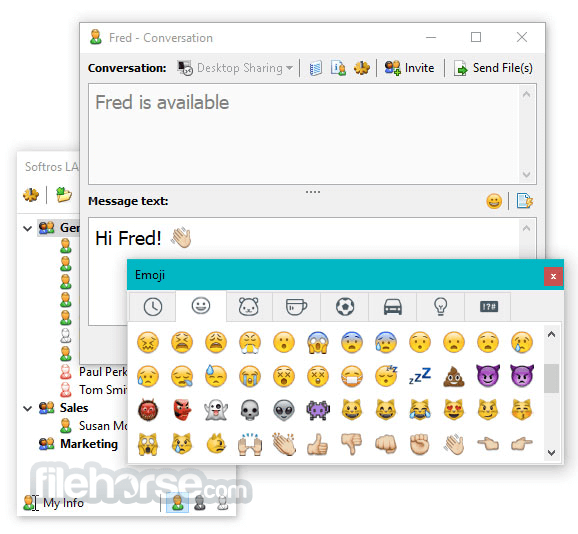
It provides a wide array of chat features to computers connected to a single local area network, including text messages, emojis, status showcase, tabbed interface, system sound, and visual alerts, built-in file transfer service, and integrated hotkey support.
The LAN Messenger is offline-friendly, meaning that its chat connections will not be impacted if your entire LAN network loses connection to the internet, or even never gets access to it.
Regularly updated with new and exciting features, It has grown into highly-capable communication clients that home users, small businesses, organizations, and companies of all sizes can easily introduce to their Intranet, LAN, and WAN networks.
To better serve more demanding users, developers of Softros LAN Messenger have adopted numerous advanced features such as integrated Remote Desktop Sharing, Terminal Services support, streamlined installation, and fully integrated advanced security that is based on a complete end-to-end AES-256 encryption.
Features and Highlights
Even though Softros LAN Messenger comes pre-packed with a feature set that is ready for deployment in some of the largest companies in the work, its installation package is still fairly small and it clocks at less than 20 MB.
The most popular Windows version comes with an intuitive installer that can be deployed on your PC in a matter of seconds.
System administrators in larger companies can also take advantage of a separate “.MSI” package that is optimized for large-scale Active Directory deployment and Terminal Service Engine for terminal servers.
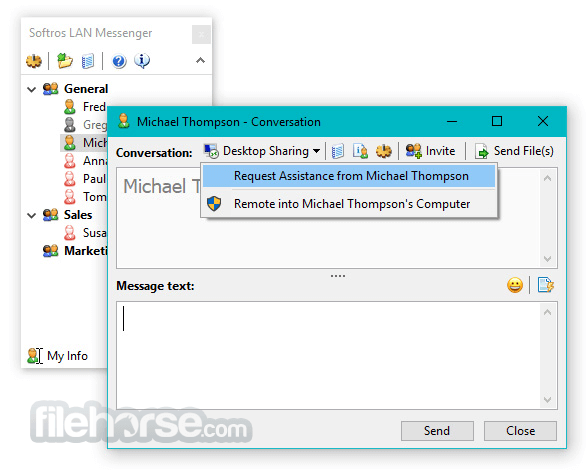
Upon first boot, you will be welcomed into an incredibly streamlined user interface that promotes quick access to chat features. The user listing window can be customized with directories for easier management of a large number of users.
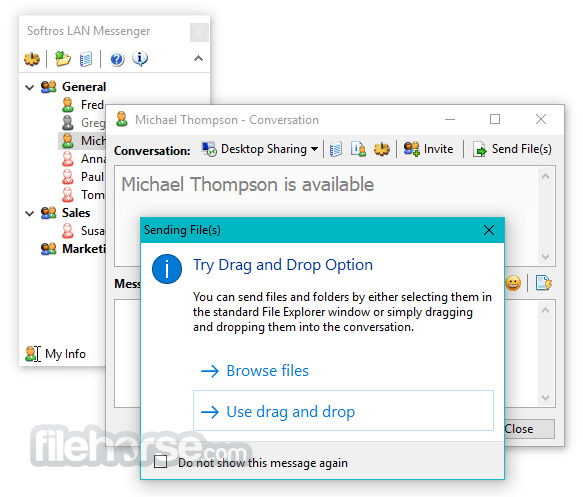
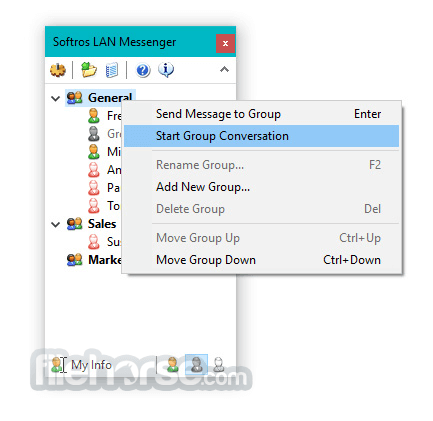
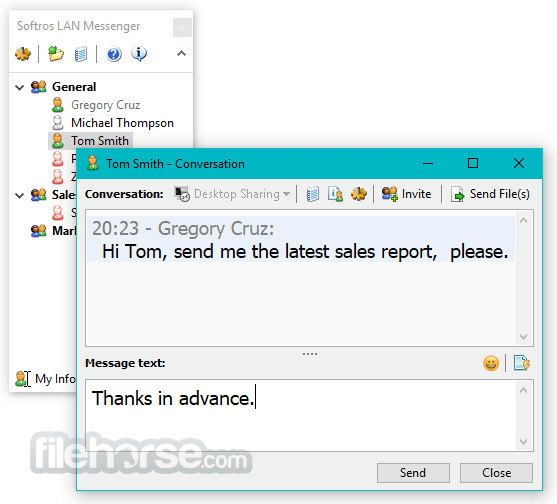
Individual chat windows feature a chat history tab, message text tab, and easily accessible tools for desktop sharing invites for group chats and file transfer tools. In addition to individual chat sessions, users can also broadcast messages to selected recipients.
One of the highly praised tools of the Softros LAN Messenger is its History Viewer that lists all text chat and file history made with any of the selected users.
Settings area holds hundreds of useful tweaks that can make your chat experience more streamlined and personalized.
All of the available configuration tools are separated into eight distinct tabs – General, User Information, Messaging, Sound Events, Network, File Transfer, Logging, and Hot Keys.
How to Use
Also Available: Download Softros LAN Messenger for Mac
Download Softros LAN Messenger Latest Version Why is this app published on FileHorse? (More info)
It provides a wide array of chat features to computers connected to a single local area network, including text messages, emojis, status showcase, tabbed interface, system sound, and visual alerts, built-in file transfer service, and integrated hotkey support.
The LAN Messenger is offline-friendly, meaning that its chat connections will not be impacted if your entire LAN network loses connection to the internet, or even never gets access to it.
Regularly updated with new and exciting features, It has grown into highly-capable communication clients that home users, small businesses, organizations, and companies of all sizes can easily introduce to their Intranet, LAN, and WAN networks.
To better serve more demanding users, developers of Softros LAN Messenger have adopted numerous advanced features such as integrated Remote Desktop Sharing, Terminal Services support, streamlined installation, and fully integrated advanced security that is based on a complete end-to-end AES-256 encryption.
Features and Highlights
- Fully-featured chat engine for networks that are not internet-connected.
- Streamlined PC-to-PC and group LAN chat messaging.
- Full focus on enhanced security, safety, and privacy.
- Easy installation procedure and deployment on LAN networks of all sizes.
- Full LAN, WAN, VPN, and VLAN Support.
- Serverless architecture that takes full advantage of peer-to-peer communication.
- Support for group messaging, file transfers, user groups, message history, single-click desktop remote sharing, and many other advanced features.
- Importing, Exporting, and Pre-configuring User Settings in accordance with your deployment needs.
- Advanced administrative features, such as restricting user access.
- Included translations to 19 international languages.
- Available on all modern versions of Windows (XP and newer), macOS (10.9 – 10.14), and Android (4.X and newer).
Even though Softros LAN Messenger comes pre-packed with a feature set that is ready for deployment in some of the largest companies in the work, its installation package is still fairly small and it clocks at less than 20 MB.
The most popular Windows version comes with an intuitive installer that can be deployed on your PC in a matter of seconds.
System administrators in larger companies can also take advantage of a separate “.MSI” package that is optimized for large-scale Active Directory deployment and Terminal Service Engine for terminal servers.
Upon first boot, you will be welcomed into an incredibly streamlined user interface that promotes quick access to chat features. The user listing window can be customized with directories for easier management of a large number of users.
Individual chat windows feature a chat history tab, message text tab, and easily accessible tools for desktop sharing invites for group chats and file transfer tools. In addition to individual chat sessions, users can also broadcast messages to selected recipients.
One of the highly praised tools of the Softros LAN Messenger is its History Viewer that lists all text chat and file history made with any of the selected users.
Settings area holds hundreds of useful tweaks that can make your chat experience more streamlined and personalized.
All of the available configuration tools are separated into eight distinct tabs – General, User Information, Messaging, Sound Events, Network, File Transfer, Logging, and Hot Keys.
How to Use
- Run the installer and follow the setup instructions
- Launch the application after installation
- The app will automatically detect users on the LAN
- Start chatting by double-clicking a user's name
- Use the file transfer option to send documents
- Create group chats for team communication
- Set your status (Available, Away, Busy, etc.)
- Adjust preferences and notifications in settings
- Exit or log out when you're done
- Operating System: Windows 11, 10, 8.1, 8, 7
- Processor: 1 GHz or faster
- RAM: 512 MB minimum
- Hard Disk: 50 MB of free disk space
- Network: Local Area Network (LAN) connection required
- Administrator rights for installation
- Easy setup with no server required
- Secure messaging with AES encryption
- Works offline over local network
- Simple and clean user interface
- Reliable file transfer capability
- No support for internet-based chat
- Limited customization options
- Lacks advanced collaboration tools
- One-time license can be costly
Also Available: Download Softros LAN Messenger for Mac
Download Softros LAN Messenger Latest Version Why is this app published on FileHorse? (More info)
##
影片介紹
##
畫面截圖