
- 軟體名稱Splash
- 目前版本2.1.0.0
- 更新日期2017-07-04
- 檔案大小23.04MB
- 檔案名稱splash_2_1_0_setup.exe
- 作業系統Windows XP / Vista / Windows 7 / Windows 8 / Windows 10 / Windows 11
- 支援語系English
- 授權型式商業試用
- 開發商 Mirillis Ltd.
- 軟體分類Windows 軟體 / 影片軟體
編輯短評
Splash是一款專為高畫質影片播放設計的Windows播放器,主要解決HD影片播放時可能出現的卡頓與畫質問題,並透過硬體加速讓播放更流暢。它的最大辨識度在於安裝簡單、體積輕巧,操作直覺,不需要繁複設定。從版本紀錄來看,這款軟體長期持續更新,但更新頻率不高,屬於穩定維護的狀態。在眾多影片播放器中,它並非主流首選,但使用者評價普遍不錯,算是小眾但受好評的工具。
Splash適合追求簡單播放HD影片、不想安裝大型播放器的使用者,尤其是硬體效能有限、需要硬體加速輔助的場合。與KMPlayer、K-Lite等熱門替代軟體相比,Splash功能較為單純,但可能更專注於HD播放的流暢度,取捨在於擴充性與額外功能較少。授權為試用版,可能有限制,需注意。平台僅限Windows,且僅支援英文介面,對中文使用者來說可能需要適應。
軟體介紹
享受最佳影片品質和獨特的使用者體驗!您所見過最流暢的 影片播放器。透過最先進的 Picture2 技術,重新發現高畫質品質!
主要功能
專為高畫質設計與優化!
播放所有高畫質 MPEG-2 和 AVC/H.264 攝影機片段和電影,速度極快、流暢且無問題。您不需要任何額外的編解碼器。下載、安裝、觀看。啟動程式和高畫質影片播放只需約一秒!精簡版提供有限功能。試用 Splash PRO 或 PRO EX 以獲得無限體驗。
Picture² - 令人驚豔的影片品質!
先進的影像後處理引擎,提供令人驚豔的 影片 品質。以前所未有的方式觀看標準和高畫質影片,享受流暢的動作、清晰的細節和鮮豔的色彩。精簡版提供有限功能。試用 PRO 版本或 PRO EX 版本以獲得無限體驗。
高畫質攝影機片段播放的最佳解決方案!
透過 PRO 版本和最先進的 Picture² 技術,重新發現高畫質品質!使用 Motion² 技術,以前所未有的流暢度觀看您的片段。精簡版提供有限功能;完整的 AVCHD™ 格式支援可在 Splash PRO 和 PRO EX 中獲得。
重新發現數位電視
愉快地觀看、時移和錄製高品質的 DVB-T 電視。輕鬆導航和快速切換頻道。透過高品質且省電的影像後處理技術,重新發現標準電視。此功能在 PRO 和 PRO EX 版本中不可用。精簡版功能有限;完整功能將在 Splash TV 中提供。
超靈敏、時尚且創新的使用者介面
Splash 小巧、時尚、易於使用,且速度極快!此應用程式為影片檔案播放提供最佳的使用者體驗。專為以正確方式享受多媒體而設計。精簡版提供有限功能。試用 PRO 版本和 PRO EX 以獲得無限體驗。
EcoMode - 節省能源!
EcoMode 的智慧電源管理旨在降低您行動 PC 的功耗。在筆記型電腦/小筆電電池上享受長達 40% 的影片播放時間。使用 EcoMode,您可以監控電池功耗、磨損程度等。精簡版提供有限功能。試用 PRO 版本或 PRO EX 版本以獲得無限體驗。
搭載 Mirillis 編解碼器
專為多核心處理器和顯示卡硬體加速(GPU)設計的超快速音訊和影片解碼器。選擇優化的低功耗技術,節省行動 PC 電池、金錢和環境。現在您不需要任何額外的編解碼器即可播放最佳品質的影片!精簡版提供有限功能。試用 PRO 版本或 PRO EX 以獲得無限體驗。
常見問題
什麼是 Splash 影片播放器,它有何不同?
Splash 是由 Mirillis 開發的輕量級高畫質影片播放器,專為流暢播放和高品質影片渲染而優化。官方網站強調快速啟動、內建編解碼器和硬體加速,讓使用者無需安裝額外的編解碼器套件即可播放高畫質影片。
Splash 為影片播放提供哪些功能?
Splash 包含 Motion²(流暢動作播放)、先進的影像增強(更好的色彩和銳利度)、硬體加速解碼,以及支援 AVCHD 等高畫質格式。它還提供影片轉換工具和可自訂介面,以提供更好的使用者控制。
與其他媒體播放器相比,Splash 在 2026 年仍然相關嗎?
Splash 仍因其效能、快速播放和強勁的高畫質影片品質而受到重視,但它面臨來自 VLC 和 PotPlayer 等更多功能播放器的強烈競爭。與現代替代方案相比,其免費版本可能缺乏一些進階功能或廣泛的格式支援,這可能限制其對想要一體化媒體解決方案的使用者的吸引力。
替代方案
VLC Media Player – 一款免費且開源的媒體播放器,無需額外編解碼器即可支援幾乎所有音訊和影片格式。
PotPlayer – 一款功能豐富的媒體播放器,以流暢播放、硬體加速和廣泛的自訂選項聞名。
KMPlayer – 一款多功能多媒體播放器,支援高解析度影片播放以及進階字幕和播放控制。
系統需求
最低需求:
- 作業系統: Windows Vista / Windows 7 / Windows 8 / Windows 8.1 / Windows 10 / Windows 11
- 處理器: Intel Celeron 1.4 GHz 或同等級(需支援 SSE2)
- 記憶體: 512 MB RAM
- 顯示卡: 相容 DirectX 9.0c 的 GPU 或支援 Video Overlay
- 音效卡: 相容 DirectX;音訊位元流輸出需 SPDIF/HDMI
- 顯示器: 1366 × 768 解析度 @ 59/60 Hz 或更高
- 其他備註: 需最新 DirectX 和顯示卡驅動程式
- 作業系統: Windows Vista / Windows 7 / Windows 8 / Windows 8.1 / Windows 10 / Windows 11
- 處理器: Intel Core 2 Duo @ 2.0 GHz 或同等級
- 記憶體: 1 GB RAM
- 顯示卡: 相容 DirectX 9.0c 的 GPU;NVIDIA GeForce GTX 600 系列以上 / AMD Radeon 搭配 UVD / Intel HD Graphics 搭配 Clear Video 支援 / Broadcom Crystal HD
- 音效卡: 相容 DirectX;音訊位元流輸出需 SPDIF/HDMI
- 顯示器: 1366 × 768 解析度 @ 59/60 Hz 或更高
- 需最新顯示卡驅動程式
- HD 音訊位元流輸出需 HDMI 1.3 和 Windows 7 以上
- HEVC/H.265 解碼需 Intel 第 4 代 Core 以上或 NVIDIA GTX 600 系列以上
- 硬體影片編碼支援 Intel Quick Sync、AMD APP 和 NVIDIA NVENC
- 高畫質播放
- 快速且時尚的介面
- EcoMode 節省電池
- 精簡版功能有限
- PRO 版本不支援數位電視
- 缺乏官方支援和更新
下載 Splash 最新版本 為什麼此應用程式發佈在 FileHorse 上?(更多資訊)
畫面截圖
5 張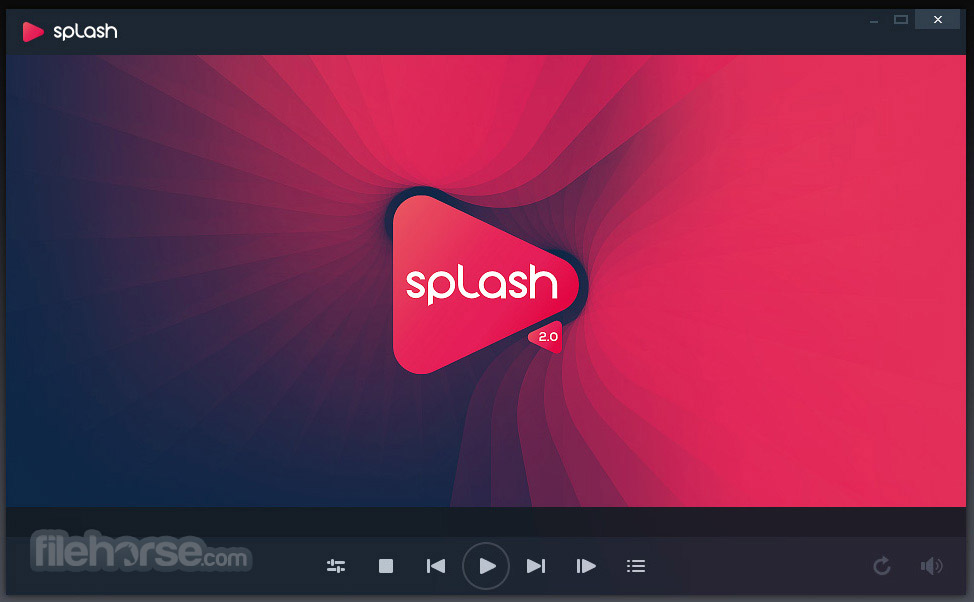
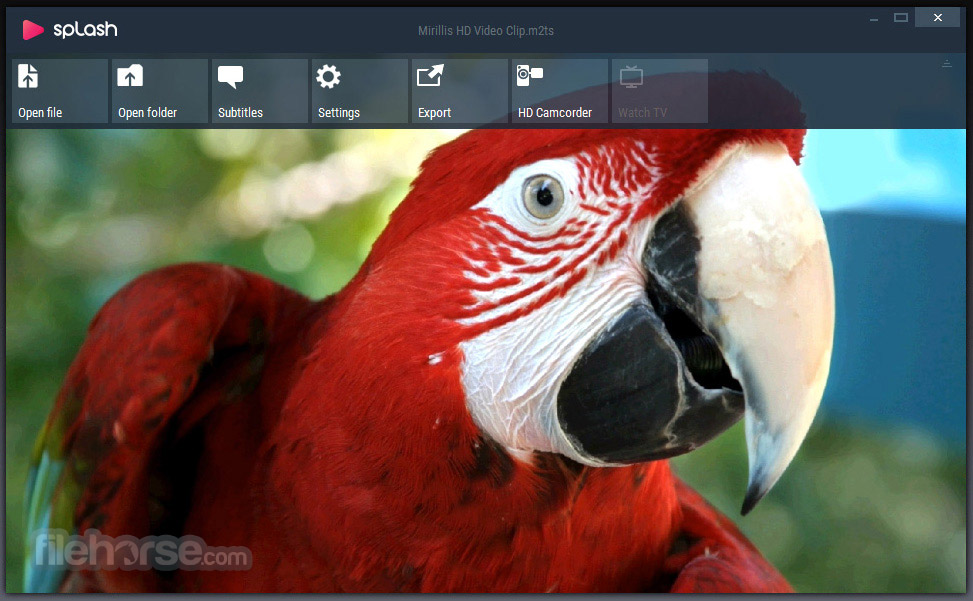
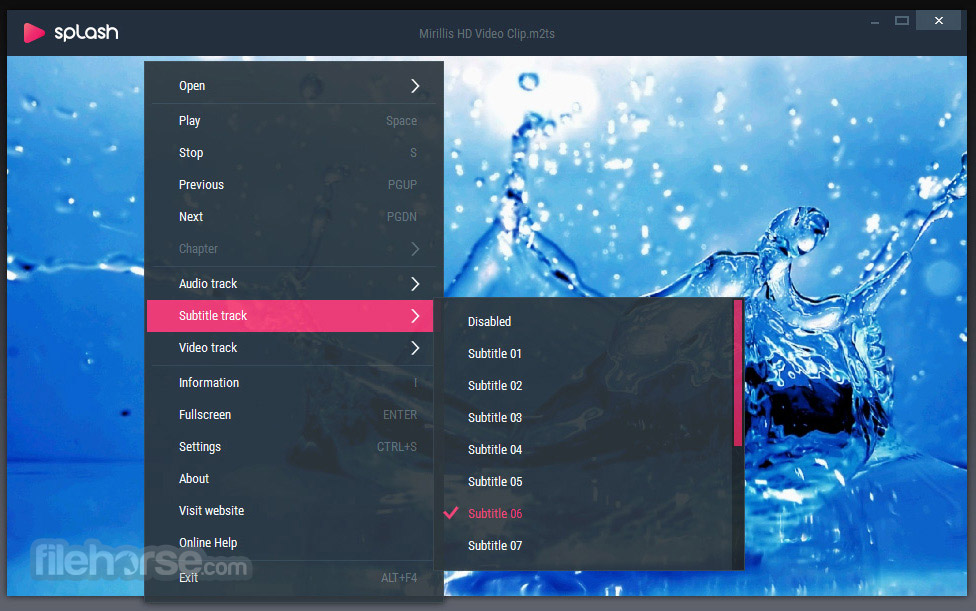
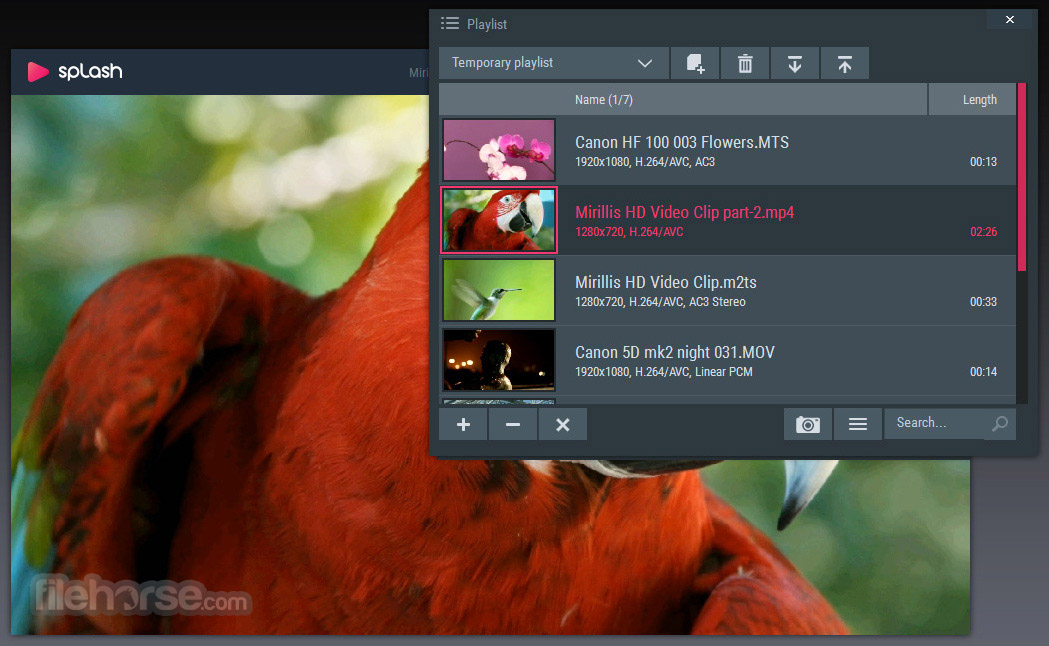

更新日誌
2.1.0.0Splash 2.0 is a free (Shareware) HD Video Player for PC specifically optimised and designed for HD playback. Splash 2.0, according to its creators, will let you enjoy your videos and media like never before, with smooth motion, crisp high details and vividly gorgeous colors.
Well, we won’t make a judgement on that; beauty is after all in the eye of the beholder. What we can say though, is that Splash is simple to install, compact in size, and easy to use and master. For those in the know, it also supports hardware accelerated video encoding and decoding.
It’s more than just a straightforward video player however.
As well as letting you experience high quality video, it can also be used to export videos to most popular devices and websites such as YouTube and Facebook, which is nice.
A nice feature are the predefined profiles for the most popular formats, devices and social media websites. Yay, etc. Another nice touch we particularly liked was the Video frame preview during the export process. Splash 2.0 also has automatic de-interlacing. (This last point won’t mean much to most people: Don’t worry about it if it doesn't. You can still use it to watch HD video, and upload to YouTube.)
Supported file types for video playback include: avi, divx, m4v, mkv, mov, m2ts, mts, m2t, mp2, mp3, mp4, mpg, ts, vob, wmv, xvid, mp3, aac, and m4a.
Exporting features:
- High quality scaling.
- Hardware accelerated video encoding support with Intel® Quick Sync Video and NVIDIA® CUDA™, NVIDIA® NVENC and AMD APP.
- Hardware accelerated video decoding for exporting process with Intel® Clear Video, NVIDIA® PureVideo® HD, AMD UVD and Broadcom Crystal HD.
Overall, Splash 2.0 should appeal to people who like a video player that plays high quality HD videos, that is simple to use, supports pretty much any format you can throw at it, and looks good. But it should also find a home for those who like to format video for uploading to websites or transferring video to other hardware devices and want it to play without any fuss.
It’s also Shareware, which means it’s free as long as you don’t try to sell it on or make personal monetary gain.
歷史版本
完整清單 →- 2026-05-06 Splash 2.7.0 42.12 MB
- 2019-03-07 Splash 2.6.1 38.16 MB
- 2019-03-05 Splash 2.6.0 38.16MB
- 2019-02-20 Splash 2.5.0 38.16 MB
- 2019-02-17 Splash 2.4.0 38.1 MB
- 2019-02-07 Splash 2.3.0 38.1 MB
- 2018-12-28 Splash 2.2.0 23.07 MB
- 2017-07-04 Splash 2.1.0.0 23.04MB