- 目前版本1.98.0
- 更新日期2025-11-30
- 檔案大小50 MB
- 檔案名稱Start11v2-setup.exe
- 作業系統Windows 10 (32-bit) / Windows 10 (64-bit)
- 支援語系English
- 授權型式商業試用
- 開發商 Stardock
- 軟體分類Windows 軟體 / 桌面強化
##
翻譯排程處理中,以下暫以英文原文呈現
軟體介紹
Stardock Start10 is a customization utility designed to bring back the classic Start Menu experience in Windows 10.
Note: Start11 program is compatible with Windows 10. Try it Now!
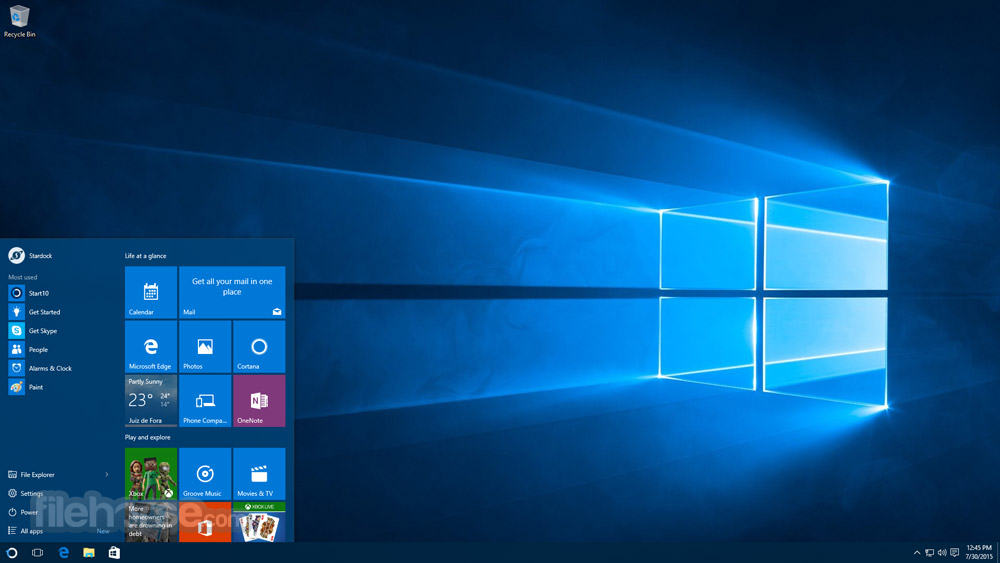
As Windows 10 introduced a new hybrid Start Menu, many users missed the simplicity and familiarity of the Windows 7 Start Menu. Start10 bridges this gap by offering a fully customizable Start Menu that integrates seamlessly with Windows 10’s modern design.
It’s particularly aimed at users who prioritize efficiency and prefer a traditional desktop experience.
Highlights
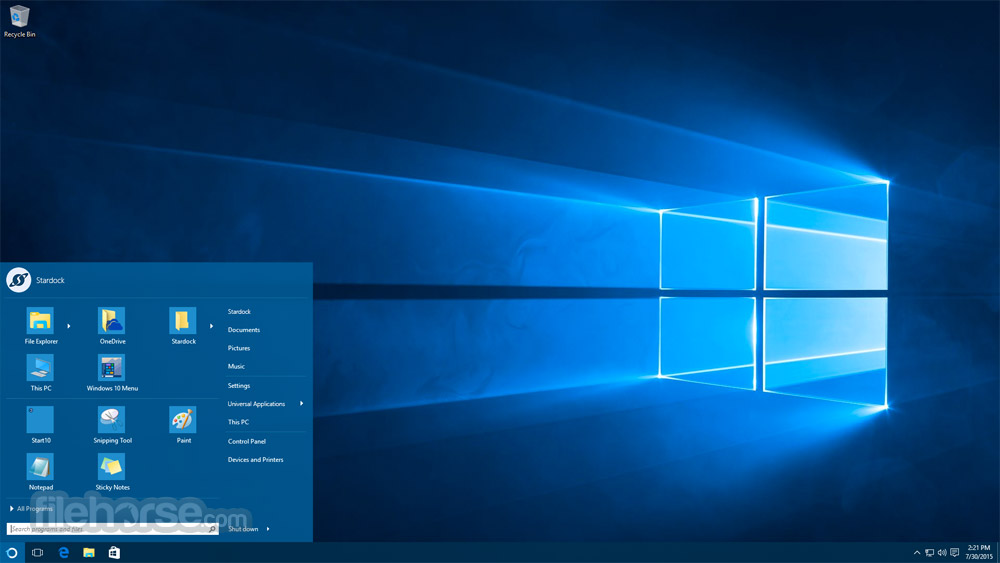
Classic Start Menu Layout: It restores the Windows 7-style Start Menu with features like search, quick access to apps, and a user-friendly folder structure.
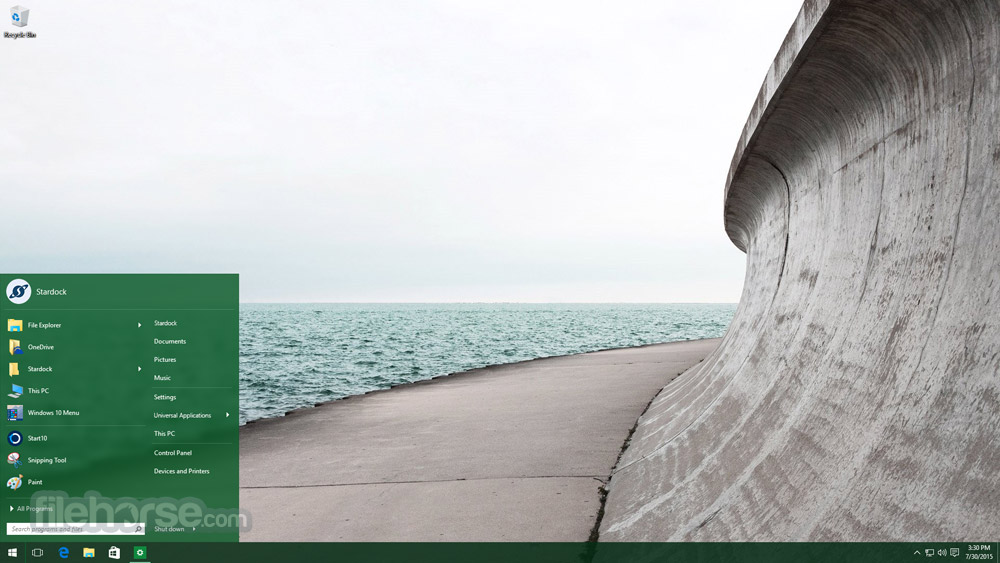
Customizable Appearance: Users can personalize the Start Menu’s theme, color scheme, and transparency settings to match their desktop aesthetics.
Integrated Search Bar: Includes an enhanced search feature that provides quick access to files, folders, and system settings.
Unified Desktop Integration: Start10 harmonizes with Windows 10’s visual style, ensuring a cohesive look and feel.
Quick Access: Pin favorite apps, folders, and files for faster accessibility.
Advanced Configuration Options: Tweak menu behaviors, icon sizes, and shortcut visibility to suit your workflow.
Seamless Windows Updates Compatibility: The software regularly updates to remain compatible with new Windows updates, ensuring uninterrupted performance.
User Interface
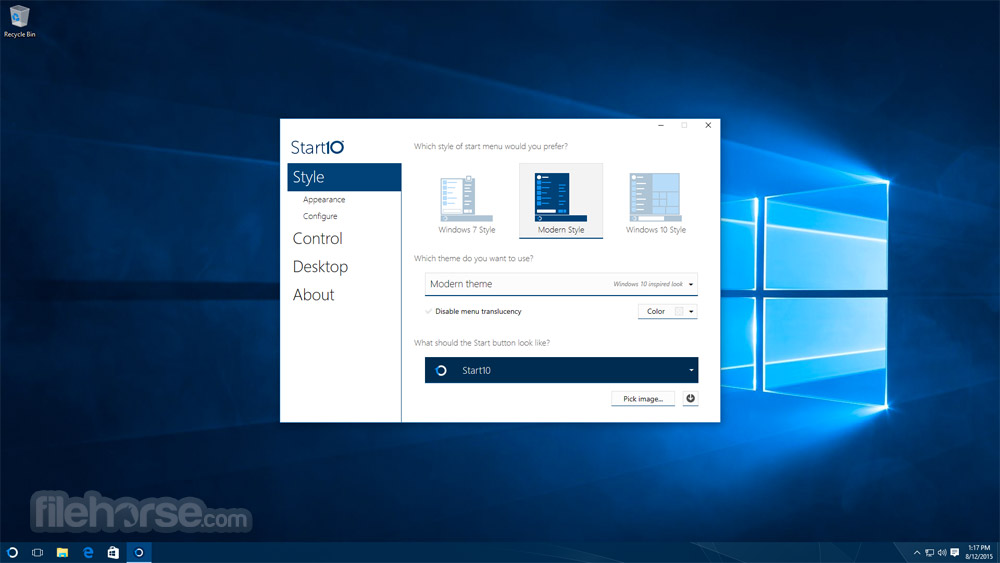
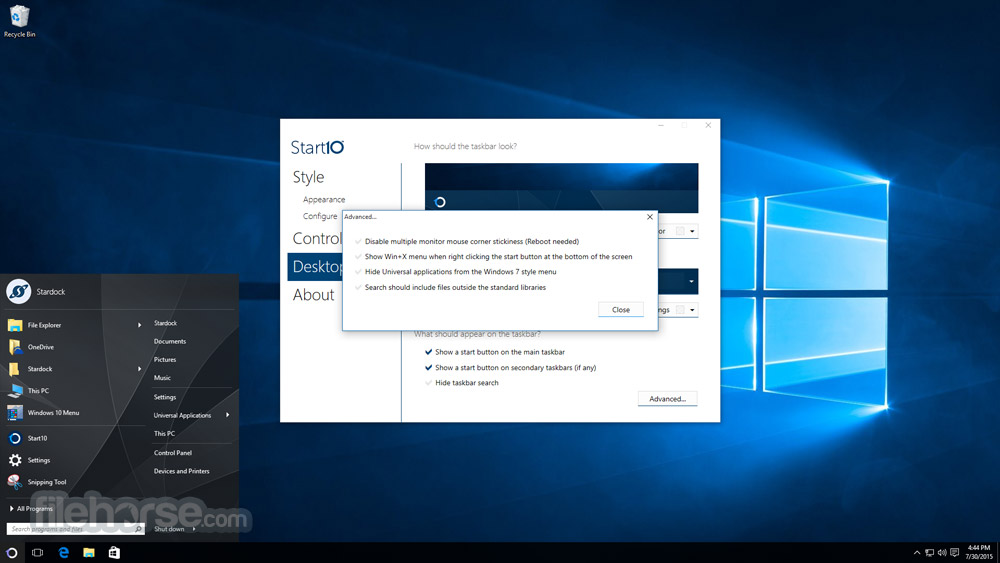
The app user interface is clean, intuitive, and easy to navigate. The software includes a settings panel that organizes customization options into tabs, such as “Style,” “Controls,” and “Configure Start Menu.”
Changes are previewed in real-time, helping users refine their settings without trial and error.
The actual Start Menu replacement blends seamlessly with Windows 10, providing a polished appearance that feels native to the operating system. Icons, fonts, and layouts are clearly defined, maintaining clarity and functionality.
Installation and SetupDownload: Visit Stardock’s official website or FileHorse.com and download the app installer. Installation Wizard: Run the installer and follow the on-screen prompts. Activation: Enter the product key provided during purchase. Alternatively, you can try the 30-day free trial. Configuration: After installation, access the settings panel to begin customizing your Start Menu. The whole process takes less than 10 minutes, even for less experienced users. How to Use
Launching the app: After installation, right-click on the Start Menu icon and select “Configure Start10” to access settings.
Customizing the Menu Style:
Search Functionality: Use the search bar to locate programs, files, or system settings quickly.
Advanced Features:
Is Stardock Start10 compatible with Windows 11?
No, Start10 is designed specifically for Windows 10. Stardock offers Start11 for Windows 11 users.
Can I revert to the default Windows 10 Start Menu?
Yes, you can disable Start10 from the settings or uninstall it entirely to restore the default Start Menu.
Does Start10 impact system performance?
The program is lightweight and has a negligible impact on system resources.
Can I transfer my license to another PC?
Yes, as long as you deactivate the software on the original PC before reactivating it on a new one.
Is there a free trial available?
Yes, Stardock offers a 30-day free trial for users to explore its features before purchasing.
Alternatives
Open-Shell - A free, open-source alternative with robust customization options but less polished than this tool.
StartIsBack - Offers similar functionality with a focus on mimicking the Windows 7 Start Menu, often praised for its simplicity.
PowerToys - Although not a direct Start Menu replacement, this Microsoft tool provides quick app and file search capabilities.
Pricing
The software is priced at $10.99 for a single license, making it an affordable utility for enhancing productivity.
System Requirements
Stardock Start10 is an excellent tool for users who want to restore a familiar and functional Start Menu experience on Windows 10. Its intuitive interface, robust customization options, and affordability make it a standout choice.
While it’s not designed for advanced users seeking extensive features, it fulfills its promise of delivering a polished and efficient Start Menu replacement.
Note: 30-day trial version.
Download Start10 Latest Version Why is this app published on FileHorse? (More info)
Note: Start11 program is compatible with Windows 10. Try it Now!
As Windows 10 introduced a new hybrid Start Menu, many users missed the simplicity and familiarity of the Windows 7 Start Menu. Start10 bridges this gap by offering a fully customizable Start Menu that integrates seamlessly with Windows 10’s modern design.
It’s particularly aimed at users who prioritize efficiency and prefer a traditional desktop experience.
Highlights
- The search menu is back in the Start menu
- Restores the quick links to core system functionality
- Maintains the "All Programs" folder metaphor
- Texture can be applied to the Start10 background and taskbar
Classic Start Menu Layout: It restores the Windows 7-style Start Menu with features like search, quick access to apps, and a user-friendly folder structure.
Customizable Appearance: Users can personalize the Start Menu’s theme, color scheme, and transparency settings to match their desktop aesthetics.
Integrated Search Bar: Includes an enhanced search feature that provides quick access to files, folders, and system settings.
Unified Desktop Integration: Start10 harmonizes with Windows 10’s visual style, ensuring a cohesive look and feel.
Quick Access: Pin favorite apps, folders, and files for faster accessibility.
Advanced Configuration Options: Tweak menu behaviors, icon sizes, and shortcut visibility to suit your workflow.
Seamless Windows Updates Compatibility: The software regularly updates to remain compatible with new Windows updates, ensuring uninterrupted performance.
User Interface
The app user interface is clean, intuitive, and easy to navigate. The software includes a settings panel that organizes customization options into tabs, such as “Style,” “Controls,” and “Configure Start Menu.”
Changes are previewed in real-time, helping users refine their settings without trial and error.
The actual Start Menu replacement blends seamlessly with Windows 10, providing a polished appearance that feels native to the operating system. Icons, fonts, and layouts are clearly defined, maintaining clarity and functionality.
Installation and Setup
Launching the app: After installation, right-click on the Start Menu icon and select “Configure Start10” to access settings.
Customizing the Menu Style:
- Choose between “Windows 7 Style,” “Modern Style,” or “Custom Style.”
- Adjust transparency, icon size, and button appearance.
Search Functionality: Use the search bar to locate programs, files, or system settings quickly.
Advanced Features:
- Navigate to “Configure Controls” for advanced tweaks, such as keyboard shortcuts and mouse actions.
- Explore integration options to sync with system settings like Windows Explorer.
Is Stardock Start10 compatible with Windows 11?
No, Start10 is designed specifically for Windows 10. Stardock offers Start11 for Windows 11 users.
Can I revert to the default Windows 10 Start Menu?
Yes, you can disable Start10 from the settings or uninstall it entirely to restore the default Start Menu.
Does Start10 impact system performance?
The program is lightweight and has a negligible impact on system resources.
Can I transfer my license to another PC?
Yes, as long as you deactivate the software on the original PC before reactivating it on a new one.
Is there a free trial available?
Yes, Stardock offers a 30-day free trial for users to explore its features before purchasing.
Alternatives
Open-Shell - A free, open-source alternative with robust customization options but less polished than this tool.
StartIsBack - Offers similar functionality with a focus on mimicking the Windows 7 Start Menu, often praised for its simplicity.
PowerToys - Although not a direct Start Menu replacement, this Microsoft tool provides quick app and file search capabilities.
Pricing
The software is priced at $10.99 for a single license, making it an affordable utility for enhancing productivity.
- One year of support
- Single key activation
- Group policy support
- Volume discounts
System Requirements
- Operating System: Windows 10 (all versions)
- Processor: 1 GHz or faster
- Memory: 512 MB RAM (minimum)
- Disk Space: 10 MB for installation
- Easy to install and use
- Highly customizable
- Affordable pricing
- Seamless Windows integration
- Lightweight with minimal resource impact
- Limited to Windows 10
- No advanced features for power users
Stardock Start10 is an excellent tool for users who want to restore a familiar and functional Start Menu experience on Windows 10. Its intuitive interface, robust customization options, and affordability make it a standout choice.
While it’s not designed for advanced users seeking extensive features, it fulfills its promise of delivering a polished and efficient Start Menu replacement.
Note: 30-day trial version.
Download Start10 Latest Version Why is this app published on FileHorse? (More info)
##
影片介紹
##
畫面截圖