⚠ 這是歷史版本頁面 — 查看 Subtitle Edit 最新版本 →

Subtitle Edit 4.0.11
v 4.0.11
Windows
開源軟體
8.32/10 (201)
- 目前版本4.0.11
- 更新日期2025-01-29
- 檔案大小10.66 MB
- 檔案名稱SubtitleEdit-4.0.11-Setup.exe
- 作業系統Windows 10 (64-bit) / Windows 11
- 支援語系English
- 授權型式開源軟體
- 開發商 Nikolaj Lynge Olsson
- 軟體分類Windows 軟體 / 影片軟體
##
編輯短評
Subtitle Edit 是一款免費、開源的 Windows 桌面應用程式,專門用來建立、編輯與同步字幕檔。它最突出的特色是支援超過三百種字幕格式,從常見的 SubRip(.srt)到 SubStation Alpha(.ssa)與 WebVTT 都涵蓋在內,並整合影片預覽功能,讓校對時間軸與文字內容更直覺。這款工具長期由開發者 Nikolaj Lynge Olsson 持續維護,更新相當活躍,在影片工具分類中屬於熱門選擇,使用者評價普遍不錯,功能深度足以媲美付費字幕軟體。
它適合需要精確處理字幕的影片創作者、翻譯人員,或是常遇到字幕時間軸對不準、格式不相容問題的一般使用者。與 KMPlayer 這類播放器或解碼包相比,Subtitle Edit 專注於字幕本身的編輯與轉換,功能更為深入,但相對地需要安裝在 Windows 環境下使用。由於介面目前僅提供英文,且為開源授權,使用前需留意沒有內建中文語系,但核心操作邏輯並不複雜,稍加摸索即可上手。
##
翻譯排程處理中,以下暫以英文原文呈現
軟體介紹
Subtitle Edit is a free, open-source desktop application designed for creating, editing, and synchronizing subtitle files.
Ideal for both casual users and professionals, the software supports a wide variety of subtitle formats and offers powerful tools for precise editing.
Developed with versatility in mind, Subtitle Edit provides functionality that rivals premium subtitle tools, making it a top-tier option for anyone working with video captions.
Key Features
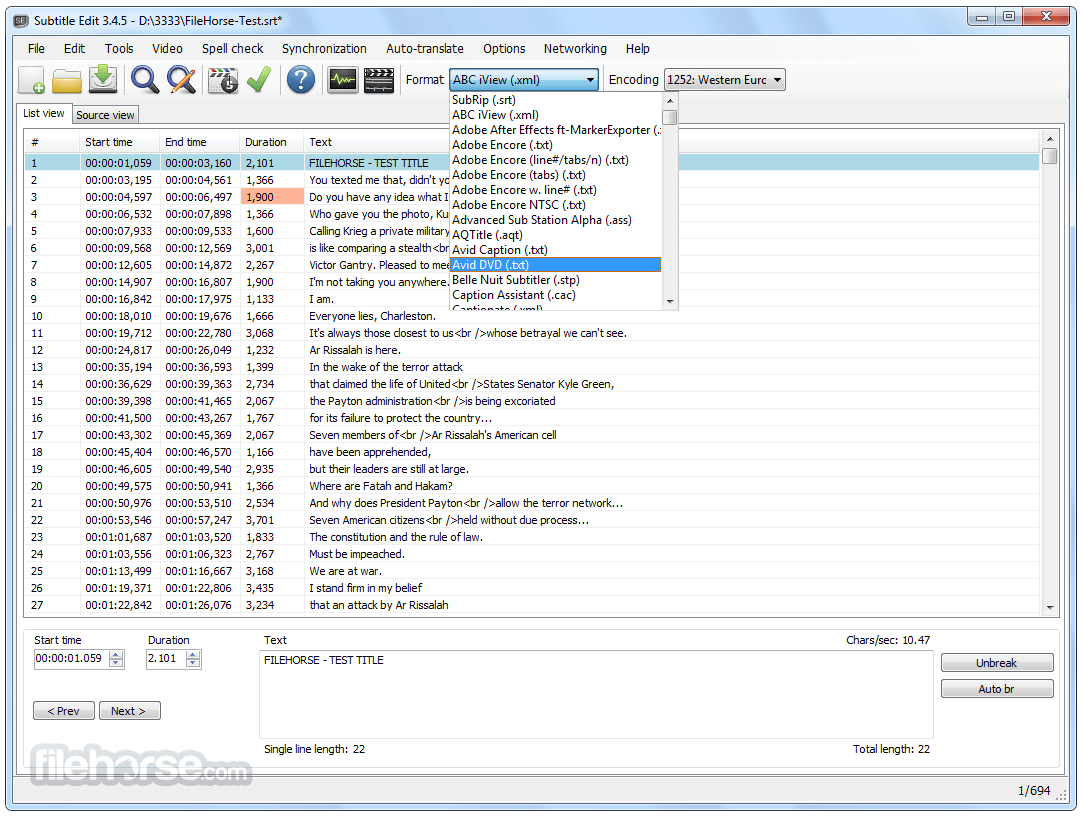
Support for Over 300 Subtitle Formats: Including popular ones like SubRip (.srt), SubStation Alpha (.ssa), and WebVTT.
Video Preview Integration: Works with video players like VLC, MPC-HC, and mpv to preview subtitle timing.
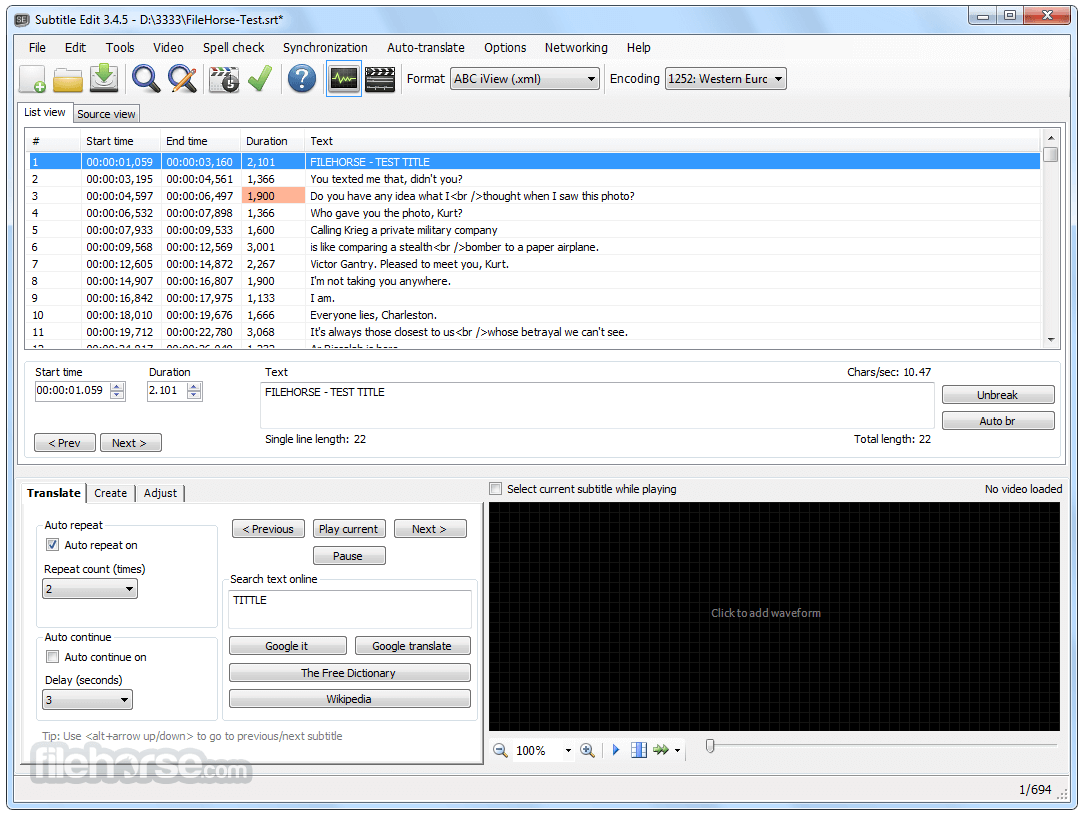
Audio Waveform and Spectrogram View: Helps in aligning subtitles with precise audio peaks.
Automatic Speech Recognition (ASR): Allows transcription from video using speech-to-text services.
Real-Time Spell Checking: Ensures subtitles are grammatically correct and free of typos.
Built-in Translation Tools: Helps translate subtitles directly within the software using third-party services.
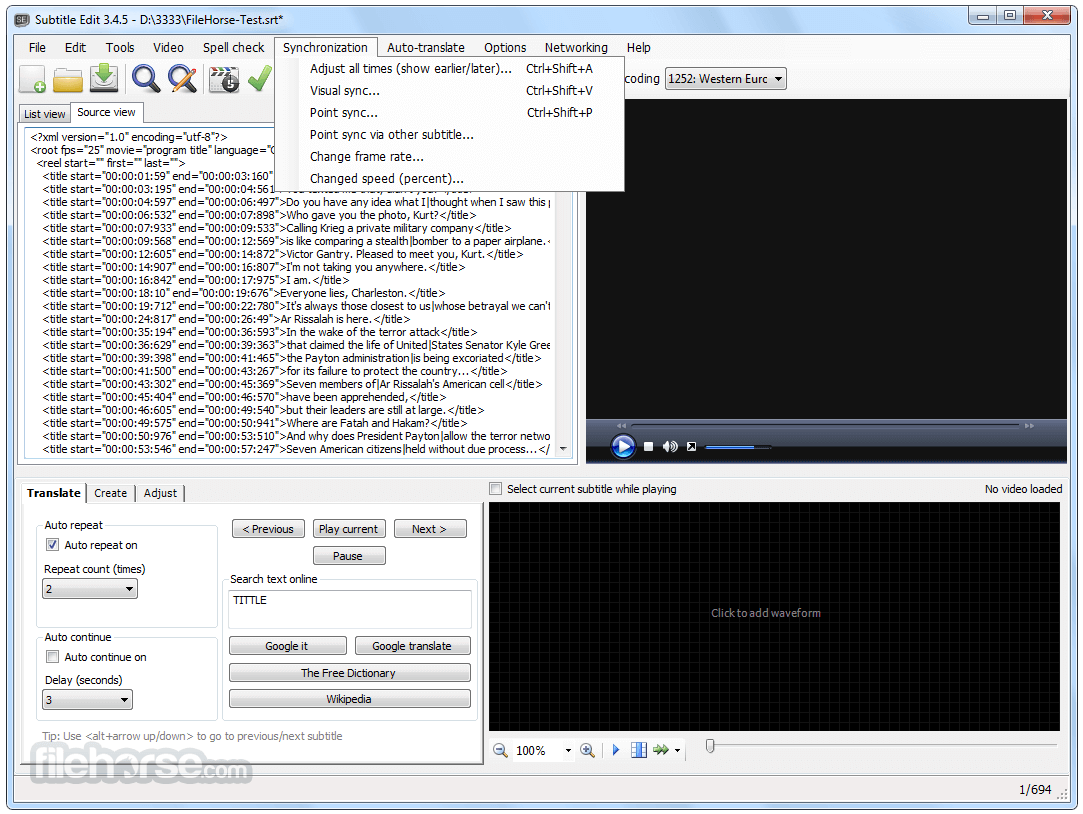
Subtitle Synchronization Tools: Adjust timing with shift, scale, or visual sync methods.
OCR for DVD Subtitles: Extract and convert image-based subtitles to text from VobSub/IDX or SUP files.
User Interface
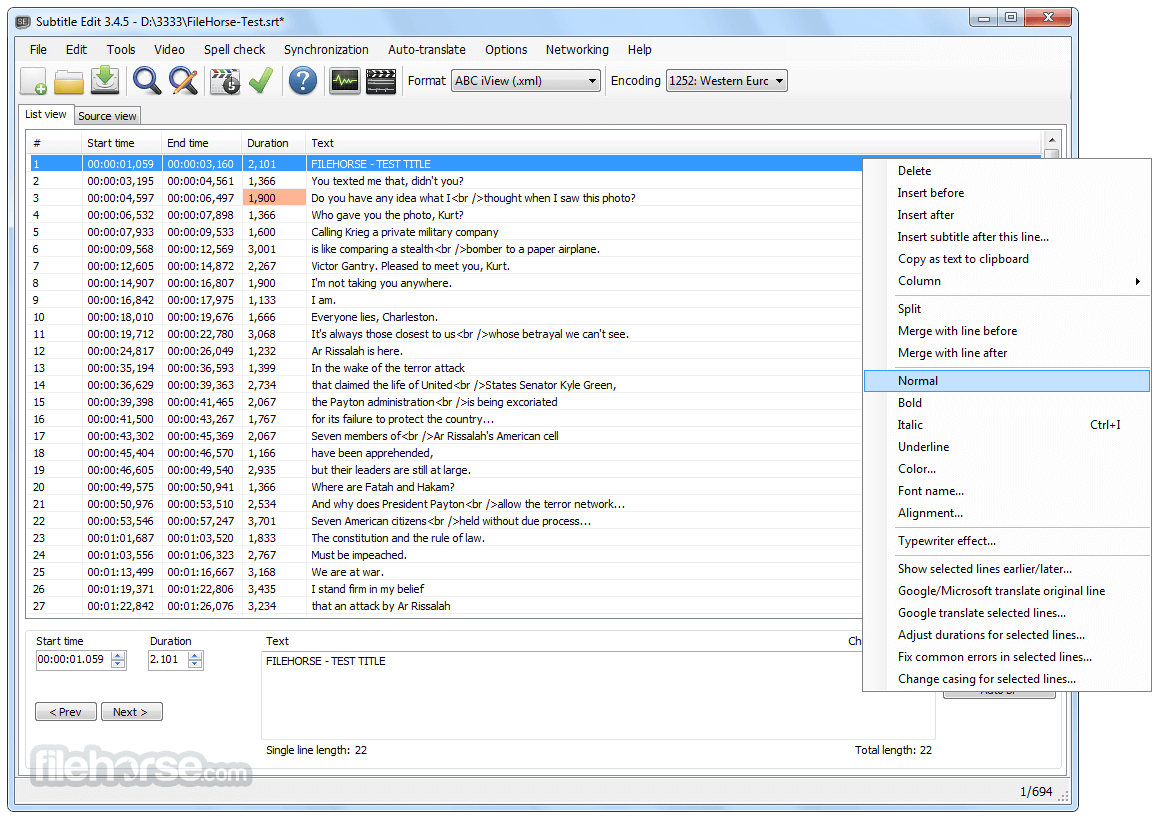
The UI is clean and utilitarian, offering a multi-pane layout. The top section lists subtitles with their corresponding timecodes, while the bottom panels offer video previews, waveform views, and text input.
Toolbars provide quick access to editing, timing, and translation tools.
The interface is easy to navigate and highly customizable, making it suitable for both beginners and advanced users.
Installation and Setup
Is Subtitle Edit free to use?
Yes, it is completely free and open-source.
Can I use Subtitle Edit to create subtitles from scratch?
Absolutely. It supports creating and syncing subtitles manually or using audio waveforms.
Does it support translation?
Yes, built-in translation tools can assist with subtitle translation.
Can I preview subtitles with video playback?
Yes, Subtitle Edit integrates with video players for real-time preview.
Is there a portable version?
Yes, a portable version is available for use without installation.
Alternatives
Aegisub - Free open-source tool for creating and modifying subtitles.
Subtitle Workshop - Free software for creating, editing and converting text-based subtitle files.
System Requirements
Subtitle Edit is one of the most powerful free subtitle editors available for Windows. Whether you're correcting timing, translating subtitles, or starting from scratch, it delivers a full-featured experience without the need for a premium license. With a balance of ease-of-use and advanced tools, it's a go-to choice for editors, translators, and media creators alike.
Note: Requires .NET Framework.
Download Subtitle Edit Latest Version Why is this app published on FileHorse? (More info)
Ideal for both casual users and professionals, the software supports a wide variety of subtitle formats and offers powerful tools for precise editing.
Developed with versatility in mind, Subtitle Edit provides functionality that rivals premium subtitle tools, making it a top-tier option for anyone working with video captions.
Key Features
Support for Over 300 Subtitle Formats: Including popular ones like SubRip (.srt), SubStation Alpha (.ssa), and WebVTT.
Video Preview Integration: Works with video players like VLC, MPC-HC, and mpv to preview subtitle timing.
Audio Waveform and Spectrogram View: Helps in aligning subtitles with precise audio peaks.
Automatic Speech Recognition (ASR): Allows transcription from video using speech-to-text services.
Real-Time Spell Checking: Ensures subtitles are grammatically correct and free of typos.
Built-in Translation Tools: Helps translate subtitles directly within the software using third-party services.
Subtitle Synchronization Tools: Adjust timing with shift, scale, or visual sync methods.
OCR for DVD Subtitles: Extract and convert image-based subtitles to text from VobSub/IDX or SUP files.
User Interface
The UI is clean and utilitarian, offering a multi-pane layout. The top section lists subtitles with their corresponding timecodes, while the bottom panels offer video previews, waveform views, and text input.
Toolbars provide quick access to editing, timing, and translation tools.
The interface is easy to navigate and highly customizable, making it suitable for both beginners and advanced users.
Installation and Setup
- Download the installer from the official website or FileHorse.
- Run the installer and follow the prompts.
- Launch the software and configure video player and spell checker options during the initial setup.
- Launch Subtitle Edit and open a video file.
- Load an existing subtitle or create a new one.
- Play the video and pause at the point you want a subtitle to appear.
- Enter the subtitle text and adjust the start and end times.
- Repeat the process for all lines, then save the subtitle file in your desired format.
- Create, edit, sync, and translate subtitle lines.
- Built-in audio visualizer with waveform and spectrogram display.
- Video playback powered by mpv, DirectShow, or VLC.
- Visually adjust subtitle timing, speed, and position.
- Convert audio to subtitles using Whisper or Vosk/Kaldi speech recognition.
- Translate subtitles automatically via Google Translate.
- Extract subtitles from decrypted DVDs.
- Import and OCR VobSub (sub/idx) binary subtitles.
- OCR Blu-ray .sup files (based on BDSup2Sub Java code).
- Load subtitles embedded in MKV files.
- Open subtitles from MP4/M4V (text, captions, VobSub).
- OCR XSub subtitles in DivX/AVI containers.
- OCR DVB and teletext subtitles from TS/M2TS files.
- OCR Blu-ray subtitles from M2TS files.
- Supports UTF-8, Unicode, and ANSI encodings for multilingual use.
- Sync tools: delay, anchor point, or align with another subtitle.
- Merge/split subtitle lines; adjust timing; fix errors.
- Spellcheck with LibreOffice dictionaries; supports many languages.
- Remove hearing-impaired text; renumber lines.
- Add effects like karaoke and typewriter.
- Full undo/redo history.
- Compare subtitles, batch search/replace, fix casing.
- Optimize line length and export to formats like PNG, SUP, STL, and more.
- Supports 300+ subtitle formats including SubRip (.srt), making it highly versatile.
- Compatible with broadcast and editing formats like ABC iView, Adobe Encore, and Avid.
- Handles both text and binary formats such as CapMaker Plus and PAC files.
- Works with D-Cinema formats, including both Interop and SMPTE standards.
- Supports DVD and Blu-ray subtitles like VobSub (.sub/.idx) and SUP (.sup).
- Reads and writes XML-based subtitles including TTML/DFXP and BDN XML.
- Allows import/export of web formats like WebVTT, YouTube SBV, and Annotations.
- Supports legacy formats such as SubViewer, MicroDVD, and SAMI (.smi).
- Can read subtitle streams directly from video containers like MKV and MP4.
- Compatible with CSV and JSON formats for integration with custom tools.
Is Subtitle Edit free to use?
Yes, it is completely free and open-source.
Can I use Subtitle Edit to create subtitles from scratch?
Absolutely. It supports creating and syncing subtitles manually or using audio waveforms.
Does it support translation?
Yes, built-in translation tools can assist with subtitle translation.
Can I preview subtitles with video playback?
Yes, Subtitle Edit integrates with video players for real-time preview.
Is there a portable version?
Yes, a portable version is available for use without installation.
Alternatives
Aegisub - Free open-source tool for creating and modifying subtitles.
Subtitle Workshop - Free software for creating, editing and converting text-based subtitle files.
System Requirements
- OS: Windows 11, 10, 8 or 7
- RAM: 2 GB minimum
- Storage: 100 MB available space
- Video player: VLC or MPC-HC for preview integration
- Free and open-source
- Supports a wide range of formats
- Powerful syncing tools and waveform editor
- Video and audio integration
- Portable version available
- Limited support for macOS
- Some tools require a learning curve
Subtitle Edit is one of the most powerful free subtitle editors available for Windows. Whether you're correcting timing, translating subtitles, or starting from scratch, it delivers a full-featured experience without the need for a premium license. With a balance of ease-of-use and advanced tools, it's a go-to choice for editors, translators, and media creators alike.
Note: Requires .NET Framework.
Download Subtitle Edit Latest Version Why is this app published on FileHorse? (More info)
##
畫面截圖
- 2026-07-30 Subtitle Edit 5.1.0 52.9 MB
- 2026-06-23 Subtitle Edit 5.0.0 51.92 MB
- 2026-06-03 Subtitle Edit 4.0.16 10.08 MB
- 2026-02-07 Subtitle Edit 4.0.15 10.82 MB
- 2025-11-01 Subtitle Edit 4.0.14 10.81 MB
- 2025-07-30 Subtitle Edit 4.0.13 10.75 MB
- 2025-04-15 Subtitle Edit 4.0.12 10.74 MB
- 2025-01-29 Subtitle Edit 4.0.11 10.66 MB