⚠ 這是歷史版本頁面 — 查看 Sumatra PDF 3.6.1 (32-bit) 最新版本 →

Sumatra PDF 3.5 (32-bit)
v 3.5 (32-bit)
Windows
開源軟體
8.04/10 (63)
- 目前版本3.5 (32-bit)
- 更新日期2023-10-24
- 檔案大小7.12 MB
- 檔案名稱SumatraPDF-3.5-install.exe
- 作業系統Windows 7 / Windows 8 / Windows 10
- 支援語系English
- 授權型式開源軟體
- 開發商 Krzysztof Kowalczyk
- 軟體分類Windows 軟體 / 辦公商務
##
編輯短評
Sumatra PDF 是一款免費開源的 PDF 閱讀器,除了 PDF 之外,也支援 Mobi、ePub、DjV、CHX、XPS、CBR、CBZ 等多種電子書與漫畫壓縮格式。它的最大特色是輕量、啟動快速,特別適合配備較舊或效能不足的電腦,以及只需要基本閱讀功能的使用者。這款軟體持續維護中,近一年內仍有更新,使用者評價普遍不錯,在輕量級閱讀器中有一定的口碑。
如果你常需要閱讀 PDF 或電子書,但不想被 Adobe Reader 的龐大體積拖累,Sumatra PDF 會是值得考慮的選擇。它與功能完整的 Office 或專業 PDF 軟體相比,取捨在於功能較為精簡,但換來更快的開啟速度與更低的資源占用。軟體為開源授權,僅提供 Windows 平台,介面目前只有英文,對中文使用者來說可能需要適應,但基本操作並不複雜。
##
翻譯排程處理中,以下暫以英文原文呈現
軟體介紹
Sumatra PDF is a free and open-source PDF reader that not only supports PDF files but also works well with various other ebook, text, and comic book archive formats (Mobi, ePub, DjV, CHM, XPS, CBR, and CBZ).
This reader is designed to provide maximum comfort and useful features, specifically catering to users who have either a slow computer that struggles with the official PDF viewing app, Adobe Reader, during startup or those who have limited technical knowledge but still need access to essential tools for reading PDFs.
Sumatra PDF offers several notable features, including its lightweight and fast performance, the ability to function as a portable application without requiring installation on an external storage device, PDF editing and saving capabilities, printing functionality, support for over 69 language translations, and more.
In line with its lightweight and fast nature, Sumatra PDF's user interface has been carefully crafted to be user-friendly.
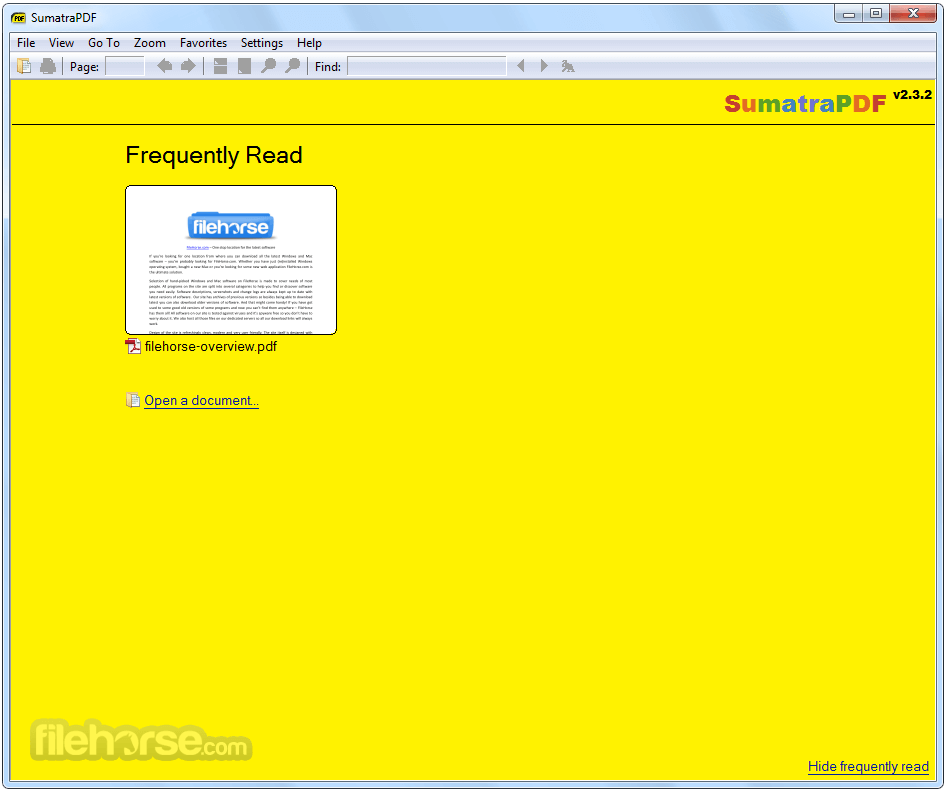
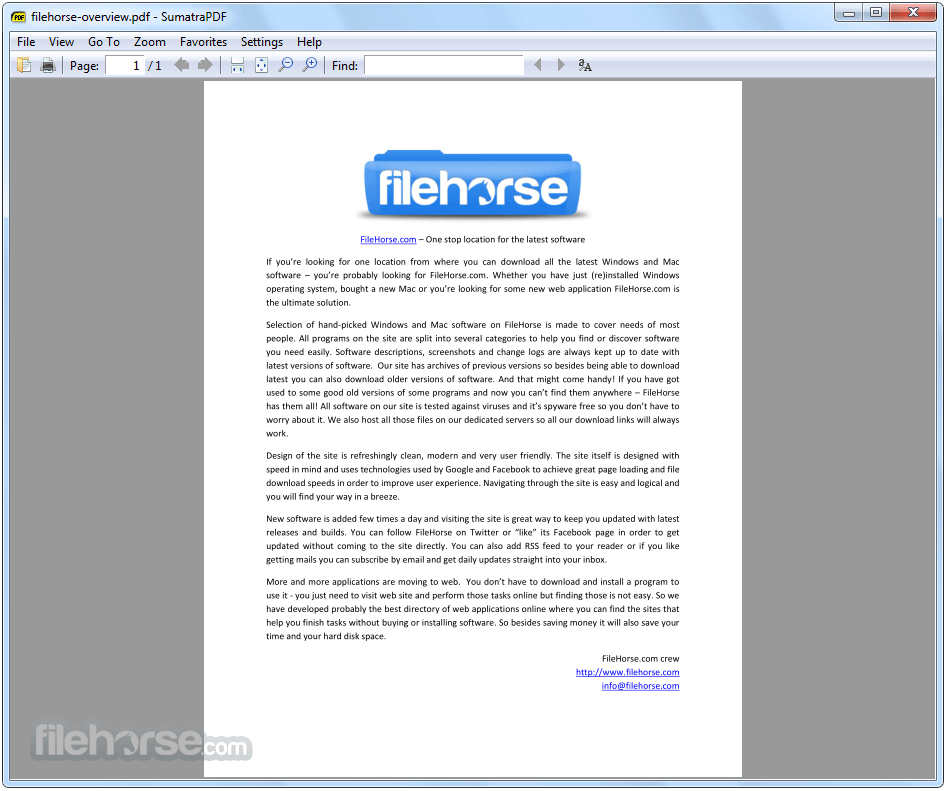
It offers a minimal set of on-screen tools located at the top of the application, such as Search, Print, go to Page, next page, previous page, different page rendering modes, zoom, and keyword Find.
There are no complex features or confusing options to overwhelm users. Even the context-sensitive properties menu of the application provides basic controls that can be easily managed by anyone.
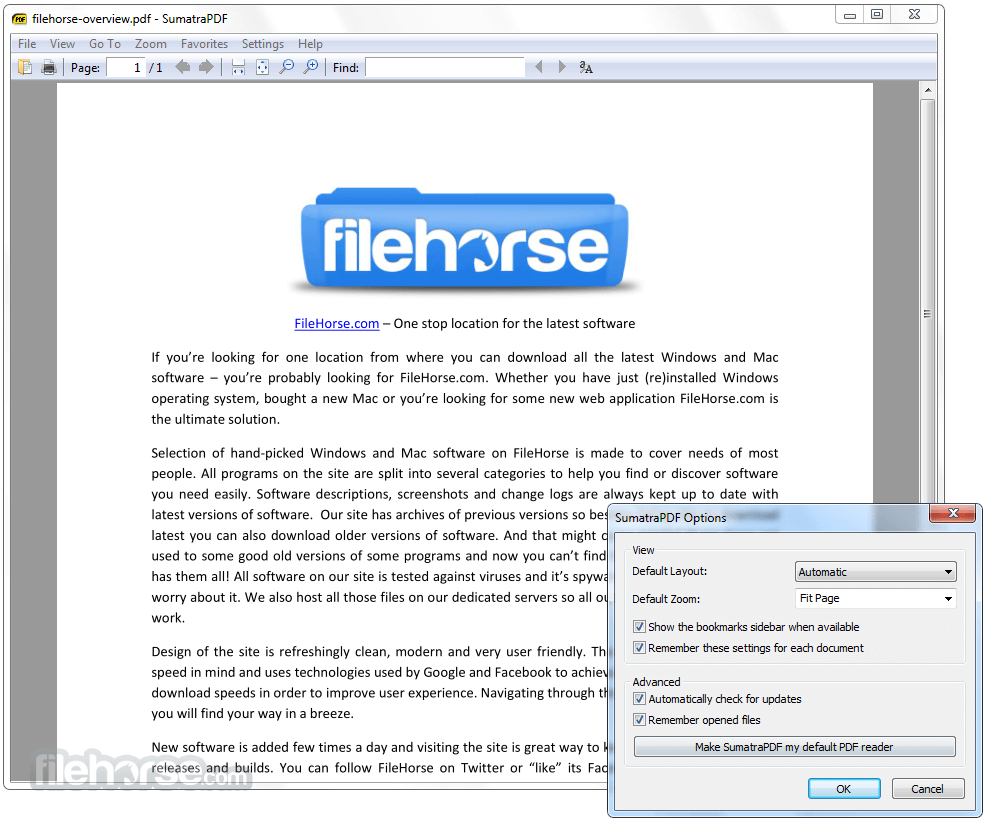
The customization screen of this software offers only essential tools for adjusting the automatic zoom level, default layout, and other basic settings. Overall, Sumatra PDF is an ideal PDF viewer for beginners and users with slower computer configurations.
Here's an overview of the Sumatra PDF:
File Compatibility: It supports not only PDF files but also various other ebook, text, and comic book archive formats, including Mobi, ePub, DjV, CHM, XPS, CBR, and CBZ. This makes it versatile and capable of handling different types of documents.
Lightweight and Fast: Sumatra PDF is designed to be lightweight and efficient, allowing it to run smoothly even on slower or resource-constrained computers. It launches quickly and consumes minimal system resources, ensuring a smooth and fast reading experience.
Portable Application: One unique aspect of the tool is its ability to function as a portable application. This means it can be run directly from external storage devices such as USB drives, without requiring any installation. It offers convenience for users who frequently switch between different devices.
User-Friendly Interface: The interface of this app is designed to be simple and intuitive. It provides only essential on-screen tools, such as search, printing, page navigation, zoom, and text find options. This minimalistic approach ensures that users can easily navigate and access the necessary features without any confusion.
Basic PDF Editing: It allows basic editing and saving of PDF files. While it may not have advanced editing capabilities like professional PDF editors, it provides essential features for making simple modifications and annotations to PDF documents.
Multilingual Support: It offers support for over 69 languages, allowing users from different regions to use the application in their preferred language. This makes it accessible and user-friendly for a diverse range of users.
Alternatives
Adobe Acrobat Reader - A comprehensive PDF reader that includes advanced features like annotation, form filling, and document signing. It is available for both Windows and macOS.
Foxit PDF Reader - Known for its extensive feature set, Foxit Reader offers a range of functionalities beyond basic PDF viewing. It supports annotation, form-filling, and advanced collaboration features.
PDF-XChange Viewer - This feature-rich PDF reader provides tools for annotation, form filling, and even basic PDF editing. It is available for Windows and offers a portable version as well.
Xodo PDF Viewer & Editor - Fast & reliable PDF viewer, editor, and annotation tool with Google Drive support.
System Requirements
Overall, Sumatra PDF is an excellent choice for users who prioritize simplicity, speed, and a hassle-free reading experience.
Whether you have a slower computer, limited technical knowledge, or simply prefer a lightweight PDF reader, it provides the necessary tools and functionalities without overwhelming the user.
Also Available: Sumatra PDF (64-bit)
Download Sumatra PDF (32-bit) Latest Version Why is this app published on FileHorse? (More info)
This reader is designed to provide maximum comfort and useful features, specifically catering to users who have either a slow computer that struggles with the official PDF viewing app, Adobe Reader, during startup or those who have limited technical knowledge but still need access to essential tools for reading PDFs.
Sumatra PDF offers several notable features, including its lightweight and fast performance, the ability to function as a portable application without requiring installation on an external storage device, PDF editing and saving capabilities, printing functionality, support for over 69 language translations, and more.
In line with its lightweight and fast nature, Sumatra PDF's user interface has been carefully crafted to be user-friendly.
It offers a minimal set of on-screen tools located at the top of the application, such as Search, Print, go to Page, next page, previous page, different page rendering modes, zoom, and keyword Find.
There are no complex features or confusing options to overwhelm users. Even the context-sensitive properties menu of the application provides basic controls that can be easily managed by anyone.
The customization screen of this software offers only essential tools for adjusting the automatic zoom level, default layout, and other basic settings. Overall, Sumatra PDF is an ideal PDF viewer for beginners and users with slower computer configurations.
Here's an overview of the Sumatra PDF:
File Compatibility: It supports not only PDF files but also various other ebook, text, and comic book archive formats, including Mobi, ePub, DjV, CHM, XPS, CBR, and CBZ. This makes it versatile and capable of handling different types of documents.
Lightweight and Fast: Sumatra PDF is designed to be lightweight and efficient, allowing it to run smoothly even on slower or resource-constrained computers. It launches quickly and consumes minimal system resources, ensuring a smooth and fast reading experience.
Portable Application: One unique aspect of the tool is its ability to function as a portable application. This means it can be run directly from external storage devices such as USB drives, without requiring any installation. It offers convenience for users who frequently switch between different devices.
User-Friendly Interface: The interface of this app is designed to be simple and intuitive. It provides only essential on-screen tools, such as search, printing, page navigation, zoom, and text find options. This minimalistic approach ensures that users can easily navigate and access the necessary features without any confusion.
Basic PDF Editing: It allows basic editing and saving of PDF files. While it may not have advanced editing capabilities like professional PDF editors, it provides essential features for making simple modifications and annotations to PDF documents.
Multilingual Support: It offers support for over 69 languages, allowing users from different regions to use the application in their preferred language. This makes it accessible and user-friendly for a diverse range of users.
Alternatives
Adobe Acrobat Reader - A comprehensive PDF reader that includes advanced features like annotation, form filling, and document signing. It is available for both Windows and macOS.
Foxit PDF Reader - Known for its extensive feature set, Foxit Reader offers a range of functionalities beyond basic PDF viewing. It supports annotation, form-filling, and advanced collaboration features.
PDF-XChange Viewer - This feature-rich PDF reader provides tools for annotation, form filling, and even basic PDF editing. It is available for Windows and offers a portable version as well.
Xodo PDF Viewer & Editor - Fast & reliable PDF viewer, editor, and annotation tool with Google Drive support.
System Requirements
- Operating System: Windows 7 or later
- Processor: 1 GHz or faster
- RAM: 512 MB or more
- Disk Space: 15 MB of free space
- Lightweight and fast performance
- Clean and user-friendly interface
- Various viewing modes
- Portable version available
- Completely free and open-source
- Limited customization options
- Lacks advanced annotation and form-filling features
Overall, Sumatra PDF is an excellent choice for users who prioritize simplicity, speed, and a hassle-free reading experience.
Whether you have a slower computer, limited technical knowledge, or simply prefer a lightweight PDF reader, it provides the necessary tools and functionalities without overwhelming the user.
Also Available: Sumatra PDF (64-bit)
Download Sumatra PDF (32-bit) Latest Version Why is this app published on FileHorse? (More info)
##
畫面截圖
- 2026-04-06 Sumatra PDF 3.6.1 (32-bit) 9.75 MB
- 2026-03-18 Sumatra PDF 3.6 (32-bit) 9.7 MB
- 2023-10-25 Sumatra PDF 3.5.2 (32-bit) 7.13 MB
- 2023-10-24 Sumatra PDF 3.5 (32-bit) 7.12 MB
- 2022-06-09 Sumatra PDF 3.4.6 (32-bit) 6.61 MB
- 2022-06-06 Sumatra PDF 3.4.5 (32-bit) 6.6 MB
- 2022-06-03 Sumatra PDF 3.4.4 (32-bit) 6.6 MB
- 2022-05-30 Sumatra PDF 3.4.3 (32-bit) 6.6 MB