⚠ 這是歷史版本頁面 — 查看 TagScanner 最新版本 →

- 目前版本6.1.17
- 更新日期2024-04-11
- 檔案大小4.3 MB
- 檔案名稱tagscan-6.1.17-setup.exe
- 作業系統Windows 7 / Windows 8 / Windows 10 / Windows 11
- 支援語系English
- 授權型式免費軟體
- 開發商 Sergey Serkov
- 軟體分類Windows 軟體 / 音訊軟體
##
編輯短評
TagScanner 是一款專為整理大型音樂收藏而設計的 Windows 桌面工具,核心功能是批次編輯音檔的標籤資訊,並能根據標籤內容自動重新命名檔案。它最突出的特色是能從線上資料庫自動抓取專輯與曲目資訊,省去手動輸入的麻煩,同時支援 MP3、FLAC、OGG、WMA 等多種常見格式。這套軟體由 Sergey Serkov 開發,長期持續維護,在同類工具中屬於有一定知名度的選擇,不過使用者評價樣本不多,整體評價算是中等偏上。
如果你手邊有大量音樂檔案,且對檔名與中繼資料的整齊度有要求,這套軟體會很實用,特別適合用來統一修正散亂的 ID3 標籤或補齊缺少的專輯資訊。與 iTunes 或 Virtual DJ 這類整合式播放管理軟體相比,TagScanner 更專注在「整理」這件事上,沒有播放或混音功能,但相對輕量且操作直接。它採免費授權,僅提供英文介面,使用前需留意沒有中文語系,對不熟悉英文操作介面的使用者來說門檻稍高。
##
翻譯排程處理中,以下暫以英文原文呈現
軟體介紹
TagScanner is a powerful Windows desktop application designed to organize and manage large music collections efficiently.
Developed by Sergey Serkov, it offers advanced tools for renaming, tagging, and organizing audio files.
Whether you need to fix metadata, rename files based on tag information, or retrieve album details from online databases, TagScanner provides a comprehensive solution.
It supports various audio formats, including MP3, FLAC, OGG, WMA, and more.
Features
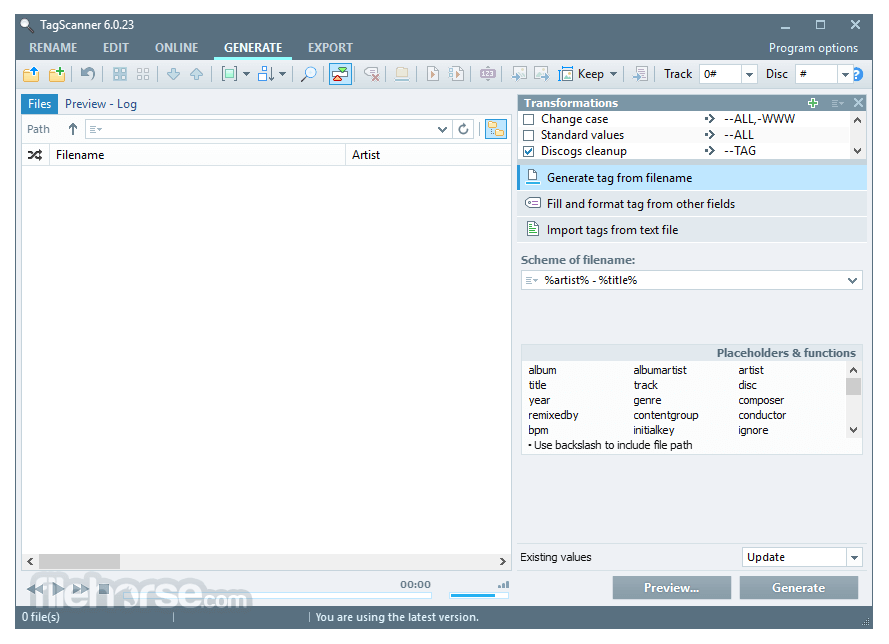
Batch Tag Editing: Modify metadata for multiple files simultaneously.
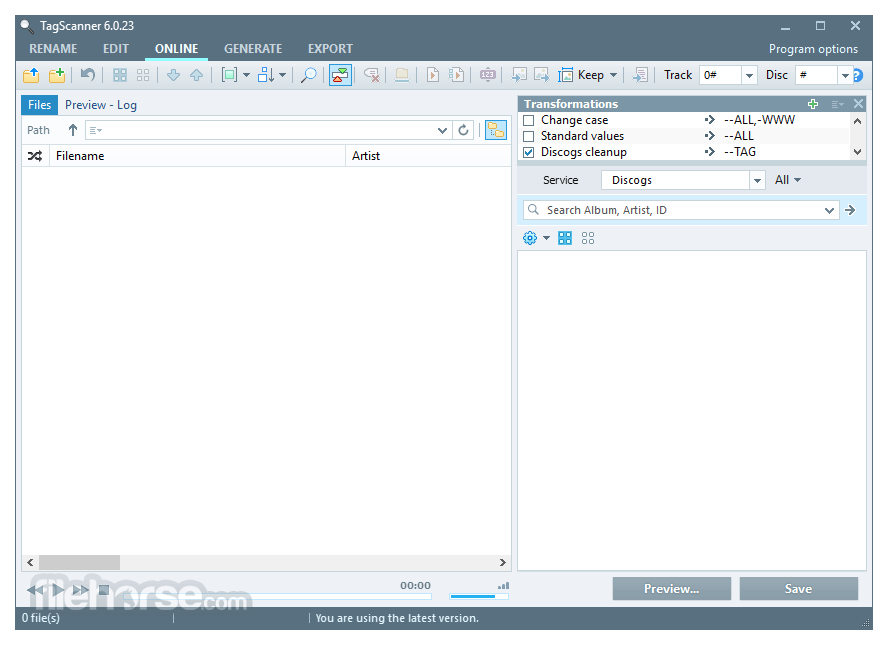
Automated Tag Retrieval: Fetch album and track information from online databases such as Discogs, MusicBrainz, and Freedb.
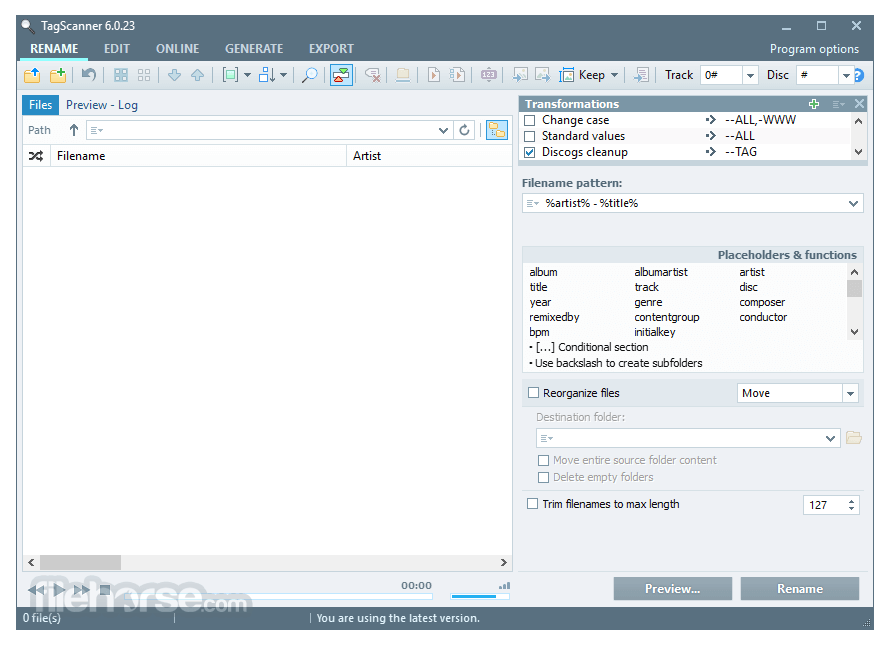
File Renaming: Rename audio files based on tag information, using custom rules.
Tag Conversion: Convert tag formats (ID3v1, ID3v2, APE, etc.).
Playlist Creation: Generate and edit playlists with ease.
Music Player: Integrated audio player for quick track previews.
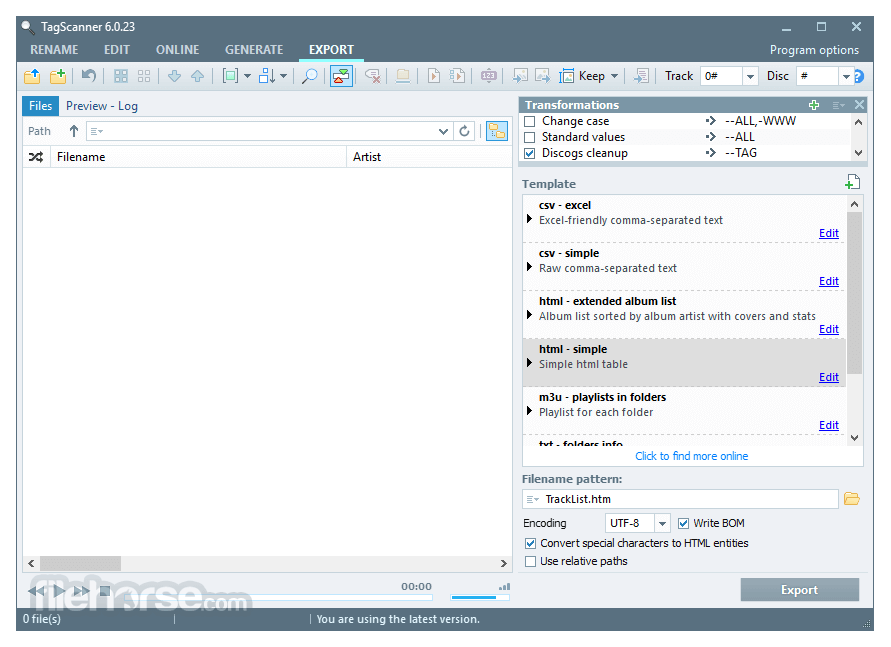
Export Feature: Save tag information in various formats (CSV, HTML, etc.).
User Interface
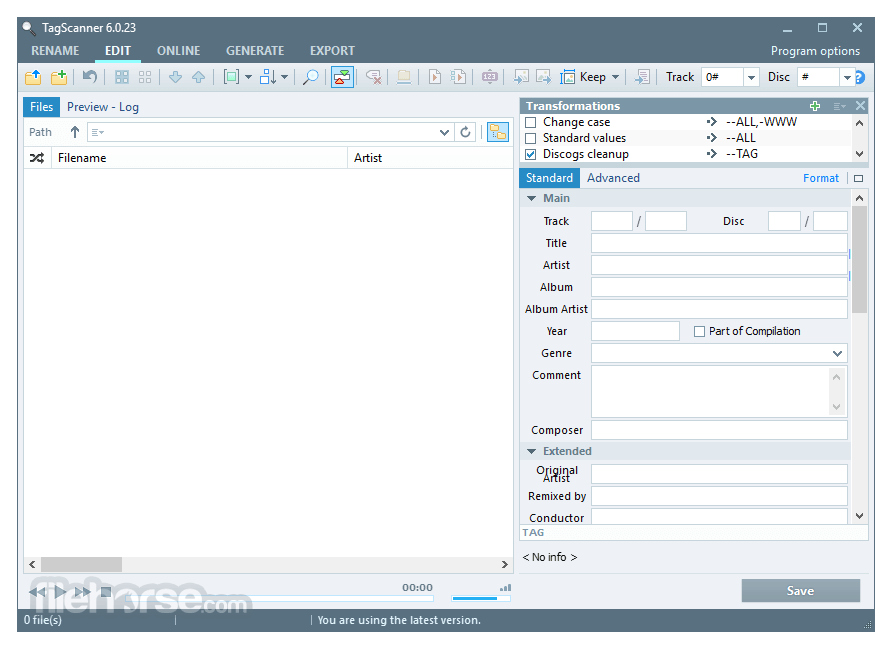
TagScanner features a clean and functional interface, optimized for productivity. It divides the workspace into panels for file browsing, metadata editing, and previewing changes.
The layout is highly customizable, allowing users to configure it based on their workflow.
Though packed with features, beginners might require some time to get familiar with all available options.
Installation and Setup
Download: Visit the official website or FileHorse.com to download the latest version.
Install: Run the setup file and follow the on-screen instructions.
Launch: Start the application and configure basic preferences such as language and default save options.
Import Files: Add your music files to begin organizing them.
How to Use
Add Files: Drag and drop audio files or browse folders to import them.
Edit Tags: Modify metadata manually or use the automatic lookup feature.
Rename Files: Apply custom renaming rules based on tag information.
Save Changes: Confirm modifications and save the updated tags.
Export Data: Optionally, export tag information for record-keeping.
FAQs
Can I edit tags for multiple files at once?
Yes, the batch editing feature allows simultaneous modifications across multiple files.
Does TagScanner support all audio formats?
It supports a wide range, including MP3, FLAC, OGG, WMA, and more.
Can I revert changes if I make a mistake?
Yes, the software includes an undo feature to revert recent changes.
Is it free to use?
Yes, TagScanner for PC is completely free for personal use.
Can I use custom scripts for renaming?
Yes, the program allows for complex renaming rules using customizable scripts.
Alternatives
Mp3tag – Another popular tag editor with a simple interface.
MusicBrainz Picard – Focuses on fetching metadata from the MusicBrainz database.
MediaMonkey – A complete media management solution with tagging capabilities.
Tag&Rename – A paid alternative offering additional organization features.
System Requirements
TagScanner is an excellent tool for anyone looking to manage and organize their music collection efficiently. It offers robust tagging, renaming, and metadata retrieval features, making it an essential utility for audiophiles, DJs, and collectors. While its interface may take some time to master, its functionality and free availability make it a standout choice among tag editors.
Download TagScanner Latest Version Why is this app published on FileHorse? (More info)
Developed by Sergey Serkov, it offers advanced tools for renaming, tagging, and organizing audio files.
Whether you need to fix metadata, rename files based on tag information, or retrieve album details from online databases, TagScanner provides a comprehensive solution.
It supports various audio formats, including MP3, FLAC, OGG, WMA, and more.
Features
Batch Tag Editing: Modify metadata for multiple files simultaneously.
Automated Tag Retrieval: Fetch album and track information from online databases such as Discogs, MusicBrainz, and Freedb.
File Renaming: Rename audio files based on tag information, using custom rules.
Tag Conversion: Convert tag formats (ID3v1, ID3v2, APE, etc.).
Playlist Creation: Generate and edit playlists with ease.
Music Player: Integrated audio player for quick track previews.
Export Feature: Save tag information in various formats (CSV, HTML, etc.).
User Interface
TagScanner features a clean and functional interface, optimized for productivity. It divides the workspace into panels for file browsing, metadata editing, and previewing changes.
The layout is highly customizable, allowing users to configure it based on their workflow.
Though packed with features, beginners might require some time to get familiar with all available options.
Installation and Setup
Download: Visit the official website or FileHorse.com to download the latest version.
Install: Run the setup file and follow the on-screen instructions.
Launch: Start the application and configure basic preferences such as language and default save options.
Import Files: Add your music files to begin organizing them.
How to Use
Add Files: Drag and drop audio files or browse folders to import them.
Edit Tags: Modify metadata manually or use the automatic lookup feature.
Rename Files: Apply custom renaming rules based on tag information.
Save Changes: Confirm modifications and save the updated tags.
Export Data: Optionally, export tag information for record-keeping.
FAQs
Can I edit tags for multiple files at once?
Yes, the batch editing feature allows simultaneous modifications across multiple files.
Does TagScanner support all audio formats?
It supports a wide range, including MP3, FLAC, OGG, WMA, and more.
Can I revert changes if I make a mistake?
Yes, the software includes an undo feature to revert recent changes.
Is it free to use?
Yes, TagScanner for PC is completely free for personal use.
Can I use custom scripts for renaming?
Yes, the program allows for complex renaming rules using customizable scripts.
Alternatives
Mp3tag – Another popular tag editor with a simple interface.
MusicBrainz Picard – Focuses on fetching metadata from the MusicBrainz database.
MediaMonkey – A complete media management solution with tagging capabilities.
Tag&Rename – A paid alternative offering additional organization features.
System Requirements
- Operating System: Windows 7, 8, 10, 11 (32-bit and 64-bit)
- Processor: 1 GHz or higher
- RAM: 512 MB minimum (1 GB recommended)
- Storage: At least 50 MB of free disk space
- Free and lightweight
- Supports multiple audio formats
- Batch editing and renaming capabilities
- Online metadata retrieval
- Customizable renaming rules
- Windows-only
- Learning curve for new users
- Lacks extensive audio analysis features
TagScanner is an excellent tool for anyone looking to manage and organize their music collection efficiently. It offers robust tagging, renaming, and metadata retrieval features, making it an essential utility for audiophiles, DJs, and collectors. While its interface may take some time to master, its functionality and free availability make it a standout choice among tag editors.
Download TagScanner Latest Version Why is this app published on FileHorse? (More info)
##
畫面截圖
- 2026-05-20 TagScanner 6.1.21 4.3 MB
- 2025-05-12 TagScanner 6.1.20 4.3 MB
- 2025-01-07 TagScanner 6.1.19 4.3 MB
- 2024-11-25 TagScanner 6.1.18 4.3 MB
- 2024-04-11 TagScanner 6.1.17 4.3 MB
- 2023-11-02 TagScanner 6.1.16 4.3 MB
- 2023-04-20 TagScanner 6.1.15 4.3 MB
- 2022-11-10 TagScanner 6.1.14 4.3 MB