- 目前版本15.80.4
- 更新日期2026-07-28
- 檔案大小32.5 MB
- 檔案名稱TeamViewerQS.exe
- 作業系統Windows 7 / Windows 7 64 / Windows 8 / Windows 8 64 / Windows 10 / Windows 10 64 / Windows 11
- 支援語系English
- 授權型式免費軟體
- 開發商 TeamViewer GmbH
- 軟體分類Windows 軟體 / 檔案傳輸與網路
##
翻譯排程處理中,以下暫以英文原文呈現
軟體介紹
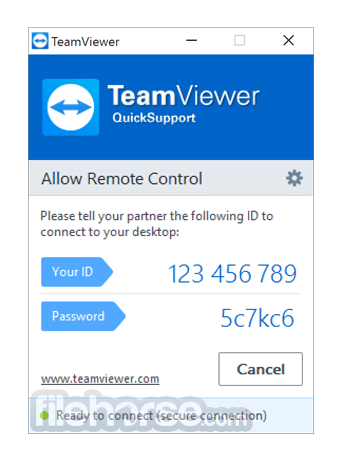
TeamViewer QuickSupport is the fast, simple, and friendly solution for remote access over the internet. I often have to connect to friends' computers to do repairs and this is easily one of the best out there and it’s free.
I have been able to steer even the most novice PC user to the TeamViewer website to download the TeamViewer QuickSupport version and have them give me their 9 digit id and password. It’s fast, secure and what else can I say? I love it.
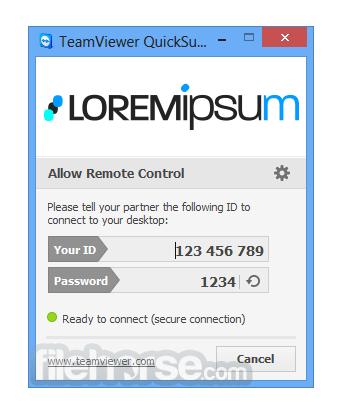
Optimized for instant support, this small customer module does not require installation or administrator rights — simply download, double click, and give the provided ID and password to your supporter. Team Viewer QuickSupport is great! Download Now!
How to Use
System Requirements
Download TeamViewer QuickSupport Latest Version Why is this app published on FileHorse? (More info)
I have been able to steer even the most novice PC user to the TeamViewer website to download the TeamViewer QuickSupport version and have them give me their 9 digit id and password. It’s fast, secure and what else can I say? I love it.
Optimized for instant support, this small customer module does not require installation or administrator rights — simply download, double click, and give the provided ID and password to your supporter. Team Viewer QuickSupport is great! Download Now!
How to Use
- Download TeamViewer QuickSupport from the official site.
- Install the software following the on-screen instructions.
- Open the application to generate a unique session ID.
- Share the ID with the remote support technician.
- Allow access when prompted for remote control.
- Monitor the session as the technician resolves the issue.
- End the session when the support is complete.
System Requirements
- Windows 7, 8, 10, 11 (32-bit and 64-bit)
- Minimum 2GB RAM (4GB recommended)
- 100MB available disk space
- Broadband internet connection
- Administrator rights for installation
- Easy remote access setup
- Supports cross-platform connections
- Secure encrypted connections
- No installation required for use
- Lightweight and fast performance
- Requires stable internet connection
- Limited features in free version
- Can be flagged by security software
- No unattended access support
- Occasional connection lags
Download TeamViewer QuickSupport Latest Version Why is this app published on FileHorse? (More info)
##
畫面截圖