⚠ 這是歷史版本頁面 — 查看 TeXstudio 最新版本 →

TeXstudio 4.9.1
v 4.9.1
Windows
開源軟體
8.4/10 (47)
- 目前版本4.9.1
- 更新日期2025-12-16
- 檔案大小138 MB
- 檔案名稱texstudio-4.9.1-win-qt6-signed.exe
- 作業系統Windows 7 / Windows 8 / Windows 10 / Windows 11
- 支援語系English
- 授權型式開源軟體
- 開發商 Benito van der Zander
- 軟體分類Windows 軟體 / 辦公商務
##
編輯短評
TeXstudio 是一款專為撰寫 LaTeX 文件而設計的整合式編輯環境,旨在簡化複雜的排版流程。它提供直覺的使用介面、即時語法高亮以及代碼自動完成等功能,能有效提升寫作速度。該軟體源自於 TeXmaker 並獨立演進出更多進階工具,目前在同類選擇中維護相當活躍且評價普遍不錯,其內建的 PDF 檢視器更是讓編輯過程更加便捷。
這款工具適合需要撰寫學術論文或專業技術文件的使用者,尤其是在追求精確排版的情境下非常實用。與一般的文書處理軟體相比,它更強調對 LaTeX 的深度整合與開發效率。使用者在下載前需注意該軟體目前僅提供英文版本,且屬於開源軟體,可在 Windows 平台上自由安裝使用。
##
翻譯排程處理中,以下暫以英文原文呈現
軟體介紹
TeXstudio is a cross-platform integrated writing environment for creating LaTeX documents. It's based on the popular TeXmaker but has since evolved independently with more advanced features.
TeXstudio for Windows focuses on providing a user-friendly interface, real-time syntax highlighting, and a comprehensive set of tools that make editing LaTeX documents efficient and accessible.
Key Features
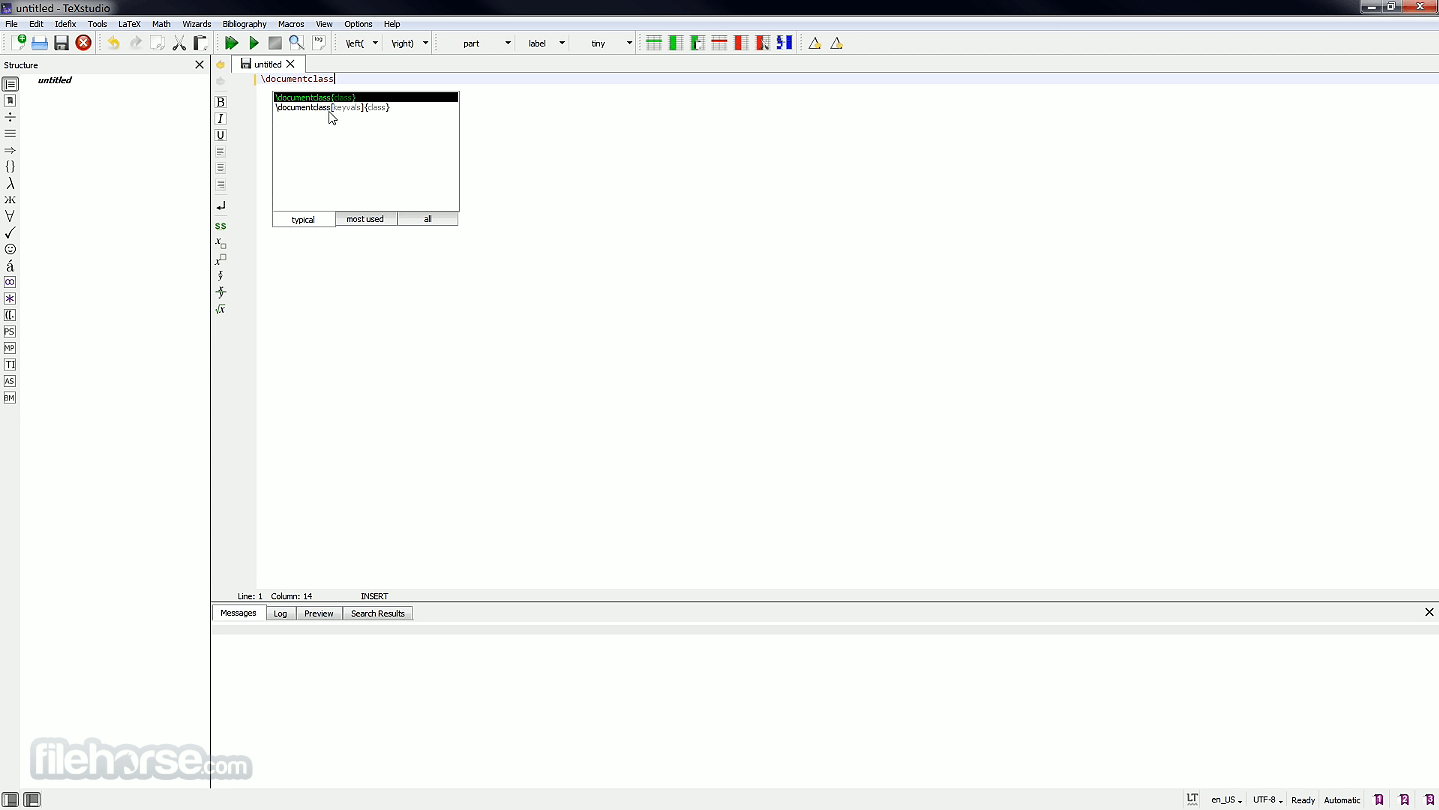
Syntax Highlighting and Code Completion: Highlights LaTeX commands and offers auto-complete suggestions, speeding up writing.
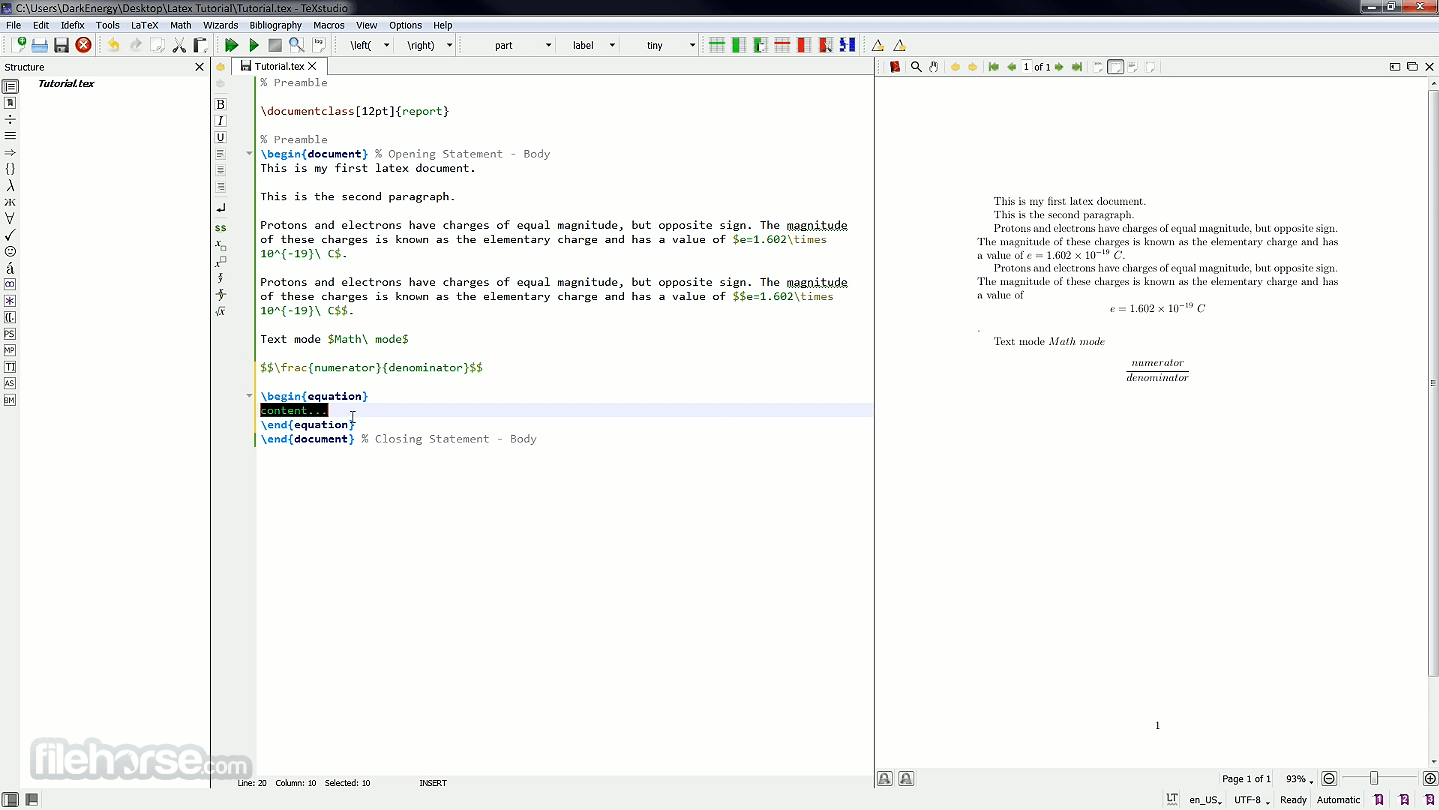
Integrated PDF Viewer: Comes with a built-in viewer that supports forward and inverse search, making document navigation seamless.
Error Highlighting: Detects errors and warnings in real-time to help users fix issues before compilation.
Reference and Citation Support: Easily insert and manage references and bibliography entries.
Templates and Wizards: Predefined templates and document wizards help beginners get started quickly.
Spell Checking and Grammar Support: Multi-language support helps maintain high-quality writing.
Customizable Shortcuts and Macros: Tailor the editor to match your workflow.
User Interface
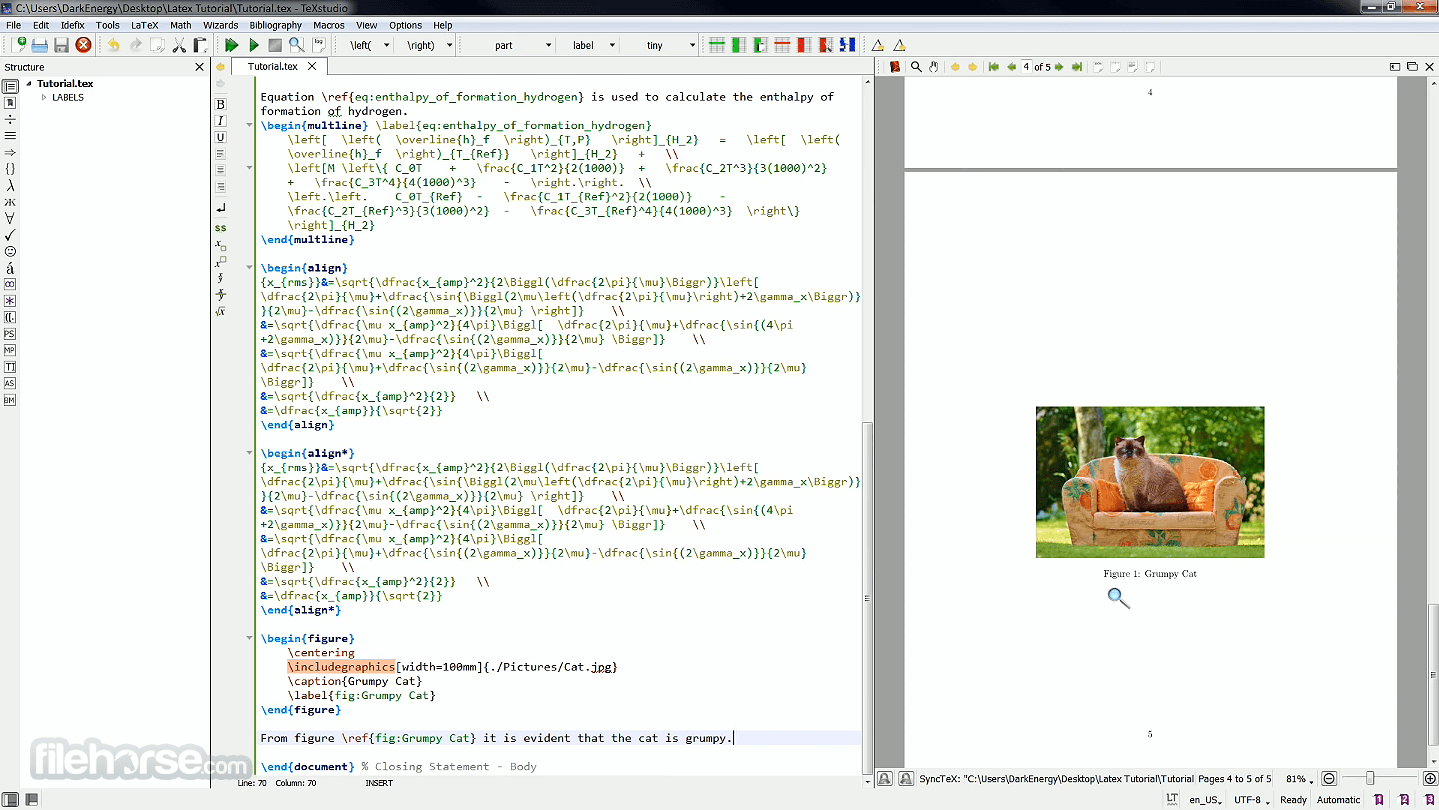
TeXstudio offers a clean, tabbed interface that supports multi-document editing. It provides side panels for structure navigation, symbols, and file management.
The layout is intuitive, and users can customize toolbars and panels for a more personalized experience. Syntax highlighting, collapsible code blocks, and a real-time preview panel enhance usability.
How to Use
After installation, launch TeXstudio and start a new .tex file or open an existing one. The left panel helps manage file structure, while the main editor allows you to write LaTeX code.
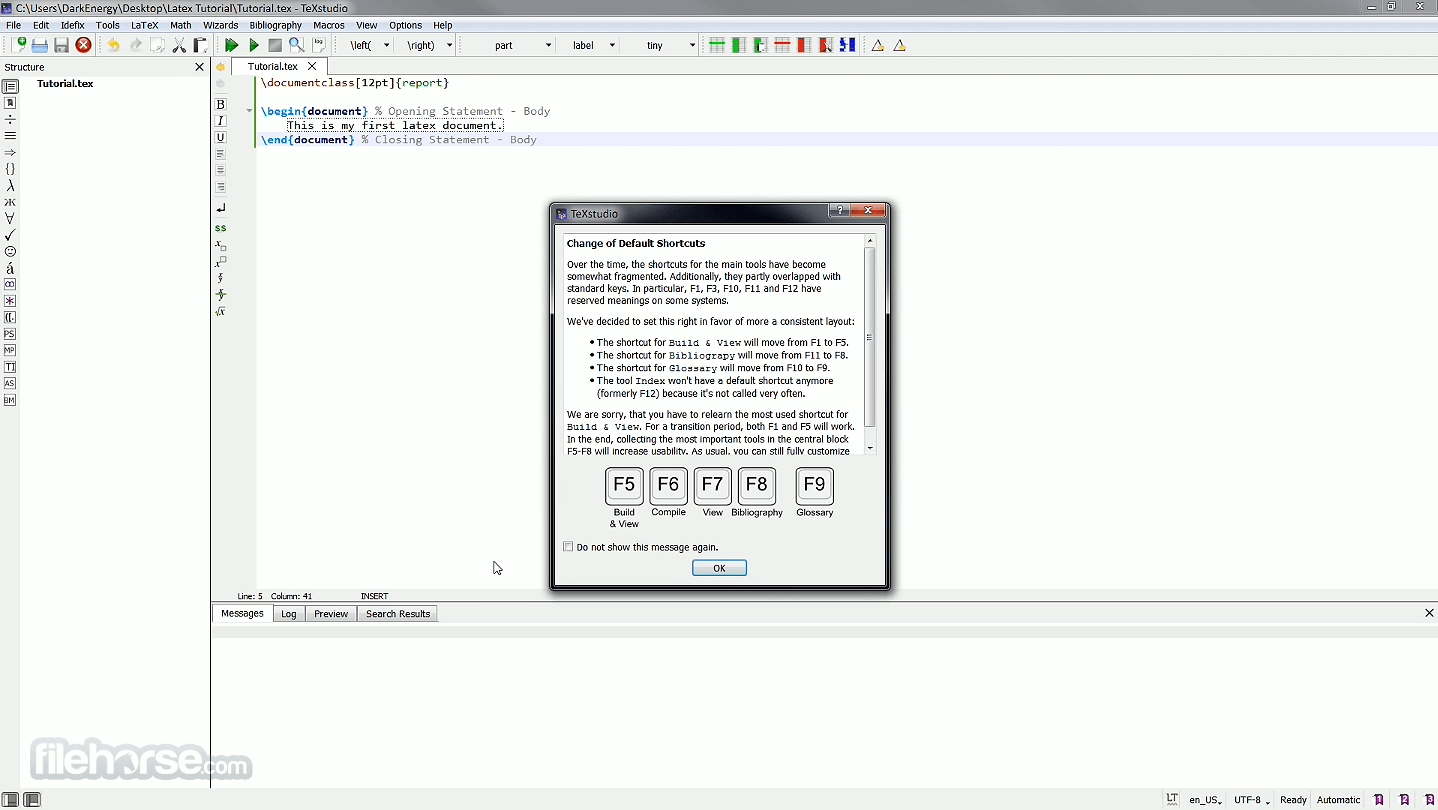
Press F5 to compile and view the output in the built-in PDF viewer. Toolbars and menus offer quick access to symbols, formatting options, and error logs.
Full Features
Is TeXstudio beginner-friendly?
Yes, it includes templates, wizards, and helpful features that assist beginners in writing LaTeX documents.
Do I need a separate LaTeX distribution?
Yes, you must install MiKTeX or TeX Live for compiling documents.
Can I use TeXstudio for academic papers and theses?
Absolutely. It's ideal for complex documents such as academic papers, theses, and reports.
Does it support version control?
While it doesn't have built-in version control, it integrates well with external tools like Git.
Is it free?
Yes, TeXstudio is open-source and completely free to use.
Alternatives
TeXmaker: Simpler, more lightweight option.
MiKTeX: Amazing TeX/LaTeX typesetting system tool for Microsoft Windows.
System Requirements
OS: Windows 11, 10, 8 or 7
Processor: 1 GHz or faster
RAM: 2 GB minimum
Storage: Around 200 MB for this program; more required for LaTeX distribution
PROS
TeXstudio is one of the most comprehensive and powerful LaTeX editors available for Windows users. With a rich set of features, extensive customization, and an active development community, it is an excellent choice for anyone working with LaTeX, from casual writers to academic professionals.
Download TeXstudio Latest Version Why is this app published on FileHorse? (More info)
TeXstudio for Windows focuses on providing a user-friendly interface, real-time syntax highlighting, and a comprehensive set of tools that make editing LaTeX documents efficient and accessible.
Key Features
Syntax Highlighting and Code Completion: Highlights LaTeX commands and offers auto-complete suggestions, speeding up writing.
Integrated PDF Viewer: Comes with a built-in viewer that supports forward and inverse search, making document navigation seamless.
Error Highlighting: Detects errors and warnings in real-time to help users fix issues before compilation.
Reference and Citation Support: Easily insert and manage references and bibliography entries.
Templates and Wizards: Predefined templates and document wizards help beginners get started quickly.
Spell Checking and Grammar Support: Multi-language support helps maintain high-quality writing.
Customizable Shortcuts and Macros: Tailor the editor to match your workflow.
User Interface
TeXstudio offers a clean, tabbed interface that supports multi-document editing. It provides side panels for structure navigation, symbols, and file management.
The layout is intuitive, and users can customize toolbars and panels for a more personalized experience. Syntax highlighting, collapsible code blocks, and a real-time preview panel enhance usability.
How to Use
After installation, launch TeXstudio and start a new .tex file or open an existing one. The left panel helps manage file structure, while the main editor allows you to write LaTeX code.
Press F5 to compile and view the output in the built-in PDF viewer. Toolbars and menus offer quick access to symbols, formatting options, and error logs.
Full Features
- Structure viewer for navigating document sections
- Code folding to collapse/expand parts of the code
- Advanced syntax highlighting for better readability
- Interactive spellchecker for real-time corrections
- Interactive grammar checker to improve text quality
- Reference checker to validate citations and references
- Clear display of LaTeX errors and warnings in editor and list
- Powerful build system for compiling complex documents
- Error highlighting for quicker debugging
- Supports multiple LaTeX compilers and tools like index, bibliography, glossary, and Latexmk
- Automatically detects when multiple LaTeX runs are needed
- Run external programs as part of the build process
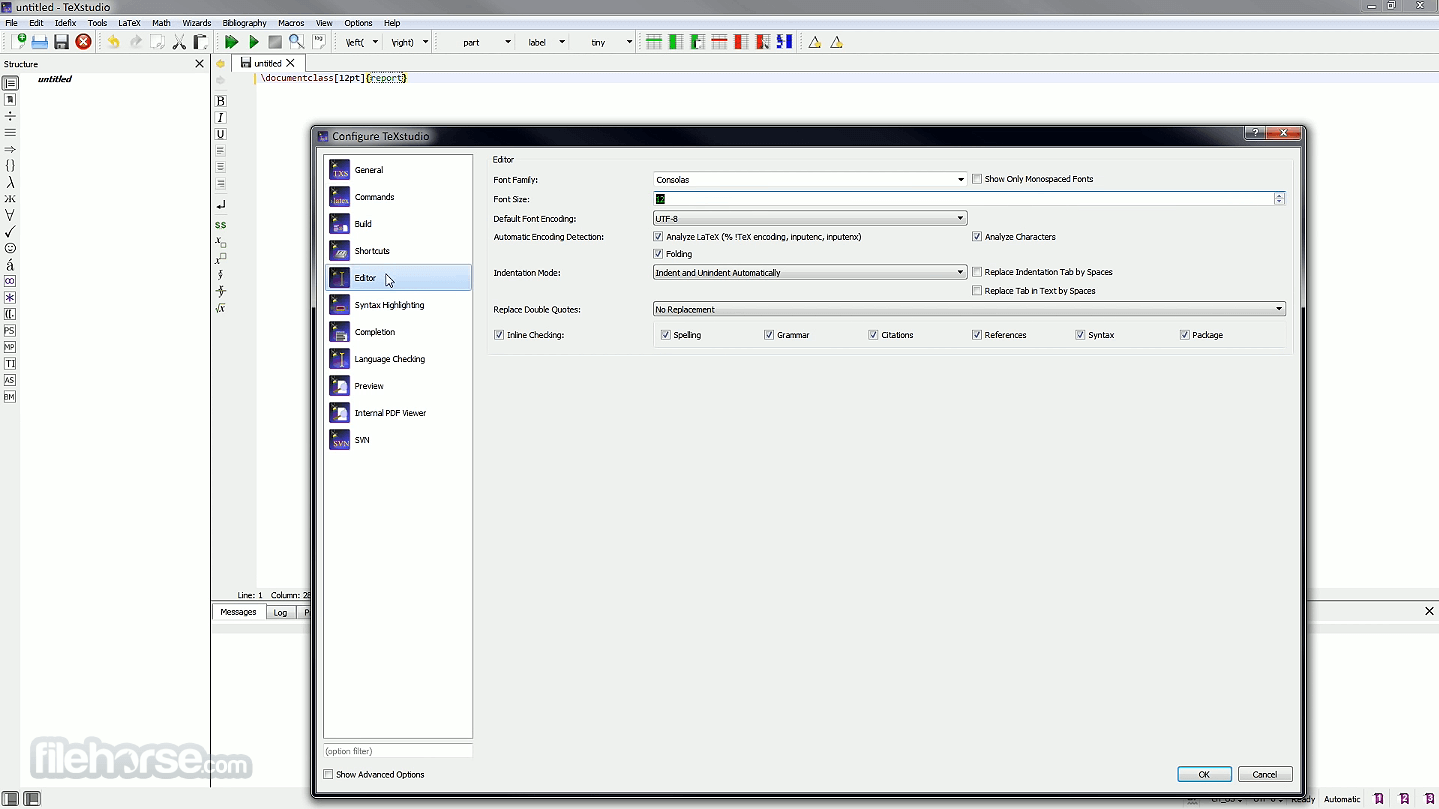
- Fully customizable for complete document creation
- Integrated PDF viewer with near word-level sync
- Inline preview updates live for formulas and code
- Tooltip previews for included images
- Easy to install on Windows, Linux, and macOS
- Portable USB version available
- Auto-detection of MikTeX, TeX Live, Ghostscript, and Standardlatex
- SVN version control support included
Is TeXstudio beginner-friendly?
Yes, it includes templates, wizards, and helpful features that assist beginners in writing LaTeX documents.
Do I need a separate LaTeX distribution?
Yes, you must install MiKTeX or TeX Live for compiling documents.
Can I use TeXstudio for academic papers and theses?
Absolutely. It's ideal for complex documents such as academic papers, theses, and reports.
Does it support version control?
While it doesn't have built-in version control, it integrates well with external tools like Git.
Is it free?
Yes, TeXstudio is open-source and completely free to use.
Alternatives
TeXmaker: Simpler, more lightweight option.
MiKTeX: Amazing TeX/LaTeX typesetting system tool for Microsoft Windows.
System Requirements
OS: Windows 11, 10, 8 or 7
Processor: 1 GHz or faster
RAM: 2 GB minimum
Storage: Around 200 MB for this program; more required for LaTeX distribution
PROS
- Rich feature set
- Customizable interface
- Integrated PDF viewer
- Cross-platform support
- Free and open-source
- Requires separate LaTeX distribution
- Can be overwhelming for absolute beginners
- Lacks native collaboration tools
TeXstudio is one of the most comprehensive and powerful LaTeX editors available for Windows users. With a rich set of features, extensive customization, and an active development community, it is an excellent choice for anyone working with LaTeX, from casual writers to academic professionals.
Download TeXstudio Latest Version Why is this app published on FileHorse? (More info)
##
畫面截圖
- 2026-07-25 TeXstudio 4.9.6 146 MB
- 2026-06-06 TeXstudio 4.9.5 148 MB
- 2026-05-10 TeXstudio 4.9.4 146 MB
- 2026-03-27 TeXstudio 4.9.3 138 MB
- 2026-02-08 TeXstudio 4.9.2 138 MB
- 2025-12-16 TeXstudio 4.9.1 138 MB
- 2025-11-08 TeXstudio 4.9.0 138 MB
- 2025-09-13 TeXstudio 4.8.9 136 MB