
- 軟體名稱Tixati 3.44 (64-bit)
- 目前版本2.45
- 更新日期2016-09-27
- 檔案大小12.75MB
- 檔案名稱tixati-2.45-1.win32-install.exe
- 作業系統Windows 7 64 / Windows 8 64 / Windows 10 64 / Windows 11
- 支援語系English
- 授權型式免費軟體
- 開發商 Tixati Software Inc
- 軟體分類Windows 軟體 / 檔案傳輸與網路
編輯短評
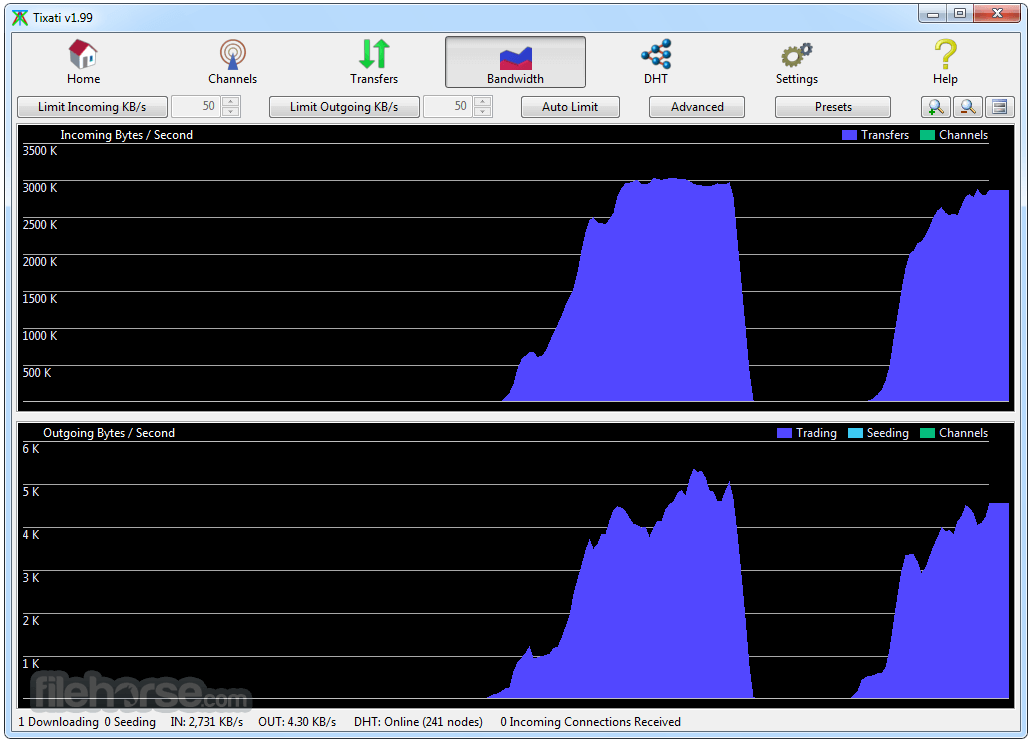
Tixati是一款基于BitTorrent协议的点对点文件分享工具,让使用者能加入群体下载大档案,提升传输效率。它的最大特色是进阶带宽图表,能分别显示协议与档案流量,并分类上传的分享与交易,让使用者清楚掌握网络使用状况。这款软件更新相当活跃,长期维护中,评价普遍不错,在同分类中属于热门选择。
这款工具适合需要精细控制带宽、或重视下载安全性的使用者,尤其在下载大型档案或调整上传比例时很实用。与uTorrent相比,Tixati更强调带宽管理,但界面可能较复杂;与Internet Download Manager这类下载管理器不同,它是P2P工具,用途各异。它是免费软件,但仅支援英文界面,中文使用者需留意语言上的门槛。
軟體介紹
它提供進階的頻寬管理、詳細的統計資料,以及無廣告、無間諜軟體的友善操作介面。
與其他 torrent 用戶端不同,Tixati for Windows 專注於提供精簡流暢的體驗與強大功能,同時維持高效能表現。
功能特色
無廣告或間諜軟體 – 100% 免費,且沒有擾人的廣告。
進階頻寬管理 – 讓使用者可以控制上傳與下載速度。
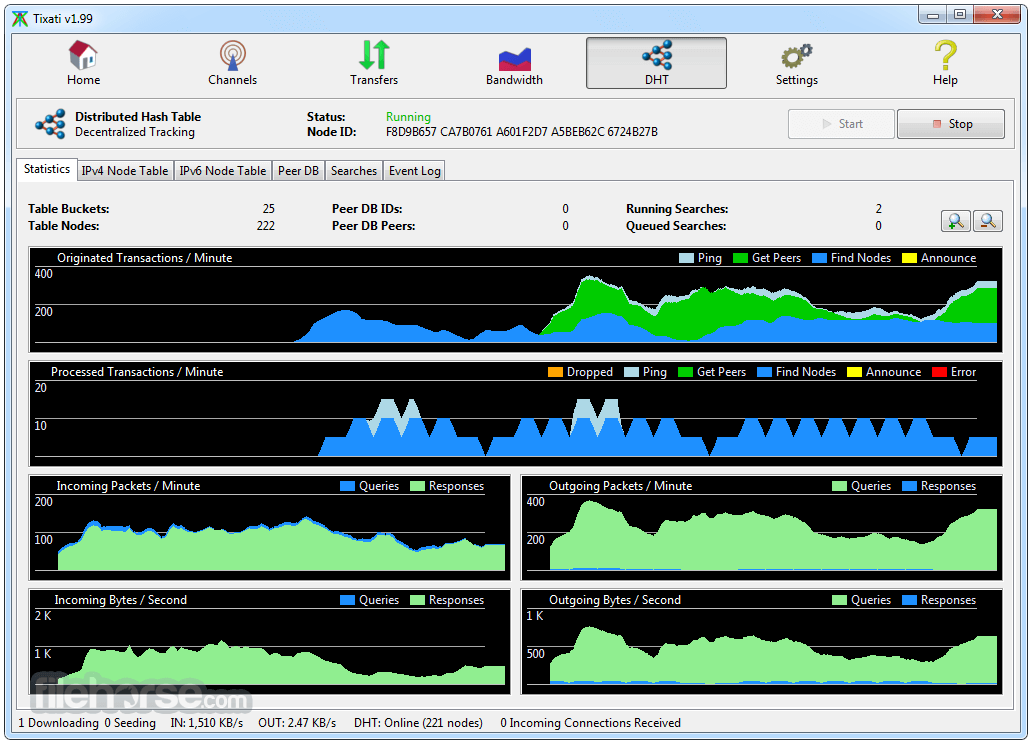
詳細的對等節點與傳輸資訊 – 提供連線與檔案分享的深入洞察。
RSS 支援 – 自動從 RSS 訂閱下載 torrent。
DHT 與 PEX 支援 – 透過尋找更多對等節點來提升 torrent 下載效率。
加密與 IP 過濾 – 提升安全性與隱私保護。
可攜模式 – 免安裝即可執行,非常適合用於 USB 隨身碟。
使用者介面
這款應用程式具備乾淨且直覺的介面,並以易用性為重點。主視窗顯示 torrent、傳輸與統計資料,而進階設定則妥善分類,方便進階使用者操作。
與現代替代方案相比,介面可能略顯過時,但功能依然非常強大。
安裝與設定
Tixati 安裝簡單,且幾乎不需要額外設定。只要從官方網站下載安裝程式、依照安裝精靈操作,然後啟動軟體即可。
使用者可以在安裝過程中設定頻寬限制與網路設定。
使用方式
- 下載並安裝 Tixati。
- 開啟軟體並設定頻寬限制。
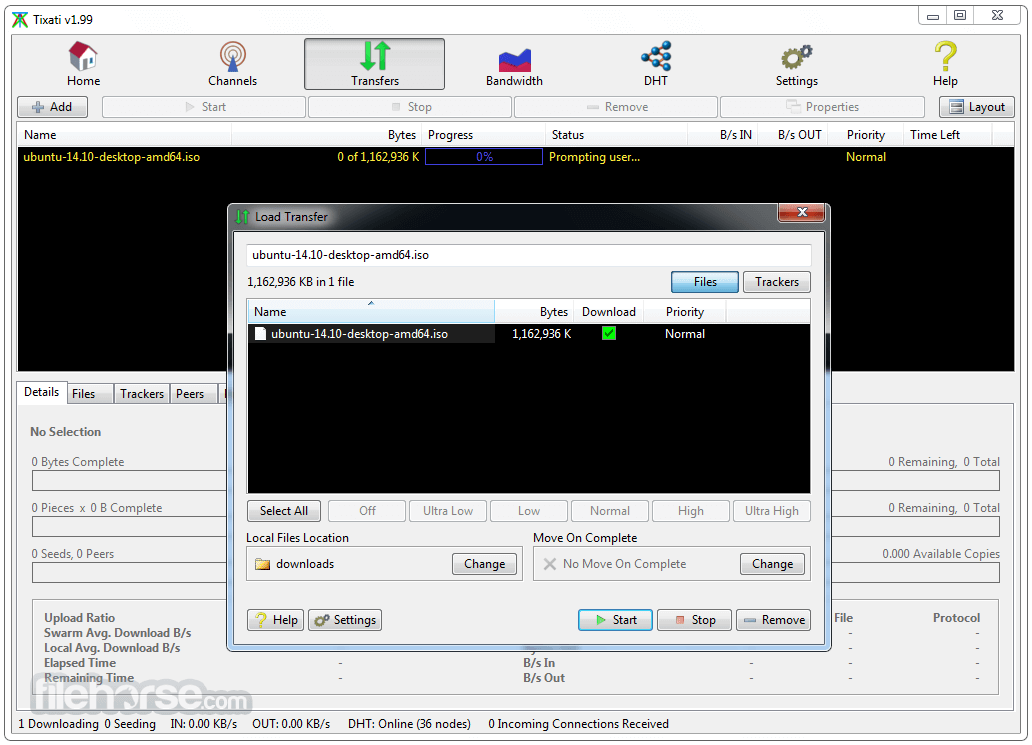
- 加入 torrent 檔案或 magnet 連結以開始下載。
- 在主介面中監控傳輸進度。
- 如有需要,可調整設定以最佳化速度。
Tixati 使用安全嗎?
是的,此程式完全沒有廣告、間諜軟體或惡意軟體。請務必從官方網站或 FileHorse 下載。
Tixati 支援 magnet 連結嗎?
支援,它完全支援 magnet 連結與直接 torrent 下載。
我可以免安裝使用 Tixati 嗎?
可以,它提供可攜版本,無需安裝即可執行。
如何最佳化 Tixati 的下載速度?
調整頻寬限制、啟用協定加密,並使用種子數充足的 torrent 以獲得更好的速度。
Tixati 有內建搜尋引擎嗎?
沒有,此軟體未提供整合式的 torrent 搜尋引擎。使用者必須自行在外部尋找 torrent。
替代方案
qBittorrent – 開放原始碼、無廣告且輕量,並具備整合式搜尋引擎。
Deluge – 極簡且可自訂,支援外掛程式。
uTorrent – 廣受歡迎,但包含廣告與可選的附加軟體。
BitTorrent – 與 uTorrent 類似,但具備專有功能。
系統需求
- 作業系統:Windows 7、8、10、11(亦提供 Linux 版本)
- 處理器:1 GHz 或更快
- 記憶體:512 MB 或更高
- 儲存空間:50 MB 可用磁碟空間
- 網路:下載 torrent 時需要連線
- 免費且無廣告
- 輕量,系統資源占用低
- 進階的 torrent 管理功能
- 無間諜軟體或不必要的軟體
- 提供可攜模式
- 使用者介面較為過時
- 沒有內建搜尋引擎
- 缺乏串流播放功能
- 支援度不如其他用戶端廣泛
- 可能需要手動調整以達到最佳效能
Tixati 是一款優秀的 BitTorrent 用戶端,非常適合重視效率、隱私與下載控制權的使用者。它提供強大的功能,且不會受到廣告或不必要冗餘軟體的干擾。
雖然它的介面可能略顯過時,且缺乏內建搜尋引擎,但對於尋求無廣告、簡潔直接的 torrent 下載體驗的人來說,它依然是一個強而有力的選擇。
下載 Tixati 最新版本 為什麼這個應用程式會發布在 FileHorse 上?(更多資訊)
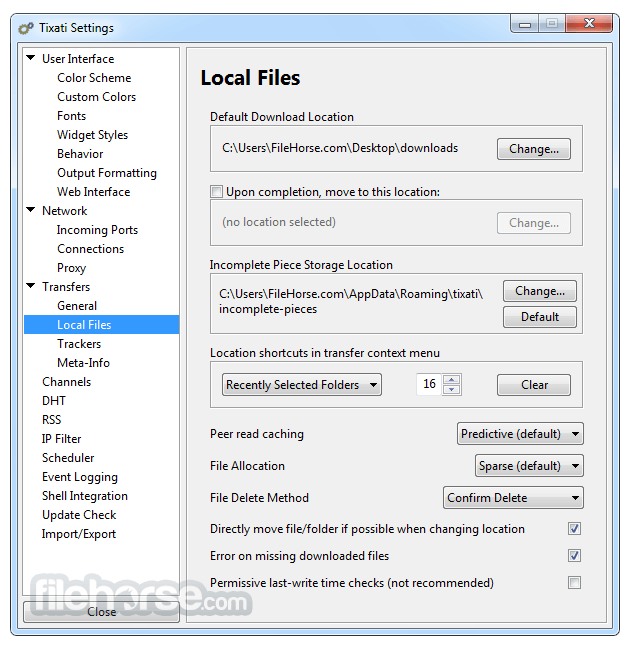
畫面截圖
5 張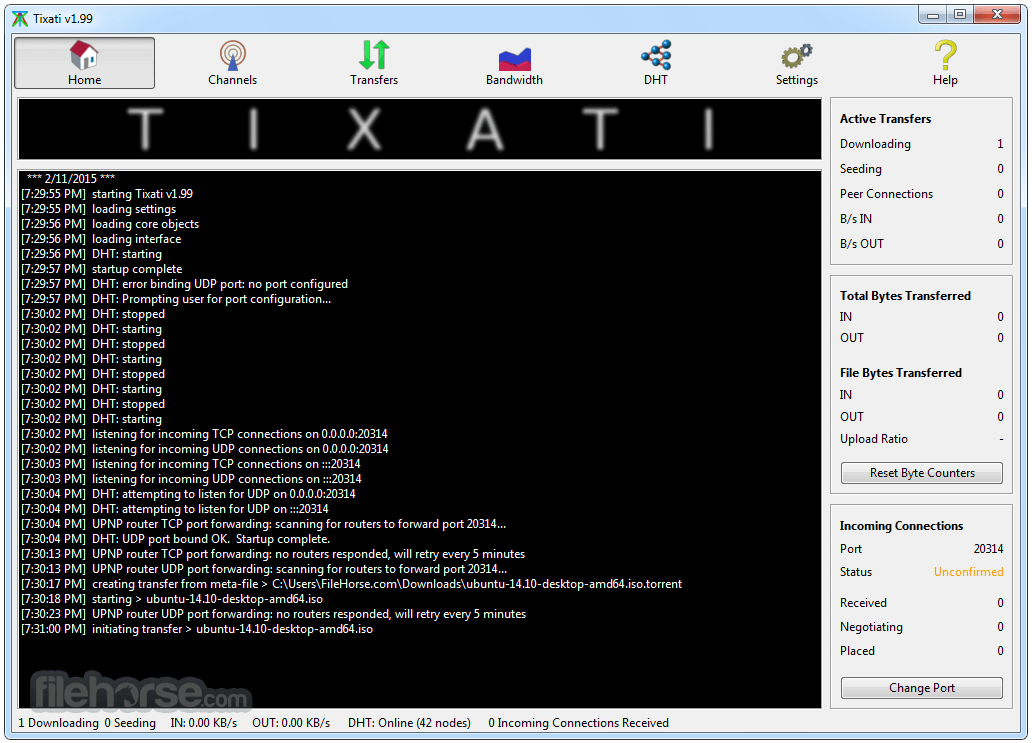

更新日誌
2.45 - faster and more memory-efficient config loading on startup.
- support for config files over 4GB.
- fixed problems with channel share recursive mirroring, added loop prevention.
- update channel share mirrors on channel startup.
- Linux/GTK build now supports drag-dropping .torrent files and text with magnet links from shell.
- several fixes in Windows drag-drop shell interface.
- outgoing stream window now supports drag-dropping media files on list.
- outgoing stream window can now load .pls and .m3u playlist files along with the usual .ts and .mp3 media files.
- outgoing stream window can now save .pls and .m3u files by right-clicking two or more selected entries.
- trackers now report all-time upload/download statistics (same as seen in transfer details tab) instead of re-zeroing on every run.
- font size is now adjustable directly from the tray menu under the Layout submenu.
- on Windows systems, if directory watch notification fails on a network drive, polling method will automatically be tried.
- fixed problems with file replacement confirmation dialogs.
- fixed several problems with moving newly-created seeds while initial hash-checking was still underway.
- several URL decoding fixes when parsing file:// links from the Linux shell (command line, drag-drop, IPC, etc.).
- fixed crash in bandwidth quota actions when a referenced bandwidth preset no longer exists.
- fixed rare crash caused by loading very old configuration files that contain files with a null path.
- additional per-file validity-checks when creating new torrents from local files.
- updated transfer-initiation routines to prevent needless file allocation under certain error conditions.
- better handling of broken symbolic links in Linux file systems.
- transfer preload window "Apply to All" option will not override category-capture paths for subsequent transfers.
- moving a newly-created seed to another device during initial checking will no longer clear the bitfield.
- out of memory termination is handled more gracefully, leaves a log file on desktop.
- improvements to channel search algorithms.
- core UDP/TCP socket wrappers have improved closedown/lingering semantics.
- stream playback pacing algorithms completely re-engineered and re-written, resulting in much smoother playback.
- option to launch streams directly with ffplay is now off by default (vlc is still on by default).
- added charts in stream properties window to show validation rate and playback rate.
- new PNG rendering engine (for icons and graphics) that is much faster and less error-prone.
- fixed several problems with various tree sorting modes in main transfer view layout menu.
- better text positioning inside progress bars.
- the color of checkboxes in treeviews can now be altered in Settings > User Interface > Custom Colors.
- help-handling (F1 key) context subsystem has been replaced.
- resource storage tokenization/compression improvements.
- major updates to GUI settings and color storage (this will allow future addition of columns without disturbing custom order).
- added several advanced positioning directives to GUI layout engine.
- implemented notifications for online contacts.
- implemented notifications for private messages from contacts.
- several minor fixes in the DHT.
- minor fixes in the GUI for channels classic layout.
- updated IP-location tables.
- fixed temporary allocation errors when a transfer file is forced through download - delete - download cycle.
- minor fixes to tray icon / menu and balloon notification system.
- seeding auto-stop on ratio/seeds now waits for file-touching upon transfer startup.
- move-on-complete paths are now properly cleared after completion, instead of falling back to default.
- several other internal upgrades to our GUI layout engine and framework have been made.
- fixed errors when creating directories upon transfer move-on-complete and simultaneous incomplete-rename.
歷史版本
完整清單 →- 2026-06-22 Tixati 3.44 (32-bit) 21 MB
- 2026-06-22 Tixati 3.44 (64-bit) 21.4 MB
- 2026-06-20 Tixati 3.43 (32-bit) 20.9 MB
- 2026-06-20 Tixati 3.43 (64-bit) 21.4 MB
- 2025-12-05 Tixati 3.42 (32-bit) 20.5 MB
- 2025-12-05 Tixati 3.42 (64-bit) 20.6 MB
- 2025-12-04 Tixati 3.41 (32-bit) 20.5 MB
- 2025-12-04 Tixati 3.41 (64-bit) 20.6 MB