⚠ 這是歷史版本頁面 — 查看 Topaz Video AI 最新版本 →

- 目前版本7.1.1
- 更新日期2025-08-16
- 檔案大小259 MB
- 檔案名稱TopazVideoAI-7.1.1.msi
- 作業系統Windows 10 (64-bit) / Windows 11
- 支援語系English
- 授權型式商業試用
- 開發商 Topaz Labs
- 軟體分類Windows 軟體 / 影片軟體
##
編輯短評
Topaz Video AI 是一款以人工智慧為核心的影片放大與增強工具,主要解決低解析度影片放大後細節流失、畫面模糊的問題。它結合多個輸入影格進行分析,能將素材提升至高達 8K/16K 的解析度,同時維持動態一致性與真實細節。這套軟體由 Topaz Labs 開發,近期更新仍算活躍,使用者評價普遍不錯,在同類專業工具中屬於口碑穩定的選擇。
適合需要修復舊影片、將低解析度素材用於高畫質輸出的影視工作者或內容創作者。與 KMPlayer、K-Lite 等播放或解碼工具不同,它專注於畫質提升,因此需要較高的硬體效能與運算時間。軟體提供試用版,但僅有英文介面,使用前需留意授權限制與平台相容性(支援 Windows 與 macOS)。
##
翻譯排程處理中,以下暫以英文原文呈現
軟體介紹
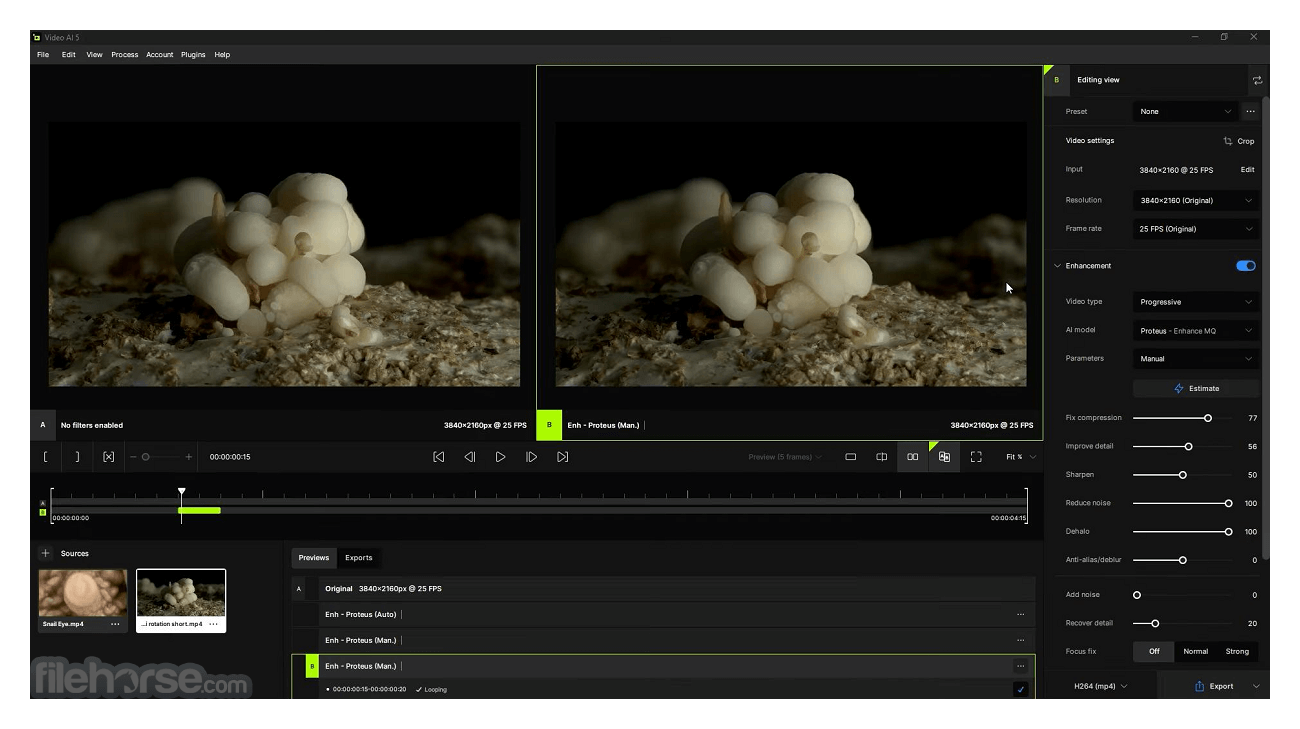
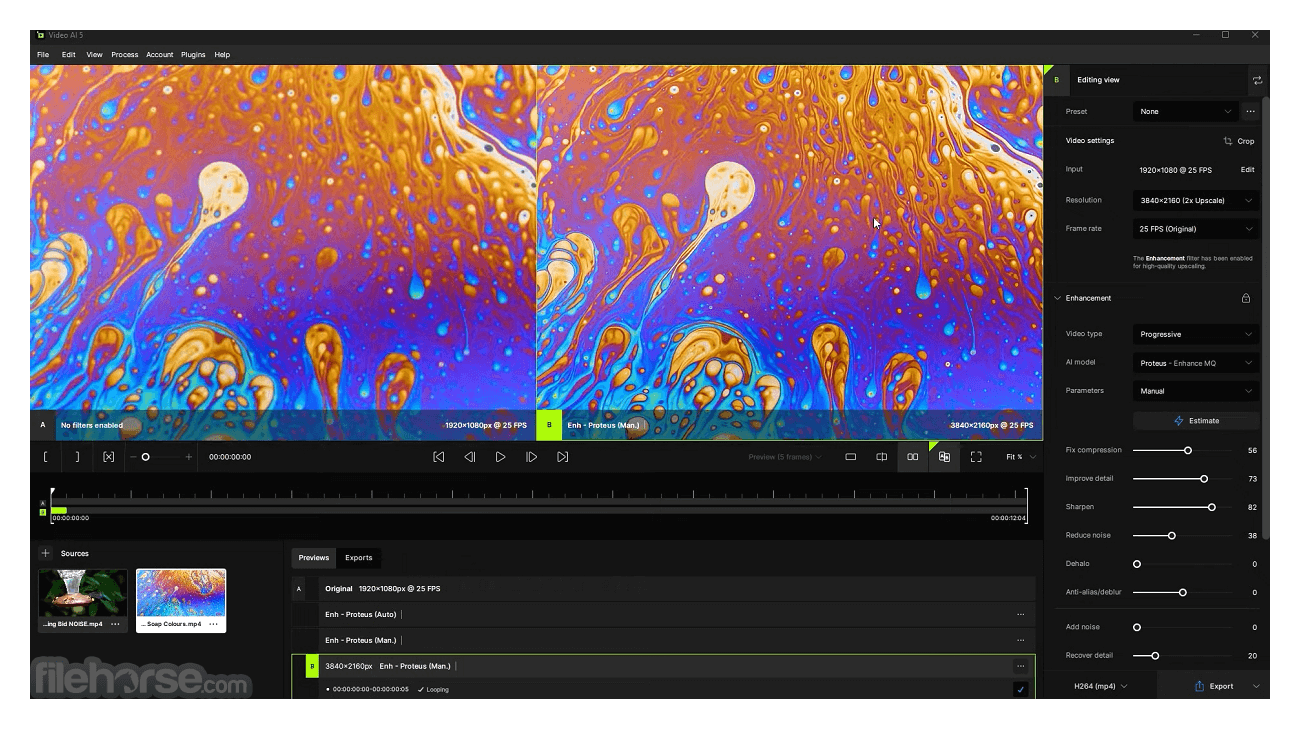
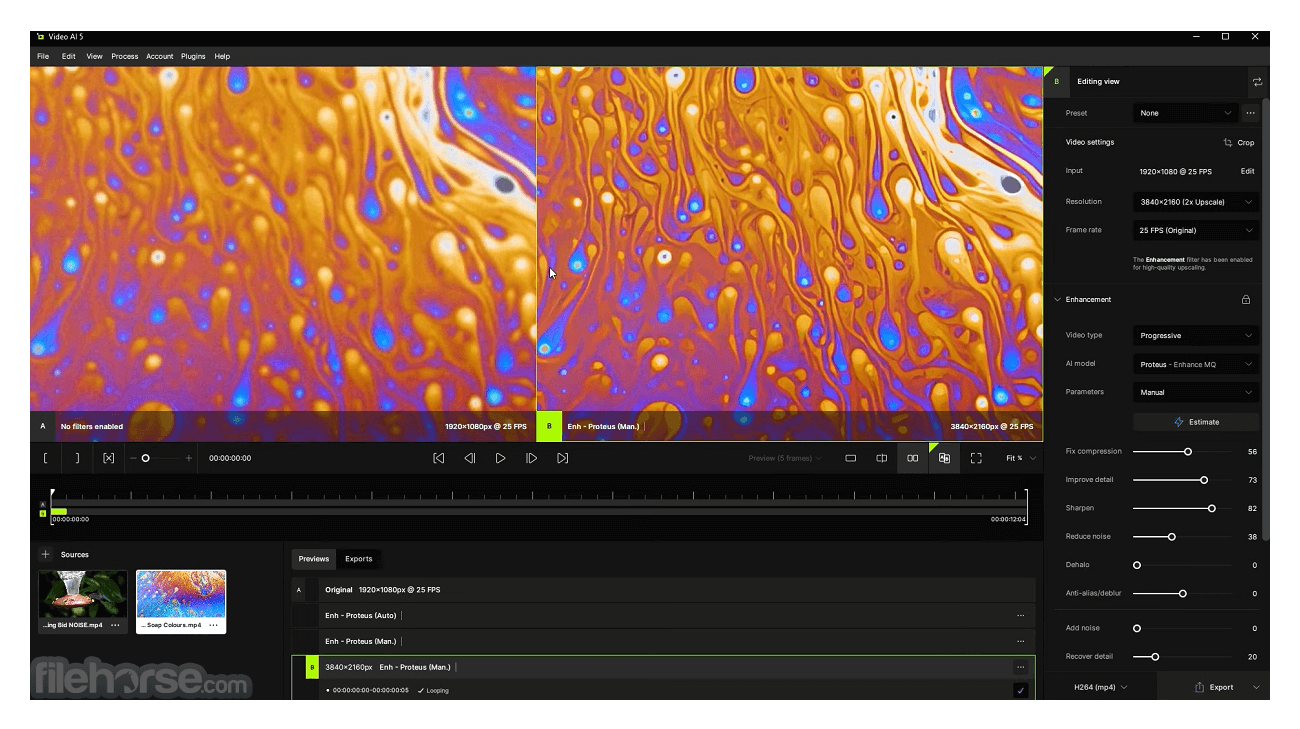
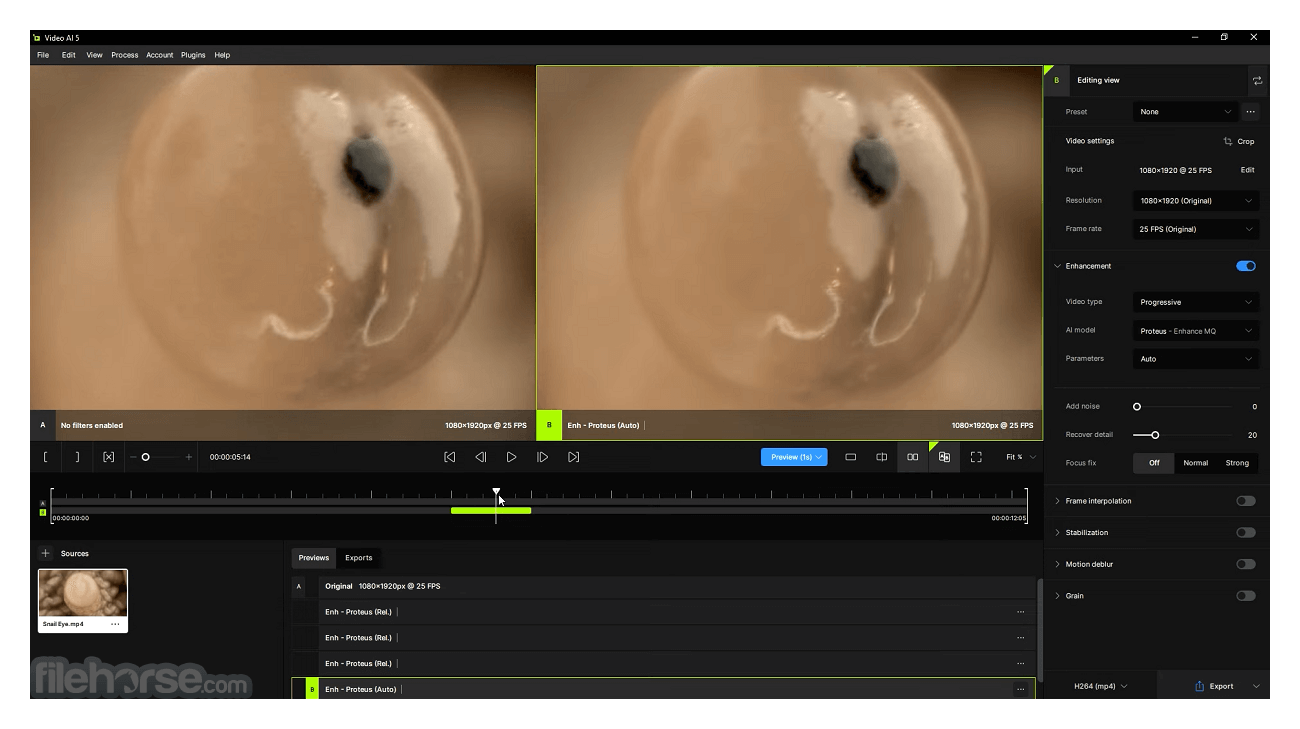
Trained on thousands of videos and combining information from multiple input video frames, Topaz Video AI will enlarge and enhance your footage up to 8K/16K resolution with true details and motion consistency.
Using intelligent AI technology, the Video Enhance AI app is the most powerful video upscaling software ever released.
Traditional video upscaling simply stretches resolution, degrading the quality and destroying details. There has never been a way to perfectly recreate high-resolution video from low-resolution footage… Until now.
With the app, you can take your footage from SD to HD with an incredible increase in quality. It's perfect for older footage that you want to repurpose for modern use.
This is the only AI-powered commercial app specifically designed for video upsampling. Trained on thousands of video clips, the AI uses multiple frames of information to achieve better quality and less motion artifacts. You won’t find better-upscaling results anywhere else.
Until now, no deep-learning-based approach existed for video enlargement as a commercial product. Topaz Video Enhance AI is the only product that uses machine learning to extrapolate detail from your footage for a realistic look. The quality of output from Video Enhance AI is simply better than any other product available.
It was trained using a neural network that analyzes thousands of video pairs to learn how details usually get lost. Unlike Gigapixel AI for photos, Topaz Video AI is able to extrapolate more detail for an even more realistic look given the amount of information available in a single video clip.
With just a few clicks of a button, your video footage will start rendering to create beautiful high-resolution quality footage. There are no complicated processes or confusing tools – just a few simple steps and your footage is ready to go.
New Features
Frame Generation
Seamlessly match cameras with varying frame rates or achieve slow-motion effects effortlessly. Models like Apollo and Chronos create additional frames for ultra-smooth playback.
Aion AI Model
Unlock unparalleled slow-motion capabilities with up to 16x frames-per-second interpolation.
Chronos AI Model
Experience fluid conversion from 24fps to 60fps, with the option to push frame rates to 120fps and beyond for unparalleled smoothness.
Post-Production Stabilization
Maintain focus on your subject by eliminating distracting camera shake. Stabilize frames and recover lost detail caused by unwanted movement, while reducing motion blur and slow shutter effects, all during post-processing.
Instant 16K Upscaling
Elevate your content's resolution effortlessly without compromising quality. Video AI seamlessly boosts resolution while eliminating artifacts typically associated with traditional upscaling methods. With a single click, achieve stunning 4K, 8K, and up to 16K resolution with exceptional visual clarity, courtesy of Video AI.
Crash Recovery
Seamlessly resume work after system reboots, power loss, or unexpected crashes, ensuring minimal disruption to your workflow.
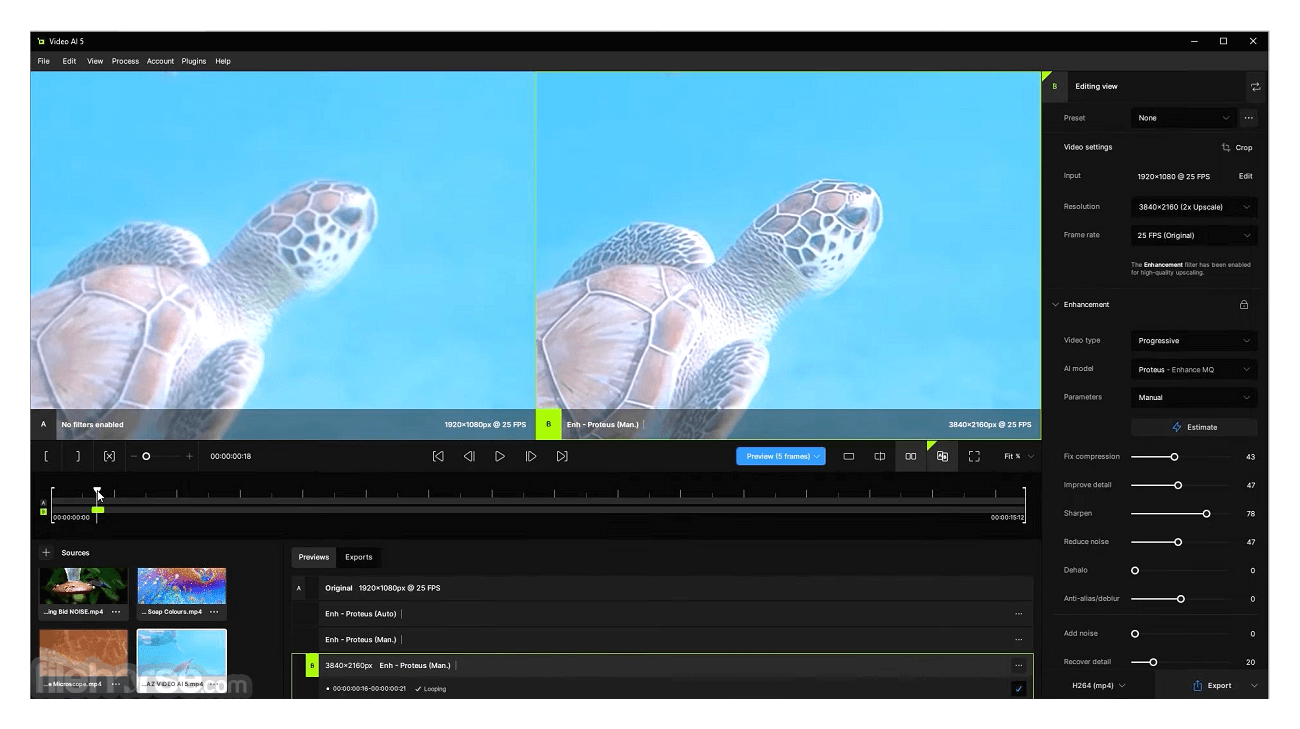
Streamlined User Interface
Enjoy a refreshed, intuitive user interface that prioritizes your footage, ensuring a seamless editing experience with enhanced focus on your creative vision.
Pricing
Lifetime licence is $299.00 USD.
What is included with my purchase?
Your purchase includes two seats for standalone and plugins for both Mac and Windows, along with 12 months of upgrades. You can re-download and re-install our product at any time.
Minimum Requirements
Windows Operating System
10 or 11 (most updated version recommended)
CPU
Intel OR AMD with AVX2 instructions
System Memory (RAM)
16 GB (32 GB or more recommended)
Graphics Card (NVIDIA)
NVIDIA GTX 900 series or higher, 6GB VRAM
Graphics Card (AMD)
AMD Radeon 500 series or higher, 6GB VRAM
Graphics Card (Intel)
Intel ARC A750
CPU Release Year
2016 or newer
PROS
Also Available: Download Topaz Video AI for Mac
Download Topaz Video AI Latest Version Why is this app published on FileHorse? (More info)
Using intelligent AI technology, the Video Enhance AI app is the most powerful video upscaling software ever released.
Traditional video upscaling simply stretches resolution, degrading the quality and destroying details. There has never been a way to perfectly recreate high-resolution video from low-resolution footage… Until now.
- Train
- Learn
- Optimize
With the app, you can take your footage from SD to HD with an incredible increase in quality. It's perfect for older footage that you want to repurpose for modern use.
This is the only AI-powered commercial app specifically designed for video upsampling. Trained on thousands of video clips, the AI uses multiple frames of information to achieve better quality and less motion artifacts. You won’t find better-upscaling results anywhere else.
Until now, no deep-learning-based approach existed for video enlargement as a commercial product. Topaz Video Enhance AI is the only product that uses machine learning to extrapolate detail from your footage for a realistic look. The quality of output from Video Enhance AI is simply better than any other product available.
It was trained using a neural network that analyzes thousands of video pairs to learn how details usually get lost. Unlike Gigapixel AI for photos, Topaz Video AI is able to extrapolate more detail for an even more realistic look given the amount of information available in a single video clip.
With just a few clicks of a button, your video footage will start rendering to create beautiful high-resolution quality footage. There are no complicated processes or confusing tools – just a few simple steps and your footage is ready to go.
New Features
Frame Generation
Seamlessly match cameras with varying frame rates or achieve slow-motion effects effortlessly. Models like Apollo and Chronos create additional frames for ultra-smooth playback.
Aion AI Model
Unlock unparalleled slow-motion capabilities with up to 16x frames-per-second interpolation.
Chronos AI Model
Experience fluid conversion from 24fps to 60fps, with the option to push frame rates to 120fps and beyond for unparalleled smoothness.
Post-Production Stabilization
Maintain focus on your subject by eliminating distracting camera shake. Stabilize frames and recover lost detail caused by unwanted movement, while reducing motion blur and slow shutter effects, all during post-processing.
Instant 16K Upscaling
Elevate your content's resolution effortlessly without compromising quality. Video AI seamlessly boosts resolution while eliminating artifacts typically associated with traditional upscaling methods. With a single click, achieve stunning 4K, 8K, and up to 16K resolution with exceptional visual clarity, courtesy of Video AI.
Crash Recovery
Seamlessly resume work after system reboots, power loss, or unexpected crashes, ensuring minimal disruption to your workflow.
Streamlined User Interface
Enjoy a refreshed, intuitive user interface that prioritizes your footage, ensuring a seamless editing experience with enhanced focus on your creative vision.
Pricing
Lifetime licence is $299.00 USD.
What is included with my purchase?
Your purchase includes two seats for standalone and plugins for both Mac and Windows, along with 12 months of upgrades. You can re-download and re-install our product at any time.
Minimum Requirements
Windows Operating System
10 or 11 (most updated version recommended)
CPU
Intel OR AMD with AVX2 instructions
System Memory (RAM)
16 GB (32 GB or more recommended)
Graphics Card (NVIDIA)
NVIDIA GTX 900 series or higher, 6GB VRAM
Graphics Card (AMD)
AMD Radeon 500 series or higher, 6GB VRAM
Graphics Card (Intel)
Intel ARC A750
CPU Release Year
2016 or newer
PROS
- High-quality upscaling up to 8K/16K
- AI-powered for realistic detail
- Post-production stabilization
- Chronos and Aion AI Model
- Simple, intuitive interfac
- High system requirements
- Little expensive lifetime license
Also Available: Download Topaz Video AI for Mac
Download Topaz Video AI Latest Version Why is this app published on FileHorse? (More info)
##
影片介紹
##
畫面截圖
- 2025-12-10 Topaz Video AI 7.1.5 370 MB
- 2025-09-12 Topaz Video AI 7.1.4 370 MB
- 2025-08-27 Topaz Video AI 7.1.3 329 MB
- 2025-08-21 Topaz Video AI 7.1.2 259 MB
- 2025-08-16 Topaz Video AI 7.1.1 259 MB
- 2025-07-19 Topaz Video AI 7.1.0 326 MB
- 2025-06-25 Topaz Video AI 7.0.3 327 MB
- 2025-06-22 Topaz Video AI 7.0.2 327 MB