Total Uninstall 7.6.2
v 7.6.2
Windows
商業試用
7.58/10 (24)
- 目前版本7.6.2
- 更新日期2025-12-24
- 檔案大小14.5 MB
- 檔案名稱Total-Uninstall-Setup-7.6.2.exe
- 作業系統Windows Vista / Windows 7 / Windows 8 / Windows 10 / Windows 11
- 支援語系English
- 授權型式商業試用
- 開發商 Gavrila Martau
- 軟體分類Windows 軟體 / 系統優化
##
翻譯排程處理中,以下暫以英文原文呈現
軟體介紹
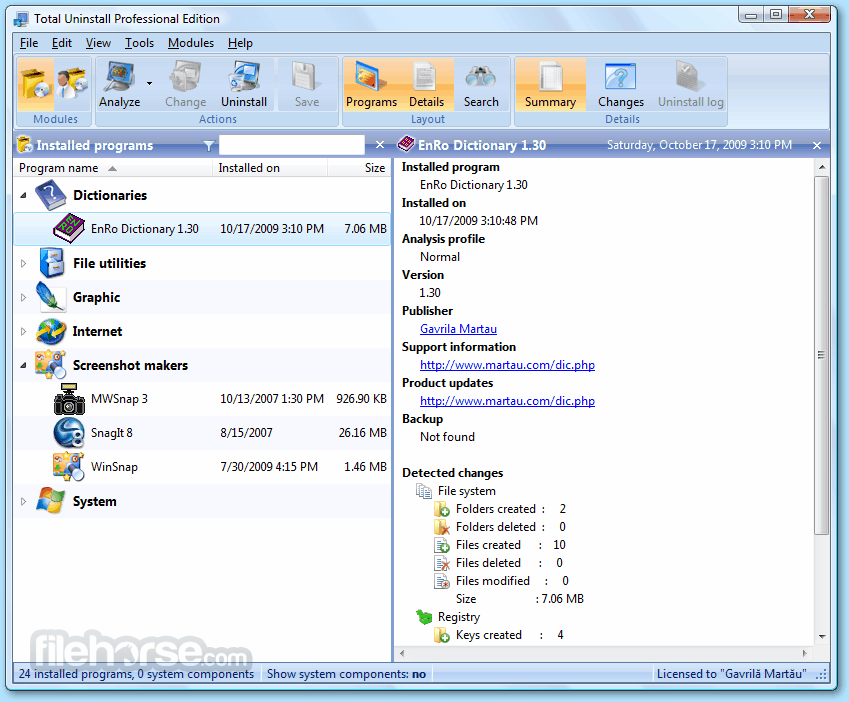
Total Uninstall is a very useful file system and OS management utility that can help you to quickly remove applications from your PC, giving you peace of mind that all the components of the app are safely and completely deleted.
This is especially important for users who have encountered malicious applications, unstable applications, apps that have forced you to install and use secondary background services, or in some cases, programs that refuse to uninstall or are causing other parts of your user experience to suffer.
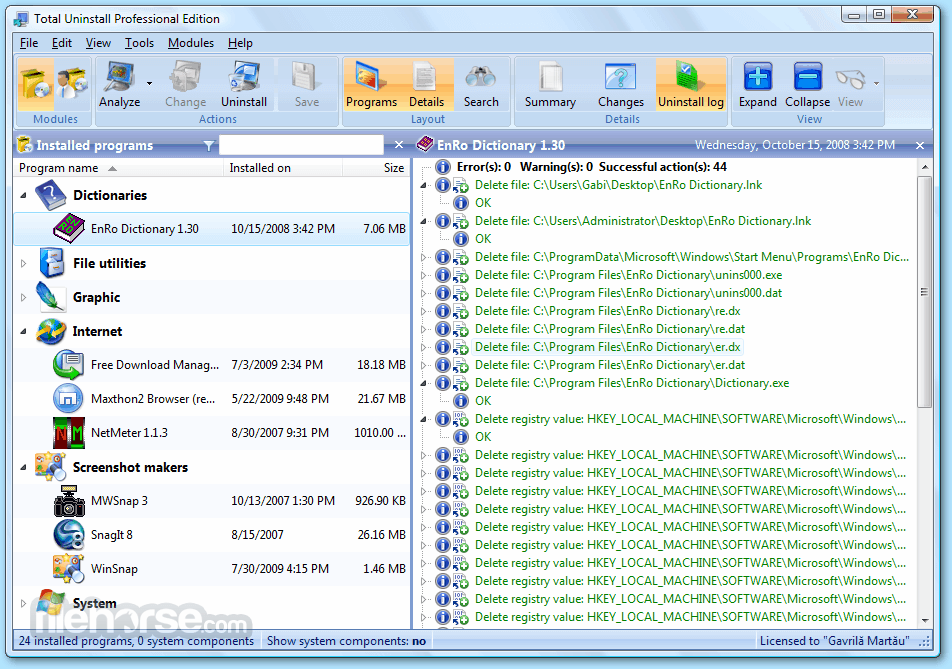
With Total Uninstall, you can take control over the uninstall process, identify all the apps that are currently residing in your system and with a simple click of your mouse, remove them forever from your PC.
Total Uninstall is safe & secure, tested to be virus-free. All of its files are in their original form.
It prides itself on being the one-stop solution for safe and complete removal of apps from the Windows operating system.
This includes a comprehensive deep scan of your machine which will unveil to the app how each app has spread throughout your PC, including their presence in Windows Registry, integration into Windows OS, and locations of all the secondary directories they have made over your storage drives.
While this deep scan can be lengthy, it is essential for providing you the service of total app removal.
Features and Highlights
Operating Systems: Windows 7, 8, 8.1, 10, 11 (64-bit)
PROS
Download Total Uninstall Latest Version Why is this app published on FileHorse? (More info)
This is especially important for users who have encountered malicious applications, unstable applications, apps that have forced you to install and use secondary background services, or in some cases, programs that refuse to uninstall or are causing other parts of your user experience to suffer.
With Total Uninstall, you can take control over the uninstall process, identify all the apps that are currently residing in your system and with a simple click of your mouse, remove them forever from your PC.
Total Uninstall is safe & secure, tested to be virus-free. All of its files are in their original form.
It prides itself on being the one-stop solution for safe and complete removal of apps from the Windows operating system.
This includes a comprehensive deep scan of your machine which will unveil to the app how each app has spread throughout your PC, including their presence in Windows Registry, integration into Windows OS, and locations of all the secondary directories they have made over your storage drives.
While this deep scan can be lengthy, it is essential for providing you the service of total app removal.
Features and Highlights
- Intuitive Interface – Take full control over the app uninstall process with few mouse clicks.
- Power of the Complete Uninstall – Select apps, analyze their presence on your PC, and quickly remove them.
- Remove Corrupt programs - Remove every trace of corrupt apps and stubborn files that are hidden on your hard drives.
- Scan for Leftovers – Modern Apps bring with them secondary services and leave tons of registry entries and temporary files after regular uninstallation. The app can clean your drive from all those leftovers.
- Manual adding of stubborn “not listed” programs – Some apps that are corrupted or have crashed during their regular uninstallation procedure can become missing from the both OS and the program listings of apps. Thankfully, you can manually add them, attempt scan, and completely remove them.
- Regularly updated tutorials for the handling of various apps – Developers of TotalUninstall educate their users on the specific procedures for the uninstallation of many popular and difficult-to-remove apps via their official blog. Visit that online space for many tips and tricks.
- Stats for deleted changes.
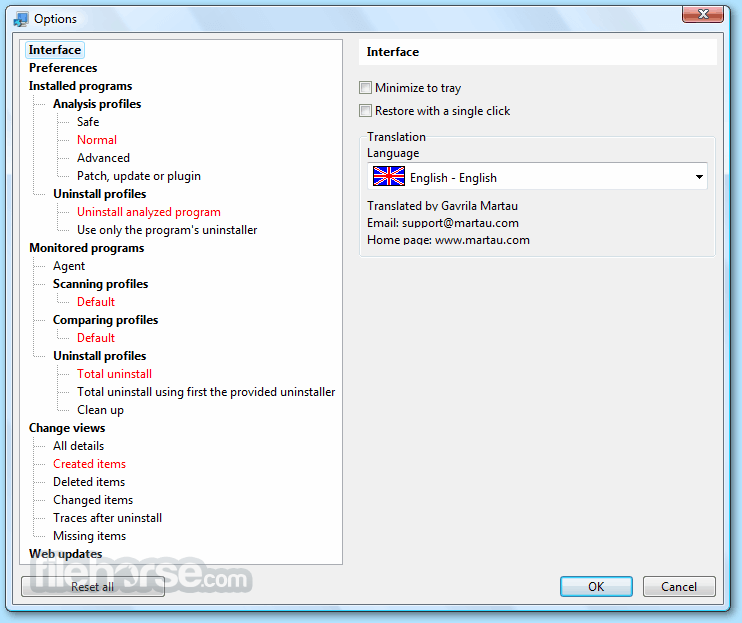
- User-configurable scanning profiles and uninstall profiles.
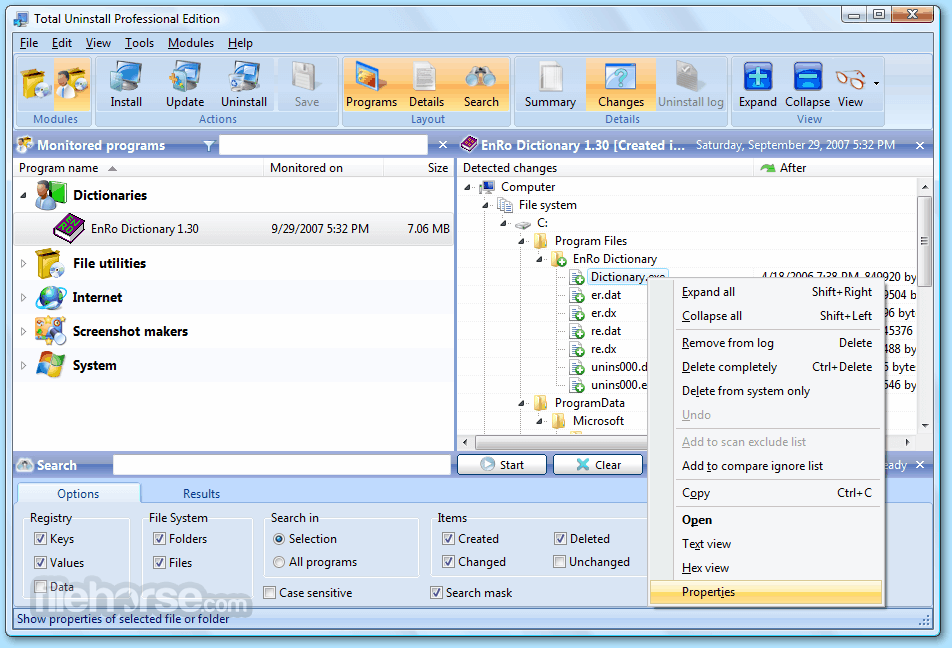
- Monitor installation changes of the registry and files system.
- Export registry changes to install and uninstall.
- Available to all Windows users as shareware during a Free to Try period.
- Launch Total Uninstall software
- Select the program to uninstall
- Analyze the selected program
- Review detected changes
- Initiate the uninstall process
- Confirm removal of leftover items
Operating Systems: Windows 7, 8, 8.1, 10, 11 (64-bit)
PROS
- Accurate program analysis
- Monitors new installations
- Complete uninstallation
- Backup and restore features
- Startup manager included
- No offline registration
- Family license restrictions
- Limited license transfers
- Trial period limitations
- No redistribution allowed
Download Total Uninstall Latest Version Why is this app published on FileHorse? (More info)
##
畫面截圖