⚠ 這是歷史版本頁面 — 查看 Tracker 最新版本 →

Tracker 6.2.0
v 6.2.0
Windows
開源軟體
8/10 (96)
- 目前版本6.2.0
- 更新日期2024-06-25
- 檔案大小140.21 MB
- 檔案名稱Tracker-6.2.0-windows-x64-installer.exe
- 作業系統Windows 7 / Windows 8 / Windows 10 / Windows 11
- 支援語系English
- 授權型式開源軟體
- 開發商 Douglas Brown
- 軟體分類Windows 軟體 / 影片軟體
##
編輯短評
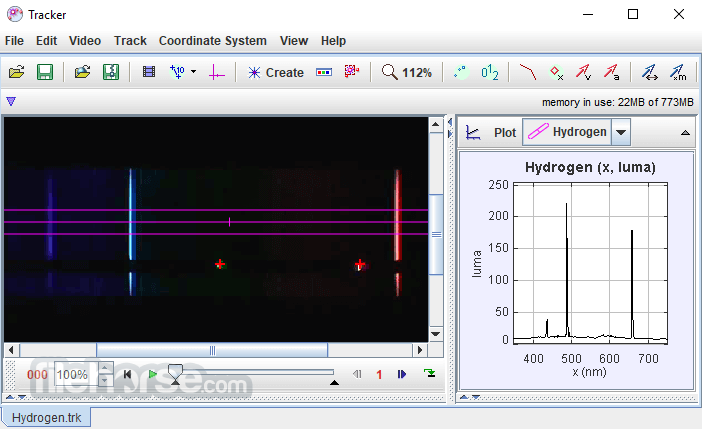
Tracker 是一款以物理教育為核心的開源影片分析與建模工具,它讓使用者能將影片中的運動軌跡與電腦模擬結合,進而觀察速度、加速度等物理量的變化。它最特別的地方在於能自動或手動追蹤物體運動,並在畫面上疊加向量與數據,同時支援質心計算與 RGB 線型分析,是課堂上講解動力學與運動學的實用輔助。這套軟體由 Douglas Brown 持續維護,近年仍有更新,在同類工具中屬於小眾但評價普遍不錯的選擇。
這套軟體特別適合物理教師、學生或任何需要進行影片運動分析的人,無論是課堂示範、專題研究,還是自學理解力學概念,都能派上用場。與 KMPlayer 或 K-Lite Codec Pack 這類播放或解碼工具不同,Tracker 的定位是分析而非播放,因此沒有直接替代的熱門軟體。它內建 Java 執行環境,下載後即可使用,但僅提供英文介面,且目前只支援 Windows 平台,使用前需留意語系與作業系統的相容性。
##
翻譯排程處理中,以下暫以英文原文呈現
軟體介紹
Tracker is a free video analysis and modeling tool built on the Open Source Physics (OSP) Java framework. It is designed to be used in physics education.
Tracker video modeling software is a powerful way to combine videos with computer modeling. Tracker includes a Java JRE runtime and Xuggle video engine.
Features and Highlights
What’s New
It supports the following video formats:
What is Tracker, and what is it used for?
Tracker is a free, open-source video analysis and modeling tool designed for physics education. It allows users to analyze motion in videos and extract data such as position, velocity, and acceleration, helping students connect real-world motion with physics concepts.
What features does Tracker offer for analyzing motion?
Tracker includes features like object tracking, motion graphs (position, velocity, acceleration), calibration tools, and the ability to overlay theoretical models directly onto video. This allows users to compare real-world motion with physics equations and simulations visually and interactively.
Is Tracker still relevant in 2026 for learning physics?
Yes, Tracker remains widely used in education because it combines video analysis with modeling, which is still considered an effective way to teach physics concepts. Its open-source nature, cross-platform support, and ability to connect theory with real experiments make it valuable for schools and self-learners, even as newer tools emerge.
System Requirements
Download Tracker Latest Version Why is this app published on FileHorse? (More info)
Tracker video modeling software is a powerful way to combine videos with computer modeling. Tracker includes a Java JRE runtime and Xuggle video engine.
Features and Highlights
- Tracks motion manually or automatically with overlays for velocity, acceleration, and vectors.
- Calculates the center of mass and supports RGB line/time-based profiles.
- Builds dynamic and kinematic models using point mass and two-body systems.
- Imports models from spreadsheets or Easy Java Simulations for comparison.
- Syncs model overlays with videos for direct visual analysis.
- Plays/records various video formats across platforms using Xuggle.
- Offers video filters: brightness, ghost trails, deinterlace, and more.
- Includes lens distortion correction: perspective and radial filters.
- Exports and transcodes videos with or without graphics.
- Displays detailed video info like dimensions and frame rate.
- Supports fixed or changing coordinate systems, including tilt.
- Provides multiple calibration and reference frame options.
- Uses metric or custom units for analysis.
- Allows easy distance and angle measurement with tools.
- Filters data by circles, steps, or tracks.
- Enables custom variables and text annotations.
- Offers auto/manual data analysis and curve fitting.
- Exports data to text or the clipboard in custom formats.
- Organizes projects with a searchable library browser.
- Opens Tracker files via URL; supports metadata search.
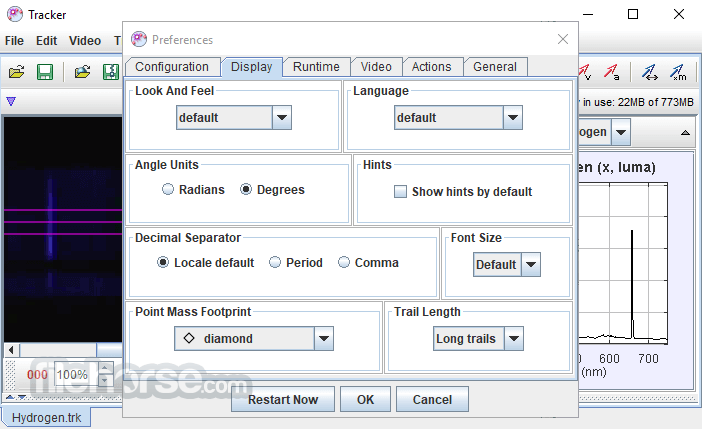
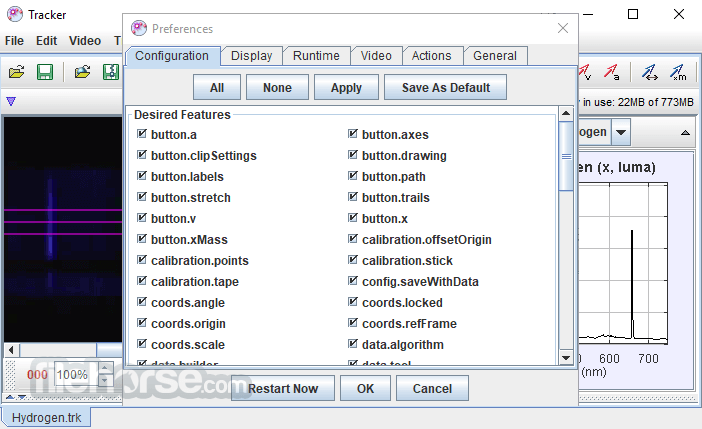
- Allows custom app settings, student note views, and GUI tweaks.
What’s New
- Autotracker Enhancements: Introduced a high-speed “Fast” tracking mode, adjustable tracking speed with live updates, and new controls including stop conditions, template sizing, and rectangular template support
- Performance Improvements: Increased autotracker and calibration tool responsiveness, especially when working with longer video files
- Precision Tooltips: Added detailed tooltips displaying exact start time, frame rate, and frame interval within clip settings
- Calibration Improvements: Introduced a pixel length field and fixed issues related to calibration stick placement
- Stability Fixes: Resolved issues with autotracker masks shrinking and uncontrolled visibility of templates and search areas
- Launch the Tracker program on your PC/Laptop
- Import a video for motion analysis
- Calibrate the video scale using a known length
- Set a coordinate system for accurate tracking
- Mark tracking points frame by frame
- Analyze data using built-in graphs and tools
- Export data as needed for further analysis
It supports the following video formats:
- Standard video files: .mp4, .avi, .wmv, .flv, and .mov
- Animated .gif images
- Numbered image sequences in .jpg, .png, or .gif formats (e.g., ball00.jpg, ball01.jpg...)
- Image sequences can also be loaded from a .zip archive
- iPhone users: Set Camera > Formats > Most Compatible
- Android users: Disable High efficiency video under Camera > Advanced recording options
What is Tracker, and what is it used for?
Tracker is a free, open-source video analysis and modeling tool designed for physics education. It allows users to analyze motion in videos and extract data such as position, velocity, and acceleration, helping students connect real-world motion with physics concepts.
What features does Tracker offer for analyzing motion?
Tracker includes features like object tracking, motion graphs (position, velocity, acceleration), calibration tools, and the ability to overlay theoretical models directly onto video. This allows users to compare real-world motion with physics equations and simulations visually and interactively.
Is Tracker still relevant in 2026 for learning physics?
Yes, Tracker remains widely used in education because it combines video analysis with modeling, which is still considered an effective way to teach physics concepts. Its open-source nature, cross-platform support, and ability to connect theory with real experiments make it valuable for schools and self-learners, even as newer tools emerge.
System Requirements
- Operating System: Windows 7, 8, 10, or 11
- Java: Java 8 or higher (Java must be installed separately if using the JAR version)
- RAM: Minimum 2 GB (4 GB or more recommended)
- Disk Space: 200 MB free disk space
- Graphics: OpenGL-compatible graphics card recommended
- Free and open-source software
- Ideal for physics education
- Supports customizable tracking
- Built-in data analysis tools
- Cross-platform compatibility
- Interface feels outdated
- Requires Java installation
- Limited video format support
- No official customer support
Download Tracker Latest Version Why is this app published on FileHorse? (More info)
##
畫面截圖
- 2026-07-07 Tracker 6.3.5 111.09 MB
- 2026-05-05 Tracker 6.3.4 110.82 MB
- 2025-05-06 Tracker 6.3.0 110.75 MB
- 2024-06-25 Tracker 6.2.0 140.21 MB
- 2024-06-05 Tracker 6.1.7 140.19 MB
- 2024-01-17 Tracker 6.1.6 140.15 MB
- 2023-10-05 Tracker 6.1.5 140.14 MB
- 2023-10-03 Tracker 6.1.4 140.14 MB