⚠ 這是歷史版本頁面 — 查看 TranslucentTB 最新版本 →

- 目前版本2023.2
- 更新日期2023-11-28
- 檔案大小1 MB
- 檔案名稱TranslucentTB.appinstaller
- 作業系統Windows 10 / Windows 11
- 支援語系English
- 授權型式開源軟體
- 開發商 Ethanhs
- 軟體分類Windows 軟體 / 桌面強化
##
編輯短評
TranslucentTB 是一款專為 Windows 10 與 Windows 11 設計的桌面強化工具,主要功能是讓工作列呈現半透明或各種透明效果,藉此改變桌面整體視覺氛圍。它最大的特色是「免安裝」——下載後解壓縮即可直接執行,沒有複雜的介面或設定視窗,操作起來相當直覺。這套開源軟體長期以來持續獲得更新,在同類工具中屬於熱門選擇,使用者評價普遍不錯,適合想快速調整工作列外觀的人。
如果你對預設的實心工作列感到單調,或想讓桌面背景與工作列更融合,這套工具就能派上用場。它與其他功能更繁雜的桌面美化軟體相比,取捨在於專注單一任務、資源占用低,但相對地不提供動態桌布或進階佈景主題。需要注意的是,目前僅支援英文介面,且僅適用於 Windows 平台;由於是開源軟體,授權上可自由使用,但若想長期依賴,仍須留意後續更新頻率是否穩定。
##
翻譯排程處理中,以下暫以英文原文呈現
軟體介紹
If you use a personal computer with the Windows 10 or Windows 11 operating system on it, then you will want to try a software title called TranslucentTB. It lets you customize the appearance of the taskbar on the desktop by adding translucent effects and other kinds of transparent styles.
As Simple as It Gets - No User Interface or Installation
There is no installation required for the TranslucentTB application. All you need to do is download the application. It will show up as a ZIP package file on your computer. Unzip the package and double-click on the executable file to run the application.
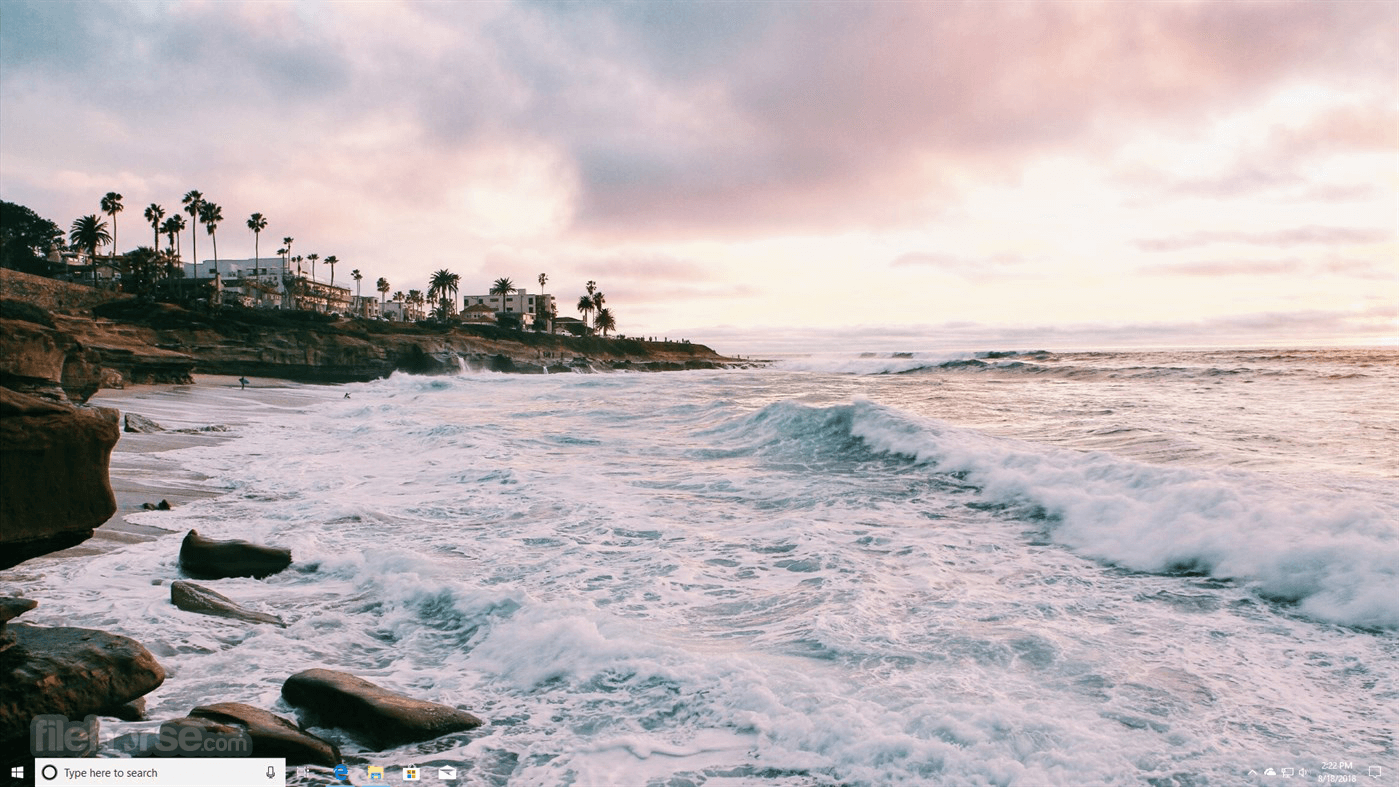
After the application launches, it will automatically integrate with your computer’s taskbar at the bottom of the screen. You’ll know it is there because a small icon will show up. There is no user interface to control the application either. All you have is a super small taskbar menu, which lets you add full transparency to your taskbar or a blur effect to it.
Change the Appearance with a Click of the Mouse
Transparency and blur effects are not the only modifications that you can make to the appearance of the taskbar. You can also change the colors of the taskbar and its behavior by entering specific commands. Of course, you must have knowledge of the commands before you can enter them successfully.
To restore the normal appearance of the taskbar, just use the taskbar menu to close the TranslucentTB for PC. Once the Start menu is activated again, the appearance should be restored.
Features
Transparency Control: You can adjust the transparency of your taskbar, giving it a sleek and modern look. Whether you prefer a subtle hint of translucency or a fully transparent taskbar, TranslucentTB has you covered.
Customization: Personalize your taskbar by choosing from various styles, colors, and backgrounds. Create a taskbar that suits your individual style and complements your desktop wallpaper.
Taskbar Pinning: Pin your favorite apps to the taskbar for quick and easy access. TranslucentTB provides an efficient way to manage your frequently used applications.
Dynamic Colors: The software can automatically match your taskbar's color to your active application's color scheme, ensuring a seamless and cohesive visual experience.
Intuitive Controls: TranslucentTB offers a user-friendly interface with simple controls, making it accessible even for users with minimal technical expertise.
Taskbar Management: Easily hide or reveal the taskbar according to your preferences. This feature is particularly handy when you want a distraction-free workspace.
Multi-Monitor Support: TranslucentTB seamlessly extends its features to multiple monitors, ensuring a consistent and harmonious taskbar experience.
What’s New
The program boasts an intuitive and user-friendly interface. The controls are neatly organized, and the software provides real-time previews of your customization choices, allowing you to fine-tune the appearance of your taskbar with ease.
Whether you're a tech-savvy user or a beginner, you'll find the interface easy to navigate.
Installation and Setup
Is TranslucentTB compatible with all versions of Windows?
TranslucentTB is compatible with Windows 7, Windows 8, Windows 10, and Windows 11, including both 32-bit and 64-bit versions.
Can I revert to the default taskbar settings if I don't like my customizations?
Yes, it allows you to revert to the default taskbar settings at any time by clicking the "Restore Default" button.
Does TranslucentTB consume a lot of system resources?
No, the tool is lightweight and consumes minimal system resources, ensuring it won't slow down your computer.
Are there any known compatibility issues with other software or applications?
The app is designed to work seamlessly with most software, but there may be rare instances of compatibility issues with specific applications. Be sure to check for updates to resolve any potential conflicts.
Alternatives
Classic Shell - Classic Shell is a free and open-source utility that offers extensive customization options for the Windows taskbar and Start menu. It's a great choice for users who want complete control over their Windows interface.
StartIsBack - It brings the classic Windows 7-style Start menu and taskbar to Windows 8 and 10, providing a familiar experience for users who miss the older Windows versions.
Start11 - Restore the Classic Start Menu in Windows 10/11
StartAllBack - It restores the taskbar, start menu, context menus, explorer, and style!
System Requirements
TranslucentTB app may be a small application, but it does a lot for the appearance of the main user interface features of the Windows operating system. As more people learn about the application, they will definitely want to download it onto their computers as well.
Most people are surprised by the simplistic nature of the application. However, there should be some additional options added to it in the future. These might be options for modifying the translucency percentage and a wider choice of colors for the taskbar.
Overall, whether you're looking to enhance the visual appeal of your taskbar or streamline your workflow, TranslucentTB is a valuable addition to your Windows customization toolkit.
Download TranslucentTB Latest Version Why is this app published on FileHorse? (More info)
As Simple as It Gets - No User Interface or Installation
There is no installation required for the TranslucentTB application. All you need to do is download the application. It will show up as a ZIP package file on your computer. Unzip the package and double-click on the executable file to run the application.
After the application launches, it will automatically integrate with your computer’s taskbar at the bottom of the screen. You’ll know it is there because a small icon will show up. There is no user interface to control the application either. All you have is a super small taskbar menu, which lets you add full transparency to your taskbar or a blur effect to it.
Change the Appearance with a Click of the Mouse
Transparency and blur effects are not the only modifications that you can make to the appearance of the taskbar. You can also change the colors of the taskbar and its behavior by entering specific commands. Of course, you must have knowledge of the commands before you can enter them successfully.
To restore the normal appearance of the taskbar, just use the taskbar menu to close the TranslucentTB for PC. Once the Start menu is activated again, the appearance should be restored.
Features
Transparency Control: You can adjust the transparency of your taskbar, giving it a sleek and modern look. Whether you prefer a subtle hint of translucency or a fully transparent taskbar, TranslucentTB has you covered.
Customization: Personalize your taskbar by choosing from various styles, colors, and backgrounds. Create a taskbar that suits your individual style and complements your desktop wallpaper.
Taskbar Pinning: Pin your favorite apps to the taskbar for quick and easy access. TranslucentTB provides an efficient way to manage your frequently used applications.
Dynamic Colors: The software can automatically match your taskbar's color to your active application's color scheme, ensuring a seamless and cohesive visual experience.
Intuitive Controls: TranslucentTB offers a user-friendly interface with simple controls, making it accessible even for users with minimal technical expertise.
Taskbar Management: Easily hide or reveal the taskbar according to your preferences. This feature is particularly handy when you want a distraction-free workspace.
Multi-Monitor Support: TranslucentTB seamlessly extends its features to multiple monitors, ensuring a consistent and harmonious taskbar experience.
What’s New
- Taskbar Preview Support: Added support for taskbar previews via window messages
- Improved Multitasking Stability: Better handling of desktop switching and Win+Tab interactions
- Faster Initialization: Optimized XAML diagnostics startup to reduce timeouts
- Compatibility Fixes: Improved support for apps that simulate a taskbar
- Cleaner Reinstallation Process: Explorer can now be automatically restarted during uninstall to prevent reinstall issues
- General Stability Improvements: Various bug fixes and system-level refinements
The program boasts an intuitive and user-friendly interface. The controls are neatly organized, and the software provides real-time previews of your customization choices, allowing you to fine-tune the appearance of your taskbar with ease.
Whether you're a tech-savvy user or a beginner, you'll find the interface easy to navigate.
Installation and Setup
- Installing TranslucentTB is a straightforward process. Follow these simple steps to get started:
- Visit the official TranslucentTB website or download it from trusted sources like the Microsoft Store or GitHub.
- Run the installation file and follow the on-screen instructions.
- Once installed, launch the application.
- Explore the customization options and adjust your taskbar to your liking.
- It can be set to start automatically with Windows for convenience.
- Using TranslucentTB is as easy as customizing your taskbar:
- Open TranslucentTB from your Start menu or system tray.
- Adjust transparency, colors, and other settings using the intuitive controls.
- Click the "Apply" button to see your changes take effect in real time.
- Experiment with different styles until you achieve your desired taskbar appearance.
- Enjoy your personalized and visually appealing taskbar.
Is TranslucentTB compatible with all versions of Windows?
TranslucentTB is compatible with Windows 7, Windows 8, Windows 10, and Windows 11, including both 32-bit and 64-bit versions.
Can I revert to the default taskbar settings if I don't like my customizations?
Yes, it allows you to revert to the default taskbar settings at any time by clicking the "Restore Default" button.
Does TranslucentTB consume a lot of system resources?
No, the tool is lightweight and consumes minimal system resources, ensuring it won't slow down your computer.
Are there any known compatibility issues with other software or applications?
The app is designed to work seamlessly with most software, but there may be rare instances of compatibility issues with specific applications. Be sure to check for updates to resolve any potential conflicts.
Alternatives
Classic Shell - Classic Shell is a free and open-source utility that offers extensive customization options for the Windows taskbar and Start menu. It's a great choice for users who want complete control over their Windows interface.
StartIsBack - It brings the classic Windows 7-style Start menu and taskbar to Windows 8 and 10, providing a familiar experience for users who miss the older Windows versions.
Start11 - Restore the Classic Start Menu in Windows 10/11
StartAllBack - It restores the taskbar, start menu, context menus, explorer, and style!
System Requirements
- Operating System: Windows 7, 8, 10, or 11 (32-bit or 64-bit)
- RAM: 2 GB or higher
- Disk Space: 10 MB of free space
- CPU: 1 GHz or faster processor
- Extensive customization options for the Windows taskbar.
- User-friendly interface suitable for all skill levels.
- Lightweight and resource-efficient.
- Real-time previews of customizations.
- Multi-monitor support for a consistent experience.
- Occasional compatibility issues with specific software.
TranslucentTB app may be a small application, but it does a lot for the appearance of the main user interface features of the Windows operating system. As more people learn about the application, they will definitely want to download it onto their computers as well.
Most people are surprised by the simplistic nature of the application. However, there should be some additional options added to it in the future. These might be options for modifying the translucency percentage and a wider choice of colors for the taskbar.
Overall, whether you're looking to enhance the visual appeal of your taskbar or streamline your workflow, TranslucentTB is a valuable addition to your Windows customization toolkit.
Download TranslucentTB Latest Version Why is this app published on FileHorse? (More info)
##
畫面截圖
- 2026-05-07 TranslucentTB 2026.1 1 MB
- 2025-04-24 TranslucentTB 2025.1 1 MB
- 2024-12-12 TranslucentTB 2024.3 1 MB
- 2024-03-04 TranslucentTB 2024.1 1 MB
- 2023-11-28 TranslucentTB 2023.2 1 MB
- 2022-12-01 TranslucentTB 2022.1 1 MB
- 2021-10-08 TranslucentTB 2021.5 1 MB
- 2020-07-22 TranslucentTB 2020.2 2.4 MB