⚠ 這是歷史版本頁面 — 查看 UniFi Network Server 最新版本 →

- 目前版本7.5.187
- 更新日期2023-10-17
- 檔案大小227 MB
- 檔案名稱UniFi-installer.exe
- 作業系統Windows 7 / Windows 7 64 / Windows 8 / Windows 8 64 / Windows 10 / Windows 10 64
- 支援語系English
- 授權型式商業試用
- 開發商 Ubiquiti Inc.
- 軟體分類Windows 軟體 / 檔案傳輸與網路
##
編輯短評
UniFi Network Server 是由 Ubiquiti Inc. 開發的專業設備管理工具,旨在解決 Ubiquiti 硬體裝置的集中化管理問題。它提供一個中心化平台,讓使用者能遠端配置、監控並管理無線存取點、交換器、閘道器及攝影機等設備,並內建豐富的診斷與視覺化分析工具。這款軟體在同類工具中評價普遍不錯且維護活躍,是管理該品牌網路環境的主流選擇。
這套軟體適合需要部署小型網路環境的系統管理員或企業用戶,在需要統一監控多台硬體裝置時會用到。與一般的檔案傳輸工具相比,它更專注於基礎設施的配置與維護。使用者在下載前需留意,本軟體目前僅提供英文版且採試用版授權,此外除了 Windows 平台外亦有 macOS 版本可供選擇。
##
翻譯排程處理中,以下暫以英文原文呈現
軟體介紹
UniFi Network Server (formerly UniFi Network Controller) is a professional device manager tool that enables owners of Ubiquiti hardware devices to easily manage them remotely and access a wide array of diagnostic and visualization tools.
UniFi Network is a powerful network management software developed by Ubiquiti Networks. It serves as a centralized platform for configuring, monitoring, and managing UniFi devices such as access points, switches, gateways, and cameras.
With its intuitive interface and comprehensive feature set, it simplifies network administration for both small-scale deployments and large enterprise environments.
Built from the ground up by Ubiquiti Networks, a large manufacturer of wireless data communication and wireless broadband products, this single app can be used for the complete management of a wide array of devices found inside your home, business, or organization.
Because of its focus on larger enterprise products and networks, this app is fully ready to handle an incredibly large number of devices with top-of-the-line services for data monitoring, security, analytics, reports, and more.
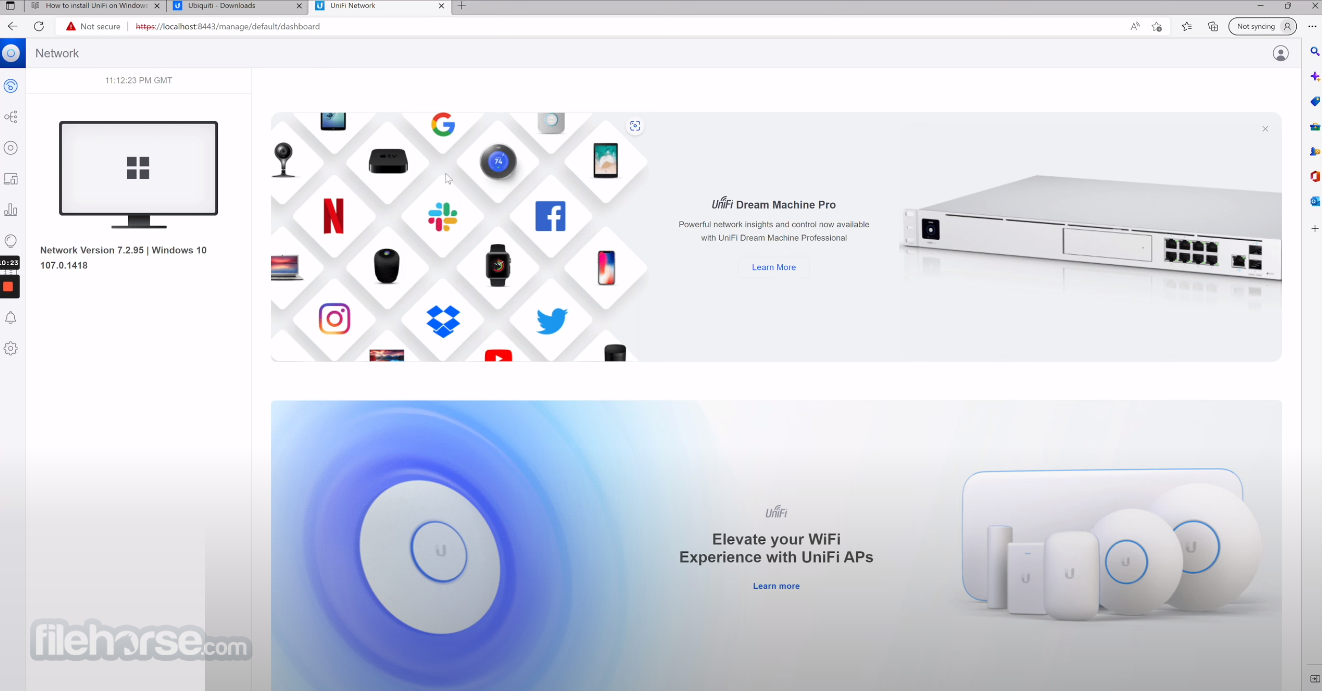
After installing UniFi Network Server on your Windows PC and logging into the Ubiquity online service using your username and password, you will find out that this network management suite does not have its own standalone app window, but is instead accessible via your web browser.
The interface is sleek, modern, and intuitive, with six main tab icons located on the left, and a large data listing, diagnostic, and configuration area taking the majority of the app area. The entire visual style of the app is focused on dark background and light-grey text and visual elements, with bright green colors highlighting some of the most important “glanceable” information.
Even though this app is not best suited for complete novices of networking management, its intuitive interface can help easily be used for handling many different parameters of the network. The app is well-suited for larger networks and has in-depth support for administration settings, domain management, and all the tools needed to extract maximum performance from your network and Ubiquity devices.
Extraction of every possible percent of performance is made easier with a comprehensive Statistic tab, that showcases all your network traffic, details for every device, client, domain, and more.
Ubiquiti UniFi Server can be used for FREE via an initial trial service, after which users will be required to pay for a permanent license. The app is optimized for Windows 11, 10, 8.1, and 7 and has built-in support for several international languages.
Main Features
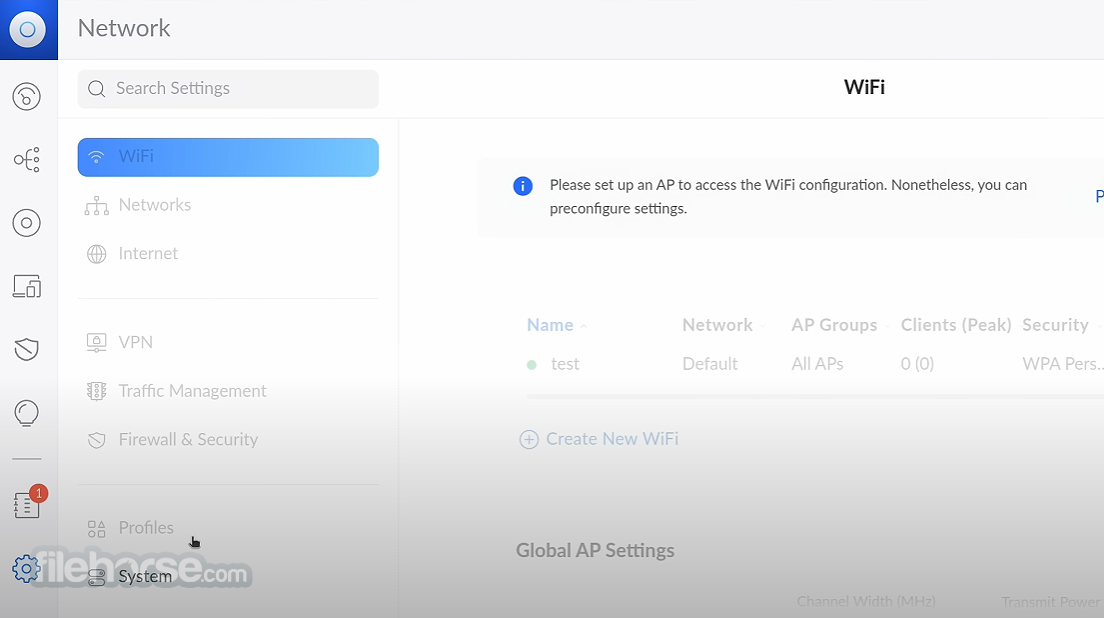
The user interface of UniFi Network Server is clean, intuitive, and well-organized. The dashboard provides a comprehensive overview of the network, with easy access to key features and settings.
Navigation is straightforward, making it simple for users to find what they need without extensive training.
Installation and Setup
Installing this program is straightforward. Users can download the software from the Ubiquiti Networks website and follow the step-by-step installation wizard.
The setup process involves configuring basic network settings and creating an administrator account. Once installed, users can access the software through a web browser.
How to Use
Can I manage multiple sites with UniFi Network Server?
Yes, it supports multi-site management, allowing users to oversee multiple locations from a single dashboard.
What devices are compatible with UniFi Network Server?
UniFi Network Server for PC is compatible with a wide range of UniFi devices including access points, switches, gateways, and cameras.
Does UniFi Network Server support guest networking?
Yes, it includes a guest portal feature that enables the creation of customizable guest networks with authentication options.
Can I set up VPNs and firewall rules with UniFi Network Server?
Yes, it provides tools for configuring VPNs, firewall rules, and Intrusion Detection Systems (IDS) to enhance network security.
Is UniFi Network Server suitable for small businesses?
Yes, the tool is suitable for small businesses, offering scalable solutions that can grow with your network infrastructure.
System Requirements
UniFi Network Server stands out as a robust and user-friendly network management software, offering a comprehensive set of features for configuring, monitoring, and managing UniFi devices. With its intuitive interface, scalability, and active development, it caters to the needs of both small businesses and large enterprises.
While some advanced features may require additional investment, its overall value and performance make it a top choice for network administrators seeking seamless network management solutions.
Also Available: Download UniFi Network Server for Mac
Download UniFi Network Server Latest Version Why is this app published on FileHorse? (More info)
UniFi Network is a powerful network management software developed by Ubiquiti Networks. It serves as a centralized platform for configuring, monitoring, and managing UniFi devices such as access points, switches, gateways, and cameras.
With its intuitive interface and comprehensive feature set, it simplifies network administration for both small-scale deployments and large enterprise environments.
Built from the ground up by Ubiquiti Networks, a large manufacturer of wireless data communication and wireless broadband products, this single app can be used for the complete management of a wide array of devices found inside your home, business, or organization.
Because of its focus on larger enterprise products and networks, this app is fully ready to handle an incredibly large number of devices with top-of-the-line services for data monitoring, security, analytics, reports, and more.
After installing UniFi Network Server on your Windows PC and logging into the Ubiquity online service using your username and password, you will find out that this network management suite does not have its own standalone app window, but is instead accessible via your web browser.
The interface is sleek, modern, and intuitive, with six main tab icons located on the left, and a large data listing, diagnostic, and configuration area taking the majority of the app area. The entire visual style of the app is focused on dark background and light-grey text and visual elements, with bright green colors highlighting some of the most important “glanceable” information.
Even though this app is not best suited for complete novices of networking management, its intuitive interface can help easily be used for handling many different parameters of the network. The app is well-suited for larger networks and has in-depth support for administration settings, domain management, and all the tools needed to extract maximum performance from your network and Ubiquity devices.
Extraction of every possible percent of performance is made easier with a comprehensive Statistic tab, that showcases all your network traffic, details for every device, client, domain, and more.
Ubiquiti UniFi Server can be used for FREE via an initial trial service, after which users will be required to pay for a permanent license. The app is optimized for Windows 11, 10, 8.1, and 7 and has built-in support for several international languages.
Main Features
- Centralized Management: Control all UniFi devices from a single interface.
- Device Configuration: Easily configure network settings, SSIDs, VLANs, and more.
- Monitoring and Analytics: Real-time monitoring of network performance and device health.
- Guest Portal: Create customizable guest portals with authentication and voucher support.
- Multi-Site Management: Manage multiple sites or locations from one dashboard.
- Security: Implement firewall rules, VPNs, and Intrusion Detection Systems (IDS).
- Automated Firmware Updates: Keep devices up-to-date with scheduled firmware updates.
- Scalability: Designed to scale with growing network infrastructure.
- Added notice regarding WPA3 encryption when enabling MLO.
- Improved memory usage in specific environments.
- Improved Route distribution behavior for SD-WAN Hub & Spoke.
- Improved the default Guest Hotspot Policies for Zone-Based Firewall.
- Improved the Policy Based Routes behavior when users pause VPN Clients.
- It will now act the same as when the VPN Client is down.
- Improved backup restore from sites using Zone-Based Firewall on Sites that don't have a gateway adopted.
- Updated the order of Default Policies in Zone-Based Firewall.
- "Allow Return Traffic" is now positioned before Network Isolation.
The user interface of UniFi Network Server is clean, intuitive, and well-organized. The dashboard provides a comprehensive overview of the network, with easy access to key features and settings.
Navigation is straightforward, making it simple for users to find what they need without extensive training.
Installation and Setup
Installing this program is straightforward. Users can download the software from the Ubiquiti Networks website and follow the step-by-step installation wizard.
The setup process involves configuring basic network settings and creating an administrator account. Once installed, users can access the software through a web browser.
How to Use
- Initial Setup: Install the app and complete the setup wizard.
- Device Adoption: Adopt UniFi devices to the network by connecting them and adopting them through the software interface.
- Configuration: Configure network settings, SSIDs, VLANs, and other parameters according to your requirements.
- Monitoring: Monitor network performance, device status, and client activity in real-time.
- Maintenance: Perform routine maintenance tasks such as firmware updates and device backups.
Can I manage multiple sites with UniFi Network Server?
Yes, it supports multi-site management, allowing users to oversee multiple locations from a single dashboard.
What devices are compatible with UniFi Network Server?
UniFi Network Server for PC is compatible with a wide range of UniFi devices including access points, switches, gateways, and cameras.
Does UniFi Network Server support guest networking?
Yes, it includes a guest portal feature that enables the creation of customizable guest networks with authentication options.
Can I set up VPNs and firewall rules with UniFi Network Server?
Yes, it provides tools for configuring VPNs, firewall rules, and Intrusion Detection Systems (IDS) to enhance network security.
Is UniFi Network Server suitable for small businesses?
Yes, the tool is suitable for small businesses, offering scalable solutions that can grow with your network infrastructure.
System Requirements
- Operating System: Windows 11/10
- Processor: Intel or AMD Dual-Core CPU
- RAM: 2GB or higher
- Storage: 10GB of available disk space
- Network Interface: Ethernet adapter for connecting to UniFi devices
- Intuitive user interface
- Comprehensive feature set
- Scalable for small-scale to enterprise-level deployments
- Active development and frequent updates
- Free to download and use
- Some advanced features may require additional licenses or subscriptions
- Steeper learning curve for complex configurations
- Limited support for non-UniFi devices
UniFi Network Server stands out as a robust and user-friendly network management software, offering a comprehensive set of features for configuring, monitoring, and managing UniFi devices. With its intuitive interface, scalability, and active development, it caters to the needs of both small businesses and large enterprises.
While some advanced features may require additional investment, its overall value and performance make it a top choice for network administrators seeking seamless network management solutions.
Also Available: Download UniFi Network Server for Mac
Download UniFi Network Server Latest Version Why is this app published on FileHorse? (More info)
##
畫面截圖
- 2026-04-20 UniFi Network Server 10.3.55 205 MB
- 2026-03-18 UniFi Network Server 10.1.89 202 MB
- 2025-06-10 UniFi Network Server 9.2.87 195 MB
- 2025-02-04 UniFi Network Server 9.0.114 195 MB
- 2024-01-25 UniFi Network Server 8.0.28 199 MB
- 2023-10-17 UniFi Network Server 7.5.187 227 MB
- 2021-09-20 UniFi Network Controller 6.4.54 161 MB
- 2020-07-07 UniFi Network Controller 5.13.32 142 MB