⚠ 這是歷史版本頁面 — 查看 Unified Remote 最新版本 →

- 目前版本3.8.0.2453
- 更新日期2020-09-08
- 檔案大小36.3 MB
- 檔案名稱ServerSetup-3.8.0.2453.exe
- 作業系統Windows XP / Vista / Windows 7 / Windows 8 / Windows 10 / Windows 11
- 支援語系English
- 授權型式免費軟體
- 開發商 Unified Intents AB
- 軟體分類Windows 軟體 / 檔案傳輸與網路
##
編輯短評
Unified Remote 是一款把手機變成電腦遙控器的工具,核心概念很直接:在 Windows 或 Mac 上安裝伺服端,再從手機安裝對應的 App,透過 Wi-Fi 或藍牙連線,就能遠端操作電腦。它最特別的地方在於支援超過 90 種常見程式的專屬遙控功能,從影音播放、簡報控制到系統休眠都能涵蓋,不必為了不同用途裝一堆 App。這套軟體自收錄以來持續有更新,但頻率不算密集,屬於長期維護的狀態;在同類工具中不算主流首選,評分人數也不多,算是小眾但評價還算穩定的選擇。
如果你常把電腦接電視看影片、或需要離開座位操作簡報,這套會很實用,省去走回電腦前的麻煩。和 Internet Download Manager、uTorrent 這類下載工具不同,Unified Remote 的定位是遠端控制,兩者用途不衝突,但若你只需要單純傳檔,它就不是最佳解。要注意的是它僅提供英文介面,對不熟悉英文操作的人稍有門檻;授權為免費軟體,Windows 與 macOS 都有對應版本,但手機端需另外下載 App,使用前記得確認裝置支援。
##
翻譯排程處理中,以下暫以英文原文呈現
軟體介紹
Unified Remote is the one-and-only remote control software for your computer! Turn your smartphone into a universal remote control. Install Unified Remote Server on your Windows PC and the app on your device. Next download the Unified Remote app on your device (Android, iPhone, iPad, or Windows Phone).
Unified Remote is a versatile software application that transforms your smartphone into a universal remote control for your computer. It’s designed to allow users to control their PC or Mac from their mobile devices using Wi-Fi or Bluetooth connections.
The app supports over 90 different programs, making it a powerful tool for managing media, presentations, file management, and even basic system operations. Whether you need to control media playback, browse the web, or perform essential system functions, it aims to streamline the experience.
Ready to control 100+ programs from one app.
Mouse
Use your device as a single or multi-touch mouse.
Screen
Mirror your computer screen to your device.
Power
Turn off, lock, or wake up your computer using WOL.
Keyboard
Supports standard, 3rd party, and custom keyboards.
Files
Browse, manage, and open files and folders.
Media
Control Spotify, iTunes, Netflix, XBMC, and much, much more.
Control more than just apps.
Keene IR Blaster
Control your TV and other devices.
GlobalCache IR Blaster
Control your TV and other devices.
Flic Wireless Button
Wireless shortcut button for your smartphone.
PhoneHome Project
Control everything with NFC Tags.
Telldus / TellStick
Control lights and switches.
USB-UIRT Blaster
Control TVs and other equipment.
Key Features
Comprehensive Remote Functionality: It supports a variety of remotes for different applications, including browsers, music players, presentations, file explorers, and more.
Custom Remote Creation: Users can create custom remotes by mapping specific commands, making it flexible and tailored to unique requirements.
Media and System Control: The app allows users to manage media playback, system volume, shutdown, restart, and even screen mirroring in certain setups.
Keyboard and Mouse Simulation: Emulates a full-fledged keyboard and mouse on your mobile device, enhancing the ease of use.
Multi-Platform Support: Compatible with Windows, macOS, and Linux, making it versatile for multi-platform users.
User Interface
This app has a minimalist and intuitive design, featuring clearly labeled remotes and easy navigation. The app’s main screen provides quick access to frequently used remotes and favorites.
Each remote is displayed with a corresponding icon, making identification easy. The app uses a color-coded theme and simple layout to keep things organized. Similarly, the desktop server application is lightweight and unobtrusive, running quietly in the system tray.
Installation and Setup
How to Use
Launch the App: Open the app on your mobile device. You will see a list of available remotes categorized by function (e.g., media, utilities, system).
Select a Remote: Tap on a remote to access it. For instance, choose “Media Remote” to control your media player or “File Manager Remote” to browse files on your PC.
Custom Remotes: To create a custom remote, access the “Custom Remotes” section in the app. This feature allows you to design a remote with specific buttons and actions.
Keyboard and Mouse: Use the built-in keyboard and mouse functionality to interact with your computer remotely. This can be especially useful for presentations or controlling media.
FAQ
Does Unified Remote work over Bluetooth?
Yes, it supports both Wi-Fi and Bluetooth connections, offering flexibility depending on your setup.
Can I use Unified Remote to control multiple PCs?
Yes, you can pair multiple computers with the app and switch between them effortlessly.
Is there a limit to the number of remotes I can create?
No, there’s no limit to custom remotes. You can create as many remotes as you like based on your needs.
Does the app work on Linux?
Yes, it supports Linux, in addition to Windows and macOS.
What mobile devices are compatible?
This app is compatible with both Android and iOS devices.
Alternatives
AnyDesk - Provides lightweight remote desktop functionality with a focus on low-latency performance. It’s great for accessing and controlling desktops but does not offer custom remote creation.
TeamViewer Remote - Primarily focused on remote desktop access, TeamViewer offers comprehensive remote control features, but lacks the tailored remote app capabilities of this app.
Chrome Remote Desktop - A simple and effective solution for controlling your desktop from a Chrome browser or Chrome device. It offers straightforward access but lacks the extensive remote options found in this app.
Splashtop - Offers solid remote control capabilities with a focus on productivity. It is primarily used for screen mirroring and desktop access but has limited customizable remote options.
Pricing
It offers both free and paid versions.
The free version includes basic remotes and essential features, while the paid “Full” version provides access to premium remotes, custom remote creation, and advanced settings.
The pricing for the full version is a one-time purchase, typically ranging from $4.99 to $5.99, depending on your mobile platform.
Free
Everything in Free, plus:
Desktop Server:
Unified Remote is an impressive and versatile software tool that can significantly enhance your computer management experience. By transforming your smartphone into a powerful remote control, it provides convenience for media control, presentations, system management, and more.
The customizable nature of the remotes, combined with its intuitive interface and multi-platform support, makes it an excellent choice for users looking to simplify their interactions with their computers.
Note: Requires a dedicated app on the connected smartphone.
Also Available: Download Unified Remote for Mac
Download Unified Remote Latest Version Why is this app published on FileHorse? (More info)
Unified Remote is a versatile software application that transforms your smartphone into a universal remote control for your computer. It’s designed to allow users to control their PC or Mac from their mobile devices using Wi-Fi or Bluetooth connections.
The app supports over 90 different programs, making it a powerful tool for managing media, presentations, file management, and even basic system operations. Whether you need to control media playback, browse the web, or perform essential system functions, it aims to streamline the experience.
Ready to control 100+ programs from one app.
Mouse
Use your device as a single or multi-touch mouse.
Screen
Mirror your computer screen to your device.
Power
Turn off, lock, or wake up your computer using WOL.
Keyboard
Supports standard, 3rd party, and custom keyboards.
Files
Browse, manage, and open files and folders.
Media
Control Spotify, iTunes, Netflix, XBMC, and much, much more.
Control more than just apps.
Keene IR Blaster
Control your TV and other devices.
GlobalCache IR Blaster
Control your TV and other devices.
Flic Wireless Button
Wireless shortcut button for your smartphone.
PhoneHome Project
Control everything with NFC Tags.
Telldus / TellStick
Control lights and switches.
USB-UIRT Blaster
Control TVs and other equipment.
Key Features
Comprehensive Remote Functionality: It supports a variety of remotes for different applications, including browsers, music players, presentations, file explorers, and more.
Custom Remote Creation: Users can create custom remotes by mapping specific commands, making it flexible and tailored to unique requirements.
Media and System Control: The app allows users to manage media playback, system volume, shutdown, restart, and even screen mirroring in certain setups.
Keyboard and Mouse Simulation: Emulates a full-fledged keyboard and mouse on your mobile device, enhancing the ease of use.
Multi-Platform Support: Compatible with Windows, macOS, and Linux, making it versatile for multi-platform users.
User Interface
This app has a minimalist and intuitive design, featuring clearly labeled remotes and easy navigation. The app’s main screen provides quick access to frequently used remotes and favorites.
Each remote is displayed with a corresponding icon, making identification easy. The app uses a color-coded theme and simple layout to keep things organized. Similarly, the desktop server application is lightweight and unobtrusive, running quietly in the system tray.
Installation and Setup
- Download the Desktop Server: The first step is to download and install the Unified Remote server application on your PC or Mac. This software acts as the bridge between your mobile device and computer.
- Install the Mobile App: Next, download and install the app on your mobile device from the Google Play Store or Apple App Store.
- Connect Both Devices: Launch the server application on your PC or Mac and follow the on-screen instructions. Ensure that your computer and mobile device are connected to the same network (Wi-Fi or Bluetooth).
- Pair and Explore: Open the app on your mobile device, and it will automatically detect the server. Once paired, you can start using the available remotes or create custom ones.
How to Use
Launch the App: Open the app on your mobile device. You will see a list of available remotes categorized by function (e.g., media, utilities, system).
Select a Remote: Tap on a remote to access it. For instance, choose “Media Remote” to control your media player or “File Manager Remote” to browse files on your PC.
Custom Remotes: To create a custom remote, access the “Custom Remotes” section in the app. This feature allows you to design a remote with specific buttons and actions.
Keyboard and Mouse: Use the built-in keyboard and mouse functionality to interact with your computer remotely. This can be especially useful for presentations or controlling media.
FAQ
Does Unified Remote work over Bluetooth?
Yes, it supports both Wi-Fi and Bluetooth connections, offering flexibility depending on your setup.
Can I use Unified Remote to control multiple PCs?
Yes, you can pair multiple computers with the app and switch between them effortlessly.
Is there a limit to the number of remotes I can create?
No, there’s no limit to custom remotes. You can create as many remotes as you like based on your needs.
Does the app work on Linux?
Yes, it supports Linux, in addition to Windows and macOS.
What mobile devices are compatible?
This app is compatible with both Android and iOS devices.
Alternatives
AnyDesk - Provides lightweight remote desktop functionality with a focus on low-latency performance. It’s great for accessing and controlling desktops but does not offer custom remote creation.
TeamViewer Remote - Primarily focused on remote desktop access, TeamViewer offers comprehensive remote control features, but lacks the tailored remote app capabilities of this app.
Chrome Remote Desktop - A simple and effective solution for controlling your desktop from a Chrome browser or Chrome device. It offers straightforward access but lacks the extensive remote options found in this app.
Splashtop - Offers solid remote control capabilities with a focus on productivity. It is primarily used for screen mirroring and desktop access but has limited customizable remote options.
Pricing
It offers both free and paid versions.
The free version includes basic remotes and essential features, while the paid “Full” version provides access to premium remotes, custom remote creation, and advanced settings.
The pricing for the full version is a one-time purchase, typically ranging from $4.99 to $5.99, depending on your mobile platform.
Free
- 18 free remotes
- Easy Connection (Easily connect using WiFi or Bluetooth)
- Password protection and encryption
- Basic Input
- Wake up a sleeping computer with WOL using the Power remote
- Multiple Themes
- 3rd Party Keyboards (such as SwiftKey and Swipe)
Everything in Free, plus:
- 40+ premium remotes
- Custom Remotes
- Screen Viewer
- Extended Keyboard
Desktop Server:
- OS: Windows 11, 10, 8 or 7. macOS 10.8 or later. Linux (various distributions supported)
- RAM: 1 GB minimum
- Network: Wi-Fi or Bluetooth for connectivity
- OS: Android 4.1 or later, iOS 10.0 or later
- Wide range of supported applications and remotes.
- Cross-platform compatibility.
- Custom remote creation capability.
- Intuitive and user-friendly interface.
- Affordable one-time payment for the full version.
- The free version is limited in functionality.
- Occasional connectivity issues, especially over Bluetooth.
- Limited remote options for professional software or niche applications.
Unified Remote is an impressive and versatile software tool that can significantly enhance your computer management experience. By transforming your smartphone into a powerful remote control, it provides convenience for media control, presentations, system management, and more.
The customizable nature of the remotes, combined with its intuitive interface and multi-platform support, makes it an excellent choice for users looking to simplify their interactions with their computers.
Note: Requires a dedicated app on the connected smartphone.
Also Available: Download Unified Remote for Mac
Download Unified Remote Latest Version Why is this app published on FileHorse? (More info)
##
畫面截圖
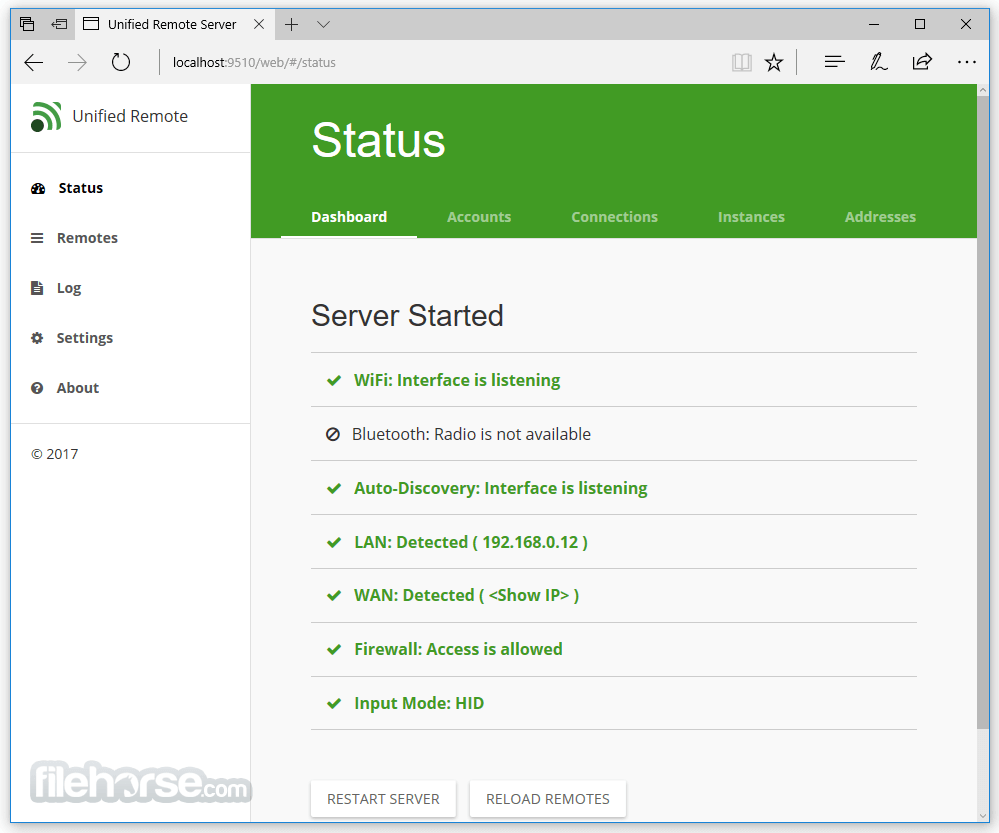
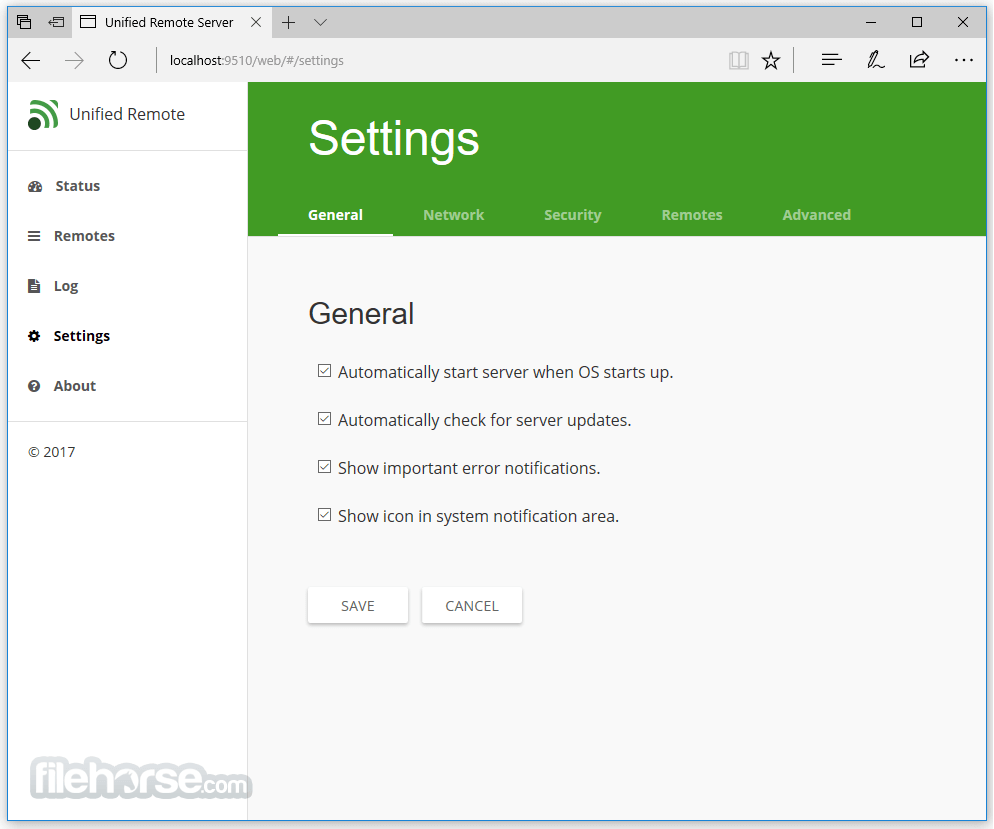
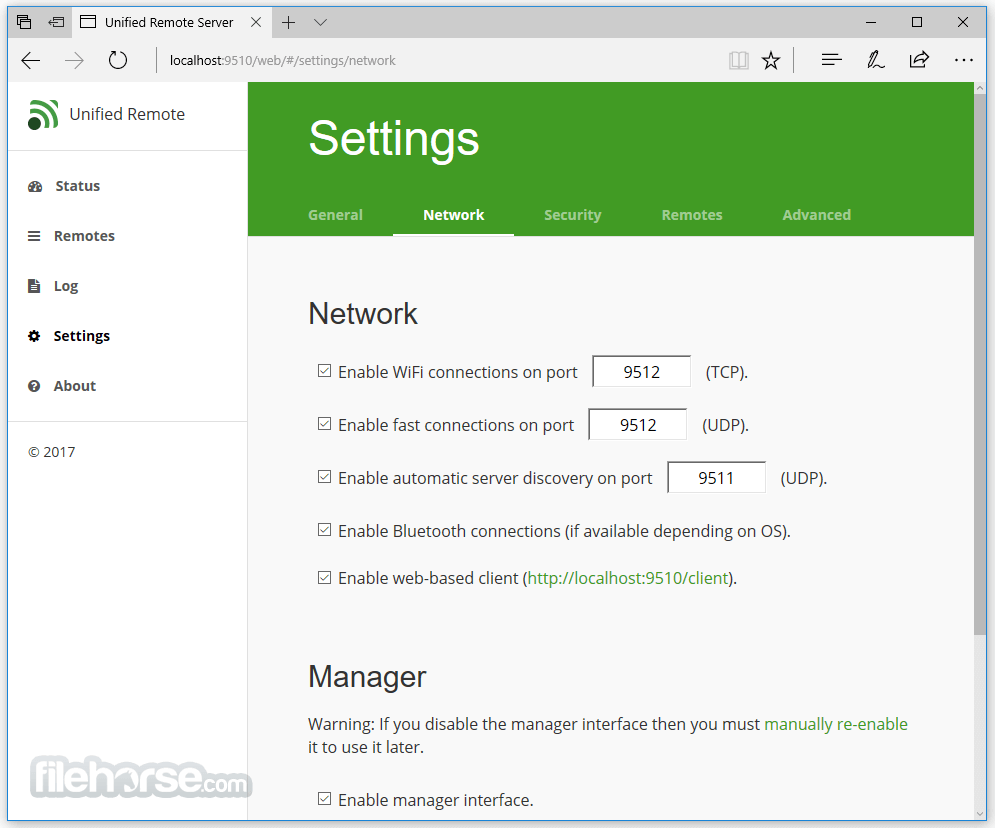
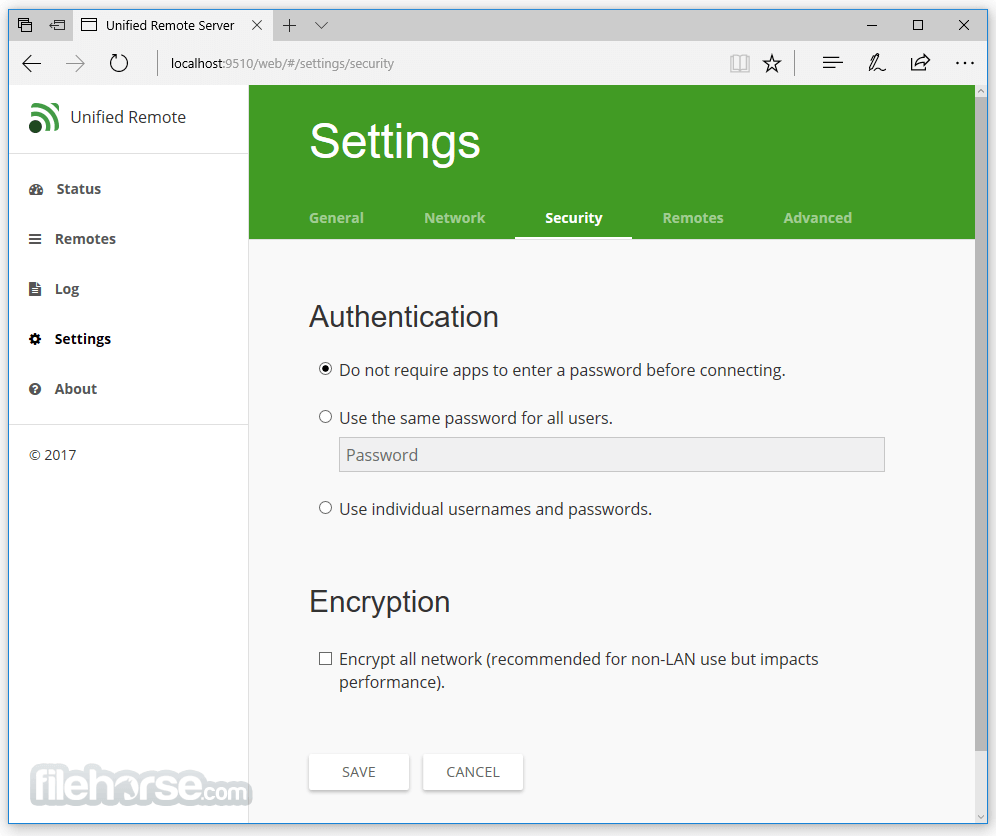
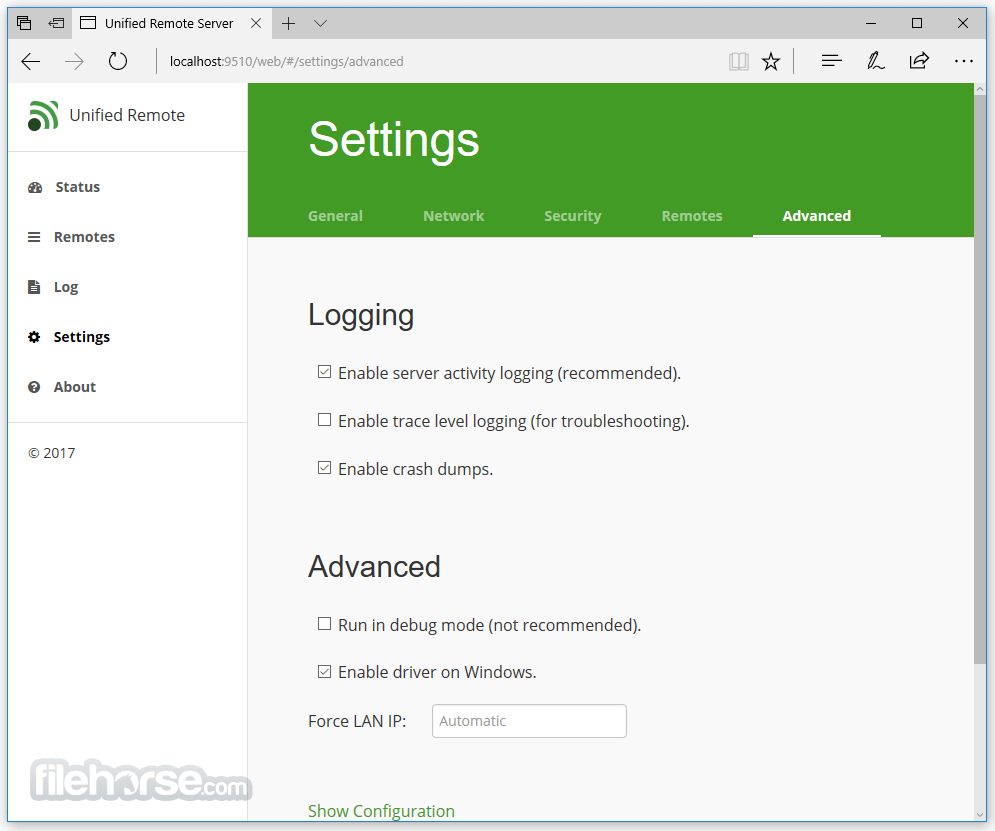
- 2025-10-22 Unified Remote 3.13.0.2501 33.4 MB
- 2021-11-23 Unified Remote 3.11.0.2483 33.4 MB
- 2021-03-08 Unified Remote 3.10.0.2467 36.4 MB
- 2020-11-23 Unified Remote 3.9.0.2463 36.3 MB
- 2020-09-08 Unified Remote 3.8.0.2453 36.3 MB
- 2019-08-05 Unified Remote 3.7.0.2352 35.6 MB
- 2018-03-24 Unified Remote 3.6.1.2342 35.5 MB
- 2017-11-01 Unified Remote 3.6.0.950 35.5 MB