⚠ 這是歷史版本頁面 — 查看 VideoProc Converter 最新版本 →

- 目前版本8.7
- 更新日期2025-12-20
- 檔案大小418.97 MB
- 檔案名稱videoproc.exe
- 作業系統Windows 7 64 / Windows 8 64 / Windows 10 64 / Windows 11
- 支援語系English
- 授權型式試用版
- 開發商 Digiarty Software
- 軟體分類Windows 軟體 / 影片軟體
##
編輯短評
VideoProc Converter 是 Digiarty 推出的多合一影片工具,把轉檔、剪輯、螢幕錄影、壓縮與下載等功能整合在單一介面中,解決一般使用者需要同時安裝多套軟體才能處理影片的麻煩。它最大的辨識度在於不需另外安裝第三方編解碼包,就能應付大量常見的影音格式轉換,對新手來說相當直覺。這套軟體長期持續更新,在同類工具中屬於中前段班的熱門選擇,使用者評價普遍不錯。
它適合偶爾需要處理影片轉檔、錄製螢幕畫面或簡單剪輯的使用者,尤其是想用一套軟體搞定多種需求、不想花時間研究複雜設定的族群。與 KMPlayer、K-Lite Codec Pack 等偏重播放或解碼的替代方案相比,VideoProc Converter 更偏向「一次購足」的整合型工具,但相對地試用版有功能限制,完整功能需付費解鎖。目前僅提供英文介面,Windows 與 macOS 都有對應版本,使用前需留意語系與授權條件。
##
翻譯排程處理中,以下暫以英文原文呈現
軟體介紹
VideoProc Converter is the first all-in-one AI software at Digiarty, compacted with lots of handy tools, including a great media converter, one-off video editor, screen recorder, video compressor, and a video downloader.
VideoProc Converter AI supports 370+ codecs and 420+ format conversion without third-party codec packs.
It can help with a range of video-related tasks, for instance, easily converting files to different formats, creating professional-looking videos, capturing content, and more.
Features and Highlights
Meet V7! One-Stop AI Media Enhancer & Converter
Built with AI tools for media enhancement, smoothness, and stabilization. Remaster videos/photos, convert, edit, compress, download, and record with GPU acceleration.
About VideoProc media converter
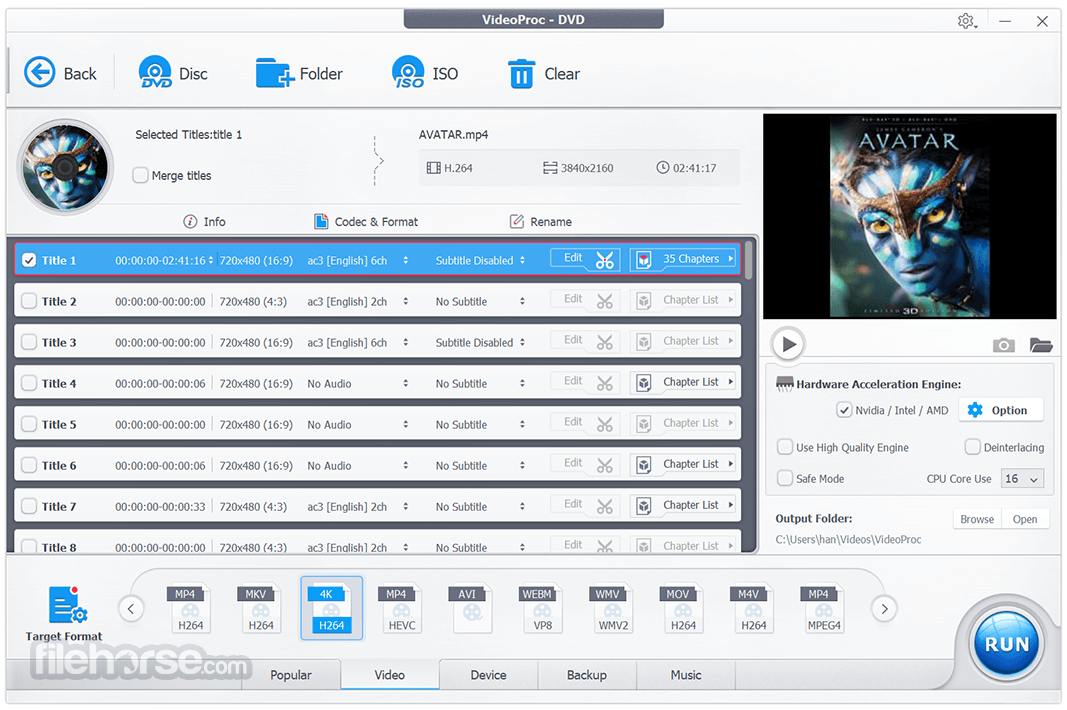
Videos come from everywhere, like GoPro, DJI, 4K camcorders, CCTVs, car DVRs, DVDs, and so on. But not all of them can be accepted by all players and platforms. In this case, VideoProc Converter is the troubleshooter. Drag the files in the software, select an output format and your problem will be solved within clicks!
About VideoProc easy-to-use video editor
1. QUICK EDIT - Simple edit just like 1-2-3, so easy!
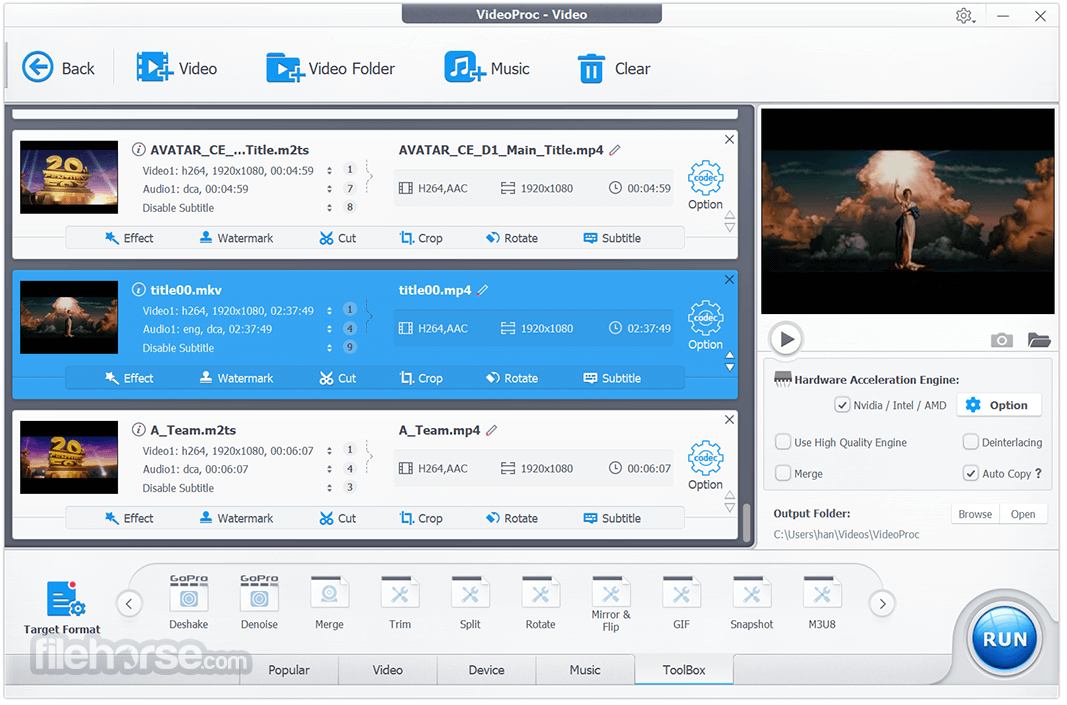
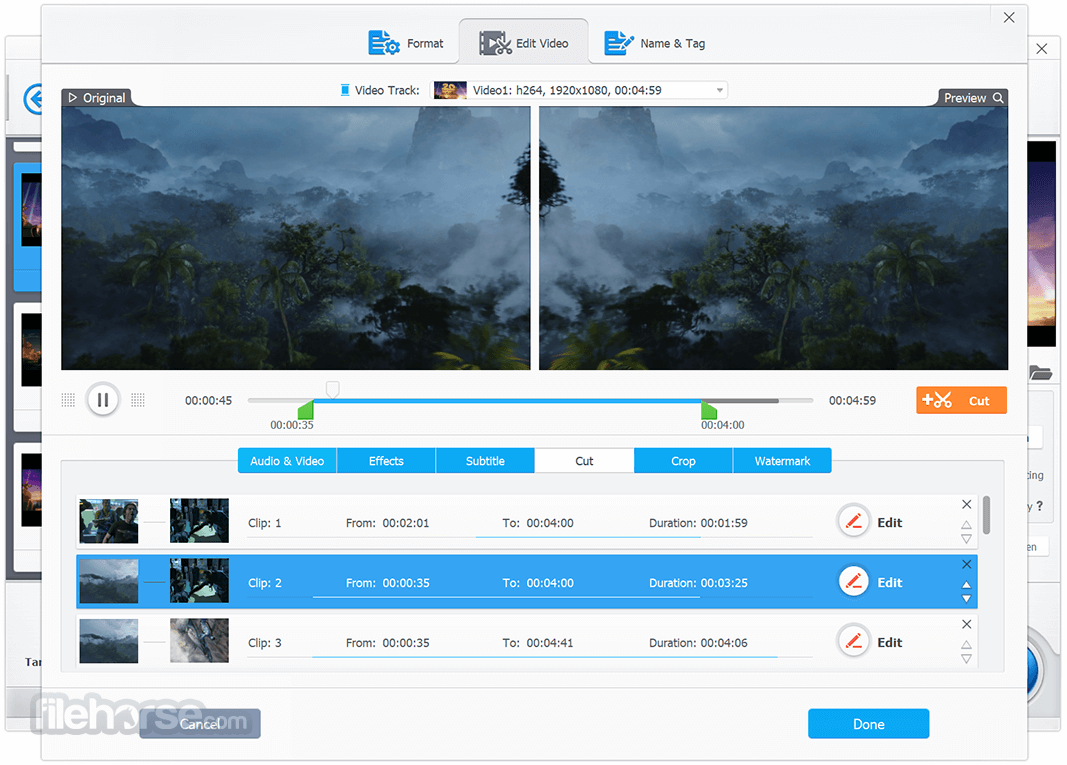
Process and touch up your large HD / 4K footages from smartphone, camera, DSLR, camcorder, GoPro, DJI etc to start editing. Trim clips, cut, crop, merge, rotate, apply effects, and add captions to your video.
2. PRO EDIT - Edit a little advanced, do a lot more.
Advanced Toolbox lets you stabilize shaky video, remove background noise, take snapshot, make GIF, correct fisheye distortion, force A/V sync, add watermark, and so much more.
About VideoProc screen recorder
For gamers, sports lovers, educators, and live enthusiasts, VideoProc Converter is the go-to tool to record gameplay, presentations, webinars, Skype call, streaming video, and create vlogging, screencasts, podcasts, software reviews, and video instructions, making it easy to interact with your audiences and teammates.
About VideoProc video downloader
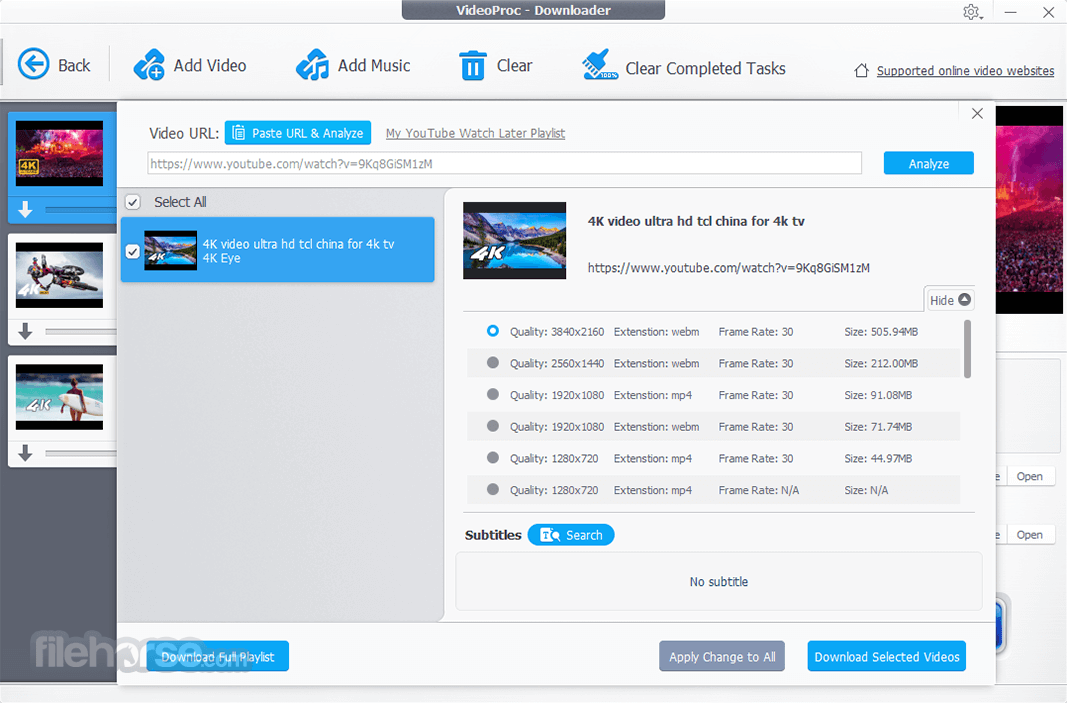
It can easily download online videos, music, playlists, and channels from 1000+ UGC websites.
About VideoProc GPU Acceleration
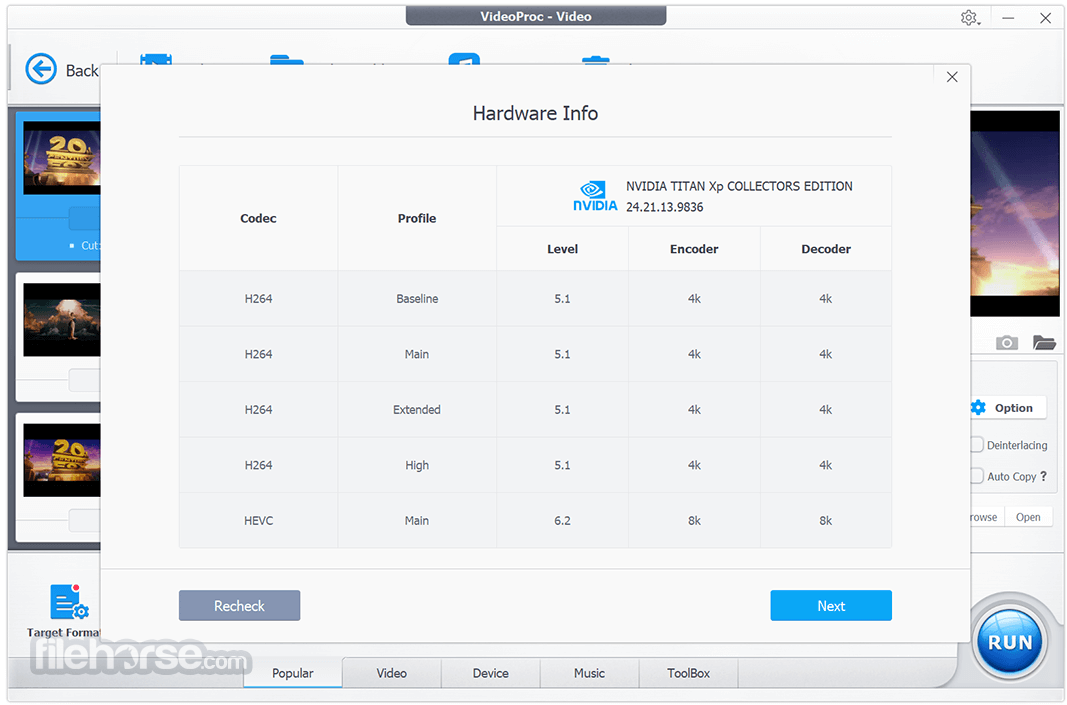
It has built in a very powerful speed engine called GPU acceleration, fully powered by Intel, AMD, NVIDIA GPUs, and Apple M1/M1 Pro/M1 Max. So it can deliver a buttery-smooth video processing without compromising quality, which this is very user friendly for someone who use a low end pc. And It's reported that 98% of individuals would choose it to handle their 4K, 5K, or even 8K videos on low-end pc.
Pricing
Free Trial Version
Allows you to convert any video or DVD for free only if the video is within 5 minutes, if it's more than 5 minutes, you need to upgrade it to the full version.
Online Video/Audio Downloader: Only 10+ sites
Screen/Webcam Recording: Watermark
Paid Version - $25.95 (1 Year for 1 PC)
UniConverter - Comprehensive media conversion tool.
Movavi Video Converter - Fast video converter with simple UI.
Any Video Converter - Versatile software with extensive format support.
HandBrake - Open-source video transcoder with advanced features.
Adobe Media Encoder - Professional-grade encoding and batch processing.
Supported Hardware Acceleration Brands and Models
You're flexible to export any video in high quality and change video/audio codec, frame rate, resolution, aspect ratio, GOP etc.
System Requirements
Download VideoProc Converter Latest Version Why is this app published on FileHorse? (More info)
VideoProc Converter AI supports 370+ codecs and 420+ format conversion without third-party codec packs.
It can help with a range of video-related tasks, for instance, easily converting files to different formats, creating professional-looking videos, capturing content, and more.
Features and Highlights
- Intuitive and beginner-friendly
- Plenty of features
- Solid performance
- Available for popular operating systems
- Knowledgeable technical support
Meet V7! One-Stop AI Media Enhancer & Converter
Built with AI tools for media enhancement, smoothness, and stabilization. Remaster videos/photos, convert, edit, compress, download, and record with GPU acceleration.
About VideoProc media converter
Videos come from everywhere, like GoPro, DJI, 4K camcorders, CCTVs, car DVRs, DVDs, and so on. But not all of them can be accepted by all players and platforms. In this case, VideoProc Converter is the troubleshooter. Drag the files in the software, select an output format and your problem will be solved within clicks!
About VideoProc easy-to-use video editor
1. QUICK EDIT - Simple edit just like 1-2-3, so easy!
Process and touch up your large HD / 4K footages from smartphone, camera, DSLR, camcorder, GoPro, DJI etc to start editing. Trim clips, cut, crop, merge, rotate, apply effects, and add captions to your video.
2. PRO EDIT - Edit a little advanced, do a lot more.
Advanced Toolbox lets you stabilize shaky video, remove background noise, take snapshot, make GIF, correct fisheye distortion, force A/V sync, add watermark, and so much more.
About VideoProc screen recorder
For gamers, sports lovers, educators, and live enthusiasts, VideoProc Converter is the go-to tool to record gameplay, presentations, webinars, Skype call, streaming video, and create vlogging, screencasts, podcasts, software reviews, and video instructions, making it easy to interact with your audiences and teammates.
About VideoProc video downloader
It can easily download online videos, music, playlists, and channels from 1000+ UGC websites.
About VideoProc GPU Acceleration
It has built in a very powerful speed engine called GPU acceleration, fully powered by Intel, AMD, NVIDIA GPUs, and Apple M1/M1 Pro/M1 Max. So it can deliver a buttery-smooth video processing without compromising quality, which this is very user friendly for someone who use a low end pc. And It's reported that 98% of individuals would choose it to handle their 4K, 5K, or even 8K videos on low-end pc.
Pricing
Free Trial Version
Allows you to convert any video or DVD for free only if the video is within 5 minutes, if it's more than 5 minutes, you need to upgrade it to the full version.
Online Video/Audio Downloader: Only 10+ sites
Screen/Webcam Recording: Watermark
Paid Version - $25.95 (1 Year for 1 PC)
- [AI] Super Resolution
- [AI] Frame Interpolation
- [AI] Stabilization
- [AI] Noise Suppression
- Video/Audio/DVD Conversion
- Make Quick Edits
- Online Video/Audio Downloader
- Screen/Webcam Recording
UniConverter - Comprehensive media conversion tool.
Movavi Video Converter - Fast video converter with simple UI.
Any Video Converter - Versatile software with extensive format support.
HandBrake - Open-source video transcoder with advanced features.
Adobe Media Encoder - Professional-grade encoding and batch processing.
Supported Hardware Acceleration Brands and Models
- NVIDIA® GeForce GT 630 or higher
- Intel® HD Graphics 2000 or higher
- AMD Radeon HD 7700 series (VCE 1.0) or higher
- Apple silicon chips: M1, M1 Pro, M1 Max, M1 Ultra, M2, M2 Pro, M2 Max, M2 Ultra, M3, M3 Pro, M3 Max
You're flexible to export any video in high quality and change video/audio codec, frame rate, resolution, aspect ratio, GOP etc.
System Requirements
- Microsoft Windows 7, 8/8.1, 10, 11 or later (32-bit and 64-bit versions supported)
- 1 GHz Intel® or AMD® processor (Minimum)
- 1GB RAM (Recommended: 2GB or above)
- 200MB of hard-disk space for installation
- All-in-One AI Video Editing Suite
- Supports 4K and Large File Processing Smoothly
- GPU Acceleration for Fast Conversions
- Built-in Downloader for Online Videos
- Simple User Interface for Beginners
- Free Version Watermark on Exports
- Occasional Slowdowns on Older PCs
- Subscription Required for Full Access
Download VideoProc Converter Latest Version Why is this app published on FileHorse? (More info)
##
畫面截圖
- 2026-05-16 VideoProc Converter 8.11 432.66 MB
- 2026-04-08 VideoProc Converter 8.10 419.77 MB
- 2026-03-11 VideoProc Converter 8.9 419.78 MB
- 2026-01-30 VideoProc Converter 8.8 418.92 MB
- 2025-12-20 VideoProc Converter 8.7 418.97 MB
- 2025-12-03 VideoProc Converter 8.6 418.94 MB
- 2025-10-29 VideoProc Converter 8.5 418.18 MB
- 2025-10-24 VideoProc Converter 8.4 265.46 MB