
VMware vCenter Converter Standalone 6.2.0 Build 7348389
v 7348389
Windows
免費軟體
8.02/10 (47)
- 目前版本7348389
- 更新日期2017-12-27
- 檔案大小172.26 MB
- 檔案名稱VMware-converter-en-6.2.0-7348398.exe
- 作業系統Windows XP / Vista / Windows 7 / Windows 8 / Windows 10 / Windows 11
- 支援語系English
- 授權型式免費軟體
- 開發商 VMware Inc
- 軟體分類Windows 軟體 / 開發者工具
##
編輯短評
VMware vCenter Converter Standalone 是 VMware 推出的虛擬機轉換工具,主要解決將 Windows 或 Linux 實體機、以及 Hyper-V、KVM 等第三方虛擬機格式轉換為 VMware 虛擬機的需求。它最大的辨識度在於支援的來源類型相當廣泛,涵蓋桌面與伺服器版本,是虛擬化遷移流程中常見的輔助工具。這套軟體由 VMware 長期維護,更新步調不算頻繁但持續有在釋出,在同類工具中屬於評價普遍不錯的選擇,不過評分樣本數不多,參考價值有限。
這套工具適合需要將實體伺服器或既有虛擬機搬遷到 VMware 環境的 IT 管理人員,特別是在系統整合、硬體汰換或虛擬化建置的初期階段會派上用場。與 BlueStacks、Turbo C++ 等分類下的熱門軟體相比,它並非日常娛樂或開發用途,而是偏向專業的遷移輔助工具,功能取向截然不同。使用上需留意它僅提供英文介面,且為免費軟體,但轉換過程涉及系統層級操作,建議先在測試環境驗證再實際套用。
##
翻譯排程處理中,以下暫以英文原文呈現
軟體介紹
VMware vCenter Converter transforms your Windows and Linux-based physical machines and third-party image formats to VMware virtual machines.
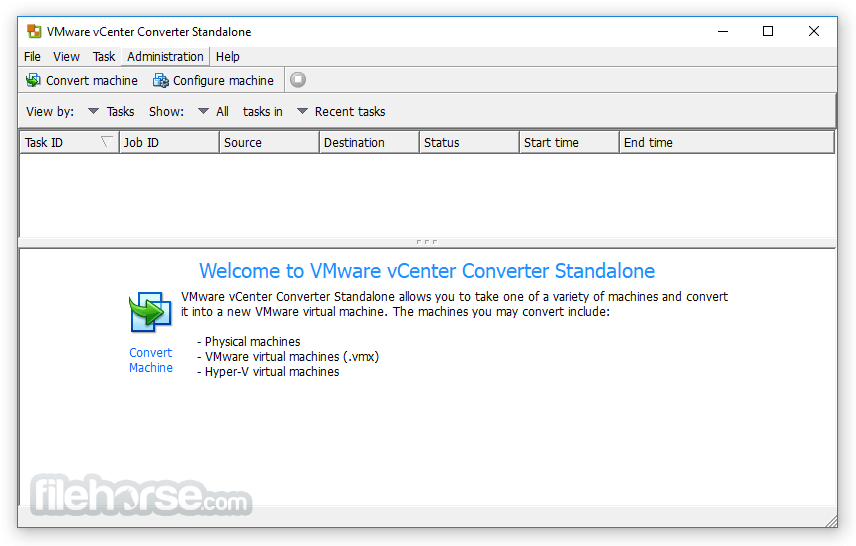
It supports many source physical machines, including Windows and Linux desktop and server editions. It also supports the conversion of third-party virtual machines like Hyper-V and KVM.
vCenter Converter is a powerful and versatile PC utility designed to simplify the process of migrating physical machines and virtual machines across different platforms.
Developed by VMware, a leading name in virtualization technology, this tool empowers users to convert physical servers, virtual machines, and even third-party virtualization formats into VMware virtual machines.
Whether you're looking to consolidate your infrastructure, move to a cloud environment, or simply optimize resource allocation, VMware vCenter Converter for PC is a valuable asset in your virtualization toolkit.
Performance and Reliability
Quickly converts local and remote physical machines into virtual machines without any downtime. Simultaneous conversions enable large-scale virtualization implementations.
Management
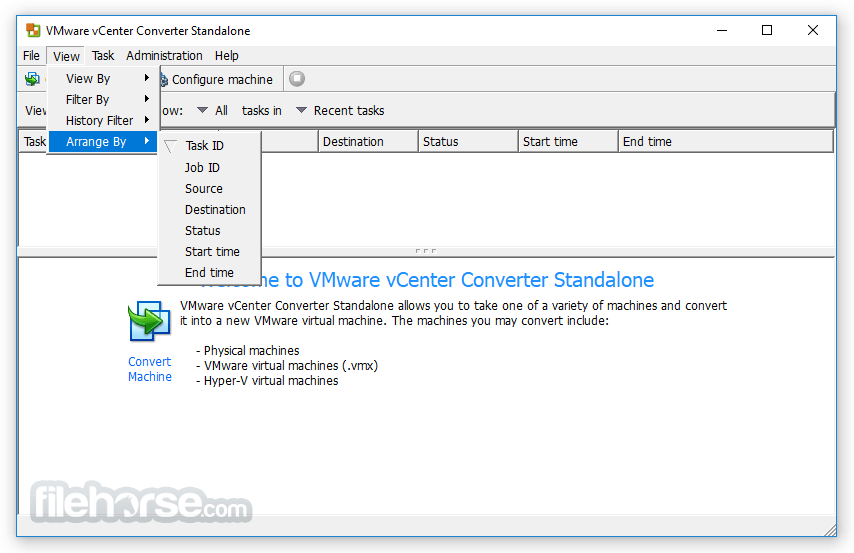
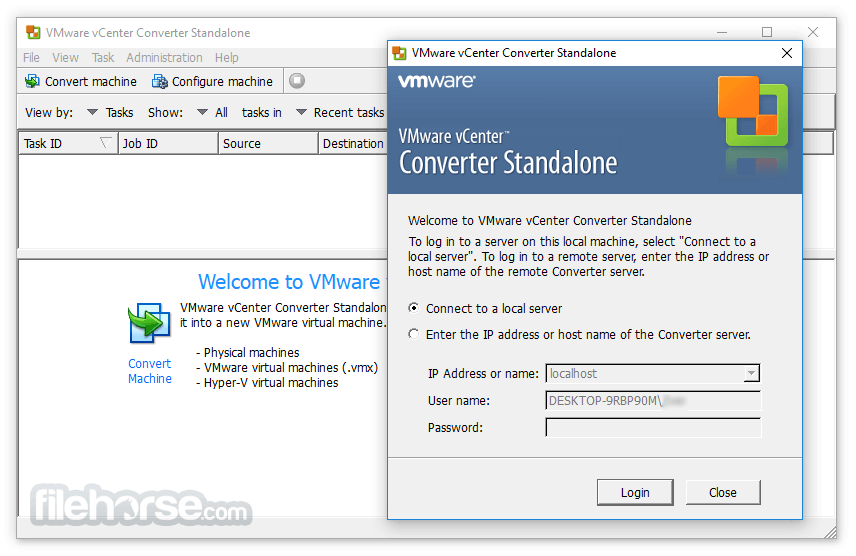
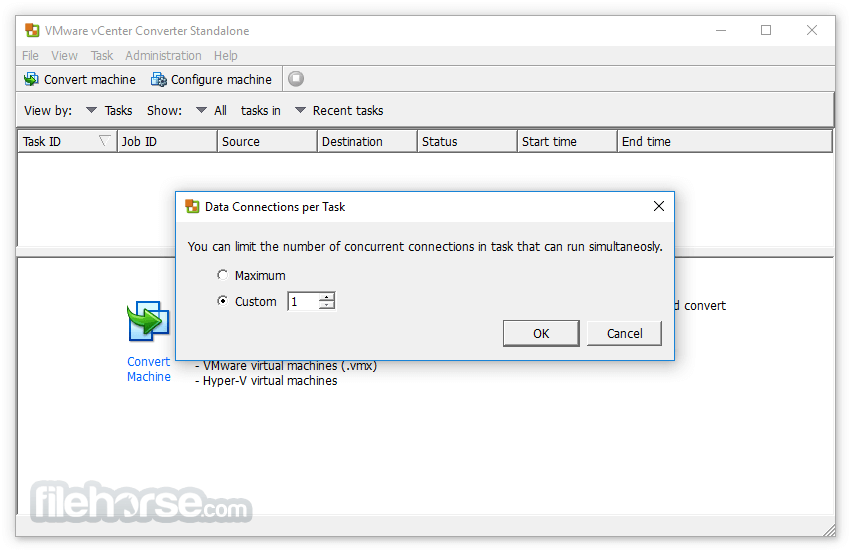
The centralized management console allows you to queue up and monitor many simultaneous conversions, both local and remote, such as in headquarters and branch offices.
Interoperability
Offers broad support for source physical machines, VMware, and Microsoft virtual machine formats, and certain third-party disk image formats.
Highlights
Main Features
Broad Compatibility: It supports a wide range of source and target environments, including VMware vSphere, Microsoft Hyper-V, and various cloud platforms like AWS and Azure.
P2V and V2V Conversion: The program allows you to perform both Physical-to-Virtual (P2V) and Virtual-to-Virtual (V2V) conversions, giving you the flexibility to migrate from physical servers to virtual ones or move virtual machines between different hypervisors.
Incremental Synchronization: It offers the ability to perform incremental synchronization, minimizing downtime and reducing the impact on your production environment during migration.
Clone and Reconfigure: You can clone source machines and reconfigure them during the conversion process, adapting the virtual machine settings to suit your specific needs.
Batch Conversions: Simplify large-scale migrations by performing batch conversions, saving you time and effort when moving multiple machines simultaneously.
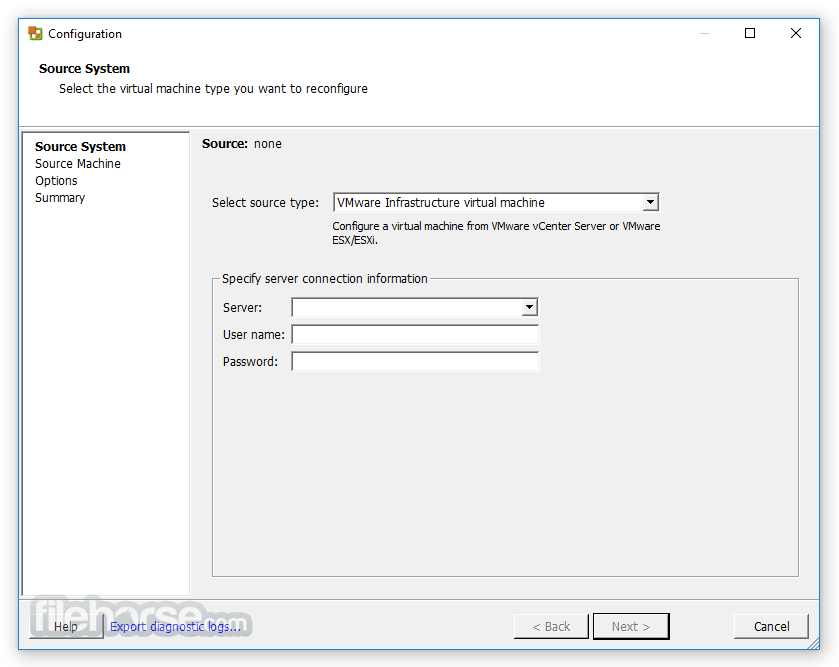
Intuitive User Interface: The desktop app features a user-friendly interface that guides you through the migration process step by step.
Hot Cloning: It allows for hot cloning, meaning you can migrate running source machines without needing to power them off.
It supports many source physical machines, including Windows and Linux desktop and server editions. It also supports the conversion of third-party virtual machines like Hyper-V and KVM.
vCenter Converter is a powerful and versatile PC utility designed to simplify the process of migrating physical machines and virtual machines across different platforms.
Developed by VMware, a leading name in virtualization technology, this tool empowers users to convert physical servers, virtual machines, and even third-party virtualization formats into VMware virtual machines.
Whether you're looking to consolidate your infrastructure, move to a cloud environment, or simply optimize resource allocation, VMware vCenter Converter for PC is a valuable asset in your virtualization toolkit.
Performance and Reliability
Quickly converts local and remote physical machines into virtual machines without any downtime. Simultaneous conversions enable large-scale virtualization implementations.
Management
The centralized management console allows you to queue up and monitor many simultaneous conversions, both local and remote, such as in headquarters and branch offices.
Interoperability
Offers broad support for source physical machines, VMware, and Microsoft virtual machine formats, and certain third-party disk image formats.
Highlights
- Multiple simultaneous conversions enable large-scale virtualization implementations
- Quiescing and snapshotting of the guest OS on the source machine before migrating the data ensures conversion reliability
- Hot cloning makes conversions non-disruptive—with no source server downtime or reboot
- Sector-based copying enhances cloning and conversion speed
- Support for cold cloning (conversion that requires server downtime and reboot), in addition to hot cloning
- The centralized management console allows users to queue up and monitor multiple simultaneous remote as well as local conversions
- Easy-to-use wizards to minimize the number of steps to conversion
- Support for both local and remote cloning enables conversions in remote locations, such as branch offices
- Broad support for source physical machines and image formats
Main Features
Broad Compatibility: It supports a wide range of source and target environments, including VMware vSphere, Microsoft Hyper-V, and various cloud platforms like AWS and Azure.
P2V and V2V Conversion: The program allows you to perform both Physical-to-Virtual (P2V) and Virtual-to-Virtual (V2V) conversions, giving you the flexibility to migrate from physical servers to virtual ones or move virtual machines between different hypervisors.
Incremental Synchronization: It offers the ability to perform incremental synchronization, minimizing downtime and reducing the impact on your production environment during migration.
Clone and Reconfigure: You can clone source machines and reconfigure them during the conversion process, adapting the virtual machine settings to suit your specific needs.
Batch Conversions: Simplify large-scale migrations by performing batch conversions, saving you time and effort when moving multiple machines simultaneously.
Intuitive User Interface: The desktop app features a user-friendly interface that guides you through the migration process step by step.
Hot Cloning: It allows for hot cloning, meaning you can migrate running source machines without needing to power them off.
##
畫面截圖
- 2026-02-22 VMware vCenter Converter Standalone 6.6.0 Build 23265344 337.67 MB
- 2023-05-11 VMware vCenter Converter Standalone 6.4.0 Build 21710069 206.39 MB
- 2018-06-06 VMware vCenter Converter Standalone 6.2.0 Build 8466193 171.92 MB
- 2017-12-27 VMware vCenter Converter Standalone 6.2.0 Build 7348389 172.26 MB