⚠ 這是歷史版本頁面 — 查看 WeBuilder 2025 最新版本 →

- 目前版本18.7
- 更新日期2026-07-08
- 檔案大小119.66 MB
- 檔案名稱webuild2025.exe
- 作業系統Windows 10 / Windows 11
- 支援語系English
- 授權型式商業試用
- 開發商 Blumentals Solutions
- 軟體分類Windows 軟體 / 開發者工具
##
編輯短評
WeBuilder 是一款專為網頁開發者設計的 AI 全方位程式碼編輯器,旨在簡化 HTML、CSS、JavaScript、PHP 及 Python 等多種語言的編寫與管理流程。其最顯著的特色在於內建的 AI 助手,能協助開發者自動生成、修改並優化程式碼以解決開發難題。該軟體介面簡潔且啟動快速,提供高效的驗證與部署工具,從更新紀錄來看屬於長期維護且更新活躍的選擇。
這套工具適合需要靈活開發環境的網頁工程師,尤其在需要快速撰寫程式碼或利用 AI 輔助優化邏輯的情境下非常實用。相較於同類別的其他開發工具,WeBuilder 更側重於多語言整合與 AI 的協作能力。使用者在下載前需留意,此軟體僅提供 Windows 平台版本且目前僅支援英文介面,而授權方式則為試用版,建議先評估功能是否符合個人需求。
##
翻譯排程處理中,以下暫以英文原文呈現
軟體介紹
WeBuilder is a faster, smarter, and more powerful all-in-one AI code editor for web developers.
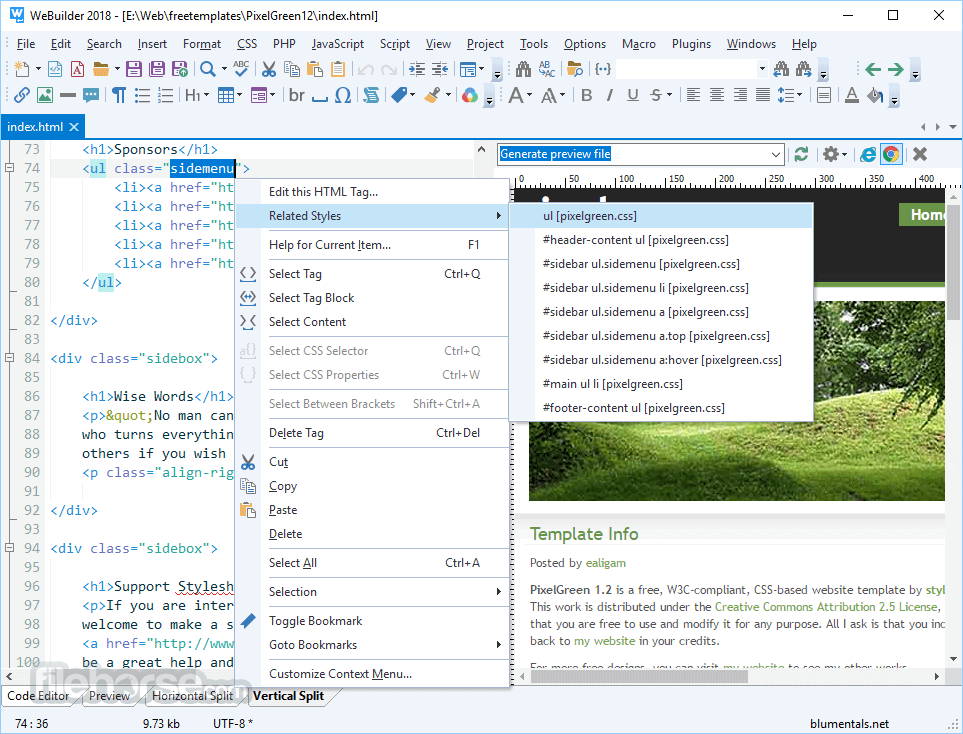
Clean interface, quick startup, superb flexibility, and powerful features allow you to create and manage code written in HTML, CSS, JavaScript, PHP, Ruby, Python, ASP, SSI, Perl, and other languages faster and easier, while integrated tools enable you to validate, reuse, navigate and deploy your code in an efficient and sophisticated manner. Download WeBuilder for PC Now!
Features and Highlights
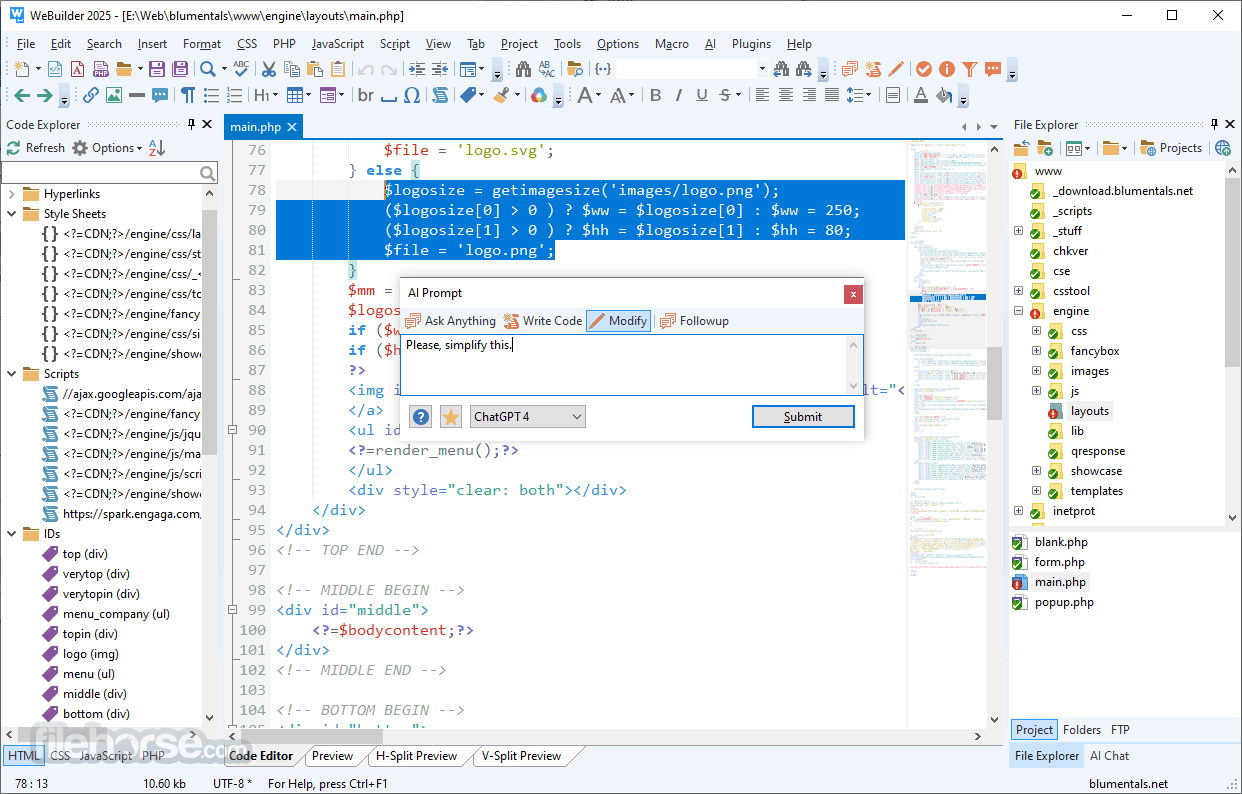
Built-in AI assistant - New!
Generate, modify and optimize code automatically, solve coding challenges.
Super quick
Loads much faster than any other code editor or IDE with similar features
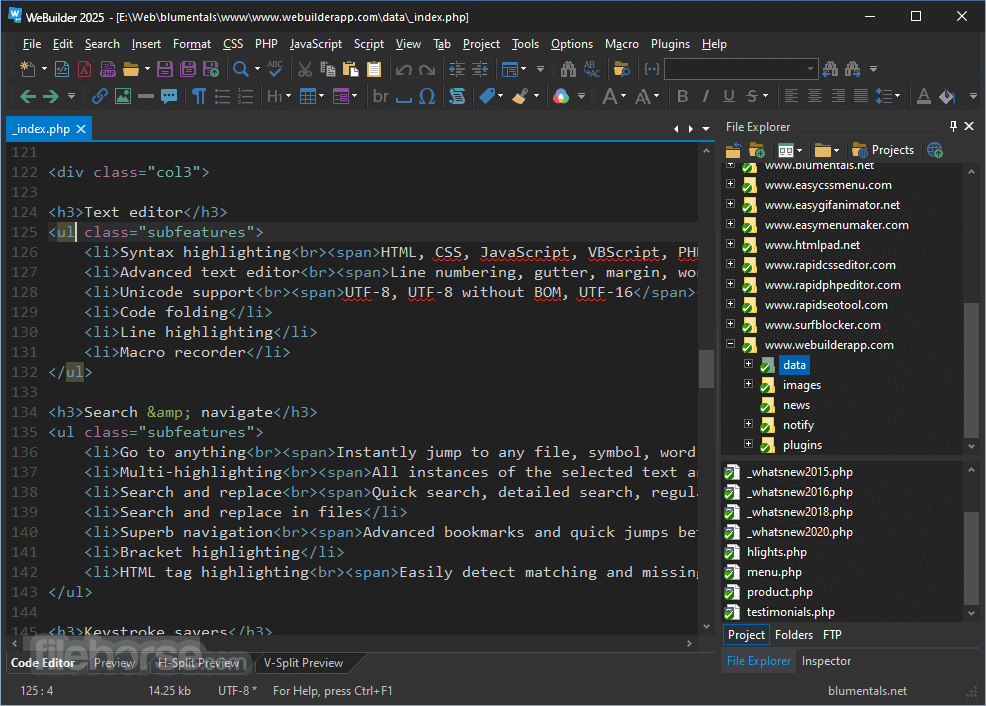
Powerful syntax highlighting
Supports HTML, CSS, JavaScript, PHP, XML, ASP, ASP.Net, C#.Net, Perl, Python, Ruby, SQL, Apache and more
Full Unicode support
Supports UTF-8 with and without BOM as well as UTF-16
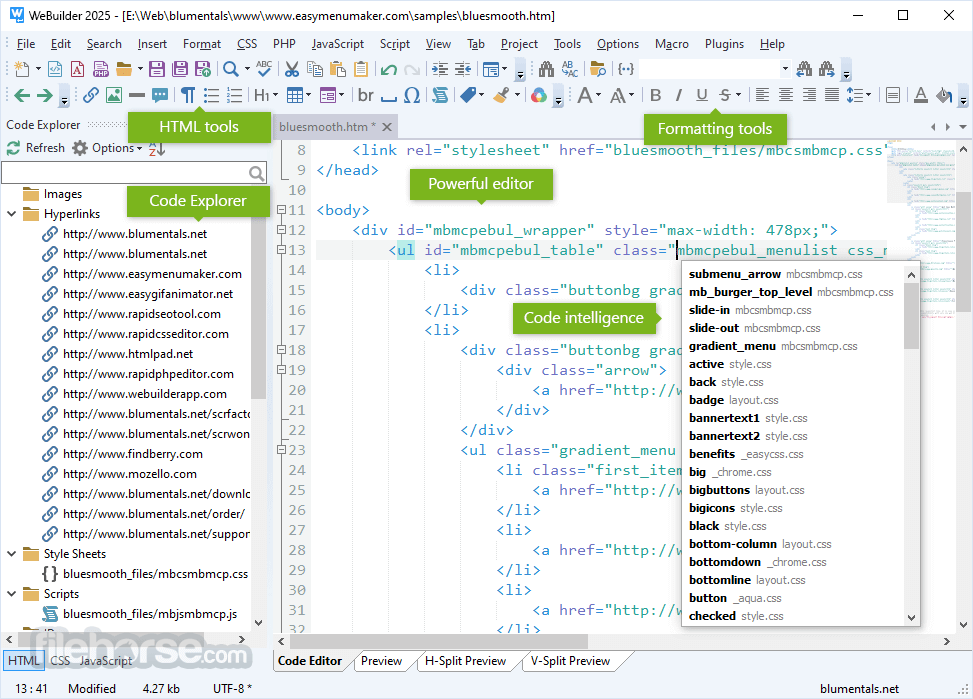
Code intelligence
Tons of intelligent code completion, navigation, and suggestion features
HTML5 and CSS3 ready
Coding features are up-to-date with modern standards
Direct FTP/SFTP/FTPS
Edit directly on your web server or publish local development copy updates with a single click
Smart code re-use
Code snippet library and code templates with assignable shortcuts
Advanced search and replace
Quick search, detailed search, file search, regular expression support, detailed results and more
Fully-packed HTML & CSS editor
HTML & CSS editor with auto complete, inspector, code assistants and more
Fully-packed PHP editor
PHP editor with auto-complete, syntax check, debugger, beautifier and more
Fully-packed JavaScript editor
JavaScript code editor with auto complete, language tools and more
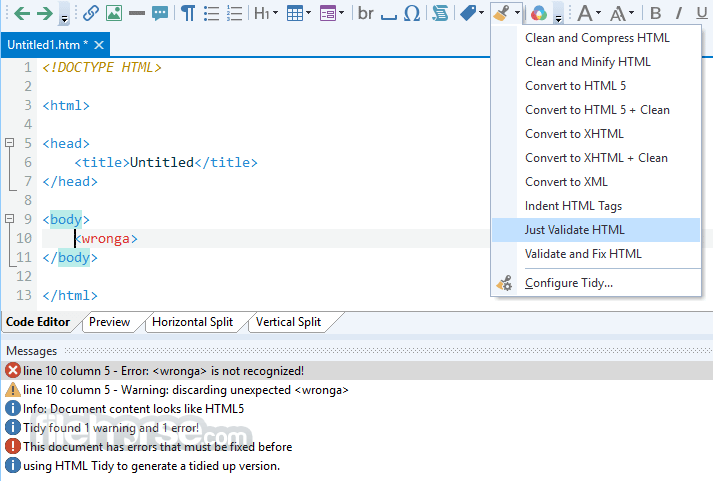
Integrated validation & debugging
Spell checker, W3 HTML and CSS validator, JSLint JavaScript checker, realtime PHP checker, xDebug PHP debugger
How is WeBuilder better?
How do I uninstall the software?
This software can be completely uninstalled from your system and it is easy to do so.
To uninstall the software:
Visual Studio Code - Free, extensible, and feature-rich.
UltraEdit - Robust editor for large files and coding.
Sublime Text - Lightweight editor with powerful plugins.
Notepad++ - Simple and fast for basic coding needs.
Eclipse - Versatile IDE with wide plugin support.
Komodo Edit - Simple multi-language code editor.
PROS
Download WeBuilder Latest Version Why is this app published on FileHorse? (More info)
Clean interface, quick startup, superb flexibility, and powerful features allow you to create and manage code written in HTML, CSS, JavaScript, PHP, Ruby, Python, ASP, SSI, Perl, and other languages faster and easier, while integrated tools enable you to validate, reuse, navigate and deploy your code in an efficient and sophisticated manner. Download WeBuilder for PC Now!
Features and Highlights
Built-in AI assistant - New!
Generate, modify and optimize code automatically, solve coding challenges.
Super quick
Loads much faster than any other code editor or IDE with similar features
Powerful syntax highlighting
Supports HTML, CSS, JavaScript, PHP, XML, ASP, ASP.Net, C#.Net, Perl, Python, Ruby, SQL, Apache and more
Full Unicode support
Supports UTF-8 with and without BOM as well as UTF-16
Code intelligence
Tons of intelligent code completion, navigation, and suggestion features
HTML5 and CSS3 ready
Coding features are up-to-date with modern standards
Direct FTP/SFTP/FTPS
Edit directly on your web server or publish local development copy updates with a single click
Smart code re-use
Code snippet library and code templates with assignable shortcuts
Advanced search and replace
Quick search, detailed search, file search, regular expression support, detailed results and more
Fully-packed HTML & CSS editor
HTML & CSS editor with auto complete, inspector, code assistants and more
Fully-packed PHP editor
PHP editor with auto-complete, syntax check, debugger, beautifier and more
Fully-packed JavaScript editor
JavaScript code editor with auto complete, language tools and more
Integrated validation & debugging
Spell checker, W3 HTML and CSS validator, JSLint JavaScript checker, realtime PHP checker, xDebug PHP debugger
How is WeBuilder better?
- Faster startup
- Unlike with other web development IDEs, you do not have to wait while it loads.
- No clutter
- WeBuilder is quick, clean and lightweight. It very powerful, yet not stuffed with useless buttons or panels.
- Attention to detail
- WeBuilder features are carefully crafted with speed and productivity in mind.
- Superb FTP/SFTP/FTPS features
- Upload/update your online website files in a just few clicks.
- A lot of integrated tools
- Syntax checkers, validators, debuggers, beautifiers, HTML Tidy, CSS prefixizer etc.
How do I uninstall the software?
This software can be completely uninstalled from your system and it is easy to do so.
To uninstall the software:
- Open Windows Control Panel.
- Open Programs and Features.
- Select the program you want to uninstall and click Uninstall.
Visual Studio Code - Free, extensible, and feature-rich.
UltraEdit - Robust editor for large files and coding.
Sublime Text - Lightweight editor with powerful plugins.
Notepad++ - Simple and fast for basic coding needs.
Eclipse - Versatile IDE with wide plugin support.
Komodo Edit - Simple multi-language code editor.
PROS
- New AI Integration
- User-Friendly Interface
- Wide Language Support
- Fast and Lightweight
- Powerful Debugging Tools
- Customizable Shortcuts
- Limited Collaboration Features
- No Real-Time Preview
- Fewer Plugins Compared to Competitors
- Windows-Only Availability
Download WeBuilder Latest Version Why is this app published on FileHorse? (More info)
##
畫面截圖
- 2026-07-28 WeBuilder 2025 18.8 119.66 MB
- 2026-07-08 WeBuilder 2025 18.7 119.66 MB
- 2026-03-28 WeBuilder 2025 18.6 119.59 MB
- 2026-01-25 WeBuilder 2025 18.5 119.61 MB
- 2025-11-04 WeBuilder 2025 18.4 119.58 MB
- 2025-04-17 WeBuilder 2025 18.3 119.35 MB
- 2024-04-04 WeBuilder 2025 18.0 119.21 MB
- 2023-01-18 WeBuilder 2022 17.6 100.01 MB