⚠ 這是歷史版本頁面 — 查看 WinTools.net Professional 最新版本 →

WinTools.net Professional 25.2.1
v 25.2.1
Windows
商業試用
7.22/10 (33)
- 目前版本25.2.1
- 更新日期2025-02-03
- 檔案大小859.5 KB
- 檔案名稱setup_wintoolspro.exe
- 作業系統Windows 7 / Windows 8 / Windows 10 / Windows 11
- 支援語系English
- 授權型式商業試用
- 開發商 WinTools Software Engineering, Ltd.
- 軟體分類Windows 軟體 / 系統優化
##
編輯短評
WinTools.net Professional 是一套 Windows 系統優化工具,主要用來提升作業系統效能,能乾淨移除不需要的軟體、清理登錄檔中的無效引用,並提供啟動程序控制、記憶體監控與桌面設定調整等功能。它的特色在於整合多種優化項目,並強調連線速度與隱私保護。開發商持續維護,更新相當活躍,不過在系統優化同類工具中,它並非主流首選,使用者評分人數不多,評價屬於中等水準。
這套軟體適合需要定期清理系統、調整啟動項目或監控記憶體的使用者,尤其當系統變慢或想最佳化網路連線時,可以派上用場。與 Glary Utilities 等熱門替代軟體相比,WinTools.net Professional 的功能較為集中,但介面與操作可能不如後者直覺。它採用試用版授權,需付費才能完整使用,且僅支援英文介面,沒有中文版,對不熟悉英文的使用者來說,上手門檻稍高。
##
翻譯排程處理中,以下暫以英文原文呈現
軟體介紹
WinTools.net Professional is a suite of tools for increasing the operating system performance. WinTools.net cleanly removes unwanted software from disk drives and dead references from the Windows registry.
WinTools.net puts you in control of the Windows startup process, memory monitoring, and gives you the power to customize desktop and system settings to fit your needs. Adds more speed and stability for your connection. Ensures your privacy and keep sensitive information secure.
Features and Highlights
Clean Uninstaller
Used for both correctly removing software and for monitoring changes made to the hard drive, MS Windows registry, and system files during program installations.
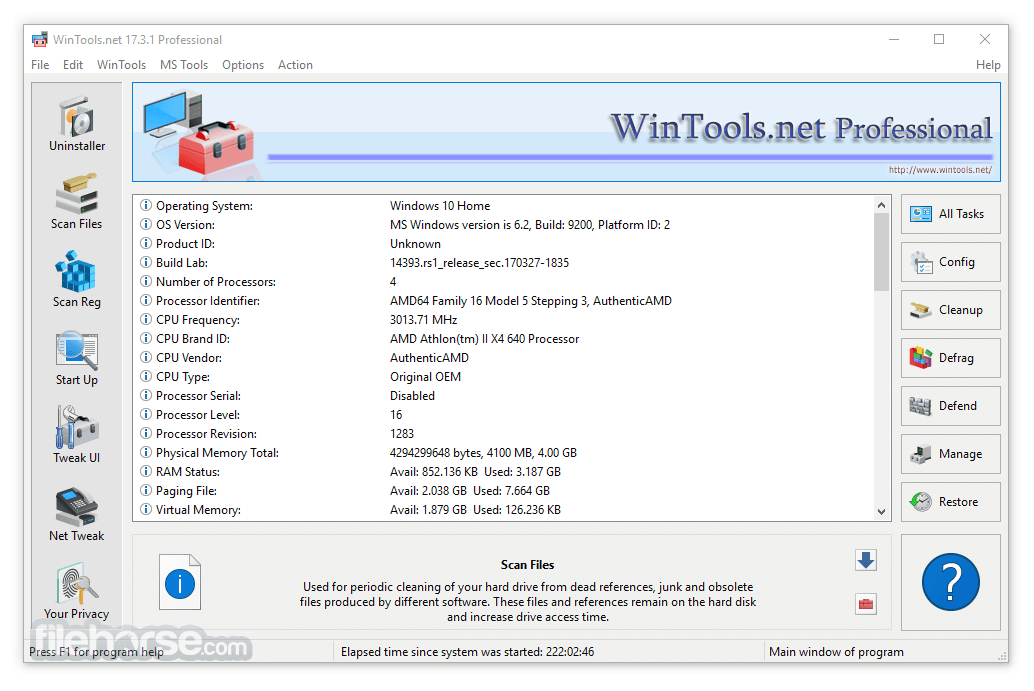
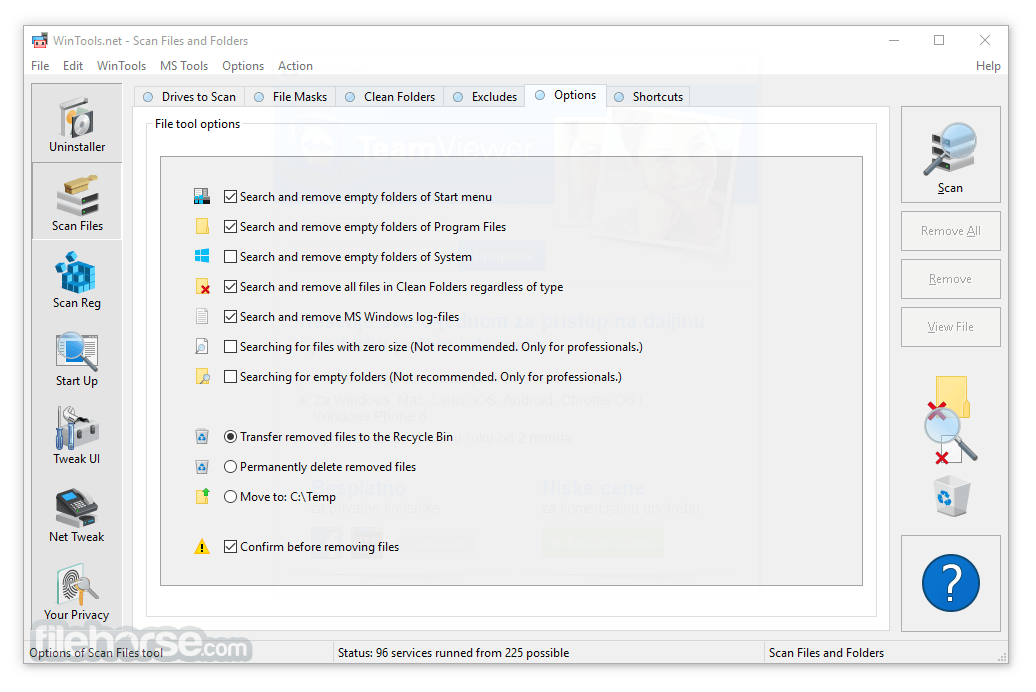
Scan Files
Used for periodic cleaning of your hard drive from dead references, junk and obsolete files produced by different software. These files and references remain on the hard disk and increase drive access time.
Scan Shortcuts
Used for periodic cleaning of your Desktop, Start menu, Application data, and hard drives from dead shortcuts, These shortcuts remain on the hard disk and increase drive access time.
WinTools.net: Scan Registry
Used for periodic cleaning of the MS Windows registry from unused applications remaining after uninstallation and from invalid references which decrease system speed and system loading time.
Startup Manager
This tool allows you to monitor, add, remove, enable, and/or disable individual startup items. You can also adjust applications initialized during the loading process of the operating system.
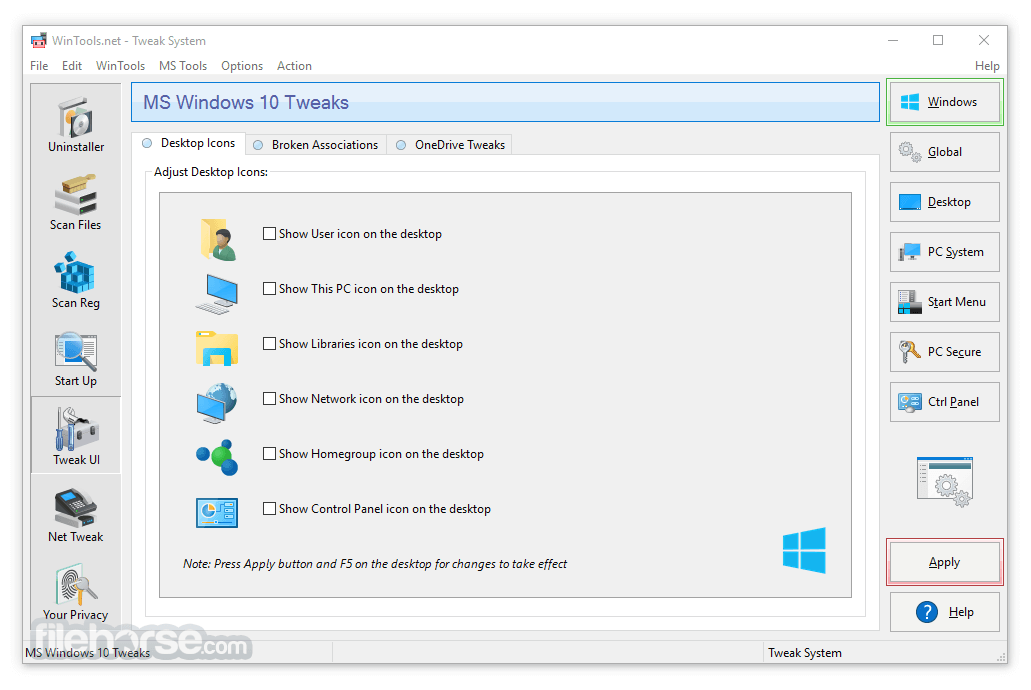
Tweak UI
This is a set of additional adjustments related to safety, system capacity, and user preferences and which are not included in the basic components of MS Windows.
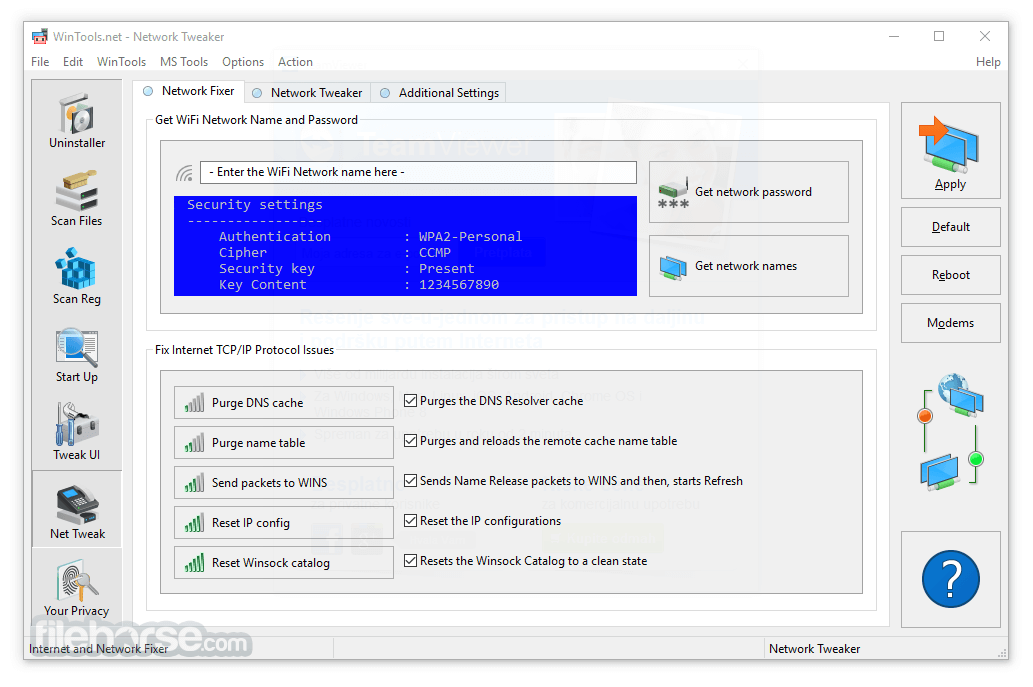
Net Tweaker
The tool is used for speed increasing of data transfer and for greater stability of connection by changing hidden network settings. Available only in "Professional" edition.
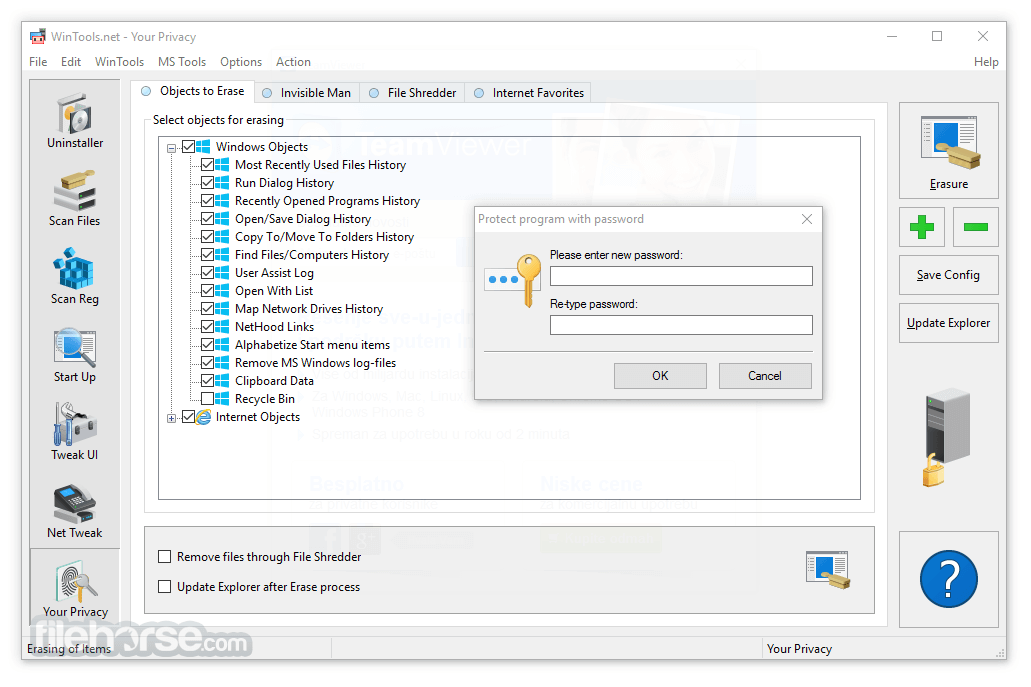
Your Privacy
This is a kit of tools which ensure your privacy and keep sensitive information secure. Available only in "Professional" edition.
Invisible Man
This tool is used for saving private information and its later restoration. This is useful if you don't want any information saved by the system.
File Shredder
This tool is used for full secure deleting documents, programs, and any other files without possibility to restore them.
IE Favorites
Little tools for quick delete, backup and restore Internet Explorer Favorites. Remove unused or damaged links.
RAM Memory Booster
This tool serves for monitoring, cleaning, and optimization of RAM. It is used for increasing operating system performance and for releasing RAM for usage by other processes. If you have a possibility, we recommend using RAM Saver Pro instead of RAM Memory Booster. WinTools.net Professional version is Amazing!
Alternatives
CCleaner Professional: A lightweight tool focused on cleaning and privacy management.
Glary Utilities Pro: Offers a wide range of utilities for system maintenance.
System Mechanic Pro: Known for its deep system optimization and repair features.
Ashampoo WinOptimizer: Provides similar cleaning and optimization tools at a competitive price.
Wise Care 365 Pro: A budget-friendly alternative with effective cleaning and speedup features.
PROS
Download WinTools.net Professional Latest Version Why is this app published on FileHorse? (More info)
WinTools.net puts you in control of the Windows startup process, memory monitoring, and gives you the power to customize desktop and system settings to fit your needs. Adds more speed and stability for your connection. Ensures your privacy and keep sensitive information secure.
Features and Highlights
Clean Uninstaller
Used for both correctly removing software and for monitoring changes made to the hard drive, MS Windows registry, and system files during program installations.
Scan Files
Used for periodic cleaning of your hard drive from dead references, junk and obsolete files produced by different software. These files and references remain on the hard disk and increase drive access time.
Scan Shortcuts
Used for periodic cleaning of your Desktop, Start menu, Application data, and hard drives from dead shortcuts, These shortcuts remain on the hard disk and increase drive access time.
WinTools.net: Scan Registry
Used for periodic cleaning of the MS Windows registry from unused applications remaining after uninstallation and from invalid references which decrease system speed and system loading time.
Startup Manager
This tool allows you to monitor, add, remove, enable, and/or disable individual startup items. You can also adjust applications initialized during the loading process of the operating system.
Tweak UI
This is a set of additional adjustments related to safety, system capacity, and user preferences and which are not included in the basic components of MS Windows.
Net Tweaker
The tool is used for speed increasing of data transfer and for greater stability of connection by changing hidden network settings. Available only in "Professional" edition.
Your Privacy
This is a kit of tools which ensure your privacy and keep sensitive information secure. Available only in "Professional" edition.
Invisible Man
This tool is used for saving private information and its later restoration. This is useful if you don't want any information saved by the system.
File Shredder
This tool is used for full secure deleting documents, programs, and any other files without possibility to restore them.
IE Favorites
Little tools for quick delete, backup and restore Internet Explorer Favorites. Remove unused or damaged links.
RAM Memory Booster
This tool serves for monitoring, cleaning, and optimization of RAM. It is used for increasing operating system performance and for releasing RAM for usage by other processes. If you have a possibility, we recommend using RAM Saver Pro instead of RAM Memory Booster. WinTools.net Professional version is Amazing!
Alternatives
CCleaner Professional: A lightweight tool focused on cleaning and privacy management.
Glary Utilities Pro: Offers a wide range of utilities for system maintenance.
System Mechanic Pro: Known for its deep system optimization and repair features.
Ashampoo WinOptimizer: Provides similar cleaning and optimization tools at a competitive price.
Wise Care 365 Pro: A budget-friendly alternative with effective cleaning and speedup features.
PROS
- Comprehensive System Cleanup Tools
- Advanced Registry Management
- Customizable User Interface
- Boosts System Performance
- Effective Privacy Protection
- Outdated Visual Design
- Lacks Real-Time Monitoring Features
- Potential for Misconfiguration
Download WinTools.net Professional Latest Version Why is this app published on FileHorse? (More info)
##
畫面截圖
- 2026-08-13 WinTools.net Professional 26.8.1 859.5 KB
- 2026-07-14 WinTools.net Professional 26.7.1 859.5 KB
- 2026-06-08 WinTools.net Professional 26.5.1 859.5 KB
- 2026-04-20 WinTools.net Professional 26.4.1 859.5 KB
- 2026-03-16 WinTools.net Professional 26.3.1 859.5 KB
- 2026-02-09 WinTools.net Professional 26.2.1 859.5 KB
- 2026-01-18 WinTools.net Professional 26.1.1 859.5 KB
- 2026-01-01 WinTools.net Professional 26.0.1 859.5 KB