
- 軟體名稱Winamp 5.9.2 Build
- 目前版本Winamp 5.3 Full
- 更新日期2006-09-27
- 檔案大小6.13MB
- 檔案名稱winamp53_full.exe
- 作業系統Windows XP / Vista / Windows 7 / Windows 8 / Windows 10 / Windows 11
- 支援語系English
- 授權型式免費軟體
- 開發商 Nullsoft
- 軟體分類Windows 軟體 / 音訊軟體
編輯短評
Winamp 是 Nullsoft 開發的經典多媒體播放器,從早期就支援 MP3、OGG、AAC、WAV 等多種音訊格式,也能播放 AVI、MPEG 等視訊檔案,甚至可收聽 SHOUTcast 與 AOL Radio 的線上電台。它最具辨識度的特色在於極高的自訂性,數千款皮膚與外掛能徹底改變播放器外觀與功能,媒體庫管理也相當靈活。這款軟體歷史悠久,至今仍保有龐大的活躍使用者社群,且持續獲得維護更新,在同類音訊工具中屬於評價普遍不錯的熱門選擇。
Winamp 適合喜歡深度自訂播放介面、重視輕量操作的老派玩家,也適合需要播放多種格式或收聽網路電台的使用者。與 iTunes 或 Virtual DJ 相比,Winamp 更專注於播放本機檔案與串流內容,沒有繁重的商店整合,但相對也缺少現代化的雲端同步功能。它以免費軟體形式提供,目前僅有英文介面,Windows 與 macOS 都有對應版本,使用前需留意語系支援是否符合需求。
軟體介紹
此 App 支援多種音訊格式 (MP3, OGG, AAC, WAV, MOD, XM, S3M, IT, MIDI 等) 與視訊類型 (AVI, ASF, MPEG, NSV)。
The ultimate media player
Winamp 是一個傳奇。自 1997 年以來,它徹底改變了遊戲規則。這款擁有深厚底蘊的 media player 在全球至今仍有 80 million active users 的活躍社群。
It has always embodied the values of empowerment and a deep passion for music
它擁有極高自定義程度的 media library,並允許你對喜愛的音樂 CD 進行 rip 和 burn。其 MP3 工具提供數千款 skins 與 plug-ins,讓你能改變播放器的外觀與感覺,甚至增加新功能。
這款經典播放器還能存取 thousands of free songs、影片,以及來自 SHOUTcast Radio 和 AOL Radio with XM 的線上電台。
Nullsoft Winamp 2026 是一款針對 PC 設計的快速、靈活且高音質的 music player 軟體!該軟體支援多種音訊 (MP3, OGG, AAC, WAV, MOD, XM, S3M, IT, MIDI 等) 與視訊類型 (AVI, ASF, MPEG, NSV)、稱為 skins 的自定義外觀(同時支援經典的 Winamp 1.x/2.x skins 以及 Winamp 3 freeform skins)、audio visualization and audio effect plug-ins(包括兩款主導業界的 visualization plug-ins)、進階的 media library、Internet radio 與 TV 支援、CD ripping 以及 CD burning。
Also Available for Download:
Shoutcast DSP v2.4.0 for Winamp 5.9
Winamp Language Packs v1.2
如各位所知,Winamp 與 SHOUTcast 最近更改了所有權(從 AOL 轉移至 Radionomy)。winamp.com 網站目前正在進行大規模的維護與幾乎 completely new redesign。
因此,許多功能將暫時無法使用,包括部分客戶端服務。
Features
- Audio playback:Winamp 是一款主要的 media player,可播放 MP3、WAV、WMA 等多種音訊格式。
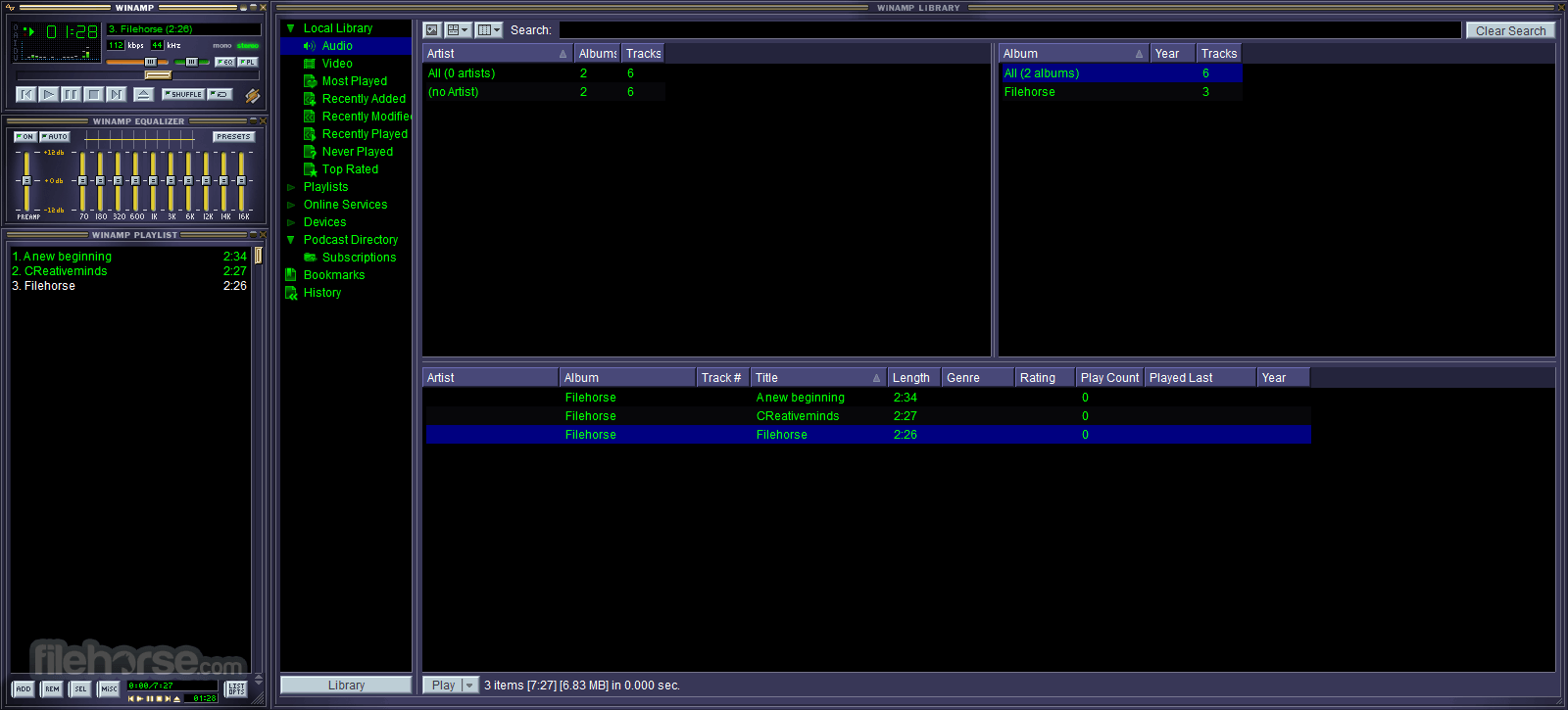
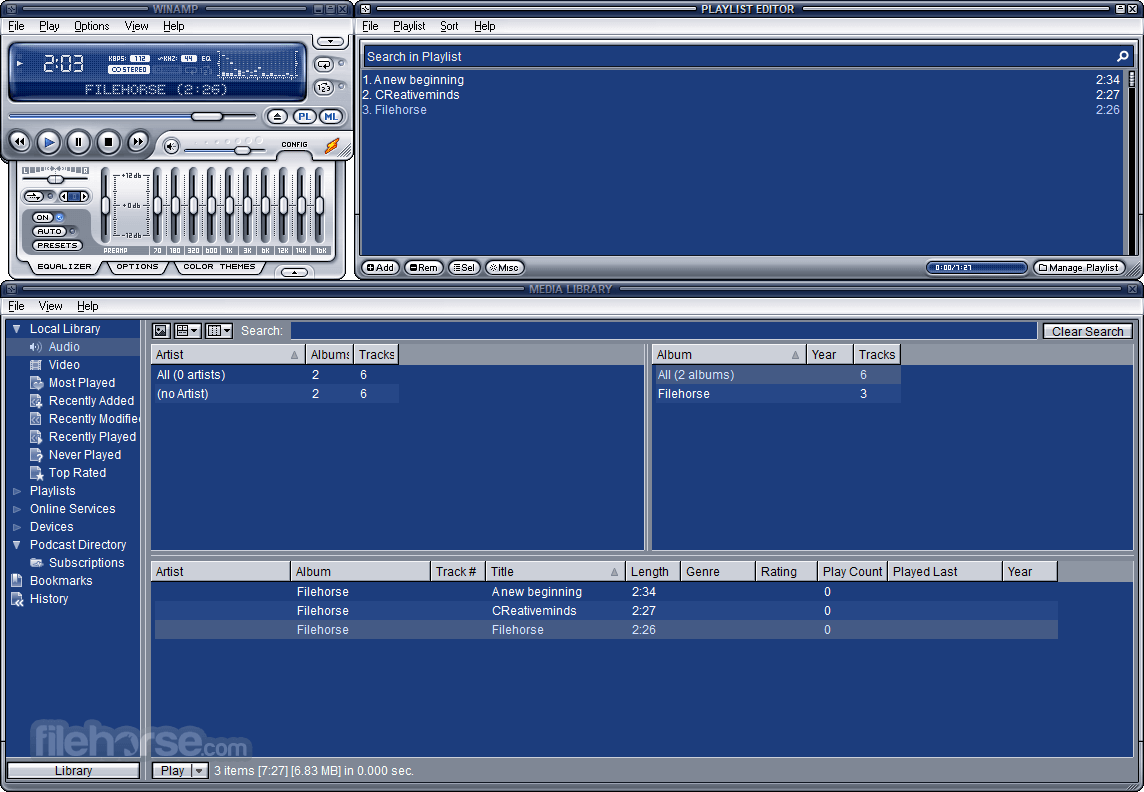
- Customizable interface:允許使用者透過不同的 skins 與 visualizations 自定義外觀。
- Playlist creation:使用者可以在此 App 中建立與管理 playlists,並可儲存以便日後載入。
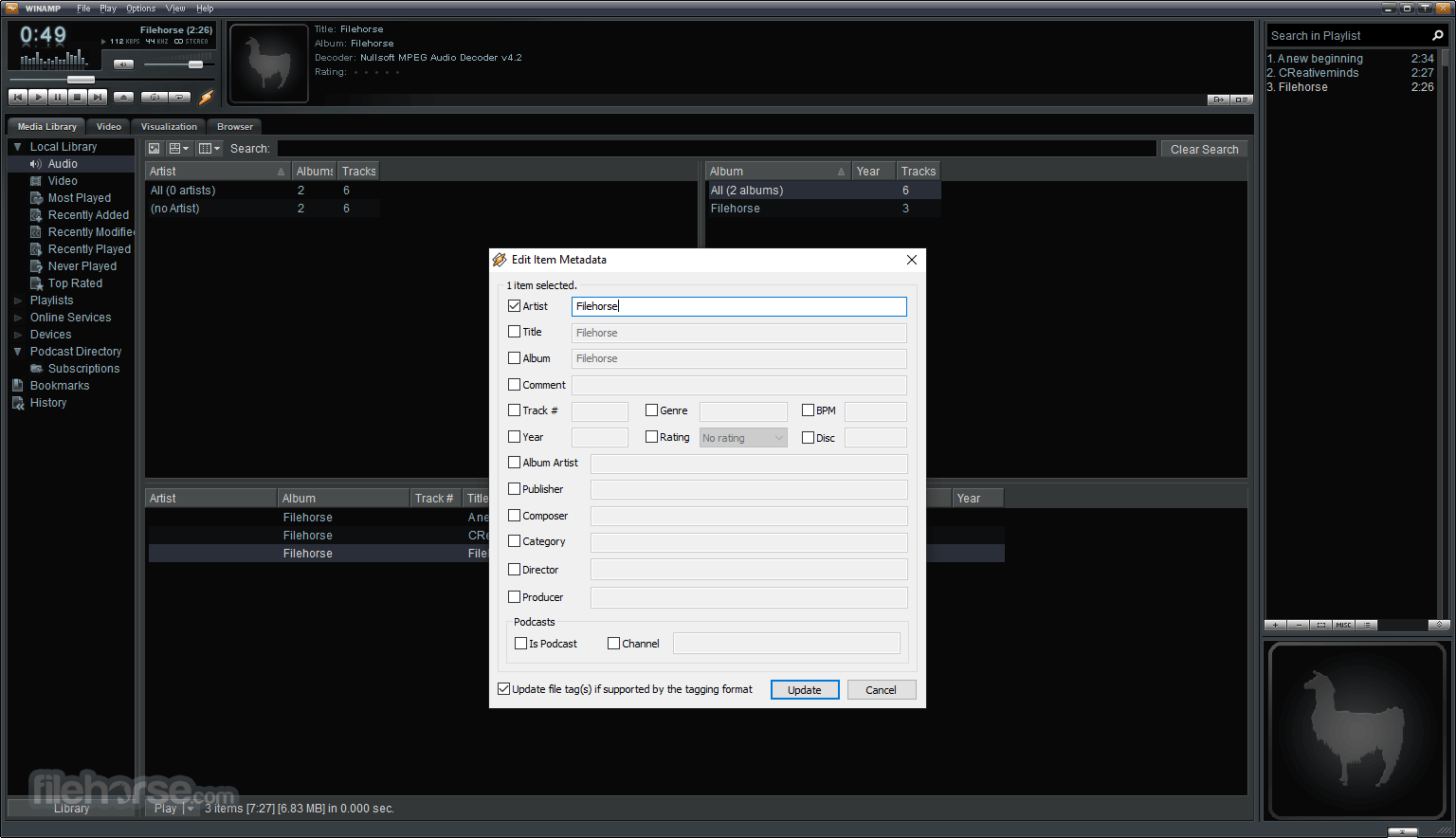
- Audio library:內建 media library,讓使用者能快速整理並存取音樂檔案。
- Equalizer:配備進階 equalizer,讓使用者根據個人喜好調整音質。
- Media format conversion:此 App 還允許使用者在不同媒體格式之間進行轉換。
- Internet radio:使用者可以在程式中收聽各種 internet radio 電台,甚至可以錄製以便日後聆聽。
- Visualizations:提供多種 visualizations,可用於提升音訊播放的視覺體驗。
- Plugin support:擁有龐大的 plugins 收藏,可用於擴展其功能。
- CD ripping and burning:允許使用者進行 audio CDs 的 rip 以及將音訊檔案 burn 到 CD 中。
- 支援與 Winamp for Android 的無線桌面同步
- iTunes Library Import
- 重大 podcast 更新,包括由 Mediafly 提供的新目錄
- 新增對 Windows 11, 10, 8 與 Windows 7 的支援,包含工作列播放控制
- 提供 16 種語言版本,包括土耳其語、羅馬尼亞語與巴西葡萄牙語
- 改進的 playlist generator
- 可添加 App Toolbar 並從瀏覽器控制播放(選配)
Windows Desktop Version
請注意,Latest Winamp 5.9 是官方版本,但實際上並不穩定,因此不受 Radionomy 支援;這意味著它存在許多 bugs 並可能導致不可預期的軟體崩潰。如果您選擇安裝,請自行承擔風險。
Winamp's new music player apps are now available - What`s New?
Winamp 播放器正式進軍行動端,推出 brand new iOS and Android apps,這在它輝煌的歷史中是一個重要的里程碑。
這些於今年早些時候揭曉、備受期待的 App,承諾將令忠實粉絲與新用戶同樣感到驚喜,提供一系列旨在深化音樂愛好者與其喜愛藝人之間聯繫的功能。
With a global audience of 83 million users,Winamp 長久以來因其可自定義的 skins 與獨特風格而備受讚譽。然而,新播放器生態系統的推出代表了一次深遠的演進,因為 Winamp 將重心轉向更好地支援現代音樂藝人的需求。
在保留招牌功能的同時,Winamp 的行動 App 擁抱了針對當代音訊消費趨勢量身打造的新功能,提供無縫且沉浸式的聆聽體驗。
Key features include:
- Local and Cloud Track Support:無論是儲存在本地、iCloud (iOS) 或 Google Drive (Android),都能存取並享受所有喜愛的曲目,提供跨平台的統一音訊體驗。
- Fanzone Artists and Tracks:直接支持你喜愛的藝人並獲取獨家內容,透過個人化動態隨時掌握最新消息。
- Playlists:透過建立結合本地庫、雲端儲存與 Fanzone 曲目的 playlists 來掌控你的音樂體驗。
- Radios and Podcasts:無需切換平台即可探索多樣化的 radios 與 podcasts。
- New Equalizer (coming soon to iOS):透過全新的 equalizer 功能個人化聆聽體驗,將你喜愛的聲音調整至符合你的偏好。
How to Use
- Add music:點擊 "Add Media to Library" 按鈕,或將音樂檔案/資料夾拖放到 App 介面中即可加入 library。
- Play music:若要播放歌曲,只需在 library 中雙擊該曲目,或選中後點擊 "Play" 按鈕。
- Customize appearance:你可以透過選擇不同的 skins 與 visualizations 來自定義 App 的外觀。請點擊 "Options" 然後選擇 "Skins" 以挑選 skin,或選擇 "Visualizations" 以挑選視覺效果。
- Customize audio settings:你可以透過點擊 "Options" 然後選擇 "Preferences" 來調整音訊設定。在這裡,你可以調整 equalizer、輸出設定以及 crossfading 等選項。
- Create playlists:若要建立 playlist,請選中想要包含的歌曲並點擊 "Add to Playlist" 按鈕。隨後你可以儲存該 playlist 並從 "Playlists" 區塊中存取。
- Burn music to CD:若要將音樂 burn 到 CD,請選中想要包含的歌曲並點擊 "Burn" 按鈕,然後按照提示完成燒錄過程。
- Connect to internet radio:你可以點擊 "Online Services" 然後選擇 "SHOUTcast Radio" 來瀏覽並選擇電台。
Is Winamp safe to use?
是的,但使用舊版本的 Winamp 可能會讓你的電腦面臨安全風險,因為程式可能存在尚未修補的漏洞。建議始終使用最新版本,並從官方網站或 FileHorse 等可信來源下載。與任何軟體一樣,保持防毒軟體更新並在安裝新程式時保持謹慎也非常重要。
Is Winamp still available for download?
是的,Winamp Windows Desktop Version 仍可從官方網站(下載頁面)或 FileHorse 下載。
Can I play music files from streaming services on Winamp?
不行,它不支援 Spotify、Apple Music 或 YouTube Music 等音樂串流服務。它僅能播放儲存在電腦中的本地音訊檔案。
Can I customize the appearance of Winamp?
是的,它允許你使用各種 skins 與 visualizations 來自定義外觀。
What audio formats are supported by Winamp?
它支援廣泛的音訊格式,包括 MP3, WAV, WMA, AAC, FLAC 等。不過,它可能不支援某些最新的 audio 格式。
Can I use Winamp on Windows 11/10?
是的,可以在 Windows 11/10 上使用。然而,部分使用者回報最新版本的 Windows 存在相容性問題,因此建議使用較舊版本或嘗試其他 media player。
What is the status of Winamp in 2026?
截至 2026 年,Winamp 依然可用且偶爾會收到更新,5.9+ 版本為最新的桌面版。然而,開發速度相對緩慢,公司的重心已轉向構建更廣泛的媒體與創作者平台,而非積極地作為主流 media player 競爭。
Alternatives
Foobar2000 - 一款輕量且可自定義的 music player,支援多種音訊格式,並提供 gapless playback 與進階 tagging 等功能。
AIMP - 一款多功能的 audio player,支援多種格式,提供 equalizer 和 DSP plugins 等進階音訊功能,且擁有可自定義的介面。
1by1 - 一款小巧且全面的 multimedia audio directory player。
MediaMonkey - 一款 media player 與 library manager,支援多種音訊與視訊格式,提供進階 tagging 與組織功能,並具備可自定義的介面。
MusicBee - 一款功能豐富的音樂管理工具與播放器,擁有直觀的介面。它支援深度自定義,提供進階 tagging 與整理選項,並內建 streaming 與 podcasting 功能。
System Requirements
- Operating System:Windows 7, 8.1, 10 或 11
- Processor:1 GHz 或更快的 Intel 或 AMD 處理器
- RAM:512 MB 或更高
- Hard Disk Space:20 MB 可用硬碟空間
- Sound Card:音效卡或內建音效
- Graphics Card:建議 16-bit 或 24-bit 色彩品質
- 操作簡單,具備直覺的點擊與拖曳介面
- 能夠下載並將檔案 burn 到光碟中
- 可使用專輯封面與 skins 自定義外觀,靈活性高
- 支援固定播放清單的離線播放
- 與現代 media players 相比,功能較為有限
總結來說,Winamp 是一款自 1990 年代後期以來就廣受歡迎的 media player。它提供一系列功能,如可自定義的 skins、equalizer、internet radio、CD ripping 與 burning 等。然而,由於是一款較舊的工具,使用時可能會面臨一些安全風險。
The app revolutionized the music industry 在 90 年代憑藉其友善的介面、自定義能力與不羈的精神徹底改變了音樂產業。儘管是一款經典播放器,它依然保持熱度且 has millions of users worldwide。
In 2023, Winamp is unveiling a NEW platform 將其傳奇的 legacy player 整合並提升為終極音樂機器。該平台旨在不僅賦能聆聽者,還包括創作者與粉絲,在他們之間建立更深層的聯繫。透過讓粉絲參與音樂創作,新版 Winamp 的使命是釋放 full potential of the relationship between artists and fans across the globe。
整體而言,對於偏好簡單且可自定義音訊播放體驗的人來說,它依然是一款實用的 media player,但使用者應保持謹慎並確保從可信來源下載最新版本。
Also Available: Winamp for Mac
Download Winamp Latest Version Why is this app published on FileHorse? (More info)
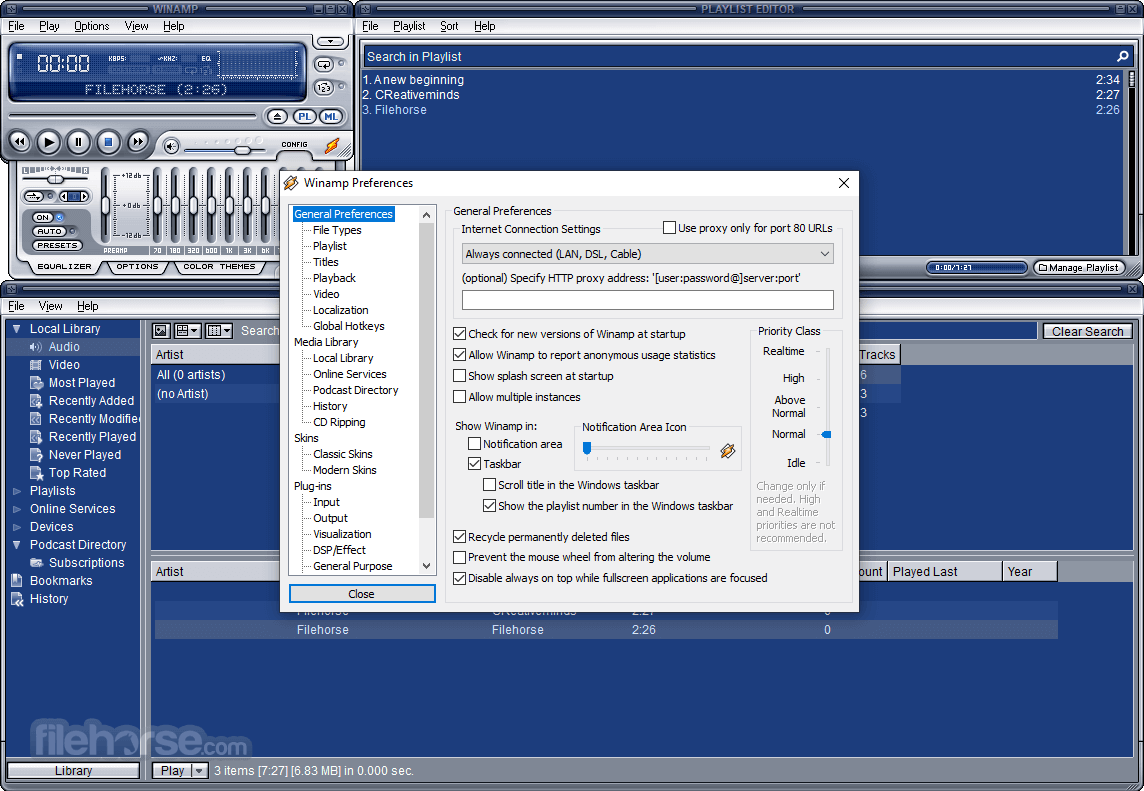
畫面截圖
5 張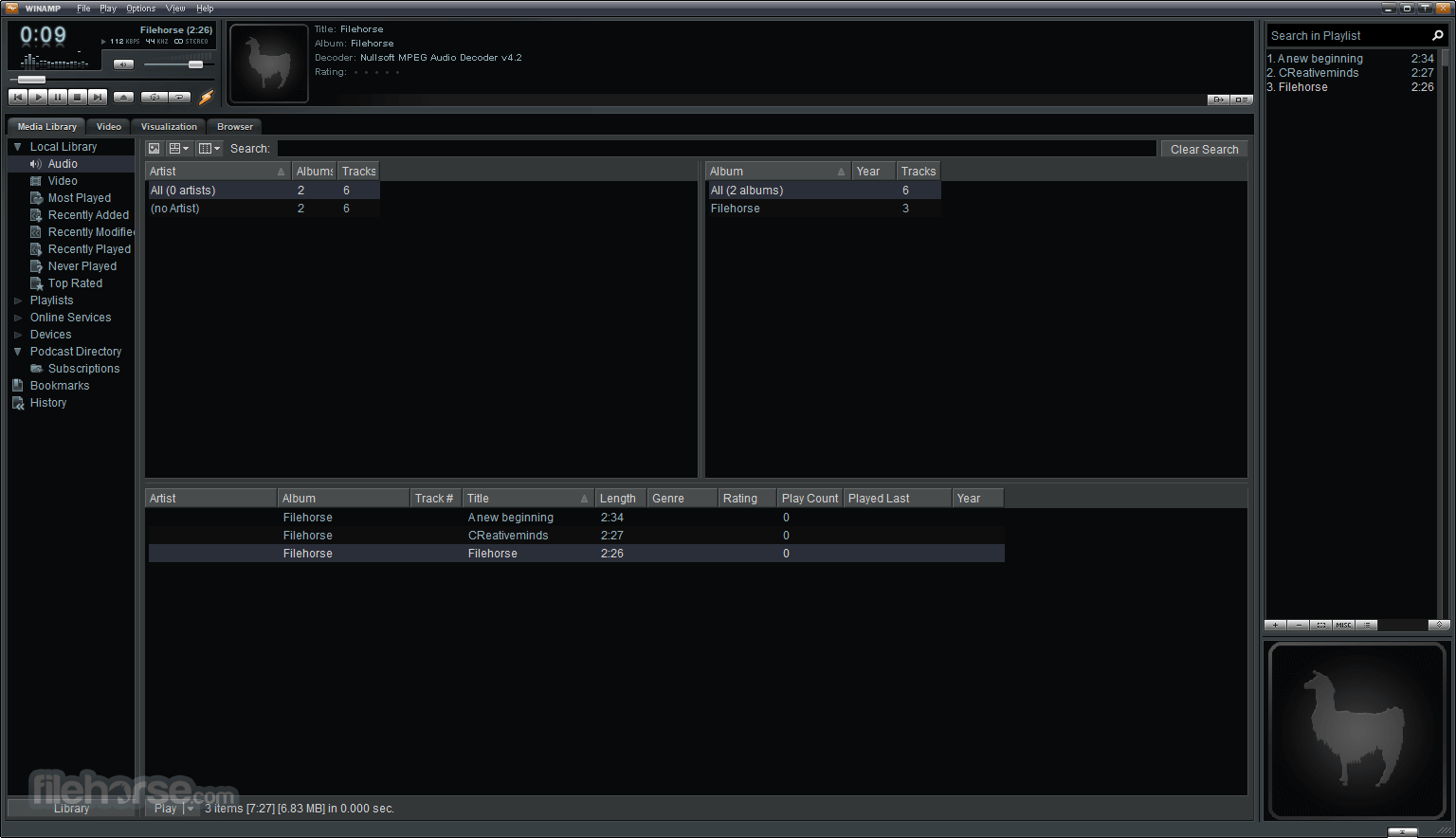

更新日誌
Winamp 5.3 Full - New: Unicode filename and title support
- New: M3U8 (Unicode) playlist support
- New: optional 24bit playback for many codecs (turn it on in Preferences->Playback)
- New: Replaygain support for MP3, AAC, Vorbis, M4A and WMA
- New: added ml views & playlists to Play-> submenu of right click popup menu
- New: added interface/x-winamp3-skin mimetype for WAL skins
- New: [ml_dash] Personalized content portal
- New: [ml_disc] optional replaygain scanning after rip (turn it on in cd ripping prefs)
- New: [ml_pmp] Transcoding. Converts incompatible files on-the-fly for your portable device.
- New: [ml_pmp] Playback now works for playsForSure and Creative NJB devices
- New: [ml_pmp] "Copy to Library" - transfer songs from any device to your local library (uses CD rip settings)
- New: [ml_pmp] Video sync support for portables
- New: [ml_rg] replaygain scanner (access via Send To menu)
- New: [pmp_ipod] gapless playback support on newer models
- New: [pmp_usb] USB drive support. Now all those thumbdrive MP3 players can work with Winamp.
- Improved: fullscreen video seekbar
- Improved: ATF updates
- Improved: DC filter on spectral visualization, to remove bass bias
- Improved: preference cleanups
- Improved: faster PLS writing
- Improved: 24bit EQ support
- Improved: "Close Winamp" option after installation (after clicking 'Send')
- Improved: [enc_aacplus] Improved AAC and aacPlus encoding!
- Improved: [enc_aacplus] saves itunes/ipod-compatible gapless information
- Improved: [enc_lame] added preset medium and fast medium
- Improved: [enc_wma] VBR and lossless modes
- Improved: [gen_ff] better sample rate display
- Improved: [in_cdda] faster ripping speeds through improved buffering and multithreading
- Improved: [in_dshow] AVI metadata reading
- Improved: [in_dshow] better WAV support
- Improved: [in_mp3] 24bit MP3 playback, 64bit internal precision
- Improved: [in_mp3] streaming id3v2 support
- Improved: [in_mp3] replaygain support for MP3 playback
- Improved: [in_mp3/in_mp4] 24bit AAC playback
- Improved: [in_mp3/in_mp4] itunes-compatible gapless playback
- Improved: [in_mp3/in_mp4] mp3-in-mp4 container support
- Improved: [in_mp4] FAAC-compatible (mostly) gapless playback
- Improved: [in_wave] better outputs bits-per-sample choosing
- Improved: [ml_playlists] added missing entries from pledit context menus
- Improved: [ml_playlists] option to not show playlists in send-to menu
- Improved: [ml_pmp] Only relevant columns shown in song views
- Improved: [ml_pmp] "Getting Metadata" now much faster
- Improved: [ml_pmp] devices can now be renamed
- Improved: [ml_pmp] added progress to portables tree item (no more switching views)
- Improved: [ml_pmp] metadata guessing based on filename
- Improved: [ml_pmp] improved GUI performance
- Improved: [pmp_ipod] support for iTunesLock
- Fixed: Burning files that require resampling
- Fixed: multiple copies of Winamp when opening too many files/folders from explorer
- Fixed: freeze when exiting Winamp while minimized
- Fixed: Delay/hang when loading dead stream url's
- Fixed: crash when directdraw fails to create primary surface
- Fixed: 4x burn speed limit with Pro
- Fixed: registry handling when disassociating filetypes
- Fixed: better detection of video input plugins
- Fixed: [dsp_sps] 24 bit fix
- Fixed: [enc_aacplus] more compatible HE AAC MP4 file creation
- Fixed: [enc_lame] broken vbr presets
- Fixed: [enc_lame] 24bit input support
- Fixed: [enc_lame] bitrate lower bound on alt-presets
- Fixed: [in_cdda] CDDB lookups clearing the ENTIRE playlist cache
- Fixed: [gen_ff] layerfx not being redrawn on colortheme change
- Fixed: [gen_ff] gradient drawing glitch and crash
- Fixed: [gen_ff] custom color themes bug
- Fixed: [gen_jumpex] hang when suspending or hibernating
- Fixed: [gen_ml] tree icon fixup (divide by zero crash in ICM32.dll)
- Fixed: [in_cdda] cutoff of last few sectors
- Fixed: [in_dshow] crash when using DSP/EQ on anything bigger than 16bit stereo
- Fixed: [in_dshow] seek to key frame
- Fixed: [in_midi] truncated playback of some MIDI files
- Fixed: [in_mod] title display bug for module streams with no title
- Fixed: [in_mp3] crash when editing ID3 tags
- Fixed: [in_mp3] ID3v2 and ID3v1 Comment & Genre tags shared
- Fixed: [in_mp3] Inaccurate Time Remaining display for AAC files
- Fixed: [in_mp3] do Viz after DSP
- Fixed: [in_mp3] Icecast stream title UTF-8 support
- Fixed: [in_mp4] detection of HE AAC in file info box (Alt+3)
- Fixed: [in_wm] DRM Video playback on certain hardware
- Fixed: [in_wm] freezeup when seeking a paused wma
- Fixed: [in_wm] Hang with dead WMV link in pledit in Repeat mode
- Fixed: [in_wm] freeze when stopping streams that have rebuffered
- Fixed: [in_wm] small memory leak on each track play
- Fixed: [in_wm] Windows Media Screen Codec not playing properly
- Fixed: [ml_disc] CD ripping / playlist generation bug
- Fixed: [ml_disc] CD Ripping view showing up when clicking on other ml views
- Fixed: [ml_history] Ctrl+H shortcut
- Fixed: [ml_local] fixed crash when trying to create a new view before mldb has loaded
- Fixed: [ml_local] background scan crash when media library DB isn't loaded
- Fixed: [ml_local] scheduled background scan always starting at startup
- Fixed: [ml_online] Online Media bugfix (don't try to play NULL streams)
- Fixed: [ml_playlists] losing stream titles
- Fixed: [ml_playlists] sort by title
- Fixed: [ml_playlists] Send To from local media to ml playlist replaces instead of enqueues
- Fixed: [ml_playlists] Enqueue as default broken in left pane
- Fixed: [ml_playlists] Playlist title > rt-click > New Playlist = broken
- Fixed: [ml_playlists] tracklength bug
- Fixed: [ml_playlists] playlist paths issue
- Fixed: [ml_pmp] Transfers stalling after encountering a dupe
- Fixed: [out_ds] volume not hitting 0dB when using log or hybrid volume control
- Fixed: [pmp_ipod] Artist list on iPod not sorting "The" correctly
- Updated: Coding Technology aacPlus Decoder 8.0.0
- Updated: [gen_ff] Freetype 2.2.1
- Updated: [gen_ff] libpng 1.2.12
- Updated: [gen_jumpex] Jump-to-File 0.97.7
- Updated: [in_wave] libsndfile 1.0.16
- Updated: [libmp4v2] MPEG4IP mp4v2 1.5
- Updated: [enc_lame] LAME 3.97b3
- Updated: Sonic Engine 3.2.40.500
歷史版本
完整清單 →- 2026-02-25 Winamp 5.9.2 Build 10042 12.43 MB
- 2022-12-22 Winamp 5.9.1 Build 10029 10.08 MB
- 2022-08-02 Winamp 5.9 Build 9999 10.87 MB
- 2018-11-10 Winamp 5.8 Build 3660 Beta 7.82 MB
- 2016-10-26 Winamp 5.8 Build 3653 Beta 7.6 MB
- 2015-01-22 Winamp 5.666 Full Build 3516 (patched) 14.33 MB
- 2013-12-13 Winamp 5.666 Full Build 3516 16.37MB
- 2013-12-04 Winamp 5.666 Full 16.64MB