⚠ 這是歷史版本頁面 — 查看 Wing IDE 101 最新版本 →

- 目前版本11.0.3.0
- 更新日期2025-08-03
- 檔案大小85.2 MB
- 檔案名稱wing-101-11.0.3.0.exe
- 作業系統Windows 7 / Windows 8 / Windows 10 / Windows 11
- 支援語系English
- 授權型式免費軟體
- 開發商 Wingware
- 軟體分類Windows 軟體 / 開發者工具
##
編輯短評
Wing IDE 101 是 Wingware 推出的 Python 專用整合開發環境,從底層就為 Python 設計,本身也以 Python 撰寫並可擴充。它主要解決 Python 開發者在編寫、除錯與程式碼導覽上的效率問題,最鮮明的特色是能在即時執行環境中互動撰寫程式碼,立刻獲得回饋,並透過深層的 Python 語法分析協助避開常見錯誤。這套軟體更新相當活躍,近一年內多次釋出更新,屬於長期維護的產品;在開發者工具分類中,雖然評分人數不多,但整體評價表現不錯,算是小眾但專業的選擇。
這套工具適合專注 Python 開發的程式設計師,尤其是需要互動式測試與深度除錯的工作情境。與同分類的 BlueStacks、Turbo C++ 等替代軟體相比,Wing IDE 101 更聚焦於 Python 語言本身,但功能面可能不如一些大型多語言 IDE 全面。它採用免費授權,僅提供 Windows 與 macOS 版本,且介面只支援英文,使用前需留意語系與平台限制;若你習慣中文介面或需要跨平台 Linux 支援,可能得考慮其他方案。
##
翻譯排程處理中,以下暫以英文原文呈現
軟體介紹
Wing Python IDE was designed from the ground up for Python, to bring you a more productive development experience. Wingware's 20 years of Python IDE experience bring you a more Pythonic development environment.
Wing IDE was designed from the ground up for Python, written in Python, and is extensible with Python. So you can be more productive.
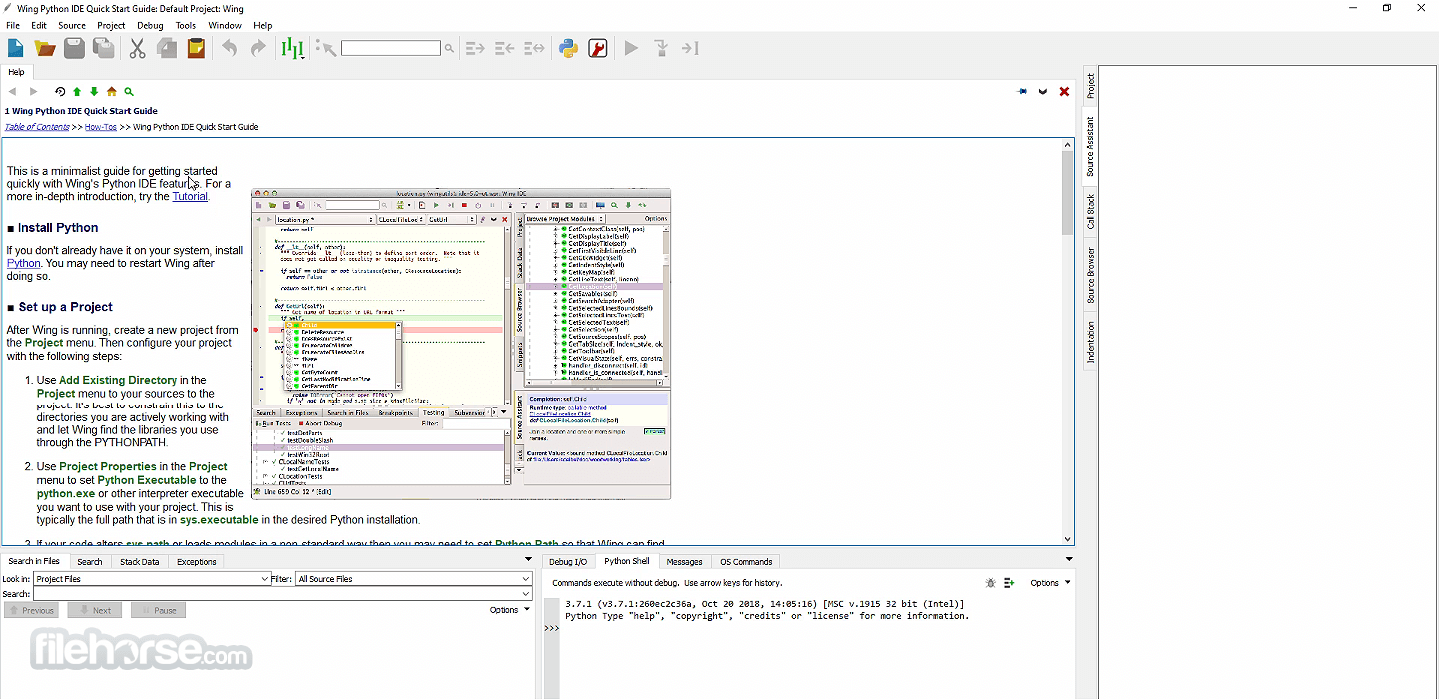
Type less and let Wing worry about the details. Get immediate feedback by writing your Python code interactively in the live runtime. Easily navigate code and documentation. Avoid common errors and find problems early with assistance from Wing's deep Python code analysis.
Keep code clean with smart refactoring and code quality inspection. Debug any Python code. Inspect debug data and try out bug fixes interactively without restarting your app. Work locally or on a remote host, VM, or container.
Wing's focus on interactive development works well for scientific and data analysis with Jupyter, NumPy, SciPy, Matplotlib, pandas, and other frameworks. The debugger's data frame and array viewer make it easy to inspect large data sets.
It supports development with Django, Flask, web2py, Pyramid, Google App Engine, and other web frameworks. The debugger can step through Django and web2py templates. It works seamlessly with code running on a remote host, virtual machine, or containers such as Vagrant or WSL.
Since Wing's debugger can run in embedded instances of Python, it can be used to develop scripts for Blender, Autodesk Maya, NUKE, Source Filmmaker, and other modeling, rendering, and compositing applications that use Python. The app also works with pygame and other Python-based game engines.
Wing can develop, test, and debug desktop applications with PyQt, wxPython, Tkinter, and other UI development frameworks. Scripting, Raspberry Pi, and other types of development are also supported.
Wing introduces an improved code warnings and code quality inspection system that includes built-in error detection and tight integration with pylint, pep8, and mypy.
This release also adds a new data frame and array viewer, a MATLAB keyboard personality, easy inline debug data display with Shift-Space, improved stack data display, support for PEP 3134 chained exceptions, callouts for search and other code navigation features, four new color palettes, improved bookmarking, a high-level configuration menu, magnified presentation mode, a new update manager, stepping over import internals, simplified remote agent installation, and much more.
Features and Highlights
Intelligent Editor
Wing's editor speeds up interactive Python development with context-appropriate auto-completion and documentation, inline error detection and code quality analysis, PEP 8 enforcement, invocation assistance, auto-editing, refactoring, code folding, multi-selection, customizable code snippets, and much more. It can emulate vi, emacs, Eclipse, Visual Studio, XCode, and MATLAB.
Powerful Debugger
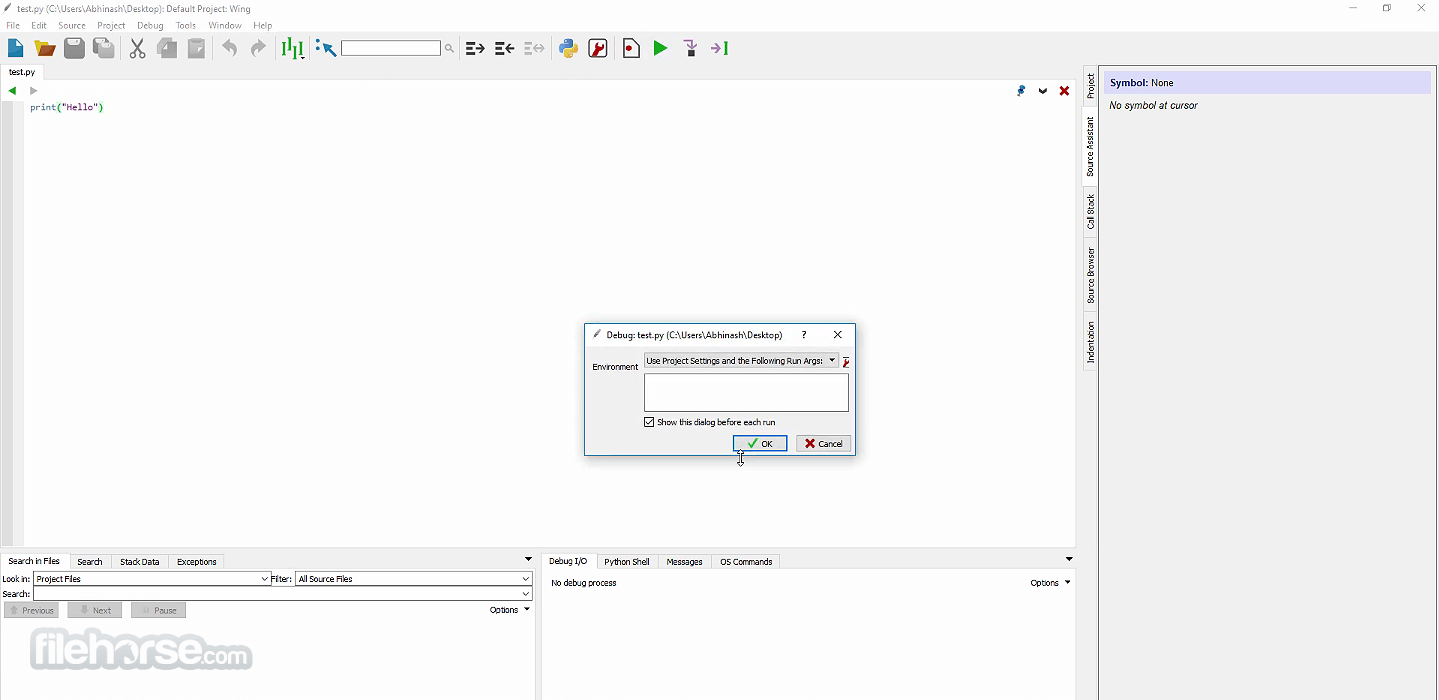
Wing's debugger makes it easy to fix bugs and write new Python code interactively. Use conditional breakpoints to isolate a problem, then step through code, inspect data, try out bug fixes with the Debug Console's command line, watch values, and debug recursively. You can debug multi-process and multi-threaded code launched from the IDE, hosted in a web framework, called from an embedded Python instance, or run on a remote host, VM, or container. It also provides an array and data frame viewer for scientific and data analysis tasks.
Easy Code Navigation
It makes it easy to get around code with goto-definition, find uses, find the symbol in the project, editor symbol index, module and class browser, keyboard-driven search, and powerful multi-file search. Visit history is stored automatically, so you can instantly return to a previously visited code. Or define and traverse categorized bookmarks that track automatically as code changes.
Integrated Unit Testing
The app supports test-driven development with the unittest, doctest, nose, pytest, and Django testing frameworks. Failing tests are easy to diagnose and fix with Wing's powerful debugger, and you can write new code interactively in the live runtime context set up by a unit test.
Remote Development
Wing's quick-to-configure remote development support delivers all of Wing's features seamlessly and securely to Python code running on a remote host, VM, or container. Remote development is possible to hosts running macOS and Linux, including Raspberry Pi, WSL, and Vagrant containers.
Customizable and Extensible
Wing IDE offers hundreds of configuration options affecting editor emulation, display themes, syntax coloring, UI layout, and much more. Easily switch to and from dark mode, magnify the interface for presentations and meetings, and use perspectives to manage task-specific UI configurations. New IDE features can be added by writing Python code that calls down to Wing's scripting API. You can even develop and debug your extension scripts with Wing.
And Much More
It supports project management and revision control with Git, Mercurial, Perforce, Bazaar, Subversion, and CVS. Other features include support for virtual, a difference/merge tool, indentation style conversion, and executing OS command lines. Wing runs on Windows, macOS, and Linux, and also supports remote development to Raspberry Pi and other ARM Linux devices.
Pricing for Wing Pro
Annual License:
Perpetual License:
Download Wing IDE Latest Version Why is this app published on FileHorse? (More info)
Wing IDE was designed from the ground up for Python, written in Python, and is extensible with Python. So you can be more productive.
Type less and let Wing worry about the details. Get immediate feedback by writing your Python code interactively in the live runtime. Easily navigate code and documentation. Avoid common errors and find problems early with assistance from Wing's deep Python code analysis.
Keep code clean with smart refactoring and code quality inspection. Debug any Python code. Inspect debug data and try out bug fixes interactively without restarting your app. Work locally or on a remote host, VM, or container.
Wing's focus on interactive development works well for scientific and data analysis with Jupyter, NumPy, SciPy, Matplotlib, pandas, and other frameworks. The debugger's data frame and array viewer make it easy to inspect large data sets.
It supports development with Django, Flask, web2py, Pyramid, Google App Engine, and other web frameworks. The debugger can step through Django and web2py templates. It works seamlessly with code running on a remote host, virtual machine, or containers such as Vagrant or WSL.
Since Wing's debugger can run in embedded instances of Python, it can be used to develop scripts for Blender, Autodesk Maya, NUKE, Source Filmmaker, and other modeling, rendering, and compositing applications that use Python. The app also works with pygame and other Python-based game engines.
Wing can develop, test, and debug desktop applications with PyQt, wxPython, Tkinter, and other UI development frameworks. Scripting, Raspberry Pi, and other types of development are also supported.
Wing introduces an improved code warnings and code quality inspection system that includes built-in error detection and tight integration with pylint, pep8, and mypy.
This release also adds a new data frame and array viewer, a MATLAB keyboard personality, easy inline debug data display with Shift-Space, improved stack data display, support for PEP 3134 chained exceptions, callouts for search and other code navigation features, four new color palettes, improved bookmarking, a high-level configuration menu, magnified presentation mode, a new update manager, stepping over import internals, simplified remote agent installation, and much more.
Features and Highlights
Intelligent Editor
Wing's editor speeds up interactive Python development with context-appropriate auto-completion and documentation, inline error detection and code quality analysis, PEP 8 enforcement, invocation assistance, auto-editing, refactoring, code folding, multi-selection, customizable code snippets, and much more. It can emulate vi, emacs, Eclipse, Visual Studio, XCode, and MATLAB.
Powerful Debugger
Wing's debugger makes it easy to fix bugs and write new Python code interactively. Use conditional breakpoints to isolate a problem, then step through code, inspect data, try out bug fixes with the Debug Console's command line, watch values, and debug recursively. You can debug multi-process and multi-threaded code launched from the IDE, hosted in a web framework, called from an embedded Python instance, or run on a remote host, VM, or container. It also provides an array and data frame viewer for scientific and data analysis tasks.
Easy Code Navigation
It makes it easy to get around code with goto-definition, find uses, find the symbol in the project, editor symbol index, module and class browser, keyboard-driven search, and powerful multi-file search. Visit history is stored automatically, so you can instantly return to a previously visited code. Or define and traverse categorized bookmarks that track automatically as code changes.
Integrated Unit Testing
The app supports test-driven development with the unittest, doctest, nose, pytest, and Django testing frameworks. Failing tests are easy to diagnose and fix with Wing's powerful debugger, and you can write new code interactively in the live runtime context set up by a unit test.
Remote Development
Wing's quick-to-configure remote development support delivers all of Wing's features seamlessly and securely to Python code running on a remote host, VM, or container. Remote development is possible to hosts running macOS and Linux, including Raspberry Pi, WSL, and Vagrant containers.
Customizable and Extensible
Wing IDE offers hundreds of configuration options affecting editor emulation, display themes, syntax coloring, UI layout, and much more. Easily switch to and from dark mode, magnify the interface for presentations and meetings, and use perspectives to manage task-specific UI configurations. New IDE features can be added by writing Python code that calls down to Wing's scripting API. You can even develop and debug your extension scripts with Wing.
And Much More
It supports project management and revision control with Git, Mercurial, Perforce, Bazaar, Subversion, and CVS. Other features include support for virtual, a difference/merge tool, indentation style conversion, and executing OS command lines. Wing runs on Windows, macOS, and Linux, and also supports remote development to Raspberry Pi and other ARM Linux devices.
Pricing for Wing Pro
Annual License:
- Wing Pro, 1-year license
- Includes email support & upgrades
- Requires annual renewal
- Reassignable
Perpetual License:
- Wing Pro 10, permanent license
- Includes 1-year support & upgrades
- Optional renewal: $99/user/year
- Reassignable
- $147/user
- $690/5 users
- $1197/10 users
- Launch the IDE and create a new Python project
- Configure the Python interpreter for the project
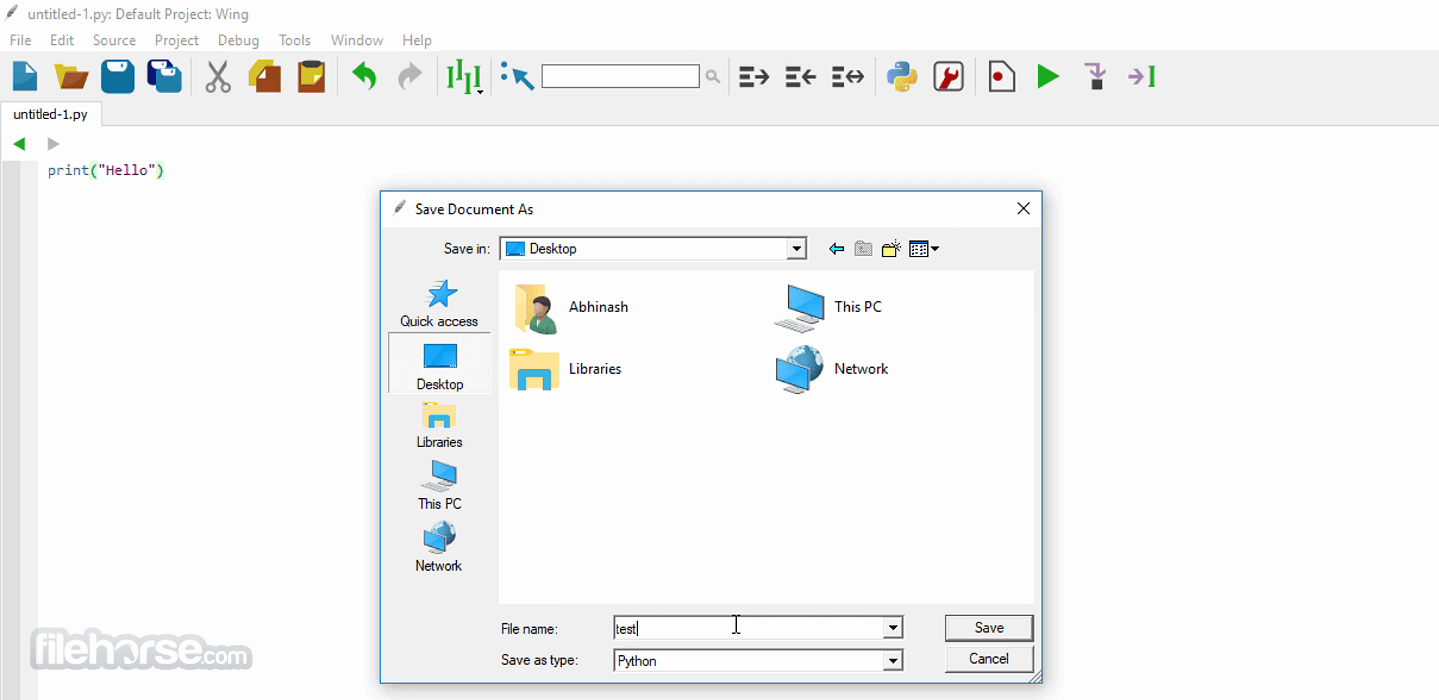
- Write or open a Python script in the editor
- Use debugging tools to step through and analyze code
- Utilize auto-completion and code suggestions
- Run scripts using the integrated Run tool
- Customize themes, key bindings, and editor settings
- Use version control features for code collaboration
- Explore Wing's documentation for advanced features
- Operating System: Windows 11 or Windows 10 (64-bit)
- Processor: Intel or AMD, 64-bit architecture
- RAM: Minimum 4GB, recommended 8GB or more
- Storage: At least 500MB free disk space
- Python: Compatible with Python 3.x and 2.7
- Powerful debugging tools
- Intelligent auto-completion
- Customizable interface
- Integrated version control
- Lightweight and fast performance
- Expensive for full version
- Limited free edition features
- Learning curve for beginners
- No built-in terminal
Download Wing IDE Latest Version Why is this app published on FileHorse? (More info)
##
畫面截圖
- 2026-08-13 Wing IDE 101 12.0.2.0 103 MB
- 2026-07-21 Wing IDE 101 12.0.1.0 99.6 MB
- 2026-03-10 Wing IDE 101 11.1.0.0 86.5 MB
- 2026-01-13 Wing IDE 101 11.0.7.0 85.7 MB
- 2025-10-08 Wing IDE 101 11.0.6.0 85.6 MB
- 2025-09-27 Wing IDE 101 11.0.5.0 85.6 MB
- 2025-09-10 Wing IDE 101 11.0.4.0 85.4 MB
- 2025-08-03 Wing IDE 101 11.0.3.0 85.2 MB