
- 目前版本4.1.9
- 更新日期2009-04-24
- 檔案大小2.40MB
- 檔案名稱winscp419setup.exe
- 作業系統Windows XP / Vista / Windows 7 / Windows 8 / Windows 10 / Windows 11
- 支援語系English
- 授權型式開源軟體
- 開發商 WinSCP Team
- 軟體分類Windows 軟體 / 檔案傳輸與網路
軟體介紹
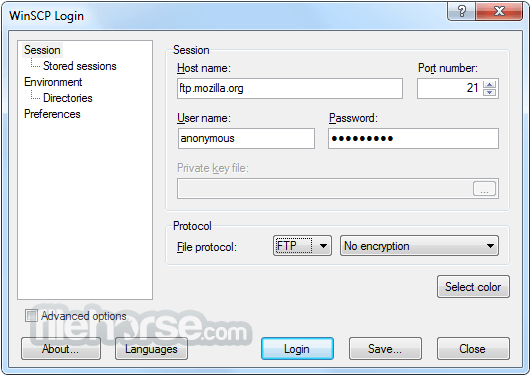
- WinSCP支援SFTP與FTP,甚至還有SCP等等。SFTP是SSH-2標準的一部份,SCP是SSH-1所支援,主要是幫下載或上傳的資料增密。
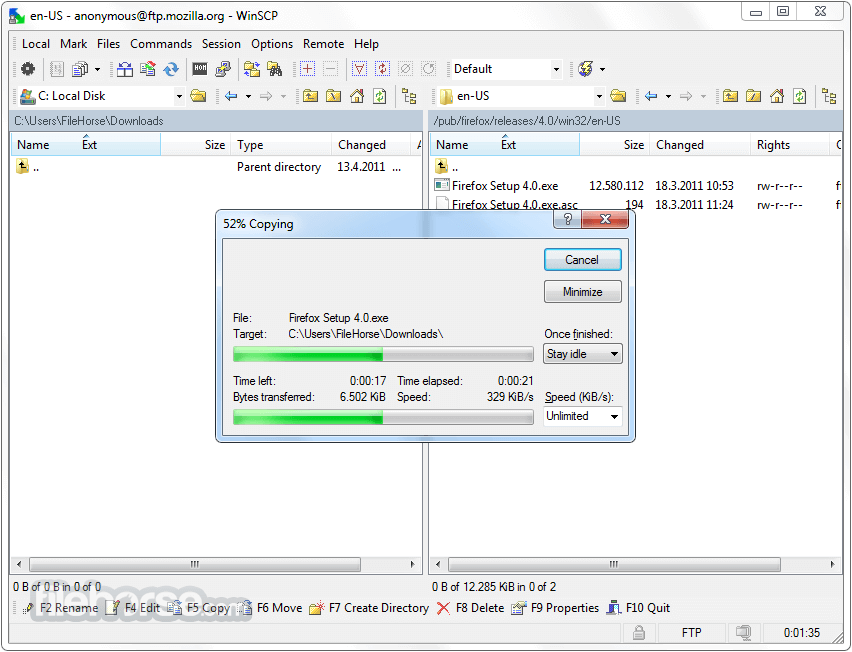
- 多線下載可以充份使用您的網路連線頻寬,不至因為來源網站的速度而影響。
- 保證沒有惱人的廣告軟體、間諜軟體與惡意程式。
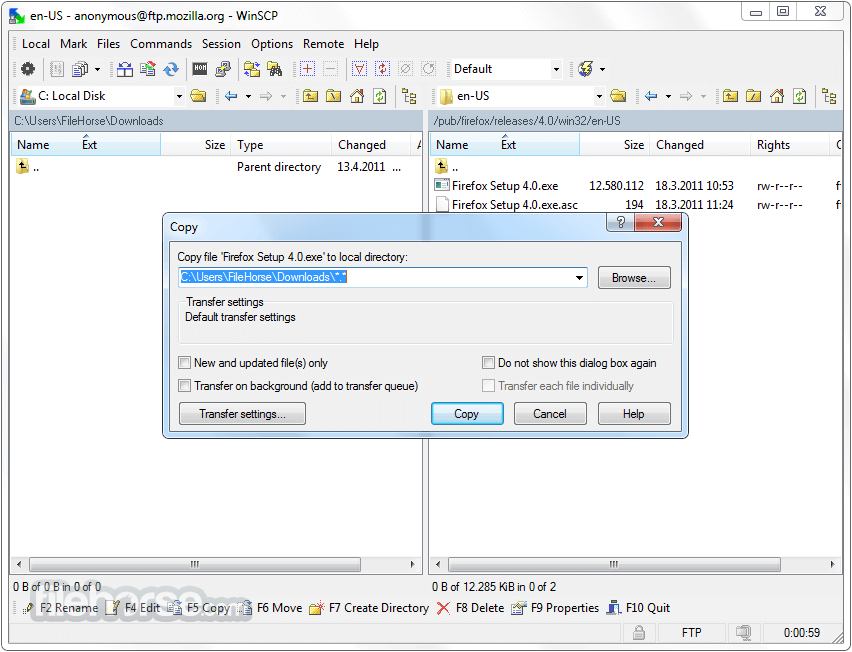
- 當然還有一般FTP工具所具有的,如續傳、暫停、拖拉等功能。
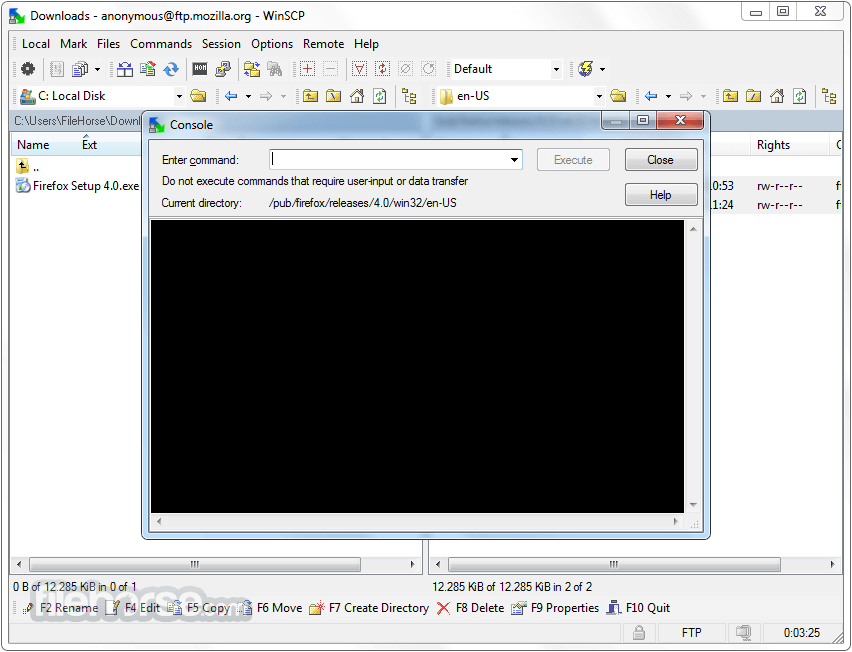
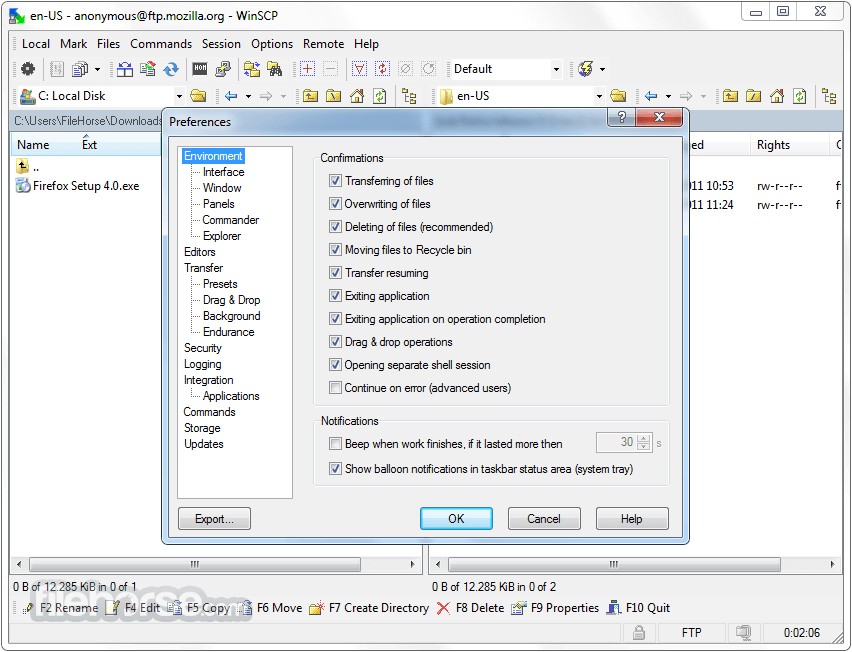
- 提供檔案總管管理介面與諾頓指揮官管理介面兩種介面使用者可以輕鬆地下載網際網路上的檔案。
- 開放原始碼,當然是免費的
畫面截圖
更新日誌
4.1.9 * Back-propagates some improvements and fixes from 4.2 beta release:
o Workaround for problem with Tectia SFTP server corrupting remote file if resumed transfer fails again. 351
o Errors while keeping session alive with FTP protocol are ignored.
o Bug fix: When synchronizing timestamps of local files, update of non-existing local files was offered. 346
o Bug fix: When name of destination remote file was changed on overwrite confirmation dialog, timestamps and permissions were yet set on the original filename (SFTP only).
o Bug fix: Change of name of destination remote file on overwrite confirmation dialog was not reflected properly for resumable file transfers (SFTP only).
o Bug fix: Failure during dummy listing of remote directory with FTP as form of keepalive, while error message of failed regular directory listing was shown.
o Bug fix: Failure after closing internal editor. 349
o Bug fix: Infinite loop when FTP directory listing with -a switch fails. 352
o Bug fix: Paste in an internal editor could not be undone. 354
o Bug fix: Script switch -preservetime did not work. 361
o Bug fix: Repetitive prompts for adding bookmark when switching between “bookmark†and “location profile†mode.
o Bug fix: Suspending background transfer was not working with FTP. 341
o Bug fix: Occasional failure when showing main window. 369
o Bug fix: Status bar on log file window always indicated no log file. 370
o Bug fix: Just leaved directory was not focused in file panel when paths as reported by remote server ended with slash. 371
o Bug fix: Opening session in PuTTY was not working for ad-hoc sessions. 372
o Bug fix: Incorrectly URL-encoded character in session specification may caused the session to be silently ignored. 373
o Bug fix: Failure of authentication was not shown on authentication dialog with FTP protocol.
o Bug fix: Directories with no transferred files were not created on upload with FTP. 137
* Back-propagates some improvements and fixes from upcoming 4.2.2 release:
o Improved logging of FTP protocol events and errors.
o Password for tunnel session is also remembered for background transfers. 400
o Timestamps of local and remote file are compared with respect to their precision when transferring updated files only. 409
o Bug fix: File selection was broken after sorting on Windows Vista. 383
o Bug fix: Main window stopped responding if directory listing with SFTP started with file with suspicious name. 384
o Bug fix: No overwrite confirmation when dropping local files to local panel of Commander interface. 387
o Bug fix: Local and remote panels were inconsistently sorted by extension. 389
o Bug fix: The Update subdirectories checkbox of Keep remote directory up to date did not apply to synchronization on start. 395
o Bug fix: When changing directory with FTP failed due to new remote path being different to requested one, respective error message missed to report a cause. 398
o Bug fix: Remembered password of main session was in some cases reused to authenticate tunnel session for background transfers. 400
o Bug fix: Blank lines of command output were not shown in console window. 402
o Bug fix: Button-like controls disappeared when accelerators were about to be shown on Windows Vista. 329
o Bug fix: Last modification date was not shown in local file panel with some rare system date/time formats. 406
o Bug fix: Transfer to temporary file was disabled when transferring file to/from editor. 407
o Bug fix: Overwrite confirmation prompt was showing timestamps not adjusted for DST with FTP. 412
o Bug fix: Failure while uploading file when timestamp of remote file was not retrieved with FTP protocol. 413
o Bug fix: WinSCP hanged when FTP connection was closed while waiting for reply to keepalive. 414
o Bug fix: FTP command scheduled for execution just before connection is closed was executed out of the order after reconnect. 415
- 2026-03-26 WinSCP 6.5.6 11.75 MB
- 2019-03-27 WinSCP 5.15.0 Open Source Free SFTP Client and FTP Client for PC Windows 9.38MB
- 2019-03-21 WinSCP 5.13.9 Open Source Free SFTP Client and FTP Client for PC Windows
- 2019-02-27 WinSCP 5.13.8 Open Source Free SFTP Client and FTP Client for PC Windows 9.14MB
- 2019-02-27 WinSCP 5.13.8 Download for PC Windows 9.14MB
- 2019-01-09 WinSCP 5.13.7 Download for PC Windows 9.14MB
- 2019-01-09 WinSCP 5.13.7 9.14MB
- 2018-12-12 WinSCP 5.13.6 9.14MB