- 目前版本5.0.1
- 更新日期2026-08-01
- 檔案大小6.62 MB
- 檔案名稱WJSSetup_5.0.1.220.exe
- 作業系統Windows 7 64 / Windows 8 64 / Windows 10 64 / Windows 11
- 支援語系English
- 授權型式免費軟體
- 開發商 WiseCleaner
- 軟體分類Windows 軟體 / 桌面強化
##
翻譯排程處理中,以下暫以英文原文呈現
軟體介紹
Wise JetSearch is a lightweight and user-friendly desktop search utility designed to help users quickly locate files and folders on their Windows computers.
Developed by WiseCleaner, a company known for its system optimization software, JetSearch for PC aims to simplify the often tedious process of searching for specific files or documents within your computer's storage.
Key Features
Fast Search: One of the program's standout features is its speed. The application provides near-instant search results, making it ideal for quickly finding files or folders.
Keyword Search: Users can input keywords or phrases to search for files with specific names or content. The tool employs a fuzzy search algorithm that can recognize partial matches and misspellings, ensuring you find what you need even if you don't remember the exact file name.
Wildcard Search: Advanced users can utilize wildcards (* and ?) to further refine their searches. This feature allows for more precise results.
Quick Start Menu Integration: It can be integrated into the Windows Quick Start Menu for even quicker access to its search functionality.
Search Filters: Users can narrow down search results by specifying file types, dates, and locations, making it easier to locate files within specific criteria.
User Interface
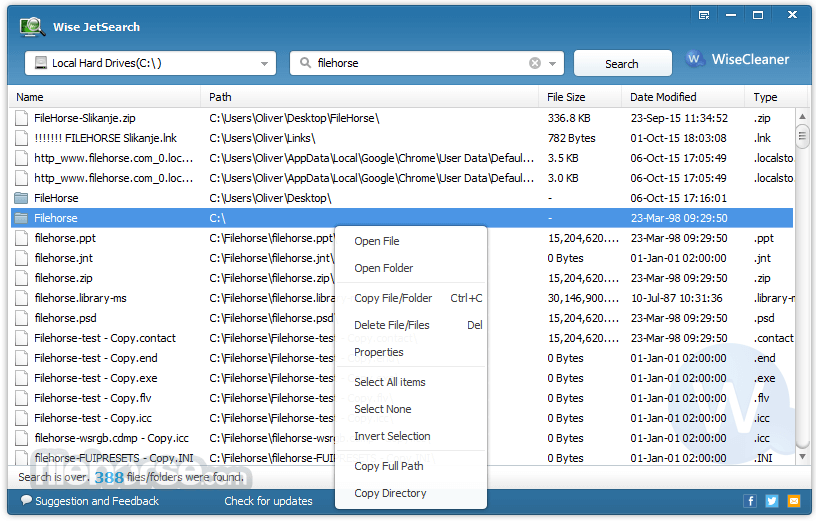
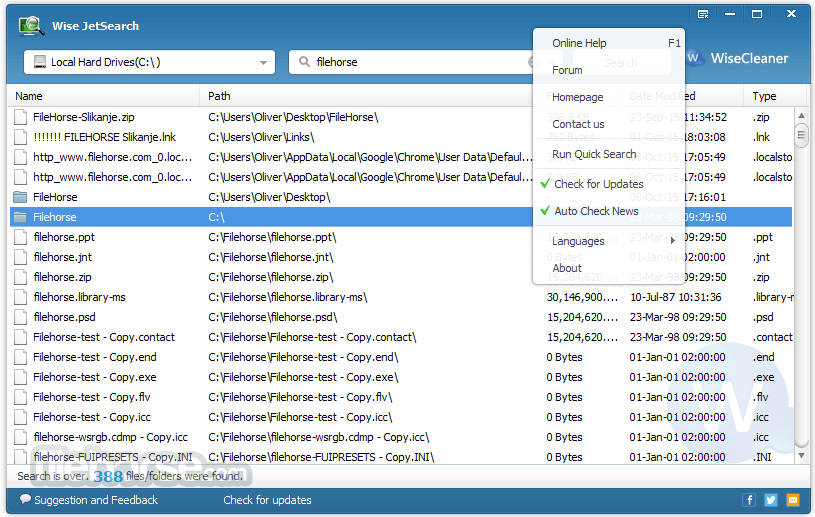
The software boasts a clean and straightforward user interface. It features a single search bar where users input their queries, and the search results are displayed in a list format.
The interface is intuitive and doesn't overwhelm users with unnecessary features or options, making it accessible to both novice and experienced users.
Installation and SetupLaunch the tool. In the search bar, enter keywords or phrases related to the file you're looking for. Press Enter or click the search icon. The software will quickly display a list of matching files and folders. Click on a result to open or explore the file's location. FAQs
Is Wise JetSearch FREE to use?
Yes, Wise JetSearch is a free software application, with no hidden fees or subscription requirements.
Does Wise JetSearch support searching for files on external drives or network shares?
Yes, it can search for files and folders on external drives and network shares as long as they are accessible from your Windows PC.
Can I use wildcards to refine my searches?
Yes, it supports wildcards (* and ?) to help you refine your search queries.
Is Wise JetSearch compatible with all versions of Windows?
The program is compatible with 7, 8, 10, and 11.
Does Wise JetSearch require an internet connection to function?
No, Wise JetSearch is a desktop application that operates locally on your computer and does not require an internet connection for search functionality.
Alternatives
Everything - A popular, lightning-fast search tool that indexes your entire file system for near-instant results.
Windows Search - The built-in Windows search functionality, which has improved significantly in recent versions of Windows.
System Requirements
Wise JetSearch is a handy and efficient desktop search tool that fulfills its primary purpose effectively, finding files and folders on your Windows PC quickly. It excels in its simplicity and speed, making it an excellent choice for users who want a straightforward and free solution for file searches.
While it may not offer the advanced features found in some paid alternatives, it delivers where it counts, making it a valuable addition to any Windows user's toolkit.
Whether you're a casual user or a power user, it can help you locate your files with ease, saving you time and frustration in the process.
Download Wise JetSearch Latest Version Why is this app published on FileHorse? (More info)
Developed by WiseCleaner, a company known for its system optimization software, JetSearch for PC aims to simplify the often tedious process of searching for specific files or documents within your computer's storage.
Key Features
Fast Search: One of the program's standout features is its speed. The application provides near-instant search results, making it ideal for quickly finding files or folders.
Keyword Search: Users can input keywords or phrases to search for files with specific names or content. The tool employs a fuzzy search algorithm that can recognize partial matches and misspellings, ensuring you find what you need even if you don't remember the exact file name.
Wildcard Search: Advanced users can utilize wildcards (* and ?) to further refine their searches. This feature allows for more precise results.
Quick Start Menu Integration: It can be integrated into the Windows Quick Start Menu for even quicker access to its search functionality.
Search Filters: Users can narrow down search results by specifying file types, dates, and locations, making it easier to locate files within specific criteria.
User Interface
The software boasts a clean and straightforward user interface. It features a single search bar where users input their queries, and the search results are displayed in a list format.
The interface is intuitive and doesn't overwhelm users with unnecessary features or options, making it accessible to both novice and experienced users.
Installation and Setup
- Download the installer from the official website or FileHorse.
- Run the installer and follow the on-screen instructions.
- Once installed, the app is ready to use.
- It's worth noting that the app is lightweight and doesn't consume significant system resources.
Is Wise JetSearch FREE to use?
Yes, Wise JetSearch is a free software application, with no hidden fees or subscription requirements.
Does Wise JetSearch support searching for files on external drives or network shares?
Yes, it can search for files and folders on external drives and network shares as long as they are accessible from your Windows PC.
Can I use wildcards to refine my searches?
Yes, it supports wildcards (* and ?) to help you refine your search queries.
Is Wise JetSearch compatible with all versions of Windows?
The program is compatible with 7, 8, 10, and 11.
Does Wise JetSearch require an internet connection to function?
No, Wise JetSearch is a desktop application that operates locally on your computer and does not require an internet connection for search functionality.
Alternatives
Everything - A popular, lightning-fast search tool that indexes your entire file system for near-instant results.
Windows Search - The built-in Windows search functionality, which has improved significantly in recent versions of Windows.
System Requirements
- Operating System: 7, 8, 10, or 11 (32-bit or 64-bit)
- CPU: Pentium 233 MHz or above
- RAM: 128 MB or more
- Disk Space: 10 MB of free space
- Lightning-fast search results.
- User-friendly interface.
- Fuzzy search for partial and misspelled queries.
- Integration with the Windows Quick Start Menu.
- Supports wildcard searches and filters.
- Limited to searching for files and folders within your local storage.
Wise JetSearch is a handy and efficient desktop search tool that fulfills its primary purpose effectively, finding files and folders on your Windows PC quickly. It excels in its simplicity and speed, making it an excellent choice for users who want a straightforward and free solution for file searches.
While it may not offer the advanced features found in some paid alternatives, it delivers where it counts, making it a valuable addition to any Windows user's toolkit.
Whether you're a casual user or a power user, it can help you locate your files with ease, saving you time and frustration in the process.
Download Wise JetSearch Latest Version Why is this app published on FileHorse? (More info)
##
畫面截圖