ZoneAlarm Free Firewall 4.3.260
v 4.3.260
Windows
試用版
7.4/10 (123)
- 目前版本4.3.260
- 更新日期2025-12-10
- 檔案大小1.1 MB
- 檔案名稱ZoneAlarmNGSetup_ZANG_FW_FR_AR8ZNP.exe
- 作業系統Windows 7 / Windows 8 / Windows 10 / Windows 11
- 支援語系English
- 授權型式試用版
- 開發商 Zone Labs
- 軟體分類Windows 軟體 / 安全工具
##
翻譯排程處理中,以下暫以英文原文呈現
軟體介紹
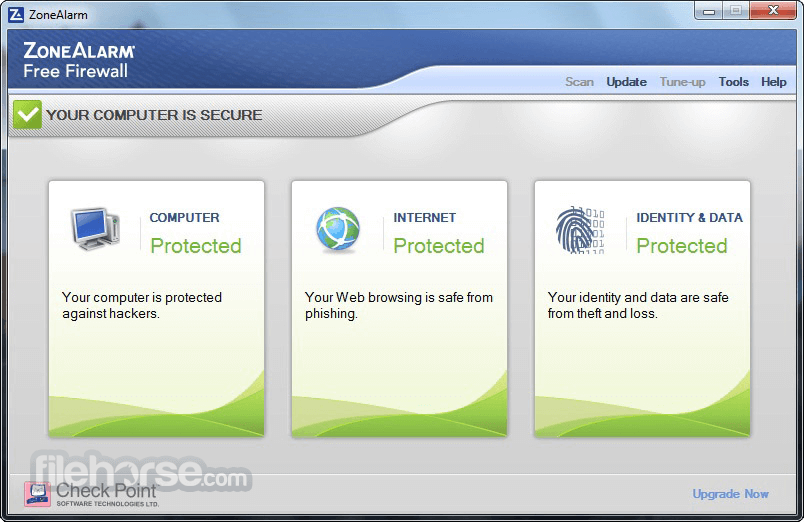
ZoneAlarm Free Firewall blocks viruses that antivirus software alone misses, stops hackers attempting to break into your computer, and, unlike the default Windows firewall, provides outbound firewall protection to stop spyware from phoning home and botnets from taking over your PC.
Monitors programs for suspicious behavior and shields you from hackers, identity thieves, and other online threats when you connect to an unsecured network. ZA is only compatible with MS Windows Defender and is not compatible with any other anti-malware software.
To install the app, you must first uninstall other anti-malware software. Otherwise, you may experience OS stability and computer performance issues.
Features
WiFi PC Protection
Ensures your safety on unsecured networks by monitoring programs for suspicious activities and shielding you from hackers, identity thieves, and other online threats.
Advanced-Access Protection
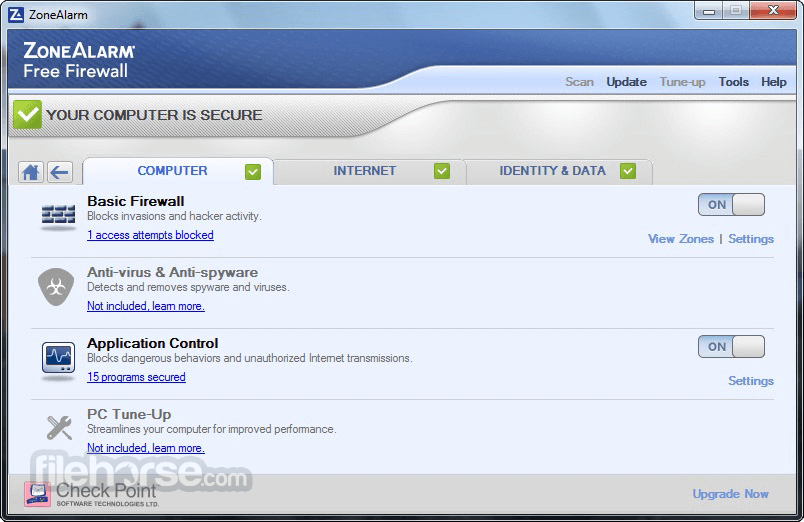
Defends against sophisticated attacks missed by standard firewalls, including raw data access, timing-based exploits, and SCM & COM vulnerabilities.
Traffic Monitoring
Utilizes a two-way firewall to track incoming and outgoing network traffic, making your PC invisible to hackers while preventing spyware from leaking your data online.
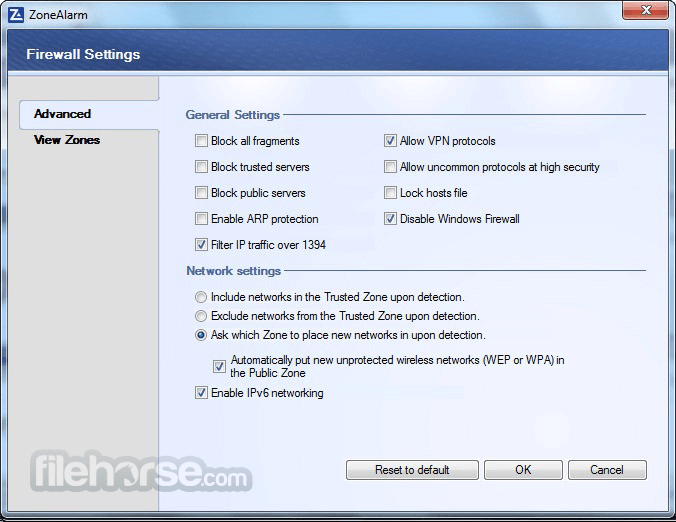
Advanced Settings Control
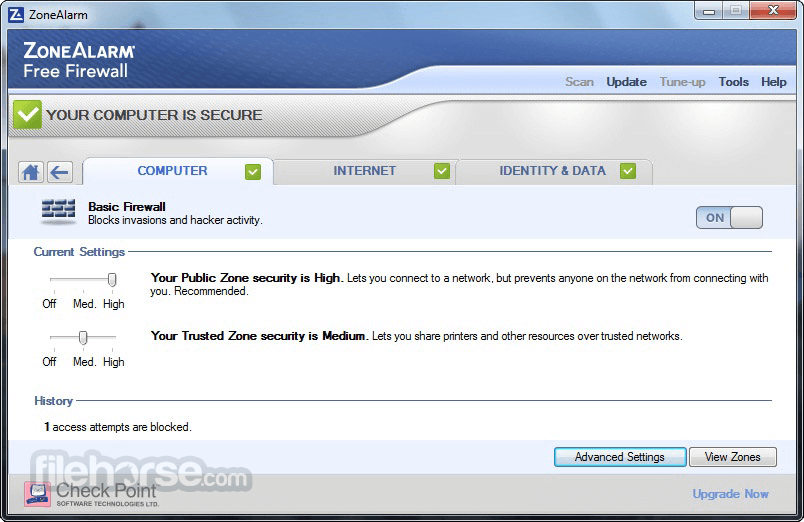
Allows you to designate trusted home networks as private zones and classify untrusted networks as public zones, enhancing security and minimizing exposure to attacks.
Early Boot Protection
Detects and blocks rootkits and other dangerous software during startup by verifying whether your PC is running a trusted operating system.
Component Control
Guards against malicious software that tries to exploit trusted applications by loading harmful DLLs, preventing unauthorized network access.
Anti-Bot
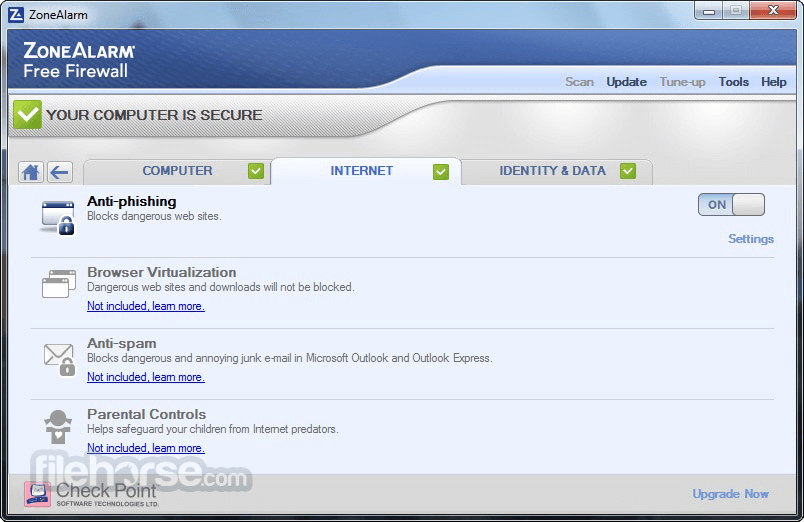
Identifies and stops malicious bots in real time, protecting your system from botnet attacks, spamming, data theft, and unsafe websites.
FAQs
Why choose ZoneAlarm Free Firewall?
ZoneAlarm Free Firewall is widely recognized as a top-tier firewall solution, trusted by experts and millions of users globally. It offers advanced security features, a user-friendly interface, and reliable protection against a wide range of online threats.
How does ZoneAlarm Free Firewall provide protection?
The program monitors network data in real-time, applying predefined security rules to manage traffic. It includes intrusion detection and prevention systems to identify and block suspicious activities, ensuring robust network security.
Is ZoneAlarm Free Firewall compatible with Windows 11?
Yes, ZoneAlarm Free Firewall is fully compatible with Windows 11, as well as Windows 10 and Windows 7. It’s a versatile solution designed for various Windows operating systems.
What types of threats does ZoneAlarm Free Firewall guard against?
It protects against network-based threats such as unauthorized access, hacking attempts, port scans, and other forms of network intrusion. It helps ensure comprehensive online safety.
Are there any limitations to ZoneAlarm Free Firewall?
It provides essential firewall protection, but it does not address all types of cyber threats. For enhanced security and additional features, users can upgrade to the premium version, ZoneAlarm Extreme Security NextGen.
How often is ZoneAlarm Free Firewall updated?
This software is regularly updated with new threat definitions, security rules, and features to ensure effective protection against emerging threats. Updates are applied automatically, requiring no manual intervention.
Choose your PC protection
ZoneAlarm Extreme Security NextGen
ZoneAlarm Free Antivirus + Firewall
ZoneAlarm Anti-Ransomware
System requirements
ZoneAlarm is only compatible with MS Windows Defender, and is not compatible with any other anti-malware software.
To install ZoneAlarm, you must first uninstall other anti-malware software. Otherwise, you may experience OS stability and computer performance issues.
PROS
Download ZoneAlarm Free Firewall Latest Version Why is this app published on FileHorse? (More info)
- Get protected against inbound and outbound cyber attacks
- Block unwanted traffic and control program access to the internet
- Become invisible to hackers and guard your personal data
Monitors programs for suspicious behavior and shields you from hackers, identity thieves, and other online threats when you connect to an unsecured network. ZA is only compatible with MS Windows Defender and is not compatible with any other anti-malware software.
To install the app, you must first uninstall other anti-malware software. Otherwise, you may experience OS stability and computer performance issues.
Features
WiFi PC Protection
Ensures your safety on unsecured networks by monitoring programs for suspicious activities and shielding you from hackers, identity thieves, and other online threats.
Advanced-Access Protection
Defends against sophisticated attacks missed by standard firewalls, including raw data access, timing-based exploits, and SCM & COM vulnerabilities.
Traffic Monitoring
Utilizes a two-way firewall to track incoming and outgoing network traffic, making your PC invisible to hackers while preventing spyware from leaking your data online.
Advanced Settings Control
Allows you to designate trusted home networks as private zones and classify untrusted networks as public zones, enhancing security and minimizing exposure to attacks.
Early Boot Protection
Detects and blocks rootkits and other dangerous software during startup by verifying whether your PC is running a trusted operating system.
Component Control
Guards against malicious software that tries to exploit trusted applications by loading harmful DLLs, preventing unauthorized network access.
Anti-Bot
Identifies and stops malicious bots in real time, protecting your system from botnet attacks, spamming, data theft, and unsafe websites.
FAQs
Why choose ZoneAlarm Free Firewall?
ZoneAlarm Free Firewall is widely recognized as a top-tier firewall solution, trusted by experts and millions of users globally. It offers advanced security features, a user-friendly interface, and reliable protection against a wide range of online threats.
How does ZoneAlarm Free Firewall provide protection?
The program monitors network data in real-time, applying predefined security rules to manage traffic. It includes intrusion detection and prevention systems to identify and block suspicious activities, ensuring robust network security.
Is ZoneAlarm Free Firewall compatible with Windows 11?
Yes, ZoneAlarm Free Firewall is fully compatible with Windows 11, as well as Windows 10 and Windows 7. It’s a versatile solution designed for various Windows operating systems.
What types of threats does ZoneAlarm Free Firewall guard against?
It protects against network-based threats such as unauthorized access, hacking attempts, port scans, and other forms of network intrusion. It helps ensure comprehensive online safety.
Are there any limitations to ZoneAlarm Free Firewall?
It provides essential firewall protection, but it does not address all types of cyber threats. For enhanced security and additional features, users can upgrade to the premium version, ZoneAlarm Extreme Security NextGen.
How often is ZoneAlarm Free Firewall updated?
This software is regularly updated with new threat definitions, security rules, and features to ensure effective protection against emerging threats. Updates are applied automatically, requiring no manual intervention.
Choose your PC protection
ZoneAlarm Extreme Security NextGen
ZoneAlarm Free Antivirus + Firewall
ZoneAlarm Anti-Ransomware
System requirements
- Microsoft® Windows® 11, 10, 8, or 7
- 32-bit, 3 GB RAM / 64-bit, 4 GB RAM
- 2 GHz or faster processor
- 1.5GB of available hard-disk space
- Microsoft .NET Framework Version 3.5 or later
ZoneAlarm is only compatible with MS Windows Defender, and is not compatible with any other anti-malware software.
To install ZoneAlarm, you must first uninstall other anti-malware software. Otherwise, you may experience OS stability and computer performance issues.
PROS
- User-Friendly Interface
- Effective Threat Detection
- Customizable Settings
- Lightweight on System Resources
- Free for Personal Use
- Limited Features in Free Version
- Occasional False Positives
- No Advanced Protection Features
- Ads for Premium Upgrades
- Compatibility Issues with Some Apps
Download ZoneAlarm Free Firewall Latest Version Why is this app published on FileHorse? (More info)
##
畫面截圖