⚠ 這是歷史版本頁面 — 查看 Zotero 最新版本 →

- 目前版本9.0
- 更新日期2026-04-11
- 檔案大小90.7 MB
- 檔案名稱Zotero-9.0_x64_setup.exe
- 作業系統Windows 7 64 / Windows 8 64 / Windows 10 64 / Windows 11
- 支援語系English
- 授權型式開源軟體
- 開發商 Zotero Team
- 軟體分類Windows 軟體 / 辦公商務
##
編輯短評
Zotero 是一套開源的參考文獻管理工具,專為研究人員、學生與學術工作者設計,解決研究過程中收集、整理、引用與分享資料的繁瑣問題。它最大的辨識度在於能將引用、參考文獻與 PDF 集中管理在單一數位圖書館中,並透過瀏覽器整合與文書處理器相容性,讓引用流程大幅簡化。此軟體由學術數位出版機構開發,長期維護且更新活躍,在同類工具中屬於熱門選擇,使用者評價普遍不錯。
這套軟體特別適合需要大量處理文獻的論文寫作者或研究計畫執行者,當你需要在稿件中頻繁插入引用、建立參考書目時,它能省下不少手動整理的時間。與 Microsoft Office 或 PDF 閱讀器等替代軟體相比,Zotero 的取捨在於它專注於參考文獻管理而非文書編輯,功能更聚焦但需另外搭配文書處理器使用。值得注意的是,目前僅提供英文介面,且授權為開源免費,平台涵蓋 Windows 與 macOS,使用前需確認自己對英文操作介面的接受度。
##
翻譯排程處理中,以下暫以英文原文呈現
軟體介紹
Zotero is a powerful, open-source reference management Windows tool designed for researchers, students, and academics.
Developed by the Corporation for Digital Scholarship, it helps users collect, organize, cite, and share research materials effortlessly.
Zotero streamlines the research process by allowing users to manage citations, bibliographies, and PDFs in a centralized digital library.
With its seamless browser integration and compatibility with word processors, Zotero is an essential tool for anyone dealing with extensive research.
Key Features
Reference Management – It allows users to store and organize references from websites, journals, and books in one place.
Automatic Citation Capture – With a single click, users can save references from databases, library catalogs, and academic websites.
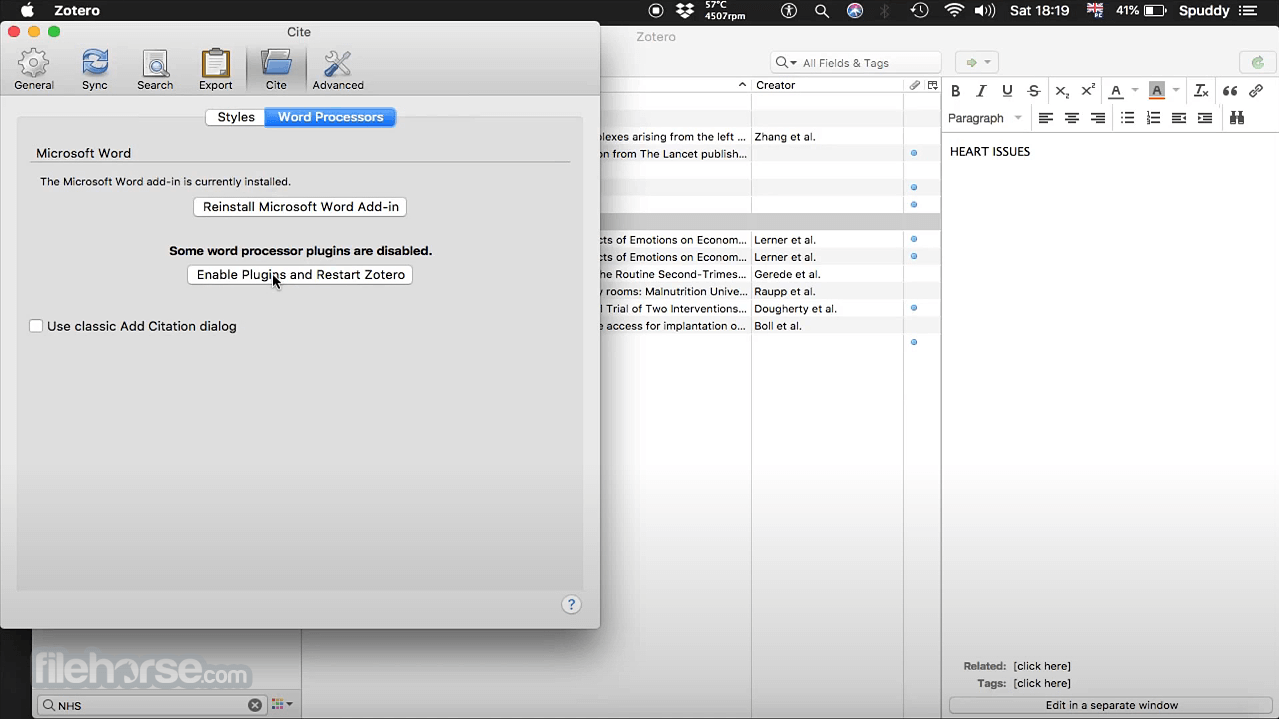
Integration with Word Processors – It works with Microsoft Word, Google Docs, and LibreOffice to insert citations and generate bibliographies.
Cloud Syncing – The app synchronizes data across multiple devices, ensuring access to research materials anywhere.
Tagging and Searching – Users can tag and search references efficiently, making large libraries easy to navigate.
Collaboration Features – Zotero Groups allows researchers to share libraries and collaborate on projects.
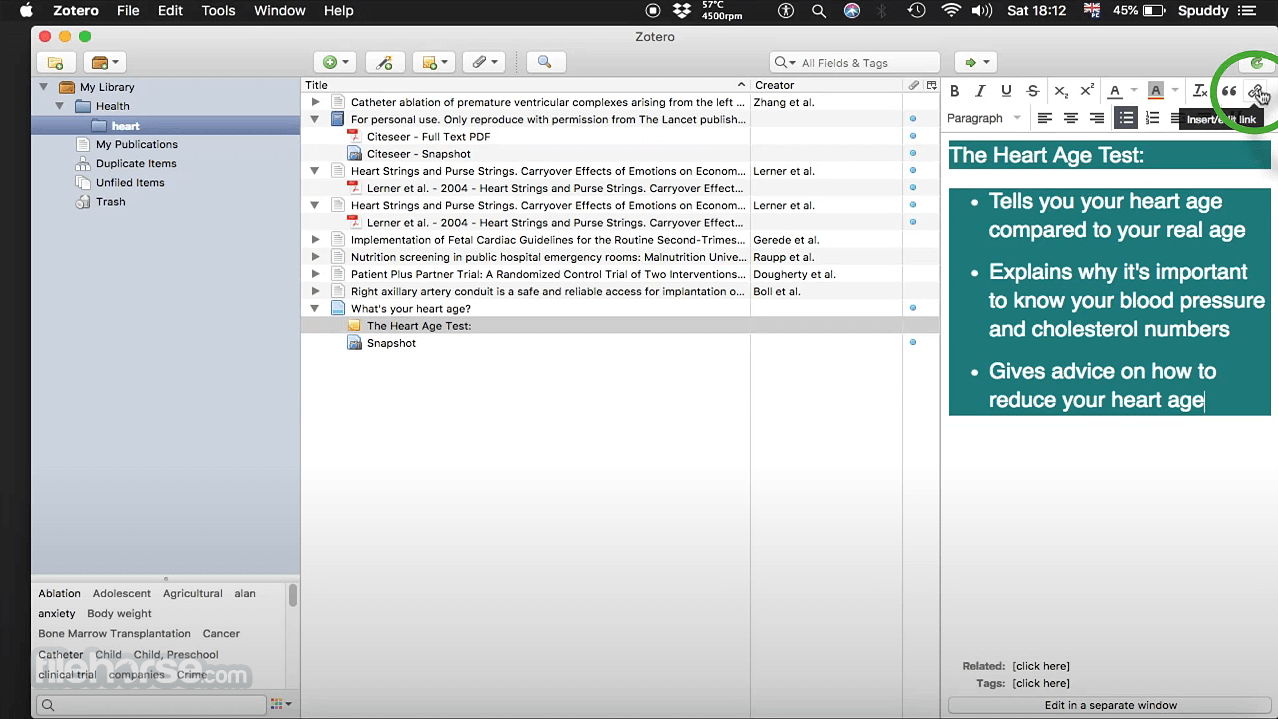
PDF Annotation – Users can highlight and add notes to PDFs directly within this program.
Plugins and Customization – It supports third-party plugins for added functionalities, such as enhanced citation styles and additional integrations.
User Interface
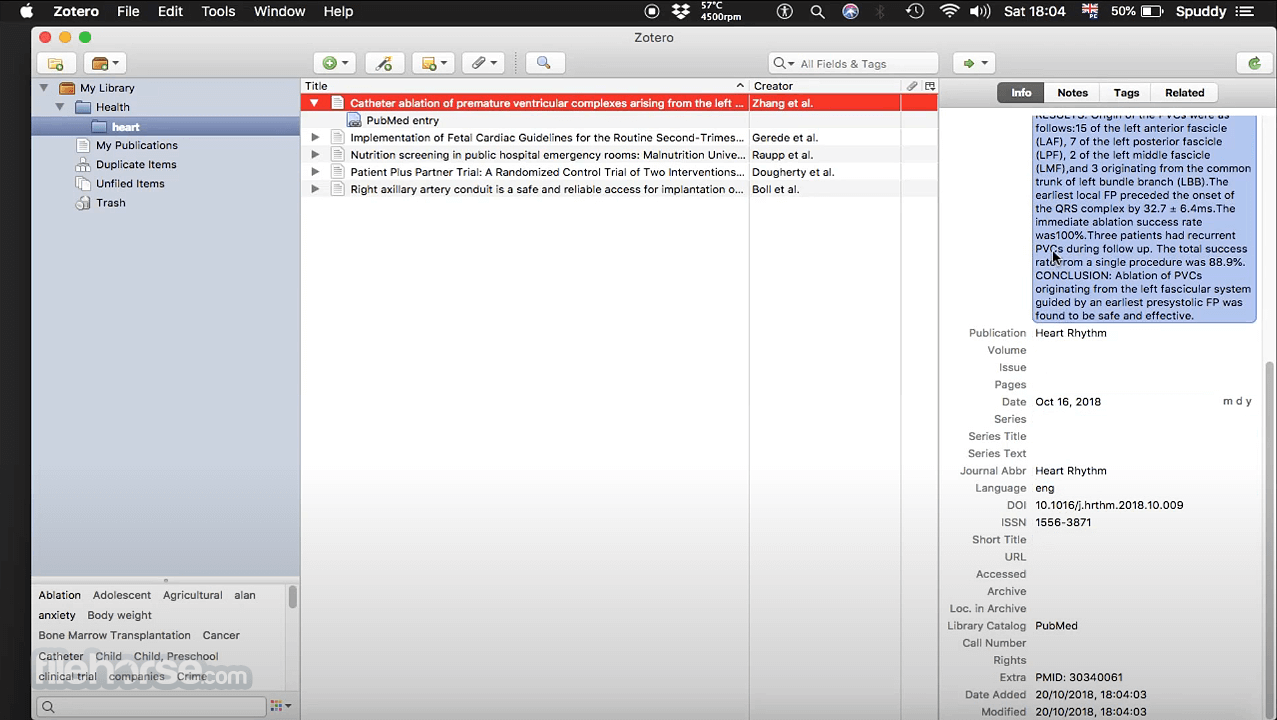
It has a clean and straightforward interface, divided into three main panels:
Adding References – Click the browser extension or manually add references by inputting details.
Organizing Library – Use collections, tags, and search filters to keep research organized.
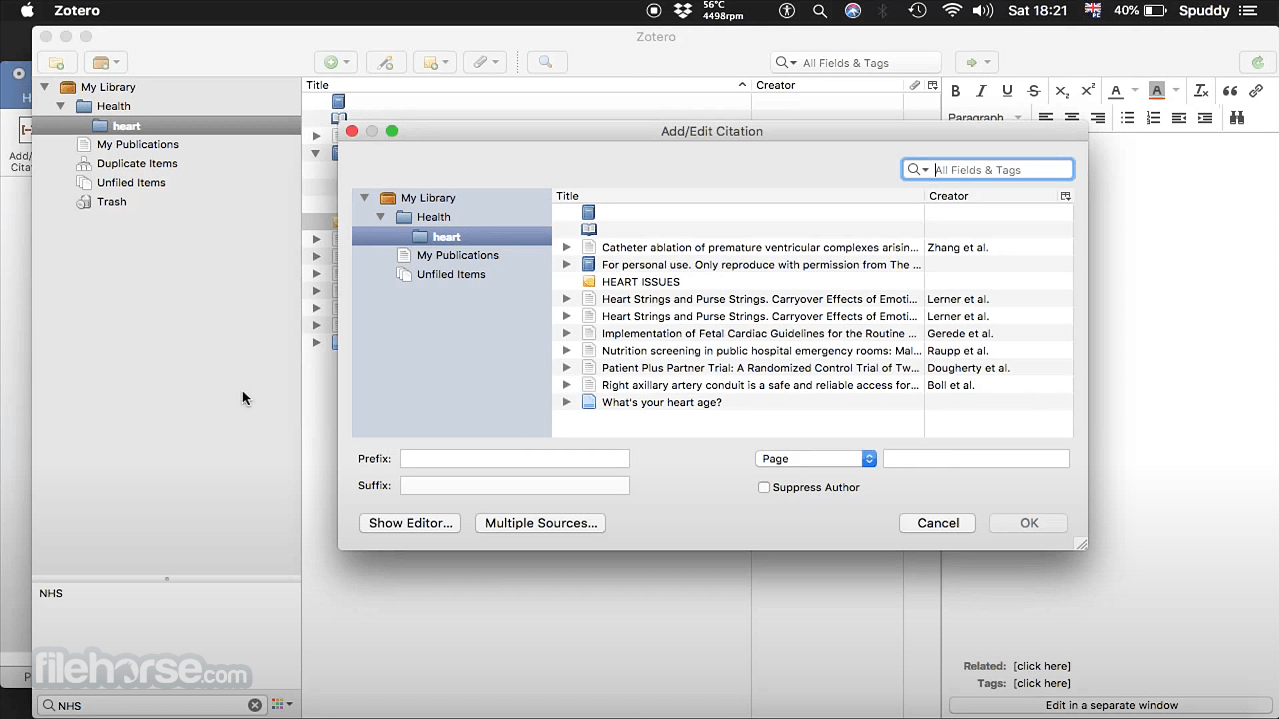
Citing in Documents – In Word or Google Docs, use the toolbar to insert citations and generate bibliographies.
Annotating PDFs – Open PDFs within Zotero to highlight and take notes.
Collaborating – Share references with colleagues using Groups.
FAQ
Is Zotero free?
Yes, this program is free to use, but it offers additional cloud storage plans for users requiring more than 300 MB of storage.
Does Zotero work offline?
Yes, it works offline, and any changes made will sync when an internet connection is available.
Can I import references from other citation managers?
Yes, it supports imports from EndNote, Mendeley, and RefWorks using standard formats like RIS and BibTeX.
Does Zotero support different citation styles?
Yes, it supports thousands of citation styles, including APA, MLA, Chicago, and more.
How do I recover lost references?
If you accidentally delete references, check the Zotero Trash or restore data from the online backup if syncing is enabled.
Alternatives
EndNote – A premium reference manager with advanced citation tools but costly.
Mendeley – Offers PDF annotation and social collaboration but has limited free storage.
JabRef – A BibTeX-based reference manager for LaTeX users.
Pricing
Free Plan – Includes 300 MB of cloud storage.
Paid Plans – Starts at $20/year for 2 GB of storage, with higher tiers for additional space.
System Requirements
Zotero is an excellent reference management tool for students, researchers, and academics looking for a free, open-source solution. With its seamless citation management, collaboration tools, and cloud syncing, it simplifies research organization.
While its interface may not be the most modern, its functionality outweighs aesthetic concerns. If you need an effective, budget-friendly citation tool, this software is an outstanding choice.
Also Available: Download Zotero for Mac
Download Zotero Latest Version Why is this app published on FileHorse? (More info)
Developed by the Corporation for Digital Scholarship, it helps users collect, organize, cite, and share research materials effortlessly.
Zotero streamlines the research process by allowing users to manage citations, bibliographies, and PDFs in a centralized digital library.
With its seamless browser integration and compatibility with word processors, Zotero is an essential tool for anyone dealing with extensive research.
Key Features
Reference Management – It allows users to store and organize references from websites, journals, and books in one place.
Automatic Citation Capture – With a single click, users can save references from databases, library catalogs, and academic websites.
Integration with Word Processors – It works with Microsoft Word, Google Docs, and LibreOffice to insert citations and generate bibliographies.
Cloud Syncing – The app synchronizes data across multiple devices, ensuring access to research materials anywhere.
Tagging and Searching – Users can tag and search references efficiently, making large libraries easy to navigate.
Collaboration Features – Zotero Groups allows researchers to share libraries and collaborate on projects.
PDF Annotation – Users can highlight and add notes to PDFs directly within this program.
Plugins and Customization – It supports third-party plugins for added functionalities, such as enhanced citation styles and additional integrations.
User Interface
It has a clean and straightforward interface, divided into three main panels:
- The left panel displays collections and tags for organization.
- The middle panel lists references with metadata, including title, author, and publication year.
- The right panel provides detailed metadata fields, notes, and attachment options.
- The interface is intuitive, making it easy for users to navigate through their reference library without a steep learning curve.
- Download and Install – It can be downloaded from the official website or FileHorse. The installer is straightforward and takes a few minutes.
- Install Browser Connector – To capture references from the web, install the Zotero Connector extension for Chrome, Firefox, or Edge.
- Set Up Syncing – Users can create a free account to sync their library across multiple devices.
- Configure Word Processor Plugins – It integrates with Microsoft Word and Google Docs automatically, but users may need to enable add-ins.
Adding References – Click the browser extension or manually add references by inputting details.
Organizing Library – Use collections, tags, and search filters to keep research organized.
Citing in Documents – In Word or Google Docs, use the toolbar to insert citations and generate bibliographies.
Annotating PDFs – Open PDFs within Zotero to highlight and take notes.
Collaborating – Share references with colleagues using Groups.
FAQ
Is Zotero free?
Yes, this program is free to use, but it offers additional cloud storage plans for users requiring more than 300 MB of storage.
Does Zotero work offline?
Yes, it works offline, and any changes made will sync when an internet connection is available.
Can I import references from other citation managers?
Yes, it supports imports from EndNote, Mendeley, and RefWorks using standard formats like RIS and BibTeX.
Does Zotero support different citation styles?
Yes, it supports thousands of citation styles, including APA, MLA, Chicago, and more.
How do I recover lost references?
If you accidentally delete references, check the Zotero Trash or restore data from the online backup if syncing is enabled.
Alternatives
EndNote – A premium reference manager with advanced citation tools but costly.
Mendeley – Offers PDF annotation and social collaboration but has limited free storage.
JabRef – A BibTeX-based reference manager for LaTeX users.
Pricing
Free Plan – Includes 300 MB of cloud storage.
Paid Plans – Starts at $20/year for 2 GB of storage, with higher tiers for additional space.
System Requirements
- OS – Windows 7, 8, 10, and 11
- Processor – Intel or AMD (64-bit recommended)
- RAM – 2 GB minimum (4 GB or more recommended)
- Disk Space – 250 MB for installation (additional space needed for library storage)
- Free and open-source
- Easy citation management with browser integration
- Works offline with syncing options
- Supports thousands of citation styles
- Collaboration features for team research
- Limited free cloud storage (300 MB)
- Occasional sync conflicts in group libraries
- Interface can feel outdated compared to competitors
Zotero is an excellent reference management tool for students, researchers, and academics looking for a free, open-source solution. With its seamless citation management, collaboration tools, and cloud syncing, it simplifies research organization.
While its interface may not be the most modern, its functionality outweighs aesthetic concerns. If you need an effective, budget-friendly citation tool, this software is an outstanding choice.
Also Available: Download Zotero for Mac
Download Zotero Latest Version Why is this app published on FileHorse? (More info)
##
畫面截圖
- 2026-07-08 Zotero 9.0.6 90.8 MB
- 2026-06-11 Zotero 9.0.5 90.8 MB
- 2026-05-23 Zotero 9.0.4 90.8 MB
- 2026-05-07 Zotero 9.0.3 90.8 MB
- 2026-05-02 Zotero 9.0.2 90.8 MB
- 2026-04-22 Zotero 9.0.1 90.7 MB
- 2026-04-11 Zotero 9.0 90.7 MB
- 2026-03-07 Zotero 8.0.4 89.9 MB