⚠ 這是歷史版本頁面 — 查看 AIDA64 Business Edition 最新版本 →

AIDA64 Business Edition 7.50
v 7.50
Windows
商業試用
8/10 (43)
- 目前版本7.50
- 更新日期2024-12-10
- 檔案大小54.9 MB
- 檔案名稱aida64business750.zip
- 作業系統Windows 7 / Windows 8 / Windows 10 / Windows 11
- 支援語系English
- 授權型式商業試用
- 開發商 FinalWire Ltd.
- 軟體分類Windows 軟體 / 系統優化
##
編輯短評
AIDA64 Business Edition 是專為企業環境設計的硬體與軟體盤點工具,能從區域網路內的 Windows 用戶端電腦收集詳細的設備資訊。它最突出的特色是支援命令列參數,讓管理員可以完全自動化建立資產清單,並將報告輸出為開放格式或存入 SQL 資料庫,方便後續處理。內建的變更管理員能比對不同時間的網路稽核快照,即時掌握設備異動。這套軟體由 FinalWire 長期維護,近一年仍有更新,在同類工具中屬於評價不錯的選擇,但不算最熱門的主流首選。
這套工具適合需要管理大量電腦的企業 IT 管理員,尤其是要定期盤點資產、追蹤硬體變更或監控異常事件的情境。與 Glary Utilities 這類個人電腦優化工具不同,AIDA64 Business Edition 聚焦在網路層級的集中管理,而非單機調校,功能取向差異明顯。需要注意的是,它僅提供英文介面,且目前為試用版授權,正式部署前應先確認授權方案是否符合需求。若只是單機使用,一般版或免費替代工具可能更輕量。
##
翻譯排程處理中,以下暫以英文原文呈現
軟體介紹
AIDA64 Business Edition can collect very detailed hardware and software inventory from Windows client computers connected to the corporate network.
As it supports command-line switches, creating inventories can be fully automated. At the same time, reports collected from the PCs can be saved to open formats ready for further processing, as well as to an SQL database.
Changes between network audit snapshots taken at various times can be monitored in the integrated change manager.
It can notify network administrators in real time when unwanted events occur and supports PC fleet management through remote monitoring and control.
AIDA64 Business is compatible with all 32-bit and 64-bit Windows editions, including Windows 8.1 and Windows Server 2012 R2.
Features and Highlights
Network audit
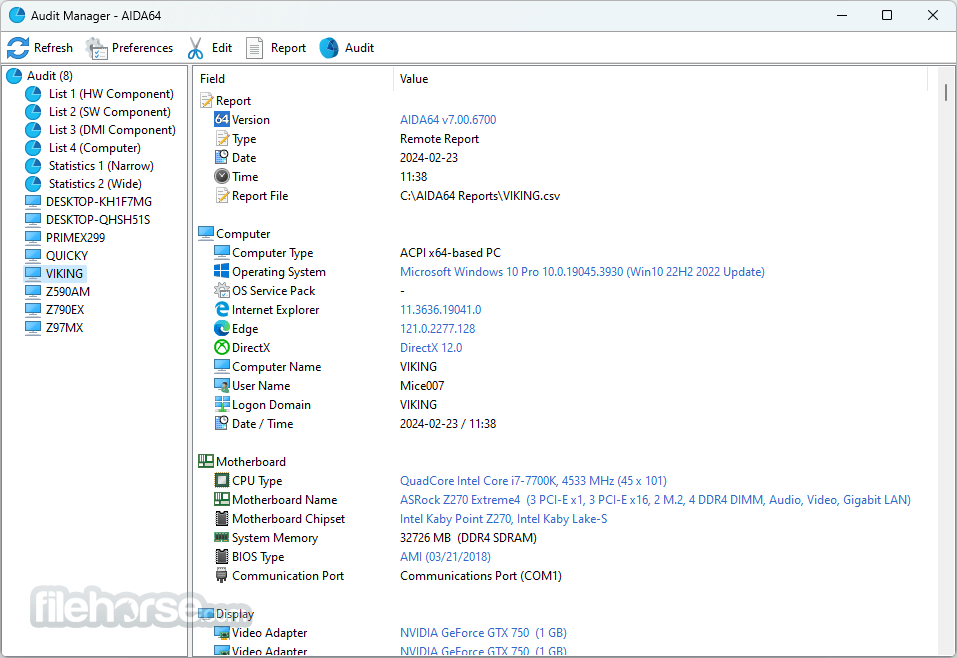
With AIDA64, hardware and software information of networked computers can be collected via command-line automation. Collected reports are processed by the software Audit Manager, which can also produce network audit statistics and diagrams on hardware and software distribution.
Remote features
The activity and status of a whole network of computers can be monitored remotely with Remote Monitor. With the app Remote Control, it is also possible to take full control of the remote computer to perform administrative tasks and transfer files.
Change Management
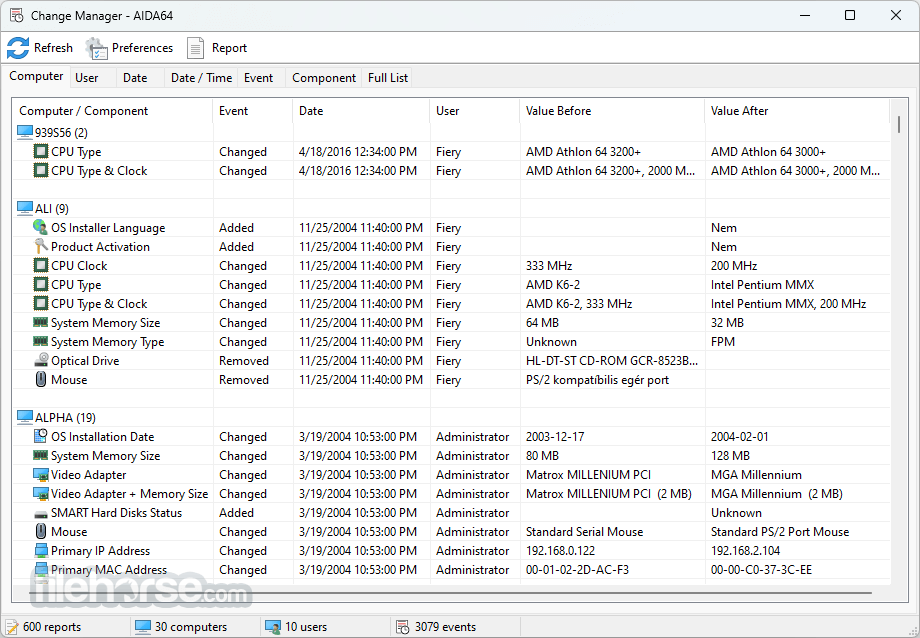
An essential feature of the app, Change Manager can detect and list changes between network audit snapshots taken at various times. AIDA 64 can also send alert notifications in real-time if hardware or software changes occur or when issues or problems arise.
Diagnostics
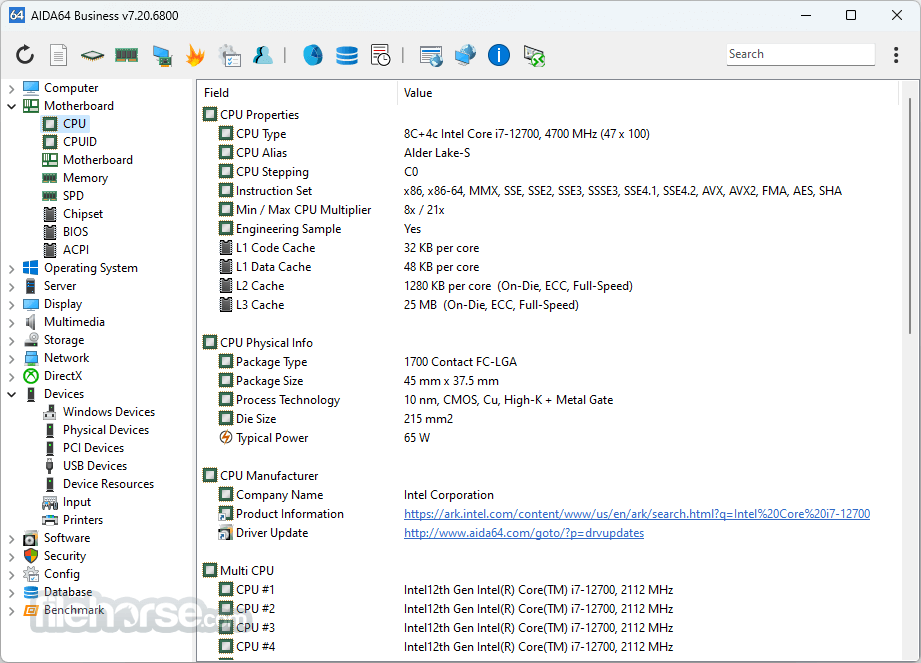
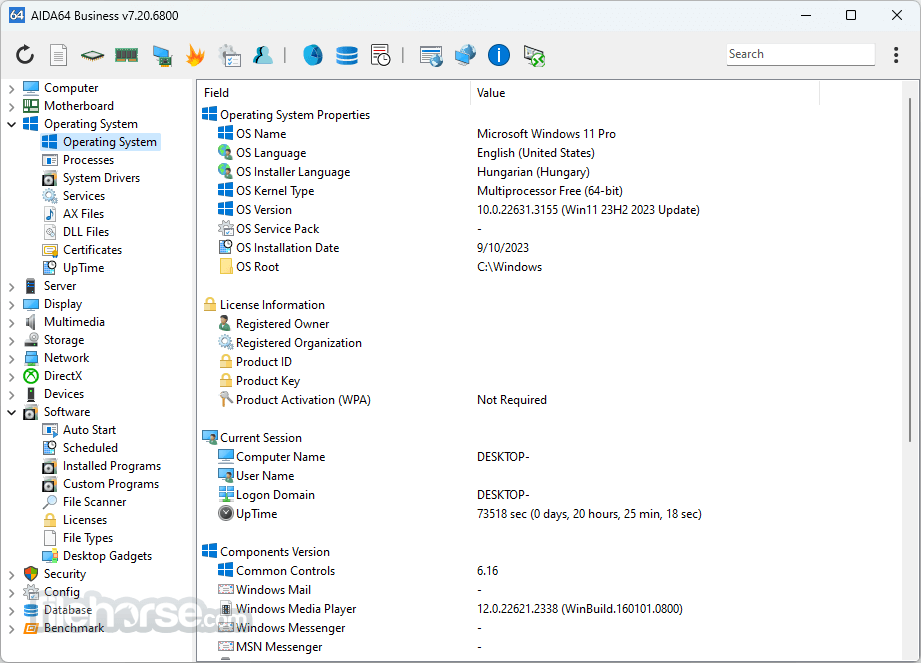
It provides over 50 pages of information on hardware configuration and over 50 pages of installed programs, software licenses, security applications, and Windows settings.
Stress testing
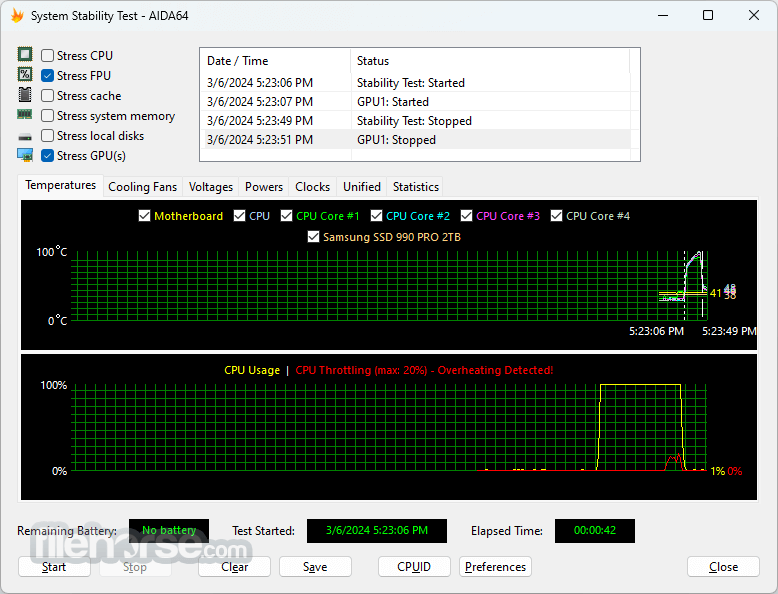
System Stability Test uses a 64-bit multi-threaded stress testing module to drive the computer to its absolute limits. Hard disk, SSD, and OpenCL GPGPU video adapter stress testing is also available.
Accuracy
It has the most accurate hardware detection capabilities in its class, to provide detailed information on the computer's internals without the need to open it up. The hardware detection module is strengthened by an exhaustive hardware database holding over 176,000 entries.
How to Use
What is AIDA64 Business Edition used for?
AIDA64 Business Edition is a professional network audit, hardware diagnostics, and system information tool designed for small and medium-sized businesses. It helps IT administrators monitor hardware, generate detailed reports, track software licenses, and manage multiple Windows-based computers across a network.
How is AIDA64 Business Edition different from other AIDA64 versions?
Unlike the Extreme or Engineer editions, the Business Edition focuses specifically on corporate environments. It includes network audit capabilities, remote system information collection, automated reporting, and centralized monitoring features tailored for business IT management.
Can AIDA64 Business Edition monitor hardware health?
Yes. It provides real-time monitoring of system temperatures, voltages, fan speeds, storage health (SMART data), and other critical hardware metrics. This helps IT teams detect potential hardware failures before they cause downtime.
Does AIDA64 Business Edition support remote management?
Yes. The software can collect system information remotely from networked computers without requiring full manual access to each device. This makes it practical for managing multiple workstations in office environments.
Is AIDA64 Business Edition suitable for large enterprises?
AIDA64 Business Edition is primarily targeted at small to medium-sized business networks. Larger enterprises with complex infrastructure may require more advanced IT asset management platforms, but AIDA64 remains a powerful and cost-effective diagnostic and auditing tool within its scope.
Pricing
AIDA64 Business is a comprehensive IT asset management solution designed for small and medium enterprises. It is licensed on a per-seat (per-node) basis.
All purchases are backed by a 30-day money-back guarantee, ensuring a risk-free evaluation period.
System Requirements
Operating system: Windows XP, Windows PE, Windows Server 2003, Windows Vista, Windows Server 2008, Windows 7, Windows Server 2008 R2, Windows 8, Windows Server 2012, Windows 8.1, Windows Server 2012 R2, Windows 10, Windows 11, Windows Server 2016, Windows Server 2019, Windows Server 2022
Processor: Intel Pentium or later
Required disk space to install: 94 MB
Languages
Albanian, Arabic, Belarusian, Bosnian, Bulgarian, Catalan, Croatian, Czech, Danish, Dutch, Estonian, English, Finnish, French, German, Hungarian, Icelandic, Indonesian, Irish, Italian, Japanese, Korean, Latvian, Lithuanian, Macedonian, Norwegian, Polish, Portuguese (Brazil), Portuguese (Portugal), Romanian, Russian, Serbian (Cyrillic), Serbian (Latin), Simplified Chinese, Slovak, Slovenian, Spanish, Swedish, Traditional Chinese, Turkish, Ukrainian.
PROS
Download AIDA64 Business Edition Latest Version Why is this app published on FileHorse? (More info)
As it supports command-line switches, creating inventories can be fully automated. At the same time, reports collected from the PCs can be saved to open formats ready for further processing, as well as to an SQL database.
Changes between network audit snapshots taken at various times can be monitored in the integrated change manager.
It can notify network administrators in real time when unwanted events occur and supports PC fleet management through remote monitoring and control.
AIDA64 Business is compatible with all 32-bit and 64-bit Windows editions, including Windows 8.1 and Windows Server 2012 R2.
Features and Highlights
Network audit
With AIDA64, hardware and software information of networked computers can be collected via command-line automation. Collected reports are processed by the software Audit Manager, which can also produce network audit statistics and diagrams on hardware and software distribution.
Remote features
The activity and status of a whole network of computers can be monitored remotely with Remote Monitor. With the app Remote Control, it is also possible to take full control of the remote computer to perform administrative tasks and transfer files.
Change Management
An essential feature of the app, Change Manager can detect and list changes between network audit snapshots taken at various times. AIDA 64 can also send alert notifications in real-time if hardware or software changes occur or when issues or problems arise.
Diagnostics
It provides over 50 pages of information on hardware configuration and over 50 pages of installed programs, software licenses, security applications, and Windows settings.
Stress testing
System Stability Test uses a 64-bit multi-threaded stress testing module to drive the computer to its absolute limits. Hard disk, SSD, and OpenCL GPGPU video adapter stress testing is also available.
Accuracy
It has the most accurate hardware detection capabilities in its class, to provide detailed information on the computer's internals without the need to open it up. The hardware detection module is strengthened by an exhaustive hardware database holding over 176,000 entries.
How to Use
- Launch the program with admin privileges
- Configure preferences and remote settings
- Scan hardware and software across the network
- Generate detailed reports for system diagnostics
- Monitor system performance in real-time
- Set alerts for critical hardware events
- Export data in supported formats for analysis
- Integrate with third-party tools if needed
- Update regularly for the latest hardware support
What is AIDA64 Business Edition used for?
AIDA64 Business Edition is a professional network audit, hardware diagnostics, and system information tool designed for small and medium-sized businesses. It helps IT administrators monitor hardware, generate detailed reports, track software licenses, and manage multiple Windows-based computers across a network.
How is AIDA64 Business Edition different from other AIDA64 versions?
Unlike the Extreme or Engineer editions, the Business Edition focuses specifically on corporate environments. It includes network audit capabilities, remote system information collection, automated reporting, and centralized monitoring features tailored for business IT management.
Can AIDA64 Business Edition monitor hardware health?
Yes. It provides real-time monitoring of system temperatures, voltages, fan speeds, storage health (SMART data), and other critical hardware metrics. This helps IT teams detect potential hardware failures before they cause downtime.
Does AIDA64 Business Edition support remote management?
Yes. The software can collect system information remotely from networked computers without requiring full manual access to each device. This makes it practical for managing multiple workstations in office environments.
Is AIDA64 Business Edition suitable for large enterprises?
AIDA64 Business Edition is primarily targeted at small to medium-sized business networks. Larger enterprises with complex infrastructure may require more advanced IT asset management platforms, but AIDA64 remains a powerful and cost-effective diagnostic and auditing tool within its scope.
Pricing
AIDA64 Business is a comprehensive IT asset management solution designed for small and medium enterprises. It is licensed on a per-seat (per-node) basis.
- Price - €219.90 (for 10 nodes)
All purchases are backed by a 30-day money-back guarantee, ensuring a risk-free evaluation period.
System Requirements
Operating system: Windows XP, Windows PE, Windows Server 2003, Windows Vista, Windows Server 2008, Windows 7, Windows Server 2008 R2, Windows 8, Windows Server 2012, Windows 8.1, Windows Server 2012 R2, Windows 10, Windows 11, Windows Server 2016, Windows Server 2019, Windows Server 2022
Processor: Intel Pentium or later
Required disk space to install: 94 MB
Languages
Albanian, Arabic, Belarusian, Bosnian, Bulgarian, Catalan, Croatian, Czech, Danish, Dutch, Estonian, English, Finnish, French, German, Hungarian, Icelandic, Indonesian, Irish, Italian, Japanese, Korean, Latvian, Lithuanian, Macedonian, Norwegian, Polish, Portuguese (Brazil), Portuguese (Portugal), Romanian, Russian, Serbian (Cyrillic), Serbian (Latin), Simplified Chinese, Slovak, Slovenian, Spanish, Swedish, Traditional Chinese, Turkish, Ukrainian.
PROS
- Comprehensive hardware diagnostics
- Real-time network monitoring
- Customizable reporting options
- Remote management capabilities
- Integration with enterprise systems
- High cost for a business license
- Interface feels outdated
- Limited support for non-Windows OS
- Resource-heavy during full scans
Download AIDA64 Business Edition Latest Version Why is this app published on FileHorse? (More info)
##
畫面截圖
- 2026-02-18 AIDA64 Business Edition 8.20 59.3 MB
- 2025-02-18 AIDA64 Business Edition 7.60 55.1 MB
- 2024-12-10 AIDA64 Business Edition 7.50 54.9 MB
- 2024-10-22 AIDA64 Business Edition 7.40 50.6 MB
- 2024-07-24 AIDA64 Business Edition 7.35 50.6 MB
- 2024-05-28 AIDA64 Business Edition 7.30 50.5 MB
- 2024-03-12 AIDA64 Business Edition 7.20 70.2 MB
- 2023-12-04 AIDA64 Business Edition 7.00 71.6 MB