⚠ 這是歷史版本頁面 — 查看 AIDA64 Extreme Edition 最新版本 →

AIDA64 Extreme Edition 7.50
v 7.50
Windows
商業試用
7.6/10 (102)
- 目前版本7.50
- 更新日期2024-12-10
- 檔案大小54.3 MB
- 檔案名稱aida64extreme750.exe
- 作業系統Windows 7 / Windows 8 / Windows 10 / Windows 11
- 支援語系English
- 授權型式商業試用
- 開發商 FinalWire Ltd.
- 軟體分類Windows 軟體 / 系統優化
##
編輯短評
AIDA64 Extreme Edition 是一套專為 Windows 設計的硬體監控與診斷工具,能即時提供系統效能資訊,涵蓋 CPU、記憶體、顯示卡等元件的效能測試、溫度監控與穩定性測試。它最突出的特色是能辨識數量龐大的硬體設備,並產出詳細的系統報告,對於想深入了解電腦內部狀態的使用者來說,資訊量相當充足。這套軟體長期維護,但更新步調較慢,在同類工具中屬於專業取向的選擇,使用者評價普遍不錯。
這套工具特別適合硬體玩家、系統組裝者或超頻愛好者,在組裝新電腦、檢測舊機穩定性或進行效能調校時,能提供深入的數據參考。與其他系統優化工具相比,AIDA64 的優勢在於硬體資訊的深度與精確度,但介面較為專業,初學者可能需要花時間熟悉。授權為試用版,僅支援 Windows 平台,且介面只有英文,對不熟悉英文的使用者來說會有些門檻,下載前需留意。
##
翻譯排程處理中,以下暫以英文原文呈現
軟體介紹
AIDA64 Extreme Edition is a detailed hardware monitoring and diagnostics solution for Windows 11/10 that offers real-time information about system performance.
Its comprehensive suite of tools covers everything from CPU, RAM, and GPU benchmarking to temperature monitoring and hardware stability testing.
Whether you're building a new system or maintaining an older one, AIDA64 for PC provides in-depth insights to enhance performance and stability.
Key Features
User Interface
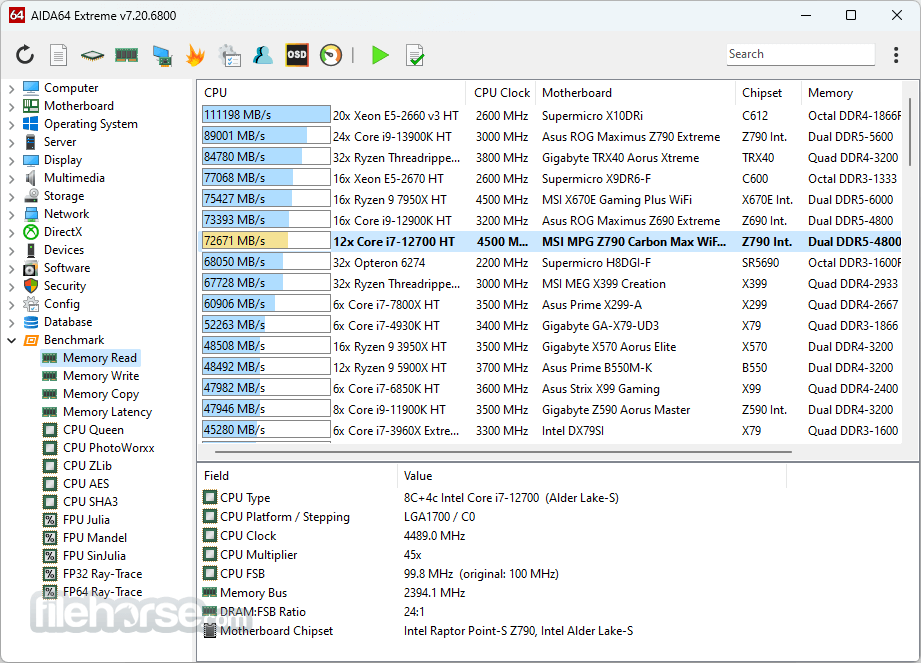
The AIDA64 Extreme interface, while functional, may feel slightly outdated compared to modern apps.
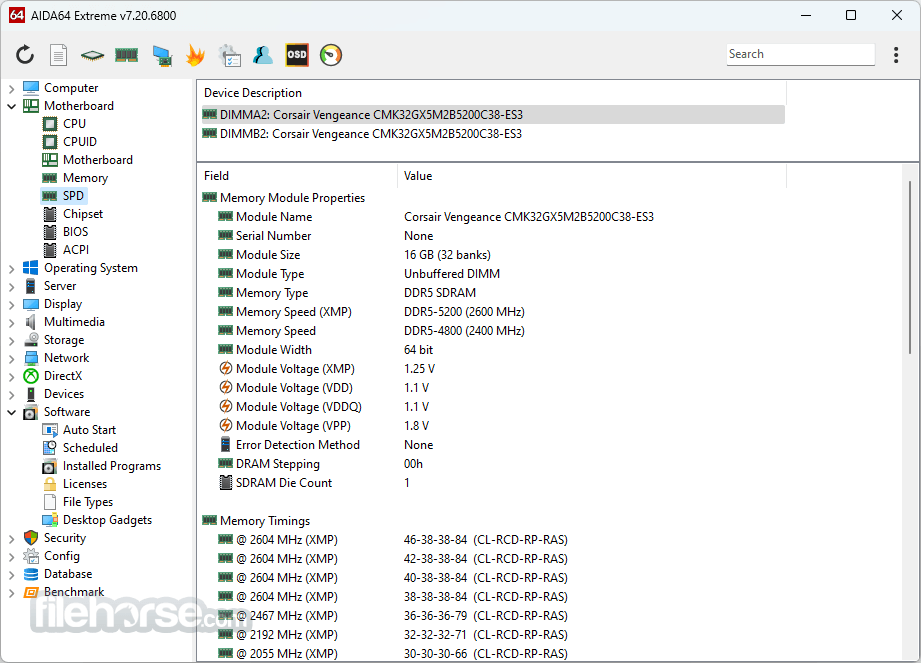
Its hierarchical tree structure organizes all features into categories, making it easy for users to navigate and find specific tools.
Although not flashy, the UI prioritizes utility over aesthetics, which aligns well with its target audience of tech-savvy users.
Installation and SetupDownload: Start by downloading the installer from the official website or FileHorse. Installation: Follow the straightforward installation wizard. You’ll be prompted to accept the license agreement and choose an installation directory. Activation: Enter the license key provided upon purchase to activate the full version. Customization: Once installed, you can configure sensors, notifications, and benchmarking preferences according to your needs.
How to Use
Can AIDA64 monitor components in real-time?
Yes, it provides real-time monitoring for components like CPU, GPU, and storage through its Sensor Panel.
Is AIDA64 suitable for overclocking?
While AIDA64 itself doesn’t overclock, it’s invaluable for monitoring and stress-testing overclocked systems.
What platforms are supported?
AIDA64 Extreme Edition is available for Windows-based systems.
Does it require an internet connection?
No, but an internet connection is required for updates and accessing online benchmark comparisons.
Are software updates free?
Updates are free within the first year after purchase. Afterward, users need to renew their license for continued updates.
Alternatives
HWMonitor - A simpler program focused on real-time sensor data.
CPU-Z - A lightweight utility for CPU and memory information.
Speccy - Developed by CCleaner, this tool offers basic system information in a user-friendly format.
Open Hardware Monitor - A free, open-source alternative for monitoring sensors and temperatures.
SiSoftware Sandra - Another robust benchmarking and diagnostics tool with similar features.
Pricing
AIDA64 Extreme Edition is available for $59.95 per year for 3 PCs.
Multi-user discounts and lifetime licenses are also offered.
While the price may seem steep compared to free alternatives, the software’s depth and reliability justify the investment for serious users.
A fully functional version is available free during the 30-day trial period.
All purchases are backed by a 30-day money-back guarantee, ensuring a risk-free evaluation period.
System Requirements
Albanian, Arabic, Belarusian, Bosnian, Bulgarian, Catalan, Croatian, Czech, Danish, Dutch, Estonian, English, Finnish, French, German, Hungarian, Icelandic, Indonesian, Italian, Japanese, Korean, Latvian, Lithuanian, Macedonian, Norwegian, Polish, Portuguese (Brazil), Portuguese (Portugal), Romanian, Russian, Serbian (Cyrillic), Serbian (Latin), Simplified Chinese, Slovak, Slovenian, Spanish, Swedish, Traditional Chinese, Turkish, Ukrainian.
PROS
AIDA64 Extreme Edition is a powerful and versatile app for PC diagnostics and benchmarking. It’s particularly suited for enthusiasts and professionals who demand detailed insights into their system’s performance.
While the interface could use a modern refresh, its functionality and accuracy remain unmatched. If you’re looking for a reliable way to monitor, test, and optimize your PC, this program is an excellent investment.
Note: Free to try a 30-day trial, with limited functionality. You can also download AIDA64 Business Edition, a management solution for small and medium enterprises.
Download AIDA64 Extreme Edition Latest Version Why is this app published on FileHorse? (More info)
Its comprehensive suite of tools covers everything from CPU, RAM, and GPU benchmarking to temperature monitoring and hardware stability testing.
Whether you're building a new system or maintaining an older one, AIDA64 for PC provides in-depth insights to enhance performance and stability.
Key Features
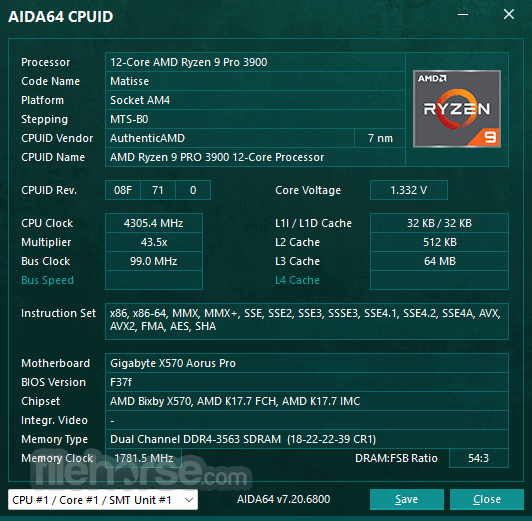
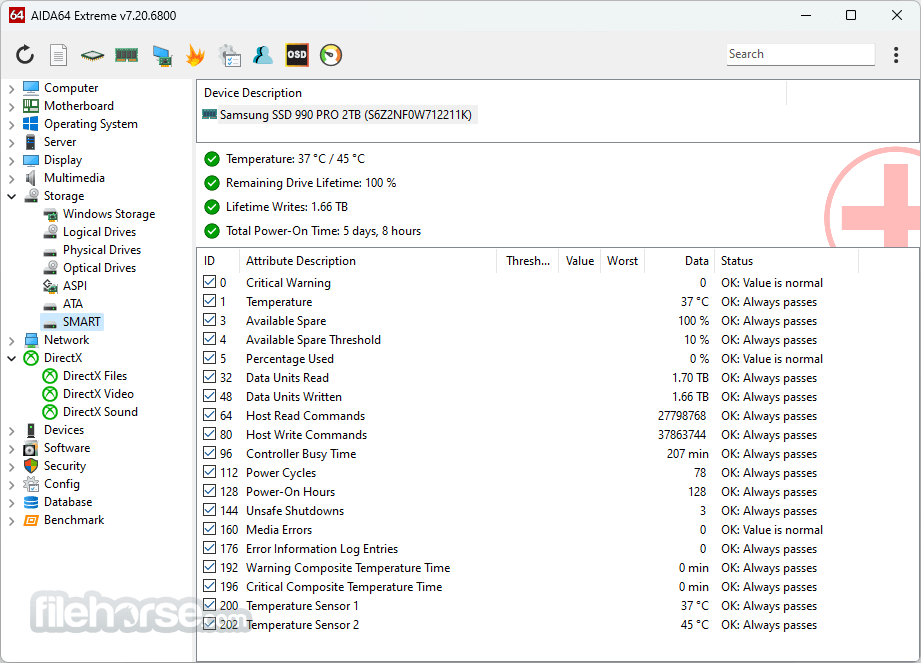
- System Information and Diagnostics: It can identify over 200,000 hardware devices and provides detailed reports on system components such as CPU, GPU, motherboard, and storage.
- Benchmarks: Test the performance of your CPU, FPU, and memory using its advanced benchmarking tools. Results can be compared with a vast online database.
- Sensor Monitoring: Real-time monitoring of temperatures, voltages, fan speeds, and power consumption for a stable and efficient setup.
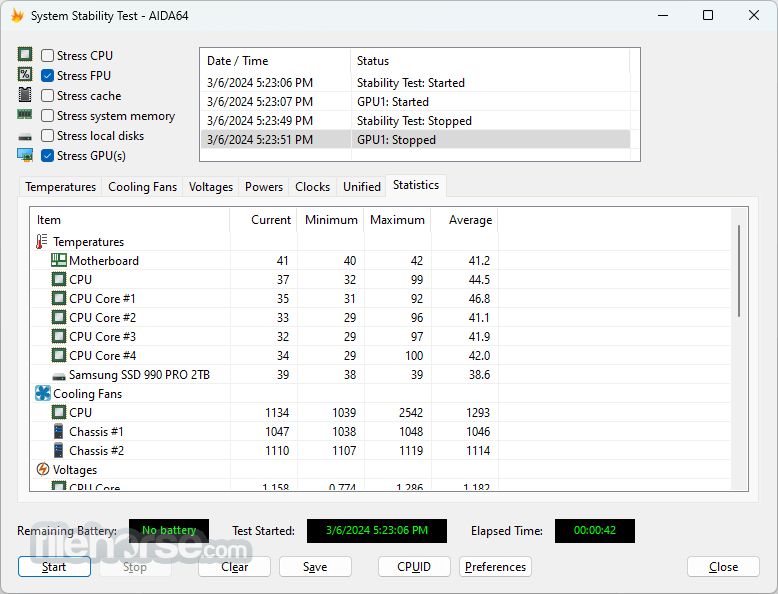
- Stress Testing: Evaluate system stability and cooling performance with its stress test module.
- Remote Monitoring: View system metrics on external devices via dedicated mobile apps or web interfaces.
- Customizable Alerts: Set up notifications for overheating, voltage drops, or hardware failures.
User Interface
The AIDA64 Extreme interface, while functional, may feel slightly outdated compared to modern apps.
Its hierarchical tree structure organizes all features into categories, making it easy for users to navigate and find specific tools.
Although not flashy, the UI prioritizes utility over aesthetics, which aligns well with its target audience of tech-savvy users.
Installation and Setup
How to Use
- Hardware Information: Navigate through the tree menu to view detailed specs and performance data of components.
- Run Benchmarks: Access the “Benchmark” section to test CPU, FPU, and memory performance. Compare your results with global averages.
- Monitor Sensors: Open the “Sensor Panel” to track system temperatures, voltages, and other metrics in real-time.
- Stress Testing: Use the “System Stability Test” module to push your system’s limits and identify potential weak spots.
- Generate Reports: Create comprehensive reports by exporting data in formats like HTML or CSV for further analysis.
Can AIDA64 monitor components in real-time?
Yes, it provides real-time monitoring for components like CPU, GPU, and storage through its Sensor Panel.
Is AIDA64 suitable for overclocking?
While AIDA64 itself doesn’t overclock, it’s invaluable for monitoring and stress-testing overclocked systems.
What platforms are supported?
AIDA64 Extreme Edition is available for Windows-based systems.
Does it require an internet connection?
No, but an internet connection is required for updates and accessing online benchmark comparisons.
Are software updates free?
Updates are free within the first year after purchase. Afterward, users need to renew their license for continued updates.
Alternatives
HWMonitor - A simpler program focused on real-time sensor data.
CPU-Z - A lightweight utility for CPU and memory information.
Speccy - Developed by CCleaner, this tool offers basic system information in a user-friendly format.
Open Hardware Monitor - A free, open-source alternative for monitoring sensors and temperatures.
SiSoftware Sandra - Another robust benchmarking and diagnostics tool with similar features.
Pricing
AIDA64 Extreme Edition is available for $59.95 per year for 3 PCs.
Multi-user discounts and lifetime licenses are also offered.
While the price may seem steep compared to free alternatives, the software’s depth and reliability justify the investment for serious users.
A fully functional version is available free during the 30-day trial period.
All purchases are backed by a 30-day money-back guarantee, ensuring a risk-free evaluation period.
System Requirements
- Operating System: Windows 7, 8, 8.1, 10, and 11
- Processor: x86 or x64 architecture
- Memory: Minimum 512 MB
- Storage: At least 80 MB of free disk space
Albanian, Arabic, Belarusian, Bosnian, Bulgarian, Catalan, Croatian, Czech, Danish, Dutch, Estonian, English, Finnish, French, German, Hungarian, Icelandic, Indonesian, Italian, Japanese, Korean, Latvian, Lithuanian, Macedonian, Norwegian, Polish, Portuguese (Brazil), Portuguese (Portugal), Romanian, Russian, Serbian (Cyrillic), Serbian (Latin), Simplified Chinese, Slovak, Slovenian, Spanish, Swedish, Traditional Chinese, Turkish, Ukrainian.
PROS
- Comprehensive diagnostics and benchmarking tools
- Real-time monitoring and remote access
- Detailed reports and comparison with global benchmarks
- Reliable and accurate performance testing
- Overwhelming for novice users
- Outdated user interface design
AIDA64 Extreme Edition is a powerful and versatile app for PC diagnostics and benchmarking. It’s particularly suited for enthusiasts and professionals who demand detailed insights into their system’s performance.
While the interface could use a modern refresh, its functionality and accuracy remain unmatched. If you’re looking for a reliable way to monitor, test, and optimize your PC, this program is an excellent investment.
Note: Free to try a 30-day trial, with limited functionality. You can also download AIDA64 Business Edition, a management solution for small and medium enterprises.
Download AIDA64 Extreme Edition Latest Version Why is this app published on FileHorse? (More info)
##
畫面截圖
- 2026-02-18 AIDA64 Extreme Edition 8.20 61.1 MB
- 2025-02-18 AIDA64 Extreme Edition 7.60 54.5 MB
- 2024-12-10 AIDA64 Extreme Edition 7.50 54.3 MB
- 2024-10-22 AIDA64 Extreme Edition 7.40 50 MB
- 2024-07-24 AIDA64 Extreme Edition 7.35 49.9 MB
- 2024-05-28 AIDA64 Extreme Edition 7.30 49.8 MB
- 2024-03-12 AIDA64 Extreme Edition 7.20 65.7 MB
- 2023-12-04 AIDA64 Extreme Edition 7.00 67.1 MB