
Armoury Crate 6.1.18
v 6.1.18
Windows
免費軟體
8.44/10 (55)
- 目前版本6.1.18
- 更新日期2025-12-04
- 檔案大小2.1 MB
- 檔案名稱ArmouryCrateInstallTool.zip
- 作業系統Windows 10 (64-bit) / Windows 11
- 支援語系English
- 授權型式免費軟體
- 開發商 Asus
- 軟體分類Windows 軟體 / 系統優化
##
編輯短評
ASUS Armoury Crate是華碩官方推出的整合控制軟體,主要用於管理ROG系列電競周邊,從滑鼠、鍵盤到主機板,都能透過單一介面調整RGB燈光與效果,並利用Aura Sync讓所有裝置同步發光。它解決了過去需要分別安裝多套驅動或工具才能設定的麻煩,是華碩生態系中辨識度很高的控制中樞。這套軟體目前仍持續維護,但更新頻率不算高,使用者評價普遍不錯,只是評分人數不多,屬於小眾但穩定的工具。
如果你手邊有多個支援Aura Sync的華碩裝置,想統一管理燈效與產品設定,這套軟體會很實用。它特別適合組裝ROG主機、追求燈光一致性的玩家。相較於其他系統優化工具,Armoury Crate並非同類,而是硬體控制軟體,因此沒有直接替代品;但若你只用單一華碩裝置,可能用個別驅動就夠了,安裝它反而多佔資源。軟體為免費授權,僅支援Windows,且介面只有英文,中文使用者需要稍微適應。
##
翻譯排程處理中,以下暫以英文原文呈現
軟體介紹
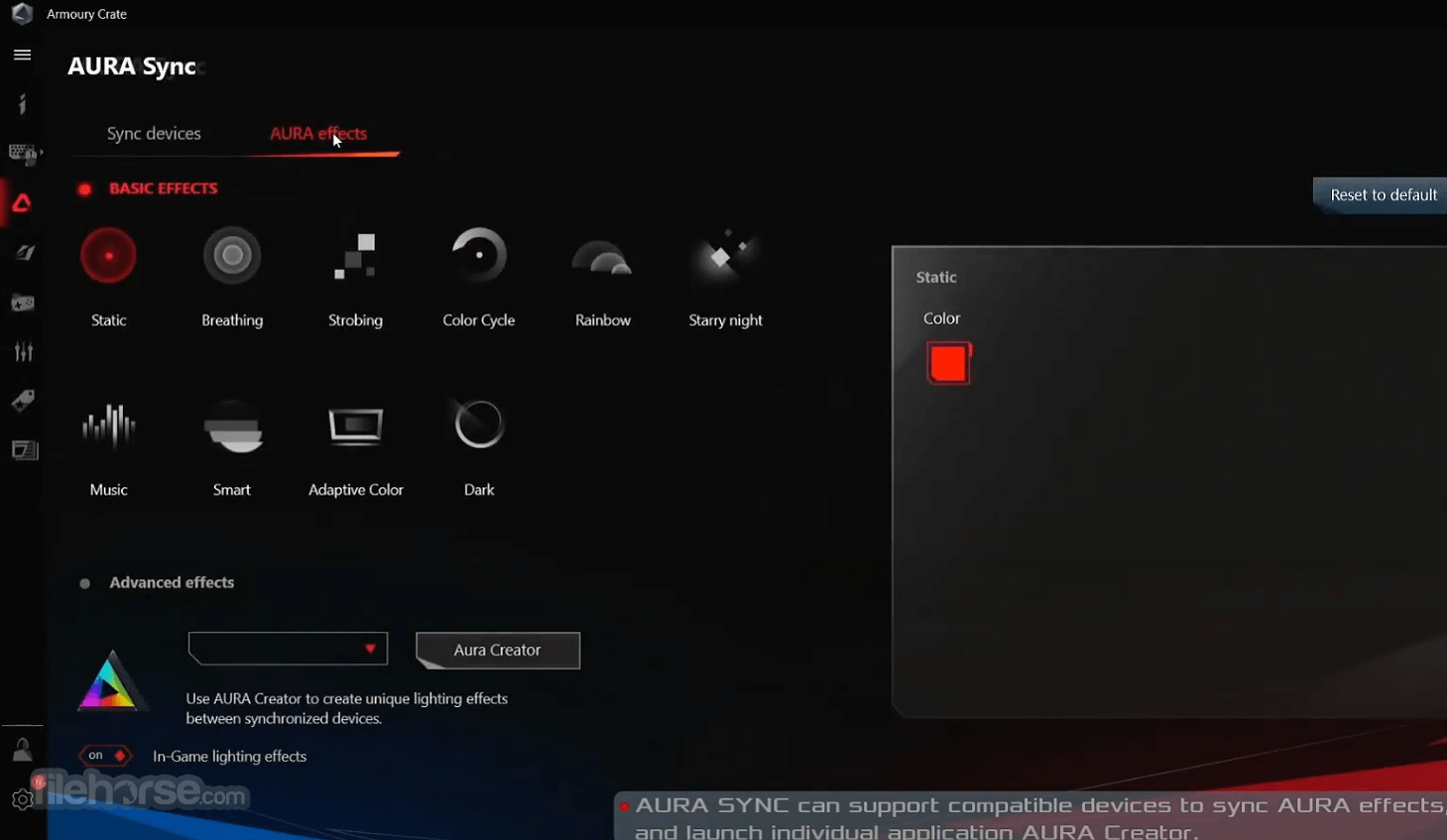
ASUS Armoury Crate is your one-stop app to connect, configure, and control a plethora of ROG gaming products. From a single intuitive interface, Armoury Crate app lets you easily customize RGB lighting and effects for every compatible device in your arsenal and synchronize them with Aura Sync for unified system lighting effects.
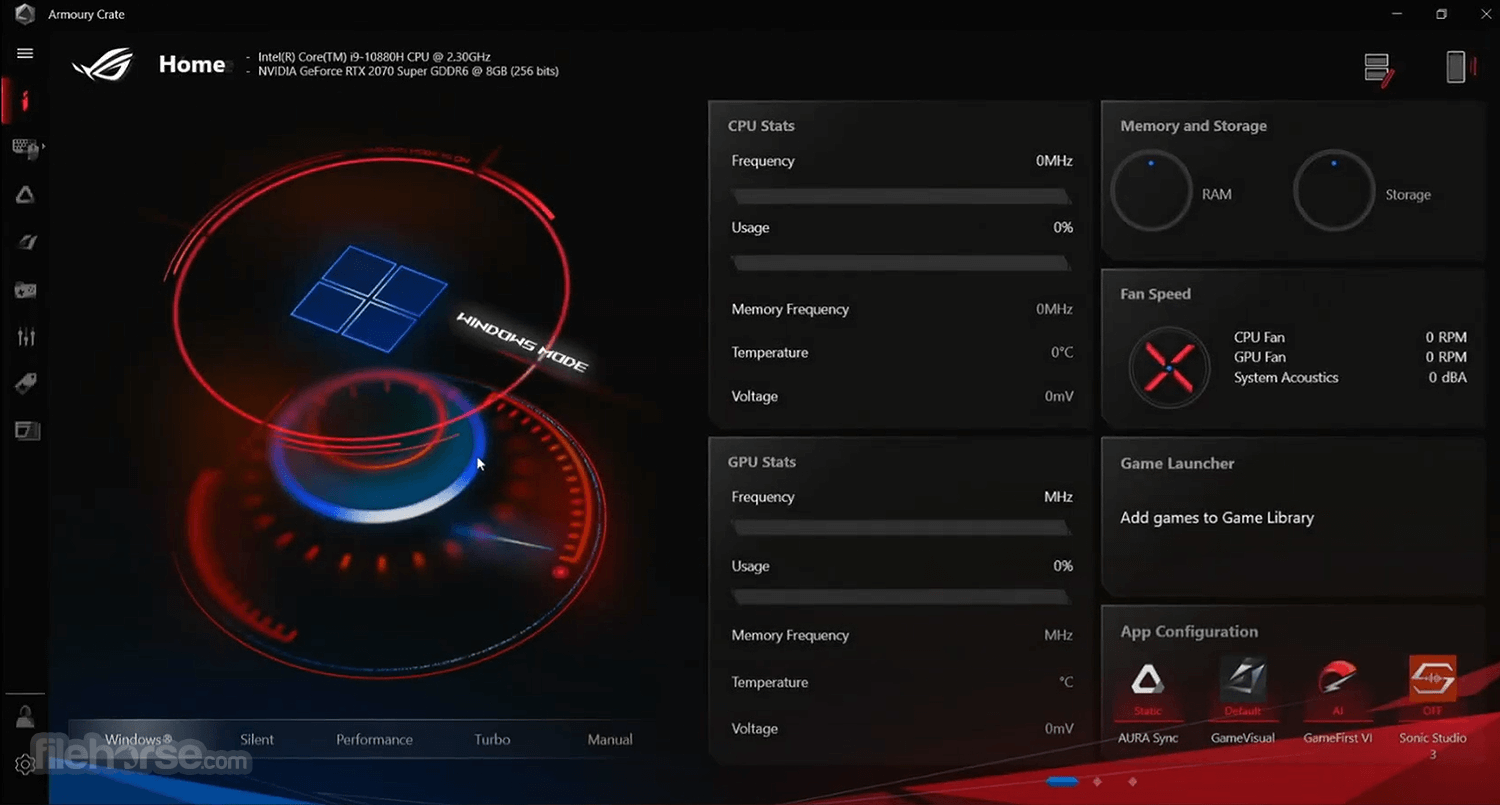
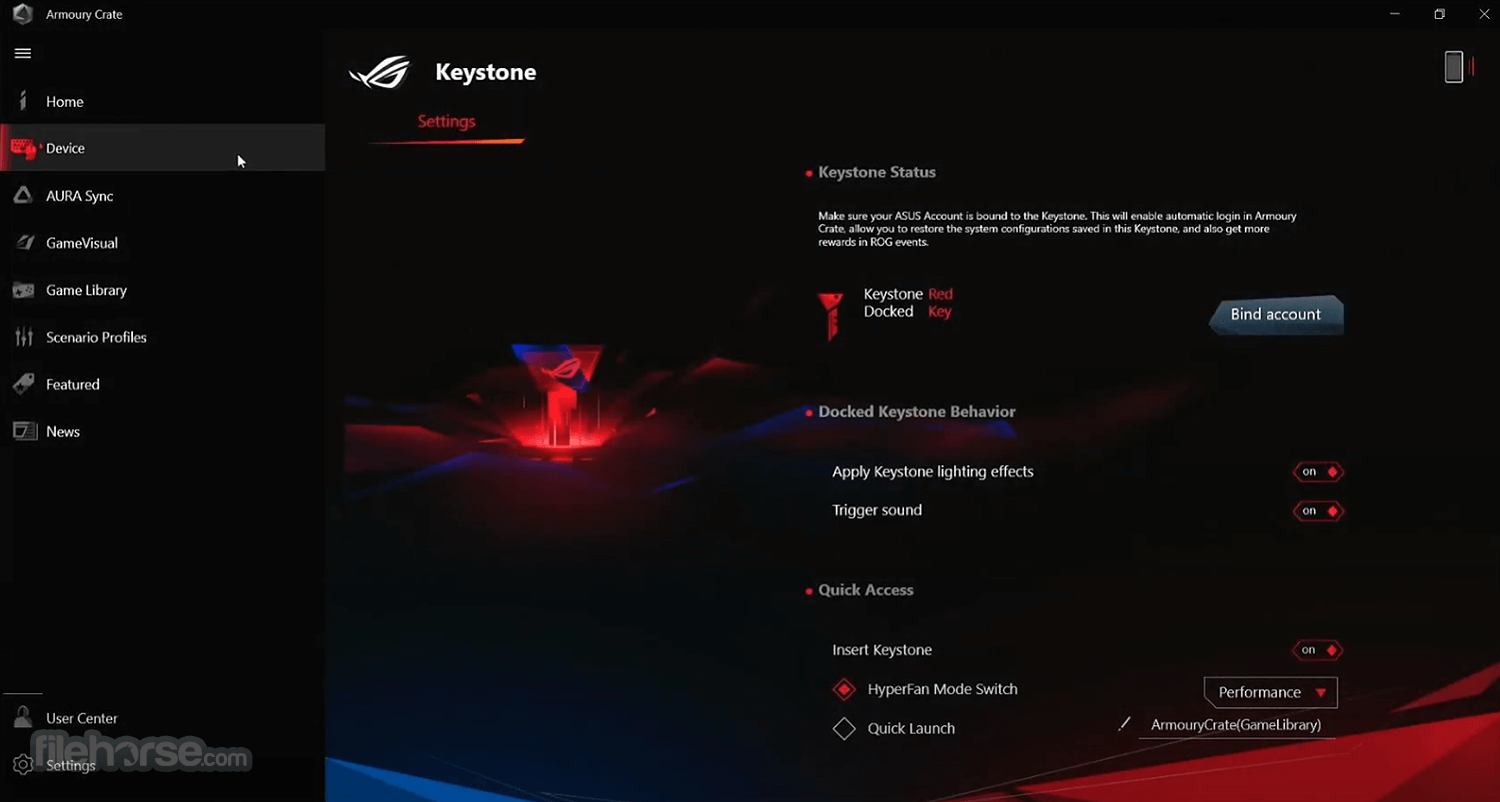
The app also allows you to take command of settings for a growing number of ROG products, making it easier to tune the look and feel of your system.
You can even use Armoury Crate for Windows PS to manage your product registrations, keep up to date with ROG news feeds, and stay in touch with the ROG gaming community.
Aura Sync
All Aura Sync Utility features are now part of Armoury Crate! It puts command of all your Aura gear at your fingertips, so controlling your LED illumination is as easy as RGB. It also introduces the all-new Aura Creator suite for multi-layered LED lighting, with a video-editing-style interface that lets you use simple drag-and-drop gestures to define the relative spatial positions of your compatible kit – making it easier than ever to create awesome Aura Sync lightshows.
Aura Creator
Take Aura Sync to the next level with the new Aura Creator – where you’re able to create richly detailed, multi-layered lighting effects. It allows you to take command of settings for a growing number of ROG gaming marvels, making it easier to tune the look and feel of your system.
The program is on a mission to unify the configuration and control of all ASUS and ROG software and gear, so you’ll be ready for every battle.
Install steps
Download “ArmouryCrateInstallTool.zip”. Unzip “ArmouryCrateInstallTool.zip” and double-click “ArmouryCrateInstaller.exe” to start the installation. Select to install a single App (Armoury Crate or Aura Creator), or to install both. Click the “Start” button to run the installation process. Discover, explore, and pick up great games at lower prices with Game Deals. A rotating calendar of discounts gives ROG VIPs exclusive access to major deals every week. Organize your growing collection with Game Library, which puts control of all the games downloaded to your PC in one convenient place.
Update Center provides seamless software updates for all ASUS and ASUS ROG equipment supported by Armoury Crate. Use this page to download and upgrade the required components, including firmware, HAL, SDK, and HTML packages.
Automatic switching between Scenario Profiles puts you in the right mode for the moment. Define your preferred operating mode and other system settings for individual applications and games, and personalize how your PC behaves for different tasks.
The app also allows you to take command of settings for a growing number of ROG products, making it easier to tune the look and feel of your system.
You can even use Armoury Crate for Windows PS to manage your product registrations, keep up to date with ROG news feeds, and stay in touch with the ROG gaming community.
Aura Sync
All Aura Sync Utility features are now part of Armoury Crate! It puts command of all your Aura gear at your fingertips, so controlling your LED illumination is as easy as RGB. It also introduces the all-new Aura Creator suite for multi-layered LED lighting, with a video-editing-style interface that lets you use simple drag-and-drop gestures to define the relative spatial positions of your compatible kit – making it easier than ever to create awesome Aura Sync lightshows.
Aura Creator
Take Aura Sync to the next level with the new Aura Creator – where you’re able to create richly detailed, multi-layered lighting effects. It allows you to take command of settings for a growing number of ROG gaming marvels, making it easier to tune the look and feel of your system.
The program is on a mission to unify the configuration and control of all ASUS and ROG software and gear, so you’ll be ready for every battle.
Install steps
Update Center provides seamless software updates for all ASUS and ASUS ROG equipment supported by Armoury Crate. Use this page to download and upgrade the required components, including firmware, HAL, SDK, and HTML packages.
Automatic switching between Scenario Profiles puts you in the right mode for the moment. Define your preferred operating mode and other system settings for individual applications and games, and personalize how your PC behaves for different tasks.
##
影片介紹
##
畫面截圖
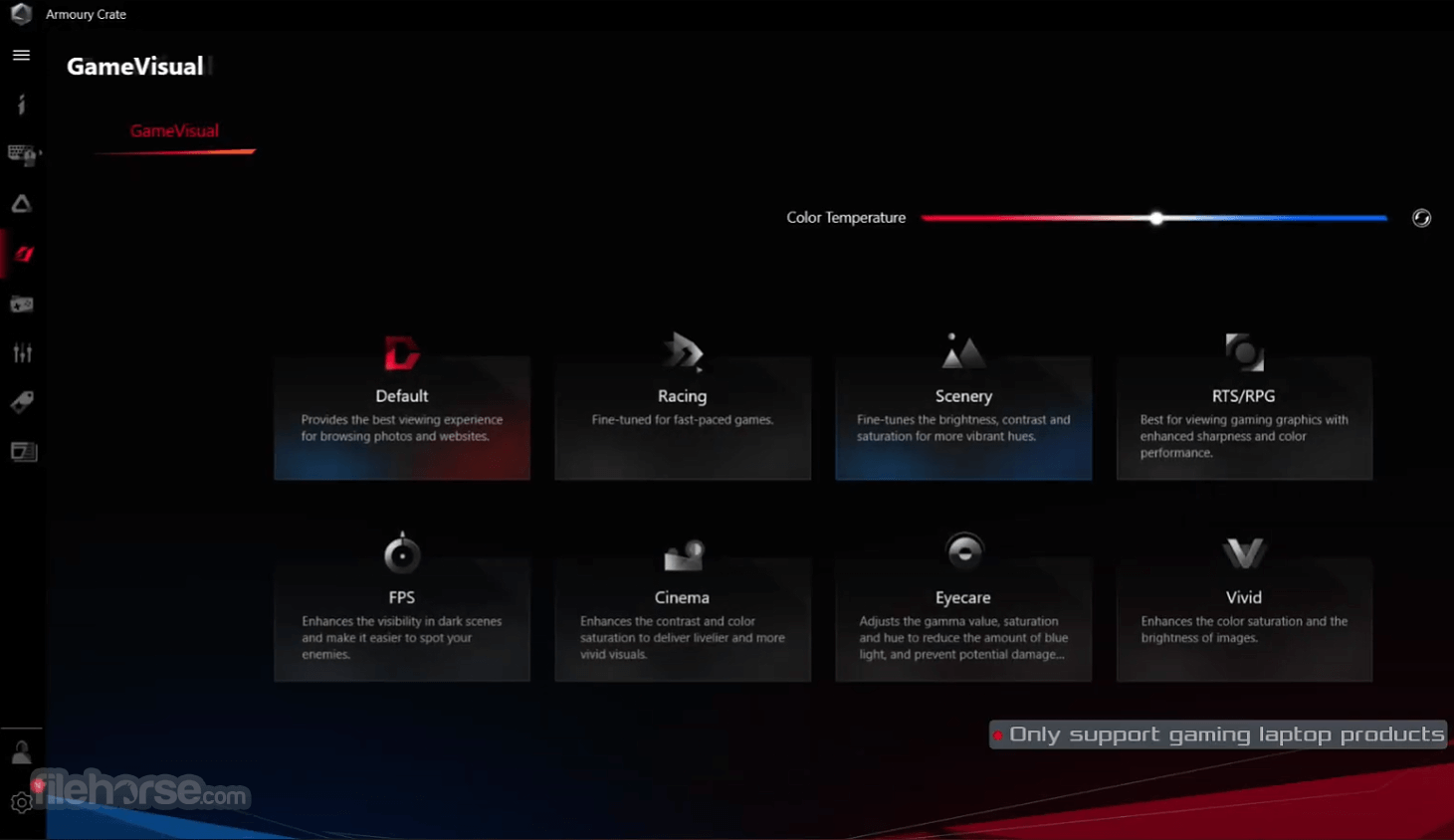
##
更新日誌
6.1.18
ROG ELITE REWARDS
A global loyalty program designed to serve gamers. Join the program now to rack up ROG Elite Points and redeem amazing prizes - all through Armoury Crate.
Supported Products
The software works with ROG, TUF Gaming, and ASUS product lines, and it allows users to change system profiles, lighting settings, as well as other device configurations on all compatible connected devices.
Alternatives
ASUS GPU Tweak - Enjoy maximum performance of your ASUS video card!
MyASUS - The portal of ASUS PC software service for your PC.
ASUS AI Suite III - All-in-one software for managing different ASUS tools and utilities.
ASUS Fan Xpert - A New method of ASUS's program for fan controlling capabilities.
PROS
Download Armoury Crate Latest Version Why is this app published on FileHorse? (More info)
A global loyalty program designed to serve gamers. Join the program now to rack up ROG Elite Points and redeem amazing prizes - all through Armoury Crate.
Supported Products
The software works with ROG, TUF Gaming, and ASUS product lines, and it allows users to change system profiles, lighting settings, as well as other device configurations on all compatible connected devices.
Alternatives
ASUS GPU Tweak - Enjoy maximum performance of your ASUS video card!
MyASUS - The portal of ASUS PC software service for your PC.
ASUS AI Suite III - All-in-one software for managing different ASUS tools and utilities.
ASUS Fan Xpert - A New method of ASUS's program for fan controlling capabilities.
PROS
- Centralized Management: Integrates control for various ASUS hardware components and peripherals.
- User-Friendly Interface: Intuitive and easy-to-navigate interface for both beginners and advanced users.
- Customization Options: Extensive RGB lighting customization and performance tuning options.
- Profile Creation: Allows creation of multiple profiles for different gaming and work scenarios.
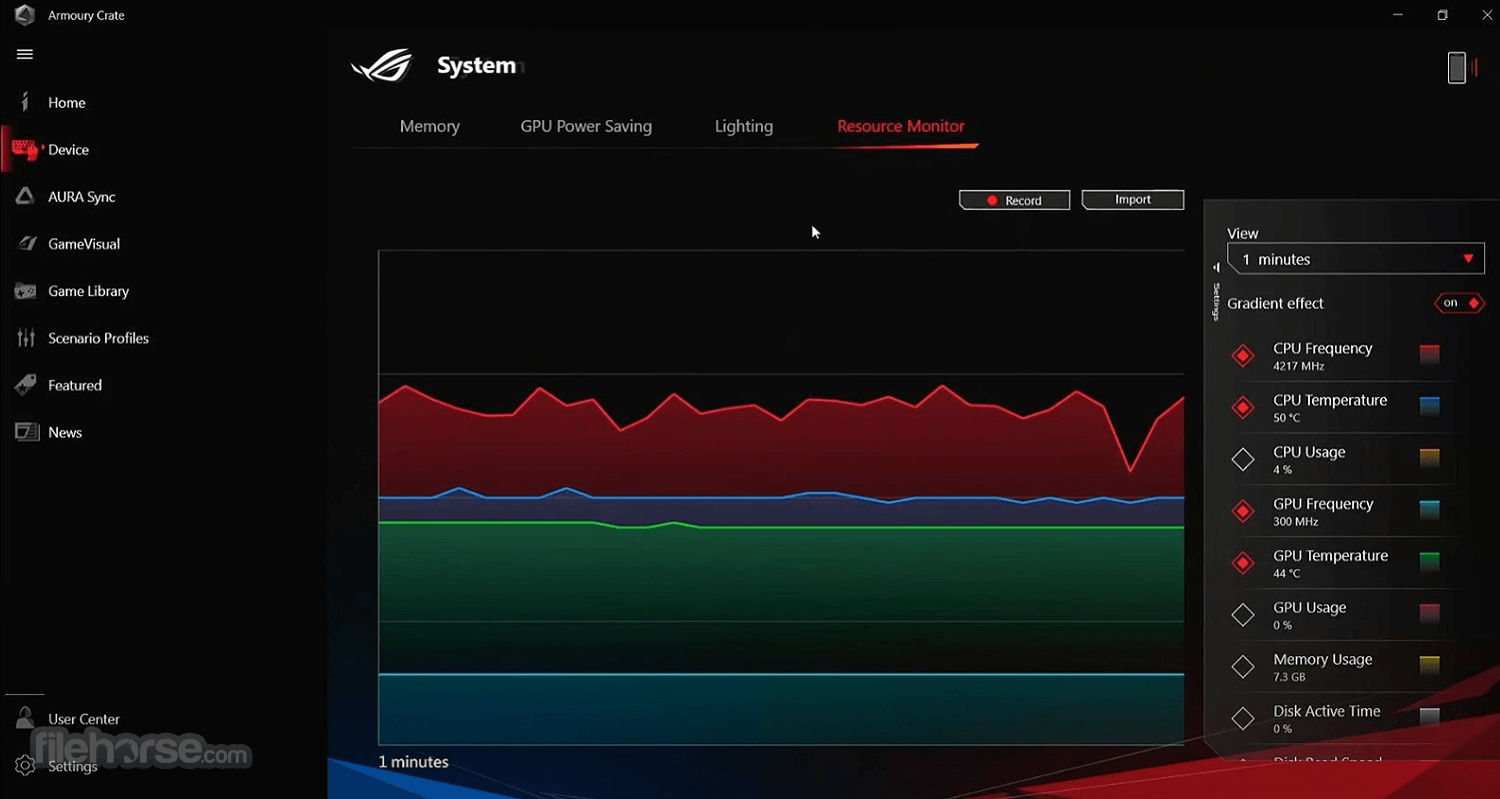
- System Monitoring: Provides real-time system stats and monitoring tools.
- Resource Intensive: Can be heavy on system resources, potentially affecting performance.
- Stability Issues: Reports of bugs and crashes, requiring frequent updates.
- Compatibility Problems: May have issues with non-ASUS hardware or older ASUS components.
Download Armoury Crate Latest Version Why is this app published on FileHorse? (More info)
- 2025-12-04 Armoury Crate 6.1.18 2.1 MB
- 2024-02-27 Armoury Crate 3.2.11.2 2.06 MB
- 2021-04-28 Armoury Crate 3.0.11.0 1.31 MB
- 2021-04-07 Aura Sync Utility 1.07.84 185.1 MB