⚠ 這是歷史版本頁面 — 查看 Ashampoo Backup Pro 最新版本 →

Ashampoo Backup Pro 25.05
v 25.05
Windows
商業試用
7.8/10 (44)
- 目前版本25.05
- 更新日期2024-02-01
- 檔案大小103 MB
- 檔案名稱ashampoo_backup_pro_25_25.05_sm.exe
- 作業系統Windows 10 / Windows 11
- 支援語系English
- 授權型式商業試用
- 開發商 Ashampoo
- 軟體分類Windows 軟體 / 備份還原
##
編輯短評
Ashampoo Backup Pro 是一套強調易用性的 Windows 備份工具,主要解決病毒、勒索軟體或硬體故障導致的資料遺失問題。它提供彈性的備份選項,可針對單一檔案或整個磁碟分割區進行備份,並支援本機儲存媒體與雲端空間。最特別的是內建緊急救援應用程式,即使系統完全無法開機,也能藉此還原整個作業系統,這是它與一般檔案備份工具最明顯的區隔。軟體目前仍持續維護,但更新節奏不算頻繁;在同類工具中屬於評價中等偏上的選擇,並非市場上最熱門的產品。
這套軟體適合需要「整機還原」能力、又不想花太多時間研究備份設定的使用者,尤其是遭遇過勒索病毒或硬碟故障的經驗者。與 WinRAR 這類單純壓縮備份的工具相比,Ashampoo Backup Pro 的優勢在於能建立可開機的系統還原點,但相對地它屬於付費試用軟體,且介面僅提供英文,沒有中文語系。若你習慣中文操作介面,或只需要單純壓縮檔案做異地備份,可能需要額外評估;但若追求的是「一鍵還原整個系統」的安心感,這套工具值得下載試用看看。
##
翻譯排程處理中,以下暫以英文原文呈現
軟體介紹
Are you looking for an easy to use yet highly versatile backup solution? Ashampoo Backup Pro takes the fear out of viruses, ransomware, or hardware defects!
Simply roll your system back to a previous update to get your data back. It gives you various options to backup individual files or entire disc partitions either on any storage media or in the cloud.
User-friendly, intuitive, fast. Even in the event of total system failure, the integrated emergency application can bring back your system!
It creates backups from any file type, even entire operating systems. The Ashampoo Backup Pro program works fully automatically in the background to prevent data loss.
Restoring backups will help with system failure, malware infections or hardware issues.
Highlights
All operations happen in the background and the program becomes active only when enough system resources become available so it won't disrupt your work.
Innovative compression and encryption algorithms ensure backups are small and protected against unauthorized access. Apart from classic storage media, the backup tool also supports multiple cloud providers for easy uploading. Backups can be restored either through the program or Windows Explorer.
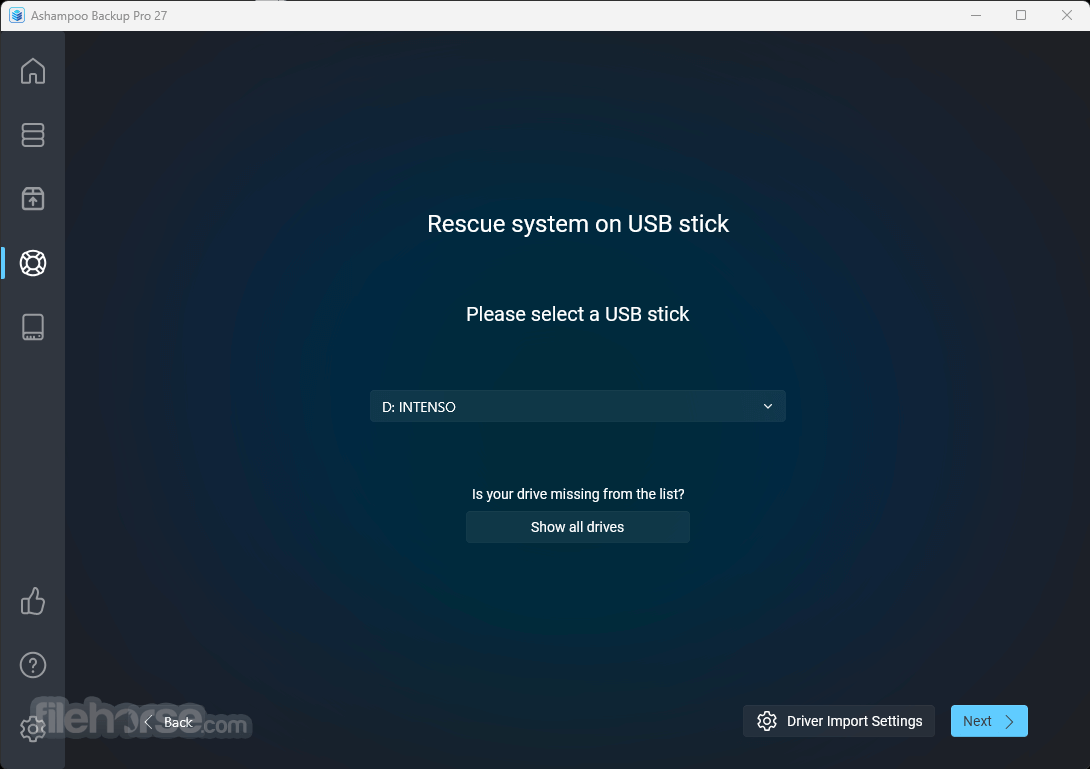
An integrated rescue system creates bootable DVDs / USB drives that provide assistance in the event of a total system failure and restore your backups even when your system refuses to boot. Version features disk health checks based on SMART values and disk surface checks for internal and external disks.
The new Backup Viewer provides instant file access without the need to restore associated backups. Additional cloud storage providers like OneDrive Business / Office 365, Owncloud, and Nextcloud are now also supported.
Features and Highlights
Full System Backups: You can create complete backups of your operating system, including all system files, applications, and settings.
Incremental and Differential Backups: It offers efficient backup methods, allowing you to save storage space and time by only backing up changes since the last backup.
Flexible Scheduling: Set up automatic backup schedules to ensure your data is continuously protected without manual intervention.
Disk Cloning: Clone your entire hard drive to a new one, making it easy to migrate to a larger drive or upgrade your system.
Versioning and Encryption: Keep multiple versions of your backups and secure them with AES-256 encryption for enhanced data protection.
Compression: Reduce backup file sizes to save storage space while maintaining data integrity.
Rescue System: In case of system failure, it provides a rescue system that allows you to recover your data even when your operating system won't boot.
Cloud Integration: Seamlessly integrate with popular cloud storage services like Dropbox, Google Drive, and OneDrive for offsite backups.
User-Friendly Interface: The software features an intuitive interface that makes it accessible to users of all levels of technical expertise.
Email Notifications: Receive email notifications to stay informed about the status of your backups.
User Interface
The user interface of this software is well-designed and user-friendly. It adopts a clean and straightforward layout that makes it easy for both beginners and experienced users to navigate through its features.
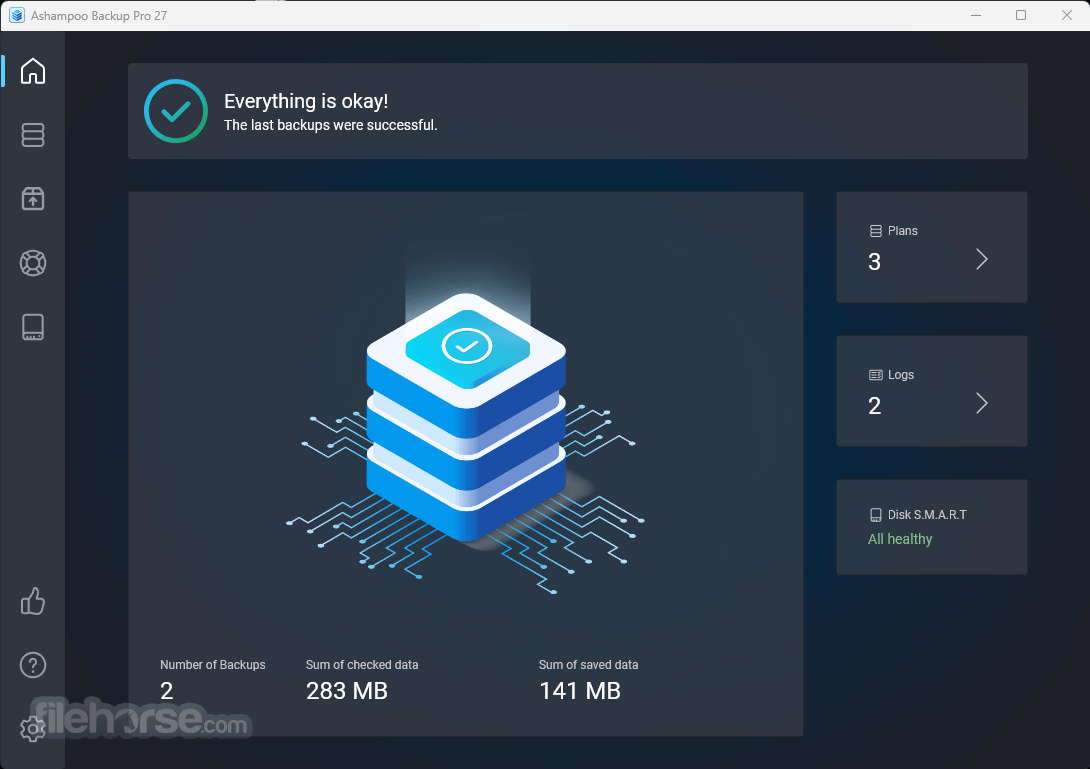
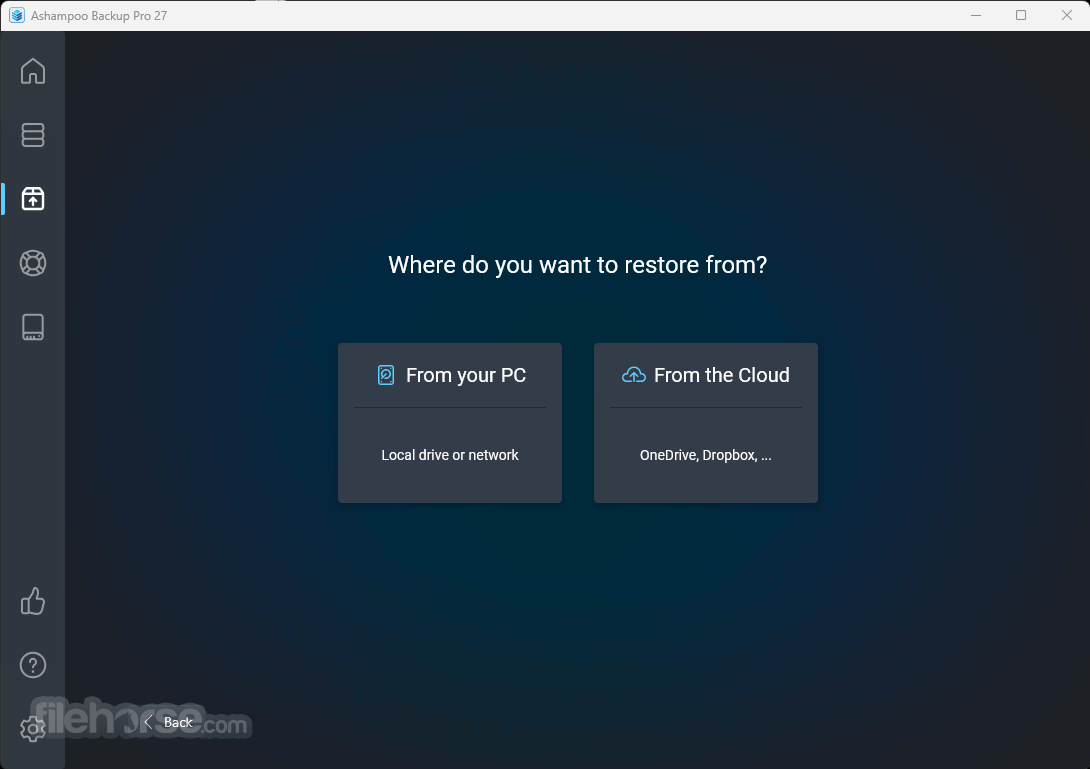
The main dashboard provides quick access to essential functions such as creating and managing backups, restoring data, and configuring settings.
The menus and options are logically organized, and the software includes tooltips and guides to assist users in their tasks.
How to Use
Can I restore individual files from a full system backup?
Yes, it allows you to selectively restore files and folders from a complete system backup.
Is my data safe when stored in the cloud using Ashampoo Backup Pro?
Yes, your data is encrypted with AES-256 encryption before being transferred to the cloud, ensuring its security.
Can I schedule backups to run automatically?
Absolutely. It provides flexible scheduling options to automate backups at your preferred intervals.
Does Ashampoo Backup Pro support disk cloning for system migration?
Yes, you can clone your entire hard drive, including the operating system, with Ashampoo Backup Pro.
Can I use the rescue system to recover data if my computer won't start?
Yes, the rescue system allows you to recover your data, even if your operating system is unbootable.
Alternatives
Acronis True Image: Known for its comprehensive backup and disk imaging capabilities, Acronis True Image offers similar features and supports both Windows and Mac.
EaseUS Todo Backup: This user-friendly backup solution caters to both home and business users, offering system backup, file-level backup, and disk cloning.
Macrium Reflect: Popular among Windows users, Macrium Reflect offers advanced disk imaging and cloning tools, along with reliable backup options.
AOMEI Backupper: AOMEI Backupper provides various backup types, including system, disk, and file-level backups, making it a versatile alternative.
Paragon Backup & Recovery: Paragon offers a range of backup and recovery solutions, including disk imaging and bootable recovery media.
Pricing
It offers flexible pricing options, making it accessible to users with varying needs.
It typically comes in different license types, including single, multi-PC, and family licenses.
Prices may vary based on promotions and discounts, so it's advisable to visit the official Ashampoo website for the most up-to-date pricing information.
Single licence is about $50.
Languages
British English, Bulgarian, Catalan, Chinese (traditional), Czech, Danish, Dutch, English, Finnish, French, German, Hungarian, Italian, Korean, Norwegian, Norwegian Nynorsk, Polish, Portuguese, Portuguese (Brazilian), Rumanian, Russian, Serbian, Slovakian, Slovenian, Spanish, Spanish (Argentina), Turkish.
System requirements
Ashampoo Backup Pro is a robust and user-friendly backup solution for PC that caters to a wide range of users. Whether you're a novice looking to protect your important files or an advanced user needing comprehensive system backup and recovery options, it has you covered.
Its intuitive interface, flexible scheduling, and cloud integration make it a valuable asset for safeguarding your data. While it may have some minor limitations, its overall feature set and reliability make it a worthy choice for ensuring the security of your digital life.
Note: 10 days trial version (can be extended by 20 days).
Download Ashampoo Backup Pro Latest Version Why is this app published on FileHorse? (More info)
Simply roll your system back to a previous update to get your data back. It gives you various options to backup individual files or entire disc partitions either on any storage media or in the cloud.
User-friendly, intuitive, fast. Even in the event of total system failure, the integrated emergency application can bring back your system!
It creates backups from any file type, even entire operating systems. The Ashampoo Backup Pro program works fully automatically in the background to prevent data loss.
Restoring backups will help with system failure, malware infections or hardware issues.
Highlights
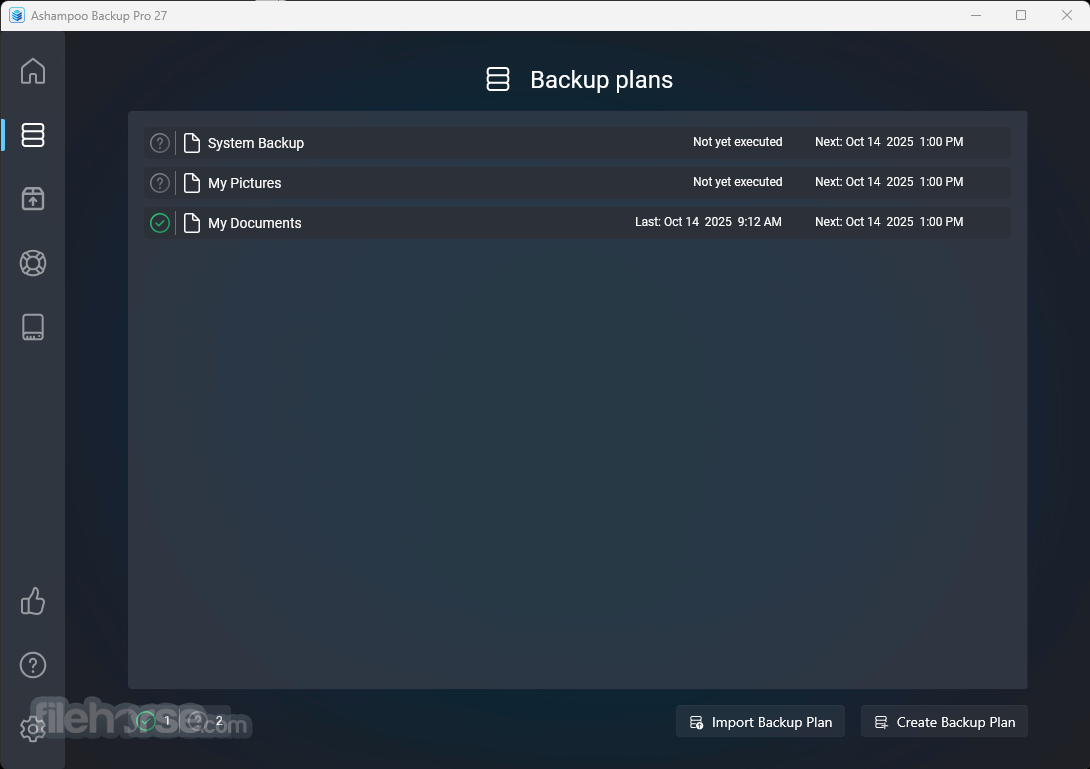
- Create plans quickly with a simplified step-by-step setup
- Manage everything through a unified, streamlined system
- Access logs and reports easily via the new side panel
- Monitor statistics, SMART status, and errors from the main dashboard
- Extract specific files without needing a full restore
- Experience a redesigned rescue system with a modern interface
- Use Check & Repair for real-time drive diagnostics
- Enjoy continuous real-time backup protection
- Rely on an advanced, next-generation rescue environment
- Benefit from Plug & Play automatic backups
- Compatible with BitLocker-encrypted drives
- Includes future-ready cloud integration
- Runs efficiently with minimal system impact
- View backups clearly using the intuitive Backup Viewer
- Stay fully protected with comprehensive hard disk health checks
All operations happen in the background and the program becomes active only when enough system resources become available so it won't disrupt your work.
Innovative compression and encryption algorithms ensure backups are small and protected against unauthorized access. Apart from classic storage media, the backup tool also supports multiple cloud providers for easy uploading. Backups can be restored either through the program or Windows Explorer.
An integrated rescue system creates bootable DVDs / USB drives that provide assistance in the event of a total system failure and restore your backups even when your system refuses to boot. Version features disk health checks based on SMART values and disk surface checks for internal and external disks.
The new Backup Viewer provides instant file access without the need to restore associated backups. Additional cloud storage providers like OneDrive Business / Office 365, Owncloud, and Nextcloud are now also supported.
Features and Highlights
Full System Backups: You can create complete backups of your operating system, including all system files, applications, and settings.
Incremental and Differential Backups: It offers efficient backup methods, allowing you to save storage space and time by only backing up changes since the last backup.
Flexible Scheduling: Set up automatic backup schedules to ensure your data is continuously protected without manual intervention.
Disk Cloning: Clone your entire hard drive to a new one, making it easy to migrate to a larger drive or upgrade your system.
Versioning and Encryption: Keep multiple versions of your backups and secure them with AES-256 encryption for enhanced data protection.
Compression: Reduce backup file sizes to save storage space while maintaining data integrity.
Rescue System: In case of system failure, it provides a rescue system that allows you to recover your data even when your operating system won't boot.
Cloud Integration: Seamlessly integrate with popular cloud storage services like Dropbox, Google Drive, and OneDrive for offsite backups.
User-Friendly Interface: The software features an intuitive interface that makes it accessible to users of all levels of technical expertise.
Email Notifications: Receive email notifications to stay informed about the status of your backups.
User Interface
The user interface of this software is well-designed and user-friendly. It adopts a clean and straightforward layout that makes it easy for both beginners and experienced users to navigate through its features.
The main dashboard provides quick access to essential functions such as creating and managing backups, restoring data, and configuring settings.
The menus and options are logically organized, and the software includes tooltips and guides to assist users in their tasks.
How to Use
- Launch the Software: After installation, launch the app from your desktop or Start menu.
- Select Backup Type: Choose between a File/Folder Backup, Disk Backup, or System Backup, depending on your needs.
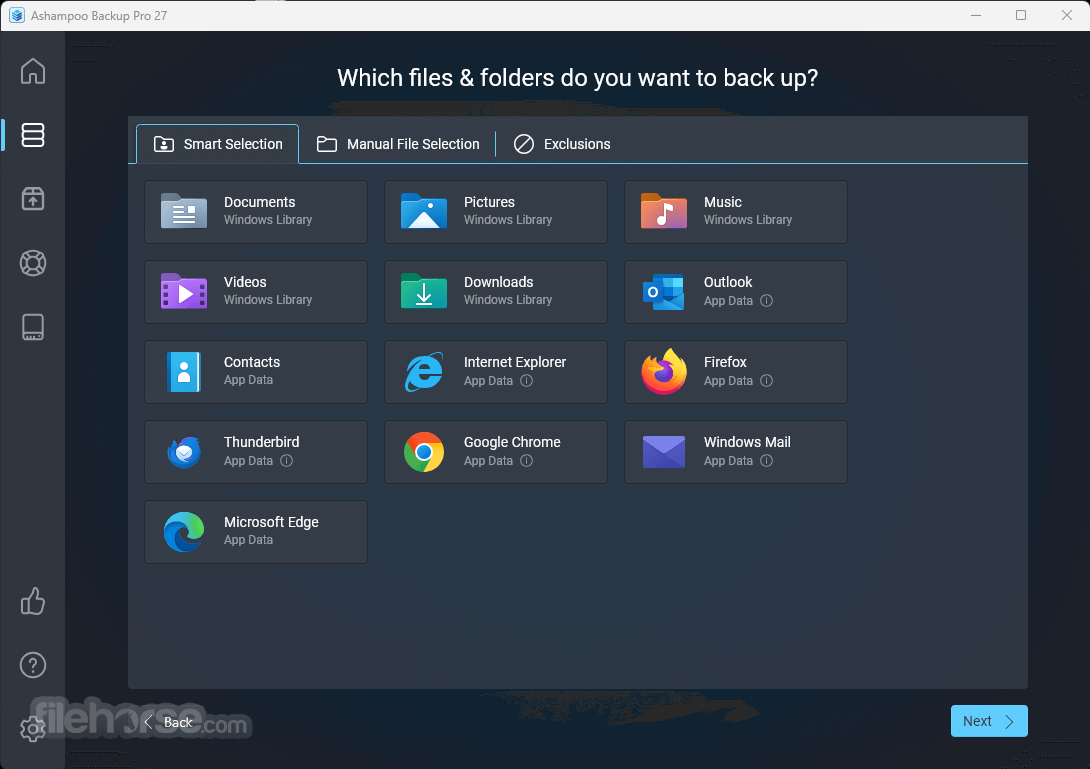
- Select Source: Specify the files, folders, or disks you want to back up.
- Choose Destination: Select where you want to store the backup, whether it's an external drive, network location, or cloud storage.
- Configure Options: Customize backup settings, including compression, encryption, and scheduling.
- Start Backup: Click the "Start Backup" button to initiate the backup process.
- Monitor Progress: You can track the progress of your backup and receive notifications when it's completed.
Can I restore individual files from a full system backup?
Yes, it allows you to selectively restore files and folders from a complete system backup.
Is my data safe when stored in the cloud using Ashampoo Backup Pro?
Yes, your data is encrypted with AES-256 encryption before being transferred to the cloud, ensuring its security.
Can I schedule backups to run automatically?
Absolutely. It provides flexible scheduling options to automate backups at your preferred intervals.
Does Ashampoo Backup Pro support disk cloning for system migration?
Yes, you can clone your entire hard drive, including the operating system, with Ashampoo Backup Pro.
Can I use the rescue system to recover data if my computer won't start?
Yes, the rescue system allows you to recover your data, even if your operating system is unbootable.
Alternatives
Acronis True Image: Known for its comprehensive backup and disk imaging capabilities, Acronis True Image offers similar features and supports both Windows and Mac.
EaseUS Todo Backup: This user-friendly backup solution caters to both home and business users, offering system backup, file-level backup, and disk cloning.
Macrium Reflect: Popular among Windows users, Macrium Reflect offers advanced disk imaging and cloning tools, along with reliable backup options.
AOMEI Backupper: AOMEI Backupper provides various backup types, including system, disk, and file-level backups, making it a versatile alternative.
Paragon Backup & Recovery: Paragon offers a range of backup and recovery solutions, including disk imaging and bootable recovery media.
Pricing
It offers flexible pricing options, making it accessible to users with varying needs.
It typically comes in different license types, including single, multi-PC, and family licenses.
Prices may vary based on promotions and discounts, so it's advisable to visit the official Ashampoo website for the most up-to-date pricing information.
Single licence is about $50.
Languages
British English, Bulgarian, Catalan, Chinese (traditional), Czech, Danish, Dutch, English, Finnish, French, German, Hungarian, Italian, Korean, Norwegian, Norwegian Nynorsk, Polish, Portuguese, Portuguese (Brazilian), Rumanian, Russian, Serbian, Slovakian, Slovenian, Spanish, Spanish (Argentina), Turkish.
System requirements
- Operating System: Windows 11, Windows 10 (x64)
- Requirements: Any device that supports the operating systems listed above.
- Hard Drive Space: 500 MB available hard disk space for installation
- An Internet connection is required to activate the program. The program license is verified repeatedly at regular intervals.
- Full administrative rights are required to use the program.
- Comprehensive backup options, including system, disk, and file-level backups.
- User-friendly interface suitable for beginners and advanced users.
- Flexible scheduling and automatic backup options.
- Integration with popular cloud storage services.
- Secure data encryption and versioning for added protection.
- Reliable rescue system for data recovery in emergencies.
- Windows-only support, limiting accessibility for macOS and Linux users.
- Some advanced features may require technical knowledge.
- Pricing may be slightly higher than some competitors.
Ashampoo Backup Pro is a robust and user-friendly backup solution for PC that caters to a wide range of users. Whether you're a novice looking to protect your important files or an advanced user needing comprehensive system backup and recovery options, it has you covered.
Its intuitive interface, flexible scheduling, and cloud integration make it a valuable asset for safeguarding your data. While it may have some minor limitations, its overall feature set and reliability make it a worthy choice for ensuring the security of your digital life.
Note: 10 days trial version (can be extended by 20 days).
Download Ashampoo Backup Pro Latest Version Why is this app published on FileHorse? (More info)
##
影片介紹
##
畫面截圖
- 2026-06-11 Ashampoo Backup Pro 27.6.8 207 MB
- 2024-02-01 Ashampoo Backup Pro 25.05 103 MB
- 2023-12-06 Ashampoo Backup Pro 17.11 102 MB
- 2020-10-16 Ashampoo Backup Pro 15.03 92.8 MB