⚠ 這是歷史版本頁面 — 查看 Autodesk FBX Review 最新版本 →

- 目前版本1.1.0.0
- 更新日期2014-03-25
- 檔案大小19.31 MB
- 檔案名稱Autodesk_FBX_Review_Win64Bit.zip
- 作業系統Windows 7 64 / Windows 8 64 / Windows 10 64
- 支援語系English
- 授權型式免費軟體
- 開發商 Autodesk Inc
- 軟體分類Windows 軟體 / 影像設計
##
編輯短評
Autodesk FBX Review 是 Autodesk 官方推出的輕量級 3D 檢視工具,主要解決「只想快速看 3D 模型與動畫、卻不想開啟重量級建模軟體」的痛點。它不需要任何 3D 創作軟體即可獨立運作,並能切換線框、著色、紋理與光照等顯示模式,同時支援播放動畫與切換攝影機,檢視體驗接近 Viewport 2.0 的視覺品質。這套工具由 Autodesk 長期維護,更新步調不算頻繁但持續有在推進,在同類工具中屬於特定用途的小眾選擇,評價人數不多,參考價值有限。
這套軟體適合 3D 美術、動畫師或專案管理者,在需要快速確認模型外觀、動畫節奏或與團隊溝通資產內容時使用。與 Photoshop 或 Google Earth 這類泛用影像工具相比,FBX Review 專注在 FBX 格式的 3D 資產檢視,功能單一但更貼近需求;與完整 3D 建模軟體相比,它犧牲了編輯能力,換來更低的啟動成本與更小的資源占用。軟體為免費授權,提供 Windows 與 macOS 版本,但介面僅有英文,使用前需留意語系支援。
##
翻譯排程處理中,以下暫以英文原文呈現
軟體介紹
Autodesk FBX Review is a lightweight, standalone Windows software tool for reviewing 3D assets and animations quickly and efficiently.
Autodesk FBX Review enables users to view 3D content without using a 3D authoring tool, to help speed up asset sharing and iteration.
Features and Highlights
Quickly and easily review 3D models
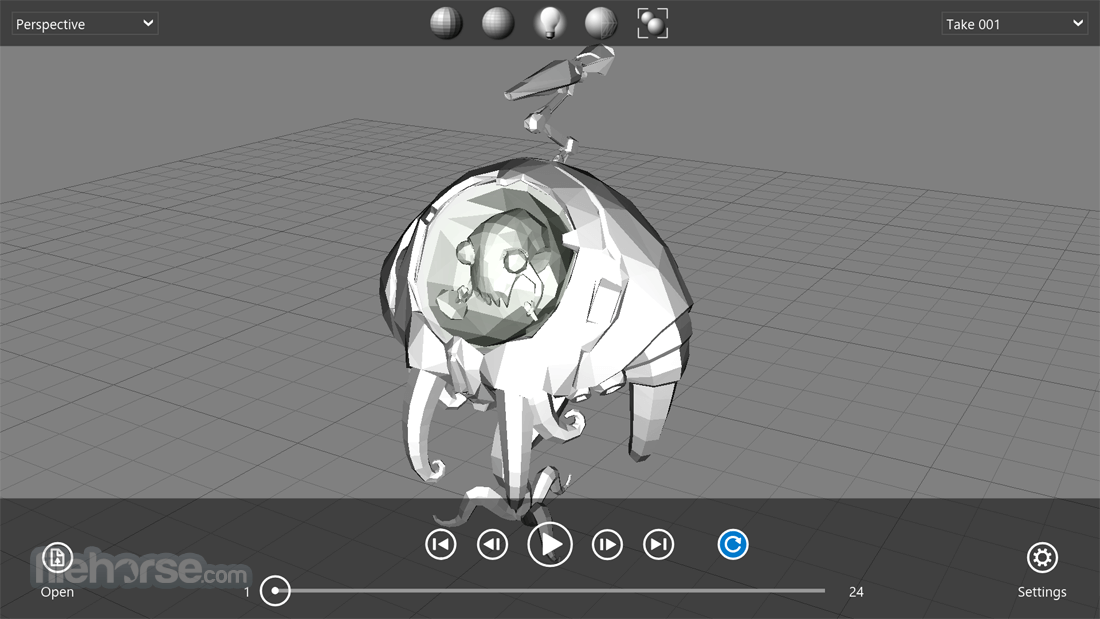
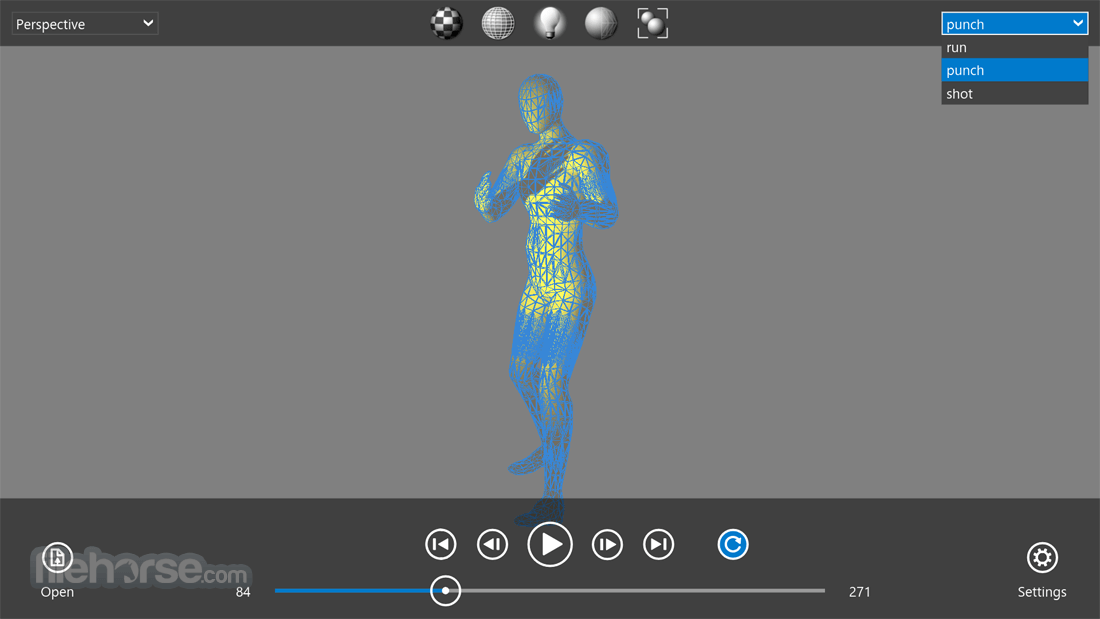
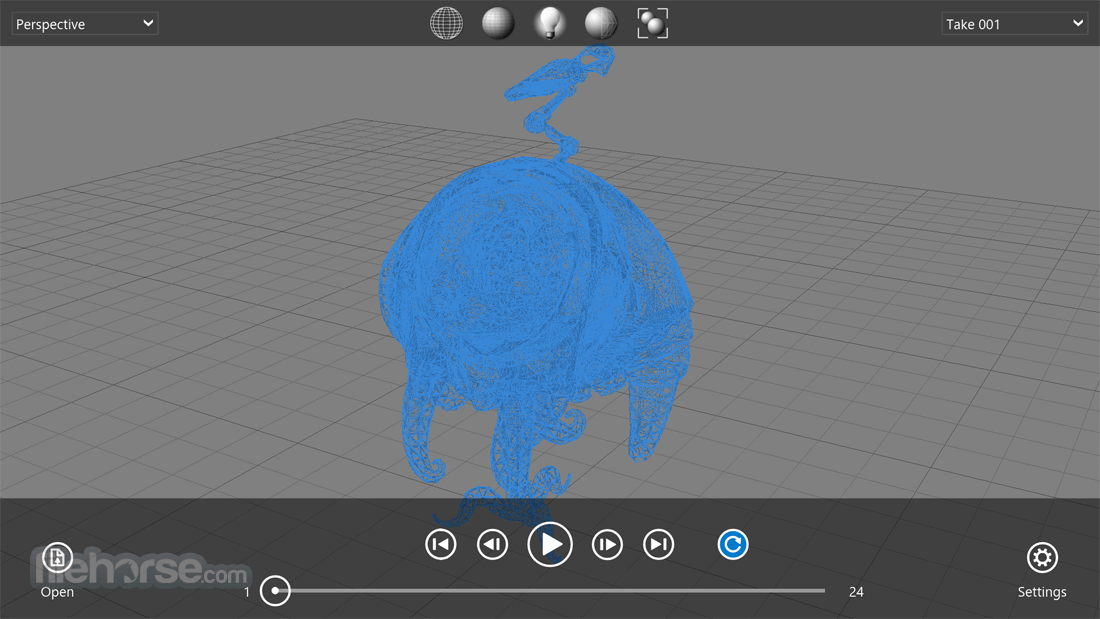
Open and review 3D models with the same visual fidelity as Viewport 2.0. Toggle between wireframe, shading, texture, and lighting options.
Playback animation takes and switches cameras
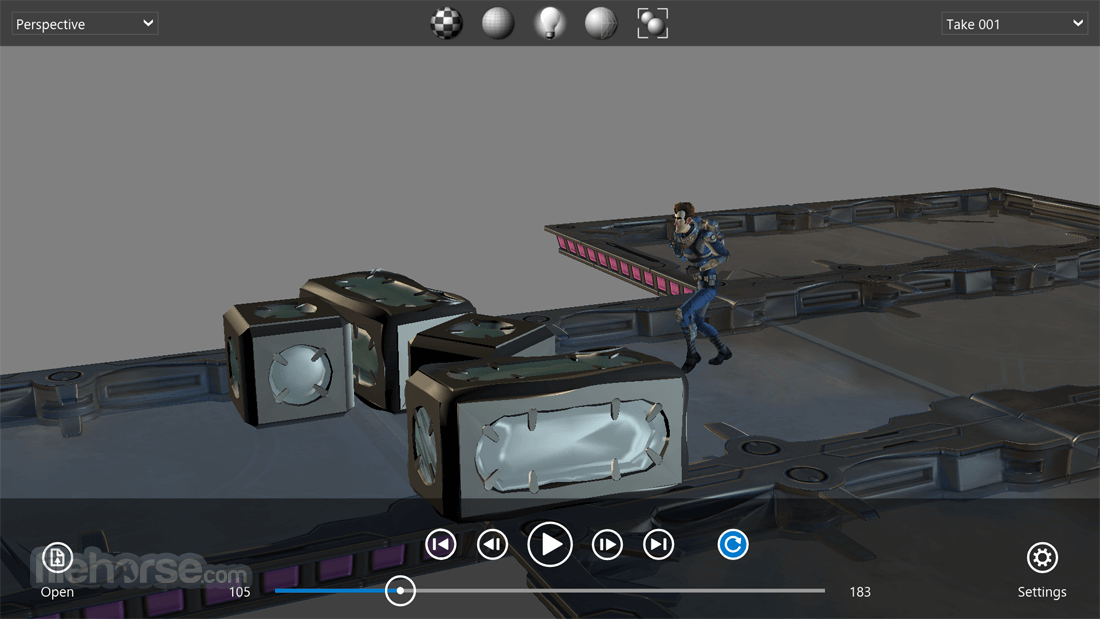
Review animated 3D assets using familiar play, pause, and scrub-through controls. Toggle through user-created cameras saved within the file
Intuitive, lightweight, and mobile
Review assets using an intuitive touchscreen interface on supported mobile devices without having to rely on a content creation tool.
Quickly and easily review 3D models
Open files in a variety of common 3D formats to help improve the speed of asset review: .zip, .abc* .fbx, .3ds, .obj, .dxf, .dae, .bvh, .htr, .trc, .asf, .amc, .c3d, .aoa, .mcd. *Compatible only on desktop versions of FBX Review.
Autodesk FBX Review is compatible with:
Autodesk AutoCAD
Version: 2026, 2025, 2024, 2023, 2022, 2021, 2020, 2019, 2018, 2017, 2016, 2015, 2014
Autodesk Revit
Version: 2026, 2025, 2024, 2023, 2022, 2021, 2020, 2019, 2018, 2017, 2016, 2015, 2014
Autodesk 3ds Max
Version: 2026, 2025, 2024, 2023, 2022, 2021, 2020, 2019, 2018, 2017, 2016, 2015, 2014
Autodesk 3ds Max Design
Version: 2026, 2025, 2024, 2023, 2022, 2021, 2020, 2019, 2018, 2017, 2016, 2015, 2014
Autodesk Inventor
Version: 2026, 2025, 2024, 2023, 2022, 2021, 2020, 2019, 2018, 2017, 2016, 2015, 2014
Autodesk Maya
Version: 2026, 2025, 2024, 2023, 2022, 2021, 2020, 2019, 2018, 2017, 2016, 2015, 2014
Navisworks Manage
Version: 2026, 2025, 2024, 2023, 2022, 2021, 2020, 2019, 2018, 2017, 2016, 2015, 2014
Navisworks Simulate
Version: 2026, 2025, 2024, 2023, 2022, 2021, 2020, 2019, 2018, 2017, 2016, 2015, 2014
How to Use
FAQs
What is Autodesk FBX Review used for?
Autodesk FBX Review is a lightweight tool for viewing 3D models and animations in FBX and other supported formats. It allows users to quickly preview assets without opening full 3D software.
Is Autodesk FBX Review free to use?
Yes. FBX Review is a free application provided by Autodesk, making it accessible for developers, artists, and designers who need a simple viewer.
Is Autodesk FBX Review still relevant in 2026?
Yes. In 2026, it remains useful for quick inspection of 3D assets, especially in workflows where opening full tools like Maya or 3ds Max would be unnecessary.
System Requirements
Download Autodesk FBX Review Latest Version Why is this app published on FileHorse? (More info)
Autodesk FBX Review enables users to view 3D content without using a 3D authoring tool, to help speed up asset sharing and iteration.
Features and Highlights
Quickly and easily review 3D models
Open and review 3D models with the same visual fidelity as Viewport 2.0. Toggle between wireframe, shading, texture, and lighting options.
Playback animation takes and switches cameras
Review animated 3D assets using familiar play, pause, and scrub-through controls. Toggle through user-created cameras saved within the file
Intuitive, lightweight, and mobile
Review assets using an intuitive touchscreen interface on supported mobile devices without having to rely on a content creation tool.
Quickly and easily review 3D models
Open files in a variety of common 3D formats to help improve the speed of asset review: .zip, .abc* .fbx, .3ds, .obj, .dxf, .dae, .bvh, .htr, .trc, .asf, .amc, .c3d, .aoa, .mcd. *Compatible only on desktop versions of FBX Review.
Autodesk FBX Review is compatible with:
Autodesk AutoCAD
Version: 2026, 2025, 2024, 2023, 2022, 2021, 2020, 2019, 2018, 2017, 2016, 2015, 2014
Autodesk Revit
Version: 2026, 2025, 2024, 2023, 2022, 2021, 2020, 2019, 2018, 2017, 2016, 2015, 2014
Autodesk 3ds Max
Version: 2026, 2025, 2024, 2023, 2022, 2021, 2020, 2019, 2018, 2017, 2016, 2015, 2014
Autodesk 3ds Max Design
Version: 2026, 2025, 2024, 2023, 2022, 2021, 2020, 2019, 2018, 2017, 2016, 2015, 2014
Autodesk Inventor
Version: 2026, 2025, 2024, 2023, 2022, 2021, 2020, 2019, 2018, 2017, 2016, 2015, 2014
Autodesk Maya
Version: 2026, 2025, 2024, 2023, 2022, 2021, 2020, 2019, 2018, 2017, 2016, 2015, 2014
Navisworks Manage
Version: 2026, 2025, 2024, 2023, 2022, 2021, 2020, 2019, 2018, 2017, 2016, 2015, 2014
Navisworks Simulate
Version: 2026, 2025, 2024, 2023, 2022, 2021, 2020, 2019, 2018, 2017, 2016, 2015, 2014
How to Use
- Open the software and load an FBX file
- Use navigation tools to inspect the 3D model
- Adjust lighting and shading settings
- Play animations and review motion sequences
- Toggle between different viewing modes
- Use measurement tools for precise inspection
- Save or export your reviewed files
FAQs
What is Autodesk FBX Review used for?
Autodesk FBX Review is a lightweight tool for viewing 3D models and animations in FBX and other supported formats. It allows users to quickly preview assets without opening full 3D software.
Is Autodesk FBX Review free to use?
Yes. FBX Review is a free application provided by Autodesk, making it accessible for developers, artists, and designers who need a simple viewer.
Is Autodesk FBX Review still relevant in 2026?
Yes. In 2026, it remains useful for quick inspection of 3D assets, especially in workflows where opening full tools like Maya or 3ds Max would be unnecessary.
System Requirements
- OS: Windows 11 or Windows 10 (64-bit)
- Processor: Intel or AMD multi-core processor
- RAM: 4GB minimum, 8GB recommended
- Graphics: DirectX 11 compatible GPU
- Storage: 1GB available disk space
- Display: 1280x720 resolution or higher
- Supports multiple 3D file formats
- Smooth real-time model rendering
- Easy-to-use interface for quick reviews
- Supports animation playback and testing
- Lightweight and fast performance
- Limited editing and modification tools
- No built-in modeling or texturing features
- Requires a dedicated GPU for best results
- Lacks advanced collaboration options
- No direct cloud storage integration
Download Autodesk FBX Review Latest Version Why is this app published on FileHorse? (More info)
##
畫面截圖
- 2026-03-30 Autodesk FBX Review 1.5.4.0 13.72 MB
- 2022-03-01 Autodesk FBX Review 1.5.3.0 31.5 MB
- 2021-09-13 Autodesk FBX Review 1.5.2.0 31.51 MB
- 2021-03-11 Autodesk FBX Review 1.5.0.0 21.69 MB
- 2017-05-26 Autodesk FBX Review 1.4.1.0 20.75 MB
- 2014-03-25 Autodesk FBX Review 1.1.0.0 19.31 MB