⚠ 這是歷史版本頁面 — 查看 BetterDiscord 最新版本 →

- 目前版本1.2.1
- 更新日期2023-03-09
- 檔案大小75 MB
- 檔案名稱BetterDiscord-Windows.exe
- 作業系統Windows 7 / Windows 8 / Windows 10 / Windows 11
- 支援語系English
- 授權型式開源軟體
- 開發商 Alexei Stukov
- 軟體分類Windows 軟體 / 社群通訊
##
編輯短評
BetterDiscord 是專為 Discord 打造的第三方外掛工具,核心用途是解鎖官方版未開放的自訂功能,讓使用者能替 Discord 換上各式主題、掛載外掛模組,並擴充表情符號庫。它本質上不是獨立的通訊軟體,而是依附在 Discord 客戶端上的增強套件,最鮮明的特色就是能徹底改變 Discord 的介面外觀與操作邏輯。這款工具目前仍持續維護,更新頻率不算密集但穩定,在同類工具中屬於小眾但口碑穩固的選擇,評價人數不多,但整體評價普遍不錯。
這套工具適合重度依賴 Discord、且不滿足於預設介面的使用者,尤其是想透過 CSS 主題或自動化外掛來提升工作效率或個人化風格的玩家。與其替代方案相比,BetterDiscord 的取捨在於它屬於非官方修改,每次 Discord 官方更新後都可能需要等待相容性修復,且使用上需承擔違反服務條款的潛在風險。授權為開源軟體,但僅提供英文介面,對不熟悉英文操作的使用者稍有門檻;安裝前建議先確認自己對 Discord 的依賴程度,再決定是否值得承擔這些限制。
##
翻譯排程處理中,以下暫以英文原文呈現
軟體介紹
BetterDiscord is an optional customization add-on application for Discord, the world’s leading chat platform used for connecting gamers from all around the world into a single community that thrives on the comprehensive text and audio communication that far surpasses the offerings of competing applications such as Mumble, TeamSpeak, and others.
When installed on your PC, BetterDiscord will unlock access to the new suite of helpful emotes, plugins, and themes, transforming your Discord app into a much more customizable platform that can help you optimize your daily workflow, showcase your style, and allow easier access to all your online friends, in-app discussion boards, and more.
In addition to the numerous consumer-facing features, this free and lightweight app prides itself on introducing additional security and optimization features that can help you reduce the CPU load when managing access to an incredible variety of chat channels, modern chat tools, built-in browser support, and much more.
While the Better Discord app can perfectly well serve PC novices who just want quick access to new customization features (such as the ability to change and hide some of Discord’s core UI elements), this app also provides access to the fully-featured CSS editor that will enable seasoned PC users and coders to customize their Discord experience to their exact needs.
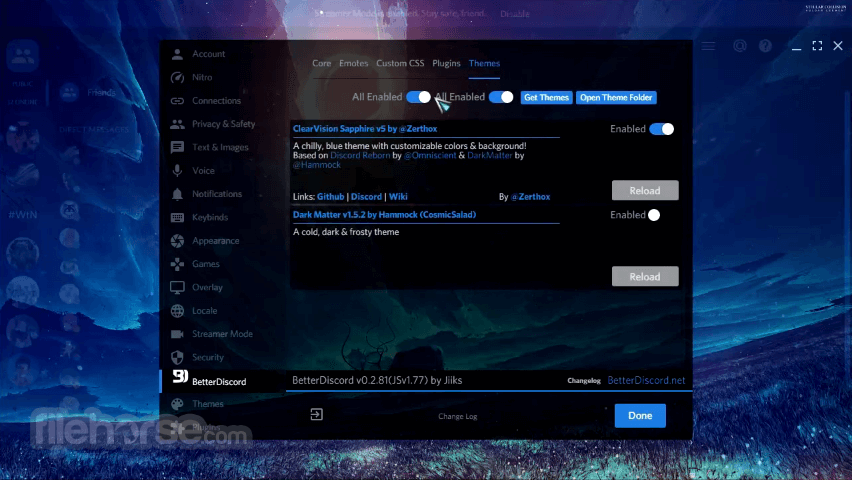
Upon installing Better Discord (which is distributed online as a sub-1MB archive that can be deployed to your PC in mere seconds), the app will be integrated into Discord’s Settings page, where it will add new categories such as Core, Emotes, Custom CSS, Plugins, and Themes.
The most extensive and feature-full section of all those presented is Core, where you users are presented with a wide array of useful tools that can sometimes dramatically change the functioning of the entire app, including toggles for Public Servers, Minimal Mode, Voice Mode, Dark Mode, 24 Hour Timestamps, Colored Text, and intricate Developer mode. The Emotes tab can infuse Discord with many new emotes, including full integration of Twitch emotes, Name toggle, emote modifiers, and more.
Developers of BetterDiscord recommend that users who are not well-versed in coding do not attempt to make changes to the app inside the Custom CSS Editor tab. The app is a small but incredibly versatile customization addon for Discord, and as such, it can provide value to almost every Discord user.
This community-created app continues to evolve to this day, introducing new customization features to this popular communication platform. It can be downloaded today for FREE.
Main Features
User Interface
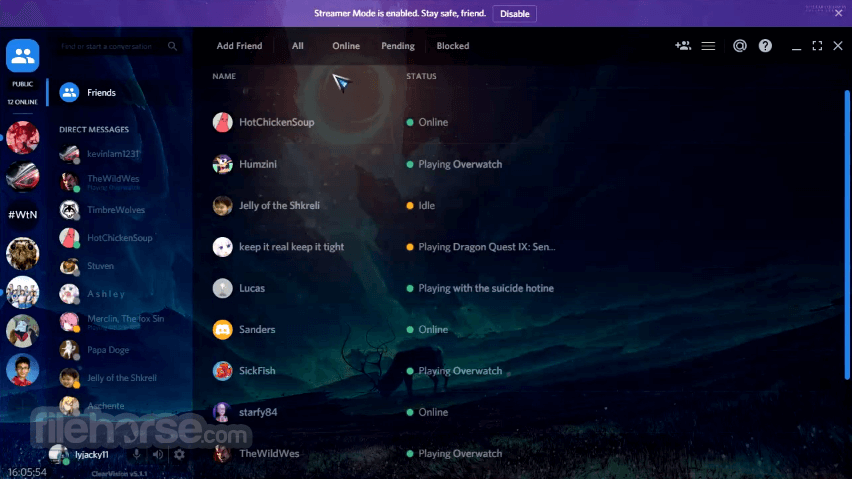
The user interface of this tool closely mirrors that of the standard Discord application, but with added customization options.
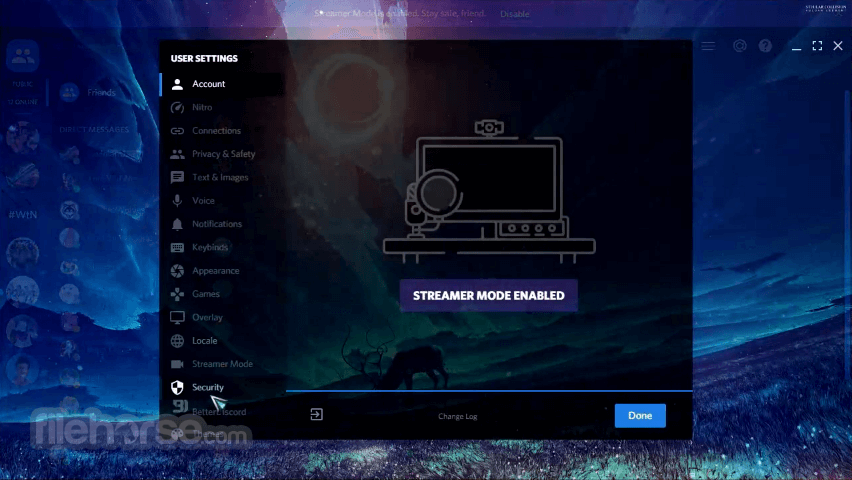
Upon installation, users can access a new settings menu specifically for BetterDiscord, where they can manage themes, plugins, and other customizations. This menu is intuitive and integrates seamlessly with Discord's existing settings.
When installed on your PC, BetterDiscord will unlock access to the new suite of helpful emotes, plugins, and themes, transforming your Discord app into a much more customizable platform that can help you optimize your daily workflow, showcase your style, and allow easier access to all your online friends, in-app discussion boards, and more.
In addition to the numerous consumer-facing features, this free and lightweight app prides itself on introducing additional security and optimization features that can help you reduce the CPU load when managing access to an incredible variety of chat channels, modern chat tools, built-in browser support, and much more.
While the Better Discord app can perfectly well serve PC novices who just want quick access to new customization features (such as the ability to change and hide some of Discord’s core UI elements), this app also provides access to the fully-featured CSS editor that will enable seasoned PC users and coders to customize their Discord experience to their exact needs.
Upon installing Better Discord (which is distributed online as a sub-1MB archive that can be deployed to your PC in mere seconds), the app will be integrated into Discord’s Settings page, where it will add new categories such as Core, Emotes, Custom CSS, Plugins, and Themes.
The most extensive and feature-full section of all those presented is Core, where you users are presented with a wide array of useful tools that can sometimes dramatically change the functioning of the entire app, including toggles for Public Servers, Minimal Mode, Voice Mode, Dark Mode, 24 Hour Timestamps, Colored Text, and intricate Developer mode. The Emotes tab can infuse Discord with many new emotes, including full integration of Twitch emotes, Name toggle, emote modifiers, and more.
Developers of BetterDiscord recommend that users who are not well-versed in coding do not attempt to make changes to the app inside the Custom CSS Editor tab. The app is a small but incredibly versatile customization addon for Discord, and as such, it can provide value to almost every Discord user.
This community-created app continues to evolve to this day, introducing new customization features to this popular communication platform. It can be downloaded today for FREE.
Main Features
- Custom Themes: Users can personalize their Discord interface with a variety of themes. These themes range from simple color changes to complete overhauls of the interface, providing a fresh look tailored to individual tastes.
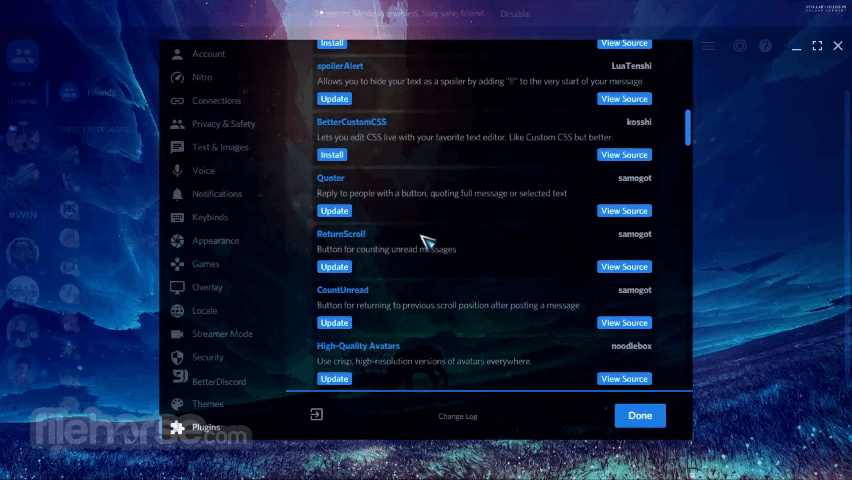
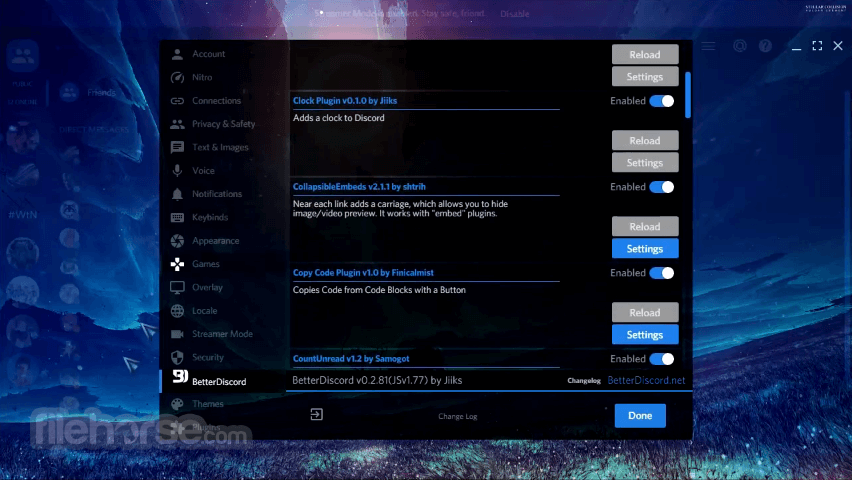
- Plugins: It supports a wide array of plugins that add extra functionality. These plugins can enhance user experience by adding features like enhanced UI elements, additional chat features, and integration with other apps.
- CSS Editor: For those familiar with CSS, it provides the ability to directly edit the styles of Discord. This allows for even more granular control over the appearance and behavior of the app.
- Emotes and Stickers: Users can import and use additional emotes and stickers beyond what is available on the standard Discord, including those from other platforms.
- Performance Enhancements: Some plugins are designed to improve the performance of Discord, making it run more smoothly and efficiently, especially on lower-end systems.
User Interface
The user interface of this tool closely mirrors that of the standard Discord application, but with added customization options.
Upon installation, users can access a new settings menu specifically for BetterDiscord, where they can manage themes, plugins, and other customizations. This menu is intuitive and integrates seamlessly with Discord's existing settings.
##
畫面截圖
- 2026-02-23 BetterDiscord 1.3.0 75.1 MB
- 2023-03-09 BetterDiscord 1.2.1 75 MB
- 2021-10-23 BetterDiscord 1.1.1 63.4 MB
- 2021-03-29 BetterDiscord 1.0.0 63.5 MB