
- 目前版本1.10
- 更新日期2016-01-06
- 檔案大小6.11MB
- 檔案名稱BleachBit-1.10-setup.exe
- 作業系統Windows 7 / Windows 8 / Windows 10 / Windows 11
- 支援語系English
- 授權型式開源軟體
- 開發商 Andrew Ziem
- 軟體分類Windows 軟體 / 系統優化
編輯短評
BleachBit 是一款開放原始碼的系統清理工具,主要用於清除瀏覽器快取、Cookie、上網記錄與各種暫存檔,並支援多種常見應用程式,如 Firefox、Chrome、Safari 等。它最具辨識度的特色是提供徹底刪除檔案的功能,能防止資料被還原,這在一般清理工具中較少見。軟體長期維護,更新頻率穩定,在同類工具中評價普遍不錯,雖然不是最熱門的選擇,但擁有穩定的使用者群。
這款工具適合需要定期清理電腦、注重隱私的使用者,尤其是想徹底抹除瀏覽紀錄的人。與 Glary Utilities 等整合型優化工具相比,BleachBit 功能較單純,但更專注於清理與安全刪除,取捨在於它不提供其他系統優化功能。需要注意的是,目前僅提供英文介面,且僅支援 Windows 與 Linux 平台,使用前需留意。授權為開源軟體,可自由使用。
軟體介紹
專為 Linux 與 Windows 系統設計,可徹底清潔超過一千種應用程式,包括 Firefox、Edge、Adobe Flash、Google Chrome、Opera、Safari 等。
除了單純刪除檔案之外,BleachBit 還具備進階功能,例如粉碎檔案以防止復原、清除可用磁碟空間以隱藏其他應用程式刪除檔案的痕跡,以及最佳化 Firefox 使其執行更快速。不只是免費,BleachBit 還是開放原始碼軟體。
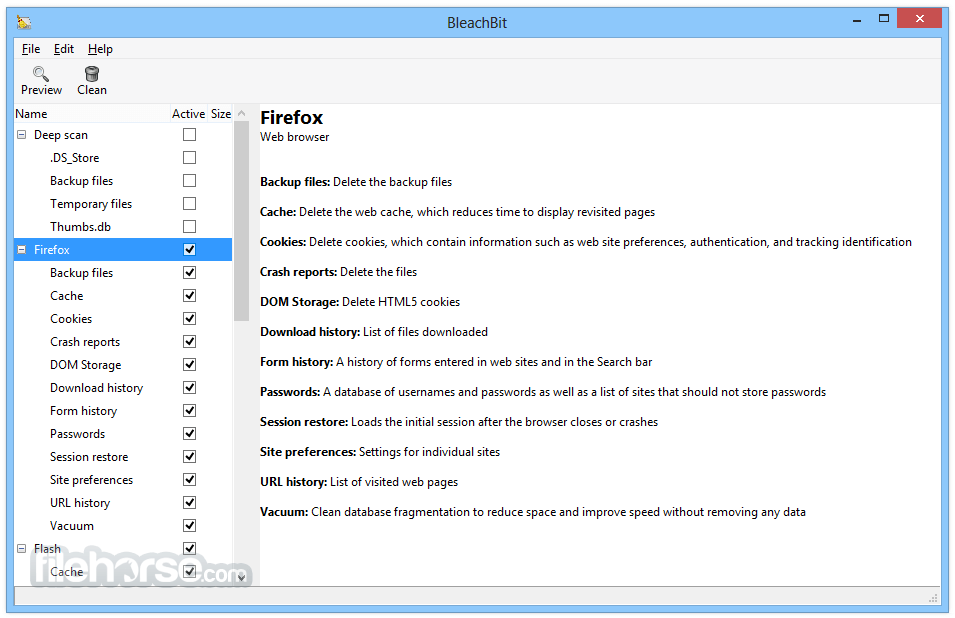
它內建持續增加的清理器清單。通常每個清理器代表一個應用程式,例如 Firefox 或 Internet Explorer。在每個清理器中,應用程式會提供可清理元件的選項,例如快取、Cookie 與日誌檔。每個選項都有說明,協助你做出正確的決定。
BleachBit 具備許多實用功能,旨在協助你輕鬆清理電腦、釋放空間並維護隱私。
- 操作簡單:閱讀說明、勾選想要的項目、點擊預覽,再點擊刪除。
- 跨平台:Linux 與 Windows
- 完全免費,無任何金錢交易
- 可自由分享、學習與修改(開放原始碼)
- 無廣告軟體、間諜軟體、惡意軟體、瀏覽器工具列或「加值軟體」
- 除美式英語外,已翻譯成 64 種語言
- 粉碎檔案以隱藏內容並防止資料復原
- 可粉碎任何檔案(例如桌面上的試算表)
- 覆寫可用磁碟空間以隱藏先前刪除的檔案
- Windows 可攜版:免安裝即可執行
- 提供命令列介面,方便腳本與自動化
- CleanerML 讓任何人都能用 XML 撰寫新的清理器
- 自動匯入並更新 winapp2.ini 清理器檔案(需另行下載),讓 Windows 使用者可存取超過 2500 個額外清理器
- 頻繁更新軟體,持續加入新功能
- 依照安裝指示安裝軟體
- 以系統管理員身分啟動 BleachBit,以取得完整存取權限
- 從清單中選取要清理的系統區域或應用程式
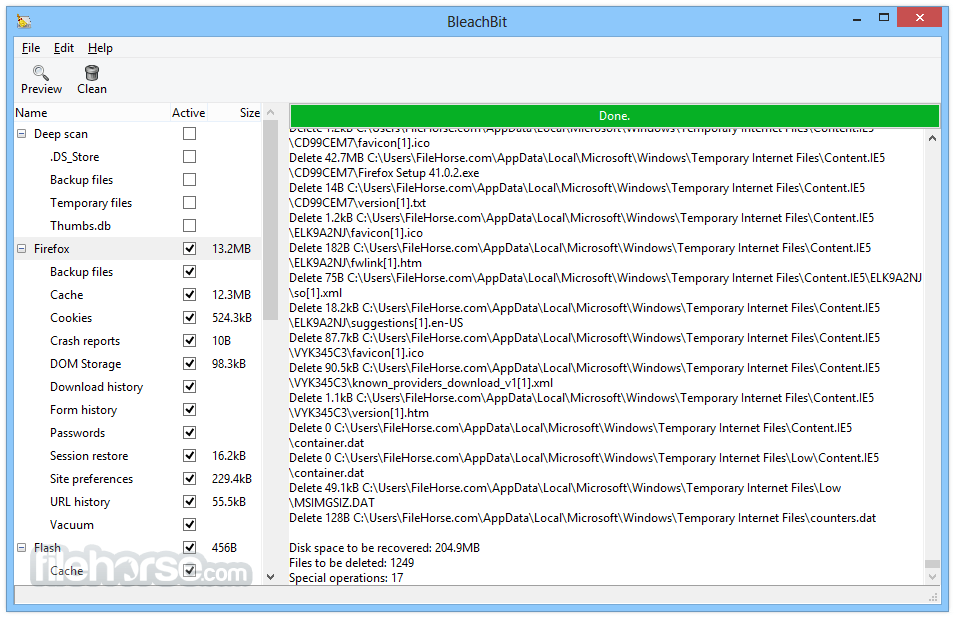
- 點擊「預覽」查看將刪除的內容
- 檢視結果,如有需要可取消勾選項目
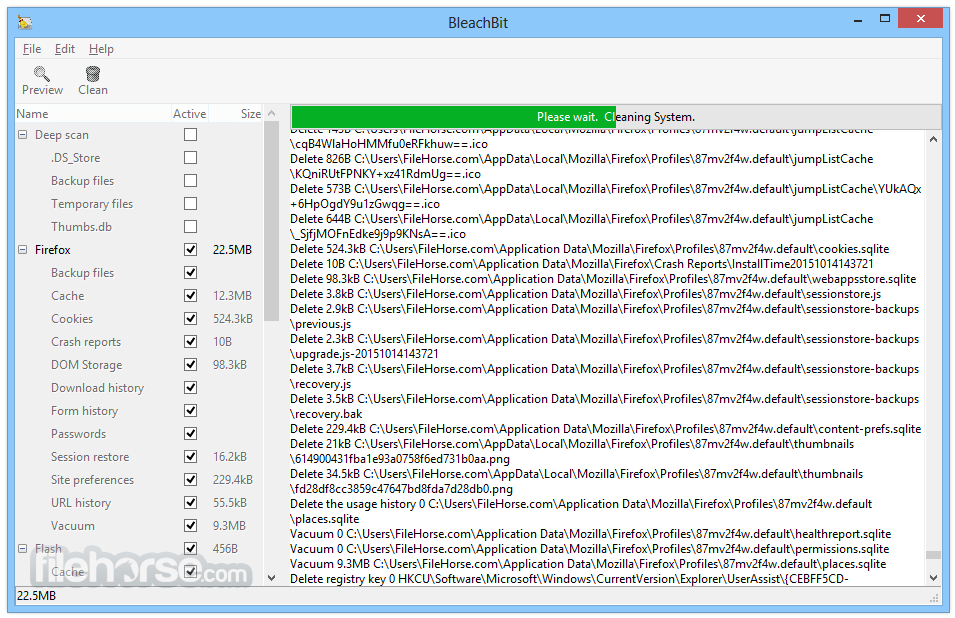
- 點擊「清理」以刪除選取的檔案與資料
- 使用「粉碎檔案」安全清除敏感檔案
- 使用「清除可用空間」移除殘留的資料痕跡
- 定期檢查更新,保持最新版本
作業系統:Windows 7、8、10、11
處理器:1 GHz 或更快
記憶體:最低 512 MB(建議 1 GB)
儲存空間:100 MB 可用磁碟空間
權限:需系統管理員權限以使用完整功能
優點
- 清除垃圾檔案並釋放空間
- 介面簡單且易於使用
- 支援許多熱門應用程式
- 開放原始碼且免費使用
- 可粉碎檔案以安全刪除
- 無內建備份或還原功能
- 進階工具對初學者不友善
- 清理後視覺回饋有限
- 若不慎操作可能刪除所需檔案
- 無自動或排程清理功能
下載 BleachBit 最新版本 為什麼此應用程式發布在 FileHorse 上?(更多資訊)
畫面截圖
更新日誌
1.10 - Clean passwords on Firefox version 32+.
- Clean Google Chrome cookies for non-default profiles.
- Clean more autofill on Google Chrome (reported by pcdoctor01). If you are logged in to Google Chrome, it may automatically restore some of these values from your online Google account unless you disable the option Show addresses and credit cards from Google Payments in the autofill page of Google Chrome settings.
- Add size column to side tree control (thanks to Ivor Hewitt).
- BleachBit 1.9.3 on Windows 10 showing Firefox preview
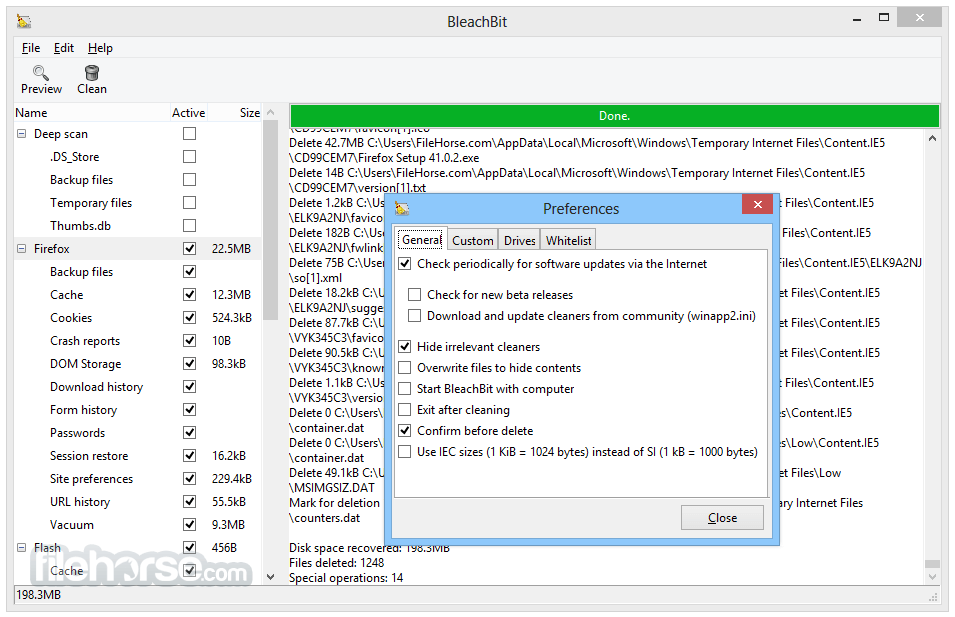
- Add an option to show file sizes as IEC units (1 KiB = 1024 bytes) instead of SI units (1 kB = 1000 bytes; thanks to Tristan Stenner).
- BleachBit 1.9.3 on Windows 10 showing the Preferences dialog
- Speed up identification of files using regular expressions by 5% to 50%
- Allow relative paths with --shred command line argument (reported by Eva Putnam).
- Add descriptions for cleaners (thanks to theatre-x).
- Fix resizing of preference dialog (thanks to Anton Bobov).
- Warn when deleting passwords on Firefox (reported by Theatre-X).
- Accept abbreviations T and F in bleachbit.ini configuration (reported by Ken Wallace).
- Show a user-friendly error message when checking for updates fails because of a network error (reported by Gary).
- Improve logging of errors. Some errors are more informative, and on Windows, errors are unlikely to cause a popup message about bleachbit.exe.log.
- The primary download mirror now secures connections using HTTPS. (This is in addition to the digital signatures on Windows executables and PGP-signed hashes.)
# Specific to Linux
- Clean more localizations (thanks to Tristan Stenner).
- Add localization codes (thanks to Tristan Stenner).
- Add .rpm installation package for Fedora 22.
- Fix memory cleaning on Ubuntu 15.10 and other distributions (reported by Richard Pearse).
- Fix harmless error that localizations.xml is unusable (thanks to Tristan Stenner).
- Do not show localizations at the base level (reported by BBUser).
- Do not show Windows Explorer cleaner on Linux (reported by Tomás F. L.).
- Fulfill Fedora license file location change.
- Do not delete xauth under KDE (reported by mike).
- Remove deprecated key encoding in bleachbit.desktop.
- Drop support for Mandriva, which is dead.
- Do not show cleaner is unusable message in the console (except when debug mode is enabled or in non-final releases).
# Specific to Windows
- Show the User Access Control on Windows 10. This helps elevate BleachBit to administrator privileges. (reported by Mike L.).
- Fix handling of Windows 10 in Winapp2.ini in DetectOS= .
- Avoid error pop-up message when exiting application after cleaning non-removable directory (reported by ineuw, goingoin, michael54854 ).
- Avoid pop-up error message when exiting application after exhaust rename.
- Fix cleaning of MRU for Adobe Reader versions 5-11 (reported by Arkwright).
- Update to NSIS installer to version 2.50.
- Fix error in same_partition(...) when Microsoft Office Starter 2010 is installed, which creates an inaccessible virtual drive Q: (reported by goingoin).
- Add a new shortcut BleachBit No UAC, which starts BleachBit without requesting administrator privileges using the User Access Control dialog.
- BleachBit 1.9.3 beta in the Windows 10 start menu
- Remove an extra shortcut from the Start menu.
- 2026-07-05 BleachBit 6.0.2 16.67 MB
- 2026-04-26 BleachBit 6.0.0 16.82 MB
- 2026-03-17 BleachBit 5.1.0 16.72 MB
- 2025-10-20 BleachBit 5.0.2 15.68 MB
- 2025-05-03 BleachBit 5.0.0 15.66 MB
- 2025-04-13 BleachBit 4.9.2 15.68 MB
- 2024-10-08 BleachBit 4.6.2 11.63 MB
- 2023-11-05 BleachBit 4.6.0 11.33 MB