⚠ 這是歷史版本頁面 — 查看 Canon Digital Photo Pro 最新版本 →

- 目前版本4.18.0
- 更新日期2023-06-02
- 檔案大小298.54 MB
- 檔案名稱dppw4.18.0-installer.exe
- 作業系統Windows 7 64 / Windows 8 64 / Windows 10 64 / Windows 11
- 支援語系English
- 授權型式免費軟體
- 開發商 Canon
- 軟體分類Windows 軟體 / 影像設計
##
編輯短評
Canon Digital Photo Pro 是專為 EOS 系列與 PowerShot 具 RAW 拍攝能力的相機設計的高效能影像處理軟體。它主要解決原廠 RAW 檔的開發與編輯需求,提供包含白平衡、動態範圍、色彩調整及色調曲線微調等進階功能,並支援多種色彩空間與 ICC 色彩管理系統。這款工具由原廠長期維護且評價普遍不錯,是 Canon 用戶處理照片的穩定選擇。
這套軟體適合追求原廠色彩還原的攝影愛好者,在需要精準調整 RAW 檔曝光或色彩、準備列印照片時非常實用。相較於 Adobe Photoshop 等全方位影像編輯工具,它更專注於底片開發階段的處理,功能相對單一但針對性強。使用者可免費下載安裝於 Windows 或 macOS 平台,但需留意目前僅提供英文介面。
##
翻譯排程處理中,以下暫以英文原文呈現
軟體介紹
Canon Digital Photo Professional (DPP) is a high-performance RAW image processing, viewing, and editing software for EOS digital cameras and PowerShot models with RAW capability. Using DPP you can easily perform basic and advanced editing and printing of RAW images. An example of the available editing functions is image rotation, white balance adjustment, dynamic range adjustment, color adjustment, and fine-tuning of tone curve characteristics.
Canon Digital Photo Pro supports sRGB, Adobe RGB, Wide Gamut RGB, and Colour Management System (CMS) using the International Colour Consortium (ICC) Profile. Digital Photo Pro is included in the initial software setup for your Canon camera.
Features and Highlights
NEW COLOUR ADJUSTMENT PALETTE
A new color adjustment palette allows hue, saturation, and luminance adjustment for eight individual color gamuts, enabling the user to adjust one specific color in isolation without affecting the image as a whole. This is particularly useful when adjusting background tones in portraits, where there might previously have been a risk of giving a color cast to skin tones, for example.
ENHANCED HIGHLIGHT FUNCTION
Canon software developers have re-engineered the processing algorithms to increase the freedom in tonal rendering. By adjusting highlights, it is now possible to reproduce tones such as those in clouds and peoples’ faces that would previously have appeared washed out.
DUAL DISPLAY SUPPORT
For those photographers with dual monitors, DPP 4.0 allows a secondary monitor to be used as the preview window on the primary display. While the main monitor can be used to perform delicate adjustments, a secondary image window for images can be used as a magnifier for closer inspection of part of an image.
BETTER EOS UTILITY INTEGRATION
With the launch of Canon Digital Photo Pro 4.0 comes an updated EOS Utility 3 and the two pieces of software now offer better integration. The introduction of EOS Utility 3 makes it is possible to trigger the camera direct from the DPP tool palette as well as access all the rest of the EOS Utility remote shooting functions without the need to start a separate application, thus enabling a more streamlined and integrated workflow.
CAMERA COMPATIBILITY AND OS SUPPORT
At launch, DPP 4.0 is compatible with Canon’s current range of full-frame DSLRs, including the EOS-1D X, EOS-1D C, EOS 5D Mark III, and EOS 6D. For other models, an update of DPP 3.14 will be released.
PROS
Download Canon Digital Photo Pro Latest Version Why is this app published on FileHorse? (More info)
Canon Digital Photo Pro supports sRGB, Adobe RGB, Wide Gamut RGB, and Colour Management System (CMS) using the International Colour Consortium (ICC) Profile. Digital Photo Pro is included in the initial software setup for your Canon camera.
Features and Highlights
NEW COLOUR ADJUSTMENT PALETTE
A new color adjustment palette allows hue, saturation, and luminance adjustment for eight individual color gamuts, enabling the user to adjust one specific color in isolation without affecting the image as a whole. This is particularly useful when adjusting background tones in portraits, where there might previously have been a risk of giving a color cast to skin tones, for example.
ENHANCED HIGHLIGHT FUNCTION
Canon software developers have re-engineered the processing algorithms to increase the freedom in tonal rendering. By adjusting highlights, it is now possible to reproduce tones such as those in clouds and peoples’ faces that would previously have appeared washed out.
DUAL DISPLAY SUPPORT
For those photographers with dual monitors, DPP 4.0 allows a secondary monitor to be used as the preview window on the primary display. While the main monitor can be used to perform delicate adjustments, a secondary image window for images can be used as a magnifier for closer inspection of part of an image.
BETTER EOS UTILITY INTEGRATION
With the launch of Canon Digital Photo Pro 4.0 comes an updated EOS Utility 3 and the two pieces of software now offer better integration. The introduction of EOS Utility 3 makes it is possible to trigger the camera direct from the DPP tool palette as well as access all the rest of the EOS Utility remote shooting functions without the need to start a separate application, thus enabling a more streamlined and integrated workflow.
CAMERA COMPATIBILITY AND OS SUPPORT
At launch, DPP 4.0 is compatible with Canon’s current range of full-frame DSLRs, including the EOS-1D X, EOS-1D C, EOS 5D Mark III, and EOS 6D. For other models, an update of DPP 3.14 will be released.
PROS
- Excellent RAW Image Processing
- Intuitive User Interface
- Seamless Canon Camera Integration
- Comprehensive Editing Tools
- Free for Canon Users
- Limited Compatibility
- Heavy System Resource Usage
- Steep Learning Curve
- Sluggish Performance on Large Files
- Basic File Management Features
Download Canon Digital Photo Pro Latest Version Why is this app published on FileHorse? (More info)
##
畫面截圖
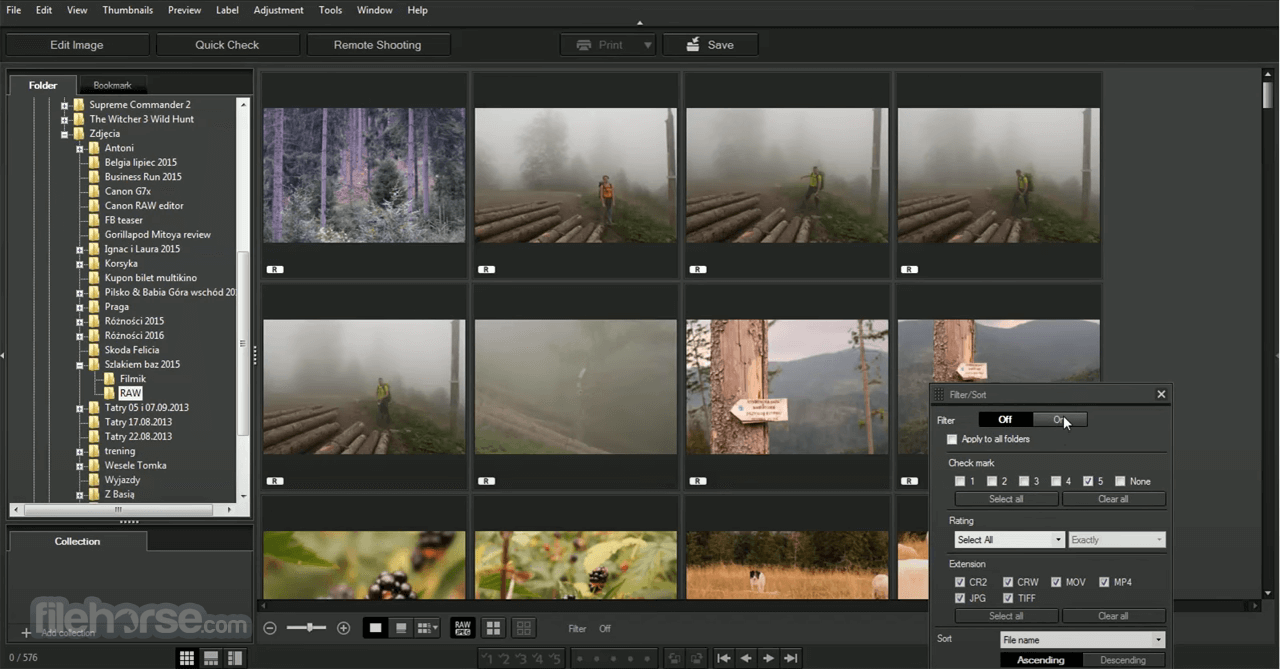
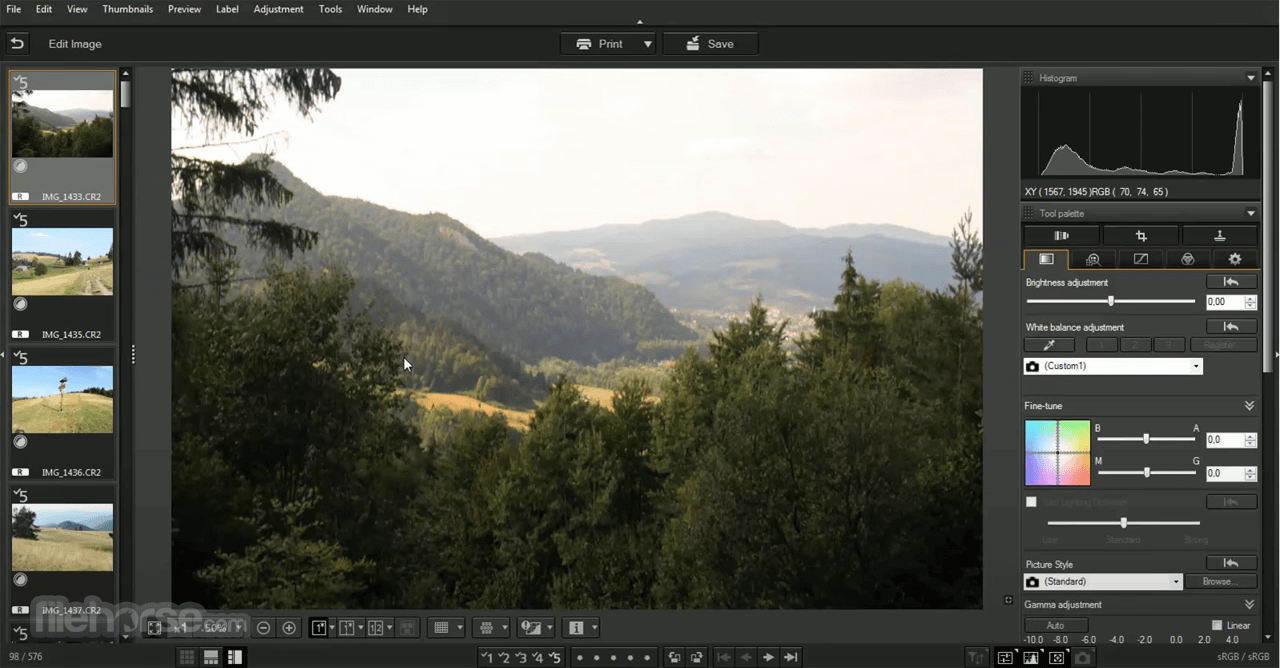
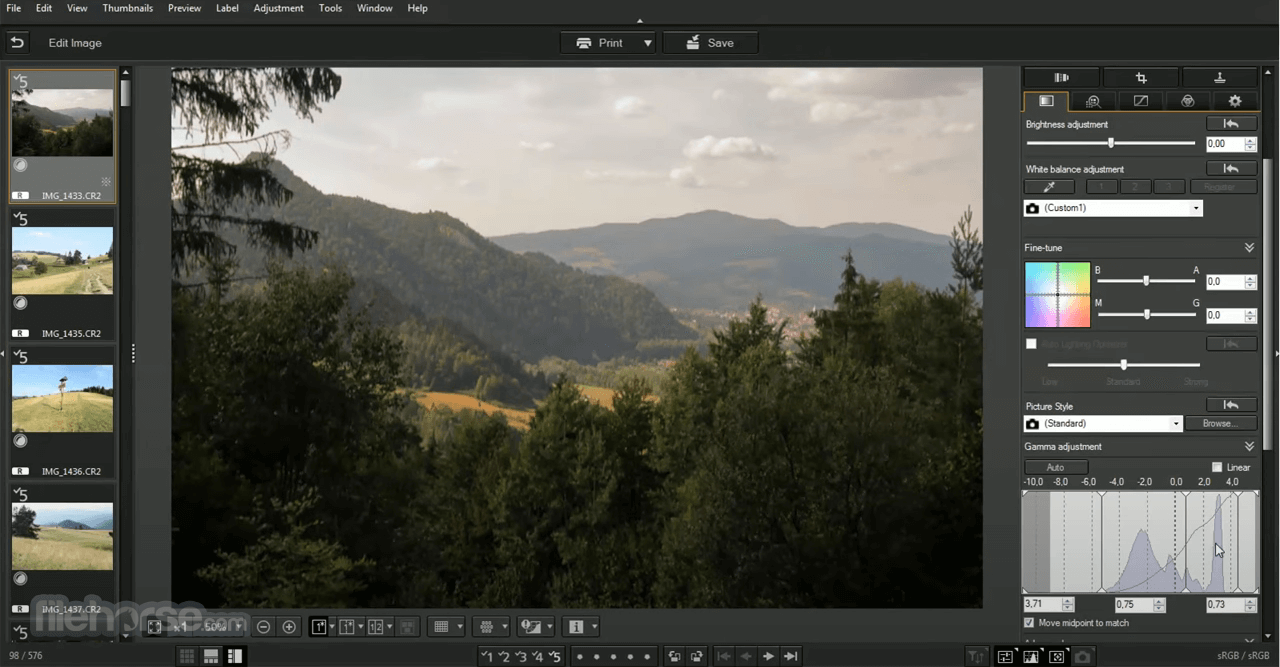
- 2025-07-02 Canon Digital Photo Pro 4.20.11 296.3 MB
- 2025-04-03 Canon Digital Photo Pro 4.20.10 296.3 MB
- 2024-09-27 Canon Digital Photo Pro 4.19.30 295.15 MB
- 2024-08-22 Canon Digital Photo Pro 4.19.10 292.32 MB
- 2023-06-02 Canon Digital Photo Pro 4.18.0 298.54 MB
- 2023-02-22 Canon Digital Photo Pro 4.17.20 298.45 MB
- 2022-11-23 Canon Digital Photo Pro 4.17.10 299 MB
- 2022-11-10 Canon Digital Photo Pro 4.17.0 295.95 MB